A detector can flag human writing as AI-generated, so its score is a starting point rather than a verdict. A false positive is a result that incorrectly labels human-written text as AI-generated. That mistake can matter when you are checking a class assignment, a work document, or a story before publication.
AI detection can help screen text, but it can also miss AI-generated writing or misclassify human-written content. The best AI checker for you depends on whether you need a quick free check, a classroom review tool, or a publishing workflow. This comparison looks at both detection and the limits of each result.
Use a score to find passages that may need closer review, not to decide who wrote them. A useful tool should fit your task and help you make a fair, informed choice. Match the checker to the decision you need to make, not just the highest score it returns.
Key Takeaways
- Pangram Labs and Copyleaks had the strongest results in a small sample test.
- GPTZero offers a practical option for document and classroom workflows.
- Scribbr is convenient for repeated free checks without an account.
- False positives and false negatives measure different kinds of mistakes.
- A detector score cannot prove who wrote a passage or which tool they used.
- Save drafts and edit records when a writing decision could have serious effects.
What Should You Compare Before Choosing a Checker?
Start by asking what would be more costly in your situation, missing AI-generated writing or wrongly flagging human-written content. Those errors differ, and a useful comparison should track both instead of leaning on one headline accuracy claim.
Compare a detector’s ability to catch generated text with its ability to leave human writing unflagged. A false negative wrongly classifies AI writing as human, while a false positive wrongly flags human writing. GPTZero and ZeroGPT scores are classifications, not proof of authorship.
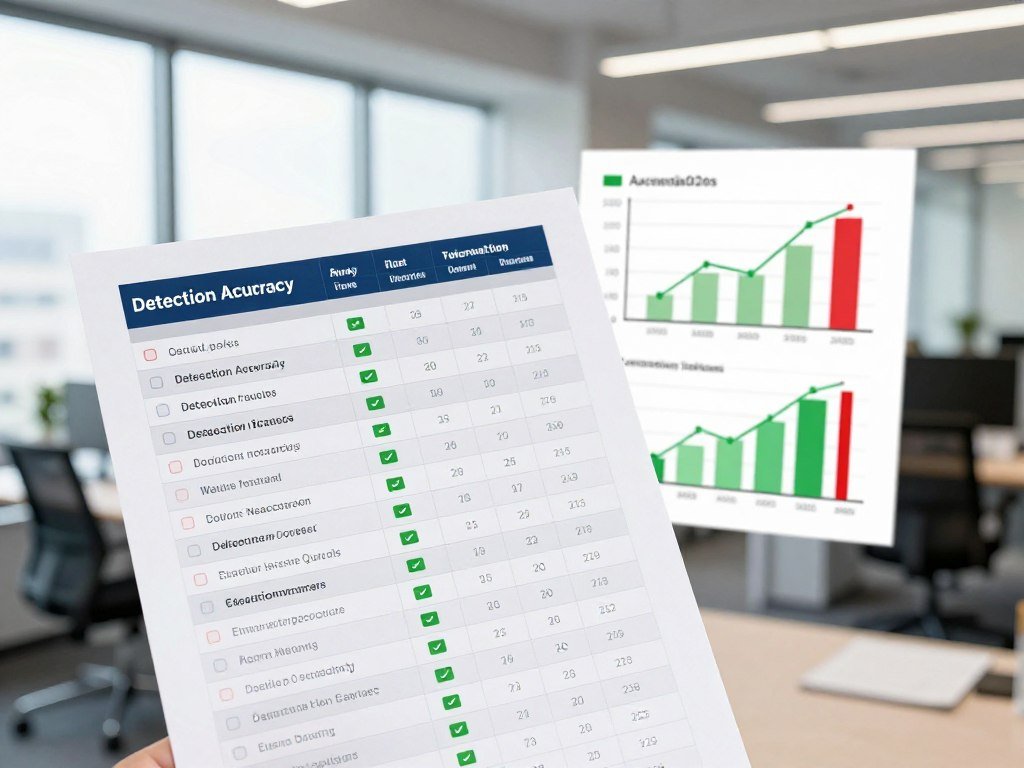
- AI detection: Does the tool catch AI-generated text in the kinds of writing you review?
- False positives: Does it correctly classify human-written content?
- Sentence-level explanations: Can you see which passages shaped the result?
- Workflow fit: Does it work with your documents, team, or review process?
A reported accuracy number means little without its test sample and setting. Results can change with the text type, length, language, and mix of human and AI writing.
A detector that flags more passages is not automatically more accurate. It may catch more generated text while also mislabeling more human writing, so the two error types need separate attention.
For high-stakes decisions, prioritize evidence and review steps over a single percentage.
A tool built for quick self-checks may help you spot a passage for revision, but it may not suit a high-stakes academic decision. That setting needs more than an automated label.
Check whether the tool explains its result in a way you can act on. A broad score with no passage-level detail may be less useful than a modest score with clear locations to review.
Consider who will read the result and what happens next. A private draft check and a formal authorship review carry different risks, even when they use the same text.
Make a short list of the likely documents, the people who need access, and the cost of each type of error. For high-stakes decisions, prioritize evidence and review steps over a single percentage.
How Were the AI Checkers Tested?
The comparison checked both whether a tool caught generated samples and whether it left human samples correctly classified. Separate results matter, since detecting AI-generated text and recognizing human-written content are not the same task.
The test used nine AI-generated samples and three human-written samples for each listed tool. It gives you a side-by-side snapshot, not a promise about how every detector will handle your document.
What the test samples included
Each tool’s comparison included two types of text: samples written by AI and samples written by people. The small sample count lets you see whether tools treated the same pieces differently.
That design has a clear strength. It separates the detector’s response to generated writing from its response to human writing, instead of blending both into one score.
The sample set cannot represent every kind of document. A polished essay, a short email, and an edited report may produce different results because their styles and lengths differ.
Which errors the comparison measured
The test counted how many generated samples each tool detected. It also counted how many human-written samples the tool classified correctly.
Those measures help explain why one detector may be useful for screening while another may be too quick to flag human work. A strong result on one sample type does not erase a weak result on the other.
The comparison checks three things:
- AI detection: How many generated samples the tool identified.
- Human-text classification: How many human samples it left correctly labeled.
- Consistency across tools: How the same sample set produced different results.
Why a small test cannot settle accuracy
Samples, writing style, language, and the amount of editing can all affect results. A detector may respond differently to a formal essay than to a casual note.
Even a careful test needs a broad range of samples to say much about real-world performance. Nine generated pieces and three human pieces cannot cover every writer, subject, or level of editing.
Use the results to compare tools on the same set of text, not to predict the answer for every future document. A small sample is useful for a side-by-side snapshot, but not for a general guarantee.
Before applying a result to a new task, consider whether its text resembles the sample type and style you tested. Treat a small sample as a comparison point, not a guarantee for a different document.
Which Is the Best AI Checker for Most People?
Pangram Labs and Copyleaks tied for the strongest result in this limited sample, while GPTZero offers a useful balance of detection and access. For the best detector in the comparison, Pangram Labs is the main pick when detection matters most.
Both Pangram Labs and Copyleaks detected all nine AI samples and classified all three human samples correctly. GPTZero is a practical alternative if free access and workflow integrations matter more to you.

| Tool | AI samples detected | Human samples classified correctly |
|---|---|---|
| Pangram Labs | 9 of 9 | 3 of 3 |
| GPTZero | 7 of 9 | 3 of 3 |
| Copyleaks | 9 of 9 | 3 of 3 |
| Originality.ai | 7 of 9 | 3 of 3 |
| ZeroGPT | 6 of 9 | 1 of 3 |
For readers seeking the best AI checker for accuracy, Pangram Labs and Copyleaks lead this sample comparison. The 2026 test results show that each caught every generated sample while correctly classifying each human sample.
GPTZero found seven of nine AI-generated pieces and correctly classified all three human pieces. That balance makes it a reasonable choice when access and everyday workflow count alongside detection.
Originality.ai also caught seven generated samples and classified all three human samples correctly. ZeroGPT detected six generated samples, but correctly classified only one of the three human samples.
Writer caught none of the nine generated samples, so it is not a strong choice when detection is your main need. Results from nine generated and three human samples cannot predict every real-world outcome.
Use the table as a comparison, not a ranking of guaranteed performance. A different text, writing style, or editing level can change what a detector reports.
Choose Pangram Labs for the strongest result in this test, but verify consequential findings with human review.
Which Free AI Checkers Are Worth Trying?
Scribbr is the easiest free option for repeated checks because it offers unlimited checks without requiring an account. For simple access, it removes both a sign-up step and a daily scan cap.
GPTZero suits a larger monthly word allowance, while Pangram Labs suits a small daily quota after sign-up. The best free option depends on how often you check and how much text each document contains.
| Tool | Free allowance | Sign-up needed |
|---|---|---|
| QuillBot | Up to 1,200 words per scan, 6 scans per day | No |
| Pangram Labs | 5 scans per day | Yes |
| GPTZero | 10,000 words per month for basic scans, 5 advanced scans | Yes |
| ZeroGPT | Up to 15,000 characters per detection | No |
| Scribbr | Unlimited free checks | No |
Scribbr works well if you want to run repeated checks without creating an account. GPTZero’s monthly word allowance may fit a larger batch, while Pangram Labs offers a set number of daily scans.
Free access does not establish detection quality. A free tool may be convenient while still missing generated text or flagging human writing.
Word limits and character limits are not interchangeable. The same document can use very different amounts of each, depending on its length and formatting.
A daily allowance can be more useful than a monthly total if you check only a few documents at a time. It may also be less helpful if you need to scan a large batch in one sitting.
Check whether the free allowance resets daily or monthly before relying on it for a batch of documents.
Is QuillBot AI Good for Checking Writing?
QuillBot is worth trying for a first-pass check, but its results are not dependable enough to settle an authorship dispute on their own. Use it as a signal to review a passage, not as proof of who wrote it.
In a 2026 test, QuillBot detected four of nine AI-generated samples and correctly classified all three human-written samples. Independent testing summarized in 2026 reported roughly 80% overall accuracy, a different result from that small sample test.
How QuillBot labels different kinds of text
QuillBot sorts text into four categories: human-written, human-written and AI-refined, AI-generated, or AI-generated and AI-refined. The labels separate writing made by a person from writing that a person or AI has edited.
“Human-written and AI-refined” means the text began as human writing but received AI help. “AI-generated and AI-refined” means AI first produced the text, then someone or another tool edited it.
Those labels may help you describe a passage more clearly than a single yes-or-no result. They still reflect a detector’s pattern analysis, not a record of the writer’s actions.
What its accuracy and paid plan mean
The roughly 80% overall accuracy report and the four-of-nine result come from different evaluation results. They should not be treated as interchangeable guarantees for your own document.
QuillBot introduced its AI detection feature in July 2024, giving it a comparatively short period of use. That history does not prove the tool is weak, but it is a reason to avoid treating its score as settled evidence.
QuillBot Premium costs $8.33 per month when billed annually and includes unlimited AI detection. That plan changes access, not the meaning of a detector result.
QuillBot can be useful when you want a quick first look at writing. Its small test result does not support treating it as a conclusive detector, even though a broader accuracy report gives a different view.
If a score matters to someone’s grades or job, ask for supporting evidence rather than relying on QuillBot alone.
Is Pangram Labs a Good Choice for Publishers?
Pangram Labs is a strong fit for teams that need repeated checks, provided they account for word-based credit use on long documents. Length changes the math when a scan uses more than one credit.
Its $15 monthly plan includes up to 600 AI scans, with documents over 1,000 words using one credit per 1,000 words. A long article can use several credits, so the listed scan count may overstate how many full documents your team can check.
How its paid plan uses scan credits
Think of the monthly allowance as credits rather than a fixed count of complete documents. A document over 1,000 words uses one credit for each 1,000 words under the stated rule.
For example, a 3,000-word article would use three credits. If you scan several long drafts each week, the credit total can rise faster than the number of documents suggests.
The plan can still suit a publishing team with a steady stream of content. Estimate typical document length and scan frequency before deciding whether the monthly allowance fits.
When its workflow fits content teams
Publishers may want to screen drafts before an editor spends time on them. A shared routine can help teams find pieces that need a closer look, especially when they handle regular batches of content.
Repeated screening is not proof of authorship. An AI score cannot confirm who wrote a piece, how it was edited, or whether a writer followed a specific policy.
Set clear expectations about what a scan can do. Editors can use a flag to guide a review, while still considering the draft, its history, and the writer’s explanation.
Long documents can make a nominal scan count misleading when credits depend on word count. Estimate the typical document length before comparing a monthly scan allowance with your workload.
Does GPTZero Fit Classroom and Writing Workflows?
GPTZero is a practical option when a school or writing team wants detection built into familiar document and classroom workflows. Its integrations help with access, not with proving who wrote a passage.
GPTZero detected seven of nine AI-generated samples and correctly classified all three human-written samples in the 2026 test. That result can support screening, but a human-written sample can still be misclassified.
Integrations for document and classroom review
GPTZero supports a Chrome Extension, Google Docs, Google Classroom, Canvas, Zapier, and an API. These options can place a check within tools a school or team already uses.
A document workflow or sentence-level feedback can help a reviewer find passages worth discussing. It can also make routine checks easier to fit into a team’s process.
Integration with a classroom platform does not replace an institution’s own academic-integrity process. The platform can show a score, but it cannot make a fair decision for the school.
Where a score needs a second look
GPTZero’s sample result shows that it can detect some generated writing while correctly classifying the human samples in that test. A different writer, passage, or editing style may produce another result.
Reviewers should consider what a highlighted passage says and how it fits the full document. A sentence-level alert is a place to start a conversation, not a finding about intent.
Teachers can use a tool to support their review, especially when they need to locate a passage. They still need to follow local rules and assess the writing in context.
For writers, workflow features can make self-review less disruptive. A flag should prompt a closer look at the draft and its history, not replace those records.
Use any flagged passage to guide a conversation about writing process, not as a shortcut to a misconduct finding.
Should You Choose Copyleaks or Originality.ai?
Copyleaks makes the clearer fit for a small shared plan, while Originality.ai offers a broader set of review functions in one workflow. Choose by your team’s work, not by the number of features on a product page.
Copyleaks’ $9.99 monthly plan covers 25,000 words per month for two users. Originality.ai combines AI detection, plagiarism, and content-quality scans with reports and batch tools.
Copyleaks for shared scanning
Copyleaks may suit a small team that needs two people to share a monthly word allowance. The key limit is the total number of words checked, not simply how many people can log in.
A group’s needs can exceed its monthly word allowance even when several users share access. Estimate the combined volume for everyone who will scan documents.
Shared access may help when editors or reviewers need to check the same queue. It does not mean each user gets a separate full allowance.
Originality.ai for reports and content review
Originality.ai offers AI detection, plagiarism checks, and content-quality scans. Its review tools include sentence highlights, PDF reports, bulk scans, and API access.
These features may suit teams that need to review many pieces or keep a report for later. Bulk scanning can help with a queue, while an API can connect checks to a team’s own workflow.
Plagiarism detection and AI detection answer different questions. A plagiarism check looks for text that matches other work, while an AI detector estimates whether writing resembles AI-generated patterns.
Neither feature replaces the other. A clean plagiarism result does not prove that a person wrote the text, and an AI score does not show whether the text copies another source.
Think about which reports your team will use after a scan. Compare expected monthly words and the specific report features your team will actually use.
What Can ZeroGPT, Scribbr, and Writer Do Well?
ZeroGPT, Scribbr, and Writer are most useful when you treat them as screening options with distinct access and text-length characteristics. Convenience is not accuracy, and a quick check cannot settle authorship by itself.
Writer accepts text up to 5,000 words, while Scribbr offers repeated free checks without sign-up. Those features can suit different tasks, but neither a text cap nor easy access proves a result is right.
Quick screening with ZeroGPT
ZeroGPT can serve as a quick screen when you want an initial signal about a passage. Its result should be treated as a classification that needs context, not a final judgment.
The comparison test showed why a free score may not be reliable enough to settle a question. A tool can identify some generated samples and still misclassify human writing.
A fast check may help you decide where to look more closely. It cannot tell you who wrote a piece or what process produced it.
Free checks and text-length limits with Scribbr and Writer
Scribbr can suit people who want to run repeated checks without opening an account. Writer may fit a pasted document that falls within its 5,000-word input limit.
Writer’s text cap is an input limit, not a promise to identify every AI-written passage. A document that fits the box can still receive an incorrect result.
Use Scribbr when ease of access matters, or Writer when the pasted text fits its limit. The right fit depends on the actual document, not the size of the tool’s input box.
Text length and convenience describe how you use a checker, not how well it detects AI writing. Choose the tool for the actual document size and follow any concerning result with a closer review.
How Does Turnitin Compare With General-Purpose Checkers?
No outside checker can promise the same result as Turnitin, and Turnitin itself treats some low scores as less reliable. Its thresholds matter because a score can have different meaning at different levels.
Turnitin marks AI-detection scores below 20% with an asterisk, since those scores are less reliable. The service also raised its minimum input length to 300 words of prose because shorter texts produced more false positives.
| Turnitin measure | Threshold | Practical meaning |
|---|---|---|
| Low scores | Below 20% | An asterisk marks less reliable scores |
| Minimum input | 300 words of prose | Shorter text is excluded |
| Highlighted sentences | About 4% human-written | Some flagged sentences are human-written |
| Documents over 20% AI writing | Fewer than 1% wrongly flagged | Document-level error rate for this group |
Turnitin says about 4% of the sentences it highlights as AI-written are human-written. That figure concerns individual sentences, not whole documents.
Turnitin also says fewer than 1% of documents with more than 20% AI writing are wrongly flagged as containing AI writing. This document-level figure measures a different outcome from the sentence-level rate.
The two percentages are not in conflict because they count different things. One concerns highlighted sentences, while the other concerns documents above a stated level of AI writing.
Turnitin’s 300-word prose minimum reflects a known issue with shorter text, but it does not guarantee a correct result for longer work. Each checker uses its own model and thresholds.
No separate detector can predict a matching Turnitin result. Use the institution’s process and the full context of a submission rather than trying to reverse-engineer a Turnitin score.
Why Do AI Checkers Flag Human Writing?
A detector can flag human writing when its patterns resemble the kinds of text its model associates with AI. It reads patterns, not a writer’s identity or their drafting history.
False positives and false negatives are different risks. A false positive labels human writing as AI-generated; a false negative labels AI-generated writing as human.
False positives and false negatives are different risks
AI detectors analyze features such as word choice and sentence patterns. They do not know who typed a passage, whether a person edited it, or what tools they used.
A detector may treat clear, formal, or repetitive writing as a pattern linked to generated text. Human writers can use those same styles, especially in school assignments, reports, and other structured work.
False negatives matter too. AI-generated writing may pass as human, especially when its style differs from the patterns a detector expects.
Non-native English writing needs careful review
A Stanford study found that seven popular AI detectors misclassified an average of 61.3% of TOEFL essays written by non-native English speakers as AI-written. Turnitin was not among the detectors tested.
That result is a reason for care, not a universal error rate for all detectors or all writers. The study focused on a particular set of essays and tools, so its finding should not be applied to every case.
Keep these factors in mind during a review:
- Short passages provide less text for pattern analysis.
- Formal or repetitive phrasing can resemble common generated patterns.
- Writing in a second language may affect how a detector reads style.
A writer’s background does not tell you whether a passage is AI-generated. A writing-style match should prompt you to examine context, not serve as evidence of who wrote the work.
Which Checker Fits Your Role and Use Case?
The right tool depends on whether you are screening a publishing queue, reviewing student work, or checking your own draft. Match the checker to the task, then set limits on how much weight you give its score.
Pangram Labs fits publisher screening, GPTZero suits an educator-oriented first pass, and Scribbr offers no-sign-up self-checks. Copyleaks is a reasonable option for teams that want shared scanning.
| Reader or task | Suggested option | Reason |
|---|---|---|
| Publisher or content team | Pangram Labs | Strong result in the sample comparison |
| Teacher | GPTZero | Classroom and document workflow options |
| College student checking own draft | Scribbr | Free self-check without sign-up |
| Casual free user | Scribbr | Unlimited checks without an account |
| Team needing shared scans | Copyleaks | Plan covers two users |
Pangram Labs and Copyleaks each detected all nine generated samples and classified all three human samples correctly in the 2026 test. GPTZero detected seven generated samples and correctly classified all three human samples.
That comparison makes Pangram Labs a sensible option for publisher screening, while a team may prefer Copyleaks’ shared plan. Your document mix and review needs should guide the final choice.
Teachers may find GPTZero useful as an educator-oriented first pass, especially when document and classroom tools fit their workflow. Teachers should not make an academic-integrity decision from a detector score alone.
College writers can use Scribbr to self-check a draft, but they should keep drafts and follow their school’s AI policy. A detector result does not explain whether an edit or assistive tool was allowed.
Casual users may value a simple free check more than advanced reporting. Pick a tool that fits your actual use, rather than paying for features you will not use.
For a college essay, use a checker only as a self-review aid and keep a record of how the writing developed.
How Can Schools and Teams Use AI Responsibly?
Schools can use AI for instruction and advising while keeping authorship decisions separate from automated scores. Learning support and detection serve different purposes, so they need clear rules.
The U.S. Department of Education’s 2025 guidance allows federal education grant funds to support several responsible AI uses. These include AI-based instructional materials, AI-enhanced tutoring, and tools for college and career pathway exploration, advising, and navigation.
Education uses that can support learning
AI-based instructional materials can support teaching, while AI-enhanced tutoring can offer another way to practice. Tools for college and career pathways can help with exploration, advising, and navigation.
These uses focus on learning and access, not on deciding whether a student wrote a particular assignment. A school can make room for helpful AI tools while still reviewing authorship claims with care.
For practical ideas about student research, see this comparison of AI chatbots for learning. Students still need to check important facts against reliable academic sources.
AI features can help with everyday tasks, but their output may be wrong or incomplete. A guide to AI features on phones offers more examples of keeping human judgment involved.
Set a review process before scanning submissions
A detector can support a review workflow without replacing clear rules or an individual assessment. Set expectations before people submit work or use a tool.
A school or team policy should:
- Disclose which kinds of AI assistance are permitted.
- Define when staff use detection checks.
- Provide a human review and appeal path.
Responsible instructional AI use is different from treating a detection score as disciplinary proof. Clear rules let students and staff understand the allowed tools before a concern comes up.
Publish the rules before an assignment or workflow begins so people know what assistance is permitted.
What Should You Do After a Checker Flags a Text?
Pause before acting on a flag and preserve the document and its editing history. Keep the record first, so a score does not erase useful evidence about how the writing changed.
A score that conflicts with a clear writing history should prompt more review, not an accusation. A flag can point to a passage worth discussing, but it cannot tell you the writer’s process on its own.
Use these four steps before making a decision:
- Save the detector result and the passages it flagged.
- Compare the result with drafts or the document’s edit history.
- Ask the writer to explain the writing process.
- Apply the relevant school or workplace policy before deciding.
Google Docs provides version history, and Microsoft Word offers Track Changes. Both can help preserve a record of drafts and edits.
A flag should start a fair review, not end the discussion. Give the writer a chance to explain how the work developed.
Compare the tool’s result with the document’s full history, not just the selected lines. A sentence may look unusual without showing how it came to be in the final draft.
Keep the conversation focused on the work and the relevant rules. A calm review gives you more useful information than an accusation based on one score.
Give the writer a fair chance to explain the work before reaching a conclusion.
Conclusion
A checker is most useful when it helps you decide what deserves a closer look. Pangram Labs is the pick for the strongest result in the stated sample, GPTZero fits an accessible workflow, and Scribbr suits repeated free checks.
No score proves authorship. A detector can miss generated writing or flag human work, so use the result as one piece of information alongside the document and its history.
Choose one tool for your immediate need, then verify any consequential result with context and human judgment.
FAQ
Can AI checkers tell whether a person used ChatGPT?
No, AI checkers cannot prove that a person used ChatGPT. They estimate authorship from patterns in the text, and those patterns can appear in both human and AI writing. A detector may miss AI-generated writing or flag human work. Even a strong score does not identify which tool produced a passage or who entered its words.
How many AI checkers should I use on one document?
Two independent checks can show whether detectors agree, but extra scores do not turn an uncertain result into proof. Different tools may analyze the same passage in different ways. If they disagree, treat that disagreement as a reason for closer review. Draft history, the writer’s process, and the rules for the assignment matter more than a vote among scores.
Can editing AI-generated writing make it harder to detect?
Yes, editing can change a detector’s result because it changes the text patterns the tool analyzes. A person may revise word choice, sentence order, or whole passages, and tools may respond differently to those changes. No checker reliably identifies every edited passage. A low score cannot show that AI was never involved in creating the original draft.
Are AI checkers less reliable for short writing samples?
Yes, short passages give a detector less text for pattern analysis. Turnitin requires at least 300 words of prose because shorter text produced more false positives. Other tools set their own input limits and may behave differently. A short result should carry extra caution, since a few sentences offer little evidence about the writer’s broader style.
Can an AI checker identify plagiarism?
No, an AI detector does not establish whether text matches another work. AI detection estimates whether writing resembles generated text, while plagiarism checking looks for overlap with existing material. Some products offer both features, but each answers a separate question. A low AI score does not prove originality, and a plagiarism match does not prove that AI wrote the passage.
Should a teacher confront a student based only on an AI score?
No, a teacher should not treat a detector score alone as proof of misconduct. Follow the school’s policy, review the student’s writing evidence, and give them a chance to explain their process. A saved draft or edit history may add useful context. Keep the discussion focused on the work and the stated rules, rather than assuming the score reveals intent.
Do AI detector scores mean the same thing across different tools?
No, scores do not mean the same thing across different AI detectors. Each tool uses its own model and thresholds, so two tools can classify the same text differently. Compare their output on the same passage, but read each result in context. A high score from several tools may justify more review, yet it still does not prove authorship.