
AI uses GPUs because they can work on many of the calculations behind a model at the same time. If you are exploring artificial intelligence or machine learning, the processor choice can affect how quickly your applications respond and what models you can run.
Many AI workloads repeat large amounts of similar math, which suits parallel processing. That can make a GPU useful for training and inference, the stage when a trained model handles new inputs.
You will see how this hardware fits common applications, when another processor may be enough, and what to check before choosing a system. The right processor depends on the workload, not on the word “AI” alone.
Key Takeaways
- GPUs handle many similar calculations at once.
- Neural networks use repeated math that often suits parallel processing.
- Training and inference can benefit from GPU acceleration.
- Model size and memory affect which hardware can run it.
- CPUs can handle lighter AI workloads without a discrete GPU.
Why Are GPUs Used for AI in Neural Networks?
A neural network performs many repeated calculations on numbers arranged in grids. A matrix multiplication is a calculation that multiplies rows and columns of numbers to produce a new grid of values, a core operation repeated throughout many neural networks.
GPUs can run thousands of simple operations simultaneously, which suits this kind of math. Neural-network layers apply linear algebra operations to data again and again as information moves through a model.

Some calculations can run independently, so many GPU processing units can handle separate pieces at once. Other operations depend on earlier results, which limits how much work can happen in parallel.
Parallel work helps most when a task can be divided into calculations that do not have to wait for one another.
An LSTM processes information in sequence. In a 1,000-token sequence, token 500 cannot be processed until the preceding 499 tokens have been computed.
A fast CPU can still help, but it gains less when each operation must wait for the one before it. Off-the-shelf CPUs became about 5,000 times faster between 1990 and 2010, yet sequential work still has limits.
Developers also choose the math format and software carefully. Research on NVIDIA Tensor Core calculations examines how low-precision math can vary across hardware and affect repeatable results.
Parallel work helps most when a task can be divided into calculations that do not have to wait for one another.
How Do GPUs and CPUs Handle AI Work Differently?
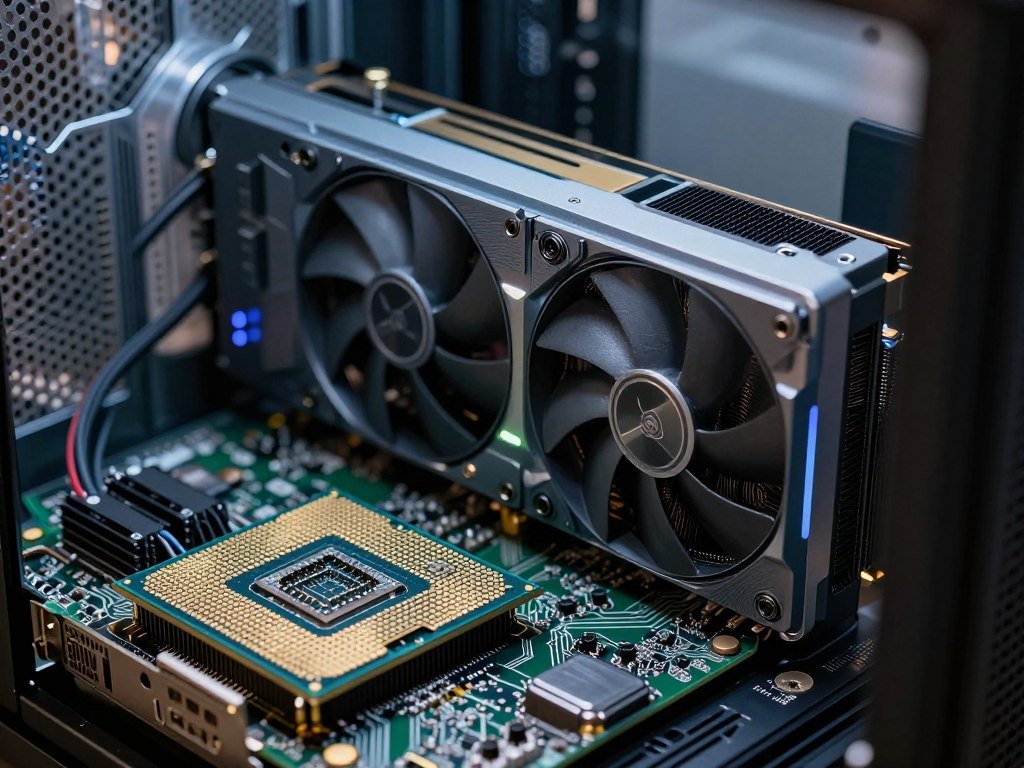
A CPU is built to handle varied instructions well, while a GPU is built to process many similar calculations at once. For large parallel workloads, the GPU can speed up model math while the CPU runs the rest of the computer.
A GPU is a co-processor, not a universal replacement for a CPU. Each processor has a different design, so the best fit depends on the task.
The CPU handles general-purpose work
A typical modern CPU has 8-16 cores. Each core can handle complex instructions, switch between tasks, and guide the flow of a program.
This design suits general-purpose work, such as running an operating system, managing files, or coordinating an AI application. CPUs also handle tasks where later steps depend on earlier results.
In an AI system, the CPU can load data, direct software, and send work to the GPU. It may also run a small model by itself when speed is not the main concern.
The GPU processes many calculations in parallel
A GPU has thousands of relatively small cores. They can work on separate pieces of a large problem, such as many values in a neural network.
That approach helps when operations are alike and can happen at the same time. It is less useful when each step needs a result from the step before it.
Think of the GPU as a specialist that takes on a large batch of similar math. The CPU remains in charge of general processing and system tasks.
| Attribute | CPU | GPU |
|---|---|---|
| Typical core design | 8-16 cores | Thousands of smaller cores |
| Best fit | Sequential general tasks | Parallel calculations |
| Role in an AI system | Orchestration and general processing | Accelerated model math |
The table shows why computers often use both processors. A CPU can manage the system while a GPU takes on math that benefits from parallel processing.
In a working AI computer, the CPU can manage the system while the GPU accelerates the math.
How Did GPUs Become AI Hardware?
GPUs first earned their place in computers by speeding up graphics work. They were originally designed to render images and can also help with video decompression.
The GeForce 256 was marketed as the first GPU, marking an early move to shift graphics calculations away from the CPU.
NVIDIA announced the GeForce 256 on August 31, 1999, and released its SDR version on October 11, 1999. Its hardware transform and lighting feature handled geometry calculations that had often fallen to the CPU.
That change made graphics processing more self-contained. As graphics hardware gained new capabilities, developers also found ways to use its parallel math for work beyond rendering.
Graphics work had a place in computer history before this product. A Computer History Museum interview describes Silicon Graphics’ role in the growth of computer graphics.
Ray tracing is a separate milestone. The GeForce RTX 2080 and RTX 2080 Ti, released in 2018, were the first consumer-oriented graphics cards capable of real-time ray tracing.
Those cards could trace light paths in a scene to create realistic reflections and shadows. That work also depends on processing many visual calculations.
The same ability to process many visual calculations together made GPUs a natural candidate for other highly parallel tasks.
How Do GPUs Speed Up AI Training?
During training, a model repeatedly calculates predictions and adjusts its parameters to reduce errors. Training takes repeated passes through data, so faster calculations can shorten a model’s learning work.
A GPU can speed up the repeated math, but it cannot make a model learn well by itself. Training still needs suitable software, useful data, and hardware that fits the job.

Repeating the training calculations
A training process feeds data into a model, which produces a prediction. The software compares that prediction with the expected result and measures the error.
Then it adjusts the model’s parameters, the values that shape how it responds to inputs. The model repeats these steps across data, gradually learning patterns that can improve its predictions.
A typical training loop has four steps:
- Feed data into the model.
- Calculate a prediction.
- Measure error.
- Update model parameters.
These steps use many calculations, and some can run at the same time. GPUs can help process those independent operations in large groups.
Shorter experiments and model iteration
Faster processing can give a team more time to test a model change, compare results, and try another approach. That matters when an experiment takes hours or days.
In a 2008 paper, Andrew Ng’s three-person team used two NVIDIA GeForce GTX 280 GPUs. The team reported a 70x speedup over CPUs when processing an AI model with 100 million parameters.
That result came from a particular model and setup, not every machine-learning workload. Software, data quality, and model design still shape the final performance.
A GPU can reduce the wait between experiments, but faster runs do not guarantee better predictions. Teams still need to test whether a model works on data it has not seen before.
Faster training is most valuable when it gives a team time to run and evaluate more experiments.
How Do GPUs Run AI Inference?
Inference is the stage where a trained model uses new input to produce a prediction or response. It is the model in use, whether it answers a prompt, labels an image, or makes a forecast.
A model must fit in available memory at its chosen precision. A GPU can speed up repeated or batched calculations, but memory limits which models it can run.
Running a trained model for predictions
A language model can process a prompt and generate a reply. Image models can create or change pictures, while other models classify data or predict likely outcomes.
GPUs help when many calculations can run together, including when a system handles a batch of inputs. A single request can benefit too, though speed depends on the model and how the software uses the hardware.
Local tools can run image models such as Stable Diffusion or FLUX on personal hardware. A guide to AI image generator tools can help you compare options for different creative tasks.
Matching model size to GPU memory
A model’s weights are the learned values it uses to make predictions. Inference also needs memory for the prompt’s context and the software that runs the model.
FP16 and FP8 are number formats that use different amounts of memory for model values. FP8 uses less memory than FP16, while FP4 can cut memory needs further on compatible hardware.
Quantization stores model values in a smaller format to reduce memory use. It can make a model fit on a GPU that otherwise lacks room, though the result depends on the model and the quality of the conversion.
The RTX 5090 has 32 GB of GDDR7 memory, a 512-bit memory interface, and 21,760 CUDA cores. NVIDIA rates its fifth-generation Tensor Cores at 3,352 AI TOPS.
Those specifications do not mean every large language model fits. Estimated FP16 inference for a 7B model such as Mistral 7B needs about 14 GB, while FP8 needs about 7 GB.
Estimated FP16 inference for Llama 3 70B needs about 140 GB, which exceeds the RTX 5090’s 32 GB of VRAM. QLoRA fine-tuning of a 30B-parameter model can fit with careful memory management.
The RTX 5090 has 78% more memory bandwidth than the RTX 4090. Its bandwidth is about 1.79 TB/s, compared with about 1 TB/s for the RTX 4090.
| Measure | RTX 4090 | RTX 5090 |
|---|---|---|
| VRAM | 24 GB | 32 GB |
| Memory bandwidth | About 1 TB/s | About 1.79 TB/s |
| Estimated AI and rendering performance | Reference model | Roughly 30-40% higher |
The 30-40% estimate applies to AI and rendering workloads, not gaming. Separate estimates put the RTX 5090 about 27-35% faster in most 4K gaming tests and 30-40% faster in GPU rendering tasks.
The RTX 5090 is a strong choice for local inference and compatible fine-tuning when the model fits its memory. Check the model’s memory needs at the intended precision before choosing a GPU.
What Software and Systems Let GPUs Scale for AI?
GPU hardware needs software that can divide AI calculations among its processing cores. Programming tools make that work usable by machine-learning software and model developers.
CUDA is one part of the software ecosystem, not a rule that all AI needs NVIDIA hardware. Developers also rely on libraries and tools that connect models to different processors.
NVIDIA launched CUDA, a programming interface for its GPUs, in 2007. It gave developers a way to write software that could use GPU processing beyond graphics tasks.
Libraries build on programming interfaces by offering ready-made operations, such as common neural-network calculations. This helps machine-learning frameworks send work to hardware without requiring every developer to write low-level code.
AI systems can connect multiple accelerators when one device cannot handle a workload. More devices can add computing power and memory, but the system must split work and move data between them.
Network speed and coordination matter as models grow. When accelerators wait for data or for one another, adding hardware may not speed up a task as much as expected.
Transformers were introduced in the 2017 paper “Attention Is All You Need.” The architecture helped shape modern language models, whose repeated calculations can benefit from GPU acceleration.
CUDA is important to NVIDIA’s AI ecosystem, alongside other tools and system parts. For a broader look at the companies behind AI hardware, see this guide to AI chipmakers and cloud providers.
Scaling a model means coordinating software, memory, and communication as well as adding accelerators.
Which AI Applications Use GPUs?
Speech recognition, recommendations, and fraud detection are examples of AI tasks that can benefit from GPU acceleration. Large or busy workloads may use many parallel calculations to handle data quickly.
The application alone does not decide which processor it needs. Workload size, response-time needs, and model complexity help determine whether it uses a GPU, a CPU, or both.
Here are five common use cases:
- Speech recognition: Siri uses machine learning to recognize spoken words and support voice commands.
- Customer-service chatbots: Language models can answer questions or route requests to the right support team.
- Recommendations: Netflix and Spotify use systems shaped by user preferences to suggest shows, movies, and music.
- Fraud detection: Financial institutions use machine learning to flag transactions that may need closer review.
- Medical image analysis: AI can help examine scans and support diagnosis by health professionals.
Some systems use GPUs to process many images or requests at once. A smaller model with modest traffic may run well on a CPU instead.
For chat assistants, the best fit also depends on the job. This comparison of ChatGPT, Claude, and Gemini looks at writing, coding, research, and other common tasks.
A GPU does not ensure a model is accurate or make a diagnosis. Model quality, the data it receives, and the wider system all affect its results.
The hardware choice should follow the application’s real computing demands, not the application label.
Can You Run AI Without a GPU?
Yes, small quantized language models can run without a discrete GPU if the computer has enough system RAM. Responses are usually slower than with dedicated GPU inference.
RAM must hold the model, context, runner, and operating system together. The amount left for the model depends on what else the computer is doing.
When CPU-only AI is practical
CPU-only AI can work for testing a small model, drafting short text, or running a task where quick replies are not needed. Quantized models use smaller values, which can help them fit in system RAM.
These memory tiers are rough guides, not guarantees. Model format, context length, and other running programs can change how much RAM remains available.
- 4 GB: A minimal smoke test for tiny models around 1B parameters, with little room for the system or long context.
- 8 GB: May fit small quantized models in roughly the 1B-3B parameter class.
- 16 GB: A practical start for mid-size quantized models, often 7B-8B at 4-bit quantization.
- 32 GB: May fit larger quantized models or longer context, depending on the setup.
- 64 GB or more: May fit very large quantized models or several CPU jobs at once.
Keeping context short, around 2K-4K tokens when possible, can reduce delays. The model’s weights and conversation context share RAM with the runner and operating system.
Choosing memory and power for a local setup
GPU cost depends on the model, performance tier, and market. The RTX 5090’s $1,999 MSRP in January 2025 was its launch list price, not a promise about its current selling price.
GPU-first power-supply planning means starting with the graphics card’s power draw, then checking the requirement for the complete system. The RTX 5090 has a 575 W total graphics power rating.
NVIDIA lists 1,000 W of required system power for a configuration with a Ryzen 9 9950X. A different system can have a different total power need, so check the full configuration.
Before choosing hardware, use this short checklist:
- Model size and precision
- Available VRAM or RAM
- Expected response speed
- Power and system compatibility
For a local setup, compare the model’s memory needs and the computer’s power capacity before committing to hardware.
Conclusion
GPUs are valuable for AI because their parallel processing fits many calculations that neural networks repeat. CPUs remain useful for general tasks and lighter machine-learning workloads.
Before choosing hardware, check the model’s memory requirements, the size of the workload, and the response time you need. Those details matter more than the AI label.
Start by checking the model and workload you plan to run, then choose hardware that fits both.
FAQ
Why does AI use so many GPUs?
AI uses many GPUs for large training and inference workloads because these jobs contain many calculations that can run in parallel. A single GPU can handle a large batch of math, while multiple GPUs add computing power and memory for bigger jobs. The system still needs software and fast communication to divide and share the work.
Is rtx 5090 good for AI?
Yes, the RTX 5090 is good for compatible local inference and some fine-tuning. Its 32 GB of VRAM can hold many models, but not every large model. For example, a model that needs more than 32 GB at its chosen precision will need a different setup, such as multiple GPUs or a smaller format.
When was the first GPU made?
NVIDIA announced the GeForce 256 on August 31, 1999, and released its SDR version on October 11, 1999. NVIDIA marketed it as the first GPU. It included hardware transform and lighting, which moved some geometry calculations from the CPU to graphics hardware. That milestone differs from later consumer cards built for real-time ray tracing.
What is GPU in AI?
A GPU in AI is a graphics processing unit used to speed up parallel calculations, such as the matrix math used in neural networks. It can process many similar operations at once, which helps with some model workloads. A GPU does not replace every computer part, though; the CPU still handles general system work and software control.
Is AI possible without GPU?
Yes, a CPU can run smaller or quantized AI models without a discrete GPU. The computer needs enough system RAM for the model, its context, the software runner, and the operating system. CPU inference is often slower than inference on a suitable GPU, so it works best when model size and response speed are manageable.
Why do AI need GPU instead of CPU?
AI does not always need a GPU instead of a CPU. GPUs suit large workloads with many calculations that can run together, while CPUs handle varied general tasks and can run lighter AI workloads. Many systems use both: the CPU manages the computer, and the GPU takes on model math that benefits from parallel processing.
Does AI need more RAM or GPU?
AI needs enough memory to hold the model and its context, and the right type depends on how you run it. GPU inference uses VRAM on the graphics card, while CPU-only inference uses shared system RAM. A fast GPU cannot run a model that does not fit its memory at the chosen precision.
Can you run an LLM without a GPU?
Yes, a quantized small language model can run on a CPU using system RAM. Its weights share memory with the conversation context, the model runner, and the operating system. Shorter context, around 2K-4K tokens when possible, can help reduce delays, though CPU replies are usually slower than GPU inference.



