
A sudden crush of bogus traffic can leave a real customer unable to load a website. It is like a traffic jam at a busy bridge: too many vehicles block the way for everyone else. For an online service, the result may be a brief slowdown or a complete outage. Either way, legitimate users may lose access when they need it most.
This guide offers practical ways to prepare for disruption, recognize warning signs, and respond when an outage begins. You will also learn how defenses differ and why a layered plan matters. Organizations can reduce disruption by preparing before an outage, not just reacting after one begins.
Key Takeaways
- A DDoS attack floods a service from multiple sources.
- Traffic can exhaust bandwidth, connection capacity, or processing power.
- An outage may have causes other than an attack.
- Monitoring normal traffic helps teams spot unusual changes.
- Layered defenses can filter or spread harmful traffic.
- Clear response roles help organizations act faster during an incident.
What Is a DDoS Attack?
A DDoS attack overwhelms an online target with traffic from multiple sources until it cannot serve legitimate users. In cybersecurity, a DDoS attack is a cyberattack that uses traffic from multiple sources to disrupt access to a service. Distributed means the traffic comes from more than one place.
A denial-of-service condition can make websites, email, online accounts, or other network services unavailable. Traffic may consume bandwidth, connection slots, processing capacity, or other resources. A DDoS attack can disrupt access even when the attacker never takes or changes data.

A botnet is a group of compromised internet-connected devices that an attacker can direct remotely. The attacker can use those devices to send traffic toward a target. A botnet may include computers, routers, cameras, or other devices.
Each compromised device is also a victim because someone else controls it without permission.
Many devices have weak security or keep default passwords, which can make them easier to compromise. Their owners may not notice that their devices are sending traffic. The distributed sources make it harder to block an attack by shutting off a single connection.
How Does a DoS Attack Differ From a DDoS Attack?
One computer flooding a server is a DoS example; a coordinated flood from many devices is a DDoS example. A DoS attack uses one source, while a DDoS attack uses multiple sources. The source count is the main difference.
A DoS attack example can be a single source flooding a server with requests. A DDoS example uses coordinated sources to send traffic at once. An outage can also reach you indirectly when an upstream provider is attacked.

| Case | Traffic source | Example | What the target experiences |
|---|---|---|---|
| DoS | one source | single flood | one connection overwhelms a target |
| DDoS | multiple sources | botnet flood | distributed traffic overwhelms a target |
| Indirect outage | upstream provider | ISP or cloud provider disruption | customers lose service without being the direct target |
For example, a SYN flood sends connection requests that leave a server handling incomplete handshakes. A Smurf attack uses spoofed ICMP broadcast traffic to trigger replies toward a target. These are denial-of-service techniques, not separate definitions of the attack.
An organization can lose access because its ISP or cloud provider is under attack, even if its own network is untouched. That can affect many customers at once. A distributed attack is harder to trace to one original operator because the traffic comes from many sources.
What Are the Main Types of DDoS Attacks?
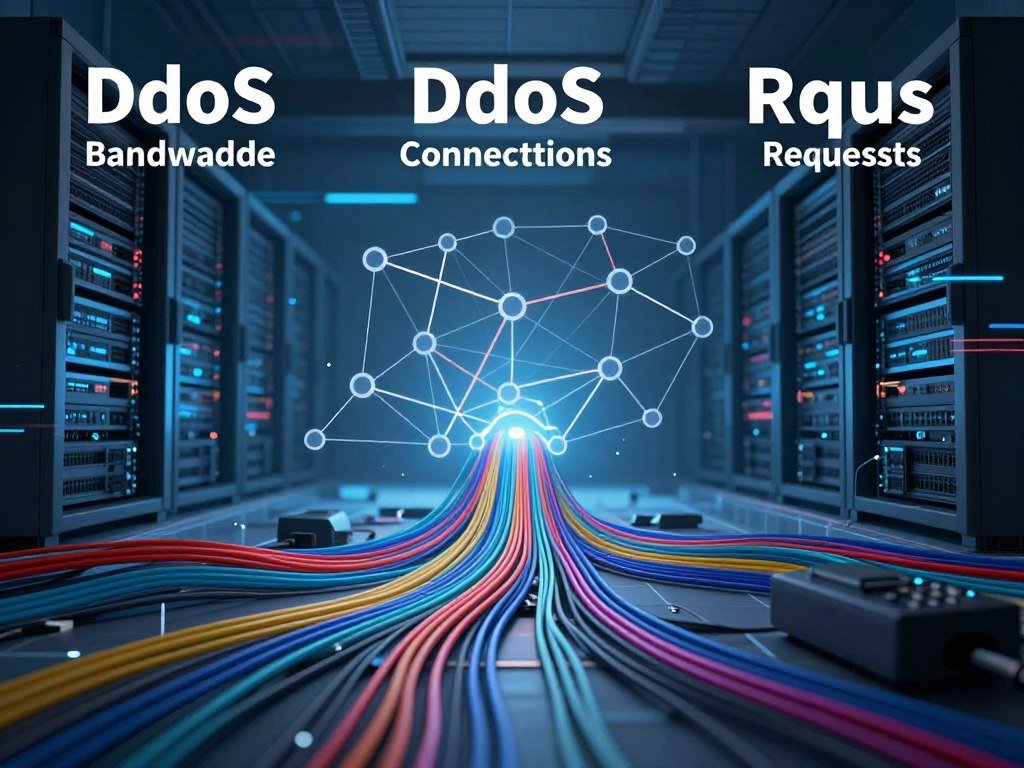
Attackers can target a network’s bandwidth, connection handling, or the processing work behind a web request. CISA groups DDoS techniques into three types: volumetric, protocol-based, and application-layer attacks. The categories can overlap during one incident.
Each type strains a different resource, so teams need to identify what the traffic is exhausting. A single event may mix methods. The CISA, FBI, and MS-ISAC guidance describes these categories and their possible effects.
Volumetric Attacks Consume Bandwidth
Volumetric attacks send enough traffic to fill a network’s available bandwidth. A UDP flood sends many User Datagram Protocol packets, while DNS amplification uses spoofed requests to prompt larger replies toward a victim. The growing stream can crowd out normal traffic.
In DNS amplification, an attacker makes requests appear to come from the victim’s address. DNS servers then send their larger responses to that victim. The target receives traffic it did not request.
Protocol Attacks Exhaust Connection Resources
Protocol attacks typically target OSI Layers 3 and 4, which handle network and transport tasks. A SYN flood exploits incomplete TCP handshakes, leaving the server to track connections that never finish. A Smurf attack uses spoofed ICMP broadcast traffic to trigger replies aimed at a target.
HTTP/2 Rapid Reset is a protocol-specific example. In August 2023, it peaked at 398 million requests per second. CVE-2023-44487 has a CVSS severity score of 7.5 out of 10.
Internet-facing servers that support HTTP/2 should receive vendor patches for CVE-2023-44487. A patch fixes the known flaw in the software. Teams should also keep track of updates from their server vendors.
Application-Layer Attacks Overwhelm Services
Application-layer attacks target Layer 7, where websites handle requests for pages and other features. An HTTP GET flood requests files or assets, while an HTTP POST flood repeats form submissions. Both can increase the work a server must do.
HTTP floods can resemble legitimate requests, which makes them harder to separate from regular use. A busy login page or search feature may need more processing than a simple static page. A Layer 7 request flood can be difficult to identify because individual requests may look normal.
| Attack category | OSI layer | Resource targeted | Example |
|---|---|---|---|
| Volumetric | Network and transport | bandwidth | UDP flood or DNS amplification |
| Protocol | Layers 3 and 4 | network and connection resources | SYN flood |
| Application-layer | Layer 7 | application processing | HTTP GET or POST flood |
Why Do Attackers Target Websites and Services?
An attacker may want to interrupt business, pressure a company for money, or make an ideological statement. The goal of a DoS attack is to disrupt access or performance, not necessarily to steal data. Disruption itself can be the intended result.
Attackers may use outages for extortion, hacktivism, business competition, entertainment, or cyberwarfare. An attack can also distract a security team while another intrusion takes place. Service disruption can create losses even when attackers never access customer records.

Motives Behind a DoS Attack
Extortion attempts may threaten to keep a service offline unless an organization pays. Hacktivists may disrupt a target to promote a political or social cause. In competition or conflict, an attacker may aim to weaken another organization’s ability to serve people.
Some attackers seek attention or challenge themselves rather than pursue money. Motives can be hard to confirm during an incident. Organizations should focus first on restoring access and protecting systems.
Organizations and Services at Risk
Common targets include online retailers, ISPs, cloud and SaaS providers, financial institutions, gaming companies, and government agencies. Retailer downtime can stop sales during a busy shopping period. An ISP outage may affect customers across a broad area.
An attack on a cloud or SaaS provider can disrupt several organizations that depend on its services. That shared dependence can spread the impact beyond the direct target. A service can suffer real financial and reputational harm even when no data is stolen.
What Do DDoS Attacks Look Like?
A site that suddenly slows down or becomes unreachable may be under attack, but an outage alone does not confirm one. Several clues together can help your team assess the problem. A firewall or intrusion detection system can help monitor unusual traffic.
Look for changes in traffic, requests, errors, and service speed. A sharp rise may come from a real event, such as a product launch or ticket sale. These signs are clues, not proof of a DDoS attack.
- Unusual slowness or unavailability affects a website or service.
- Traffic rises suddenly from an IP range or similar device profiles.
- Requests surge at an unusual rate for one endpoint.
- Users see unexplained errors, failed connections, or timeouts.
- Several services on the same network slow down at once.
One busy endpoint may signal a problem with a specific page or feature. For example, repeated requests to a search tool can strain the system behind it. A spike from many addresses can also be part of a legitimate rush.
Compare the time and shape of the spike with current events. A popular product launch or ticket sale may drive real visitors to a site. CISA’s network monitoring advisory recommends watching for unusual activity against a normal pattern.
Check whether errors began at the same time as the traffic shift. If only one service fails, its own system may be the source of the trouble. Compare the traffic pattern with the service’s usual behavior before treating a spike as malicious.
How Can an Organization Prepare Before an Attack?
The most useful preparation is knowing what normal traffic looks like before an outage begins. Organizations can compare current traffic with routine patterns and find unusual changes faster. A clear baseline gives teams a useful point of reference.
Organizations can also review exposed services, device security, and response roles before trouble starts. CISA recommends regular traffic analysis to establish normal patterns. Preparation works best when technical controls and clear responsibilities support each other.
Establish a Normal Traffic Baseline
Record the usual volume and timing of traffic to important services. Track common request patterns, busy periods, and services that depend on one another. The CISA baseline recommendation supports regular review of normal network activity.
Organizations should also review exposed systems and connected devices. Internet of Things devices may be vulnerable when they use default passwords or weak security. Replacing default passwords and applying security updates can lower the risk that those devices join a botnet.
Build Capacity and Redundancy
Redundant network infrastructure can keep some services running when a system or connection fails. Traffic distribution can spread demand across servers rather than sending it all to one place. Organizations should identify which public services need the most protection.
Extra capacity does not stop every attack, but it can give a service more room to handle traffic. Teams should know which systems rely on a shared provider. That map helps them see how one outage could affect several services.
Set Up Rules and Response Roles
Organizations can prepare firewall rules, rate limits, and CAPTCHA challenges before traffic becomes abnormal. Rules should match the service’s normal use, so they do not block too many real users. Teams can also decide when to involve an ISP or CDN.
- Record normal traffic patterns for key services.
- Review exposed services and device security.
- Maintain redundant infrastructure for important services.
- Prepare firewall and rate-limit rules for review.
- Decide when to involve an ISP or CDN.
- Assign response contacts and escalation roles.
Test response roles so people know who can approve changes during an outage. Keep response contacts and escalation decisions accessible to the people who will act during an incident.
Organizations can use the CISA capacity enhancement guide to assess public services and provider protections. Regular reviews can help teams spot weak points before traffic rises.
How Do DDoS Mitigation Methods Work?
The right mitigation depends on whether the attack is consuming bandwidth, connections, or application processing. A WAF can filter application-layer requests, while a CDN can distribute traffic across servers. Each control has limits, so one tool may not cover every kind of traffic.
A layered approach is more resilient than relying on one control. Firewalls, rate limits, and traffic distribution can work together, depending on the target and the attack. The table compares common methods and their tradeoffs.
| Method | Best fit | How it helps | Tradeoff |
|---|---|---|---|
| WAF | Web applications | Filters application requests | Rules need tuning to avoid blocking real requests |
| CDN or anycast | Public websites and services | Distributes traffic across servers and locations | Setup and routing can add complexity |
| Rate limiting | Repeated requests to an endpoint | Limits requests in a time window | Can slow real users during a busy period |
| Blackhole routing | Severe traffic that cannot be filtered | Drops all traffic to a route or target | Legitimate traffic is dropped too |
A WAF checks web requests against rules before they reach an application. A CDN can absorb and distribute traffic, reducing pressure on a single server. Rate limits cap how often a client can make requests within a set period.
Cloudflare lists 500 Tbps of network capacity for its DDoS protection service. Its Magic Transit product covers Layer 3 and Layer 4 protection for networks and data centers. Cloudflare Spectrum provides DDoS protection for TCP and UDP applications.
These products show different types of stated technical coverage, not a guarantee for every organization. A CDN or anycast network may not cover every service or traffic type. Blackhole routing can discard legitimate traffic and should remain a blunt last-resort option when preserving legitimate traffic matters.
What Should You Do During a DDoS Incident?
First confirm that the outage is not scheduled maintenance or an internal network failure. Contact the network administrator and check which services have failed. Confirming the scope helps teams avoid treating every service problem as an external attack.
Once an attack seems likely, preserve records and contact providers that can help filter traffic. Keep evidence intact while response teams work to restore service. Avoid deleting logs or changing systems in ways that erase useful details.
Confirm the Outage and Preserve Evidence
- Confirm the outage with the network administrator.
- Record timestamps and the services affected.
- Preserve logs and packet captures.
- Contact the ISP or CDN for technical help.
- Avoid deleting records or other evidence.
An ISP may apply traffic restrictions or filter ports and packet sizes. A CDN may absorb and distribute traffic before it reaches the affected service. Tell providers when the outage began and which services are affected.
Contact Providers and Report the Attack
Organizations can report an attack to a local FBI field office or CISA at report@cisa.gov or (888) 282-0870. State, local, tribal, and territorial government entities can report to MS-ISAC at SOC@cisecurity.org or 866-787-4722.
The CFAA penalty table lists a maximum prison sentence of one year for intentionally damaging a computer by knowing transmission. It lists ten years for a second conviction. For reckless damage by intentional access, the listed maximum is one year, or five years for a second conviction.
For negligently causing damage and loss by intentional access, the CFAA lists a one-year maximum, or ten years for a second conviction. These maximums apply to specified conduct and second convictions, not automatically to every outage or attack. Seek legal guidance for a specific case.
Preserve records and report the incident through the channel that fits your organization.
How Large Can DDoS Attacks Get?
DDoS scale is measured in more than one way, so a bandwidth peak and a request-rate peak are not interchangeable. Bandwidth measures data sent over time; packets per second count network packets, and requests per second count application requests. Each measure describes a different load.
Cloudflare reported a 31.4 Tbps DDoS peak that lasted 35 seconds in 2025. That was a major reported peak, not a definitive all-time ranking. Attack figures only compare well when their units and time periods match.
Cloudflare reported 47.1 million DDoS attacks in 2025, more than twice its total for the previous year. Its systems automatically mitigated an average of 5,376 DDoS attacks per hour. Network-layer attacks accounted for 34.4 million, compared with 11.4 million in 2024.
During the 2025 “Night Before Christmas” campaign, the Aisuru-Kimwolf botnet was estimated to include 1-4 million infected hosts, mainly Android TVs. The campaign produced 902 hyper-volumetric attacks. Maximum rates reached 9 billion packets per second and 24 Tbps.
In mid-May 2025, a 7.3 Tbps attack delivered 37.4 terabytes in 45 seconds. UDP floods made up 99.996% of its traffic. Compare attack figures only when the measurement and time period match.
Conclusion
A DDoS attack is an availability problem, but its disruption can be reduced with preparation and coordinated response. Early planning and layered defenses help keep legitimate users connected to an online service.
Start by documenting normal traffic and naming the people who can act during an outage. Write down your first-response contacts and review the plan with the people responsible for your online services.
FAQ
Is a DDoS attack illegal?
Yes, deliberately disrupting computer services can lead to criminal liability under applicable law. Penalties depend on the conduct and the facts of a case. The CFAA lists specific maximum sentences for certain forms of computer damage, including higher maximums for some second convictions. Those limits do not apply automatically to every outage or attack, so seek legal advice for a specific case.
Does a VPN stop a DDoS?
No, a VPN does not stop attacks against a public website or online service. A VPN may hide the IP address of a home connection in some situations, which can help protect that connection from direct targeting. It cannot shield a public server or provider from traffic aimed at them. Service operators still need filtering or other provider-side protection.
Do all DDoS attacks use a botnet?
No, a DDoS attack does not always use a botnet. Some attacks exploit normal network services or reflection mechanisms that send traffic toward a victim. Those methods can make a third-party server send replies to a target after receiving requests with a spoofed address. A botnet is one common source of distributed traffic, but it is not required in every case.
How long can a DDoS attack last?
Reported DDoS incidents can last from hours to months. The length of the attack traffic does not always match the service outage, since mitigation may restore access before the traffic stops. A service may also recover in stages as providers adjust filters or routes. Keep checking service health and provider updates while response teams handle the incident.
Can a DDoS attack affect home internet service?
Yes, an attack on an ISP or upstream provider can disrupt home internet service. Customers may lose access even when attackers did not target their home networks or devices. A provider outage can affect many connections at once, depending on the part of its network under stress. Contact your ISP if home service fails during a wider outage.



