
A message that looks routine can still be designed to make you reveal a password or grant access. Social engineering uses human trust and judgment to put personal or workplace security at risk. This guide explains the basic idea, common examples, and practical ways to respond when a request feels wrong.
Pause before you act on an unusual request. A familiar name or logo does not prove that a message is real. Phishing is a deceptive message that impersonates a trusted source to prompt someone to share information or take an unsafe action. It can arrive by email, text, or phone.
Individuals can face risk at home, while a single compromised work account can affect an entire organization. The right response depends on what happened and what information may be exposed. A moment of verification can prevent a small mistake from becoming a wider security problem.
Key Takeaways
- Social engineering relies on human trust, not only technical flaws.
- Phishing can arrive by email, text, social media, or phone.
- Unexpected requests for money or login details deserve a pause.
- Report a suspected incident quickly, especially at work.
- Use strong passwords and MFA to protect accounts.
What Is Social Engineering in Cybersecurity?
Social engineering targets a person’s trust or judgment rather than starting with a technical flaw in a system. Instead of breaking software, an attacker may persuade someone to share information, grant access, or take an unsafe action.
Social engineering attacks use human interaction to obtain or compromise information about an organization or its computer systems. That differs from exploiting a software flaw, though attackers may use both methods in one incident.

The human element matters in many security incidents, but not every breach follows the same path. Verizon’s 2025 Data Breach Investigations Report examined 22,052 real-world incidents, including 12,195 confirmed data breaches, from November 1, 2023, through October 31, 2024. The 2025 Verizon report covers those cases.
The report found that 60% of breaches involved the human element, and 22% of those breaches began with social engineering. Those figures describe a set of observed breaches, not a rule that applies to every attack. They show how human decisions can form part of a wider security problem.
The human element is a security concern because one compromised account can put organizational information at risk.
Phishing is one form of this approach. It uses email or malicious websites that pose as trusted organizations and ask people to share personal information.
In a typical example, a message appears to come from a known service and sends the recipient to a fake sign-in page. The page may collect login details, while a malicious file may infect a device. Either way, the attacker relies on a person’s response, not just on a technical weakness.
What Is the Goal of a Social Engineering Attack?
The immediate goal is usually to get something useful from the target, such as credentials, money, or access. That first request can be a small step toward fraud or a larger attack.
Attackers commonly seek login credentials, financial gain, or access that lets them reach more systems. The three goals often overlap, but each can cause harm on its own.

- Credential theft: An attacker collects a username and password to enter an account.
- Financial fraud: A victim may be tricked into sending money or sharing payment details.
- Access for a larger attack: Stolen credentials can help an attacker reach an organization’s network.
A stolen password can give an attacker a foothold inside an employer’s systems. The attacker may use that access to install ransomware on the employer’s network. Ransomware blocks access to data or systems and demands payment to restore them.
The first request may seem limited, such as a sign-in prompt or a payment change. Its purpose may be to create an opening for a later action. A person who shares a password may not see how far that access can reach.
Some social engineering attacks aim to collect sensitive information, while others push the victim to approve a login or transfer. The attacker may care less about the message itself than what the victim does next. This is why the immediate task can hide a wider compromise.
Treat an unexpected request for login details or payment as a request to verify, not a routine task.
How Does a Social Engineering Attack Work?
An attacker may learn about a target before making contact, then tailor the request to look familiar. That preparation can make a social engineering attack feel like an ordinary work exchange.
The attack cycle moves through information gathering, relationship building, exploitation, and execution. Some attacks move quickly, while others use several contacts to build trust.

Gathering information before contact
First, the attacker looks for details about a person or organization. Public social media posts, staff pages, and company news can reveal job roles, names, projects, and business partners.
Those details help the attacker shape a believable story. A message about a real meeting or known coworker may seem less unusual than a generic request. A few public facts can give a false message the feel of a private conversation.
Building trust and setting the hook
Next, the attacker establishes a relationship or uses a pretext, a made-up reason for contacting the victim. The attacker might pose as a colleague who needs a file or as a service provider checking an account.
The contact can move across channels. For example, a phishing email may be followed by a vishing call, meaning a voice call used to deceive someone. An SMS may ask a person to approve an unexpected MFA request, making a phone alert seem like part of a normal sign-in.
Turning access into an attack
During exploitation, the victim may share information, open a file, or grant access. The attacker then uses that opening to carry out the final stage, called execution.
Execution might include entering an account, taking data, or reaching another part of a network. A successful first step does not always end the attack. The attacker may use the access to contact other people or systems.
These stages can overlap, and one person may not see the full sequence. A request that shifts from one channel to another still needs to be checked independently.
What Are the Common Types of Social Engineering Attacks?
A fraudulent email, text, or call that impersonates a trusted source is a common example of phishing. The channel can change, but the message still tries to prompt a disclosure or unsafe action.
A phishing attempt may seek information or infect a device. Social engineering attacks also differ by how closely they target a person, the story they use, and whether they happen online or in person.
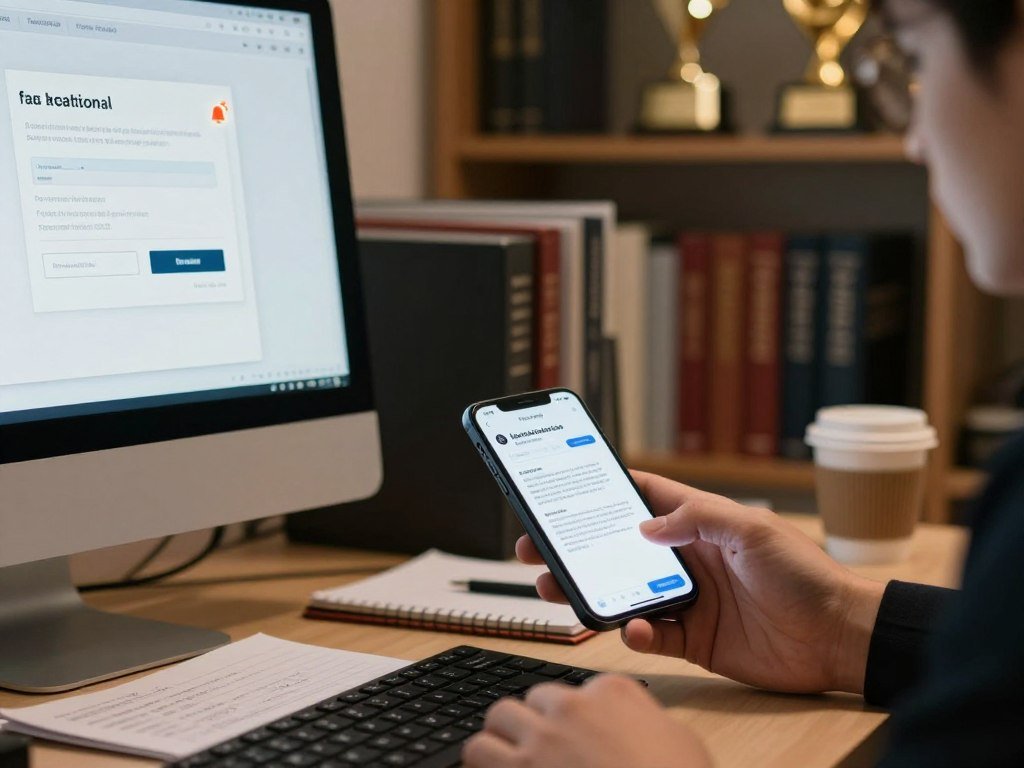
Phishing across email, text, and voice
Phishing can arrive through email, text, social media direct messages, or phone calls. The CISA phishing guidance describes these common channels. Vishing uses voice communication, while smishing uses text messages.
For example, a fake delivery notice may ask you to sign in through a link. A caller might claim to be from a support desk and ask you to read back a login code. The method changes, but the request can expose an account or device.
Targeted phishing and business email compromise
Spear phishing is a tailored message aimed at a specific person. An attacker may use social media research to mention a real project or coworker. Whaling is spear phishing aimed at a high-profile person, such as an executive.
Business email compromise, or BEC, often uses a compromised email account to send a message from an actual authority figure. A finance employee may receive a payment request that appears to come from a company leader. The real account can make the request look credible.
Pretexts, bait, and tempting offers
Pretexting uses a fabricated situation to get the victim to act. For instance, an attacker may pose as a new employee who needs access to a shared file. Baiting offers something desirable, such as a free download, to tempt someone into opening a file or sharing details.
A message promising a free event ticket may lead to a fake sign-in page. The offer is bait, while the page collects information. The example is simple, but the result can be a stolen account.
Physical access and compromised websites
Tailgating happens when an attacker follows an authorized person into a restricted area. Someone carrying boxes may ask an employee to hold a secure door, then enter without a badge.
A watering-hole attack places harmful content on a website that a target group often visits. The attacker hopes a visitor will load that content and expose a device. The UIC cybersecurity team’s examples also discuss social engineering risks in everyday settings.
| Type | Typical target | Channel or setting | Example |
|---|---|---|---|
| Broad phishing | Many people | Email, text, or social media | A fake delivery notice asks recipients to sign in |
| Spear phishing | One named person | Tailored email or message | A note refers to the target’s real work project |
| Whaling | Senior leader or official | Tailored business email | A fake request seeks an executive’s account details |
| Vishing or smishing | Phone or text recipient | Voice call or SMS | A caller asks for a sign-in code, or a text prompts a login |
An attacker may mix several methods, so recognizing one type does not rule out another.
Why Do Social Engineering Attacks Work?
A convincing request can exploit a familiar human response, such as wanting to help a colleague or resolve an urgent problem. Under pressure, a person may act before checking the request closely.
Trust, fear, urgency, authority, curiosity, and helpfulness can all shape a quick decision. A busy moment adds pressure, especially when the request looks like a normal part of the workday.
A message that claims a payment is overdue may push someone to act quickly. A familiar name or company logo can make the request feel safe, even when an attacker controls the account or display name.
The financial impact can be large. U.S. business email compromise losses exceeded $3 billion in 2025. That figure shows how a single deceptive exchange can lead to serious losses for people and organizations.
Security tools can block many harmful messages, but they cannot prevent every case in which a person voluntarily shares credentials or approves a request. An attacker may also use a real account, making technical checks harder.
One person’s action can give an attacker a way to reach more information or systems. The initial victim may not know that the request was part of a wider threat to the organization.
For payment or account changes, a familiar name alone is not proof that a request is legitimate.
How Can You Spot a Social Engineering Attempt?
A sudden demand to act now, especially alongside a request for sensitive information, deserves a closer look. One odd detail is enough to pause and check before you respond.
A warning sign calls for verification, but one sign alone does not prove a message is a scam. Phishing emails may use copied branding, spoofed links, or a rushed tone to look convincing.
- Urgency or emotional pressure: A message threatens account closure or urges immediate action.
- Requests for personal or financial details: A sender asks for a password, payment data, or account number.
- Shortened or mismatched links: A visible link name differs from the destination, or hides it behind a short URL.
- Sender addresses that imitate real contacts: A small spelling change may disguise a fake email address.
- Unexpected attachments or generic greetings: A surprise file or vague greeting may signal a bulk attempt.
Check the actual sender address and destination domain rather than relying on the display name or visible link text. A sender name can be copied, and a short link can hide the site it opens.
Look closely at the complete address, including the part after the “@” symbol. A message may use a real person’s name with a domain that belongs to someone else.
Some phishing emails contain good spelling and a personal greeting. A polished message can still be false, so judge the request and its context rather than its appearance alone.
For an unfamiliar link, hover over it on a computer to view its destination without opening it. On a phone, press and hold only when your device safely shows the link preview.
Automated tools can help flag suspicious domains, sender details, and wording, but their results need human review. Read more about AI-assisted threat detection without treating a tool’s result as proof.
A message that feels strange but could be real should be checked through contact details you find separately. That check gives you a way to confirm the request without trusting the sender’s message.
What Should You Do After a Suspected Attack?
If you have clicked or shared information, stop the interaction and report what happened promptly. Acting quickly can help limit further access or payment loss.
Tell the right people what you did and when, even if you are unsure whether the message caused harm. A clear report helps your organization or service decide what needs attention.
- Stop interacting with the message and close any page it opened.
- Report it through your workplace or service’s available reporting option.
- Tell your organization’s IT or security team if an account or device may be affected.
- Change passwords for impacted accounts and review their MFA settings.
- Contact your bank if you shared payment details or sent money.
If the message might be legitimate, contact the person or company through independently verified information. Use a number or address you already trust, or find it separately. Never rely on the contact details inside the message you are checking.
If you entered a password, tell the relevant team which account you used. If you approved an MFA prompt you did not start, report that detail too. Those facts help staff assess account access.
Reporting suspected phishing can help security teams warn others about similar attempts. CISA can provide assistance and issue warnings when incidents are reported quickly.
Do not reply or use an unsubscribe link in a suspicious message, since either action keeps you engaged with it.
How Can You Protect Yourself and Your Organization?
A layered approach gives people practical habits while limiting what a compromised account can reach. Each safeguard helps in a different way, so people and technical controls work together.
Use practice, account protection, limited access, and timely updates as separate layers. Prevention reduces risk, while reporting helps a team respond after an incident.
Build habits through practical training
Skills-based training gives employees a chance to practice realistic situations, such as a payment change or an unexpected file request. Feedback helps people understand what to check and how to report a concern.
Employees who received skills-based training with iterative feedback reported social engineering attempts at a higher rate than employees who received passive awareness training alone. This result is about reporting behavior, not proof that training stops every attack.
Organizations can use short practice sessions and discuss what made a request seem credible. For teams that use chatbots or automation, clear data rules also matter. A company can set limits on what a bot may access and when a person must take over.
Strengthen accounts and devices
Use strong, unique passwords for each account and store them in a password manager. Turn on multifactor authentication, or MFA, so a password alone does not grant access.
Keep operating systems, browsers, and apps updated. Updates fix known security problems that attackers may use after a deceptive message reaches someone’s device.
For teams handling customer data through AI tools, set rules for approved information and human review. These safe AI use practices can help protect confidential customer details.
Set clear verification and access rules
Give employees only the access they need for their roles. Least-privilege access can limit what an attacker reaches if one account is compromised.
Set a separate verification process for unusual financial requests or account changes. For example, require staff to confirm a bank-detail change through a known contact method before updating a payment record.
Make the process easy to follow during a busy day. The person handling a request should know who can approve it and where to ask questions.
| Safeguard | Example | What it helps limit | Where to apply it |
|---|---|---|---|
| Training | Practice a fake payment-change request and discuss feedback | Unnoticed or unreported social engineering attempts | Teams that handle email, payments, or customer data |
| Account protection | Unique passwords in a manager, plus MFA | Access from a stolen password | Work and personal accounts |
| Access controls | Give each role only the permissions it needs | What a compromised account can reach | Business systems and shared data |
| Software updates | Install operating system and browser updates promptly | Known flaws in apps and devices | Phones, computers, and work devices |
These safeguards do not replace reporting after a suspected incident. Training with iterative feedback was associated with more employee reporting than passive awareness training alone.
Make sure employees know how to report an unusual request without being penalized for pausing to verify it.
Conclusion
Social engineering depends on getting someone to act before they have time to question a request. A pause and an independent check can interrupt that pressure before it exposes information or access.
Choose one small step today: write down how to report suspicious messages at work or through a personal account. Include the name of the right team or the service’s reporting option, then keep that note easy to reach.
When a request seems off, give yourself time to check it through a trusted channel. Keep the reporting route somewhere easy to find so you can use it when a message feels wrong.
FAQ
What is a phishing attack?
A phishing attack is a deceptive email, text, social message, or call that impersonates a trusted source. It tries to prompt you to share information or take another unsafe action. Some messages direct you to a fake sign-in page, while others may push you to open a harmful file. The goal can be data theft or device infection.
What is another word for social engineering?
Social engineering is sometimes called human hacking because it manipulates people rather than relying only on technical flaws. The phrase describes deception or pressure used to get someone to share information, grant access, or act unsafely. It does not mean the attacker has to break into a computer directly. The person’s response may create the opening.
What are the six types of social engineering?
Six common examples are phishing, spear phishing, vishing, smishing, pretexting, and baiting. There is no single official six-type list, and the categories can overlap. Phishing may reach a broad group, while spear phishing targets a person with a tailored message. Vishing uses voice, and smishing uses text. Pretexting invents a reason to contact someone; baiting offers a tempting reward.
What’s the most popular form of social engineering?
Phishing is a common and widely used form of social engineering. It can arrive through email, text, social media, or a phone call, so it is broader than fake email alone. A message may imitate a company, coworker, or service the recipient knows. The request might seek login details, payment, or a click that infects a device.
How to protect yourself from social engineering?
Pause and independently verify unusual requests before sharing information or approving access. Use strong, unique passwords and a password manager, turn on MFA, and keep software updated. At work, follow clear checks for payment or account changes. Report suspected attempts through the right workplace or service channel, even if you are unsure whether the message caused harm.



