Windows users can choose between free antivirus that monitors threats in the background and free tools that scan only when asked. Real-time protection means continuous background monitoring of files, apps, and activity for potential threats. “Free” can mean ongoing protection or a limited scanner, and the difference affects what happens between scans.
Some options focus on Windows, while others cover phones and computers across several platforms. The best free antivirus software for your home depends on which devices you use and what each free version includes. This guide helps you compare active protection, test results, and common limits before you choose.
The right choice is the one that fits your Windows version and keeps the protection you actually need switched on. A free label alone does not tell you whether a product watches for malware all day or only scans on demand.
Key Takeaways
- Check that real-time protection stays free after setup.
- Compare web and phishing protection, not just scan options.
- AVG and Avast share a top PCMag distinction in 2026.
- Bitdefender offers a dedicated free option for Windows.
- Check device limits and paid features before installing.
- Keep antivirus updates and Windows security updates active.
Best Free Antivirus Software for Windows: Top Picks
AVG AntiVirus Free and Avast One Free are the strongest starting points for most Windows users, with Bitdefender Antivirus Free for Windows also worth comparing. Both AVG and Avast earned PCMag Editors’ Choice status in its 2026 free-antivirus category.
For the best free antivirus software for PC, start with the same shortlist used for the best free antivirus for Windows 11 and Windows 10. Choose among them by platform and features, not by looking for one winner for every Windows user.
| Product | PCMag 2026 score | Best fit |
|---|---|---|
| AVG AntiVirus Free | 4.5, Outstanding | Windows users wanting an Editors’ Choice |
| Avast One Free | 4.5, Outstanding | Users comparing cross-platform choices |
| Bitdefender Antivirus Free for Windows | 4.0, Excellent | Windows users considering a dedicated free option |
AVG and Avast share the Editors’ Choice distinction, while Bitdefender is another strong option. PCMag gave AVG and Avast 4.5, Outstanding, and gave Bitdefender 4.0, Excellent, in its 2026 roundup.
Use the score as a shortlist filter, then check that the product’s free tier includes the protection you want.
The best free antivirus software for Windows 10 or Windows 11 can be a Windows-focused app or a product that also covers other devices. AVG suits a Windows-centered setup, while Avast One Free may suit a household with phones or Macs.
Bitdefender is another Windows option to weigh if you want a free edition built around its antivirus protection. A product score is useful, but it does not tell you which tools stay free or which devices you can cover.
Check each product’s free version before installing it, especially if you need protection beyond virus scanning. A clean fit matters more than a feature list packed with tools you may not use.
What Counts as Free Antivirus Protection?
A free antivirus can be an ongoing product, a limited scanner, or a time-limited trial, so check what remains available after any trial ends. Ongoing access matters if you want protection without a later payment.
A free version with real-time protection keeps monitoring threats between scans; a scanner does not. Use this four-point check before you rely on any antivirus software:
- Confirm that free access continues rather than ending with a trial.
- Check whether real-time protection is included and active.
- Look for web or phishing protection in the free version.
- Read the limits on devices and locked features.

TotalAV’s free account includes quick, full, and custom scans, but it does not include real-time protection. Malwarebytes Free is limited to virus scanning, with real-time protection reserved for paid use.
Those tools can help you scan for malware, but they do not offer the same ongoing coverage as a free version that monitors files and activity. A scheduled scan still runs at set times, not continuously.
A scan can find a threat that has reached your computer, while real-time protection can monitor activity as it happens. If a product only scans on demand, treat it as a cleanup tool rather than your only active defense.
Why Consider Avast One Free?
Avast One Free pairs strong test results with a phishing defense that came close to a perfect result. That result makes its web protection worth considering, though no test can show that every risky page will be caught.
Its lab scores were excellent across multiple platforms, and its phishing-test result was near-perfect. These results offer useful evidence about security software, but they do not promise flawless protection on every Windows PC.

Lab results and phishing protection
Avast One Free performed well in several lab tests across different platforms. Its phishing result also came close to a perfect score, showing that the product can identify many harmful pages.
Phishing pages try to trick you into sharing passwords or other private details. A warning can help you pause before entering information, but a missed warning does not make a page safe.
Some risky links arrive in email, messages, or social posts that look familiar. Open a site only when its address matches the service you meant to visit.
Where its free protection is available
Avast One Free is a practical option when your household uses more than Windows. Its free protection reaches beyond one computer platform, which can make it easier to compare coverage across several kinds of devices.
That range is useful if you want one brand to consider for the family’s computers and mobile devices. The exact platform differences matter, so compare the free features rather than assuming each version works the same way.
Even strong phishing defenses only lower risk. Keep checking a link’s destination before entering a password, even when a security app flags risky sites.
What Does AVG AntiVirus Free Include?
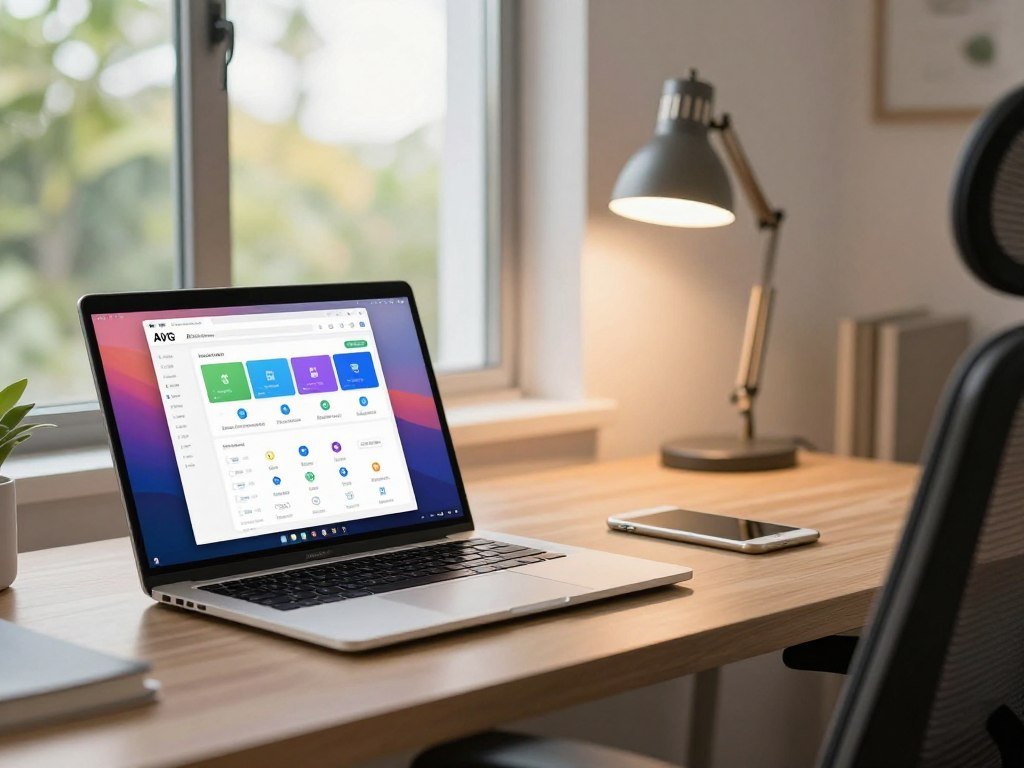
AVG AntiVirus Free is a free Windows option with real-time protection for common threats, including scam websites and infected emails. Its monitoring covers viruses and other threats as you use your computer.
Two testing labs gave AVG perfect scores, and its hands-on results were very good. That mix gives you lab and real-world test evidence to consider, rather than a feature list alone.
Real-time protection and test results
AVG’s real-time protection checks for viruses, infected emails, scam websites, and other threats. It can help catch harmful activity without waiting for you to start a manual scan.
Two testing labs gave the product perfect scores, and hands-on results were very good. Those results support AVG as a strong free antivirus choice, but they do not mean every threat will be stopped.
Your browsing and email habits still matter. Treat unexpected attachments and sign-in requests with care, even when antivirus protection is running.
Windows compatibility and system needs
AVG lists a minimum of 4 GB of RAM and 2 GB of hard-disk space for its Windows antivirus. Those figures are compatibility thresholds, not a promise of smooth performance on every PC.
RAM helps your computer handle open apps, while disk space holds the program and its files. A PC near the listed minimum may feel different from a newer computer with more room and memory.
The minimum disk-space figure also does not tell you how much free storage to keep for Windows, updates, and personal files. Check available storage as well as the listed minimum before installing any security program.
What Does Bitdefender Antivirus Free for Windows Protect?
Bitdefender’s free Windows antivirus offers real-time protection and scanning, but its VPN and advanced tools have clear limits. The free version has no validity due date and works on Windows 10 and Windows 11.
One free subscription can protect up to three Windows devices, and it requires a Bitdefender Central account. Set up that account before expecting the product to cover several PCs.
Core protection and device setup
Bitdefender Antivirus Free for Windows includes real-time protection and a virus scanner. Its free Windows edition gives you ongoing protection rather than access that ends on a set date.
The supported systems are Windows 10 and Windows 11. One free subscription covers up to three Windows devices, but each setup depends on a Bitdefender Central account.
That account and device limit matter if you manage several family computers. The free subscription’s three-device limit helps you decide whether one account can cover your Windows setup.
VPN limits and locked tools
Bitdefender includes up to 200 MB of encrypted VPN traffic per device each day. That daily allowance is not unrestricted VPN service.
Server-location selection and unlimited traffic require Premium VPN, which needs a separate subscription. Antivirus, Advanced Threat Defense, and Online Threat Prevention are enabled in the free version.
Vulnerability Scan and Ransomware Remediation are locked. A VPN can help encrypt network traffic, but its small daily allowance does not replace the antivirus protection included in the free product.
Confirm the account and device setup before installing it on several Windows PCs.
Is Microsoft Defender Enough for a Windows PC?
Microsoft Defender is already built into Windows and offers a capable baseline, though its phishing and ransomware results have specific limits. Built-in access means you do not need to add another antivirus app to get started.
Microsoft Defender has very good lab scores, but SmartScreen phishing protection works only with Microsoft browsers. Its ransomware test result is another reason to review how your files and browser are protected.
SmartScreen can warn about risky websites in Microsoft browsers. If you use another browser as your main choice, that browser-dependent protection may not cover your usual browsing.
Microsoft Defender failed in ransomware-protection testing. That result points to a limit in that test, not proof that Defender never protects against ransomware.
Think about the whole setup, including where you browse and how you store important files. A lab result is one part of a practical choice, not a guarantee about every threat.
Microsoft Defender is a reasonable baseline for many Windows users who want built-in antivirus protection. Check whether your primary browser uses Microsoft SmartScreen before relying on it for phishing warnings.
How Do AVG Free and Avast One Free Differ?
AVG and Avast share an antivirus engine, so the practical choice is usually between AVG’s background extras and Avast One Free’s platform range. The shared engine means you should not assume one has better core detection.
Favor AVG if its Windows-focused bonus tools suit you; favor Avast One Free if you need coverage across more platforms. Their free features give you a clearer way to choose than the brand names alone.
| Product | Engine or platform detail | Notable free-version distinction |
|---|---|---|
| Avast One Free | Same engine as AVG | Free protection on Android, iOS, macOS, and Windows |
| AVG AntiVirus Free | Same engine as Avast | Background firewall and tune-up scan, with fixes gated behind an upgrade |
| Bitdefender Antivirus Free for Windows | Same core protection as Bitdefender’s paid version | Windows free edition |
Avast One Free gives you free protection for Android, iOS, macOS, and Windows. That wider reach can help if you want to compare coverage across several types of devices.
AVG AntiVirus Free includes a background firewall and a performance-tuneup scan. The scan can find issues, but it will not resolve detected issues without an upgrade.
Bitdefender Antivirus Free for Windows uses the same core antivirus protection as Bitdefender’s paid version. That can matter if you want its core protection without buying a paid plan.
The shared Avast-AVG engine means the choice should rest on fit and included features, not an assumed difference in core detection. Do not count a tune-up scan as a repair tool when its detected fixes require an upgrade.
Can Free Antivirus Run on Windows 7?
Yes, AVG lists Windows 7 as supported and continues antivirus updates for it, but the operating system itself no longer receives Microsoft security updates. Those updates protect Windows itself, not just the antivirus app.
An updated antivirus cannot supply missing Microsoft security updates. AVG lists Windows 11, Windows 10, Windows 8.1, Windows 8, and Windows 7 as supported systems.
AVG continues software and virus-definition updates for Windows 7. That support helps keep its antivirus current, but it cannot fix flaws in an operating system that no longer gets Microsoft security updates.
Use this three-point check if an older PC still runs Windows 7:
- Confirm the antivirus supports your exact Windows version.
- Keep the antivirus software and virus definitions updated.
- Plan an upgrade to Windows 10 or Windows 11 to address operating-system vulnerabilities.
Windows security depends on both the antivirus and the operating system. A product that still runs on an older PC does not make that PC equal to one receiving current system updates.
Treat antivirus support as one protection layer, not a substitute for a supported operating system.
What Do Independent Antivirus Tests Measure?
Independent lab results are useful, but each score answers a different testing question. Some tests focus on protection, while others also measure performance, usability, or broader threat handling.
Bitdefender earned 18 points in AV-Test Institute’s three-part test, with up to six points each for protection, performance, and usability. A total score needs its test categories to make sense.
Bitdefender earned Advanced+ certification in two of AV-Comparatives’ three latest tests and Advanced certification in the third. These labels describe results within that lab’s test program.
Bitdefender also received Level 2 certification in the latest MRG-Effitas 360-degree test it cited. The certification reflects that test’s rules and threat-handling measures.
In the latest AVLab Cybersecurity Foundation test it cited, Bitdefender blocked 100% of in-the-wild malware. Almost all competitors in that test blocked 100% as well.
One product can earn different labels because labs use different methods and categories. Compare a protection score with another protection score, rather than treating every certificate as the same measure.
Tests may also use different threat samples and scoring rules. That is why a high result in one category does not settle every question about a product’s performance or usability.
Compare results from the same test category before treating two antivirus scores as equivalent.
How Do Antivirus Tests Measure Performance?
Performance tests check how antivirus affects ordinary work, not just how quickly it completes a scan. Everyday tasks can show whether security software slows common Windows activities.
AV-Comparatives’ April 2026 test used Windows 11 64-bit with an Intel Core i3 processor, 8 GB of RAM, and SSD system drives. The hardware gives context for the score.
The test covered six workload areas: file copying; archiving and unarchiving; application installation and launch; downloads; website browsing; and the UL Procyon Office Productivity benchmark.
These tasks reflect common work, such as moving files or opening apps. They do not measure the same thing as malware detection or a product’s ability to block a harmful link.
A computer with a different processor, less memory, or a hard drive may respond differently. A test on one hardware setup does not predict identical slowdowns on every PC.
The April 2026 performance test setup helps you judge whether its results resemble your own computer. A newer PC may handle the same antivirus load differently from an older one.
Compare the tested hardware with your own before using a performance score to predict day-to-day impact.
Which Free Antivirus Features Matter Most?
For everyday Windows use, prioritize active malware monitoring and web or phishing protection before optional extras. Core coverage matters more than a long list of tools you may never use.
Real-time protection and web defenses should come before extras such as a VPN. Use this table to check what each feature does and whether the free version includes it.
| Feature | What it does | What to check in the free version |
|---|---|---|
| Real-time protection | Monitors threats in the background | Confirm it is included and enabled |
| Phishing or web protection | Helps flag malicious pages and links | Check browser coverage |
| Ransomware protection | Helps detect or block file-encryption threats | Verify whether it is active in the free tier |
| Firewall | Controls network connections | Check whether it is included or handled by Windows |
Antivirus software focuses on detecting malicious files and activity. A VPN encrypts network traffic, which can help protect data as it moves across a network.
A VPN does not replace malware scanning, so it cannot do the same job as antivirus protection. A firewall controls network connections, but it does not remove malware from files.
Ransomware protection deserves attention if you keep important files on your PC. Check that the feature appears in the free tier, rather than assuming it comes with every antivirus program.
Choose the features that address your actual risks instead of assuming every add-on improves antivirus protection.
When Should You Upgrade From Free Antivirus Software?
Consider a paid plan when a free tier lacks a protection feature or device coverage you need, or when its terms do not fit your use. The right time depends on what the free version leaves out.
A free version can continue indefinitely, while a free trial ends after its stated term. McAfee’s listed free trial lasts 30 days, so it offers temporary access rather than ongoing free antivirus software.
An upgrade may make sense if you need extra features, more device coverage, or service that a free plan does not provide. Compare the limits with your actual needs before choosing a paid plan.
AVG AntiVirus Free is for personal and family use, not business or commercial use. A business should not assume a personal free license permits workplace deployment.
Terms can affect how you use a product as much as its feature list. A tool that suits a household may not suit a work computer, even when the software runs normally.
Check the license terms as carefully as the feature list, especially if the PC is used for work.
Which Free Antivirus Options Are Available for Android?
Android protection is available from several of the brands in this guide, but mobile free tiers differ in what they include. Five apps in EXPERTE.com’s 2026 Android selection each earned full scores across its three test areas.
Bitdefender Mobile Security, Kaspersky Internet Security for Android, Avast Mobile Security, Norton Mobile Security, and Trend Micro Mobile Security each scored 6/6 for protection, performance, and usability. Those results do not make the apps interchangeable or mean every app is entirely free.
Android protection and app choices
Those five named apps are options to compare if you want the best free antivirus software for Android. Check each app’s free tier, since the test score does not describe which features remain free.
AVG’s app requires Android 5.0 Lollipop, API 21, or later. AVG antivirus is also available for Mac, Android, and iOS, which may suit a household with several kinds of devices.
A strong test score gives you a reason to consider an app, but not a reason to skip its terms. The free features and device rules can differ from one mobile product to another.
What the free mobile features include
Avast Mobile Security’s basic Android version is free and includes Wi-Fi Inspector and Photo Vault. These features add mobile tools, though they do not make every Avast feature free.
Bitdefender Mobile Security for Android includes a VPN allowance of 200 MB per day. That limit is a small daily amount, not unlimited VPN access.
Android versions can affect whether an app installs on an older phone. Check the exact Android version requirement before installing a mobile app on an older phone.
How to Install Free Antivirus Safely
A safe installation starts by checking the Windows version and selecting the intended free edition before setup begins. Start from the product’s official download page, not an unfamiliar installer site.
Use this four-step check before setup is complete:
- Confirm the product supports your Windows version.
- Choose the free version rather than a trial or paid plan.
- Review optional installation selections.
- Open the app after setup and confirm intended protection is active.
Review the final installation screen so a trial or optional add-on is not selected by mistake.
How to Keep Free Antivirus Protection Current
Keep automatic antivirus updates enabled so the product can receive current software and threat definitions. Updates help the app respond to newer threats.
Use this three-part maintenance routine:
- Leave antivirus and virus-definition updates enabled.
- Install Windows security updates when offered.
- After major changes, check that real-time protection remains active.
Keeping the app current does not guarantee that every threat will be blocked.
For occasional product and security updates, you can choose topics in the Occcy newsletter. Recheck protection status after an update or security-setting change.
Conclusion
For most Windows users, the safest no-cost choice is an ongoing free version with real-time protection, selected to match the devices you use. Ongoing coverage matters more than a free label attached to a scanner or trial.
Choose by device coverage and the specific limits that matter to you. The best free antivirus software for your setup may be different from the best fit for another household.
Your next step is simple: open your chosen app and check its status and update settings. Open your chosen app now and confirm that its protection and update settings are active.
FAQ
Which is better, AVG free or Avast free?
AVG AntiVirus Free is the better fit for a Windows-focused user who wants its background firewall and tune-up scan. Avast One Free is a stronger fit when you want free protection across Android, iOS, macOS, and Windows. AVG and Avast share an antivirus engine, so weigh platform coverage and free features instead of assuming one has better core detection.
Is there a free antivirus software available for Windows 7?
Yes, AVG lists Windows 7 support and continues software and virus-definition updates for that system. Windows 7 no longer receives Microsoft security updates, though, so antivirus support cannot close every operating-system gap. Plan an upgrade to Windows 10 or Windows 11 to address that limitation and keep the computer’s system security current.
What is the top 3 antivirus?
AVG AntiVirus Free and Avast One Free are the two PCMag 2026 Editors’ Choice picks, each with a 4.5, Outstanding score. Bitdefender Antivirus Free for Windows follows with a 4.0, Excellent score. Choose among them by device coverage and free features: AVG suits Windows use, while Avast covers more platforms.
Is AVG free actually free?
Yes, AVG AntiVirus Free is an ongoing free version for personal and family use. Some features require an upgrade, and its free-use terms do not cover business or commercial use. That means a home user can choose the free edition for personal devices, but a company should not treat it as a free workplace license.
What is the absolute best free antivirus?
For Windows-only use, compare AVG AntiVirus Free and Bitdefender Antivirus Free for Windows. Choose Avast One Free when free coverage across Android, iOS, macOS, and Windows matters more. The best fit depends on the tools and devices you need: AVG has Windows extras, while Bitdefender’s VPN and advanced tools have limits.
What is the disadvantage of AVG antivirus?
AVG AntiVirus Free’s tune-up scan can identify issues but will not resolve them without an upgrade. Its free-use terms also exclude business and commercial use. Those limits may matter if you expect a free cleanup tool to fix every problem or want to install the program on a workplace computer.
Which is better, McAfee or AVG free?
For continuing no-cost personal and family use, AVG AntiVirus Free is the clearer choice. McAfee’s listed free access is a 30-day trial, so it provides temporary access rather than an ongoing free version. Compare McAfee only if a limited trial period suits your needs, and check AVG’s personal-use terms before using it.
Is AVG still good in 2026?
Yes, AVG AntiVirus Free was a PCMag 2026 Editors’ Choice with a 4.5, Outstanding rating. Two testing labs gave it perfect scores, and its hands-on results were very good. It also offers real-time protection for common threats, though its free license is for personal and family use rather than business deployment.