For a free VPN that works for everyday privacy without a monthly data cap, start with Proton VPN. Windscribe is a better match for limited streaming, while other free plans suit narrower needs. A VPN tunnel is an encrypted connection that routes your internet traffic through a VPN server before it reaches a website or service. That can help shield your traffic on public Wi-Fi, but it does not make you anonymous or protect you from every online threat. Free plans also come with trade-offs in server choice, connection limits, and speed. This guide compares those practical limits alongside privacy and streaming results, so you can choose based on what you actually need. Choose based on the task you need to protect, not on a promise of unlimited online freedom.
Key Takeaways
- Proton VPN offers uncapped data for everyday privacy.
- Windscribe is useful for limited streaming, with a data cap.
- Free plans differ in server locations and simultaneous connections.
- Encryption does not guarantee anonymity or stop every threat.
- Check privacy practices as well as speed and features.
Best Free VPNs for Privacy and Speed: Quick Comparison
Proton VPN leads for general privacy and unlimited data, while Windscribe and PrivadoVPN suit people willing to work within a data cap. The right fit depends on how much data you use and how many devices need protection. A server network can list countries or individual servers, so check what each figure counts.
Proton VPN ranked first among 150 free VPNs tested in October 2026. Its free plan has no bandwidth or speed limits and servers in 10 countries, but allows one simultaneous connection. Windscribe offers free servers in 10 countries, a 10GB monthly cap, and unlimited simultaneous connections. hide.me has unlimited data, seven server locations, and one simultaneous device connection.
| Service | Free-plan data | Server locations or servers | Simultaneous connections |
|---|---|---|---|
| Proton VPN | Unlimited | 10 countries | 1 |
| Windscribe | 10GB per month | 10 countries | Unlimited |
| hide.me | Unlimited | 7 locations | 1 |
| PrivadoVPN | 10GB high-speed data monthly, then 1Mbps | 14+ free servers | 10 |
PrivadoVPN’s 10GB high-speed allowance resets monthly, then its speed drops to 1Mbps. Its 14+ figure counts servers, not countries. It allows 10 simultaneous connections.
Compare the data allowance and device limit together, since a plan can run out of data or connections before it meets your needs.
PCMag rated Proton VPN 5.0 and named it the 2026 best overall free VPN. Windscribe earned 4.5 and recognition for company transparency. hide.me received 4.0 and recognition for multiple server locations. Check both the data allowance and device limit before treating a free plan as a fit for your household.
What Should You Check Before Installing a Free VPN?
A safer choice starts with reading the privacy policy before tapping Install. Look for plain answers about ownership, collected data, and how the provider uses it. Clear details matter more than a polished app screen.
A no-logs policy is a provider commitment, not a guarantee of anonymity. Read the policy and look for independent scrutiny, such as security audits, where available. The Electronic Frontier Foundation’s VPN selection guide explains why provider trust and data practices matter.
Privacy policy and company transparency
A useful policy says what the service collects, why it collects it, and how long it keeps records. Clear ownership helps you learn who runs the company and who answers for its choices. Independent audits can add outside review, though they do not prove that every practice stays unchanged.
The 2026 mobile VPN review tested free services on Android and iOS. It assessed plan restrictions, apps, streaming speed, security, logging policies, business transparency, and customer support. Its tested choices included Hide.me, Proton VPN, Windscribe, PrivadoVPN, and Hotspot Shield.
Data, server access, and device limits
Check whether the free plan lets you choose locations, how its data cap resets, and how many simultaneous connections it allows. Review app permissions and confirm that the app offers a kill switch and DNS leak protection. Those features help limit exposure if the VPN connection drops or DNS requests escape the tunnel.
- Read the privacy policy and identify the company.
- Check what data the provider collects and retains.
- Review audits or other independent scrutiny.
- Confirm the data allowance, locations, and device limit.
- Check permissions, kill switch, and DNS leak protection.
If the app requests permissions unrelated to VPN operation, pause and investigate before granting them.
Are Free VPNs Safe to Use?
A free VPN is not automatically safe: in October 2026, most of the apps examined leaked identifiable data. That risk is real: a leak can expose your IP address or DNS request to others. Encryption alone does not show how much information a provider keeps.
In October 2026, 88% of 150 free VPN apps examined leaked identifiable data. A VPN can shift some visibility from your internet provider or local network to the VPN provider. It cannot promise that nobody can identify you.
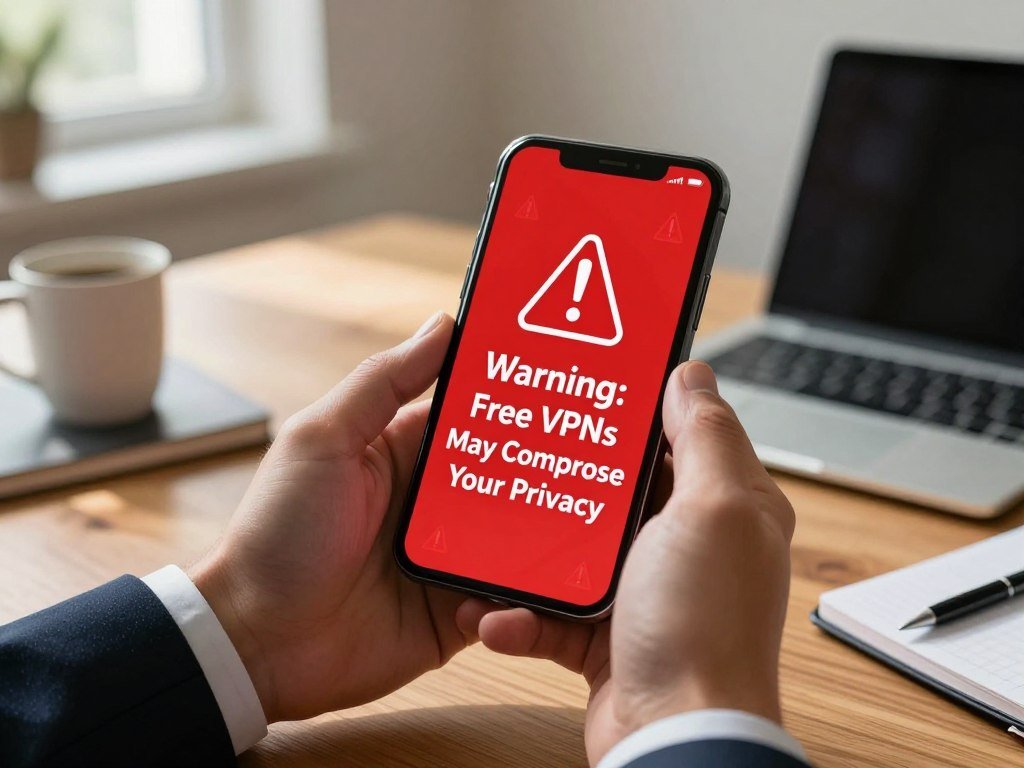
Watch for these warning signs before trusting an app with your traffic:
- Unclear company ownership.
- An opaque logging policy that avoids clear terms.
- App permissions that do not fit VPN operation.
- Aggressive ads or repeated upgrade prompts.
A trustworthy free option should explain its business model and data practices in language you can understand. Some providers offer free plans to attract customers to paid plans; others may rely on advertising. A free label by itself proves nothing about privacy or security.
Check the app’s network behavior with a leak test before using it for sensitive browsing. A test can show whether your IP address or DNS requests escape the VPN tunnel. Test for IP and DNS leaks before relying on any new app for sensitive browsing.
Proton VPN Free: Best for Unlimited Data and Privacy
Proton VPN is the best fit here if you want a privacy-oriented free plan without a bandwidth limit. Its strong privacy approach and no-ads plan suit routine browsing across several major platforms. The free version is available for Android, iOS, Windows, macOS, and Linux.
Proton VPN’s apps use AES-256 encryption and support OpenVPN and WireGuard. Those are ways to secure and route a VPN connection. The apps are open-source, meaning people can inspect their code, and they have undergone third-party security audits.
Security protections across its apps
On Android, an automatic kill switch stops internet traffic if the VPN connection drops. DNS leak protection helps keep DNS requests inside the tunnel. These security features reduce some common exposure risks, though they do not prevent every privacy problem.
Open-source code lets outside reviewers examine how an app is built. Independent audits add another form of review. Neither measure means you can ignore the privacy policy or the way the service handles data.
Where the free plan falls short
The free plan assigns an available server automatically, so you cannot select a specific location. In October 2026 testing, it did not unblock Netflix, Disney+, or HBO Max. The plan also blocks torrenting.
The automatic assignment makes this plan less useful when you need a particular country or content region. It remains a reasonable long-term choice for browsing if you want to avoid ads and use the app across platforms. It is not a way to gain unrestricted streaming or P2P access.
Use Proton VPN when privacy and routine browsing matter more than choosing a particular server or torrenting.
Windscribe Free VPN: Best for Limited Streaming
Windscribe is the more useful free pick when you want to try streaming in several regions and can stay within 10GB a month. Several regions means server locations, not a promise that every local streaming library will work. In October 2026 testing, five Netflix libraries worked, but US Netflix did not.
Windscribe’s free servers were in 10 countries: the United States, Canada, France, Germany, Hong Kong, the Netherlands, Norway, Romania, Switzerland, and the United Kingdom. Having a server in a country does not guarantee access to its Netflix library.
Where Windscribe can access Netflix
Five Netflix libraries worked during the October 2026 test, while US Netflix failed. Streaming services can change how they detect VPN connections, so a result can shift over time. The location list tells you where Windscribe has servers, not which libraries will accept the connection.
This difference matters if you have one specific show or region in mind. A server may connect from a country while the streaming service still blocks access to its local catalog. Test the exact library before planning a long watch session.
The monthly allowance and traffic restrictions
The 10GB monthly data cap makes video use finite. Streaming can use a large share of that allowance, especially during longer sessions. Windscribe also blocks torrenting traffic on its free plan.
A connection that works for a short episode may not suit regular viewing. The plan’s multiple device connections can help a household share access, but they do not expand the monthly allowance. Confirm that the library you need works before spending your monthly data allowance on a long stream.
Is hide.me a Good Free VPN for Flexible Connections?
hide.me is worth considering if you want a free plan with WireGuard and a short, clearly defined list of server locations. WireGuard is a connection protocol that helps secure VPN traffic. Its design can support good speeds, but it does not guarantee faster results in every network or location.
The free network covers seven locations, not every city or content region. They are Finland, France, Germany, the Netherlands, Switzerland, the United Kingdom, and the United States. A country-level listing cannot promise access to every local service.
hide.me says free and paid accounts follow the same strict privacy policy, and that it does not log user activity. A strict no-logs policy is still a provider commitment. Read the privacy policy to understand what the company says it collects and how it handles that information.
The smaller server network can still be useful if one of its listed countries suits your task. It also makes the plan less flexible when you need a city or region that is not listed. Server locations describe connection options, not a guarantee that a site will treat your traffic as local.
WireGuard gives you a current protocol option, while the country list sets the geographic range. If you need a specific content region, check its availability rather than assuming that a country listing covers every service there. Choose a listed location only after checking whether it serves the region you actually need.
Does PrivadoVPN Work for Streaming and P2P?
PrivadoVPN is a practical free choice for occasional streaming or P2P if you can manage a 10GB high-speed monthly allowance. High-speed data describes the first part of the plan’s monthly use. After that, the connection continues at 1Mbps.
The 1Mbps continuation is reduced speed, not a second high-speed allowance. That can keep a basic connection available, but it changes how well demanding tasks work. The cap matters even when the service allows a certain activity.
PrivadoVPN supports P2P file sharing across 14+ free servers, which makes it a relevant option for small or occasional transfers. P2P means peer-to-peer sharing between connected devices. Support across servers does not turn the plan into unlimited practical capacity.
A small transfer may fit within the high-speed allowance, while a large one can use it up quickly. After the allowance runs out, the reduced speed may make continued file sharing slow. Video use also draws from the same monthly amount.
Do not mistake P2P access for unlimited use. The free plan allows the activity, but its high-speed data limit still controls how much you can transfer comfortably. Check your remaining high-speed data before starting a large transfer.
Is Hotspot Shield’s Free Mobile Plan Fast Enough?
Hotspot Shield’s free mobile plan offers a single US connection, but its 2Mbps speed limit is a meaningful constraint. That speed cap may affect video, downloads, and other tasks that need steady bandwidth. The plan starts with 500MB of daily data.
The plan pairs one US server with a 2Mbps limit. Users can obtain more data by watching ads. That option trades your attention for a larger allowance, but it does not change the server choice or speed limit.
A single server makes the plan a poor fit when you need a different country. The daily allowance may suit short mobile sessions, but repeated video viewing can use it quickly. Your experience also depends on the network you use and the task you are doing.
Speed is only one part of a privacy decision. A free VPN should also make its data collection clear, since the provider handles traffic routed through its service. Ads can be a funding method, but they do not explain every data practice.
Try a short session first to see whether the speed and ad-supported allowance suit your task.
Is TunnelBear Suitable for Light Use?
TunnelBear makes the most sense for a beginner who expects light use rather than daily streaming. Light use leaves more room under its 2GB monthly data cap. The free plan does not let you manually choose a server location.
Video and large downloads can use 2GB quickly. Without manual server selection, location-specific use can also be difficult. That combination fits brief tasks better than frequent media use.
Three uses may fit the plan better than long sessions:
- Brief browsing when you need a VPN connection.
- Occasional protection on public Wi-Fi.
- Trying a VPN before committing to a more capable plan.
A 2GB allowance can disappear after a few large files or extended video use. Keep the plan for tasks where an encrypted connection matters more than a particular server country. If you need a specific region, the lack of manual choice may rule it out.
Save the 2GB monthly allowance for the tasks where you most need an encrypted connection.
Which Free VPNs Work Best on Android?
Proton VPN is the strongest Android starting point for privacy, while Windscribe is more flexible if you need multiple devices. For mobile use, compare location coverage and plan limits before picking an app. Proton VPN also supports iOS, Windows, macOS, and Linux.
No free Android VPN provides servers in every country as a realistic promise. Proton VPN’s free mobile plan offers servers in the United States, the Netherlands, and Japan. These plans cover specific locations, not the whole world.
| Service | Mobile fit | Key limit | Location coverage |
|---|---|---|---|
| Proton VPN | Privacy and everyday browsing | One device at a time | Three mobile server countries |
| Windscribe | Multiple mobile connections | 10GB monthly cap | 10 countries |
| PrivadoVPN | Occasional P2P and streaming | 10GB high-speed data, then 1Mbps | 14+ P2P servers |
| Hotspot Shield | Short mobile sessions | One US server and 2Mbps | US only |
The 2026 mobile VPN review selected Hide.me, Proton VPN, Windscribe, PrivadoVPN, and Hotspot Shield after testing Android and iOS. A “top 10” list would add names without equivalent privacy checks, so this comparison stays with tested choices.
When you want the best free VPN for Android for all countries, no free plan here meets that promise. Server coverage is limited, and a country list does not mean every city is available. Before installing, confirm the app’s current location list includes the country you need.
What Is the Best Free VPN for PC?
Proton VPN is the best free VPN for PC if your priority is privacy-focused everyday use without a bandwidth limit. Windscribe is the alternative if you value more simultaneous connections and can accept a data cap. Both provide desktop apps.
Operating-system support does not remove free-plan limits. Proton VPN supports Windows, macOS, and Linux. Windscribe also supports desktop use, but its plan still restricts monthly data.
| Choice | Strongest fit | Key limit | Useful security feature |
|---|---|---|---|
| Proton VPN | Privacy and uncapped browsing | One simultaneous connection | AES-256 encryption |
| Windscribe | Several simultaneous devices | Monthly data cap | Desktop VPN app |
Proton VPN supports AES-256 encryption and the OpenVPN and WireGuard protocols. That gives you recognized tools for protecting a connection, but it does not remove the plan’s limits. Windscribe may be more useful when you need several devices at once.
Install the desktop app through the provider’s official distribution channel. Avoid unofficial downloads that could alter the software or expose your device. Keep the desktop app updated and turn on its available protection against unexpected VPN disconnection.
Which Free VPNs Support Streaming or Torrenting?
Windscribe is the better free option for trying multiple Netflix libraries, while PrivadoVPN or hide.me fit P2P better. Streaming access and server access are separate things: a location may be available even when a service blocks its library.
In October 2026 testing, Windscribe opened five Netflix libraries, but not US Netflix. Proton VPN did not unblock Netflix, Disney+, or HBO Max in that testing. Access can change, and one working library does not mean every region will work.
Streaming access is not the same as server access
Windscribe is the strongest named option here for trying multiple Netflix libraries, though US Netflix failed. Proton VPN also failed the named streaming platforms in October 2026 testing. Server locations show where a provider offers connections, not which catalog a platform will show.
P2P support depends on the free plan
PrivadoVPN supports P2P across 14+ free servers, and hide.me allows torrenting on its free plan. Proton VPN and Windscribe block torrenting traffic. These differences can matter more than a general claim that a service supports streaming.
| Service | Streaming result | Torrenting/P2P | Limiting caveat |
|---|---|---|---|
| Windscribe | Five Netflix libraries, not US Netflix | Blocked | Monthly cap |
| Proton VPN | Failed Netflix, Disney+, and HBO Max | Blocked | Automatic server choice |
| PrivadoVPN | Some streaming support | P2P on 14+ servers | High-speed monthly allowance |
| hide.me | Streaming support varies | P2P allowed | Seven locations |
Streaming access can change as services update their checks, and a working connection does not guarantee every library will open. Test the exact service and activity you need before relying on a free connection.
How Much Data Do Free VPNs Provide?
Proton VPN and hide.me are the free choices here with unlimited data, while several alternatives impose a monthly or daily allowance. Unlimited data means unlimited VPN data, not free internet service. It does not promise unrestricted streaming or server selection.
Video and downloads use data faster than ordinary browsing. A cap is more workable for occasional use than for steady, high-bandwidth tasks. Think about your usual monthly activity before choosing a plan.
- Unlimited data: Proton VPN and hide.me.
- Monthly caps: Windscribe, PrivadoVPN, and TunnelBear.
- Daily allowance: Hotspot Shield’s free mobile plan.
Windscribe provides 10GB per month. PrivadoVPN gives 10GB of high-speed data each month, then continues at 1Mbps. TunnelBear’s cap is 2GB per month.
Hotspot Shield’s free mobile plan starts with 500MB per day. A daily limit can suit short sessions, though it may not match how you use data throughout the month. Video calls, streaming, and large downloads can consume an allowance faster than messages or basic browsing.
An “unlimited free internet VPN” is not a separate internet connection at no cost. The VPN routes your existing internet traffic and may remove a data cap on VPN use, but your internet provider still supplies the connection. Estimate your monthly video and download use before choosing a plan with a cap.
Are Free VPNs Legal in the US, and Can Police Track You?
Using a VPN for ordinary privacy or public Wi-Fi security is legal in the United States, but Utah has a specific age-verification rule for covered websites. The rule does not ban routine VPN use for banking, work, or privacy from an internet provider.
Utah SB 73 treats someone physically in Utah as a Utah user, even when a VPN shows another IP address. It was signed March 19, 2026. The law does not make a VPN connection an exemption from age checks.
Ordinary VPN use and Utah’s age-verification law
Utah SB 73 applies to commercial websites where more than one-third of material is considered harmful to minors. Those sites must use reasonable age verification before Utah users access covered material.
Covered websites may not publish instructions for using a VPN to get around age gates. Violations can bring penalties of up to $2,500 per violation. The law defines a Utah user by physical location, not by the IP address shown by a VPN.
What encrypted traffic and provider records reveal
Police cannot simply watch live encrypted VPN traffic in a readable form. A court order can allow requests for connection or usage logs from an internet service provider. What a VPN provider can share depends on what it collects, its privacy policy, and its jurisdiction.
Encryption protects traffic in transit, but it does not erase records held by a company or service. A VPN changes which parties may see parts of your online activity; it does not make all records disappear. Treat a VPN as a privacy tool, not a way to evade a legal age gate or make retained records disappear.
When Should You Upgrade to a Paid VPN?
Upgrade only when a free plan’s limits repeatedly block something you need to do. Occasional browsing or short-term protection can work well on a free plan when its limits fit the task. A paid VPN makes more sense when a cap, location restriction, or connection limit keeps interrupting your use.
Paying does not by itself prove a provider has a strict no-logs policy. Review its privacy policy and data practices even when you consider a paid plan. Look at the service’s actual terms rather than treating price as proof of strong privacy.
Consider paying when one of these needs comes up often:
- You stream frequently and keep hitting a data or access limit.
- You download large files on a regular basis.
- You need more server locations than the free plan offers.
- You need to protect several devices but reach the connection limit.
- You want more plan features or customer support.
A free plan can be enough for brief browsing, travel, or a short period of added protection. Repeated interruptions change the value of that plan, especially when you rely on a VPN each day. The right choice depends on the task and how often the free limits get in the way.
Do not assume a paid VPN includes a certain feature, support level, or server count without checking its plan details. Compare what the provider offers with the tasks you actually do. If you use a VPN every day, compare the paid plan’s data, locations, device limit, privacy policy, and support before subscribing.
Conclusion
For most people seeking a trustworthy free starting point, Proton VPN is the clearest first choice. It combines strong privacy aims with unlimited data for ordinary browsing. Windscribe is worth considering for limited streaming, while hide.me offers WireGuard and several locations.
No free plan removes every limit on data, server choice, streaming, or devices. Pick the trade-off that matters least for your daily use, then test the service before trusting it with sensitive activity. Install the option that matches your main task, review its privacy policy, and test it before relying on it for sensitive activity.
FAQ
Which is the best totally free VPN?
Proton VPN is the strongest general choice for privacy and unlimited data. Its free plan suits everyday browsing, though it limits server choice and simultaneous connections. Windscribe is more useful if you want to try streaming in several regions and can stay within its allowance. Neither service removes every restriction, so match the plan to the task you need.
Are there any 100% free VPNs?
Yes, free plans exist without a time-limited trial, including plans from Proton VPN, Windscribe, and hide.me. “Free” describes the price of the plan, not unlimited features or service. Some plans cap data, restrict server selection, or limit connections. Others may support themselves through paid upgrades or ads, so review the provider’s business model and data practices.
Are free VPNs illegal?
No, ordinary VPN use is legal in the United States. A VPN does not make illegal activity legal, and laws still apply to what you do online. Utah also has age-verification rules for certain commercial websites, and a VPN’s displayed IP address does not remove those rules. Use a VPN for privacy or security, not to evade a legal requirement.
Can the FBI track a VPN?
The FBI cannot simply watch live encrypted VPN traffic as readable activity. A court-authorized request may reach records held by an internet service provider or VPN provider. What a VPN company can share depends on the data it collects, its policy, and its jurisdiction. A VPN can protect traffic in transit, but it cannot erase records that another service has retained.
Can your phone still be tracked with a VPN?
Yes, your phone can still be identified or located while a VPN is active. A VPN masks the IP address that websites see, but account logins and cookies can connect activity to you. App permissions, GPS access, and mobile-network records can also reveal identity or location. Review location access and avoid assuming an IP change hides every part of your phone use.
How do free VPNs make money?
Common business models include paid-plan upgrades and advertising. Some providers offer a free plan to introduce users to a paid service, while others show ads. Check whether the privacy policy explains data collection and use in clear terms. Data collection or sale is a risk to examine, since a free price alone does not explain how a company earns money.



