
If you are new to coding, Python is a strong all-around starting point, while JavaScript is the direct route to building interactive websites. The right first choice depends on what you hope to make and where you want to work. That choice matters because early practice builds skills you can use across many languages.
Python suits beginners interested in AI, data, and automation. JavaScript is a practical first pick for web development. More focused goals may point you toward SQL, Java, C#, C++, Swift, Kotlin, Go, or Rust. You do not need to master every option before you begin.
Programming logic transfers between languages. Once you understand variables, conditions, loops, and functions, you can learn new syntax with less effort. A clear goal, such as analyzing data or building a mobile app, narrows the first choice quickly.
Key Takeaways
- Choose Python for a flexible start in AI, data, or automation.
- Choose JavaScript if you want to build interactive websites.
- Learn one language well before adding another.
- SQL can support work with data stored in databases.
- Mobile and game projects often call for a platform-specific choice.
- Small finished projects help you practice useful coding skills.
How to Choose the Best Programming Language to Learn
Start with the kind of thing you want to make, because the best first language is the one that helps you build it. Your goal matters more than a language’s online popularity. Python is a strong first choice for a beginner without a set specialty, while JavaScript fits someone committed to web interfaces.
Pick a language that connects a clear project to skills you can practice. Static typing means checking declared data types during development to catch certain mistakes before code runs. Programming languages use syntax, their written rules, to give computers instructions.
Choose a language for a project you want to finish, not for a promise of future work.
HTML structures web pages, and CSS controls their presentation. Both are essential web technologies, but HTML is a markup language and CSS is a stylesheet language, not general-purpose programming languages. JavaScript adds interactivity to pages.
Use this four-part check before you commit to a course or book:
- Name a project or career goal you want to pursue.
- Choose a beginner-friendly language if you are new to coding.
- Check that tutorials, practice materials, and a learning community are easy to find.
- Compare skills named in entry-level job listings that fit your interests.
The best programming language to learn for beginners is often Python when no specialty is set. JavaScript is the better first choice when your goal is an interactive website. This distinction keeps an early choice tied to daily practice, not just a list of popular languages.
For the future, look at the tools used in the kind of work you want. Job listings can show whether employers in your area ask for a language, a database skill, or both. They describe current requirements, not a guarantee that learning one language will lead to a job.
Use the table to turn a broad interest into a first project. A useful companion language or tool can come later, once you have made something that works.
| Goal | First pick | Useful companion | Starter project |
|---|---|---|---|
| AI or data | Python | SQL | Analyze a small dataset |
| Interactive websites | JavaScript | HTML and CSS | Build a dynamic page |
| iOS apps | Swift | Apple’s app-development tools | Make a basic iPhone app |
| Android apps | Kotlin | Java | Make a basic Android app |
A starter project should be small enough to complete with the time and skills you have now. That gives you a result to test and improve, rather than a long list of lessons with no working code.
Before committing, make sure your chosen language has beginner tutorials that let you practice by building small projects.

Why Python Is a Strong First Pick for AI and Data
For an undecided beginner who wants to explore AI or data, Python offers the clearest combination of readable syntax and useful tools. Readable code makes early practice less crowded with punctuation. Python also supports data work, automation, and many kinds of programming.
Python led U.S. job postings for data science and AI/ML roles from January 2025 through March 2026. It appeared in 46% of U.S. postings requiring at least one programming language during that period. Those posting shares describe employer requests, not how often developers use a language.
The same posting analysis found Python led the data science and AI/ML category. That makes it a sensible language to learn for AI, though a beginner can start with small programs before touching advanced tools. A job-posting analysis of language demand gives a closer look at those role patterns.
Developer surveys measure a different thing: what people report using, not which skills appear in job ads. In the 2026 Stack Overflow Developer Survey, 39.0% of 14,099 respondents to the AI-use question said they used Python for AI. Developer-reported Python use rose from 51% in the 2024 survey to 58% in 2025.
These figures point to broad use, but they do not mean every beginner needs a machine-learning framework right away. Start with core programming, then explore a tool when a project calls for it. Your first useful result may be a chart or a script that renames files.
Python for AI and machine learning
Python has tools for building and testing machine-learning systems. TensorFlow and scikit-learn are Python-native machine-learning frameworks. PyTorch is an open-source deep-learning framework developed by Meta, with a Python interface.
Google developed TensorFlow as an open-source deep-learning framework. Keras 3.0 supports TensorFlow, JAX, and PyTorch backends, so it can work with more than one engine. These names may appear in courses and project guides, but beginners can wait until the basics feel familiar.
AI tools can help explain code or suggest a way to fix an error, but you should test what they produce. Chatbots such as ChatGPT, Claude, Gemini, and Copilot differ in how they handle coding, research, and other tasks. Check factual claims and citations before relying on an answer.
Machine learning can sound distant from a first lesson. A short program that reads a few lines of data is still a practical start. You can add a model later, once you know what information it needs.
Python for data, automation, and first projects
Data analysis and automation offer approachable practice projects. You might sort a small list, calculate a total, or rename a set of files. These programs teach how code handles information and repeats tasks.
Python’s first output can be as simple as print('Hello, world!'). The command displays the words Hello, world! on screen. Python strings can use single, double, or triple quotes around text.
Try these steps in order, and run the program after each change:
- Run a print statement and change the words it displays.
- Practice variables and basic data types, such as numbers and text.
- Write conditionals and loops to make choices and repeat actions.
- Build a small data or automation project using a task you understand.
Keep the first data project small. A few rows are enough to practice reading values, finding a total, or spotting a simple pattern. A focused task makes errors easier to find and gives you a clear result to check.
Start by changing the text in a print statement, then run the program to see exactly what your code does.

JavaScript and TypeScript for Web Development
If your first project is an interactive website, JavaScript is the most direct programming-language choice. In a browser, JavaScript can respond to clicks, update page content, and handle simple user actions. HTML supplies page structure, while CSS controls its appearance.
Learn JavaScript first for web development, then add TypeScript when your projects need more structure. JavaScript also runs outside the browser in settings such as Node.js. That lets developers use it for front-end work and back-end services.
JavaScript appeared in 84% of U.S. front-end development postings and 66% of full-stack postings from January 2025 through March 2026. Those shares describe language mentions in job postings, not job offers or hires.
JavaScript for front-end and full-stack work
The front-end is the part of an app people use directly. JavaScript makes that part respond to people, from a menu that opens to a form that checks an entry. HTML and CSS work beside it to shape the page and its visual style.
For a first project, make a page with a button that changes a message or updates a counter. This kind of exercise uses real web development skills without needing a large app. You can then add a form or save a small amount of data.
JavaScript can also support full-stack applications, which include front-end pages and back-end logic. The language gives you a path from a browser project to a server-based program. Learn the browser basics before adding more tools.
JavaScript and TypeScript also appear in developer reports about AI use. In the 2026 Stack Overflow Developer Survey, 38.4% of 14,099 respondents to the AI-use question reported using JavaScript for AI, compared with 30.4% for TypeScript. These are reported AI-use figures, not job-posting shares.
When to add TypeScript
TypeScript is JavaScript with static typing. It checks declared data types during development to catch certain mistakes before code runs. TypeScript compiles to JavaScript, which browsers can run.
Static typing can help you track the shape of information as an application grows. It can also add steps and concepts that slow down a very small first project. Build a few JavaScript programs before adding that extra structure.
Use this quick comparison to decide what belongs in your early web practice:
| Language or tool | Main web role | When to learn it |
|---|---|---|
| JavaScript | Browser interactivity and front-end or full-stack apps | First for web development |
| TypeScript | Structured JavaScript applications | After JavaScript basics |
| HTML and CSS | Page structure and visual styling | Alongside early web practice |
MDN’s JavaScript language guide covers how the language works and offers learning materials. Use a small browser project to practice one feature at a time. A working page is easier to learn from than a stack of disconnected examples.
Build a small browser project in JavaScript before adding TypeScript’s extra structure.

Why SQL Belongs Beside a General-Purpose Language
If your work will involve information stored in tables, SQL is the most direct language for asking a database to retrieve and organize it. SQL stands for Structured Query Language. It can retrieve, update, and organize information held in relational databases.
SQL appeared in 45% of U.S. job postings requiring at least one programming language from January 2025 through March 2026. It appeared in 56% of backend-development postings in the same analysis. Those figures show how often the skill appeared in ads, not a guarantee of hiring.
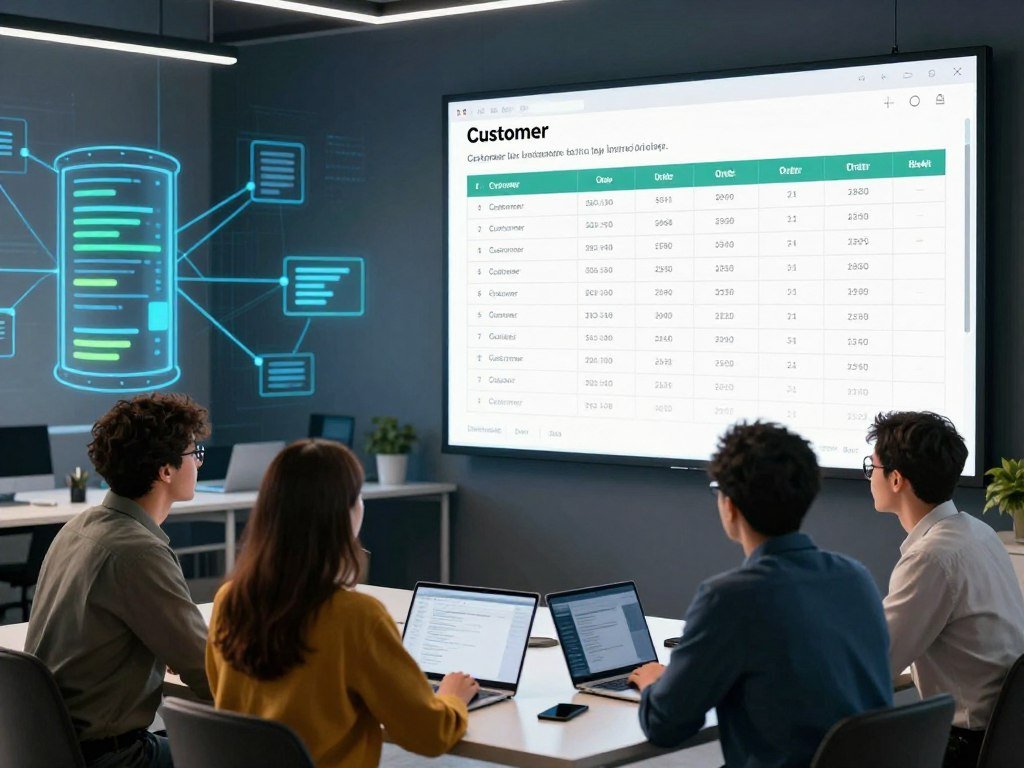
PostgreSQL and MySQL are examples of relational database systems. They store information in related tables, such as customers and orders. SQL lets you ask for selected records without manually searching every row.
A practical task might be finding orders placed in one month, joining each order to its customer, then producing a report. A join connects related tables through shared information, such as a customer ID. That skill can help with business, product, and application data.
SQL is useful beside Python for data work, and the two appeared together in about 21% of the analyzed postings. Python and SQL were the most frequently co-mentioned language pair in that period. SQL also works alongside other general-purpose programming languages.
A general-purpose language can create a program, while SQL asks a database to handle stored information. For big data tasks, teams may use more than one tool to collect, shape, and review records. Learning SQL can add a practical data skill without replacing your main language.
SQL is a useful early addition for data-focused learners. If you focus only on front-end interfaces, JavaScript can come first. Your choice should match the kind of software you want to build and the information it needs.
Start with a small table you can understand, such as a list of products or expenses. Then practice selecting records, filtering results, and joining related tables. Short queries make it easier to see how each change affects the output.
Practice by writing a query that filters a table and joins it to one related table.
Java and C# for Enterprise Software Engineering
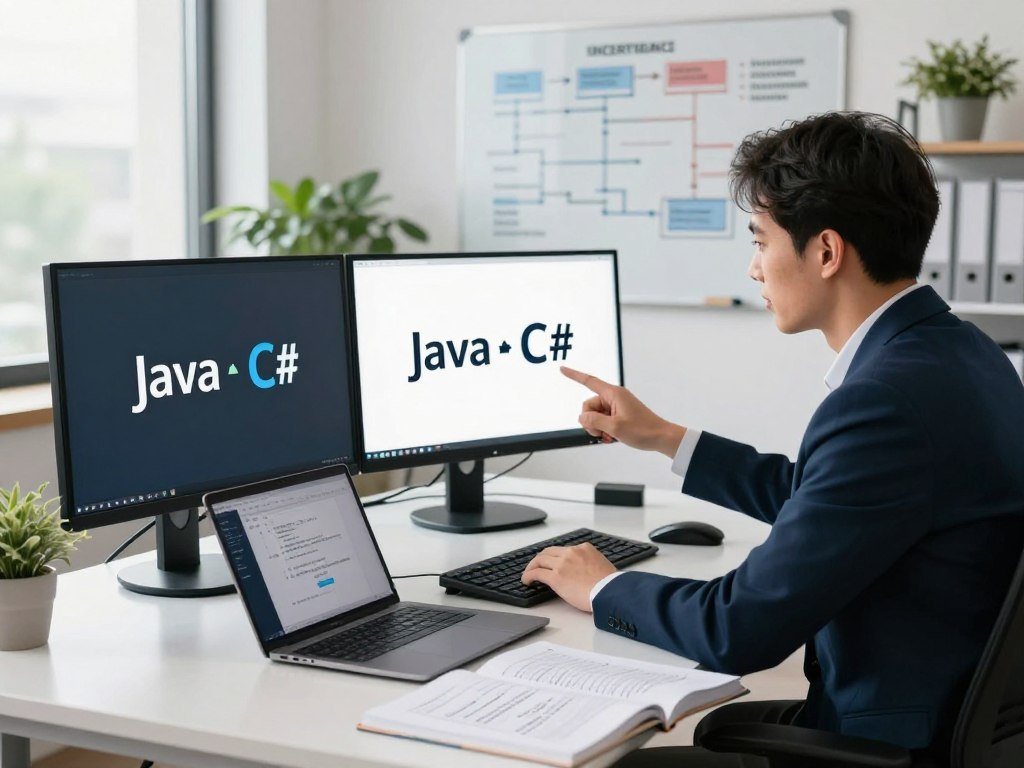
For a traditional software-engineering path, Java is a strong pick for enterprise back ends, while C# is the practical choice when target roles center on .NET. The target ecosystem can make one choice clearer than a broad ranking. Both languages support software development across large teams.
Java suits enterprise back-end work, while C# fits teams building in the .NET ecosystem. Software-engineering job postings from January 2025 through March 2026 mentioned SQL in 42%, Python in 41%, and Java in 38% of postings.
Those figures are shares of postings that mentioned each language. They do not measure salary, hiring odds, or a promise that a particular skill will secure a job. Many software roles also ask for databases, testing, and tools beyond one language.
Java for established back-end systems
Java is used for enterprise applications and back-end services. Its established libraries support common tasks, and its object-oriented approach can help teams organize large codebases. Those features make Java a sound choice when you want to work on long-running business systems.
Object-oriented programming groups code and data into structures that model parts of an application. Java gives learners a way to practice those structures while building working programs. The same ideas also appear in other software development languages.
For jobs in 2026, Java is a sound choice if you want enterprise back-end work. Python is the stronger pick for data-heavy work, based on the distinct role uses already discussed. The best fit still depends on the work described by employers near you.
C# for .NET development
C# is part of .NET, a software ecosystem used to build applications and services. It is a practical fit when a team’s tools and codebase center on .NET. A learner can use it to create a small program, then build toward larger applications.
Look at the software already used by companies in your target field. A C# role may ask for .NET experience, while a Java opening may focus on Java libraries and back-end systems. Employers can also ask for SQL, testing, or cloud tools alongside either language.
You do not need to choose an entire career from one job listing. Compare several entry-level roles and note which skills appear more than once. That gives you a more grounded view of the work than a language popularity chart.
Entry-level listings can differ by region and industry. Some emphasize a degree or prior project work, while others name specific tools. Read the role duties as well as the skill list before deciding what to study.
Compare several entry-level job descriptions in your target region before choosing which of the two ecosystems to study.
C++ or C# for Game Development and Performance
Choose C++ when your game-development goal specifically points to Unreal Engine or performance-critical systems; choose C# when you want to begin with a Unity project. The engine you want can guide the choice. Each language supports a different path into game development.
C++ is a better fit for Unreal Engine and performance-focused work, while C# is a direct route to Unity projects. A beginner can make a small playable scene before tackling a full game. Start with one action, such as moving a character across a simple level.
C++ for performance-critical software
C++ is used in high-performance software and game development with Unreal Engine. It gives developers close control over how a computer runs code. That control suits work where speed and resource use matter.
Those lower-level concepts also make C++ a more demanding first language. You may need to learn how memory works while learning basic programming ideas. That extra effort can pay off when your goals point to performance-critical software.
C++ has uses beyond games, too. In the 2026 Stack Overflow Developer Survey, 11.3% of 14,099 respondents to the AI-use question reported using C++ for AI. That figure describes reported AI use, not game development.
C# for Unity game projects
C# is a good choice if you want to make games with Unity. It can get a beginner to a playable prototype without starting with C++. A prototype lets you test one core idea, such as jumping, collecting an item, or reaching a goal.
Keep the first game small enough to finish. One room, one player action, and one clear goal can teach movement, input, and simple rules. Add new features only after the basic scene works.
A playable test can reveal whether the idea feels fun before you spend time on art or extra levels. It also gives you code you can change and test. Game development rewards small experiments more than an oversized first plan.
If you are curious about both languages, build one tiny project before switching. A clear result helps you compare how each language and engine feels in practice. Keep notes on what was easy and what slowed you down.
A tiny playable prototype is a better first milestone than trying to build a full game at once.
Swift and Kotlin for Native Mobile Apps
If your goal is a native iPhone app, start with Swift; if your goal is an Android app, start with Kotlin. Choose the device you want to support first. Each language points toward a different mobile platform.
Learning one mobile ecosystem first is more useful than trying to study both at once. Native development uses the tools and language built for a platform. Cross-platform app frameworks are a separate choice that can share code across platforms.
Swift for Apple platforms
Swift is the relevant starting language for native iPhone apps and other Apple-platform apps. Apple’s app-development tools help you build and test software for those devices. A basic first app could show a note, a list, or a small form.
Start with one screen and a simple task. For example, let a user enter a short note, then save and display it. This teaches how an app accepts information and shows it again.
Kotlin for Android
Kotlin is used for Android development and works with Java. That relationship can help when a project or learning resource uses both languages. Kotlin gives you a direct path to building an Android app.
Native and cross-platform development solve different needs. Native apps target one platform, while cross-platform tools can reuse code across more than one. The right approach depends on which devices you want to reach and how you plan to build.
These four small app ideas work with either platform:
- A simple note-taking app.
- A basic habit tracker.
- A small personal budget log.
- A single-screen recipe organizer.
Keep the first version focused on one user action. A note app might save a short entry, while a budget log might record one amount and date. Small apps still teach useful mobile development skills.
Choose one platform and finish a working app before moving to the other. Cross-platform frameworks remain an option if you later need to support both systems with shared code.
Pick one platform and complete a small app that saves and displays a little user-entered information.
Go and Rust for Cloud and Systems Work
For cloud services, Go is the more direct starting point; choose Rust when your goal is systems programming and you are ready for a steeper learning curve. Your comfort with low-level ideas can shape that decision. Both languages serve focused areas of software development.
Go fits back-end and cloud services, while Rust suits systems work that needs careful control. These are specialized programming languages, so they may make more sense after you have tried basic programs. Your first project can still be small.
Go for back-end and cloud services
Go has clean syntax and is used for back-end services and cloud development. It can be a good fit if you want to write a small service that handles requests or moves information. A command-line tool can teach many of the same basics.
Keep the first program narrow. Try a service that accepts one kind of input and returns a clear result. That gives you a way to practice code structure without beginning with a large system.
Rust for systems programming
Rust is used for systems programming, where code may need close control over performance and memory safety. Its ownership rules help manage how programs use memory. Those concepts take time to learn, so Rust can feel harder at first.
Systems work can include tools that interact closely with a computer’s hardware or operating system. Rust may suit you if that kind of code interests you and you want to study memory safety. A small utility is a better start than a large application.
TensorFlow Lite supports deploying TensorFlow models on mobile and edge devices. That is a model deployment option, not a general-purpose language recommendation. The distinction matters if your interest is putting an AI model on a device rather than choosing a first coding language.
Go and Rust each reward practice with focused tasks. A small service can help you test Go, while a basic systems utility can expose you to Rust’s rules. Keep the first build easy to run and inspect.
Try a small command-line service or systems utility before committing to a large project in either language.
What Programming Skills Can Lead to in the U.S. Job Market?
Programming skills can lead to work across the U.S. economy, but the wage and job outlook depend on the role, experience, and employer. Software developers had a median annual wage of $135,980 in May 2025. That figure describes the occupation overall, not a specific language.
Software developer employment is projected to grow 10.2% from 2025 to 2035, compared with 3.5% for all occupations. About 95,300 software developer job openings are projected each year during that period. Openings include different employers and roles, not a promise of a job for each learner.
Use these U.S. figures as career context, not as a personal pay estimate. The lower-paid 10% earned less than $82,460 in May 2025, while the higher-paid 10% earned more than $214,670.
| Measure | U.S. figure | What it means |
|---|---|---|
| Software developer median annual wage | $135,980 in May 2025 | Median, not a promised starting salary |
| Lower-paid 10% | Less than $82,460 in May 2025 | Lower end of the wage distribution |
| Higher-paid 10% | More than $214,670 in May 2025 | Upper end of the wage distribution |
| Projected employment growth | 10.2% from 2025 to 2035, versus 3.5% for all occupations | A long-term projection |
| Average annual openings | About 95,300 from 2025 through 2035 | Projected openings, not a guarantee for an individual |
A bachelor’s degree is the typical entry-level education for U.S. software developers. Employers may set different requirements, and some roles place weight on other skills or experience. The degree figure describes a common path, not the only path into every job.
Language mentions in job ads offer another view of demand. About 60% of U.S. postings requiring programming languages mentioned at least two languages from January 2025 through March 2026. More than half came from industries outside tech.
That mix suggests a realistic learning plan: start with one language, then add a companion skill such as SQL or TypeScript when the work calls for it. Programming jobs can exist in fields beyond technology companies, including organizations that use software to manage daily work.
A survey can show what developers report using, while job postings show which skills employers request. The 2026 Stack Overflow Developer Survey collected responses from more than 30,000 technologists in 169 countries. Python, JavaScript with TypeScript, and Java were identified as widely used and demanded coding languages in 2026.
Language skills alone do not define a software career. Employers may also look for project work, communication, testing, or knowledge of a field. Read the duties and requirements together to see what a role asks you to do.
Start with one language, then add a companion skill when the role or project gives you a reason.
For a broader view of language mentions, the Oxylabs job-posting analysis covers more than 800,000 U.S. postings from January 2025 through March 2026. Its counts reflect language mentions in ads, not completed hires.
Treat projected openings and wage ranges as career context, then check the requirements for the exact role you want.
Conclusion
The best first choice is the language that gets you building toward a goal you care about. A finished project gives you something concrete to test and improve. The core ideas you learn, such as loops and conditions, transfer when you study another language.
Choose Python for a first data or automation project, or JavaScript for an interactive web project. Set up the language, make a working first version, and keep its scope small enough to finish. You can add new skills when your next project needs them.
Set aside one practice session this week and make your first small program run.
FAQ
What is the most useful programming language to learn?
Python is a versatile starting choice for AI, data, and automation, while JavaScript is more direct for web development. The most useful option depends on the kind of project you want to make. Try a short lesson in your chosen language, then build a small program that produces a result you can see and test.
Is C++ the hardest code?
C++ is widely considered challenging because it has complex features and low-level memory concepts. Your prior experience can change how difficult it feels. If you are new, first learn basic ideas such as variables, conditions, and loops in a language that feels more readable, then return to C++ when a project calls for it.
Can I teach myself coding?
Yes, you can teach yourself coding by starting with one language, practicing core concepts, and building small projects that grow in scope. Set a clear goal for each practice session, such as making a program display text or sort a short list. When you get stuck, read the error message and test one change at a time.
Do coders get paid well?
U.S. software developers had a median annual wage of $135,980 in May 2025. That is an occupation-wide median, not a promise for every coder or a starting salary. Pay can differ by role and employer, so compare the exact jobs you want rather than treating one national figure as your expected income.
How do you say "hi" in coding?
In Python, print('Hi') displays Hi. The command asks the program to show the text as output. Other languages use different syntax for the same task, so a Python example is not a universal format. You can change the words inside the quotes to display another short message.
How to write "I love you" in computer code?
In Python, print('I love you') displays the words I love you. This is a simple output command, not a code format used by every language. The idea is to send text to the screen, while the exact command changes with the programming language you choose.
How to say "I love you" in Python code?
Use print("I love you") in Python to display those words. Python also accepts single quotes around the text, as in print('I love you'). Both examples tell the program to show a string, which is a piece of text. The output appears when you run the code.