NordVPN is the strongest starting point for most people, while Surfshark, Proton VPN, ExpressVPN, and Windscribe fit more specific priorities. If you watch shows, work on public Wi-Fi, or protect several devices, your needs should shape the choice. A VPN changes your internet route and visible IP address, but it does not make you completely anonymous.
An encrypted tunnel is a protected connection that encrypts traffic between your device and a VPN server. The services below vary in privacy features, streaming performance, device support, and budget fit. That comparison can help you avoid paying for features you will not use.
Key Takeaways
- NordVPN is a practical all-purpose choice for everyday use.
- Surfshark suits households that need many simultaneous connections.
- Proton VPN offers a privacy-focused free plan.
- ExpressVPN is a strong option when streaming comes first.
- Windscribe stands out for users who want flexible features.
- A changed IP address does not erase cookies or identify you less.
Choose by the activity and devices you need to protect, not by a provider’s broadest promise.
Best VPNs for 2026: Which services fit your needs?
NordVPN is the all-purpose recommendation, but the best match changes if you prioritize free use, streaming, or several devices. For a laptop and general browsing, NordVPN is the clearest starting point because its apps and broad server network suit varied routines.
Ratings change with the category and testing rules. CNET’s 2026 ratings put Surfshark at 8.6 for innovative features, NordVPN at 8.4 for bundling, Mullvad at 8.2 for privacy, ExpressVPN at 8.0 for streaming, and Proton VPN at 8.0 for value. Security.org rated NordVPN 9.7/10 for no-log privacy, Surfshark 9.5/10 in its no-log smartphone category, and Proton VPN 9.3/10 in its free no-log category. Another 2026 review tested more than 50 VPNs, ran over 300 speed tests, and spent more than 2,500 research hours.
| VPN service | Best fit | Standout feature | Drawback |
|---|---|---|---|
| NordVPN | Everyday use | Broad international network | Renewal price rises |
| Surfshark | Many devices | Unlimited simultaneous connections | Temporary connection logs |
| Proton VPN | Privacy and free use | Free plan has unlimited bandwidth | Speed can vary |
| ExpressVPN | Streaming | Strong speed results | No multihop connections |
| Windscribe | Flexible features | Customizable settings | Smaller server network |
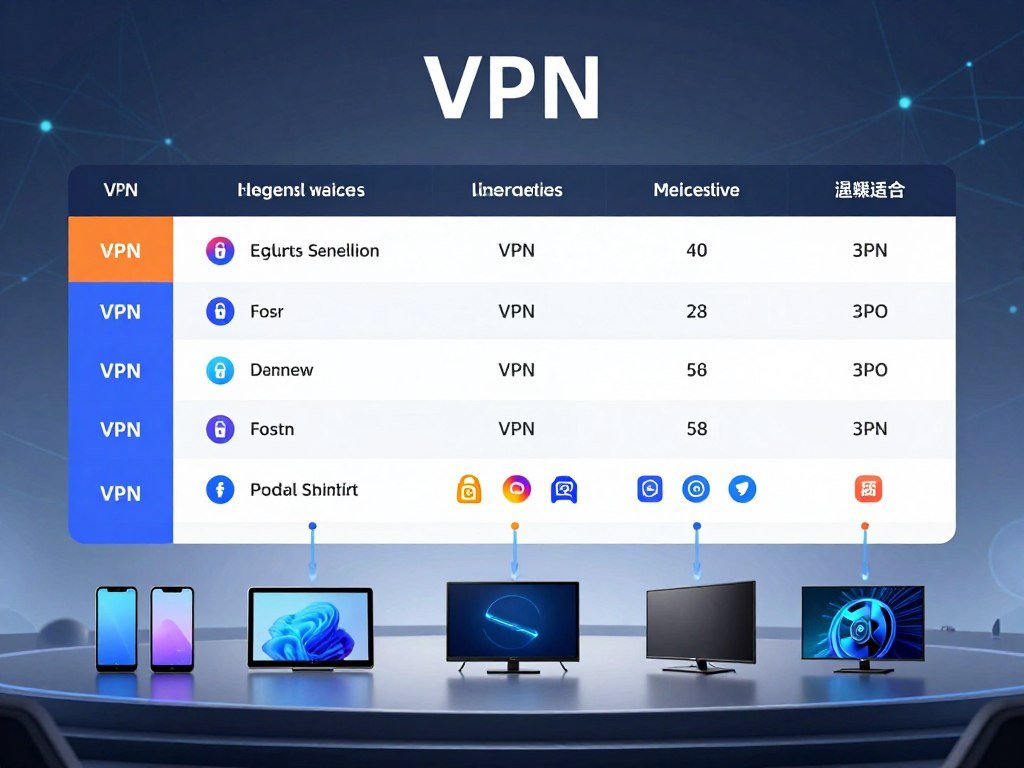
Surfshark is a good pick if several phones, tablets, and computers need coverage. Proton VPN suits privacy-minded users who want a free option, while ExpressVPN is a better fit for streaming. Windscribe is also a strong contender, with flexible tools that appeal to users who like control.
Private Internet Access is another option for customizable use and file sharing. You can compare the 2026 VPN ratings by their stated category, then read full service reviews before choosing. Each test gives weight to different features, so a high score in one area may not predict your results.
Treat a score as a comparison within its stated category, not as a guarantee that a service fits your routine.
For a laptop, check the desktop app, supported operating system, and server choices you will actually use. Treat a score as a comparison within its stated category, not as a guarantee that a service fits your routine.
What does a VPN protect, and what remains visible?
A VPN encrypts the connection to its server, but it does not make every part of your online activity invisible. It protects traffic between your device and the VPN server, which can make your web activity harder for your internet provider to see.
Your device sends requests through an encrypted tunnel to the VPN server. The server then makes those requests to websites, which see the server’s IP address rather than your home address. Your internet provider can still see when you connect and how much data you use. A VPN does not guarantee anonymity.

VPN protocols set rules for that protected connection. OpenVPN and WireGuard are two common examples, and VPN services may offer both. A VPN can help with privacy security on shared networks, but it does not stop cookies, browser fingerprinting, malware, or unsafe account habits.
Cookies and fingerprinting can still tie activity to a browser or account. For more on phone features and data handling, see this guide to AI features on phones. Using a VPN also cannot make a weak password safe or prevent you from sharing private details with an app.
There are times when you may not want to use a VPN:
- A service requires a local connection or blocks VPN traffic.
- A VPN blocks an app you need for work or daily tasks.
- Performance matters more than masking your IP address.
- You do not trust the VPN service handling your traffic.
If a site still recognizes you after your IP address changes, check your account login and browser tracking settings.
Is NordVPN the best everyday choice?
For a reader who wants one app for everyday browsing, travel, and streaming, NordVPN is the easiest all-around recommendation. Its apps are intuitive, so you can connect without sorting through a long list of settings. The broad network also gives you choices across many countries.
NordVPN uses RAM-only servers, which are wiped when they power down. The company also accepts cryptocurrency as a payment option. Those details may appeal to privacy-minded users, but RAM-only storage does not replace scrutiny of the service’s no-logs policy.

Consider how the app behaves on your own devices. NordVPN’s Windows kill switch can behave cumbersomely, which may make it less convenient when you need to manage a dropped connection. A kill switch is designed to cut internet access if the VPN connection fails, but its behavior still matters.
Price also needs a long view. A low first-term rate can rise when the plan renews, and NordVPN’s renewal prices increase. Do not judge the cost by the first payment alone. Check the billing length and later renewal amount before signing up.
The service’s broad network and simple apps make it a good daily pick, but they do not remove these tradeoffs. If your main need is a specific feature, compare the alternatives instead of treating one service as right for every routine.
Windows users should test the kill switch behavior before relying on it for sensitive work.
Does Surfshark offer the best value for multiple devices?
Surfshark is the better fit when one subscription needs to cover a household’s many devices. It allows unlimited simultaneous connections, so phones, tablets, and computers can use the plan at once. That flexibility can matter more than a long feature list.
Unlimited connections do not mean every device has the same app support. Surfshark uses RAM-only servers, but it also keeps temporary connection logs. The server setup and those logs are separate details, so one should not be mistaken for the other.
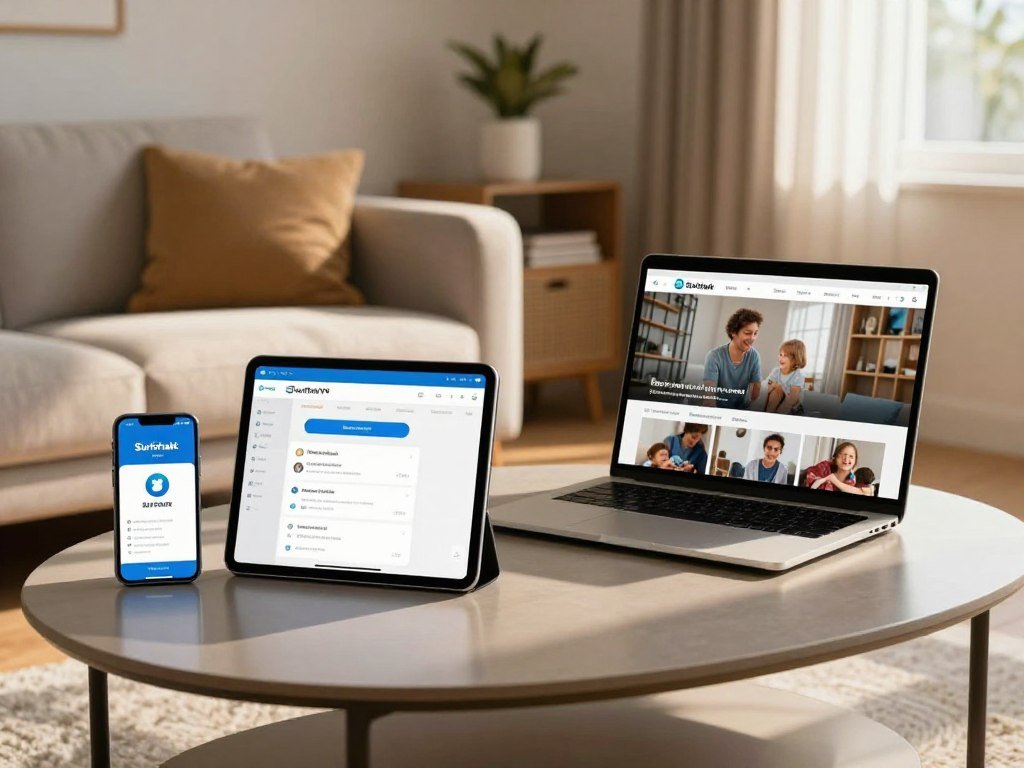
Before you choose a plan, check these points:
- Count every device that needs a full VPN app.
- Confirm support for each device’s operating system.
- Check whether your smart TV supports the VPN service.
- Decide whether a browser extension meets your actual need.
Internet access on a smart TV may depend on the model and available app store. A browser extension can also cover only browser traffic, rather than every app on a computer. Those differences can change how useful an unlimited connection allowance feels in daily use.
Surfshark may suit a busy mix of devices, while a smaller setup may not need unlimited connections. Choose based on the apps and operating systems you use, not just the number listed on a plan page.
Count the devices that need a full VPN app before deciding that an unlimited connection allowance settles the choice.
Is Proton VPN the best free VPN for privacy?
Proton VPN is the strongest free starting point for privacy-conscious users who want no data cap. Its free plan offers unlimited bandwidth, which makes it useful for routine browsing without watching a monthly data meter. Privacy features are a central part of its appeal.
The free app is open source, supports WireGuard, and includes an audited no-logs policy and transparency reports. Those features give you more ways to assess how the service works and what the company says about requests for user data. Unlimited bandwidth does not promise unlimited server choice.
Proton VPN’s free plan has multiple server locations, but that does not mean users can freely choose any server. Location choice and access rules can affect which route you get. That distinction matters if you need a particular country for work, travel, or a local service.
Speed can also vary. A free VPN can handle light browsing and basic online tasks, but uneven performance may affect large downloads or busy video streams. Paid plans may be a better fit when you need reliable access to streaming services, rather than simply a free connection with no data restriction.
Proton VPN’s open-source apps and public reports offer useful privacy details, yet the best choice still depends on your daily route and speed needs. A no-cost plan is most useful when its available locations match your routine.
Confirm whether the free app’s available location and performance suit your routine before making it your only connection.
Is ExpressVPN the strongest choice for streaming and speed?
ExpressVPN is the clearest choice for readers who put streaming performance first. CNET identified it as the fastest VPN it tested in 2026, and the service is known for strong streaming performance. Fast connections can help when you watch video while traveling or using a distant server.
Speed and access are different questions. A fast VPN connection may load a page quickly, but a streaming service can still block VPN traffic. Netflix, for example, may check for VPN use and restrict access to some content. No server guarantees access to a particular library.
That difference matters if you choose a VPN mainly for content. A speed test measures the connection between your device and a server, while a streaming service makes its own access decision. Server location, the service’s rules, and changes to its detection can all affect what plays.
ExpressVPN’s feature gap is its lack of multihop connections. Multihop sends traffic through more than one VPN server, a feature some users may want for an extra layer of routing. If you care more about streaming than that option, the gap may not affect your routine.
Fast results are useful, but they cannot predict every server or platform combination. Check the streaming service and location you actually use instead of assuming every server works the same way.
Is Windscribe a good pick for flexible features?
Windscribe stands out for customization and was named a 2026 overall pick in one major VPN comparison. It received a 9.2 rating after six months of testing and research. That score is one assessment, not a universal verdict for every user or use case.
Windscribe pairs open-source apps with independent audits and customizable features. Its renewal pricing also avoids price hikes, which can help you plan the long-term cost. People who want control over settings may find its approach more appealing than a simpler app.
The tradeoffs deserve equal attention. Windscribe has a relatively small server network, which may limit choices for travel or specific locations. Its restrictive refund policy also makes it important to understand the terms before you pay.
A strong rating does not promise streaming access, fast speeds on every route, or a perfect match for your devices. Think about which features you will use and whether the available server locations suit your internet access needs.
Read the refund conditions before paying, since the policy is restrictive.
When does Mullvad suit privacy-first users?
Mullvad is worth considering when open-source software and privacy practices matter more than covering a large number of devices. Its apps are fully open source and regularly audited, which gives privacy-minded users details to review. Its privacy focus is the main reason to consider it.
Mullvad also uses RAM-only servers, and it allows five simultaneous connections. That five-connection cap can feel tight if you use a laptop, phone, tablet, and other devices at the same time.
Privacy and streaming are separate priorities. A service that appeals for its privacy practices may not offer the server range or streaming features you want. Consider which job matters most before paying for a plan.
Mullvad may suit one person who wants open-source tools and a clear privacy focus. A household with several active devices may prefer a plan with more connections, especially when multiple people use a VPN at once.
Count the devices you use at the same time before choosing a five-connection plan.
Which free VPNs are worth considering?
A free VPN can be useful for light use, but the limits on location, devices, or ads often matter more than the headline data allowance. Proton VPN is the strongest option when you want unlimited data without paying. Other free plans suit narrower needs.
Hotspot Shield’s free desktop plan has unlimited data and no speed limit, but it allows one connection and one U.S. virtual location. Its free mobile plan is capped at 2 Mbps and displays ads. The desktop and mobile plans have very different limits.
| VPN | Data or speed limit | Location or connection limit | Main tradeoff |
|---|---|---|---|
| Proton VPN | Unlimited bandwidth | Multiple locations | Location choice may be limited |
| Hotspot Shield | Desktop unlimited; mobile 2 Mbps | One connection; one U.S. virtual location | Mobile ads and speed cap |
| TunnelBear | Free plan has a data limit | No server choice; unlimited connections | Cannot pick a location |
| PrivadoVPN | Free plan has a data limit | 10 simultaneous connections | No third-party audit |
Hotspot Shield’s free plan has an independently audited no-logs policy and includes a kill switch. Its free Android version is supported by targeted ads. TunnelBear’s free plan does not let you choose a server, though it permits unlimited simultaneous connections.
PrivadoVPN allows 10 simultaneous connections on its free plan, but it has no third-party audit. Those facts describe different parts of the service: a high connection number does not tell you how much independent review its privacy practices have received.
A free VPN for a PC can work for light use, as long as its location, speed, and connection rules fit. Compare the exact app and device version you will use, since free-plan limits can differ between desktop and mobile.
Which free VPN works on Windows 10 and Windows 11?
Proton VPN is the strongest genuinely free Windows option for users who want unlimited bandwidth and no ads. Free VPNs were tested on Windows 10 and Windows 11 PCs over two months in 2026. For routine PC use, Proton VPN avoids a data cap and ad-supported browsing.
Free does not automatically mean safe or unsafe. Check who runs the VPN service, which protocol the app uses, and what its privacy policy says. A kill switch can help if the connection drops, but you should confirm that the app offers one and understand its settings.
Use this setup checklist before you rely on a free VPN:
- Verify whether your computer runs Windows 10 or Windows 11.
- Install the official desktop app from the provider.
- Check the protocol and kill switch settings.
- Test for leaks after connecting to a server.
A connection test can show whether your visible IP address changes as expected. It does not prove that every app or website uses the VPN route, so pay attention to the desktop app’s status and the traffic you need to protect.
Windows users should also check that the app supports their version before installation. An old computer may need an update before a VPN app runs well, and a safe service cannot fix security problems elsewhere on the device.
Turn on the kill switch if the app offers one, then check that the connection behaves as expected before relying on it.
Can a Chrome extension replace a VPN app?
A Chrome VPN extension is not automatically a full VPN for the rest of your computer. Some extensions route only browser traffic, so other apps may keep using your normal internet connection. That difference matters when you need more than browser-level coverage.
A full VPN app can route traffic from the device, while a browser extension may work like a proxy for the browser. Check the extension’s stated features, rather than assuming it protects every connection on your PC. A browser extension may leave other apps outside its tunnel.
| Extension | Free or paid access | Limit or requirement | Separate app or account |
|---|---|---|---|
| TunnelBear | Free | 500 MB encrypted bandwidth monthly | Extension works in Chrome |
| PureVPN | Free | Romania, Australia, and Sweden | Extension access is separate |
| Surfshark | Paid account | Existing account required | Runs independently of Windows app |
TunnelBear’s free Chrome extension provides 500 MB of encrypted bandwidth per month. PureVPN’s free extension offers three country choices: Romania, Australia, and Sweden. Those limits may be enough for occasional browsing, but they do not describe a full-device plan.
Surfshark’s Chrome extension requires an existing account and operates independently of its Windows app. That means the extension and desktop app can have separate settings and connections. Think about whether your need is limited to Chrome or includes other software.
Use a desktop app when you need protection for traffic beyond the browser.
How should you judge VPN speed for streaming?
A useful VPN speed comparison measures download, upload, and latency under the same conditions. Download speed affects video playback, while upload speed matters when you send files. Latency measures response time, which can affect how quickly pages and apps react.
To compare services fairly, use the same baseline connection, server location, and VPN protocol. Ookla speed tests measure download speed, upload speed, and latency. Its latency measures describe how quickly a device receives a response, which helps explain why low delay can feel more responsive.
Server distance can change a result because traffic travels farther to reach a distant location. Network congestion can also slow a route, even when the VPN app and device stay the same. WireGuard and OpenVPN are protocols that can affect performance, so keep the protocol consistent during a comparison.
A testing method matters as much as the final number. ZDNET describes comparing baseline speeds with VPN-enabled speeds across different server locations and notes that results vary. Its VPN testing process also reviews security and privacy, rather than treating speed as the only measure.
Do not assume a fast speed result guarantees access to a streaming service. The service may block VPN traffic even when video playback would be smooth. A useful test should match your own connection and the location you need.
Test a nearby server and the location you actually need, since one result cannot represent every route.
How do you verify a VPN’s no-logs policy?
A no-logs promise is more useful when an independent audit explains what was checked and when. The audit’s scope matters because one review may cover a policy, while another examines apps or server systems. The date matters too, since services can change.
NordVPN’s audit record is specific to that provider. Security.org rated it 9.7/10 for no-log privacy and reported that Deloitte and PwC had verified its no-logs policy, with the latest audit it cited in 2023. NordVPN has completed six independent no-logs audits since 2018. A score or audit does not prove complete anonymity.
Check what the audit actually examined
Review the audit’s scope and date, then compare them with the provider’s current claims. Check which systems the auditors examined and whether the report covers activity data, app behavior, or another part of the service.
Use this short checklist:
- Identify the auditor and its role.
- Find the date of the audit.
- Check which systems and claims it examined.
- Read the provider’s transparency report.
Look at the privacy policy for details about account data, billing details, and the email address you provide. A provider may retain some customer information even when it says it does not keep activity data. You can also read how a site’s privacy policy handles personal data as an example of the details such documents can cover.
Separate privacy claims from anonymity
A VPN service cannot make you fully anonymous. Providers may hold billing or account information, and sites may still know who you are when you sign in. AES-256 is an encryption method to look for, but it does not show whether a company keeps activity logs.
Treat an audit as evidence about its scope and date, not as a guarantee of complete anonymity.
How much does a VPN usually cost, and what does a refund require?
Paid VPN plans typically cost about $3-$15 per month, with longer commitments often lowering the monthly equivalent. The total upfront charge matters more than a monthly figure alone, because longer plans ask you to pay for more time at once.
Compare the full billing period and the final amount due before you sign up. A low monthly equivalent can come with a larger upfront payment. Refund terms also vary by provider, so check the window and the steps needed to qualify.
Compare the full billing period, not just the monthly figure
A monthly plan may cost more per month than a long subscription, while the long plan can require more money at signup. Look at both the per-month figure and the full charge. Also check when the plan renews and what happens after the first billing period.
Check refund and trial conditions before paying
| VPN service | Refund or trial window | Upfront payment | Condition to qualify |
|---|---|---|---|
| NordVPN | 30-day money-back guarantee | Required | Cancel within 30 days |
| ExpressVPN | 30-day money-back guarantee | Payment for the plan | Request refund within the guarantee period |
| Surfshark | Free trial | Required | Trial requires an upfront payment |
NordVPN’s guarantee requires an upfront payment and cancellation within 30 days for a refund. ExpressVPN offers a 30-day money-back guarantee. Surfshark’s free trial also requires upfront payment, so it is not a no-payment test.
The exact steps can affect whether a refund applies. Read the renewal date and refund conditions before authorizing an upfront payment.
Is using a VPN legal in the United States, and can hackers bypass it?
VPN use is legal in the United States, but it does not make illegal activity lawful or prevent every kind of cyberattack. A VPN is a privacy tool, not a pass to break the law or a shield for every weak device.
H.R. 10364, the American Copyright Protection Act, was introduced in October 2026. It is a bill, not a nationwide VPN ban. The bill would allow court orders requiring VPN providers to take commercially reasonable steps to block access to designated foreign piracy sites.
What U.S. law says about VPN use
Using a VPN does not change whether an act is lawful. The October 2026 bill addresses court-ordered blocking steps for certain designated sites, not a broad ban on VPN services or ordinary VPN use.
The bill would permit a court to require a VPN provider to take commercially reasonable steps to block access to designated foreign piracy sites. That proposal concerns provider duties under a court order. It does not make all VPN use illegal.
Why exposed VPN devices can still be attacked
A VPN encrypts traffic on its route, but an exposed firewall or VPN device can still face attacks. An October 2026 campaign targeting enterprise firewalls and VPN devices was linked to more than 70,000 exposed credentials. It targeted exposed Fortinet FortiGate and Palo Alto Networks GlobalProtect devices.
Attackers used known vulnerabilities or brute-force attempts against those devices. The campaign concerned exposed enterprise equipment, not every consumer VPN user. A compromised endpoint can still expose information before traffic enters the encrypted tunnel or after it leaves.
Practical steps for reducing account and network risk
Reduce common risks with these steps:
- Update device, firewall, and VPN software.
- Limit remote administration exposure to trusted needs.
- Use strong, unique passwords and multifactor authentication where available.
A VPN cannot repair a device that has already been compromised. Keep the devices and network behind a VPN updated, since encryption cannot repair an exposed or compromised endpoint.
Keep the devices and network behind a VPN updated, since encryption cannot repair an exposed or compromised endpoint.
Conclusion
Start with the priority you care about most, then match it to a service that supports your devices. NordVPN is a broad-use pick, while free bandwidth, streaming access, privacy features, or device count may point you elsewhere.
Before you sign up, check the provider’s supported devices and the plan’s renewal or refund terms. A service that fits your routine should work on the devices you own and match the payment commitment you can accept.
Check the app and billing conditions before committing to a plan.
FAQ
What is the most best VPN?
NordVPN is the best all-purpose pick for most people. Its broad server network and easy apps suit everyday browsing, travel, and streaming. Surfshark may fit better when you need unlimited simultaneous connections, while Proton VPN is a strong free choice for privacy-minded users. ExpressVPN suits people who put streaming performance first, though access can vary by service and location.
Can FBI track NordVPN?
No VPN can promise immunity from lawful process or every form of tracking. NordVPN’s no-logs claims have been independently audited, but the company may still retain customer details such as billing information. A VPN can change the IP address websites see, yet accounts, payment records, and other identifying details can still connect activity to a person.
What is VPN encryption?
VPN encryption scrambles traffic between your device and a VPN server so others on that route have a harder time reading it. AES-256 is one encryption method users may see when comparing services. Encryption does not stop websites from recognizing a signed-in account, and it cannot protect a device that already has malware or unsafe settings.
Is free VPN safe?
Some free VPN plans offer useful protections and audited privacy policies, but safety depends on the provider and app. Free plans can limit locations, speed, or connections, and some show ads. Check who operates the service, what data it collects, and whether its desktop or mobile app has the features you need before using it for sensitive tasks.
Why avoid NordVPN?
You may prefer another VPN service if NordVPN’s renewal price increases do not fit your budget. Some Windows users may also find its kill switch behavior cumbersome. Those issues do not make it a poor fit for everyone, but they can matter if you want predictable billing or need the kill switch to behave a certain way during work.
Is there any danger using VPN?
A VPN shifts some trust from your internet provider to the VPN service, so the provider’s privacy practices matter. It does not stop cookies, browser fingerprinting, malware, or every cyberattack. A VPN can also affect speed or block an app that expects a local connection. Use it as one privacy tool, not as a replacement for safe browsing and account habits.
Will VPNs be banned in the USA?
No general U.S. VPN ban is described by H.R. 10364. The American Copyright Protection Act was introduced in October 2026 as a bill that would allow court-ordered steps to block access to designated foreign piracy sites. That proposal is not a nationwide ban on VPN services or ordinary VPN use, though it would set out certain provider duties.
Can hackers get through a VPN?
Yes, hackers can still attack a device or network that uses a VPN. Encryption does not protect an exposed firewall, compromised device, weak password, or unpatched software. Keep operating systems and network equipment updated, limit remote access, and use unique passwords with multifactor authentication where available. Those steps address risks that a VPN tunnel cannot fix.