
If you are choosing between ChatGPT and Gemini, the right pick depends less on a single score than on what you need the assistant to do. Your everyday work, budget, and current apps matter as much as model capability. A strong model can still be a poor fit if it adds extra steps to your routine.
Both assistants can help with writing, research, coding, and media tasks. Their app integrations and paid-plan access differ, so the best choice can change with your work. This comparison helps you match each one to real tasks instead of chasing a general winner. A good choice should save time on the tasks you actually repeat.
Key Takeaways
- ChatGPT is the capability-first choice.
- Gemini fits Google-centered work and offers lower-cost API access.
- Plan level affects which models, tools, and limits you get.
- Gemini is the more natural option for native video tasks.
- Test both assistants on the same task before paying.
ChatGPT vs Gemini Comparison 2026: Which Is Better for You?
For most people choosing one paid assistant, ChatGPT is the capability-first pick, while Gemini makes more sense when Google apps or value matter most. The best fit depends on what you do every week, not one score or feature.
ChatGPT is the capability-first choice, while Gemini is the workflow-and-value choice. Both are general-purpose assistants, but their paid access and built-in tools differ.

| Reader priority | ChatGPT | Gemini |
|---|---|---|
| Peak model capability | Best fit for top available model access | Strong general assistant models |
| Google Workspace workflow | Connects to Google tools | Fits Google apps more naturally |
| Lower-cost API use | Higher stated Astra API rates | Lower promotional Flash rates |
| Everyday general assistance | Strong model and tool range | Useful across Google-centered tasks |
In the Gemini ChatGPT matchup, ChatGPT leads on most published tests in the Astra versus Flash comparison. Gemini can still be the better fit for integrated Google work and value.
Choose the assistant that removes the most friction from your repeated work, not the one with the widest feature list.
That rule matters because users rarely need every tool in either app. If your work starts in Docs and Gmail, a Google-centered setup can save app switches.
For a wider look at assistant options by work style, see these best AI chatbot picks. Treat this verdict as a starting point, since the app and model available on your plan can change the experience.
Which Models and Context Windows Do You Actually Get?
The model names matter because “ChatGPT” and “Gemini” each cover more than one model and plan level. Access varies by app, subscription, and API route, so the brand name alone does not tell you what you can use.
A model’s published capacity is not always the capacity exposed in its consumer app. The exact assistant you open matters.
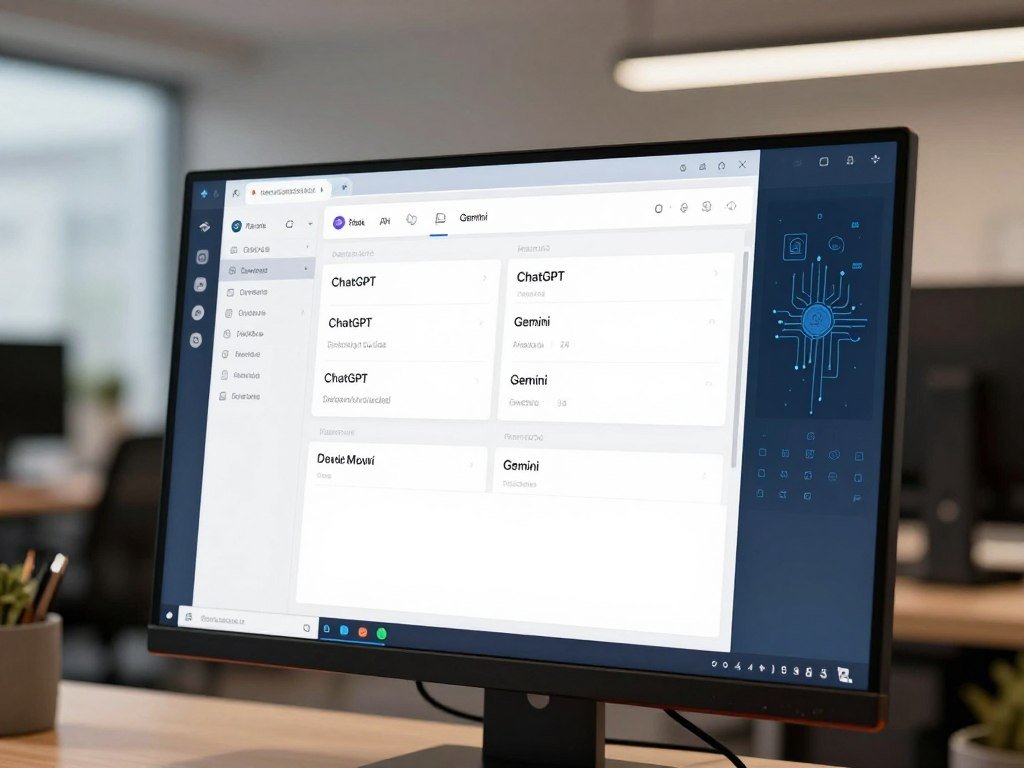
The model families available in 2026
OpenAI launched GPT-6 Astra on September 3, 2026. It launched GPT-6 Sol and GPT-6 Luna on September 22, 2026.
Google released Gemini 3.8 Flash on September 2, 2026. These names describe model options, not one fixed ChatGPT or Gemini experience.
How much information fits in one conversation?
A context window is the maximum amount of input and conversation a model can consider at once, measured in tokens. A token is a small unit of text, such as part of a word or punctuation.
Input capacity covers material the model can read; output capacity limits how much it can generate in one response. GPT-6 Astra has a 1,050,000-token context window and supports 128,000 output tokens. Gemini 3.8 Flash has a 1-million-token input context window and supports 64K output tokens.
Google AI Plus provides a 128K-token context window and twice the free usage limits. Google AI Pro provides a 1-million-token context window and four times the free usage limits.
Google says its 1-million-token Gemini context can hold up to 1,500 pages of text or 30,000 lines of code. That does not mean every app plan exposes the full model capacity.
Before comparing context numbers, check whether the figure describes the app plan or the API model.
Which Assistant Performs Better on Published Benchmarks?
GPT-6 Astra leads most listed capability tests, but Gemini 3.8 Flash comes out ahead on LMArena Text preference. The lead depends on what each test measures.
These results compare a premium Astra model with Flash, so they are not an equal-tier matchup. Scores also do not prove which assistant will do better on your daily work.

| Test | What it measures | GPT-6 Astra | Gemini 3.8 Flash |
|---|---|---|---|
| GPQA Diamond | Hard science questions | 96.0% | 95.3% |
| BrowseComp | Finding information across the web | 91.5% | 90.8% |
| Terminal-Bench 4.0 | Tasks completed in a command-line setting | 57.9% | 19.1% |
| FrontierCode 1.1 Main | Advanced coding tasks | 53.3% | 43.6% |
| LMArena Text | Human preference votes for text replies | 1480 Elo, No. 24 | 1493 Elo, No. 9 |
Where GPT-6 Astra leads
Astra’s largest gap in this table appears on Terminal-Bench 4.0. It also leads on GPQA Diamond, BrowseComp, and FrontierCode 1.1 Main.
On HealthBench Professional, Astra scored 63.4%, while Gemini 3.8 Flash scored 52.1%. On LMArena WebDev, Astra scored 1792 Elo, ranked No. 2, while Flash scored 1584, ranked No. 26.
Artificial Analysis gave Astra 53 and Flash 41 on its Intelligence Index. Its Intelligence Index v5 overview explains that the score combines several task evaluations.
Where Gemini 3.8 Flash stands out
LMArena Text uses human preference votes, unlike tests that grade set tasks or answers. Flash’s higher ranking there signals user preference in that setting, not a universal capability lead.
Artificial Analysis measured Gemini 3.8 Flash at 293.4 output tokens per second. The head-to-head also compares different model tiers, so the capability gap needs careful reading.
Use these results to shortlist models, then check whether the same strengths show up in your own tasks.
Which Is Better for Coding and Agentic Tasks?
A developer who wants an available coding agent inside a paid chat plan has a straightforward ChatGPT option in Codex. For terminal work, Gemini CLI offers a different kind of tool.
Benchmark scores cannot tell you whether an agent fits your repository, approval rules, or team habits. Test the workflow, not just the model.

Coding agents and development platforms
OpenAI’s Codex coding agent is included with paid ChatGPT plans. It gives developers an agent option within that paid assistant setup.
Gemini CLI is an open-source terminal agent. Google announced Antigravity 2.0 at Google I/O 2026, adding a Google-focused development platform to the choices.
These tools serve different settings: a chat-plan coding agent, a command-line agent, and a platform aimed at Google development work. The right one depends on where your code and review steps already live.
Match the tool to the engineering job
- Choose Codex for autonomous coding in a paid ChatGPT plan.
- Choose Gemini CLI for command-line agent work.
- Choose Antigravity for Google-focused development.
A high reasoning score can help with hard problems, but it does not make an agent safe to run without review. Your repository may have custom tools, strict tests, or approval steps the model has not seen.
Start with a small issue that has a clear expected result. Check its changes, tests, and ability to follow your team’s instructions before widening access.
Try the assistant against a small, representative issue before giving it access to a production repository.
Which Assistant Works Better for Research?
For a multi-step web report that can draw on Google account context, Gemini Deep Research provides a clear research workflow. It is especially useful when your sources span the web and Google apps.
Gemini Deep Research is a strong choice for reports grounded in Google context, but check its claims against original sources.
How Deep Research builds a report
Gemini Deep Research creates a research plan first. You can review and refine that plan before it browses the web across its planned subtasks.
It then brings those findings together into a report. When account context is available, the research can draw on Gmail, Drive, Chat, and web content.
You can also turn a finished report into interactive content in Canvas. That makes the result easier to explore than a plain block of text.
- Review the proposed plan before research starts.
- Refine the questions or subtasks that need more focus.
- Use the report as a draft, not a replacement for source documents.
What happens when the research runs
Google says Deep Research can process hundreds of pages in a session. It uses a 1-million-token context window with retrieval-augmented generation for follow-up questions.
Retrieval-augmented generation brings relevant material back into a later answer instead of relying only on the text already in the prompt. This helps with follow-up questions across a large report.
The research runs asynchronously, so you can leave while it works and receive a notice when it finishes. Gemini Deep Research launched in December 2024.
During high demand, Deep Research may be unavailable to users without a Google AI plan. Verify important claims against the original documents before relying on a synthesized report.
Which Assistant Is Better for Writing?
For writing where voice and polish matter most, ChatGPT is the safer first draft to test. Gemini can be better when the draft and revision need to stay inside Google tools.
Give either assistant a clear audience, goal, and length to avoid generic or overly long content. A vague prompt often produces vague prose.
ChatGPT and Gemini can both draft, revise, summarize, and adjust text to a requested tone. For a short email, tell the assistant who will receive it and what response you need.
A persuasive paragraph needs a clear point and a reason to believe it. Ask for one claim, one supporting detail, and a specific call to action.
Long-form content needs a structure before full prose. Give the assistant a short outline, key facts, and section lengths, then review each part for repetition.
For tone edits, name the change you want, such as warmer or more direct. Ask the assistant to preserve names, dates, and claims.
Gemini is useful for drafting and revising within a Google-centered workflow. ChatGPT is a sound first test when polished prose and tone control matter most.
For more chatbot choices by task, compare these assistant options for work and daily use. Ask either assistant for one revision that changes only tone, then check whether it preserved the facts.
Which Assistant Handles Images, Audio, and Video Better?
If a task begins with a video file, Gemini is the more natural assistant to try first. Video work can mean understanding an existing clip or making a new one.
Gemini is the stronger choice when native video work is central; ChatGPT remains useful for images and voice.
Understanding existing media
Both assistants can work with images, and Gemini supports multimodal tasks involving images, audio, and video. That can help when you need to ask questions about material rather than write from scratch.
For a recorded meeting, you might need a summary of decisions or action items. For a screen recording, you might want steps identified from what appears on screen.
Video analysis means understanding an existing file. Video generation means creating a new clip; the two tasks need different tools and should not be treated as one feature.
Creating new media
Gemini supports video generation in the available Gemini experience. If making clips is central to your work, that native video path makes it the clearer first choice.
ChatGPT can create images and supports voice conversations. ChatGPT Plus includes voice conversations, image generation, file uploads, and Deep Research where available.
That bundle can suit a user who needs text, files, image creation, and spoken interaction in one assistant. It does not make ChatGPT the better option for every video task.
Test media with the actual file type and output you need, since creating a clip and understanding one are different jobs.
How Do ChatGPT and Gemini Plans and Pricing Compare?
The standard paid plans sit almost level in US monthly price, but the API rates separate sharply. For developers, Gemini 3.8 Flash costs far less per token at its current promotional rates.
Consumer plan prices are close at the standard tier, while Gemini’s listed API rates are much lower.
Consumer subscription tiers
| Tier | Gemini | ChatGPT |
|---|---|---|
| Free | $0 | $0 |
| Entry | Google AI Plus, $4.99 per month | ChatGPT Go, $8 per month |
| Standard | Google AI Pro, $19.99 per month | ChatGPT Plus, $20 per month |
| Power user | Google AI Ultra, $99.99 per month | ChatGPT Pro, $100 per month |
| Top ChatGPT tier | Google AI Ultra, $199.99 per month | ChatGPT Pro, $200 or $500 per month |
ChatGPT Plus costs $20 monthly and has no annual billing option. The higher ChatGPT Pro tiers cost $200 or $500 per month, while Google AI Ultra lists at $199.99 at its higher tier.
For broader consumer price context, see this 2026 chatbot plan comparison. Your best value depends on which paid features you use often enough to matter.
API pricing for developers
Gemini 3.8 Flash promotional API rates through December 31, 2026 are $0.75 per million input tokens and $3.75 per million output tokens.
GPT-6 Astra API rates are $10 per million input tokens and $50 per million output tokens. At the stated promotional rates, Gemini Flash is far cheaper per API token.
That API gap does not mean every app user will pay less overall. Standard consumer plans are close in price, so compare the feature limits you will actually use, not just the monthly charge.
What Are the Free Versions and Usage Limits Like?
Both free versions can handle everyday questions, but the available tools and the point at which limits interrupt you are different. Free access is enough for many short tasks.
Gemini free access has a 32K-token context window, while ChatGPT Free has limited uploads and image creation. App context and model API capacity are different measures.
What free access includes
ChatGPT Free includes text chats subject to abuse guardrails, web search, limited file uploads, and limited image creation. Gemini without a Google AI plan has standard usage limits and a 32K-token context window.
Use free access for a quick email, a basic question, or a short summary. A large file or repeated image task may run into a cap sooner.
- Use ChatGPT Free for text chat and web search.
- Try limited uploads or image creation on ChatGPT Free.
- Use Gemini free access for standard assistant tasks.
How usage limits and app context work
Gemini usage limits refresh every five hours until you reach the weekly limit. Limits can change based on prompt complexity, model, feature, and chat length, and Google may change them without notice.
Subscribers who hit a usage limit can continue with Flash-Lite. This fallback can help keep a conversation moving when the higher-access model is no longer available.
ChatGPT app context on standard GPT Instant is 27K tokens for Free and 54K for Go and Plus. Reasoning context is 256K for Go and Plus, and 400K for Pro.
Those app figures are not interchangeable with API model capacity. Keep a long task in a document you control so a limit does not leave the only copy inside a chat.
How Do Google Workspace and Other Integrations Differ?
If most of your work already happens in Gmail and Docs, Gemini generally fits with fewer app switches. ChatGPT can still help when your files and tools span other services.
Gemini is built into parts of the Google workflow, while ChatGPT connects to external services and extensions.
| Workflow | Gemini | ChatGPT |
|---|---|---|
| Gmail, Docs, and Drive | Native Google product integration | Connected Google Drive tools |
| Sheets and spreadsheets | Native Google product integration | Connected files and tools |
| Microsoft 365 | External app route | Office extensions and tools |
| Connected files | Google Drive context | Google Drive and SharePoint tools |
Gemini integrates with Gmail, Docs, Drive, Sheets, and Android. That can make routine work feel direct when your files already live in Google Workspace.
ChatGPT connects to outside services and supports tools such as Google Drive and SharePoint, plus Office extensions. A connection adds access to a service, but it is not the same as an assistant built into that workflow.
Mixed-stack teams should check the specific app connector they depend on. Access can differ between accounts and app versions, even when the service name appears in a feature list.
Confirm that your exact account and app version include the integration before building a workflow around it.
What Should You Know About Privacy and Security?
The biggest privacy question is not just what a model can answer, but what connected data it can reach. Access matters when an assistant can read files or take actions.
Consumer account controls differ, while both providers’ business plans do not use customer data for model training by default.
Personal account controls
Consumer chat settings are not the same as business-plan data treatment. Google and OpenAI have different activity and training controls for personal accounts.
Review those controls before entering sensitive material. Business plans from both providers do not use customer data for model training by default, but that does not make every account type identical.
Connected tools and prompt injection
Indirect prompt injection means hidden instructions inside an email, document, or web page try to change an assistant’s behavior. The instructions may look like ordinary content to you.
Gray Swan’s tests found successful indirect prompt-injection attempts in 8.5% of scenarios against GPT-6 Astra and 5.5% against Gemini 3.8 Flash. These are test results, not a promise of real-world safety.
The indirect prompt-injection study describes attacks hidden in outside content that can steer AI agents using tools. The final response may not make the attack clear.
Give connected email, files, and tools only the access needed for the task. Require human approval before actions that send messages, change records, or affect other people.
Give each assistant only the data access its task requires, and review actions before they affect other people.
Which Assistant Fits Your Work and Priorities?
If you want the strongest published model capability, start with ChatGPT; if your work is centered on Google apps, start with Gemini. Your recurring task should settle the choice.
ChatGPT stands out for peak model capability, while Gemini fits Google-centered workflows and native video work.
- Choose ChatGPT for the strongest available model capability.
- Choose Gemini for Google Workspace-heavy work.
- Choose Gemini for native video tasks.
- Choose ChatGPT for coding-agent workflows.
- Choose Gemini for price-sensitive API use.
These are useful starting points, not rules for every person. A team that writes in Google Docs but depends on coding agents may value both strengths.
Users whose work spans both ecosystems may benefit from keeping access to both. You do not need two subscriptions if one free option covers your less frequent tasks.
For a broader view of AI apps matched to common work, see these AI app picks for work and life. Let the workflow you repeat most often decide which advantage matters more.
Can You Use ChatGPT and Gemini Side by Side?
Keeping both can make sense when your weekly work genuinely spans different strengths rather than one assistant doing every task. Divide the work by task, not by habit.
Use each assistant where its tools or model access add something the other lacks. That keeps the second app from becoming another place to repeat work.
For example, use Gemini for a video task or work rooted in Google apps. Use ChatGPT for a task that benefits from its available coding or reasoning tools.
Model routing means sending different requests to different models based on the task. You can do this manually by choosing an assistant for each job.
Keep a short record of which model handled each project. That record helps you trace an answer when two outputs later become part of one document.
Before combining results, check key facts and make sure both assistants used the same terms. Differences in assumptions can create a confusing final draft.
Teams should set permissions and review rules consistently across both assistants. Use the second assistant only when it adds a capability you would otherwise lack.
When Should You Also Consider Copilot or Claude?
Add Copilot to the shortlist if your work lives in Microsoft 365, and include Claude if you want to compare another general assistant. Each one deserves a real task, not a guess based on its name.
Copilot is worth testing for Microsoft 365 work; Claude is another general assistant to test against your own tasks.
For the question of ChatGPT, Gemini, or Copilot, app fit is a useful starting point. Microsoft Copilot is designed to fit Microsoft 365 workflows.
For ChatGPT, Gemini, or Claude, compare Claude as another general-purpose assistant. Do not assume one assistant wins every writing, coding, or research task.
Try each option on the same real workflow, using the same input and goal. Check account access, app fit, answer quality, and how much editing the result needs.
If you want a closer comparison of those assistants, read this ChatGPT, Claude, and Gemini comparison. Keep the comparison focused on the tools and outputs you need, not the number of names on the shortlist.
How Can You Make a Fair Side-by-Side Test?
A useful side-by-side test gives Gemini and ChatGPT the same input and the same definition of a successful result. Keep the test fixed so you can judge the actual output.
Match the prompt, source material, and success criteria before comparing results. Different model access can still affect what each assistant can do.
- Confirm the exact model and plan you are testing.
- Use the same prompt and source material in both assistants.
- Judge accuracy and the effort needed to correct mistakes.
- Check that the needed output format and tools are available.
Gemini app access and Gemini API access are different routes. ChatGPT Free, Go, Plus, and Pro also expose different features.
App results and API results are not interchangeable. A model may act differently when the app adds tools, files, or limits around it.
Benchmarks test particular tasks, not every person’s workload. A high score can help narrow your options, but it cannot replace a test using your own material.
Record how much correction each result needs, since that effort can matter more than a small difference in answer speed.
Conclusion
ChatGPT is the better starting point for peak model capability, while Gemini is often the better fit for Google-centered work. Your routine should guide the final choice.
Try the free access available to you on one real, repeatable task. Upgrade only if a paid feature or limit makes a clear difference to that work.
Run one real task in each free version before committing to a paid plan.
FAQ
Can Gemini Deep Research use my Gmail and Drive context?
Yes, Gemini Deep Research can use Gmail and Drive context when that account access is available. It can also draw on Chat, web content, and other connected context during research. The report brings findings together for review, so open the original email or file when a detail affects a decision. Account access and feature availability can shape what it can read.
Can I leave Gemini Deep Research while it runs?
Yes, Gemini Deep Research runs asynchronously, so you can leave while it works. It can notify you when the report is ready. You do not need to keep the research screen open for the entire task. When it finishes, review the report and return to its source material for claims that matter.
Is Gemini 3.8 Flash API pricing permanent?
No, Gemini 3.8 Flash API rates of $0.75 per million input tokens and $3.75 per million output tokens are promotional through December 31, 2026. The date applies to those promotional rates, not to consumer subscription prices. If you are estimating a project, separate input and output use because their rates differ.
Does Gemini continue responding when I reach a usage limit?
Subscribers can continue a conversation with Flash-Lite after reaching a usage limit. Gemini usage limits refresh every five hours until the weekly cap is reached. The limit can depend on prompt complexity, model, features, and chat length. A long or demanding session may reach it sooner than a short exchange.
Does ChatGPT Plus have an annual billing option?
No, ChatGPT Plus costs $20 per month in the United States and has no annual billing option. That is the standard paid ChatGPT plan, not ChatGPT Go or Pro. Compare the monthly fee with the features you plan to use, especially if you need a tool that is not available on Free.
Can Gemini Deep Research be unavailable on a free account?
Yes, Gemini Deep Research may be unavailable to users without a Google AI plan during periods of high demand. Availability can change even if the feature appears in the Gemini experience at other times. If research access is essential, do not build a time-sensitive routine around free access alone.



