
AI can help an accounting team move routine work faster, but useful results depend on choosing the right task and checking the output. If you handle invoices, records, or reports, repetitive work can crowd out time for client questions and careful review. Artificial intelligence can assist with structured data and analysis, while people remain responsible for judgment. This guide offers a practical path from choosing a task to checking results. A small, well-reviewed workflow is a better first step than handing a whole process to an untested system.
Key Takeaways
- Start with one repetitive task that has clear steps.
- Use AI for drafts, patterns, sorting, and routine processing.
- Keep a person responsible for judgment and final review.
- Protect client data by checking where tools send and store it.
- Measure time, errors, corrections, and review effort against a baseline.
- Expand a pilot only after the results hold up.
What Is AI in Accounting?
A bank-feed categorizer and a tool that drafts a client email use different kinds of AI, even if both appear in the same software. Artificial intelligence describes computer systems that perform tasks linked to human thinking, such as finding patterns or working with language. An exception is a transaction or document that fails an expected rule or needs human review.
Choose the AI method to fit the task, because a fluent answer is not proof of a correct calculation. Machine learning studies past data to find patterns, while generative AI creates or summarizes text. A large language model, or LLM, responds to natural-language prompts and can draft explanations or summarize records.

Machine learning finds patterns in structured records
Machine learning can examine past transactions and suggest likely categories for new ones. It can also spot patterns that may help a team sort records or identify unusual activity. These systems depend on the data used to train or guide them. If earlier records contain mistakes, suggested classifications can repeat them.
A prediction is a useful lead, not a confirmed fact. A person should check uncertain matches, unusual amounts, and records that do not fit the expected pattern.
Generative AI works with language and drafts
Generative AI produces new text from a prompt, such as a draft email or a plain-language summary. An LLM can process a question written in everyday language, then create a response based on its training and the information supplied.
Match the AI method to the job, and treat generated text or predictions as a draft until checked.
Agentic AI can select tools and carry out linked workflow steps, such as moving information between stages. More steps can save effort, but they also make it important to see what the system did and where a person must review it.
How widely are U.S. firms using AI?
AI use looks different depending on whether you count firms, workers, or the employees represented by firms using the technology. The population matters because each measure answers a different question about adoption.
About 18% of U.S. firms had adopted AI by the end of 2025. In November 2025, about 41% of the U.S. workforce used generative AI for work. These figures describe firms and workers, not the same group.

In that same November, firms employing about 54% of the U.S. labor force used large language models. Firms employing about 78% of the labor force had adopted AI. These measures count the share of workers employed by adopting firms, rather than the share of all firms.
The numbers can look far apart without disagreeing. A small firm and a large firm each count as one firm in a firm-based measure, while a labor-force measure gives more weight to firms with more employees.
The 2026 Thomson Reuters AI in Professional Services Report drew on views from more than 1,500 professionals. Respondents worked in legal, tax, accounting, risk, fraud, and government fields. That broad group offers a different view than an estimate limited to accounting firms.
For accounting professionals, adoption may mean a tool used by one person, a firm-wide system, or an AI feature built into existing technology. Each definition changes what gets counted. Compare adoption figures only when their population and definition match.
Which routine workflows can AI handle?
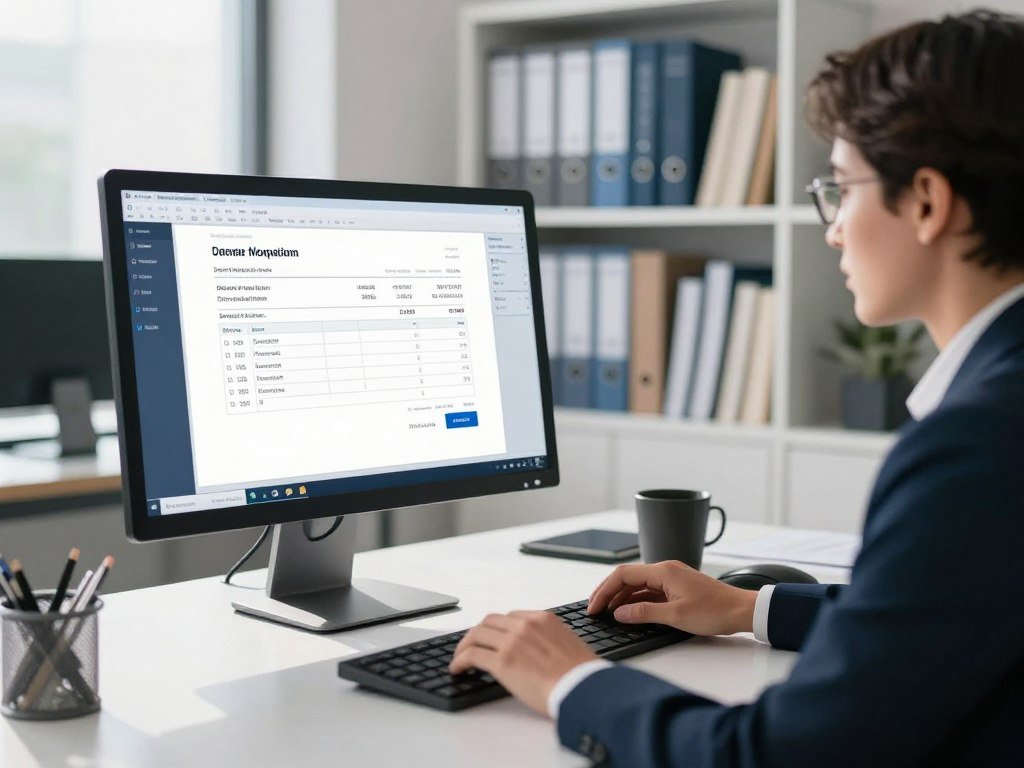
A supplier invoice can arrive as a scan, become structured data, and move into an approval queue without someone retyping every field. Document-heavy work is a practical place for accounting firms to test automation.
Optical character recognition, or OCR, extracts printed details from invoices and receipts. AI workflows can collect documents, pull out fields, check completeness, and route records for review. Exceptions still need investigation, even when routine entries move automatically.
Document intake, categorization, and reconciliation
After extraction, a system can compare an invoice with a purchase record or payment. Machine learning can suggest transaction categorization based on earlier entries and set rules. When a bank transaction matches a ledger entry, reconciliation software can mark the pair for review or completion.
These accounting tasks work best when records follow a steady format. A clear supplier name and invoice number help the system match records. A blurry scan or duplicate invoice may instead create an exception.
| Workflow | AI action | Human checkpoint |
|---|---|---|
| Document intake | Extract invoice fields and check required details | Confirm unclear or missing fields |
| Transaction categorization | Suggest an account from past entries | Review new or unusual transactions |
| Reconciliation | Match bank and ledger transactions | Investigate unmatched items |
| Dashboards and alerts | Show trends and flag changes | Check the figures and reason for alerts |
Exception flags and client accounting services
Accounting firms use AI to automate document-heavy bookkeeping and client accounting services. Such workflows can support reconciliation, transaction categorization, exception flags, dashboards, and alerts. MakersHub.ai, Vic.ai, Botkeeper, and Dext are tools used in client accounting services.
An alert might point to a repeated invoice number, an unexpected vendor, or a payment that lacks a match. The system can send that record to a person with the source document attached. Keep a human review step for transactions the system flags or cannot confidently match.
How can AI support tax work?
A tax team can use AI to sort incoming documents and prepare a draft, then have a professional check the filing before it is approved. AI assists with preparation, but the responsible tax professional keeps control of the final work.
Document intake tools can collect files, classify them, and help prepare draft returns. Tax research tools can search and summarize material or help draft an explanation. A qualified professional must review the work and sign off before filing.

From source documents to draft returns
Tax teams may process W-2s, 1099s, receipts, and supporting schedules. AI can sort these files into useful groups and pull relevant details into a draft. Black Ore’s Tax Autopilot, Filed, and Magnetic support tax-document intake, classification, and preparation.
| Tax step | AI assistance | Human checkpoint |
|---|---|---|
| Document intake | Collect files and extract key fields | Check missing or unreadable documents |
| Classification | Sort forms and supporting records | Confirm each item’s tax category |
| Draft return preparation | Place extracted details into a draft | Check entries against source records |
| Tax research | Search, summarize, and draft analysis | Confirm rules and apply judgment |
Tax research still needs professional judgment
Thomson Reuters Checkpoint Edge with CoCounsel supports tax research, drafting, and document analysis. Such tools can help organize information, but a confident summary may miss a key detail or misread a rule.
Tax compliance requires more than moving information into fields. A professional must assess the taxpayer’s facts, resolve unclear records, and decide whether the draft reflects the case. Those checks matter when documents conflict or a transaction has unusual tax treatment.
- W-2s
- 1099s
- Receipts
- Supporting schedules
Keep final tax review and sign-off with the responsible tax professional.
How is AI changing audit work?
An auditor can use AI to pull contract terms into a review queue while preserving the link back to the source document. Source traceability helps auditors check what the system extracted.
Audit tools can extract contract information, connect source documents to workpapers, and flag anomalies earlier in the audit cycle. An anomaly is a lead for investigation, not proof of an error or fraud.
Extracting evidence and connecting workpapers
Contract extraction can make key terms easier to find across a large set of files. A workpaper link can help an auditor move from a reported figure to the document that supports it. That path matters when the team needs to test evidence or explain a finding.
| Audit activity | AI support | Review focus |
|---|---|---|
| Contract extraction | Pull terms into a review queue | Compare terms with the source |
| Workpaper evidence links | Connect source files to workpapers | Confirm the link supports the entry |
| Anomaly identification | Flag unusual items earlier | Assess the item in context |
| Review of flagged items | Group records for follow-up | Document the auditor’s conclusion |
Finding anomalies earlier
Earlier flags can help an audit team focus review time on unusual transactions or missing support. DataSnipper, Trullion, TABS, and Auditor Intelligence support audit work. The exact role of each tool depends on how a firm uses it.
A flag can point to a real error, a valid one-time event, or a record that needs more context. Auditors still decide what evidence is enough and how to report the result. Treat an anomaly as a lead for investigation, not proof of an error or fraud.
How can AI improve reporting and forecasting?
A team can use current bookkeeping data to prepare a variance explanation before a client meeting, then check whether the underlying numbers and assumptions hold. Useful analysis starts with records that are complete enough to support the question.
AI can prepare ratio analysis, explain changes between periods, and draft forecasts or scenario models. Forecasts describe outcomes under stated assumptions, not guaranteed results.
Faster analysis and clearer financial reports
A reporting tool can compare actual results with a budget and draft an explanation for a large variance. A reviewer can then check the math and add context, such as a late customer payment or seasonal cost.
Fathom and Syft Analytics support financial reporting and forecasting. These tools can help turn accounting data into financial reports that are easier to discuss. A draft explanation still needs a person to confirm that it fits the business.
Forecasts and advisory scenarios
Forecasting tools can use historical data to test possible outcomes. A team might compare a steady sales pattern with a lower-revenue case or examine how a delayed payment affects cash needs.
4ImpactData, Aider, SOBI Analytics, and Changing the Face of Finance support advisory and forecasting work. Their outputs can help prepare a client discussion, but the assumptions drive the result. A forecast based on outdated sales or payment data may give a misleading picture.
Share the assumptions behind a scenario so the client can question them. Make the assumptions behind each forecast visible so a reviewer can challenge them.
What are the benefits and limits of AI?
In one field study, accounting time shifted away from routine data entry, while concerns about AI-generated reporting accuracy remained substantial. Observed gains are not promises for every accounting team.
A study looked at hundreds of thousands of transaction entries from 79 small and midsize firms and surveyed 277 accountants. AI use was linked with an 8.5% shift in accountant time from routine data entry to higher-value tasks. The results describe those firms, not a guaranteed outcome for yours.
Time can move from routine work to review
The study found that general ledger detail increased by 12%, while monthly close time fell by 7.5 days. In some firms, time moved toward communication and quality checks. A team might spend less time entering routine details and more time asking why a result changed.
Those benefits depend on the data, process, and review work involved. A system may save time in one step while creating extra work elsewhere. Results from studied firms do not show what every firm will gain.
Accuracy still depends on oversight
About 62% of surveyed accountants worried about errors and accuracy in AI-generated reporting. A wrong classification can pass into a report if no one checks the entry against the records.
AI can also suggest an explanation that sounds reasonable but does not fit the facts. Reviewers need to question odd results rather than accept them because the system sounds sure. Compare output against source records before counting saved time as a reliable improvement.
The Stanford–MIT accounting study reports findings from 277 accountants and task-level data at 79 firms. Its results show both changes in work and ongoing accuracy concerns.
Which AI accounting tools fit different needs?
The best fit for a small business already using QuickBooks is usually to start with its built-in capabilities, while high-volume accounts payable may call for a dedicated platform such as Vic.ai. Start with the task and the systems your team already uses.
Map the current workflow before buying, and favor connected tools over duplicate systems. Listed prices below are reference ranges, not current quotes, and features can vary by plan.
| Tool | Listed price | Identified AI feature | Best fit |
|---|---|---|---|
| QuickBooks with Intuit Intelligence | $19-$137.50 per month | Automated categorization and insights; QuickBooks Online has anomaly detection | Small businesses using QuickBooks |
| Xero | $15-$70 per month | Bank matching | Small businesses needing bank reconciliation |
| Zoho Books | $20-$480 per month | Fraud detection | Businesses needing workflow options |
| Botkeeper | $91-$500 per month | Bookkeeping automation | Accounting firms |
| Vic.ai | Quote-based | Predictive-spend features | High-volume accounts payable |
QuickBooks includes automated categorization, financial insights, reporting, and collaboration in its listed Intuit Intelligence offering. Xero also offers invoicing, integrations, and real-time reporting. The features included in any plan depend on the product and plan selected.
Zoho Books offers workflow automation, multi-currency support, and custom reporting, depending on the plan. QuickBooks with Intuit Intelligence lists at $19-$137.50 per month, though that range is not a quote for every business.
Netgain is an enterprise accounting platform with flux analysis and custom pricing. DualEntry is a mid-market ERP with AI-native transaction intelligence and custom pricing. Sage Intacct supports multi-entity accounting and consolidation AI, with custom pricing starting at $1,000 per month.
FreshBooks serves freelancers and service-based small businesses with invoicing, time tracking, expense tracking, and a client portal. Dext supports receipt capture, data extraction, pre-accounting workflows, and integrations. Ramp supports corporate cards, receipt matching, spending controls, and accounting integrations.
For a broader view of workflow fit and tool checks, see this guide to choosing AI tools for professional workflows. A connected tech stack can reduce duplicate entry, while too many separate tools can make review harder.
Test how a shortlisted tool fits the existing workflow before paying to add another system.
How to Use AI in Accounting
Pick one repeated task, such as sorting incoming receipts, and record how the team handles it before changing the process. A narrow pilot gives you a clear way to judge whether automation helps.
Start with document-heavy processes where gains can be measured. Note the steps, people involved, volume, and common errors. Begin with one task and a human review point, not a whole-system conversion.
Choose a task with a measurable baseline
Look for work that repeats often and follows a clear pattern. Check the number of records, how consistent the documents are, and how much manual data entry the process requires.
A good pilot has a result you can count, such as time per invoice or the share of transactions matched on the first pass. Record the current process before choosing a tool, so the team can compare like with like.
Pilot, review, and expand carefully
Set a point where a person checks the output. That might be every item during a small pilot, or every exception when the team has enough experience. Keep the source record available for comparison.
- Map the workflow, including people, handoffs, and delays.
- Choose one task with steady steps and enough records to test.
- Set a baseline for time, accuracy, and review effort.
- Run a controlled pilot with a named human reviewer.
- Review the results, fix weak points, and adjust the process.
Share the process with the people who do the work each day. They can spot missing steps that a manager may not see. Expand only after checking output quality and total review time.
See practical advice on testing tools on representative work for a useful way to think about a controlled pilot across professional teams.
Keep the first pilot small enough that a reviewer can compare every AI-assisted result with its source.
How do firms protect financial data?
Before entering a client record into an AI tool, find out where that data is sent and how long it is kept. Data handling comes first when an accounting workflow includes private records.
Check who can access the system, where the data goes, and what happens to it after use. Do not paste sensitive client personal information or private financial records into public AI models.
Check where data goes and how long it stays
A secure workflow should make its data path clear. Find out whether information stays within a firm’s systems or goes to an outside service. Review how long the service retains it and who can see the records.
Access limits should match each person’s role. A staff member who prepares invoices may not need access to every client’s full financial history. Clear limits reduce the chance of exposing records by mistake.
Make AI outputs reviewable
Reviewers need to see how the tool reached an output and which records support it. A useful result should be review-ready, explainable, and tied to citations or source documents where possible.
A secure data path does not make a model’s answer correct. A confident answer without a traceable basis is not enough for financial work. A reviewer should be able to find the record behind each key claim.
For more on tool access and retention checks, see this guide to governing AI tools in professional work. Approve a workflow only when a reviewer can trace its output back to the supporting records.
What training helps teams use AI well?
A team learns more from checking a realistic invoice exception than from watching a general AI demonstration. Practice with real tasks helps accounting professionals see where a tool can help and where it can fail.
Hands-on, scenario-based learning helps people apply technology to their own work. Buying a tool without applied training can limit its value. Training should match the workflow and each person’s responsibilities.
Use examples that resemble the records your team handles. Ask staff to check incorrect outputs, write clear prompts, and explain when an uncertain case needs a second look.
- Transaction categorization
- Invoice exception review
- Draft client communication
- Forecast assumption checks
Scenario practice can help a new reviewer spot an unsupported match or a draft email that promises too much. Prompt-writing exercises can show how a missing detail changes an answer.
The Journal of Accountancy’s discussion of AI training highlights practice in evaluating outputs and building technology skills. Make learning fit the real work, rather than treating software access as readiness.
Give each person a clear rule for when to stop, verify the source, and ask for a second review.
Will AI replace accountants in 2026?
The 2026 answer is that AI can automate parts of accounting work, while U.S. projections still show growth for accountants and auditors and decline for clerical roles through 2034. Task change is not proof that an entire profession will disappear.
U.S. accountants and auditors are projected to see 5% employment growth from 2024 to 2034, with about 124,200 openings per year. Their 2024 median annual wage was $81,680. These projections describe a broad job outlook, not the future of any one role.
Routine tasks face more automation
Bookkeeping, accounting, and auditing clerks are projected to see a 6% employment decline from 2024 to 2034. That outlook differs from the projection for accountants and auditors. It points to a changing mix of work, not a certain result for every employee.
Automation can handle parts of routine processing, but firms still need people to investigate exceptions and explain financial decisions. A role may change as tools take on repeated steps.
Judgment and client work remain central
Accounting work includes choices that depend on context, evidence, and rules. A system can flag a transaction, but a person must decide what the record means and how to respond.
- Routine processing of records
- Exception investigation
- Professional judgment
- Client communication
Employment projections are not a promise that a specific job is safe or at risk. Build skills in reviewing AI output and explaining financial decisions, not only in completing repetitive processing.
Can free AI tools handle accounting tasks?
Free general-purpose AI can help with a draft formula or a procedure outline, but it is not automatically a connected accounting system. General assistants have limits when a task needs live records, controls, or a full audit trail.
ChatGPT, Gemini, and Claude are general-purpose AI examples. They can help draft procedures, summarize nonconfidential material, or create a spreadsheet formula. A free assistant is different from a complete accounting platform.
A spreadsheet formula still needs testing with sample data. A summary should be checked against the original material, especially when a small detail changes the meaning.
Connected bookkeeping, reconciliation, and audit trails need suitable accounting systems. A general assistant may help explain a process, but it does not automatically connect bank feeds, update a ledger, or keep an approved record of changes.
Free access and feature limits depend on the service and can change. Compare privacy, integrations, and output quality when choosing a general assistant. This overview of general-purpose AI apps also considers how apps fit different tasks.
Choose the tool by the work it can safely complete, not by whether its entry tier costs nothing.
How can a firm measure AI results?
A shorter processing time is not a successful result if corrections and review work rise at the same time. Measure the whole task, including what people do after the system responds.
Compare the same workflow before and during the pilot. Use a baseline from that task so the team can see whether results changed. Count both automated work and cases sent to people.
Track measures that show speed, quality, and workload together. A quick first pass can still create more rework if the system sends poor matches forward.
- Time per task
- First-pass match rate
- Exception rate
- Correction or rework rate
- Close duration
Include reviewer time in the count. Also note how many cases needed a person to step in, and whether those cases were harder than normal. Otherwise, an apparent time gain may simply move work to another part of the process.
Compare results across similar periods and record changes in volume or staff. Keep the pilot only when its measured improvement survives a check of accuracy and total review effort.
Where does AI fit in finance beyond bookkeeping?
A finance team can connect accounting records to a cash-flow scenario and see how changed payment timing affects the outlook. Reliable records make those scenarios more useful.
AI can support cash-flow monitoring, forecasting, risk assessment, and scenario planning. Current transaction patterns can help a team explore cash needs and test what happens if customers pay later.
Accounting data can feed management reporting and wider finance decisions. A team might compare expected cash with planned spending, then assess how a change in timing affects liquidity.
AI in accounting and finance works best when the data is reliable and the assumptions are clear. A risk alert or forecast is decision support, not an automatic choice about lending, spending, or payments.
Companies’ AI spending and business risks differ, as this overview of AI-related companies and investment explains. Keep a decision-maker responsible for acting on a forecast or risk alert.
Use an AI insight to frame a decision, not to make the financial decision on its own.
Conclusion
The safest way to build confidence with AI is to make one routine task easier without giving up control of the result. Match the tool to a clear need, keep its work open to review, and compare results with a real baseline.
Choose one low-risk workflow this week, document how the team handles it now, and name the person who will review its output. Set a measure of success before the pilot begins.
FAQ
What is the best AI tool for accounting?
QuickBooks is a sensible first choice for a small business that already uses it, while Dext fits document capture and Vic.ai fits accounts-payable automation. Start with the task and software your team already has. A tool that connects to the current process may be easier to review than a separate system with overlapping features.
Is there an AI tool for accounting?
Yes, accounting teams can choose bookkeeping software with categorization or anomaly features, document-processing tools, and specialist tax, audit, or accounts-payable systems. The right type depends on the work. Check that the tool fits the process and leaves a clear record for human review.
Is there a ChatGPT for accounting?
ChatGPT can help draft or summarize nonconfidential material, but it is not a replacement for accounting software or professional review. General-purpose assistants can also help explain a spreadsheet formula or outline a procedure. They do not automatically connect records, reconcile accounts, or maintain a firm’s accounting controls.
How are CPA firms using AI?
CPA firms use AI for document intake, tax preparation drafts, audit evidence extraction, transaction categorization, reconciliation, reporting, and advisory preparation. Professionals still review the work and sign off where required. The system can prepare a starting point, but the firm remains responsible for the result and its supporting records.
Will AI replace accountants in 2026?
AI can automate some tasks, but U.S. projections show 5% growth for accountants and auditors from 2024 to 2034 and a 6% decline for bookkeeping, accounting, and auditing clerks. Those are broad projections, not promises about a particular job. Roles may change as routine work shifts toward software.
What is the 30% rule in AI?
There is no universal 30% rule for accounting AI. The phrase takes its meaning from the policy or setting where someone uses it. A firm should define any internal threshold in plain terms, such as what the percentage measures and who must review cases that cross it.