A good antivirus choice starts with the devices you need to protect and the level of coverage you want. This comparison is for US home users choosing between Windows and Mac options, including free version and paid security suite choices.
Real-time protection means continuous background monitoring that checks files, downloads, apps, and activity as you access them. The right fit depends on protection, ease of use, platform support, and which plan features you will use.
Key Takeaways
- Match antivirus software to the operating systems on your devices.
- Use independent test results as evidence, not a promise about every computer.
- Windows Security can meet many everyday Windows 11 needs.
- Free versions may cover core needs, while paid suites add tools.
- Check each product edition and device limit before you subscribe.
Decide first whether you need protection beyond a Windows PC, since that changes which options are worth comparing.
The Best Antivirus for Windows and Mac: Quick Picks
For a paid all-in-one suite, start with Norton 360; for built-in Windows protection, start with Microsoft Defender Antivirus. Your best antivirus software depends on the devices and tools you need.
Use these picks to decide which products deserve a closer look. A free version can be enough for one PC, while a security suite may suit a home with several kinds of devices.
- Norton 360: an all-in-one paid suite with several security and privacy tools.
- Bitdefender Total Security: a broad security toolkit for readers who want more than core antivirus.
- Microsoft Defender Antivirus: protection built into Windows.
- Avast Free Antivirus or AVG Antivirus Free: free antivirus choices for Windows.
- Intego ONE: a Mac-focused security option.
Start with your operating system and the tools you need, not the longest feature list.
Avast Free Antivirus and Avast One Free are different product names. PCMag’s 2026 Editors’ Choice free picks are Avast One Free and AVG AntiVirus Free, so match reviews to the exact edition.
Ten names to compare are Norton 360, Bitdefender Total Security, TotalAV, McAfee Total Protection, Avast Free Antivirus, AVG Antivirus Free, Intego ONE, Avira Internet Security for Windows, ESET Security Ultimate, and Malwarebytes Premium. The first seven are the products covered here; the last three are additional examples.
Treat the shortlist as a starting point, then match the product to your operating system and feature needs.
How should antivirus test scores be read?
A perfect lab score is useful evidence about a tested product, operating system, and test period, not a promise about every device or threat. Read scores in context, because protection, performance, and usability measure different things.
AV-TEST’s August 2026 Windows 11 results apply to that test cycle alone. Microsoft Defender Antivirus scored 6/6 for protection, 5.5/6 for performance, and 6/6 for usability.
| Product | Protection | Performance | Usability |
|---|---|---|---|
| Microsoft Defender Antivirus | 6/6 | 5.5/6 | 6/6 |
| Norton 360 | 6/6 | 6/6 | 6/6 |
| McAfee Total Protection | 6/6 | 6/6 | 6/6 |
| Bitdefender Total Security | 6/6 | 6/6 | 6/6 |
| Avast Free Antivirus | 6/6 | 6/6 | 6/6 |
Norton, McAfee, Bitdefender, and Avast each earned 6/6 in all three categories. AV-TEST’s Top Product threshold is 17.5/18, a useful mark for comparing strong results.
Avira Internet Security for Windows, ESET Security Ultimate, F-Secure Total, Kaspersky Premium, Malwarebytes Premium, and AhnLab V3 Internet Security also scored 6/6 across all categories. SpyHunter scored 5.5/6 for protection and 6/6 for performance and usability.
SoftwareLab’s 2026 hands-on evaluation covered 39 products from 28 brands. It tested 1,200 malware samples on a Windows 11 PC, giving another example of how test setup shapes results.
These results do not establish Mac performance or tell you whether a VPN or password manager fits your needs. Compare results from the same test cycle before treating small score differences as meaningful.
Which antivirus works for Windows and Mac?
The first filter is your operating system: a Windows-only tool cannot protect a Mac. Check platform support for each product edition before you choose coverage.
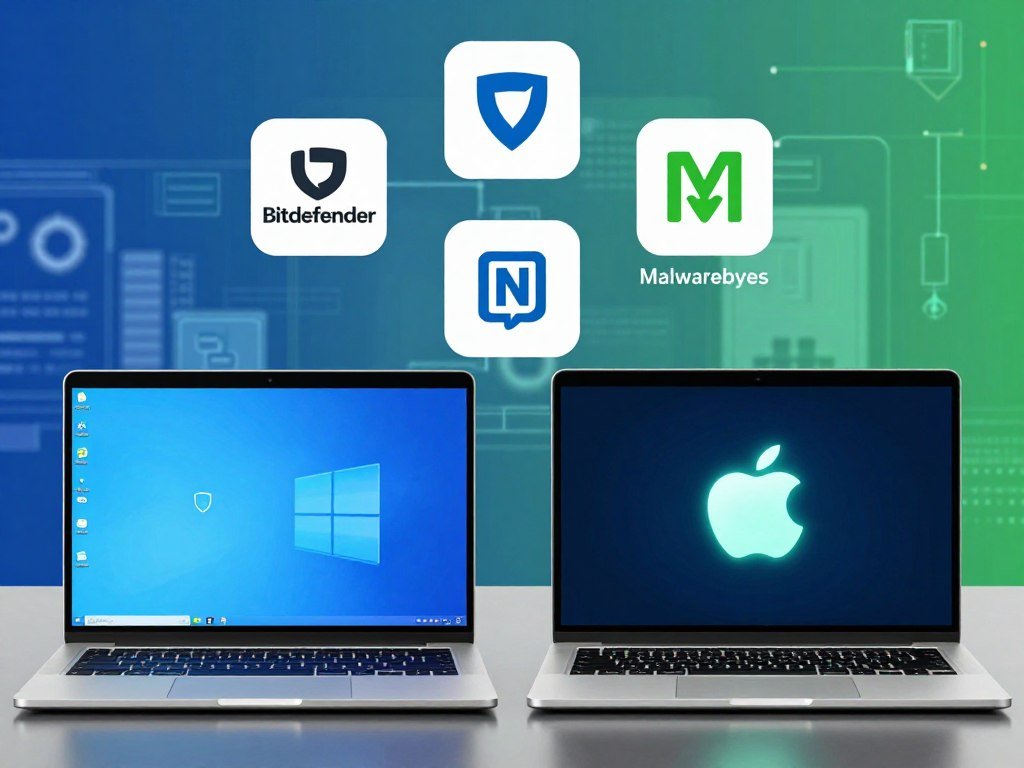
Microsoft Defender Antivirus is built into Windows, while Norton 360 and Bitdefender Total Security support Windows and macOS. Intego ONE is Mac-focused, making it a distinct option for households centered on Apple computers.
| Product | Windows | macOS | Practical fit |
|---|---|---|---|
| Microsoft Defender Antivirus | Yes | No | Built-in Windows protection |
| Norton 360 | Yes | Yes | Windows and Mac suite |
| Bitdefender Total Security | Yes | Yes | Windows and Mac suite |
| Intego ONE | No | Yes | Mac-focused security |
Windows 10 users need to check whether their computer still gets security updates. Windows 10 support ended October 14, 2025, including technical help, feature updates, and security updates.
Consumer Extended Security Updates can provide Windows 10 security updates through October 12, 2027. A PC’s hardware requirements determine whether it can get the free upgrade to Windows 11.
You can compare more Windows antivirus options when deciding whether an added product fits your computer. Check the operating system and version on every device before choosing a multi-device plan.
Is Windows Security enough for everyday Windows 11 use?
Many everyday Windows 11 users can rely on Windows Security if they keep its protections configured and browse carefully. For many homes, that built-in coverage is enough for routine computer use.
Windows 11 includes Microsoft Defender Antivirus with real-time, always-on protection. SmartScreen warns about potentially harmful websites, apps, and downloads, while Windows Firewall blocks unwanted incoming network traffic.
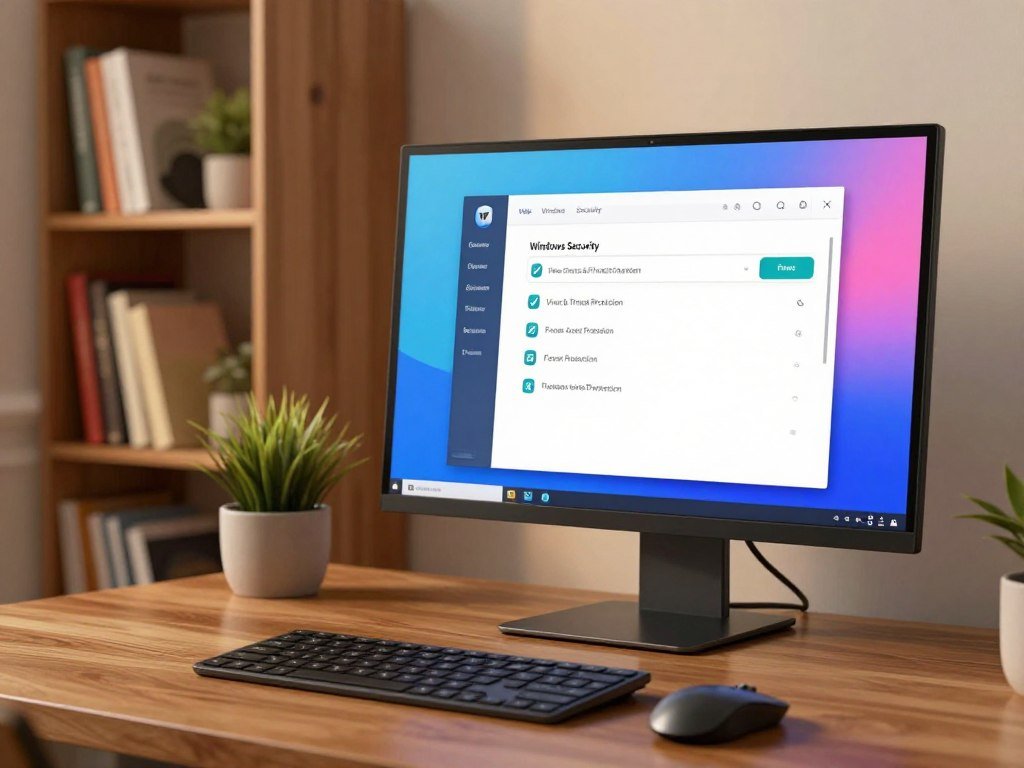
Smart App Control limits which apps can run based on reputation. Windows Hello offers sign-in options, so Windows Security includes tools beyond virus scans.
PCWorld considers Windows Security adequate for most everyday Windows 11 users who browse safely and set protections appropriately. PCMag rates Microsoft Defender Antivirus 3.5/5 and notes that it is built into Windows and turns on when no other antivirus is present.
Use these three checks to keep the built-in protection in good shape:
- Keep antivirus protection enabled.
- Review the settings in Windows Security.
- Avoid suspicious links and downloads.
A third-party app can still make sense if you want a wider set of tools or coverage across Windows and Mac. Windows protection lowers risk, but no antivirus can make every online action safe.
Before installing another antivirus, check that Microsoft Defender Antivirus is active and that Windows Security shows no protection alerts.
Is Norton 360 the best all-around paid pick?
Norton 360 is the strongest all-around paid starting point for a reader who wants tested Windows protection plus a broad suite of extras. Its appeal is the bundle, rather than a score that guarantees the same result everywhere.
Norton earned 6/6 in protection, performance, and usability in AV-TEST’s August 2026 Windows 11 home-user test. Those marks make it a strong candidate for a Windows PC, not proof of equal performance on Mac or mobile.
Protection results and everyday use
SoftwareLab’s 2026 hands-on evaluation found that Norton detected and removed all 1,200 malware samples in its Windows 11 test. That result describes a specific sample test and device, not every threat or computer.
Test results can help you compare antivirus software, but everyday fit also depends on how you use your devices. A household that needs only basic virus checks may not use every part of a larger suite.
The Windows 11 result is one piece of evidence about Norton’s protection and system impact. It cannot tell you whether a bundled tool saves you time or replaces an app you already like.
Who benefits from the extra tools
Norton’s bundle includes a VPN, password manager, cloud backup, and parental controls. These features can suit you if you want several privacy, storage, and family tools in one security suite.
A VPN helps protect network traffic, while a password manager stores and organizes login details. Cloud backup can keep copies of files, and parental controls give adults ways to manage children’s online use.
Those extras have value when they fit a real need, not simply because they appear on a plan page. Choose Norton for the bundle only if you expect to use its added privacy and family tools.
Is Bitdefender Total Security a good choice for broad protection?
Bitdefender Total Security is a strong option for readers who want a full security suite and excellent Windows 11 lab scores. It earned 6/6 in protection, performance, and usability in AV-TEST’s August 2026 home-user test.
Those results apply to Bitdefender Total Security on Windows 11 during that test period. They do not show how a Mac edition performs or prove that every feature blocks every threat.
What the Windows scores show
The three maximum scores show that the tested product provided strong malware protection without a measured performance or usability penalty in that cycle. That is useful evidence when comparing antivirus software for a Windows PC.
Bitdefender describes web protection and ransomware features as part of its security capabilities. These tools can add useful layers, but a feature description is not a guarantee against every harmful site or file.
Look at the name on the plan, not just the Bitdefender brand. Total Security is a paid suite, and the free Windows product has a narrower scope.
When to consider the free version
Bitdefender Antivirus Free for Windows focuses on core antivirus protection and includes few add-ons. PCMag rates it 4.0/5, giving readers a separate reference for the no-cost edition.
That free version may suit you if you want basic malware protection and do not need a larger set of tools. Its limited extras should not be mistaken for the capabilities of Total Security.
A name shared across editions does not mean they offer the same coverage or features. Confirm which Bitdefender edition you are comparing, since the free and paid products do not include the same extras.
Is TotalAV a fit for beginners?
TotalAV is worth considering if an easy-to-navigate interface matters as much as a strong protection score. A clear layout can make common scans easier to find when you are new to antivirus software.
In AV-TEST’s August 2026 Windows 11 home-user test, TotalAV scored 6/6 for protection, 5.5/6 for performance, and 6/6 for usability. The performance score was half a point below the maximum.
Its Windows 11 test profile
The results show strong protection and usability in that specific Windows 11 test. The performance mark suggests a small measured impact, but it does not tell you how the app will feel on every computer.
A test score is only one part of the experience. People new to security software may care just as much about clear menus, easy scans, and whether an app explains its alerts.
TotalAV’s interface and scanning tools are commonly presented as simple to use. Treat those as product characteristics, not proof that each edition includes the same level of protection.
What to check in each edition
Free and paid editions can include different tools. Before relying on one, read its feature list and confirm whether real-time protection is included.
Real-time protection matters when you want files, downloads, apps, and activity checked as you use them. A scan you start by hand does not provide the same continuous background monitoring.
Also check which web tools and other features come with the version you plan to use. Check the exact edition’s real-time protection before relying on it as your only security layer.
Does McAfee Total Protection make sense for a household?
McAfee Total Protection earned maximum scores across all three AV-TEST categories in the August 2026 Windows 11 test. It scored 6/6 for protection, performance, and usability.
That is a strong result for the tested Windows product and period. A household should still compare the exact plan’s device coverage and features before choosing it.
Test results and performance
The AV-TEST scores show that McAfee performed well in malware protection, system impact, and usability during the named test. They do not prove the same result on every operating system or device.
A high score does not answer how many computers, phones, or tablets a particular subscription can cover. That detail depends on the plan name and its terms.
McAfee Total Protection and McAfee+ Premium are different plan names. Do not assume their coverage claims or extras are interchangeable.
Where a wider suite can help
Some McAfee plans include tools such as a VPN and identity-monitoring features. Those can be useful when you want network privacy or alerts about personal information alongside antivirus protection.
Check the named plan for the tools it includes and the devices it covers. McAfee+ Premium is described as offering unlimited device coverage in its top plans, while that claim should not be assigned to McAfee Total Protection.
For households, the plan’s device limit can matter as much as the malware features. Check the device limit and renewal terms on the precise McAfee plan before covering a whole household.
Is Avast Free Antivirus a worthwhile free option?
Avast Free Antivirus earned top scores in the August 2026 Windows 11 home-user test. It scored 6/6 for protection, performance, and usability.
Those marks apply to Avast Free Antivirus on Windows 11 during that test period. They offer useful evidence about the tested free product, not every Avast edition.
What the free Windows product offers
A strong free antivirus score can make Avast Free Antivirus worth considering for a Windows user who wants basic coverage. Test results do not show whether its menus, alerts, or other tools match your preferences.
Keep the product name in mind when you read reviews. Antivirus apps from the same brand can have different features and test results.
Avast offers products with similar names, which can make reviews easy to mix up. The difference matters when comparing protection, web tools, or a paid upgrade.
Keep Avast product names distinct
Avast One Free and Avast Free Antivirus are different products. PCMag’s 4.5/5 rating and hands-on results apply to Avast One Free, not automatically to Avast Free Antivirus.
For Avast One Free, PCMag reported 97% malware detection in its hands-on blocking test, 100% in its phishing test, and protection against 93% of malware-hosting URLs. Those percentages belong to that product and test setup.
Do not use Avast One Free results as a stand-in for the Windows free product named in the test table. Match every review result to the exact Avast edition before using it to make a purchase decision.
Is AVG Antivirus Free a good fit for everyday use?
AVG Antivirus Free combines maximum scores in the August 2026 Windows 11 test with two practical features noted in its free edition. For everyday use, those marks make it a solid no-cost option to compare.
It scored 6/6 in protection, performance, and usability in AV-TEST’s Windows 11 home-user test. The scores apply to AVG Antivirus Free in that specific cycle.
Lab scores and usability
PCMag rates AVG AntiVirus Free 4.5/5, a separate assessment from the AV-TEST scores. Ratings can help you compare antivirus software, but they do not predict whether you will like its prompts or layout.
A score also cannot tell you how often a particular app will ask you to try an upgrade. If you prefer fewer prompts, that daily experience may matter more than a small difference in a lab result.
AVG’s free product includes a background firewall and a performance tune-up scan, according to PCMag. These features add network and maintenance tools beyond malware scans.
What the free version adds
The background firewall works while the computer is in use, while the tune-up scan checks performance-related settings. Those are practical extras for a Windows user who wants both in one free app.
They may overlap with tools you already have, so consider what is active on your PC before adding another program. A second app can add alerts as well as features.
Compare the firewall and tune-up tools against what you already use before adding another app.
What should Mac users look for in antivirus software?
A Windows antivirus score alone cannot tell a Mac owner how well the same product performs on macOS. Mac-specific testing and edition details matter more than a Windows ranking.
The AV-TEST scores in this comparison are Windows 11 results, not Mac results. Intego ONE is Mac-focused, while Norton 360 and Bitdefender also support macOS.
Check Mac-specific protection
Look for a Mac edition and confirm which tools it includes. A product may use a familiar brand name on both systems while offering different features on each.
AV-Comparatives tested Mac security products on macOS Sequoia using 899 recent Mac malware samples. Its 2025 Mac security test also evaluated potentially unwanted apps and Windows malware.
The test reported 100% Mac malware detection for Norton AntiVirus Plus for Mac and Avast Free Security for Mac, and 99.4% for Bitdefender Antivirus for Mac. These results belong to the specific Mac editions tested, not necessarily the Windows products named elsewhere.
Compare coverage across devices
Check whether one subscription covers your Mac and other devices, or whether each platform needs a separate app or plan. A plan’s device count does not always tell you which features work on each system.
For a home with Windows PCs and a Mac, compare the exact features available on both platforms. A tool included for Windows may not be available in the Mac edition.
Verify Mac compatibility and edition-specific protections before paying for a multi-device plan.
Is a free antivirus enough, or is paid protection worth it?
A free version can be enough when its protection covers your device and you do not need the locked extras. The best free antivirus is the one with real-time protection and platform coverage that match your needs.
PCMag’s 2026 Editors’ Choice free antivirus winners are Avast One Free and AVG AntiVirus Free. Bitdefender Antivirus Free for Windows is another option, with core protection and few add-ons.
| Product | Free option | Stated free-edition scope | Platform or limitation |
|---|---|---|---|
| Avast One Free | Yes | Free antivirus edition | Product name differs from Avast Free Antivirus |
| AVG AntiVirus Free | Yes | Background firewall and tune-up scan | Free edition |
| Bitdefender Antivirus Free for Windows | Yes | Core antivirus protection, few add-ons | Windows |
A free antivirus can be appealing in these situations:
- You use one main Windows PC.
- You need core malware protection.
- You do not need bundled extras.
- You are willing to check the edition’s protection features.
A paid suite can be worth the cost when its specific extras solve a real need. A VPN, family tools, or broader device coverage may help, but only when you expect to use them.
Read the edition details closely, since a brand may sell free and paid products with different tools. Choose a paid plan only when you can name the additional protection or tool you will actually use.
Which antivirus features are worth paying for?
Pay for an extra only when it fills a gap you can identify in your current setup. Core protection comes first, followed by tools that solve a clear problem for your household.
Prioritize real-time malware protection before optional privacy or convenience features. Windows 11 already includes Microsoft Defender Antivirus, SmartScreen, Windows Firewall, and Smart App Control.
Use this checklist when comparing a security suite:
- Real-time malware protection for files, apps, downloads, and activity.
- Ransomware protection for files and folders.
- Phishing or web protection for risky sites and links.
- A firewall or network tools that add a needed layer.
- Extras such as a password manager, VPN, or parental controls.
A VPN and password manager do different jobs from antivirus detection. A VPN can protect network traffic, while a password manager stores login details; neither replaces malware scanning.
Some paid plans bundle tools you already use elsewhere. Check whether a password manager, VPN, or family feature duplicates an app in your current setup.
Before subscribing, check whether a tool duplicates a feature you already use.
What does antivirus software cost?
Norton’s US plan examples range from $30 for one device to $50 for five devices, depending on the package. Plan names, device limits, and included tools change what you get for the price.
These examples give you a way to compare a known set of tiers, rather than assuming one price fits every antivirus software plan. The device count matters if you protect both a computer and a phone.
- Norton Antivirus Plus costs $30 in the United States for one PC or Mac.
- Norton 360 Standard costs $40 in the United States for three devices.
- Norton 360 Deluxe costs $50 in the United States for five devices and includes a VPN, privacy monitor, and parental controls.
Compare each subscription’s device count with the number of computers, phones, and tablets you plan to cover. A lower price may cover fewer devices or omit a tool you need.
Introductory terms and renewal terms also affect the amount you pay over time. Compare the renewal amount and the number of covered devices, not just the first price you see.
Is McAfee or Norton better for a household?
Norton and McAfee tied across all three AV-TEST categories in the August 2026 Windows 11 home-user test. For the tested protection, both earned 6/6 in protection, performance, and usability.
Norton 360 Deluxe fits households wanting its VPN, privacy monitor, and parental controls, while McAfee+ Premium is more relevant when unlimited device coverage is the priority. Those are different plan names and should not be treated as one product.
| Option | Protection score | Performance score | Usability score |
|---|---|---|---|
| Norton 360 | 6/6 | 6/6 | 6/6 |
| McAfee Total Protection | 6/6 | 6/6 | 6/6 |
| Microsoft Defender Antivirus | 6/6 | 5.5/6 | 6/6 |
Choose between Norton and McAfee by the exact plan’s device coverage and tools, not by the tied lab scores.
The scores apply to the named products in AV-TEST’s August 2026 Windows 11 home-user test. They do not tell you which suite is the better fit for a Mac or phone.
Norton 360 Deluxe includes a VPN, privacy monitor, and parental controls. McAfee+ Premium is described as offering unlimited device coverage in its top plans, making that plan more relevant when a household prioritizes covering many devices.
Microsoft Defender Antivirus is built into Windows 11 and has no separate product cost. It is a Windows option, not a cross-platform substitute for either paid suite.
For a household, compare the exact plan’s device coverage and included tools before choosing between the two.
Conclusion
The right choice is the one that protects your actual devices without making you pay for tools you will not use. A paid suite makes sense when its extra tools meet a real need, while Windows Security can cover many everyday Windows needs.
Start by listing your operating systems and the number of devices you want covered. Then compare the product edition, protection features, and plan limit against that list.
Check the product edition, operating-system support, and device limit on the plan you are considering before installing it.
FAQ
What are the top 3 antivirus?
Norton 360, Bitdefender Total Security, and Microsoft Defender Antivirus are strong starting points for different needs. Norton suits readers seeking a paid all-around suite, while Bitdefender offers a broad security toolkit. Microsoft Defender Antivirus is built into Windows. Compare the product editions and platform support before choosing, since their features and coverage are not the same.
Do I still need antivirus in 2026?
Many Windows users can rely on Windows Security for everyday needs if they configure its protections and browse safely. Windows 11 includes Microsoft Defender Antivirus with real-time protection. Mac users should check the protections included with macOS and decide whether they need added malware scanning or other tools. Safe habits help, but they cannot remove every risk.
Which antivirus does Microsoft recommend?
Windows 11 includes Microsoft Defender Antivirus, but that does not mean Microsoft endorses a named third-party product. The built-in app provides real-time antivirus protection and works with other Windows security tools. If you compare another product, focus on the exact edition, the operating systems it supports, and whether its extra features fit your needs.
What is the most trusted antivirus?
No single antivirus is a universal trust winner for every person and device. Look for repeatable results from independent labs, clear product names, and tests that match your operating system. A Windows score does not prove how a Mac edition performs. Check whether a review tested the same edition you plan to install, not just another product from the same brand.
Does Windows 11 have a built-in virus scanner?
Yes, Microsoft Defender Antivirus provides real-time, always-on antivirus protection in Windows 11. It checks files, downloads, apps, and activity as you access them. Windows Security also brings together tools such as SmartScreen and Windows Firewall. Keep protection enabled and review alerts, since built-in tools lower risk but cannot prevent every threat.
Which is better for Windows 11: McAfee or Windows Defender?
Neither wins every category: McAfee Total Protection and Microsoft Defender Antivirus tied at 6/6 for protection and usability in the August 2026 test. McAfee scored 6/6 for performance, while Defender scored 5.5/6. Defender is built into Windows 11, while McAfee is a separate product. The scores apply to that Windows 11 test period.



