
AI features in a phone camera and a cloud chatbot rely on very different amounts of computing, but both need efficient ways to handle AI tasks, often through AI accelerators. If you use a phone, browse online, or work with digital services, you already encounter artificial intelligence in everyday technology. The hardware behind these features can be hard to follow if chip terms are new. This guide connects the basic idea to the hardware, software, and settings you may encounter, without assuming you know how computer chips work. You will see how machine learning tasks use computing resources and why a system’s needs change with its workload. Understanding the hardware starts with seeing how AI calculations differ from everyday computing.
Key Takeaways
- AI workloads often rely on many similar calculations.
- Different hardware designs suit different models and tasks.
- Memory, software support, and power affect performance.
- AI can run on a CPU, though speed may be limited.
- The best fit depends on where and how you use AI.
What Are AI Accelerators?
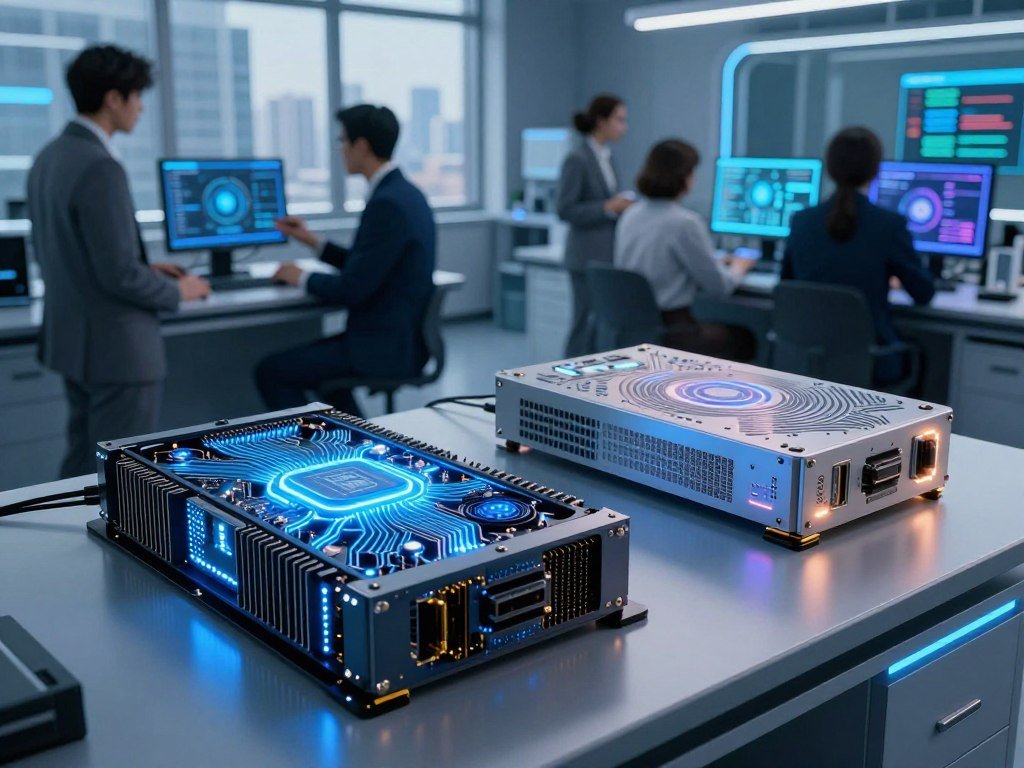
An AI accelerator is a specialized processor that speeds AI workloads by performing many relevant calculations in parallel. It handles repeated math used in machine learning, while a CPU manages general tasks and runs a wide range of software. The difference matters because neural networks often perform the same kinds of calculations across huge sets of data.
Matrix multiplication, which combines rows and columns of numbers, underlies neural-network training and inference. Accelerators can process many parts of that math at once and move model data efficiently. Reduced-precision arithmetic means using fewer bits to represent numbers in AI calculations, which can cut power use while keeping neural-network tasks functional. Some networks use 16-bit or 8-bit floating-point arithmetic instead of 32-bit arithmetic.

- Parallel processing lets many calculation units work at the same time.
- Reduced-precision arithmetic uses fewer bits for some AI calculations.
- Offloading AI calculations lets the CPU focus on other system tasks.
ML accelerators are hardware built to speed machine-learning workloads. Hardware accelerators are processors designed to speed a particular class of tasks. An accelerator chip combines specialized circuitry for those tasks, rather than aiming to handle every kind of computer work equally well.
Some comparisons suggest 100 to 1,000 times better energy efficiency than standard compute systems, but the result depends on which systems are compared.
That range is not a fixed promise for every chip or job. The model, precision, workload, and comparison system all affect energy use. CPUs remain useful for everyday processing, software control, and tasks that do not benefit from large parallel workloads.
A CPU can still run AI software, but it may take longer on workloads built around large amounts of parallel math.
How Does AI Accelerator Architecture Move Data?
A processor can have plenty of compute capacity and still wait if model data cannot reach it fast enough. AI accelerator architecture is the arrangement of compute, memory, and communication resources around a workload. Data movement can limit performance just as much as the number of arithmetic units.
Neural networks need weights and other model data during each step. If those values arrive slowly, processing units sit idle instead of doing useful work. High-bandwidth memory moves large amounts of data quickly, while on-chip caches keep frequently used information close to the processor.

Parallel compute and system design
Parallel compute works best when many units have a steady supply of data. A system also needs links that move information between its processor, memory, and other hardware. These parts work together, so a strong compute figure alone does not describe system performance.
Data-center accelerators are designed to scale across large computing systems. Edge AI means processing at or near the data source, such as a phone, vehicle, or factory device. Edge accelerators often place more weight on energy efficiency and near-real-time results than on the largest possible system size.
A research survey of edge AI describes model use on resource-limited devices near users. Those devices can support smart homes, industrial automation, health care, and other local tasks.
Memory bandwidth, caches, and workload size
High-bandwidth memory can feed a large model’s calculations at a faster rate. On-chip caches store small amounts of data close to the compute units, which helps reduce delays when the same values are used again.
Large workloads may need both enough memory to hold model data and enough bandwidth to keep it moving. A smaller task can fit comfortably in a system that would struggle with a large model. For a large model, check memory capacity and bandwidth alongside the headline compute figure.
Which Types of AI Accelerators Should You Know?
A phone NPU and a data-center GPU both accelerate AI, but they are designed for different operating limits. GPUs, FPGAs, ASICs, and NPUs are examples of AI accelerators. A neural accelerator is a processor designed to speed neural-network operations, though its design and limits vary. Workload fit matters more than a chip label alone.
GPU designs tend to offer flexibility, while more specialized designs trade flexibility for efficiency on chosen tasks. The main types differ in how much you can change their work, where they fit, and how much power they use.
GPUs for flexible parallel workloads
Graphics processing units, or GPUs, handle many operations at once. That ability first helped create graphics for games and other visual work. It also suits neural networks, deep learning, and other workloads with large sets of parallel calculations.
GPUs can support a broad range of AI applications, though they still depend on compatible software and system memory. NVIDIA’s GeForce RTX 50 Series is one example of a GPU architecture, not a recommendation for every use. In 2026, the series used Blackwell architecture and fifth-generation Tensor Cores with FP4 support.
The RTX 50 Series also included fourth-generation ray-tracing cores and streaming multiprocessors tuned for neural shaders. More than 800 games and applications used RTX features in 2026. Those details show how one GPU family can serve both graphics and AI tasks.
NPUs for on-device AI
A neural processing unit, or NPU, is built for common neural-network operations. NPUs are found in many phones and PCs, where power use and heat can limit how much work a chip can do. They can help a device handle some AI tasks locally rather than sending every request to a data center.
Local processing can also reduce the need to send private data over a network. An NPU’s benefit depends on whether the software and model support it. It may work well for a set of device features without matching a larger accelerator’s range or scale.
FPGAs for reconfigurable tasks
A field-programmable gate array, or FPGA, can be reconfigured after it is made. Developers can change its logic to suit a particular workload or update its design as needs shift. That flexibility can help with custom tasks, though setup often takes more effort than using a general GPU.
An FPGA can serve workloads that need a tailored balance of speed, power, and response time. It is not the same as a fixed-purpose chip: its logic can be changed, but the work takes specialized tools and skills.
ASICs and tensor processing units
An application-specific integrated circuit, or ASIC, is designed for specific tasks. Unlike an FPGA, an ASIC is not reprogrammable for a different hardware design after it is made. A fixed design can work efficiently for its target job, but it may be less flexible when the workload changes.
Google’s Tensor Processing Unit, or TPU, is an ASIC example made for AI tasks. A tensor is a set of numbers used to represent data in machine learning. The name reflects the kinds of calculations these chips are built to speed.
Wafer-scale systems for large models
Some systems aim to place a very large amount of AI compute within one connected design. Cerebras uses wafer-scale integration for deep-learning systems. Its Wafer-Scale Engine integrates a large AI chip network into a single chip.
That approach targets large models and deep-learning workloads that need many connected processing resources. It differs from placing many separate accelerator cards into a system. Large-scale designs can suit demanding jobs, but they are not a natural fit for every device or budget.
Choose a chip family by the workload’s mix of flexibility, power limits, and required scale.
How Do You Choose an AI Accelerator for a Workload?
An AI accelerator card puts accelerator hardware and supporting components on an add-in board for installation in a computer system. It carries one or more accelerator chips, along with memory and power-delivery parts. Software fit is just as important as the card’s ability to process a model.
Match the system to the model, software, latency target, and expected number of requests. Inference means using a trained model to produce an answer, prediction, or result. Different inference jobs can favor fast responses, high throughput, large memory, lower serving cost, or links between many machines.

What an AI accelerator card contains
An add-in board joins the accelerator chip to its memory and other system parts. The card must fit the computer and connect to software the model can use. Card design can also affect how much power the system needs and how many cards it can support.
Match the hardware to the inference job
NVIDIA H200 and DGX B200 are options for low-latency, high-throughput LLM inference in 2026 when workloads use CUDA-native software. AMD Instinct MI300X can suit memory-bound inference because its high-bandwidth memory capacity per GPU can reduce model sharding needs. Sharding splits a model across multiple devices.
AWS Inferentia2 targets cost-focused serving workloads that use AWS Neuron. Model and framework compatibility can limit deployment. Intel Gaudi 3 uses an Ethernet-first approach for scale-out inference, though its software ecosystem is smaller than CUDA-based systems.
| Option | Workload fit | Key advantage | Software constraint |
|---|---|---|---|
| NVIDIA H200 or DGX B200 | Low-latency, high-throughput LLM inference | Strong fit for CUDA-native workloads | Workload needs CUDA-native software |
| AMD Instinct MI300X | Memory-bound inference | HBM capacity per GPU can reduce sharding | Model and framework support matter |
| AWS Inferentia2 | Cost-focused serving | Designed for AWS Neuron workloads | Model and framework compatibility |
| Intel Gaudi 3 | Ethernet-first scale-out inference | Designed to connect systems for scale-out | Smaller software ecosystem than CUDA systems |
Each option has a different balance of response time, memory, serving cost, and scale. A benchmark using a different model or software stack may not predict your own results. Before selecting hardware, test the actual model and software stack against the workload’s latency and throughput targets.
Where Are AI Accelerators Used in Everyday Technology?
A smartphone can process a photo locally, while a business chatbot may rely on a remote data center, yet both can use AI accelerators. The hardware supports consumer features and business services by speeding model processing. Where processing happens can shape response time, power use, and the amount of data sent online.
In business AI, accelerators can speed language generation, image recognition, and recommendation tasks. The right deployment depends on responsiveness, scale, and power efficiency. ChatGPT is one example of an AI application that uses neural networks.
- Smartphones and PCs can run language, image, voice, and writing features.
- Robotics and autonomous vehicles use perception to process camera and sensor data.
- IoT and edge-computing systems can handle data close to where it is collected.
- Cloud AI services support business applications that need remote computing resources.
Phones may process a feature locally, send it to a remote server, or use both methods. Features can include photo edits, voice recognition, translation, writing help, accessibility tools, and contextual search. Learn more about AI features on phones and how local and remote processing can differ.
Robots use computer vision to interpret their surroundings and decide how to act. Vehicles process sensor data to detect objects and support driving tasks. In both cases, a delay can affect how quickly a system responds to changing conditions.
Cloud services can run large language models for customer support, writing, or data analysis. A business may access a hosted model through an API instead of installing its own hardware. A guide to setting up the Mistral Large 4 API covers model access and testing with a real workload.
Edge AI processes information at or near its source, which can help when a network link is slow or unavailable. It can also keep some data on the device, depending on the feature’s design. For a time-sensitive task such as vehicle perception, keeping computation close to the sensors can help deliver a near-real-time response.
How Fast Is the AI Accelerator Market Growing?
The global AI accelerator chips market was valued at USD 45.8 billion in 2025 and is projected to grow substantially through 2035. It is projected to reach USD 746.2 billion by 2035, with a 32.18% compound annual growth rate from 2026 to 2035. These are forecasts, not guaranteed outcomes.
The U.S. market was valued at USD 19.8 billion in 2025 and is projected to reach USD 298.5 billion by 2035. Its projected compound annual growth rate is 31.07% from 2026 to 2035. GPUs held the largest chip-type share in 2025, at about 35%.
ASICs are projected to grow fastest among chip types, with an approximately 43% annual rate from 2026 to 2035. Automotive AI accelerators are projected to grow at about 42% over that period, driven by driver-assistance systems and autonomous driving.
Cloud processing accounted for about 75% of worldwide revenue in 2025. Consumer electronics accounted for about 34% of market revenue that year. Those figures describe different market categories: one is a processing setting, and the other is an end-use segment.
For a wider view of business activity across chips, cloud services, memory, and software, see this AI supply-chain investment overview. Market size can grow even as individual companies and applications follow different paths.
Treat a market-growth forecast as a view of the whole category, not a guarantee about any one chip or application.
Can AI Run Without CUDA or a GPU?
You can run AI without a GPU, but the models and tasks that feel practical depend on memory, software, and speed requirements. CUDA is NVIDIA’s software platform, and CUDA software requires NVIDIA hardware. Other software stacks support some non-NVIDIA accelerators.
CPU-only systems can run AI, but larger models and interactive tasks may feel slow. AMD ROCm 7.2.4 supported AMD Instinct MI-series data-center accelerators, including MI350X and MI355X, in 2026. PyTorch, vLLM, and SGLang had official ROCm support, while TensorRT-LLM and FlashAttention 3 lacked full ROCm equivalents.
Software stacks and hardware compatibility
Standard PyTorch or vLLM LLM inference on AMD MI355X was reported at 90-95% of H100 throughput, with results varying by workload. MLPerf Inference 6.0 results from April 2026 placed AMD MI355X server inference within about 5% of NVIDIA B200 results.
ROCm was described as costing 15-40% less than CUDA, with greater technical expertise required. These comparisons depend on the software, model, and workload used. A compatible framework still needs the right model support and setup.
Interactive inference has two separate speed measures: time to first token and output-token speed. The first measures the wait before an answer starts; the second measures how quickly more text appears. Batch workloads may instead favor throughput per dollar and tail latency, which tracks slower responses near the end of a group.
Local models on CPUs and smaller systems
Model weights take memory while the model runs. The key-value cache, or KV cache, stores information from earlier tokens so a language model can use it later. Cache needs rise with context length and concurrent requests, which can leave less memory for other work.
With 8 GB of RAM, CPU-only systems can use Phi-4-mini, Gemma 3 1B, or Qwen3 1.7B for basic chat, but performance is slow. OpenAI says open-weight gpt-oss-20b can run with 16 GB of memory. The gpt-oss-120b model can run within 80 GB of memory.
| Model | Memory guidance | Practical note |
|---|---|---|
| Phi-4-mini | 8 GB RAM for basic CPU-only chat | 3.8B parameters, 128K-token context window, MIT license |
| Gemma 3 1B | 8 GB RAM for basic CPU-only chat | Small model option; expect slow CPU performance |
| Qwen3 1.7B | 8 GB RAM for basic CPU-only chat | Small model option; expect slow CPU performance |
| gpt-oss-20b | 16 GB of memory | Open-weight model from OpenAI |
A local runner loads a downloaded model on your computer, though speed and model size depend on hardware and memory. You can explore running AI models locally with tools such as LM Studio or Ollama.
- Confirm framework support for the hardware and model.
- Check available memory, including room for the KV cache.
- Match the model to the task you want it to handle.
- Measure the latency or throughput that matters for your use.
Verify framework and model compatibility before choosing hardware, since a capable chip cannot compensate for a software stack that does not support your workload.
What Limits AI Accelerator Performance at the Power Level?
High-performance accelerator hardware depends on delivering stable power to the processor at the current its workload requires. A card’s power system must handle large, changing electrical demands without taking too much space. Power delivery can affect whether the hardware runs as designed.
Reliable delivery at high current is a design requirement, not a minor add-on. A 2026 accelerator-card design can combine 48 V distribution with digital multiphase controllers, power modules, and power stages.
- 48 V distribution carries power through the system.
- Digital multiphase controllers manage power delivery to the processor.
- Power modules and power stages supply current to the hardware.
TLVR power-delivery solutions are designed for AI processors that need 200 A to 1,000 A. Infineon TDM2354xD and TDM2354xT dual-phase modules provide 160 A and use a footprint 40% smaller than equivalent discrete solutions.
High current and limited board space create real design constraints. A compact module can save space, but its rating must still suit the processor.
Infineon TDM2454xx quad-phase modules support peak currents up to 280 A and power density of 2.0 A/mm² in 2026. These are examples of specific designs, not a standard for every card. A card’s power-delivery design must match its processor’s current demands and physical limits.
Conclusion
The useful way to think about an AI accelerator is as a match between a workload and the hardware built to run it. Specialized compute and memory can speed AI tasks, but the right choice also depends on software support and where you plan to use the system.
Start with one task, such as image recognition or language-model inference. Name the model and software framework it needs, then check whether memory, latency, and power demands fit the intended system. Start with the AI task you want to run, then check its software requirements and memory needs before choosing a system.
FAQ
What is an AI processor?
An AI processor is a processor designed to speed AI calculations, often through parallel processing and specialized memory. It can handle repeated operations used by neural networks. A CPU can also run AI, but an AI-focused processor may process suitable workloads faster or with less energy. The benefit depends on the model, software, and task.
What are accelerators used for?
Accelerators speed data-heavy work such as neural-network training, language-model inference, image recognition, and real-time perception. They can process many related calculations at once, which suits workloads that repeat similar math across large amounts of data. You may find them in phones, PCs, vehicles, robots, and data centers, each with different limits and goals.
Is CUDA necessary for AI?
No, CUDA is not necessary for AI. CUDA is NVIDIA’s software platform, and CUDA software runs on NVIDIA hardware. Other systems can use different software stacks, including ROCm on supported AMD hardware. The important question is whether your model and framework support the hardware you plan to use.
Can I run CUDA without NVIDIA?
No, CUDA requires NVIDIA hardware. CUDA is designed for NVIDIA processors, so a non-NVIDIA system cannot run CUDA workloads directly. AI frameworks can support other options, such as ROCm on supported AMD systems. Check that the specific model and software tools you need work with that alternative stack.
Is AI possible without GPU?
Yes, AI can run without a GPU. A CPU can handle smaller models and basic tasks, though larger models and interactive workloads may run slowly or need more memory. For basic chat, some small models can run on an 8 GB CPU-only system. The response speed may be limited, especially as context or user requests grow.
What is the #1 GPU in the world?
There is no single GPU that ranks first for every task. A GPU’s result depends on the workload and the benchmark used to measure it. Compare training throughput for training jobs, or inference latency for interactive services. Memory size, software support, power use, and cost can also change which GPU fits your needs.
Does AI need more CPU or GPU?
A CPU handles general computing and smaller AI tasks, while a GPU often suits heavily parallel training and inference workloads. Most systems use both: the CPU manages software and other tasks, while the GPU handles suitable AI calculations. The balance depends on the model, workload size, and expected response speed.
What is the best AI model for CPU-only use?
For a CPU-only system with 8 GB of RAM, Phi-4-mini, Gemma 3 1B, and Qwen3 1.7B are options for basic chat. Expect slow performance, especially with longer prompts or more demanding requests. Phi-4-mini has 3.8 billion parameters and a 128K-token context window, but a large context does not make CPU processing fast.



