
A support request checked against account details, a policy, and a billing system shows why an AI agent can do more than answer. In everyday work, these systems can gather information, choose a next step, and take an approved action. Their autonomy stays within limits set by people.
This beginner-friendly guide explains how agents work, where they fit in workplace technology, and what to check before using them. You will see examples from digital tasks and physical settings, along with ways to keep people involved. The goal is practical business automation, not autonomy for its own sake.
For a useful first test, ask whether a system can take an approved action or only produce a response. That difference helps you judge what a tool can really do before you trust it with a task.
Key Takeaways
- An agent uses a model to work toward a goal.
- Approved tool permissions set its limits.
- Some agents can take actions across software.
- People can review, stop, or take over work.
- Testing should include errors and unclear requests.
What Is an AI Agent? Examples and Applications
An AI agent is software that uses an AI model to pursue a goal by interpreting context, choosing next steps, and taking permitted actions. Its tool permission boundary means the limits on which tools and actions it may access. Human-set goals, instructions, and approved tool permissions bound its autonomy.
An agent gathers context, selects an action, and uses approved tools such as APIs, databases, or other software. An LLM, or large language model, may help it understand requests and plan steps. The surrounding system still controls what it can access.

An agent may stop or hand work to a person instead of finishing on its own. A useful agent knows when its authority ends.
For example, a support agent can check an order record, compare it with a return rule, then update a ticket with the result. If the record is unclear or a manager must approve the return, it can pass the case to a person.
This differs from a text-only response because the agent can use tools to complete several steps. The model does not need to hold every record itself. It can request relevant information through approved connections, then act within its assigned limits.
To learn more about how tool use fits into agentic AI systems, focus on the steps between a request and a real change. A polished answer alone does not show that a system can act.
The defining test is whether the system can choose and carry out a goal-directed next step, not whether it uses an AI model.
How Is an AI Agent Different From a Chatbot or Automation?
A password-reset bot that follows a menu differs from an agent that checks an account, verifies eligibility, and completes an approved reset. The key difference is how each system chooses what to do when a task changes. A chatbot replies, workflow automation follows fixed steps, and an agent can choose among approved next steps.
Each approach can handle tasks well when you match it to the work. A chatbot remains useful for predictable questions, such as store hours. A fixed workflow is often better when every step is stable and fully mapped.

| System type | How it chooses steps | Tool use | Response to an unexpected input |
|---|---|---|---|
| Chatbot | Replies from a prompt or menu | May show preset links | Asks for a clearer question |
| Workflow automation | Runs a predefined sequence | Calls configured apps | Stops or follows a set error path |
| AI agent | Selects among permitted next steps | Calls tools as needed | Gathers context or escalates |
Workflow automation is a fixed sequence of automated steps. A password reset can use it when the rules never change: verify identity, check account status, and send a reset link. The system follows its rules rather than making a contextual choice.
An agent can respond to feedback from a tool and adapt its plan. That flexibility brings more room for error, so its actions should stay within approved tool permissions. Learn more about AI automation and workflows when deciding which approach suits a predictable process.
Use a fixed workflow when every step is known in advance, and reserve agent autonomy for tasks that require a contextual choice.
How Does an AI Agent Work?
If a customer asks to change a subscription, the agent first needs to understand the request and retrieve the account facts that determine what it can do. It then works through a four-step loop. Each tool result can change the plan or trigger human review.
One practical loop uses perception, planning, action, and feedback. Here, the agent must check the billing rules before changing an account. It should not treat a request as approval when a policy requires a person.
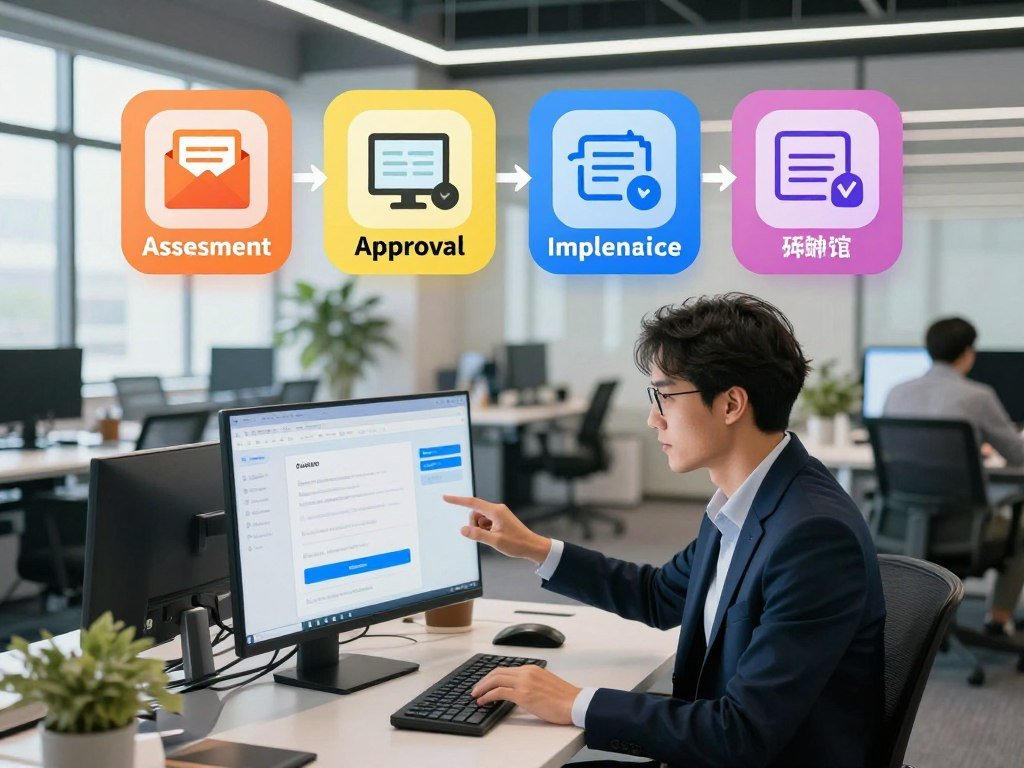
- Perceive: read the request and retrieve the customer’s account details.
- Reason and plan: check the requested change against eligibility rules.
- Act: call the billing tool if the change is allowed.
- Check feedback: confirm the result or send the case for approval.
ReAct-style tool use alternates reasoning, a tool action, and an observation. The agent can check a result before choosing its next step. This helps when the next move depends on information a tool returns.
ReWOO plans tool use before gathering tool results. That approach can set out several needed calls in advance. Neither style works best for every task: changing information during the process may favor a reactive approach, while a known research task may suit upfront planning.
A billing tool might reject a change because the account is overdue. The agent should then stop the update and explain the issue, rather than repeat the same call. A missing account fact may require another lookup.
A tool result should change the next step when it reveals a missing fact, an error, or a need for human approval.
What Parts Make Up an AI Agent?
The model supplies language and reasoning, but the system around it determines what information it can use and what it is allowed to do. A typical agent architecture joins a model, orchestration logic, planning, memory, tools, and action execution. The model does not set its own access rights.

The model and orchestration layer
An LLM can interpret a request, work with context, and suggest a next step. It may also help draft a query or choose an available tool. These abilities do not grant it direct access to software or records.
Orchestration is the control layer around the model. It routes instructions and information, checks whether a tool call is allowed, and sends the call to the right service. It can also manage errors or ask a person to review a result.
A planning module can break a larger task into smaller actions. The model may suggest a plan, while orchestration checks that each step fits the task. Keeping these roles separate makes it easier to limit actions and track what happened.
Memory, tools and action controls
Short-term memory holds the context needed for the current task, such as an order number or a lookup already completed. Stored memory can also mean retrieved records or saved task state. It does not necessarily mean the model itself has been retrained.
APIs and databases let an agent retrieve information or send a permitted change. Action execution applies the change through the connected service. Approved tool permissions should define which records it can read and which actions it can take.
Audit logs record tool calls and changes, so a reviewer can see what the agent did. In a support task, a log could show which order record the agent checked and whether it edited the ticket. That record matters when a result needs review.
Stale or overbroad memory can lead to an answer based on the wrong customer or an old policy. A system should separate task context from records that may no longer apply. See this guide to using AI models and context for more on the model and the software around it.
Give an agent only the memory and tool access required for its assigned task.
How Are AI Agents Classified?
“Type of agent” can refer to how a system behaves, how many agents it contains, or how much human input it needs. Those are separate axes, not one set of labels. Check the axis before comparing two systems.
Types of AI agents with examples across design axes
Types of AI agents with examples can be grouped by number, interaction style, and autonomy. A single agent might work in the background, while a multi-agent system may share work across several agents. These labels describe different design choices.
| Classification axis | Option A | Option B | What the distinction tells you |
|---|---|---|---|
| Number of agents | Single agent | Multi-agent system | One decision-maker or several cooperating agents |
| Interaction | Interactive | Background | Whether a person prompts it or it runs without a live request |
| Autonomy | Approval-led | More autonomous | Whether actions wait for human approval |
A single interactive agent might answer a staff member who asks for help. A background agent might review new records and flag exceptions. An approval-led design can prepare a change, then wait for a person to confirm it.
Types of AI agents in agentic AI systems
Types of agents in AI can also describe behavior, such as reflex, goal-based, or learning designs. The classic labels focus on how an agent selects actions. Nine agent design types include these designs, multi-agent systems, hierarchical agents, embodied agents, and tool-using LLM agents.
That list is not the same as seven broad AI categories: narrow AI, artificial general intelligence, artificial superintelligence, reactive-machine AI, limited-memory AI, theory-of-mind AI, and self-aware AI. Artificial general intelligence, artificial superintelligence, theory-of-mind AI, and self-aware AI remain theoretical or not yet achieved categories.
Those broad categories describe claims about AI capability, not practical agent designs. A system can use a tool-using LLM agent design without being general intelligence. Keep the labels distinct when you compare products.
Check which classification axis is being used before comparing two systems as if they were the same kind of agent.
What Are the Five Types of AI Agents?
A thermostat that turns heating on when a room falls below its set point is a simple reflex agent because it reacts to a current condition using a rule. The five classic types differ in what guides each choice. More complex designs use more context, goals, trade-offs, or learning.
A simple AI agent example: reflex behavior
A simple reflex agent uses a rule that maps a current condition to an action. For example, a server monitor could restart a workload when CPU use passes a set threshold. It responds to the current reading, not a detailed history of earlier readings.
A model-based reflex agent keeps an internal state, or picture of relevant conditions. It can use current input and retained information to choose a response. A server monitor might track how long CPU use has stayed high before deciding whether to restart a workload.
This state helps the agent act when it cannot see every part of its environment at once. It does not mean the agent has human-like memory or understanding. The stored state only helps it judge the task.
Goal-based and utility-based agents
A goal-based agent selects steps that move toward a stated outcome. A delivery-routing agent could compare available routes and choose one that reaches the destination. It can change course if a road closes before the trip ends.
A utility-based agent weighs trade-offs among possible outcomes. A scheduling agent might balance travel time, cost, and a customer’s preferred time slot. It chooses the option with the best score under its set priorities.
A learning agent adjusts its behavior from feedback or experience. A spam filter can learn from messages people mark as junk or safe. Its decision pattern can change as it receives more examples, though people still need to check performance.
The five types are not a ladder where every later type is always better. A fixed rule may suit a thermostat, while a changing route may need goal-based planning. A learning design makes sense only when useful feedback is available.
A simple diagram of the five types of AI agents
This simple diagram of the five types of AI agents shows the main branches: agent design → simple reflex, model-based reflex, goal-based, utility-based, and learning. Each branch names a different basis for behavior. The table gives one compact example for each.
| Agent type | Decision basis | Simple example |
|---|---|---|
| Simple reflex | Current input and rule | Thermostat turns heat on below its set point |
| Model-based reflex | Input plus retained state | Server monitor tracks high CPU over time |
| Goal-based | Steps toward an objective | Route planner finds a path to a destination |
| Utility-based | Score across trade-offs | Scheduler balances time and cost |
| Learning | Feedback from past results | Spam filter learns from labeled messages |
Choose the simplest type that can handle the task’s context, uncertainty, and need to adapt.
How Do Multi-Agent Systems Work Together?
A claims review can be split into specialist tasks so one agent checks coverage while another examines documents. A multi-agent system assigns work across multiple agents, then brings their results together. An orchestrator needs a way to resolve conflicts and handle exceptions.
How specialist agents divide a workflow
An insurance-claims workflow could use four roles. Each agent checks a different part of a claim and hands its findings onward. The system can send some checks in parallel when they do not depend on each other.
- Coverage agent: checks whether the policy covers the event and sends the result to the document reviewer.
- Documentation agent: checks forms and evidence, then sends missing items or a complete file forward.
- Fraud-risk agent: flags unusual details and passes the risk findings to the payment reviewer.
- Payment authorization agent: checks the earlier results and prepares an allowed payment action or escalation.
These roles divide tasks, but one agent still needs to manage their handoffs. An orchestrator may assign steps in sequence or in parallel. It can gather results and send the next task to the right specialist.
Coordination, handoffs and oversight
The orchestrator can compare conflicting outputs, ask an agent to check a specific record, or route a case to a person. It also needs to notice failed handoffs. A missing result should not look like a successful review.
Adding agents does not automatically create independent verification. Agents built on the same model can share a blind spot, such as missing a confusing policy term. Separate roles may still repeat the same mistake if they rely on the same assumptions.
Clear handoffs identify what each agent checked and what remains unresolved. A person should receive enough context to act, not just a risk score. That context matters when a claim does not fit the usual path.
Keep one accountable control point for conflicts, failed handoffs, and actions that require human approval.
What Are Real-World Examples of AI Agents?
A support agent that can check customer context and hand a conversation to a person is more than a system that only drafts a reply. Real-world examples include digital service, office tasks, and mobility. The action matters, because generative AI can create language while tools let a system act. Agentic behavior depends on both tool use and action controls.
Customer support and service
Intercom Fin connects with help desks such as Salesforce, HubSpot, and Freshdesk. It can use customer information to address an issue, then transfer the conversation to a human agent in an inbox. That handoff gives a person a chance to take over when the case needs them.
A support system can also route a request to the right service team. The useful feature is not just a natural-sounding reply. It is the ability to check a record, take an allowed step, or hand over the case.
Data analysis and office workflows
Uber’s Finch turns natural-language questions in Slack into SQL, a language used to query databases. It can route work to sub-agents, including a SQL writer. This gives staff a way to express a data question without writing every query themselves.
Ramp built an agent that resolves incorrect merchant-classification reports in under 10 seconds, compared with hours of manual work. It addresses a report rather than only explaining how someone could fix one. Its speed is useful when the task has a clear outcome.
Dropbox Dash can locate a meeting, retrieve related documents, and return notes for an upcoming meeting. That requires several information-gathering steps across files. The result can help someone prepare, while a person remains responsible for what to do with the notes.
Physical-world agents and mobility
Waymo reached about 450,000 weekly trips across five U.S. cities in 2025. That figure marks a real deployment of autonomous mobility in public settings. It does not mean every vehicle decision is fully autonomous in every context.
Across these examples, generative AI can supply language, SQL, or other content. Connected tools and action controls make the system agentic. A text feature alone does not tell you whether software can carry out a task.
For any example, identify the specific action the system can take, not just the AI feature it offers.
Which Tasks Are a Good Fit for AI Agents?
A good first task is frequent enough to matter, but bounded enough that a person can verify the result. Strong use cases have a clear goal, suitable data, and repeatable decision logic. Keep the action low-risk and easy to correct.
Repeatable work with clear boundaries
Repetitive tasks can suit agents when the rules stay stable and success has a clear measure. A system might sort common support requests or prepare a draft for review. A safe reversal path lets a person undo a change if the agent gets it wrong.
Workflow automation may be a better fit when every input follows the same path. An agent adds value when it needs to interpret context or choose among permitted steps. Do not add that choice when a fixed sequence already handles the work well.
Context-heavy work across systems
Agents can gather information from different tools for customer support or employee help. They may look up a policy, check a record, and prepare an answer. Data analysis, creative work, and coding can also benefit when tasks need context across several steps.
Use this checklist to decide whether a task is ready for a small test:
- Clear goal: you can state the result in one sentence.
- Repeatable steps: similar requests follow a known process.
- Data access: the required records are available and suitable.
- Low-risk action: a mistake has limited impact and can be fixed.
- Human escalation path: someone can take over exceptions.
Do not give an agent authority over an unpredictable, high-impact task when its data and approval boundaries are unclear. For example, an agent should not make a major account change when it cannot tell which record is current. A person needs to set the boundaries first.
For work in property services, AI uses in real estate include lead intake and transaction coordination, where people can check important details. A defined task makes it easier to judge whether automation helps.
Start with a task whose successful outcome can be measured and whose mistakes can be corrected.
What Are the Limits and Risks of AI Agents?
An agent can complete difficult computer tasks in a benchmark and still fail a substantial share of structured attempts. Performance is uneven across tasks and conditions. A benchmark score does not guarantee safe results in a live workflow.
Benchmark performance is not perfect reliability
On the OSWorld computer-task benchmark, agent accuracy rose from roughly 12% to 66.3%, within six percentage points of human performance. Yet agents still fail roughly one in three attempts on structured benchmarks. Progress does not remove the need to check a real task.
ClockBench shows another gap: the top model read analog clocks correctly 50.6% of the time, compared with 90.1% for humans. A model that performs well on one computer task may struggle with a visual detail. The task’s inputs shape the result.
Evaluation results need context
As of March 2026, Arena Elo ratings were Anthropic 1,503, xAI 1,495, Google 1,494, OpenAI 1,481, Alibaba 1,449, and DeepSeek 1,424. The top closed model led the top open model by 3.3% in March 2026, compared with a 0.5% lead in August 2024.
These ratings compare performance in a particular evaluation setting. They do not directly show which model will handle a company’s tools, users, or data best. A ClockBench result also depends on what the test asks the model to read.
Invalid-question rates ranged from 2% on MMLU Math to 42% on GSM8K. A test may include questions that cannot be answered as written, which affects how a score should be read. Test design matters alongside the final number.
Autonomy creates operational risks
An inaccurate action can change a record or send the wrong message. Tool failures can leave a task half done, while an agent that loops may keep repeating a failed action. Clear limits and a way to interrupt the system help reduce those risks.
Privacy exposure can happen when an agent reads more data than a task needs. Bias can also shape which cases it flags or how it responds. Audit logs help reviewers trace what information and tools led to a result.
The OWASP AI Agent Security Cheat Sheet covers risks such as tool abuse and excessive autonomy. Its security guidance supports limited access, approval for high-impact actions, and logged tool use.
Test the exact workflow, tools, and failure cases that matter before allowing consequential actions.
How Much Do AI Agents Cost?
Published AI-service prices use different billing units, so compare the unit as carefully as the dollar amount. Intercom’s examples include charges per outcome, workspace, and teammate. Those units are not interchangeable. Read the included allowance as well as the listed price.
Published Intercom pricing examples
Intercom lists these examples for customer service and support:
| Intercom item | Billing unit | Published price or included allowance |
|---|---|---|
| Fin Voice | Voice outcome | $1.99 per outcome |
| Pro add-on | Workspace per month | $100; includes 500 conversations and 6,000 credits monthly |
| Support inbox assistant | Teammate per month | $29 |
| Advanced in-app and outbound support | Workspace per month | Starts at $99 |
After the included Pro credits run out, additional Operator credits cost $0.01 each. The Pro add-on’s conversation and credit allowances use separate units. Estimate expected use against both before comparing plans.
What drives an agent’s total cost
Other systems may charge for model use, tool calls, setup, integration, monitoring, and human review. Hosting can add another cost when a team runs its own software. A free trial does not show the full bill for ongoing use.
Some services charge by usage, while others charge by outcome or access to a workspace. Bain’s overview of AI pricing models explains why the meter affects how a buyer compares services. The same task can create different bills under different pricing units.
Human review also takes time, especially when the agent routes many cases for approval. A low model charge may not mean low cost if people must fix frequent errors. Count the work needed to reach a completed result.
Calculate cost per completed task using the full operating bill, not only the model charge.
What Legal and Safety Rules Apply to AI Agents?
In the United States, making or using an AI agent is not automatically the same as making its actions legally consequence-free. Responsibility depends on conduct and the rules that apply. Legal outcomes can vary by jurisdiction and situation.
Electronic agreements and attribution
The federal E-SIGN Act says an electronic contract or record cannot be denied legal effect solely because an electronic agent helped form, create, or deliver it. The action must be legally attributable to the person who is to be bound. That condition matters when software handles an agreement.
An agent may prepare or send a record, but the legal effect depends on the facts and applicable rules. A business should know what authority it grants before connecting an agent to contract tools. The software’s ability to act does not settle who is responsible.
Liability for AI-caused harm
A California law enacted in 2025 bars a defendant accused of developing, modifying, or using AI that caused harm from claiming the AI autonomously caused that harm as a defense. This rule is specific to the law and claim described. It does not decide liability in every case or jurisdiction.
Other facts and legal duties can matter when an agent causes harm. A company remains responsible for how it sets up and uses its systems under the rules that apply. A tool’s output does not erase the conduct of the people who chose to deploy it.
Unlawful access and deployment controls
Executive Order 14409, signed June 2, 2026, directs the U.S. Attorney General to prioritize applicable federal criminal-law enforcement against people using agents for unlawful data access. It does not authorize mandatory licensing, preclearance, or permitting for AI models.
Basic controls can limit the chance that an agent acts outside its task:
- Least privilege: give access only to tools and records the task needs.
- Human approval: require confirmation for consequential actions.
- Action logs: record tool use and changes for later review.
- Interrupt control: give a person a way to stop the agent.
These controls do not replace legal review, but they make actions easier to check. A regulated workflow may have extra rules for data, records, or approvals. Keep a clear record of who approved the agent’s access.
The federal E-SIGN rule ties legal effect to whether an agent’s action can be attributed to the person being bound. That condition deserves attention before the software handles a contract.
Get qualified legal advice before an agent signs, changes records, or accesses data in a regulated or high-impact workflow.
How Can You Choose and Start With an AI Agent?
Choose one recurring task that has a visible outcome and a person who can check whether the agent got it right. Define its goal and boundaries before connecting tools. A small prototype can test the idea without granting broad access.
Pick a bounded first task
Write down the result the agent should produce, the tools it may use, and how you will measure success. Set a failure boundary that tells it when to stop. Name the person or team that should receive an exception.
A good boundary might allow the agent to prepare a support-ticket update but not send it without review. The action is useful, and a person can compare the proposed change with the customer record. Pick a measure such as correct updates on tested cases.
Build a small prototype and test it
A free prototype is possible with an open-source model or a free service tier. Ongoing model use, hosting, integrations, and monitoring may add costs. Start with a test setup rather than live customer records.
- Map the existing task, including who handles each step today.
- Choose one bounded action the agent can safely attempt.
- Connect only the data and tools that action needs.
- Test normal cases and edge cases before live use.
- Review results, then adjust the agent’s permissions.
A common mistake is testing only ideal inputs. Include missing details, ambiguous requests, conflicting records, and tool errors. Those cases show when the agent should stop instead of guessing.
If you want a personal assistant, this guide to creating your own AI assistant covers ways to set one up and test its tools. Keep the first project small enough to inspect each result.
Keep the first version in a test environment until its action logs and failure handling are dependable.
How Is the AI Agent Market Changing?
Market forecasts point to rapid investment, but the size of a market does not show whether a particular agent is accurate or cost-effective. The global AI agents market was valued at $7.6 billion in 2025 and is projected to reach $10.9 billion in 2026. That market estimate is not the income of an individual agent.
Market size and adoption signals
The global market is projected to reach $182.9 billion by 2033, at a 49.6% compound annual growth rate from 2026 to 2033. North America held 39.6% of global market revenue in 2025, and the United States had the largest country market share that year.
Customer service and virtual assistants had the largest application revenue share in 2025. Single-agent systems held 59.2% of market revenue. These figures describe market segments, not proof that every customer-service task works well with an agent.
Machine learning accounted for 30.5% of market revenue by technology in 2025. Enterprise was the largest end-use segment that year. Revenue shares can show where investment sits, but they do not tell you whether a product fits your own workflow.
MIT Sloan’s article on agentic AI discusses business adoption and the work needed to put systems into use. Market growth can bring more options, but each one still needs a clear job and review process.
Grok 4.7 and current agent features
Grok 4.7 was listed as released on September 21, 2026. Grok features include web search, image generation, Think mode, the Grok Build coding agent, and Grok Bot AI teammates. These are examples of product features, not a recommendation.
Web search can bring information into a response, while image generation creates visual content. Think mode offers a mode for reasoning, and Grok Build is a coding agent. Grok Bot AI teammates are another named feature in the product set.
A longer feature list does not show how well a tool handles your data or workflow. Measure how it performs on the task you need, and check what access it receives. Release timing alone cannot answer those questions.
Judge a new agent by its task performance, access controls, and full operating cost rather than its launch date or feature list.
Conclusion
An AI agent is most useful when its goal is clear, its permissions are limited, and a person can check the result. Agents can use tools to take goal-directed actions, but convincing text alone does not prove that a system can safely complete work. Trust should follow evidence, not a polished reply.
Your first test does not need to transform a whole process. Pick a task with a visible result, let the agent work within narrow access, and compare its actions with what a person would approve. Keep responsibility clear when the task reaches its limits.
Pick one low-risk task, define what success looks like, and test the agent before granting it broader access.
FAQ
Can you give me some real-world examples of AI agents?
Real-world examples include customer-support agents, Slack-based SQL assistance, document retrieval, merchant-report resolution, and autonomous mobility. A support agent may check customer records or route a conversation to a person. A SQL assistant can turn a natural-language request into a database query. These systems act through tools; a model that only writes a reply or creates text does not take those steps.
What are the 7 types of AI?
The seven broad AI categories are narrow AI, artificial general intelligence, artificial superintelligence, reactive-machine AI, limited-memory AI, theory-of-mind AI, and self-aware AI. Narrow AI handles specific tasks, while reactive and limited-memory labels describe ways systems respond to information. Artificial general intelligence, artificial superintelligence, theory-of-mind AI, and self-aware AI are theoretical or not yet achieved categories, not common product designs.
What are problem-solving agents?
Problem-solving agents are goal-directed systems that identify a problem state, consider possible actions, and plan toward a goal. They can use search to compare routes or steps, tools to gather facts, and feedback to change a plan. For example, a route agent can examine available roads and select a path to a destination. It may stop when the needed information is missing.
How much do AI agents cost?
Intercom lists Fin Voice at $1.99 per voice outcome, its Pro add-on at $100 per workspace per month, and its support inbox assistant at $29 per teammate per month. Advanced in-app and outbound support features start at $99 per workspace monthly. Pro includes 500 conversations and 6,000 credits per month. Additional Operator credits cost $0.01 each after included credits run out.
How much money do AI agents make?
An agent does not earn income by itself; a business measures the value it helps create. Compare added revenue and labor or operating savings with model, tool, setup, and oversight costs. An agent that handles more work may still offer little value if people spend time correcting it. A forecast for the overall AI-agent market is not a measure of earnings for one agent.
Can I build my own AI for free?
You can build a basic prototype with open-source software or a free service tier. Ongoing use may cost money for model requests, hosting, integrations, and monitoring. A small test can use sample data and a limited tool connection, which helps you learn before scaling up. Free access does not always include the features or usage limits needed for a live workflow.
What AI does Elon Musk use?
Elon Musk’s AI product is Grok. Grok 4.7 was listed as released on September 21, 2026, with web search, image generation, Think mode, and Grok Build among its features. Grok Build is described as a coding agent. Product features can change, so judge a system by the task it can perform and the access it receives.
Is it illegal to make my own AI?
There is no blanket U.S. rule that makes creating AI automatically illegal. Unlawful use, including criminal access to data, can trigger laws that apply to the conduct. Rules also depend on the jurisdiction and the system’s use. Before connecting an agent to sensitive records or giving it authority to make consequential changes, learn which legal duties apply to that task.



