
For most people who want one flexible assistant, start with OpenAI’s official ChatGPT app; choose a connected app for a specific workflow or a standalone AI app for a different specialty. The ChatGPT app is OpenAI’s official conversational AI service, available on mobile and the web.
The phrase can mean three different things: OpenAI’s official app, an integration used inside ChatGPT, or an independent AI product. Those choices suit different needs, from writing and research to errands and design.
This roundup compares practical options for work, learning and personal use. The best fit depends on the task you repeat, the services you already use, and the access your account includes.
Match the app to the task you repeat most often, then check its price and account requirements.
Key Takeaways
- Start with the official app for flexible help.
- Use integrations for a specific workflow.
- Try standalone apps for different specialties.
- Check account needs before connecting services.
- Confirm important facts before acting.
What Is Best ChatGPT App for Everyday Use?
For a single app that can handle a mix of everyday questions, writing and research, choose the official ChatGPT app. Its range of tasks makes it a practical assistant for varied needs, not just one kind of prompt.
It can adapt responses, use memory, support deep research and coding, hold voice chats, and connect with integrations. PCMag named ChatGPT its best overall AI chatbot in 2026 after assessing reasoning, writing, research, files, images, voice and web search. Its review of ChatGPT also notes that answers can be wrong. PCMag’s 2026 review describes these features and its performance. A ChatGPT, Claude and Gemini comparison can help if you are weighing different assistants.

Choose the newest model your account offers for the task. Use a faster option for routine drafting and a reasoning-focused one for harder work.
That approach answers the question, “What is the best version of ChatGPT?” There is no single model name that fits every job, because account options and tasks differ.
For example, a short email draft does not need the same depth as a careful review of a long report. A quick model can handle routine language changes, while a reasoning option can spend more effort on complex questions when available.
Use the app’s tools when a task needs them. File processing may help with a document, while web search can bring current information into a response.
Those features do not make every answer reliable. Read the response, compare key details with trusted material, and keep your own judgment in the process.
Treat model choice as task-specific and verify important facts before acting on an answer.
What Can the Official ChatGPT App Do on Android?
Android users who want OpenAI’s assistant on a phone should start with the official ChatGPT app. It is the best general-purpose choice for access to OpenAI’s assistant on Android.
The free Android app syncs chat history across devices. Its listed features include photo uploads, image generation, Advanced Voice Mode and personalized learning. ChatGPT voice chat also works on desktop and mobile, with adjustable voice and personality settings.

What is the best ChatGPT app for Android? The official app is the best general choice for users who want OpenAI’s assistant and its tools in one place. Try it for these tasks:
- Ask questions aloud and hear spoken responses.
- Upload a photo and ask for help understanding it.
- Generate or edit an image from a prompt.
- Use an ongoing conversation for personalized learning.
Voice can help when typing is awkward, such as while planning a meal or asking a quick question at home. Photo uploads give the assistant visual context, but a picture may not show every detail needed for a sound answer.
For learning, a user can ask follow-up questions and request a simpler explanation. That makes a conversation easier to shape around a topic than a fixed set of lessons.
Chat history syncing can make it easier to continue a conversation on another device. Still, a familiar app name is not enough to confirm that you have the official version.
Confirm the app publisher is OpenAI before signing in.
Which ChatGPT Apps Help With Work and Automation?
A sales team that needs CRM context in a chat can start with HubSpot, while a team linking routine actions across services can look at Zapier. These work integrations help with different parts of a business workflow.
HubSpot’s connector can work with contacts, companies, deals and support tickets that the connected account is allowed to view. That access can give a chat useful context for routine customer work.

CRM questions and marketing drafts
HubSpot suits teams that want to summarize a contact’s history, review a deal or draft outreach using CRM context. A sales rep can ask for a short recap before a call, then shape a follow-up message around the customer’s recent activity.
The connector only sees records the connected account has permission to view. That limit matters when a company divides customer records by role or team.
CRM context can make a draft more specific, but it does not remove the need for a human review. A rep should check names, dates, product details and tone before sending any message.
Automations across connected services
Zapier links more than 8,000 apps. A Zap connects a trigger in one service to an action in another, such as sending generated text into Gmail or a summary into Slack or Google Sheets.
Its free plan includes 100 tasks per month. That can suit small tests, though a team with frequent activity may reach the limit quickly.
Three examples show how a simple setup can help:
- Notify a team when a new lead arrives.
- Send an AI-written draft to a person for review.
- Sync form information into a CRM record.
These steps work best when each action is easy to check. A message that needs approval should land with a person, not go straight to a customer.
Zapier’s editor may still be needed for complex filters and conditions. Test an automation on a low-risk task before connecting it to a business-critical workflow.
Can ChatGPT Apps Create Designs and Presentations?
For a quick visual from a prompt, Canva is the easiest starting point; for collaborative diagrams, choose Figma, and for a fast first-pass slide deck, try SlidesGPT. Each design option helps with a different kind of content.
Canva can use an existing conversation as context for social media graphics or presentation slides. Its conversational previews help a user shape a design before making advanced adjustments in Canva.
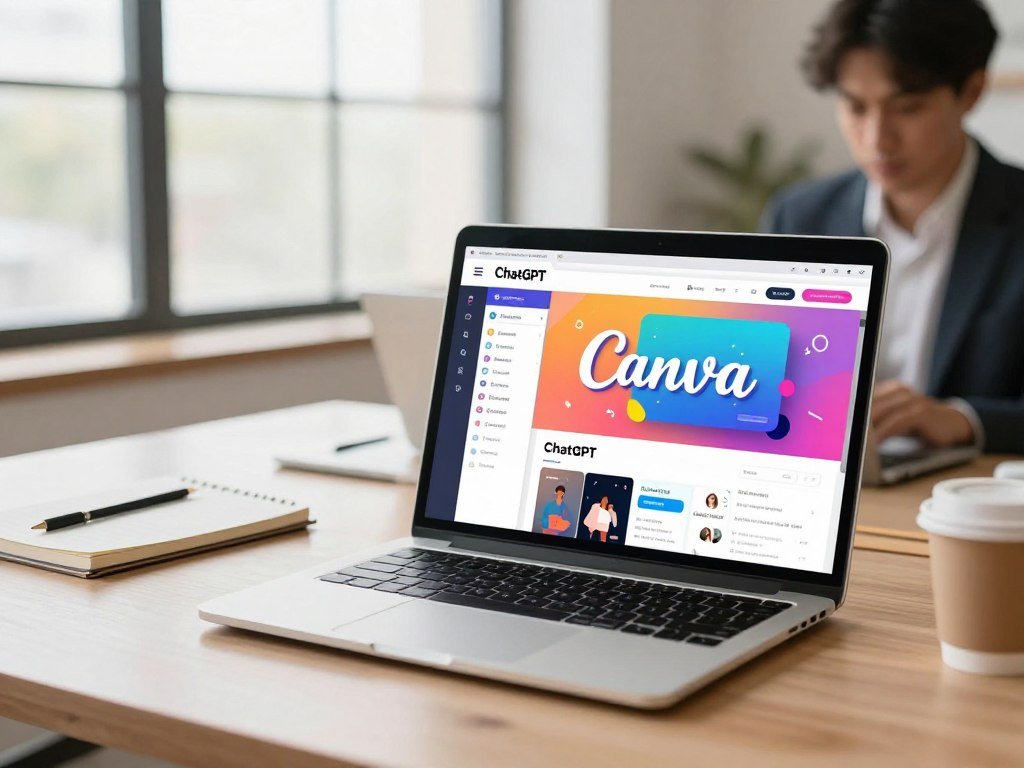
Canva for prompt-led visuals
Canva can bring a Brand Kit’s fonts, colors and visual identity into new creations. Full Brand Kit access and Magic Resize require a paid Canva plan, so a free account may not include every useful control.
The ChatGPT connector requires a paid ChatGPT Plus or Pro subscription. Once a design moves into Canva, detailed layout work is easier to handle in Canva’s own editor.
This setup can help when a user already has notes or copy in a conversation. The context can shape a first draft, while the design editor remains the place for close visual changes.
Figma for collaborative diagrams
Figma can turn ideas from a conversation into FigJam diagrams, visual assets or presentation slides that open for editing. It fits teams that need to discuss a process or map out a concept together.
A Figma account is required to use the Figma app. The generated draft is a starting point; collaborators can refine labels, layout and visual details in Figma itself.
This can save time when a meeting produces scattered notes. A team can turn the rough idea into a shared diagram, then make the flow clear before presenting it.
SlidesGPT for quick slide drafts
SlidesGPT can build an initial slide structure from a prompt, notes or source material. It exports decks to PowerPoint, Google Slides or PDF, which gives users a familiar format for later edits.
Its free plan supports online creation and sharing, while downloads typically require payment. A first draft may still need a better story, cleaner visuals and tighter text before it is ready to show.
ChatGPT and Gemini both offer strong image generation, while Gemini’s Nano Banana Pro leads PCMag’s chatbot image-generation comparison. Image tools can differ between making a new picture and editing one, so test the exact kind of output you need. PCMag’s image-generator review explains how results can vary across image tasks. A wider AI image generator comparison may help creators assess editing and design choices.
Review every slide or graphic for brand accuracy and factual errors before sharing it.
Is Photoshop Useful Inside ChatGPT for Image Editing?
Photoshop inside ChatGPT suits a quick background, color or lighting adjustment when a text request is easier than navigating editing controls. This prompt-based tool can help with simple image tasks without opening layers and menus.
Users can ask for a background change, brightness or contrast adjustment, color correction or creative effect. The request can be plain language, which may feel simpler than finding the right control for a small change.
For more control, Photoshop Web or the full application offers a better place to work. A complicated edit may need careful selections, several layers or changes to only one part of an image.
Adobe’s single-app Photoshop plan costs $22.99 per month. The Photography plan with Lightroom costs $19.99 per month, and Creative Cloud with 20-plus apps costs $69.99 per month.
Those are Adobe plan prices, not a separate price for using the Photoshop connector inside ChatGPT. The right path depends on whether the task is a quick change or a detailed edit.
Move to the full editor when a result needs precise selection or detailed layer control.
Which ChatGPT Apps Help With Errands and Travel?
For a grocery order that starts with a meal idea, Instacart is the most direct fit; Komoot suits route discovery, while Skyscanner helps compare flights. These planning tools connect a conversation to practical choices.
Instacart connects to more than 1,800 grocery retailers and supports checkout inside ChatGPT. Delivery depends on location, and users need an Instacart account.
Instacart for meal plans and groceries
A user can start with a meal idea or grocery list, then move toward a local cart and checkout inside ChatGPT. This can turn a loose plan into an order without entering each item from scratch.
Substitutions and local service coverage can affect what arrives. A store may not carry a requested item, or delivery may not cover the user’s address.
That makes the final cart important. Check item sizes and swaps, especially when a recipe depends on a certain ingredient.
Komoot for outdoor routes
Komoot can help find outdoor routes by activity, terrain or distance. Its route library includes more than 7 million outdoor routes and around 4 million community-recommended highlights.
A suggestion can be opened in Komoot for navigation. That gives the user a way to move from a chat recommendation into route planning in the app.
Route choice still depends on the outing. A short walk and a long bike ride call for different distances, surfaces and effort levels.
Skyscanner for flight comparisons
Skyscanner supports natural-language flight searches inside ChatGPT. A user can describe a destination, timing or trip style, then compare available options in the conversation.
Use inside ChatGPT is free, but the final booking redirects to an airline or travel provider. Availability covers markets that include the United States and United Kingdom.
The provider handles the next booking step, so prices and flight details should be checked there. A chat result is a useful starting point, not a completed reservation.
Check the local delivery area or the final booking provider before making plans around a result.
Which Standalone AI Apps Are Strong Alternatives?
Choose Claude if you want a direct ChatGPT alternative, Gemini if Google tools matter most, Perplexity for cited-source research, and Copilot for Microsoft 365 work. These are standalone AI apps, not integrations inside ChatGPT.
Workplace ratings from one 2026 comparison place ChatGPT at 4.81 out of 5, Gemini at 4.74, Claude at 4.28, Perplexity at 4.06 and Microsoft Copilot at 3.70. They measure one workplace comparison, not universal quality.
| App | Workplace rating | Best-fit use |
|---|---|---|
| ChatGPT | 4.81 out of 5 | General work assistant |
| Google Gemini | 4.74 out of 5 | Google ecosystem and free-plan value |
| Claude | 4.28 out of 5 | ChatGPT alternative |
| Perplexity | 4.06 out of 5 | Cited-source research |
| Microsoft Copilot | 3.70 out of 5 | Microsoft 365 work |
Claude, Gemini, Perplexity and Copilot each offer a separate AI app experience. Their value comes from the way they fit a task or an existing set of services, not from sharing ChatGPT’s tools.
Perplexity presents answers with cited sources. Those citations give readers a path to inspect where a claim came from, which can help with research and fact checks.
Google Gemini can suit people who spend much of the day in Google’s ecosystem. Copilot can make more sense for work built around Microsoft products. A ratings table cannot tell you which one will fit your own habits.
Claude was PCMag’s best ChatGPT alternative in its 2026 comparison. That is one editorial judgment, not a promise that it will fit every writer, researcher or team.
For more detail, explore this AI chatbot comparison or the guide to chatbots for work and study. A side-by-side test using the same prompt can reveal which app gives the most useful response for your task.
Ratings offer a comparison point, but they cannot show how well an app handles your files, prompts or daily routine.
Treat a rating as a comparison point, not proof that an app will perform best on your own task.
Which Free ChatGPT Apps Are Worth Trying?
ChatGPT Free is the simplest general-purpose starting point, while Gemini’s free tier stands out for Google Drive storage, deep research and voice. The free plan that fits best depends on which feature matters most to you.
In the United States, ChatGPT Free and Go users see ads in 2026. OpenAI announced unlimited text conversations for Free accounts in August 2026, while keeping caps on images, file uploads and voice.
| App | Free access offers | Meaningful limit |
|---|---|---|
| ChatGPT Free | Unlimited text conversations | Caps on images, files and voice; US ads |
| Gemini | Deep research, voice and 15GB Drive storage | Best fit for Google users |
| Microsoft Copilot | Some free features in consumer Microsoft apps | Access depends on the app |
What is the best free chat app? ChatGPT is a flexible general-purpose choice, while Gemini is strong for free research and voice in Google’s ecosystem.
Gemini’s 15GB of Google Drive storage can matter if you already keep files there. Its free access to deep research and voice gives it more than a basic text chat.
Copilot also has limited free features in some consumer Microsoft apps. What you can use depends on the app, so its free access may differ across Microsoft products.
Free access can be enough for many everyday questions. Heavy use of images, file uploads or voice may bring a limit into view sooner than text chat does.
Check which feature matters most before switching from a free tier to a paid one.
How Much Do ChatGPT Paid Plans Cost?
ChatGPT paid plans range from $8 per month for Go to Pro options priced at $100, $200 or $500 per month. The monthly plan price changes with the features and billing terms.
ChatGPT Free costs $0 per month. Go costs $8 monthly and includes more uploads, image generation and longer memory than Free, while Plus costs $20 per month with monthly billing.
| Plan | Monthly price | Billing or user condition | Distinguishing feature |
|---|---|---|---|
| Free | $0 | No paid billing | Free account access |
| Go | $8 | Per month | More uploads, images and memory than Free |
| Plus | $20 | Billed monthly | Paid individual plan |
| Pro | $100, $200 or $500 | Three listed monthly prices | Higher-priced Pro options |
| Business | $20 or $25 per user | $20 with annual billing; $25 monthly; two-user minimum | Team plan |
Business costs $20 per user each month with annual billing, or $25 per user each month with monthly billing. It requires at least two users, so a team pays for two seats at minimum.
That minimum changes the total even for a small team. The annual price also uses a different billing cadence from the monthly option.
Choose a plan based on how often you need uploads, image generation, longer memory or team access. A plan name alone does not show whether its features match your tasks.
For an individual, the basic decision is whether a paid feature solves a repeated problem. Occasional use may not justify a recurring cost.
For a team, calculate the two-seat minimum and billing cadence before comparing the Business price with an individual plan.
Which App Fits Your Work, Learning, or Personal Workflow?
Start with the tool ecosystem you already use daily: Gemini for Google workflows, Copilot for Microsoft 365, and Perplexity for source-led research. Your daily apps can matter more than a long feature list.
Three checks can make the choice clearer:
- Which apps do you already open every day?
- Does your plan include the feature you need?
- Do your outputs need source citations?
Google Workspace users
Gemini is a good fit when reducing friction among Google tools is the priority. It can suit people who already work with Google services and want an assistant close to that routine.
That fit is practical for everyday planning and document work. A familiar ecosystem can reduce the number of handoffs between the assistant and other apps.
Microsoft 365 teams
Copilot can work across Word, Excel, PowerPoint, Outlook and Teams. It is available on mobile apps, the web and Windows, while its Microsoft 365 integration requires an extra subscription.
A team that lives in Microsoft 365 may value help inside the apps it already opens. The added subscription matters, so compare access with the jobs the team actually needs done.
Research and everyday questions
Perplexity presents research with cited sources, which helps readers trace claims back to references. ChatGPT serves a broader general-assistant role across questions, writing and other common tasks.
For a research brief, citations can be useful when a reader needs to check a claim. For varied daily requests, a flexible assistant may fit better than a source-first format.
Try the same recurring task in two apps before changing a whole team’s routine. A meeting recap, a draft reply or a short research question can show which workflow feels smoother.
Choose the app that removes a repeated handoff in your actual workflow, not the one with the longest feature list.
What Should You Avoid Sharing With an AI App?
Avoid entering passwords, payment credentials or confidential files into an AI chat unless your organization has approved that specific tool and its controls. Keep sensitive details out of ordinary personal conversations.
Privacy terms differ by developer and plan. Conversations or uploaded files may be collected or used to train models, and some developers allow human review of transcripts for training.
A 2026 Stanford study reviewed 28 privacy-policy, FAQ and guidance documents from Amazon, Anthropic, Google, Meta, Microsoft and OpenAI. The researchers found that all six companies examined used chatbot conversations by default to train models. The Stanford privacy study details those findings.
That result applies to those six developers and the documents the researchers examined. It does not mean every product or plan handles data in the same way.
OpenAI says ChatGPT Business does not train on business data by default. ChatGPT Enterprise includes data-retention and data-residency controls, which let organizations set rules for how data is kept and where it is stored.
Keep these details out of ordinary personal chats:
- Passwords and account sign-in details.
- Payment-card numbers or bank credentials.
- Government identification numbers.
- Confidential work files.
Work users should follow their organization’s approved tools and data rules. A personal account may not meet a company’s needs, even when the assistant is useful for the task.
Check the app’s data-use settings and your employer’s policy before uploading sensitive material.
How Popular Is ChatGPT Compared With Other AI Chatbots?
ChatGPT led the measured website-visit comparison in September 2026, with Google Gemini and Claude next among the three reported services. Its share of visits was more than half of the measured total.
ChatGPT received an estimated 5,899 million global AI-chatbot website visits that month. The figures cover desktop and mobile web, but exclude app and API use and AI built into other products.
| Chatbot | Share of global AI-chatbot website visits, September 2026 |
|---|---|
| ChatGPT | 56.4% |
| Google Gemini | 25.0% |
| Claude | 9.6% |
Statcounter reported a different measure for September 2026: ChatGPT had an 80.48% worldwide AI-chatbot market share, while Google Gemini had 10.91%.
Those market-share figures do not measure the same thing as website visits. They are separate measures, so readers should not compare the percentages as if they shared one scale.
The visit figures also leave out people who use a chatbot through an app or another product. A service can be widely used without being the best fit for a particular task.
Popularity can show which tools have broad reach, but it cannot tell you whether an assistant fits your work, study habits or personal needs. A smaller service may still be a better match for a narrow job.
Use popularity as context, then make your own choice based on features, workflow and privacy.
How Do You Get Started With ChatGPT Apps?
Start with one task you repeat, then check whether the app works inside ChatGPT and what accounts or plans it requires. A small first test can show whether an integration fits your real routine.
Use this four-step setup:
- Pick one repeated task, such as drafting a post or sorting a grocery list.
- Find the matching app or connector inside ChatGPT.
- Check account and plan requirements before connecting it.
- Test the result with a low-risk example before relying on it.
Some integrations need more than a ChatGPT account. Canva’s connector requires a paid ChatGPT Plus or Pro subscription, while full Brand Kit access and Magic Resize require a paid Canva plan.
Figma requires a Figma account, and Instacart requires an Instacart account. These details can affect whether an app is ready to use before you begin a test.
Keep the first prompt simple enough to judge. A short draft, one diagram or a modest grocery list is easier to review than a complex project.
Do not connect extra accounts just because an app is available. Start with the service that supports the task you chose, and leave other connections off until they solve a clear need.
Keep the first test small enough that you can verify the result yourself.
Conclusion
For most people, begin with the official ChatGPT app and add a specialized tool only when a recurring task calls for it. This simple starting point keeps the choice tied to what you actually need.
A connected app can help with a repeated workflow, while a standalone assistant may suit a different specialty or ecosystem. The best option is the one that fits your work without adding needless steps.
Accuracy and privacy still matter, even when an app saves time. Keep your own judgment in the loop and avoid sharing details your account should not handle.
Choose one task to test today, then keep the app that saves effort without compromising accuracy or privacy.
FAQ
What not to tell ChatGPT?
Do not share passwords, financial credentials, government ID numbers or confidential files in an ordinary chat. Those details can create real harm if they are stored, reviewed or exposed. Work users should use only tools their organization has approved for sensitive data. Check account settings and company rules before uploading a document, even when a tool seems private or familiar.
What are the top 5 most used AI?
The measured September 2026 website-visit leaders were ChatGPT at 56.4%, Google Gemini at 25.0% and Claude at 9.6%. Those figures describe desktop and mobile website visits, not app or API use. They do not provide five complete leaders, and they cannot rank AI built into other products. A popular website may still be the wrong tool for a specific job.
What is the best free chat app?
ChatGPT Free is a flexible starting point for general questions, while Gemini is a strong free option for research and voice. Gemini also includes 15GB of Google Drive storage, which can help people already using Google services. ChatGPT Free has caps on images, file uploads and voice, even with unlimited text conversations. Pick the tier that supports the feature you use most.
What is the safest chat app to use?
No single chat app is safest for every person or task. Compare each product’s data-use settings, account controls and rules for your work. OpenAI says ChatGPT Business does not train on business data by default, and Enterprise includes data-retention and data-residency controls. Avoid putting sensitive details into a personal account unless its terms and your organization’s policy allow that use.
Which free AI is better than ChatGPT?
Gemini can be a better free fit for Google users who want deep research, voice and 15GB of Drive storage. That does not make it better for every kind of question or workflow. ChatGPT Free can be more useful for someone seeking a flexible general assistant. Test both on the same task, such as summarizing notes or drafting a reply, then compare the results.
Is ChatGPT still the best AI?
PCMag named ChatGPT the best overall AI chatbot in its 2026 comparison, but that does not make it the best for every task. Claude may suit someone seeking a direct alternative, Gemini can fit Google workflows, and Perplexity can help with source-led research. Your choice depends on the work, the features your account includes and the tools you already use.
Is ChatGPT free to use?
Yes, ChatGPT has a Free plan that costs $0 per month. In the United States, Free users see ads, and the plan keeps caps on images, file uploads and voice. OpenAI announced unlimited text conversations for Free accounts in August 2026. The free tier can handle many everyday questions, but limits may matter if you often use files or voice.



