
The right AI app for Android is the one that fits the job you need done most often, not necessarily the one with the longest feature list. You may want help with work, productivity, study, planning, or creating something on your phone. Your best fit depends on the task and the Google or Samsung tools you already use.
Multimodal input means material beyond text, such as images, audio, or video, that an AI can interpret. AI answers can be inaccurate, so check important claims before you act on them. This comparison will help you match an app to your daily needs without adding tools you will rarely use.
Some users want a natural conversation; others need research, study help, or a tool that turns notes into a plan. The right choice can save time, but only when its features fit your routine. Start by choosing the task you want your phone to handle better, then compare tools against that need.
Key Takeaways
- Choose an app based on the task you repeat most often.
- Gemini is a practical default assistant for Android and Google integration.
- ChatGPT works well for broad, flexible conversations and tasks.
- Perplexity suits web research when you want links to supporting pages.
- NotebookLM helps you work with your own study materials.
- Check important answers and review data terms before sharing sensitive information.
What’s the Best AI App for Android?
For most Android users, Gemini is the best first install when phone and Google-service integration matter most. That convenience makes it a strong default assistant, while ChatGPT is the more flexible general-purpose alternative.
The best free AI app for Android depends on whether you prioritize conversation, research, or study material. Start with the task you need help with most, then compare the starting points below.

| App | Best fit | Main reason to choose it | Free starting point |
|---|---|---|---|
| Gemini | Android and Google users | Google and phone integration | Free tier available |
| ChatGPT | General conversation | Broad everyday help | Free plan available |
| Perplexity | Web research | Cited answers | Free tier available |
| Claude | Writing and long documents | Long-form analysis | Free tier available |
| NotebookLM | Uploaded study material | Answers grounded in your sources | Free tier available |
Choose Gemini as your default assistant when Google and phone integration matter most; choose another app when its task-specific tools matter more.
This short list is a starting point, not a ranking for every job. A comparison of leading AI chatbots can help you weigh broader strengths and plan limits.
Gemini is the clear first choice if you want an assistant tied closely to Android. If you mainly need flexible conversation rather than phone integration, start by trying ChatGPT’s free plan.
Which Assistant Fits Your Android Phone and Google Ecosystem?
A Samsung owner who wants both a conversational assistant and phone-specific tools can use Gemini alongside Galaxy AI. The two work in different ways: Gemini handles open-ended requests, while Galaxy AI adds tools within supported Samsung devices.
Choose Gemini for Google services, ChatGPT for flexible tasks, and Galaxy AI for Samsung features built into supported devices. The right Android app depends on the devices and services you use each day.
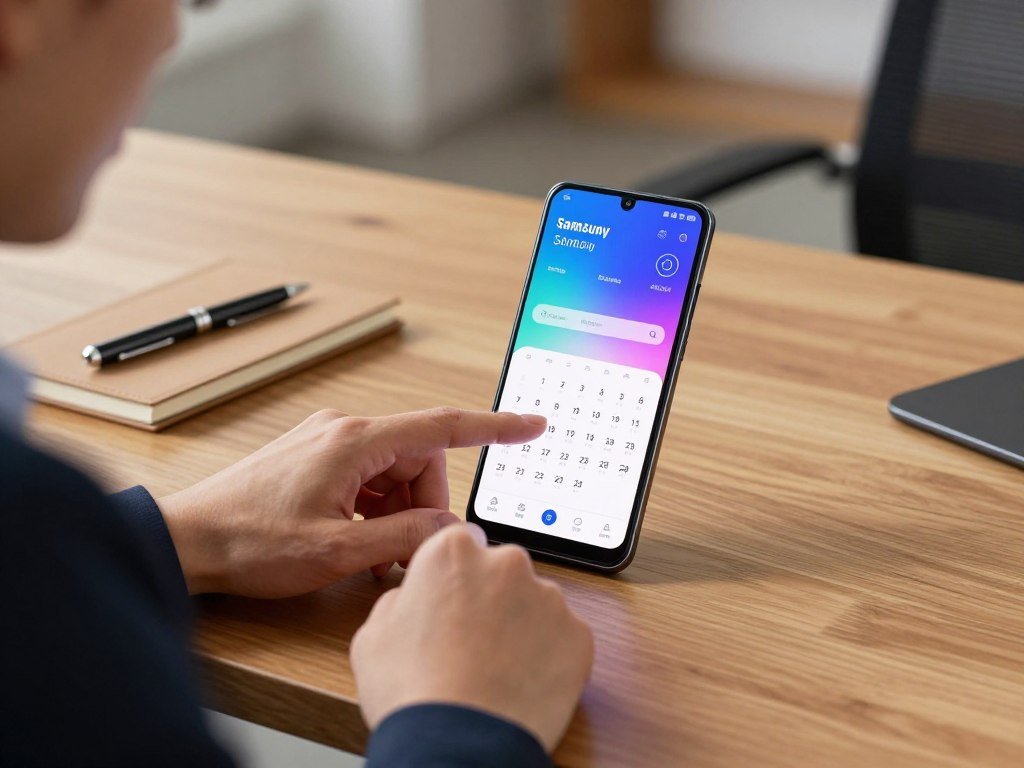
Gemini for Google and Android integration
Gemini suits users who rely on Android and Google Workspace. It can handle multimodal work, including requests involving more than typed text. You can also use it for Google Calendar questions when your account and feature access support the request.
Google Assistant remains a familiar system tool, but Gemini is the Google AI assistant designed for broader conversations and tasks. Try it with a request tied to your usual Google services before changing your default assistant.
ChatGPT for flexible voice and file tasks
ChatGPT works on Android and supports voice and file tasks. In 2026, ChatGPT Plus includes advanced reasoning models, image creation, deep research, memory, file uploads, projects, scheduled tasks, custom GPTs, and Codex. Those features make it a flexible option beyond quick chat.
ChatGPT can also launch through Android’s usual assistant gestures for some users, though availability and system actions can vary. A report on setting ChatGPT as the default assistant notes that it may not handle tasks such as timers or Google Calendar events.
Galaxy AI for Samsung-specific tools
Galaxy AI is a separate feature layer, not simply another general chatbot. Samsung listed Circle to Search, Live Translate during calls, Note Assist, Photo Assist, and Generative Edit as free on S24 and S25 phones and Tab S10 devices in May 2026.
Samsung users can pair those tools with Gemini rather than treating the assistants as rivals. Test these four everyday jobs on your phone:
- Ask about an upcoming calendar event.
- Draft a message by speaking instead of typing.
- Summarize a screen or an uploaded file.
- Use a photo as context for a question.
For a closer look at the strengths of the main assistants, read this ChatGPT, Claude, and Gemini comparison. Try the same everyday task in each assistant and keep the one that handles it with fewer corrections.
Which AI Tools Are Strongest for Research and Long Documents?
For a research answer you can verify, Perplexity is the clearest starting point, while Claude is better suited to long documents. Grok DeepSearch is another option when you want an AI to search the web in repeated steps.
A citation is a lead to check, not proof that every sentence in a generated answer is correct. Compare how each tool handles its source material and the task you need done.

| Tool | Strongest research task | How it handles source material | Practical limitation |
|---|---|---|---|
| Claude | Long documents and nuanced analysis | Works with lengthy supplied text | Long context does not prove conclusions |
| Perplexity | Finding web answers to questions | Shows clickable citations | Each cited page still needs review |
| Grok DeepSearch | Iterative web research | Searches the web and analyzes results | Generated claims still need checking |
Claude’s context window is described as 200K tokens, which can help with long-document work. A large context window lets the tool process more text at once, but it does not remove the need to check an important conclusion.
Perplexity answers include clickable citations that can lead you to the pages behind a claim. Grok DeepSearch can search the web iteratively, then analyze information for a research query.
A guide to AI chatbot picks for work and study offers a wider view of research and general-purpose options. Check the cited page or the original document before relying on a consequential claim.
Which AI Apps Make Studying Easier on Android?
For studying from a known set of class sources, NotebookLM is the clearest starting point because its answers include citations to those materials. That source link helps you trace a response back to a lecture or reading.
Use NotebookLM for source-grounded questions, RemNote for scheduled review, and Studley when your materials come in many formats. A student who needs strict source grounding should check answers against uploaded course material.

NotebookLM for uploaded course material
NotebookLM builds its answers around materials you upload, rather than treating every question as a general web search. It can create practice quizzes, study guides, flashcards, mind maps, and audio overviews from those materials.
In 2026, the free version allows 100 notebooks with 50 sources per notebook. Its citations can help you find the class source behind an answer, but they do not replace reading the source itself.
For an overview of tools matched to study and other daily needs, see these AI app picks for work and life. NotebookLM is especially useful when your course already has a clear set of readings, slides, or notes.
RemNote for flashcards and review
RemNote turns study notes into flashcards and supports spaced-repetition review, which brings cards back over time. Its free plan supports AI flashcard creation and spaced-repetition review in 2026.
The paid options are RemNote Pro at $10 per month and Pro with AI at $20 per month in 2026. A 2025 study on digital flashcard recall found that retrieval practice helped learners more as they completed more learning rounds.
Studley for mixed study formats
Studley accepts PDFs, lecture slides, class notes, YouTube videos, recordings, and documents. It can turn them into AI flashcards, quizzes, notes, summaries, tutoring chats, practice questions, and podcasts.
In October 2026, Studley’s Google Play listing showed 4.7 stars from 108K reviews. That rating describes the listing, not proof that the app improves learning or fits your course.
Generated materials work best as a way to test what you remember. Use generated flashcards as prompts for recall, then check missed answers against the original notes.
Which AI Apps Help With Meetings, Notes, and Writing?
If you need meeting notes that can be searched and shared, Otter is a more suitable fit than a general chatbot. Its meeting focus brings transcripts, summaries, and action items together.
Keep the transcript available because a summary can miss technical details. Pixel Recorder offers searchable recordings on Pixel devices, while Grammarly helps polish text across Android apps.
Otter and Pixel Recorder for spoken notes
Otter can transcribe meetings in real time and connect with Zoom, Google Meet, and Microsoft Teams. Its free tier includes 300 transcription minutes per month, which can suit regular calls with a modest recording load.
Pixel Recorder takes a different approach: it stores searchable recordings on Pixel devices. Use it for spoken notes captured on your phone, rather than relying on it as a meeting service connected to other platforms.
Before you share a transcript or summary, follow these steps:
- Choose a recorder that fits the meeting or note.
- Test microphone capture before the conversation starts.
- Check names and technical terms in the transcript.
- Review action items before sharing them.
Grammarly for writing across apps
Grammarly works as an Android keyboard across apps, so you can use its writing help in messages, documents, and email. It offers grammar, clarity, tone, and rewriting suggestions as you type.
That can help when you need a more direct email or a warmer reply on a small screen. Keep your own voice, and accept a change only when it says what you mean.
Read back names, figures, and action items before sending a transcript or summary to your team.
What Can Android AI Apps Do With Images, Voice, and Video?
For a quick real-world image task, Google Lens can identify an object or pull text from a sign without starting a long chat. That makes it handy for labels, signs, and QR codes.
Use Lens to read or identify, Google Photos to edit pictures, and CapCut to edit video. Grok adds voice mode, image editing, and video input in its Android app.
Google Lens can identify image contents, copy real-world text, and read QR codes. Google Photos adds image editing and Lens-based text interaction, while CapCut focuses on video editing.
CapCut’s free tier includes auto captions, background removal, voice enhancement, and text-to-speech in 93 languages. Grok can edit uploaded images and offers voice mode in its Android app.
Grok 4.3 can process video input and create downloadable PDFs, formatted spreadsheets, and slide decks from conversations. Try these four distinct jobs:
- Identify an object with Google Lens.
- Extract text from an image of a sign or page.
- Add captions to a short video with CapCut.
- Ask Grok to interpret an uploaded video.
These tools can save steps, but generated visuals and documents can still contain errors. Check any generated slide, spreadsheet, or caption for errors before using it publicly.
Which AI App Can Plan Your Day and Manage Tasks?
Choose Lifestack when energy-aware planning matters most, and Motion when deadlines and automatic calendar placement are the main problem. Gemini fits another need: quick requests tied to Google Calendar.
Lifestack tags tasks by cognitive load and can reschedule when plans change; Motion prioritizes deadlines but does not account for energy levels. Here is how their planning styles differ.
| Tool | Planning approach | Calendar connection | Best fit |
|---|---|---|---|
| Lifestack | Energy-aware task scheduling | Google Calendar sync | Matching tasks to energy |
| Motion | Deadline-based automatic placement | Uses calendar availability | Reordering a busy schedule |
| Gemini | Calendar-linked requests | Google Calendar | Quick event questions |
Lifestack can automatically reschedule when your day changes. It focuses on scheduling rather than general conversation, so you would still use another assistant for open-ended questions.
Motion builds a schedule from tasks, calendar availability, and deadlines, then reprioritizes when the plan shifts. Gemini supports calendar-linked requests for people who already use Google Calendar.
Try each approach with realistic tasks:
- Schedule deep work during a high-energy period.
- Place email in a lower-energy window.
- Reprioritize a deadline when a meeting appears.
- Ask a calendar-linked assistant a quick event question.
Try the planner against a real day that includes one interruption, since rescheduling is where the approaches become easiest to compare.
Can You Build AI Apps for Android for Free?
For free model experiments and lightweight prototypes, start with Google AI Studio; for a visual builder, compare the free credit limits before starting a project. The key difference is whether you want to test a model or build with a visual tool.
A browser-based prototype does not automatically become a finished native Android app or APK. Google AI Studio supports prompt tests and lightweight app work, while visual builders limit how much you can build for free.
Google AI Studio for prompt experiments and prototypes
Google AI Studio is a free, web-based tool for testing Gemini prompts, generating images, creating speech, and building lightweight apps in 2026. It suits you when you want to see how a model responds before you build a full product.
It is not a directory of every free AI service or a ready-made Android app builder. Think of it as a place to test an idea and shape a small prototype in a browser.
Lovable for credit-limited app building
Lovable’s free plan provides five daily credits, with a maximum of 30 credits per month. Projects on that plan are public on a lovable.app subdomain in 2026.
That public-project condition matters if your idea includes private content. Its limited monthly allowance is best for small tests, not a long build that needs frequent changes.
Bolt.new for token-based building
Bolt.new’s free plan provides one million tokens per month, with a 300,000-token daily cap in 2026. Tokens measure how much work the tool can process, so a large project can use the allowance faster.
Compare both limits before you begin: the monthly total does not let you spend more than the daily cap on one day. Keep your scope small enough to test the core idea.
Zite for a small monthly credit allowance
Zite’s free plan provides 50 credits per month, with a maximum of 10 credits per day in 2026. Its limits make it another option for trying a visual builder on a small project.
Google AI Studio is the best free AI for Android app development when you need prompt testing; a visual builder may suit you better when you want to shape screens. The daily and monthly caps differ, so plan your test around both.
Keep a backup of project instructions and code before a free allowance runs out or a project becomes difficult to continue.
What Do Free Plans and Paid AI Subscriptions Cost?
Free tiers are enough to try most of these tools, while paid plans make sense when a specific limit or advanced feature blocks a regular task. Pay for a need, not for a long feature list you may never use.
ChatGPT Free includes unlimited everyday text chats under fair-use safeguards, but uploads, image generation, voice, and deep research have separate limits. These named plans show how costs compare in the United States in 2026.
| Service | Free option | Named paid plans | Pricing condition |
|---|---|---|---|
| ChatGPT | $0 | Go $8, Plus $20, Pro $100, $200, or $500 per month | United States pricing in 2026 |
| Gemini | Free tier available | AI Plus $9.99, Google AI Pro $19.99 per month | Monthly prices in 2026 |
| Grok | Free access available | SuperGrok $30, Heavy $300 per month | Monthly prices in 2026 |
| Claude | Free tier available | Pro $20 monthly or $17 monthly billed annually | Annual billing lowers the monthly rate |
| Study tools | Free plans available | RemNote Pro $10, Pro with AI $20 per month | RemNote prices in 2026 |
ChatGPT’s $500-per-month Pro plan launched September 29, 2026, and includes Ultrafast mode. ChatGPT Free may show ads to U.S. users in 2026.
ChatGPT subscriptions do not include API use, which is billed separately. A paid plan is worth considering when a feature or limit affects a task you do often, such as handling more files or using an advanced model.
Outside the table, Lifestack costs $7 monthly, $50 yearly, or $120 for a lifetime plan, with a seven-day trial on annual plans. Motion costs $19 monthly or about $12.73 monthly billed annually; Otter Pro costs $16.99 monthly or $8.33 billed annually; Grammarly Pro costs $12 monthly.
Before subscribing, check whether the plan renews monthly or annually and whether the feature you need is included.
How Should You Check Privacy Before Installing an AI App?
Before downloading an Android AI app, check the developer name first, because a familiar name or large download count does not establish that an app is official. Read the listing closely before giving it access to files or personal details.
Do not submit credentials, confidential work, or other sensitive information unless you understand the app’s terms. Google Play data-safety details can help you see what an app says it collects or shares.
Verify the app and developer
An AI app for Android can be downloaded through Google Play, but the app name alone does not prove who made it. Open Chat is a chatbot app developed by AceTools Team, not an app affiliated with, endorsed by, or sponsored by OpenAI.
In October 2026, its Google Play listing showed more than 50 million downloads and a 4.6-star rating from 318,000 reviews. The listing says it uses GPT-5-nano and contains ads and in-app purchases, but those details do not make it OpenAI’s ChatGPT.
Read data-safety disclosures and privacy terms
Open Chat’s data-safety declaration says it may collect app activity, app information and performance data, and device or other IDs. Studley’s declaration says it may share app activity and device or other IDs with third parties.
Those disclosures describe declared data practices, not a full account of every possible use. Read the privacy terms as well, especially before using an app for school or work.
Limit sensitive uploads
Grok can receive files, images, audio, voice, and video. In 2026, user content may be used to develop and improve the service, and inputs may appear in generated output.
Grok account data may include your name, contact details, credentials, and date of birth. If you use Grok on X, X’s privacy policy and terms apply instead of the Grok app privacy policy.
If you would not want a detail repeated in a generated answer, do not put it into the prompt.
Review app access and data terms before sharing anything that could expose a person, a project, or an account.
Conclusion
A useful first choice is the one that improves a task you already do, not the one that adds the most novelty. Gemini is the practical default assistant for Android and Google integration, while a specialist tool may fit study, research, writing, or planning better.
Pick one recurring task, such as summarizing a class reading or organizing tomorrow’s calendar. Try the matching free plan for a week and notice whether it saves time or needs too many corrections.
Pick one recurring task today and test its matching free tool before committing to a subscription.
FAQ
Is there a website that offers all free AI tools in one place?
No single website offers every free AI tool in one place. Google AI Studio gives you free access to Gemini prompt experiments and lightweight app creation, but it is a development tool rather than a directory. You can use it to test prompts, generate images, create speech, and try small prototypes. Check each service’s own free plan for its limits.
What is the best free AI conversation app?
Gemini is the best free conversation app when Android integration matters most, while ChatGPT is a strong pick for broad general conversation. Both offer free options, though their features have limits. Gemini fits users who rely on Google services and an Android phone. ChatGPT is a good place to start when you want a flexible assistant for many kinds of everyday questions.
Which AI is worth paying for?
Pay for an AI when a feature or limit affects a task you do often enough to justify the fee. ChatGPT Plus costs $20 per month in the United States in 2026, making it one clear example to compare. Consider the plan only if its added features solve a regular problem. A free tier may be enough if you use the app for simple conversations.
Which AI app is better than ChatGPT?
Gemini is a better fit than ChatGPT for deep Android and Google integration, while Perplexity is better for cited web research. Neither app is better for every task. Gemini suits people who want help tied to Google services, and Perplexity makes it easier to open web pages behind an answer. ChatGPT remains a flexible choice for general conversation and a wide range of requests.
What AI is replacing ChatGPT?
No single AI app is replacing ChatGPT. Gemini, Claude, Perplexity, and Grok offer alternatives with different strengths, while ChatGPT remains available on Android. Gemini suits Google-connected phone tasks, Claude can help with long documents, Perplexity focuses on cited web answers, and Grok offers its own research and media tools. The best alternative depends on what you want to do.
Is Grok better than ChatGPT?
Grok is a better fit when you want Grok 4 access and DeepSearch through SuperGrok, while ChatGPT suits broader general conversation. ChatGPT Plus costs $20 per month in the United States in 2026. SuperGrok costs $30 per month, so the choice also depends on which tools you will use. Try both on the same real task before paying.
How much does Grok cost?
SuperGrok costs $30 per month, and SuperGrok Heavy costs $300 per month in 2026. Heavy adds higher usage limits and early access to models. The lower-priced plan may be enough if you want regular access without the expanded allowance. Compare the plan’s limits with how often you expect to use Grok before choosing.
Is Grok safe to use?
Grok’s safety depends in part on what you share with it. User inputs may be used to improve the service and may appear in generated output, so avoid sensitive material unless you accept those terms. Grok can receive text, files, images, audio, voice, and video. Check the privacy terms for the version you use, especially when accessing Grok through X.



