
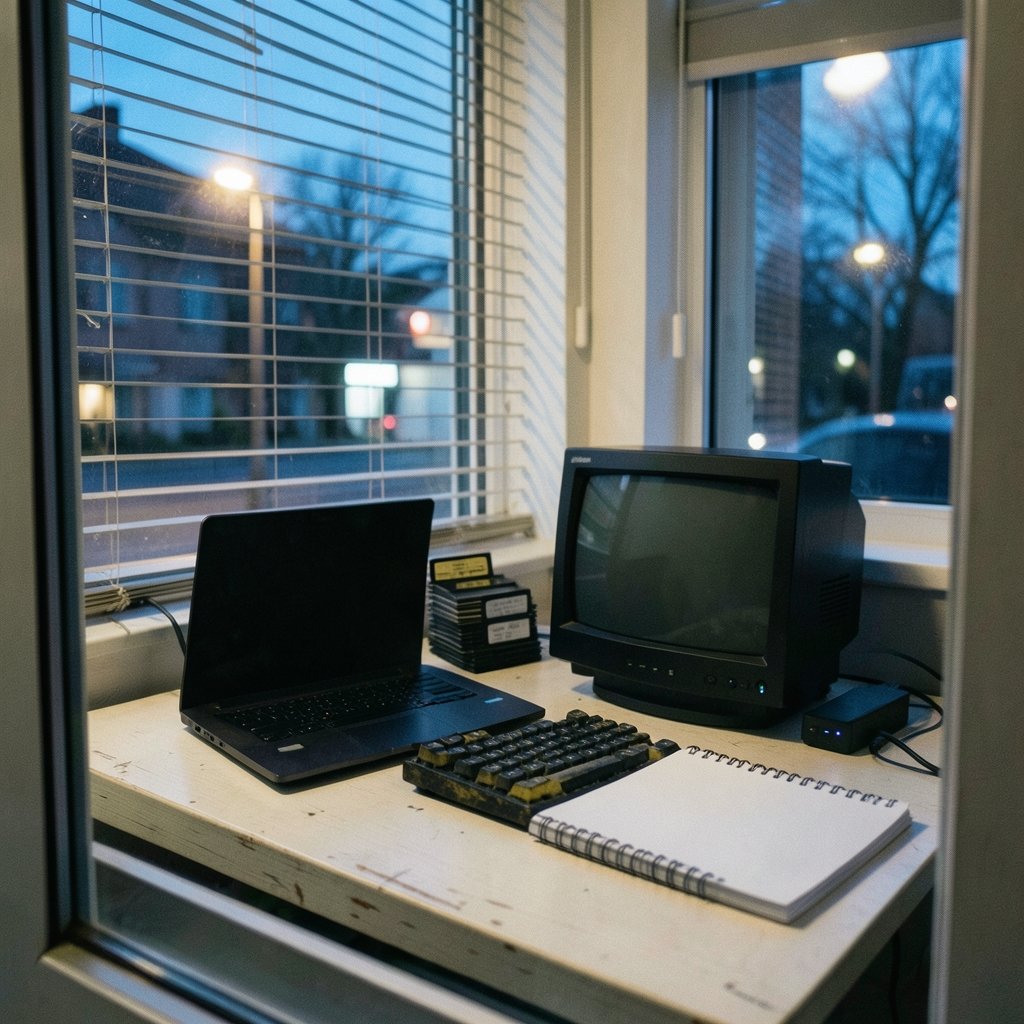
What do you actually do after you download a PC emulator? That question separates these three projects faster than any spec sheet. 86Box, PCem, and MartyPC all put old PC hardware on a modern screen, but they ask for very different things from the person running them. One wants you to click through a setup wizard. One expects you to feed it the right files. One assumes you care about individual clock cycles and might even want to read a trace log for fun. (Emulator)
If you have ever installed an emulator expecting a console-style “load ROM, press start” experience, you know how quickly that assumption falls apart. The differences are not about which project is “best.” They are about which workflow fits your goal: running a pile of 1990s software, preserving a machine you remember, or studying how an original IBM PC actually behaves at the instruction level. (Keyboard foam mod sound differences actually changes)
The Short Version: Three Projects, Three Jobs
Here is the honest framing as of writing. 86Box is the actively developed fork and successor of PCem, with regular releases through the mid-2020s and a GUI-driven configuration approach. PCem’s last widely known public release was version 17, around 2020, and development largely stalled afterward. MartyPC is a cycle-accurate IBM PC and XT emulator written in Rust, focused on accuracy and debugging tooling rather than broad hardware coverage.
That single paragraph explains most of the workflow gap. The lineage matters, too: 86Box forked from PCem, so the two share DNA but have drifted apart in how they treat the user. For background on that fork history, the PCem encyclopedia entry covers the lineage and the relationship between the projects.
| Project | Development status | Hardware scope | Setup style |
|---|---|---|---|
| 86Box | Active, regular releases | Broad: many chipsets, CPUs, sound cards, GPUs | GUI settings dialog plus ROM manager |
| PCem | Dormant since roughly v17 (c. 2020) | Broad but frozen | Sparser UI, manual ROM placement |
| MartyPC | Active, developer-oriented | Narrow: IBM PC/XT, 8088 class | Config plus accuracy tooling and tracing |
Why the Setup Workflow Diverges So Much

86Box: the wizard approach
86Box treats configuration as a first-class feature. You open a settings dialog, pick a machine type, choose a CPU, set RAM, select video and sound hardware, and point storage at a disk image. A built-in ROM and configuration manager handles files that used to be scavenger hunts. The 86Box documentation explains the configuration workflow and supported hardware in detail if you want to see the shape of it before installing.
This is the workflow most people actually want. You are not maintaining a folder of loose BIOS files and hoping the naming matches. You are describing a machine in a form and letting the emulator assemble it. The tradeoff is that 86Box gives you a lot of dropdowns, and the first run can feel like filling out a tax form if you do not know which chipset you want.
PCem: the filing cabinet approach
PCem’s workflow is more config-file and BIOS-ROM centric, and historically it required users to source and place ROM files manually. The interface is sparser. If you came up on PCem in its prime, this felt normal. If you arrive in 2027, it feels like being handed a parts bin and a schematic.
That is not a knock on the emulation. It is a statement about maintenance. A dormant project does not get new machine definitions, and its documentation does not grow to match new hardware. Anyone setting up PCem today should expect to do more reading and more manual file handling than with 86Box.
MartyPC: the laboratory approach
MartyPC sits in a different category entirely. It emulates one narrow, highly accurate machine class: the original IBM PC and XT, built around the 8088. Its workflow centers on accuracy verification and developer tooling, including cycle-level tracing and comparison against real hardware. The MartyPC project repository documents its accuracy goals and evolving feature set.
This means the setup is not the hard part. The hard part is knowing why you are there. If you want to run a 1984 game, MartyPC will do it, but you are paying for precision you may never notice. If you want to understand exactly how many cycles an instruction took or why a demo behaves differently on real iron, that precision is the entire point.
Broad Compatibility vs Cycle Accuracy: the Real Decision
The scope difference drives everything else. 86Box and PCem emulate a wide range of PC-compatible hardware across multiple CPU generations and many peripherals. MartyPC emulates one narrow, highly accurate machine class. Choosing between them is really choosing between broad compatibility and cycle accuracy.
Cycle accuracy means the emulator tries to reproduce the timing of each instruction and bus operation, rather than only the final result. That matters for software that depends on precise timing, for hardware research, and for anyone debugging code that must run identically on original machines. It also costs more compute per emulated instruction than the more approximate, performance-oriented approach typical of 86Box and PCem when they target faster machines. That is a characterization of the design tradeoff rather than a measured benchmark, so treat specific performance claims with suspicion unless someone shows you the numbers.
In practice, most people overestimate how much they need accuracy. A person replaying a childhood adventure game wants it to look and sound right and not crash. A person writing a bootloader for an 8088 board wants cycle-level truth. Those are different hobbies that happen to share a file extension.
Practical Setup Tips That Save Hours
Pick the machine before the software. In 86Box, decide what era you are emulating first, then choose hardware to match. Dropping a 1994 game onto a machine configured as an early 386 is a common mistake that produces confusing results.
Keep your ROM and disk images in one place. Both 86Box and PCem benefit from a tidy folder structure. Scattered downloads are the number one cause of “why won’t this boot” threads.
Do not chase the newest build blindly. 86Box’s frequent builds are a strength, but if a setup works, note the version you used. Emulator regressions happen, and knowing your working baseline saves a rebuild.
Read the disk image format notes. Raw images, install media, and prebuilt hard disk files behave differently. A machine that will not boot is often a storage configuration problem, not an emulation bug.
Test sound early. Sound card configuration is where broad-hardware emulators get fiddly. Confirm audio works before you invest an evening in a game save.
For MartyPC, start with the docs, not the emulator. The accuracy tooling only makes sense once you understand what it is measuring. Skipping that step makes the trace output look like noise.
If your wider workflow involves keeping notes on machine configurations, a local-first notes setup helps more than you would think. This comparison of Obsidian vs Logseq local-first notes by workflow is a reasonable starting point for organizing per-machine build notes and version baselines.
The Support and Community Workflow
Support looks different across all three. 86Box has an active community with a wiki and frequent builds. PCem’s community is largely legacy, which means forum answers may reference hardware or file layouts that no longer match current expectations. MartyPC’s community is developer-oriented, with discussion happening through its repository issue tracker.
This changes how you troubleshoot. With 86Box, you can usually find someone who hit your exact problem recently. With PCem, you are reading archaeology. With MartyPC, you are often talking directly to people working on accuracy problems, which is great if your question is technical and less great if you just want a game to run.
There is a second-order effect here that rarely gets mentioned: documentation quality shapes the workflow as much as the software does. A GUI is only friendly if the labels make sense, and a config file is only manageable if someone wrote down what the fields mean.
Where Each Emulator Fits in a 2027 Workflow
The most likely 2027 picture, based on the trajectory through 2025, is 86Box as the mainstream choice, MartyPC as the accuracy-focused niche, and PCem as legacy. That is a projection, not a verified fact, and anyone publishing a comparison should frame it as status as of writing.
| If your goal is… | Reach for… | Because… |
|---|---|---|
| Running a wide range of DOS and early Windows software | 86Box | Broad hardware coverage and guided setup |
| Recreating a specific machine from memory | 86Box | Many chipsets and peripherals to match |
| Preserving or studying original IBM PC behavior | MartyPC | Cycle-level accuracy and tracing |
| Homebrew 8088 development and testing | MartyPC | Debugging tooling built for the job |
| Maintaining an existing PCem setup | PCem | It still works; migration is optional |
That last row deserves emphasis. A working PCem installation is not broken just because the project is quiet. Migration costs time, and if your configuration does what you need, the pragmatic move is to leave it alone and keep notes on how it was built.
Common Mistakes People Make
The biggest one is treating these as interchangeable downloads. They are not. A person who installs MartyPC expecting 86Box’s hardware menu will conclude it is broken. A person who installs PCem expecting guided setup will conclude they did something wrong.
The second mistake is ignoring the ROM situation. Manual ROM placement is a real workflow step in older tools, and skipping it produces errors that look like emulator failures. The third is over-buying accuracy. Most users never need cycle-level precision, and the extra complexity becomes friction rather than value.
The fourth is scattered documentation. If your emulator setup lives only in your head, a rebuild after a drive failure becomes a research project. Write down the machine type, the CPU, the storage format, and the version. Future you will be grateful.
For anyone who also spends time wrangling modern desktop tools, the same principle applies: a workflow that fits your actual habits beats one that looks impressive. That is the thread running through this breakdown of Dropbox alternatives by use case that actually fits your workflow, and it is the same reason an emulator should be chosen by task rather than by reputation.
Conclusion
The 86Box vs PCem vs MartyPC question is not a hardware shootout. It is a question about what you want your evening to look like. 86Box asks you to describe a machine and then gets out of the way. PCem asks you to maintain files and rewards patience with a stable, frozen setup. MartyPC asks you to care about precision and gives you the instruments to study it.
Choose by task. If you want to run a broad library, pick the actively developed option with the guided setup. If you want to study the original IBM PC at the cycle level, pick the accuracy-focused project and read its documentation first. If you already have a working legacy setup, keep it and document it properly. The emulator is only half the workflow. The other half is knowing why you opened it.
Frequently Asked Questions
Is 86Box better than PCem?
For most new users, yes, in workflow terms. 86Box is actively developed, has regular releases, and uses a GUI-driven configuration approach with a built-in ROM and configuration manager. PCem’s last widely known release was version 17 around 2020, and its workflow is more config-file and manual-ROM centric. Better here means easier to set up and maintain, not necessarily more accurate for any specific machine.
Can I run 1990s games on MartyPC?
You can run software for the original IBM PC and XT class, but MartyPC targets one narrow, highly accurate machine class built around the 8088. It is not designed for 486 or Pentium-era titles. If your library spans the 1990s broadly, a broad-hardware emulator like 86Box is the more practical fit.
Why does PCem need ROM files placed manually?
PCem’s workflow is more config-file and BIOS-ROM centric, and historically it required users to source and place ROM files manually rather than managing them through a settings dialog. That was normal for its era. Newer tools wrapped the same underlying need in a manager so users would not have to handle files directly.
What does cycle-accurate emulation actually mean?
It means the emulator reproduces the timing of individual instructions and bus operations, rather than only the final output. Cycle-accurate emulation is computationally heavier per emulated instruction than the more approximate, performance-oriented approach typical of broad-hardware emulators. It matters for timing-sensitive software, hardware research, and debugging code that must behave identically on original machines.
Is PCem dead?
Development largely stalled after version 17, with the maintainer’s attention shifting toward 86Box, which forked from PCem. A revival cannot be ruled out, so check the project’s own release history before assuming. Even if it stays quiet, existing PCem installations continue to work, and migration to 86Box is optional rather than mandatory.
Which emulator should a beginner start with?
Start with 86Box if your goal is running old software. The settings dialog, ROM manager, and active community reduce the number of dead ends. Start with MartyPC only if you specifically want accuracy tooling and are willing to read documentation before touching the emulator. Beginners rarely regret choosing the guided path first.



