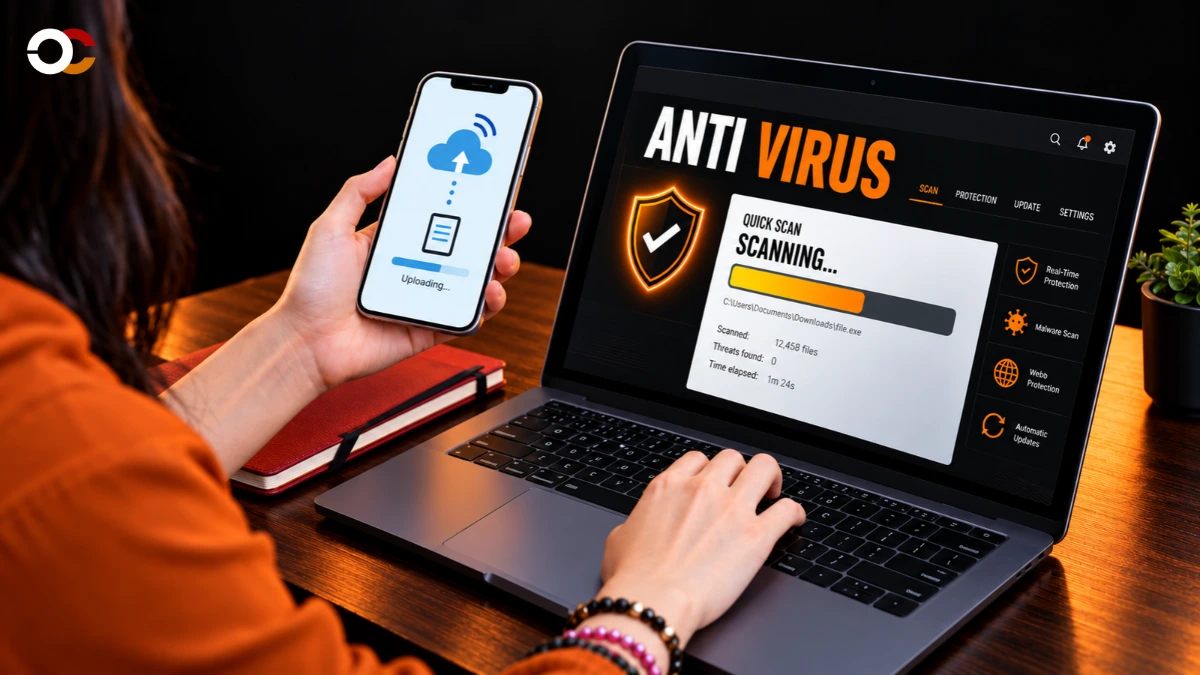
A no-cost security app can be a sensible choice if it actively blocks threats and suits the devices you use. Real-time protection is a security feature that checks files and activity continuously and can block threats as they appear. Free plans differ in real-time scanning, device coverage, and extra tools, so the right fit depends on your computer, phone, and online habits.
In the United States, “free” may mean a permanent plan with fewer features, not a short trial. A reputable option can help protect your data from malware and unsafe websites, but it cannot remove every online risk. Start by matching the free plan to the devices and online risks you actually need to cover.
Key Takeaways
- Bitdefender Antivirus Free is the main pick for most Windows users.
- Avast One Free covers more types of devices and operating systems.
- Microsoft Defender is a practical built-in option for Windows.
- Malwarebytes Free scans on demand but does not replace active protection.
- Check free-plan limits and device support before you install.
- Keep your operating system and security apps updated.
Best Free Antivirus Software: Top Picks for Different Devices
For most Windows users who want a free app that actively checks for threats, start with Bitdefender Antivirus Free. It gives a Windows-focused user a clear path to free antivirus protection, while other options suit different devices and needs.
Choose a product that protects the operating system you use first. A strong scan or extra tool cannot help if the app does not support your device or only scans when you start it.
| Product | Best fit | Platform scope | Free-plan role |
|---|---|---|---|
| Bitdefender Antivirus Free | Windows protection | Windows | Active protection |
| Avast One Free | Several operating systems | Windows, macOS, Android, iOS | Cross-platform coverage |
| AVG AntiVirus Free | Free scans and tune-up tools | Windows, macOS, Android | Active protection and scans |
| Microsoft Defender | Built-in Windows security | Windows | Baseline protection |
| Malwarebytes Free | Manual malware cleanup | Windows and other supported systems | Manual scanner |
For a Windows PC, choose an app that provides real-time protection if you want threats checked as they appear.
PCMag named Avast One Free and AVG AntiVirus Free its Editors’ Choice winners in the 2026 free antivirus category. Those awards add context, but each program still has a different role.
Bitdefender is the overall recommendation for most Windows users. Avast One Free is the cross-platform pick, while Defender is a practical built-in choice.
Malwarebytes Free can help with cleanup, but it is a manual scanner rather than a replacement for real-time protection. Choose the option that covers your operating system before weighing secondary features.
How Do Independent Antivirus Tests Measure Protection?
A strong lab result is most useful when you check both the tested product version and the exact test categories. Protection, performance, and usability measure different parts of the experience, so one score cannot tell the whole story.
A paid product’s perfect score does not prove that its free plan has the same settings or features. AV-TEST’s August 2026 Windows home-user test examined 15 products, awarding up to six points in each category and 18 overall.
What the lab scores measure
Protection measures how well a product finds and blocks threats. Performance tracks the effect on everyday system speed, while usability covers issues such as false warnings.
AV-TEST used current public versions at default settings and tested them against real-world threats. A separate AV-Comparatives real-world test challenged products with 200 live malicious URLs on an updated Windows 11 system.
| Product/version | Protection | Performance | Usability |
|---|---|---|---|
| Bitdefender Total Security 27.0 | 6/6 | 6/6 | 6/6 |
| Avira Internet Security for Windows 1.1 | 6/6 | 6/6 | 6/6 |
| ESET Security Ultimate 19.1 | 6/6 | 6/6 | 6/6 |
| TotalAV 6.6 | 6/6 | 5.5/6 | 6/6 |
| EnigmaSoft Spyhunter 5.22 | 5.5/6 | 6/6 | 6/6 |

How to read a perfect score
AV-TEST gives its TOP PRODUCT label to Windows security products scoring at least 17.5 of 18 points. Several paid products earned 18 points, including Bitdefender Total Security 27.0 and Avira Internet Security for Windows 1.1.
Those results are useful for judging the tested editions, not every free antivirus program from the same company. Compare like with like by checking whether the tested edition is the free product you plan to install.
Is Bitdefender Antivirus Free the Best Windows Pick?
Bitdefender Antivirus Free is a strong choice for a Windows user who wants permanent, active protection without a trial countdown. Permanent means the free app has no trial period or validity due date.
The free app includes real-time protection and virus scanning for Windows PCs. It is designed for Windows 10 and Windows 11, and its scanner detects and blocks viruses and other e-threats.
What the free Windows app includes
The app uses the same core antivirus technology as Bitdefender’s commercial version. That gives you the basic tools to check files and block threats without paying for a subscription.
It also includes up to 200 MB of encrypted VPN traffic per device per day at no extra cost. That allowance may help for a quick connection on public Wi-Fi, but it is not full VPN access.
Where the free plan draws the line
Bitdefender keeps this version focused on essential protection. It does not include every extra feature offered by paid products, even though the core antivirus technology is shared.
Full VPN access requires a separate subscription. If you need more than basic protection or 200 MB of VPN traffic per device per day, compare the paid feature set before relying on the free app.
Avast Free vs. AVG Free: Which Fits Your Needs?
If you want an easy choice between Avast and AVG, either one is a credible Windows option, and AVG offers the more feature-rich free toolkit. Either received strong results in the August 2026 Windows test.
Both tested free products earned 6/6 in protection, performance, and usability. The scores describe the tested versions, while your choice can come down to which tools you will use.
| Product/version | Protection score | Performance score | Usability score |
|---|---|---|---|
| Avast Free Antivirus 26.6 | 6/6 | 6/6 | 6/6 |
| AVG Antivirus Free 26.6 and 26.7 | 6/6 | 6/6 | 6/6 |
Avast for simple everyday protection
Avast Free Antivirus is a straightforward choice if you want a free antivirus option without a long list of extra tools. Its full marks in all three lab categories offer a useful sign of how the tested Windows edition performed.
Avast and AVG share ownership, but that does not make their apps identical. Their free features and menus differ, so compare the tools you will actually use.
AVG for added scanning and tune-up tools
AVG AntiVirus Free includes real-time protection, scheduled and manual scans, and basic device-optimization tools. PCMag rated it 4.5 out of 5 in its 2026 free antivirus review and noted its background firewall and performance tune-up scan.
These additions suit people who want scans they can start or schedule, plus simple system checks. Pick AVG for its included scans and tune-up tools, or Avast if you prefer its simpler free-antivirus role.
Is Microsoft Defender Enough for a Windows PC?
If you use Windows and want a no-install starting point, Microsoft Defender is a reasonable choice. It comes bundled with Windows, so you do not need a separate antivirus download to get a baseline.
Defender includes firewall and network protection, plus app and browser control. Its built-in role suits users who want a simple security option without adding another program.
Microsoft Defender Antivirus (Consumer) 4.18 scored 6/6 in protection and usability, and 5.5/6 in performance, in AV-TEST’s August 2026 home-user test. Those categories help you weigh security and system impact separately.
A standalone free antivirus may suit you better if you prefer another interface or need a feature Defender does not offer. Avoid adding a second real-time scanner without first checking for conflicts, since overlapping tools can interfere with each other.
For someone asking for the best free antivirus for Windows 11 or Windows 10, Defender is a sensible built-in option. Keep Defender if its built-in coverage meets your needs, and compare another product only when you can name the feature you are missing.
Which Free Antivirus Apps Work on Android?
Android users have five well-tested app names to compare, including Bitdefender Mobile Security and Avast Mobile Security. Start by checking each app’s free features, since a lab score does not describe every plan.
Equal lab scores do not mean all five free tiers offer the same tools or limits. The 2026 comparison selected Bitdefender Mobile Security, Kaspersky Internet Security, Avast Mobile Security, Norton Mobile Security, and Trend Micro Mobile Security.
How the five Android picks compare
Each app received 6/6 for protection, performance, and usability in the AV-TEST assessments used for the comparison. Those results make the names worth comparing, but they do not show whether every feature is free.
Check the current terms in the official app store before installation. The app listing can help you see which tools come with the free version and which need payment.
What Avast Mobile Security adds for free
Avast Mobile Security’s basic Android app is free and includes a Wi-Fi network scanner and a photo-vault feature. The scanner checks the network, while the vault gives you a place to store selected images.
When you compare security apps with other phone tools, pay attention to how an app handles personal data. A look at AI features on phones can help you think about which tasks happen on the device and which may use remote servers.
For a free extra beyond scanning, Avast’s Wi-Fi network scanner and photo vault are useful features to check.
What Works Best Across Mac and Multiple Devices?
For a household mixing phones and computers, Avast One Free has the broader stated platform reach. Broad means the free product is offered for Android, iOS, macOS, and Windows.
Check both operating-system support and the number of devices covered. A long platform list does not tell you whether one free account can protect every device in your home.
Avast One Free for broad platform coverage
PCMag rated Avast One Free 4.5 out of 5 in its 2026 free antivirus review. It described protection for Android, iOS, macOS, and Windows, making it a useful option when your devices run different systems.
That coverage can simplify a mixed-device household, but confirm that the features you need are part of the free version. Mobile and desktop apps can offer different tools.
AVG AntiVirus Free for a smaller device mix
AVG AntiVirus Free is available for Windows, macOS, and Android. CNET’s 2026 plan comparison lists its free service as limited to one device.
That limit matters if you want to protect a laptop and a phone with the same free plan. Count the devices you actually need to cover before choosing an app for its platform list alone.
When Is Malwarebytes Free Useful as a Second Scanner?
Malwarebytes Free is most useful when you want a manual scan to look for malware already on a device. Manual means you start the check yourself, rather than having the app watch activity continuously.
Malwarebytes Free can detect and remove malware, but it does not provide real-time protection. That makes it a cleanup tool, not a complete replacement for active antivirus software.
Manual cleanup and scheduled checks
A manual scanner checks files when you ask it to run. It does not continuously monitor new activity or block a threat as it appears.
Malwarebytes Premium 5.5 and 5.6 earned 6/6 in protection, performance, and usability in AV-TEST’s August 2026 Windows home-user test. Those Premium scores apply to the paid product, not the free scanner.
Pairing a scanner with active protection
Three useful reasons to run a manual scan include:
- Checking a device that seems to be acting strangely.
- Running a cleanup scan after a suspicious download.
- Getting a second opinion alongside one real-time antivirus.
A second scanner can help you investigate files that concern you, but it should not replace continuous protection. Keep one real-time antivirus active even when you use a second scanner for cleanup.
What Does AVG Free Include, and What Costs Extra?
AVG AntiVirus Free is a no-cost option, while broader device coverage and paid extras sit in separate plans. No-cost means the free service is distinct from the paid Internet Security and Ultimate plans.
The free service covers one device in CNET’s 2026 plan comparison. The paid prices below are not the price of AVG AntiVirus Free.
Free coverage and device limit
AVG AntiVirus Free gives you a free version for one device under that plan comparison. If you need broader coverage or paid features, the other plans have separate prices and renewal terms.
Paid plans and renewal prices
| Plan | Device count | First-year price | Annual renewal price |
|---|---|---|---|
| AVG Internet Security | 1 | $40 | $78 |
| AVG Internet Security | 10 | $60 | $100 |
| AVG Ultimate | 10 | $60 | $150 |
These prices distinguish an introductory first year from the annual renewal cost. A lower first-year offer does not mean the same price continues after renewal.
Think about how many devices need coverage before comparing paid options. Compare renewal prices as well as first-year offers before deciding whether a paid upgrade fits your budget.
How Well Do Free Antivirus Tools Block Phishing?
A phishing page can put account details at risk even when it does not install a virus. Phishing tricks you into sharing private information, often through a fake sign-in page or a misleading email link.
Phishing-page blocking and malware detection are different tests. A site can try to steal your password without placing a virus file on your device.
In 2025, AV-Comparatives reported that Avast detected 95% of phishing pages with no false alarms. AV-TEST reported that Avast detected and blocked 100% of real-world threat samples in its 2025 home-user protection test.
SE Labs gave Avast a 100% total accuracy rating and reported 0% false positives in its 2025 home anti-malware evaluation. These results describe specific tests, not a promise that every phishing page will be blocked.
Check website addresses carefully, avoid unexpected links in email, and take browser warnings seriously. Pause before entering a password if a link or website address looks unfamiliar.
How Can You Keep Antivirus From Slowing Down a PC?
If a PC feels slower during a full scan, the timing and workload may matter as much as the antivirus brand. Full scans can use more system resources than idle background protection, especially on an older or busy computer.
Schedule longer scans for quiet hours and watch how your own system responds. A lab performance score is one clue, not a guarantee about every free version or computer.
What performance scores can tell you
TotalAV 6.6 and 6.7 scored 5.5/6 for performance in AV-TEST’s August 2026 Windows test. EnigmaSoft Spyhunter 5.22 scored 6/6 for performance in the same test.
Those scores apply to the tested products and versions, not necessarily a free edition. Tom’s Guide tested system impact before installation, in the background, and during quick and full scans.
In that test setup, Kaspersky Security Cloud Free caused 5.8% slowdown during a full scan, while McAfee Total Protection caused 96%. The results show why scan workload and product version matter.
Practical ways to reduce interruptions
- Schedule full scans for hours when you are away from the computer.
- Close demanding apps while a scan is running.
- Compare system behavior before and after installing antivirus software.
Older computers may feel a scan more than newer systems with spare capacity. Schedule longer scans for a time when you do not need the computer for demanding work.
Can You Still Use Free Antivirus Software on Windows 7?
Yes, Avast supports Windows 7 SP1 with the convenient rollup update or higher, in either 32-bit or 64-bit editions. That condition applies to Avast and should not be assumed for every antivirus product.
Check the exact operating-system requirement before installing any security app. Support can differ by product and may change as software versions advance.
Before installing on an older PC, check these three details:
- Confirm the service pack and whether the system is 32-bit or 64-bit.
- Check the product’s current operating-system support.
- Avoid third-party installers and use the official product page.
Compatibility does not make an older operating system current or remove the need for updates. Security tools cannot replace updates to Windows itself.
Verify the exact operating-system requirement on the product’s official support page before downloading.
How Should You Install and Set Up a Free Antivirus?
Install the free edition from the provider’s official site or a trusted app store, not from an unfamiliar download page. Official downloads lower the chance of installing a fake or altered security app.
Choose the free edition rather than a trial if you want lasting no-cost use. Then set up the app so it can check for new threats and receive updates.
Install from the official source
- Choose the official product page or a trusted app store.
- Download the free edition, not a trial, if that is your goal.
- Follow the installer and check for a conflicting active antivirus.
- Update the app and run an initial scan.
A second active antivirus can conflict with software already on your system. Follow the installer’s directions if it asks you to remove or replace another product.
Check protection after setup
Security updates matter for antivirus apps and operating systems. CISA advises users to keep software updated, since updates can fix security issues.
After setup, check that the app reports current protection and that its updates work. Confirm that real-time protection is switched on before relying on the app for everyday browsing.
How Do You Choose Based on Your Actual Risks?
Your device mix and need for continuous protection narrow the choice faster than a long feature list. Match the tool to the job, then check that its free plan covers your device.
For one Windows PC, Bitdefender Antivirus Free is the leading choice for active protection at no cost. Other needs point to different options.
- One Windows PC needing active free protection: Bitdefender Antivirus Free.
- A mix of phone and computer platforms: Avast One Free.
- A Windows user who wants no separate download: Microsoft Defender.
- A suspected infection needing a manual scan: Malwarebytes Free.
Microsoft Defender scored 6/6 in protection and usability, and 5.5/6 in performance, in AV-TEST’s August 2026 Windows home-user test. You can weigh those categories separately rather than treating one score as the whole result.
Choose a product for the device and type of protection you need, not for the longest feature list.
For a typical Windows PC, begin with Bitdefender Antivirus Free and confirm its free-tier features before installing.
Conclusion
A free antivirus can be a practical choice when its protection and device limits match your needs. Bitdefender Antivirus Free is the clear pick for a Windows-only user who wants active protection at no cost.
Avast One Free makes more sense when you need cross-platform coverage. Choose the plan that fits your devices, then take one simple step toward safer browsing.
Check your operating system, download the free edition from its official source, and verify that real-time protection is active.
FAQ
Which is better, AVG free or Avast free?
Both are strong choices, and both received 6/6 in protection, performance, and usability in the August 2026 Windows test. AVG suits users who want its background firewall, scheduled and manual scans, and tune-up scan. Avast may fit better if you want a simpler free-antivirus role. Shared ownership does not make the two apps identical, so compare their current features.
Is there a free antivirus software available for Windows 7?
Yes, Avast supports Windows 7 SP1 with the convenient rollup update or higher, in 32-bit or 64-bit editions. That support rule applies to Avast, not every antivirus product. Check that your PC meets the exact system requirement and use an official download. Antivirus support also does not replace Windows updates or make an older operating system current.
What is the top 3 antivirus?
For the common needs covered here, the top three are Bitdefender Antivirus Free for Windows, Avast One Free for cross-platform coverage, and Microsoft Defender as the built-in Windows option. Bitdefender is the main choice for one Windows PC needing active protection. Avast suits mixed devices, while Defender is useful if you prefer not to install a separate app.
Is AVG free actually free?
Yes, AVG AntiVirus Free is a free service, and CNET’s 2026 comparison limits that free plan to one device. Paid AVG Internet Security and AVG Ultimate plans have separate prices and device counts. The first-year offer can also differ from the annual renewal price, so compare both amounts before choosing a paid plan.
What is the absolute best free antivirus?
Bitdefender Antivirus Free is the best fit for most Windows-only users who want active protection at no cost. Avast One Free is the better choice when cross-platform coverage matters more. The right choice still depends on which operating systems and devices you need to cover, since free plans do not all include the same features.
What is the disadvantage of AVG antivirus?
AVG’s free service is limited to one device in CNET’s plan comparison, so it may not cover a household with several computers and phones. Paid plans can cover more devices, but their first-year and renewal prices differ. Check both rates and the device count before moving from the free option to a paid plan.
Which is better, McAfee or AVG free?
AVG has a named free edition, so it is the clearer choice if you need a no-cost antivirus plan. McAfee Total Protection scored 6/6 in protection, performance, and usability in the August 2026 test, but that score is for Total Protection, not a stated free edition. Compare the exact plan before treating a paid-product result as a free-plan result.
Is AVG still good in 2026?
Yes, AVG Antivirus Free 26.6 and 26.7 scored 6/6 in protection, performance, and usability in the August 2026 Windows home-user test. That result gives you a positive view of the tested editions, but it does not tell you which features each plan includes. AVG’s free plan is a reasonable option if its one-device limit and tools fit your needs.