
A product photo gives you a defined starting point, but turning it into an ad still takes deliberate creative and technical decisions. U.S. digital video ad spending is projected to reach $81.9 billion in 2026, including $31.9 billion for social video. That growth does not mean AI will make every ad work better.
In 2026, 71% of Gen Z and Millennial consumers believed they had seen an AI-created ad, up from 54% in 2024. A clear brief can help you make content that fits your brand and gives the product a consistent role. You will prepare a source image, generate and judge clips, assemble an ad, and check it before use.
A reference frame is a still image that guides a generated clip’s starting look and helps maintain the subject’s identity. Use the process to make choices you can review and repeat, not to hand your campaign over to a generator. Treat the generated footage as raw material that still needs human review before it represents your brand.
Key Takeaways
- Start with a clear campaign brief and a usable product photo.
- Choose the placement before you generate footage.
- Review clips for product accuracy, motion, and consistency.
- Keep ad claims, voice, and AI-use disclosure accurate.
- Check the export and test variations before wider use.
Image to Video AI Ad Pipeline 13 Steps 2026: What Does It Include?
An image-to-video ad pipeline is a connected sequence that takes a campaign brief and product photo through generation, editing, and review. Each stage has a clear input and output. That makes the work easier to repeat than relying on one prompt and one clip.
A useful pipeline connects planning, asset preparation, video generation, assembly, compliance, export, and testing. The 13 steps below give each task a place, so a weak result can be fixed without rebuilding the whole ad.
Keep each stage’s input and output clear so a failed render does not force you to rebuild the entire ad.

For example, the brief sets the campaign goal and placement. The product photo and reference frame shape the visual input, while the motion prompt describes what should happen in the shot.
A video model turns those inputs into a clip. You then compare the output with the intended product look, select usable footage, and build the ad creative around approved copy and audio.
Generation is only one part of the workflow. A single render may have a warped label, an odd camera move, or a scene that does not fit the campaign.
A repeatable process keeps the brief, source assets, prompt, model, and render details together. If a clip fails, you can change one part rather than guessing what went wrong.
In 2026, 83% of advertising executives said their company had deployed AI in the creative process, up from 60% in 2024. Also that year, 86% of buyers said they were using or planning to use generative AI to build video ad creative.
Those figures describe adoption, not guaranteed results. A connected creative chain can use Claude Sonnet 4.5 for script preparation, GPT Image 2.5 Flare for a starting frame, ElevenLabs for voiceover, and Gemini Omni Flash 1.1 for motion.
Different tools can handle different jobs, so one provider does not need to control the whole workflow. You can also use a chatbot for writing or research when that fits your needs, as discussed in this comparison of AI chatbots.
Keep a record of the input and output at each stage. That record helps you compare drafts, trace a change, and rebuild only the part that needs work.
Step 1: What Should the Ad Brief Specify?
A brief that names the audience, goal, and intended placement gives every later decision a clear test. It should state the product’s main benefit and the brand voice, then set the job, shots, look, and format.
Write down those four brief elements before making an asset: they keep the script and generation aligned with the campaign.
- Job: name the campaign goal and the audience it should reach.
- Shots: list the visual beats the viewer needs to see.
- Look: describe the brand’s tone, setting, and visual style.
- Format: record the placement, aspect ratio, and intended duration.

Keep the shot plan short and specific. A six-second ad hook needs a quick opening image and one clear idea, while a 90-second explainer can support more scenes and detail.
Give the audience a reason to care about the product. For example, a brief for a travel mug could focus on keeping coffee warm during a commute, if that claim is accurate.
The intended placement shapes the content as well. A vertical social clip and a landscape pre-roll need different framing, even when they share the same script and product benefit.
Changing the placement after generation may require a new crop, reframing, or another render. Put the likely placement in the brief instead of treating format as a final edit.
Include any words that must appear on screen, along with a rough order for the visual beats. A product close-up, a use moment, and a final brand frame can form a simple sequence.
Do not rely on a broad request such as “make it exciting.” Describe what the viewer should understand and what the product should do on screen.
Write down the product claims that must remain accurate before drafting any ad copy.
Step 2: Which Placement and Aspect Ratio Should You Plan For?
Choose whether the ad is vertical, square, or landscape before generating, because that choice changes what can fit in frame. Common paid-ad ratios include 9:16, 1:1, 16:9, and 4:5.
Use the actual placement’s size and limits as your working target, not a guessed universal social format. You can reframe later, but important details may fall outside the crop.

| Placement | Recommended or minimum resolution | Aspect ratio | Maximum duration and file size |
|---|---|---|---|
| TikTok In-Feed | Minimum 540×960 pixels | 9:16, 1:1, or 16:9 | 10 minutes; 500MB |
| Instagram Reels | Recommended 1440×2560 pixels | 9:16 | 15 minutes; 4GB |
| Facebook feed | Recommended 1440×1800 pixels | 4:5 | 241 minutes; 4GB |
| LinkedIn video | Recommended 720×900 pixels | 4:5, 9:16, 16:9, or 1:1 | 30 minutes; 500MB |
A versatile short-form export is MP4 at 1080×1920 pixels, 9:16, and under 60 seconds. It can work as a starting point for several short-form placements, but it does not replace checking each channel’s rules.
Use 9:16 for Stories and Reels, 1:1 for feed placements, 16:9 for YouTube pre-roll, and 4:5 for Facebook feed. YouTube Shorts supports 1080×1920 video in 9:16 or 1:1, up to three minutes.
The TikTok In-Feed minimum size is 540×960 pixels, with a 500MB maximum file size. Instagram Reels recommends 1440×2560 pixels, while LinkedIn recommends 720×900 pixels.
Those sizes differ because each placement uses its own frame and delivery rules. A product centered in a vertical shot may leave little room for a headline, while a landscape frame can make a small label harder to see.
Plan where the product, logo, and text will sit before a model creates movement. Keep faces and product details away from edges that may be covered by platform controls.
Leave visible space around the product and any overlay text so cropping does not remove essential details.
Step 3: How Do You Choose a Product Photo That Will Animate Well?
Choose a photo in which the product’s shape, label, and important details are already easy to recognize. A clean starting image gives the model less room to guess what the product should look like.
Use a clear, well-lit product photo instead of a cluttered or heavily cropped image. Make sure logos, packaging, and key features remain visible enough for a reviewer to inspect.
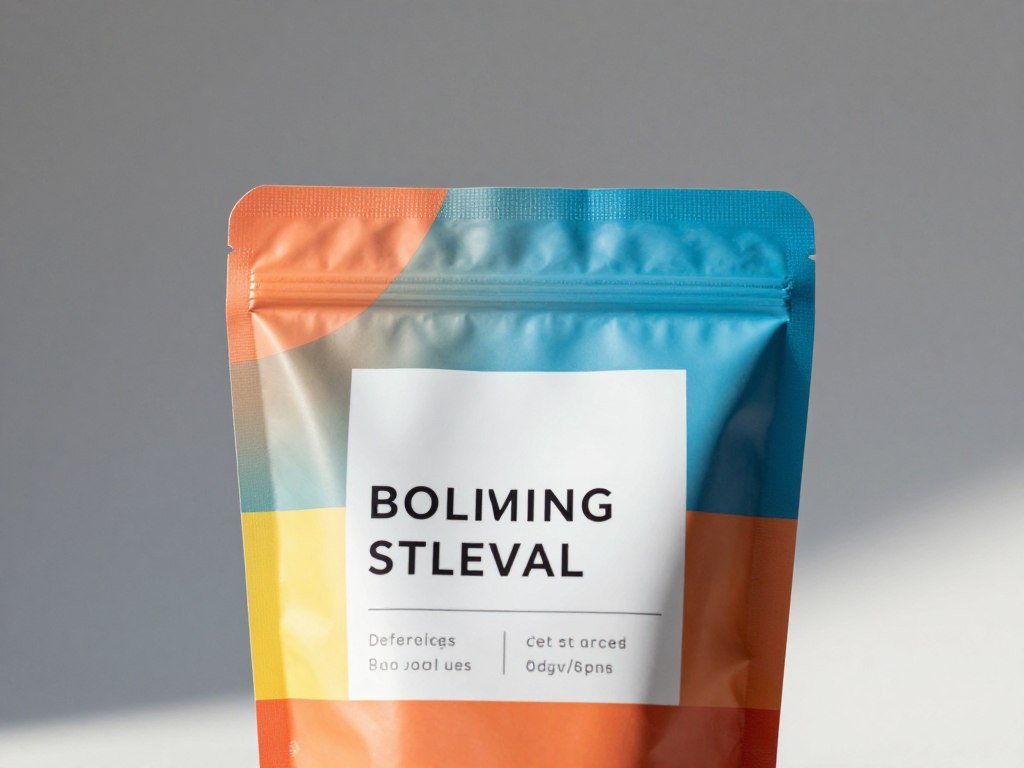
A busy counter, strong glare, or a hand covering the label can confuse the generation. A photo with open space around the product gives the model a cleaner view of its edges and color.
Choose images you have the rights to use in advertising. That includes the product photo and any reference material you plan to pass into a tool.
A practical reference folder contains four to seven images that establish the subject, setting, and visual style. Pick one primary consistency constraint before generation, such as keeping a bottle’s label and cap unchanged.
Separate reference images from inspiration images. Reference images help identify the subject or look the model should follow, while inspiration images can simply guide your own creative choices.
Do not treat every image you like as a model input. Too many conflicting visual cues can make a shot less consistent, especially when the product itself must stay recognizable.
Check that the chosen reference matches the product version in the campaign. Packaging can change, and a photo of an older label may produce an ad that does not match current stock.
Keep the selected source image and its usage rights together in the campaign asset folder.
Step 4: How Should You Prepare the Image Before Generation?
Start with a high-resolution source image that shows the product clearly rather than expecting the video model to repair a weak input. Preparation first can prevent avoidable errors in the generated clip.
Prepare product photos at a minimum of 2048×2048 pixels before generation. A single primary product photo can serve as the starting reference frame for a generated shot.
Check resolution, crop, and product details
Check the pixel dimensions and zoom in on the product. Soft edges, a blurred label, or motion blur in the source can become more noticeable once the model animates it.

Look at the crop as well as the resolution. The photo should show the full shape, with enough space around it for the planned camera movement and aspect ratio.
Read any product text at normal viewing size. If a label has fine print that cannot be read in the source, do not expect generated motion to make it accurate.
Keep an untouched version of the source nearby. It gives you a reliable way to check whether the generated result has changed the product.
Remove distractions without changing the product
Remove background clutter that does not help explain the product. A stray receipt, bright reflection, or unrelated package can pull attention away from the item being advertised.
Keep the packaging, shape, color, and label details intact during cleanup. The product itself should not be redesigned to make the image look neater.
Generative cleanup can alter a logo, create a new cap, or smooth a feature that matters to buyers. Review each edit against the real item before using it as a reference.
If a background change affects shadows or reflections, inspect those areas closely. A mismatched reflection can make a product appear to float or change shape.
Save an untouched copy of the original so you can compare the generated result against the real product.
Step 5: What Should the Motion Prompt Tell the Model?
A useful motion prompt tells the model what moves, how it moves, and which product details must stay fixed. It should describe the action and camera behavior, not ask for a vague visual makeover.
Keep the prompt focused on one main motion and name the product details that cannot change. A concise example can stay under 80 words while setting camera movement, lens, lighting, mood, and frame rate.
Try this structure: subject, action, camera movement, lighting, mood, background behavior, and restrictions. For a bottle, say that the camera makes a slow push toward it while the label remains sharp and unchanged.
State what the background should do. It might remain still, show soft moving light, or include a small amount of steam behind the product.
A product-demo example could ask for a 15-second shot at 24fps. Include those settings only when the selected model supports them and the intended ad needs that duration.
Specific events need a clear trigger and result. For example, say that a hand turns the bottle after the camera settles, rather than asking the model to add an unspecified action.
Keep camera terms simple if they help the model. “Slow push in” gives a clearer direction than a string of lens jargon the tool may not follow.
Say what must not change, such as label text, bottle shape, package color, or the number of products in view. Those limits can help you spot whether a render followed the brief.
Keep the first prompt focused on one main motion so you can diagnose an unwanted result.
Step 6: Which Video Model or Tool Fits the Job and Budget?
Choose the model for the shot you need, not the tool with the longest feature list. The best fit depends on the visual task, supported inputs, access, and commercial terms.
Match the model to its stated strengths, then check rights and credit costs before using it for paid work. A polished product shot and a fast social test may call for different tools.
Match the model to the shot
In 2026, Veo 3.1 is a fit for polished brand videos, while Kling 3.0 is linked with product consistency and multi-shot scenes. Seedance 2.0 fits jobs that use several reference assets.
Hailuo 2.3 and PixVerse V6 suit faster social testing, Grok Imagine supports image-to-video, and Wan fits API-led production. These use cases give you a starting point, not a promise about every render.
Kling 3.0 supports text-to-video, image-to-video, reference-to-video, editing, native audio, and multi-shot storytelling. Seedance 2.0 accepts up to nine images, three video clips, and three audio clips with written instructions.
Those input options matter when one product needs to stay consistent across several shots. For a single image-led clip, a simpler tool may be enough.
Choosing a provider for one task does not require using its full suite. If you use a chatbot to draft copy or organize research, compare its recurring limits and budget with the work you expect, as explained in this AI chatbot comparison.
Compare access, credits, and commercial rights
Free plans can help you test a workflow, but watermarks, lower resolution, or non-commercial terms may block paid use. A paid plan may offer more credits or cleaner output, but the price alone does not show how many useful clips you will get.
| Plan or option | Price | Credits or storage | Output or usage terms |
|---|---|---|---|
| Kling Free | Free | 66 credits per day | Up to 720p; watermark; non-commercial use |
| Kling Standard | Around $10 per month | 660 credits | 1080p; watermark removal; commercial use |
| Runway Free | Free | 125 one-time credits; 5GB storage | Watermarked video |
| Runway Standard | $12 per month | 625 monthly credits | All models; 4K upscaling; watermark-free output |
| Motiofy Starter, Creator, Pro | $20, $40, $100 per month | 2,000, 6,000, 15,000 credits | Starter, Creator, and Pro tiers |
Shhots AI paid plans start at $19 per month and include commercial licensing and watermark-free exports. Creatify starts at $19 per month, HeyGen at $29, and InVideo AI at $28.
Compare commercial licensing, watermark-free exports, credit use, and aspect ratios before committing. A low monthly price can still be a poor fit if each generation uses many credits.
Confirm that the selected plan permits commercial use before putting its output into a paid ad.
Step 7: How Many Clips Should You Generate?
Plan to generate several candidates because one attractive prompt does not guarantee a usable clip. Start with four to eight variants for each prompt.
Keep the brief and reference image stable while comparing those 4-8 outputs. Image-to-video generation is stochastic, so the same prompt can produce different motion, framing, and artifacts.
Do not change the whole scene between renders. Change one main variable at a time, such as the action, camera angle, or environment.
That gives you a clearer read on what caused a better or worse result. If the bottle label stays accurate but the camera move looks awkward, adjust the camera direction first.
A cheaper draft model can help you check composition before spending credits on a final-quality render. Use the draft to see whether the product fits the frame and the action is easy to understand.
Plan for extra renders if a change is needed. A small prompt edit can solve one issue, but it can also affect lighting or product detail elsewhere in the shot.
Store the render beside its prompt and note the model, settings, and date. A consistent naming rule makes it easier to compare versions without opening every file.
Do not keep only the best-looking still from a clip. Motion can reveal a warped label or shifting package that the opening frame hides.
Keep each render labeled with its prompt and model so a strong result can be reproduced or refined.
Step 8: How Do You Select a Usable Clip?
Review each candidate for product fidelity before deciding whether its motion looks polished. Check five qualities: accuracy, motion, consistency, lighting, and duration.
Reject a clip when a product change could mislead a customer. A smooth camera move cannot make an inaccurate package or label safe to use.
- Product accuracy: check the product’s shape, label, color, and features across frames.
- Motion quality: look for warping, jumps, strange movement, or objects that appear suddenly.
- Temporal consistency: watch for details that shift or vanish as the clip plays.
- Lighting coherence: spot sudden changes in shadows, color, or reflections.
- Usable footage duration: confirm that enough of the clip works for the planned edit.
Pause on several frames, not only the opening and ending. A label can look clear at first, then bend or change as the camera moves.
Watch for artifacts around hands, caps, glass edges, and product text. These details often expose a weak render before a viewer sees the whole clip.
Lighting should feel like one scene. A sudden brightening or shadow shift can make the product appear to change color or position.
Some shots need only a few seconds of clean footage. A longer render is not helpful if the usable action lasts only briefly or the product drifts out of view.
For repeated character work, three of four generations producing consistent output is a workable threshold. It is not a rule for every product ad or a guarantee that each clip passes review.
Human review matters because generated content can alter details or contain errors. A practical guide to checking AI-edited content also stresses inspecting results before sharing them.
Reject a clip if the product changes in a way that could mislead a customer.
Step 9: How Should You Add Copy, Voice, and AI-Use Disclosure?
Write and approve the ad’s factual message before generating narration or adding text overlays. Keep the script accurate to the product and the claims the brand can support.
Use narration that matches the approved script and real product claims. Text-to-speech is an optional voice method, not a reason to change the message.
Keep the ad message and voice accurate
Check the script line by line against the product facts and campaign brief. A voice track can make an unsupported claim sound polished, but it cannot make that claim true.
Text-to-speech can help when you need a quick narration draft or a consistent voice across versions. Listen for names, numbers, and product terms that a speech tool may pronounce poorly.
Word-level transcription can help you place burned-in captions, which are text captions fixed into the video. Read the captions against the approved script and correct any words the transcription missed.
Use short lines and leave enough time for viewers to read them. Captions should support the spoken message rather than introduce new claims.
Make disclosure decisions with the audience in mind
AI-use disclosure and paid partnership disclosure are different choices. A paid partnership concerns a commercial relationship, while an AI-use disclosure tells viewers that AI helped create or alter the ad.
Audience views do not always match advertiser views. In 2026, 82% of advertising executives thought Gen Z and Millennial consumers felt very or somewhat positive about AI-generated ads, compared with 45% of consumers who said they did.
That year, 73% of Gen Z and Millennial consumers said knowing an ad was AI-created would increase or make no difference to their purchase likelihood. More than half of surveyed consumers wanted disclosure when an ad was fully AI-generated or used AI video or images.
Among advertisers who had used generative AI to create ads, 89% disclosed its use at least sometimes, while fewer than half always disclosed it. Gen Z respondents were more likely than Millennials to feel very or somewhat negative about AI-generated ads, 39% versus 20%.
Consumers also named other changes they wanted disclosed: 35% wanted digitally adjusted images or video disclosed, 31% wanted manipulated photo techniques identified, and 23% wanted stock-photo use disclosed.
Positive views also differed by group. Advertising executives were more likely than consumers to associate AI-generated ads with “forward-thinking,” 46% versus 22%, and “unique,” 44% versus 26%.
By contrast, 20% of consumers associated AI-generated advertising with “manipulative,” compared with 10% of executives. The IAB survey of U.S. advertising leaders also reported support for labels and stronger AI safeguards.
Make disclosure decisions deliberately instead of assuming the audience shares advertisers’ more positive view of AI ads.
Step 10: How Do You Assemble the Clip Into an Ad?
Assemble the timeline around the message the viewer needs to understand, not around the order in which clips were generated. Start with the voice track or approved script, then fit the shots to it.
Build one clear sequence with a beginning, a product moment, and a final message. The ad should feel like one piece of video, not a folder of unrelated clips.
Build the cut around one continuous message
Place the main product shot where it supports the spoken point. Trim pauses, remove dead time, and use cutaways when they help show a real feature or use moment.
Add captions that match the approved narration. Keep their timing close to the spoken words so viewers can follow the message with sound on or off.
A 60-second narrated short can use eight generated shots, a voiceover, a stitched edit, and captions. Each shot should add a clear visual detail, rather than repeat the same product view.
Preserve continuity across shots
Use consistent reference material when you need the product or a character to look the same across shots. Three to five test generations can help establish a repeatable character or visual style.
Keep one continuous voice track where possible, even if the visuals change. A steady voice can help a cut feel connected when the camera angles differ.
Apply a light final color pass to bring shots closer together. Avoid heavy grading that changes the product’s real color or makes the label harder to read.
When continuity breaks, change one variable at a time. A different reference, camera move, or background can each cause a separate mismatch.
Use cutaways to cover a jump only when they make sense for the message. A quick detail shot of a lid or label can connect two product views without hiding a factual problem.
Check that the closing frame gives the brand name and call to action enough time on screen. A rushed final card can make a clear ad feel unfinished.
Watch the assembled cut from start to finish to catch pacing problems that are invisible in isolated renders.
Step 11: Which Ad Claims and Testimonials Need Extra Care?
A polished AI-generated ad can still create legal risk if its testimonial or product claim is false. Check the facts before the ad reaches customers.
AI-generated testimonials cannot be presented as real customer experiences. U.S. rules ban fake reviews and testimonials, including AI-generated ones, and require disclosure of paid partnerships.
A quote that sounds like a customer’s story must reflect a genuine experience. Do not invent a buyer, personal result, or endorsement to make a product seem more popular.
Paid partnerships need disclosure so viewers can understand the relationship behind the endorsement. Make that disclosure clear in the ad rather than relying on a viewer to guess.
Product benefits, discounts, and performance statements also need support. Check that the offer is current and that any claim matches what the product can deliver.
Civil penalties can reach $53,088 per violation. That is a maximum per violation, not an automatic charge for every ad that contains an error.
Read applicable FTC guidance when the ad includes endorsements, claims, or paid relationships. For uncertain cases, seek qualified legal advice before publication.
Do not let generated visuals add a new claim the script never approved. For instance, a clip showing a product curing a problem may imply a benefit even without narration.
Remove any customer quote or endorsement that cannot be verified as genuine and properly disclosed.
Step 12: What Should You Check Before Exporting?
Export a version for the actual placement instead of assuming one file will fit every channel. Set the delivery format to match the planned use.
Short-form social exports are recommended as MP4 with H.264 video and AAC audio at 1080×1920 pixels, 9:16. Landscape YouTube video is recommended at 1920×1080 pixels, 16:9.
| Delivery type | Resolution | Aspect ratio | File or codec setting |
|---|---|---|---|
| Short-form social | 1080×1920 pixels | 9:16 | MP4; H.264 video; AAC audio |
| Landscape YouTube | 1920×1080 pixels | 16:9 | MP4; H.264 video; AAC audio |
Keep text within safe areas, away from edges and on-screen controls. Captions should remain readable on a phone without covering the product.
Review the final export at full resolution on a mobile device. Look for compression artifacts, small text, uneven audio, and any frame that becomes hard to read.
Play the downloaded file from start to finish, rather than trusting the editing preview. A complete playback check can catch a silent ending or a missing frame.
Listen at a comfortable phone volume and check that music does not cover the voice. Confirm that the first and last frames appear as intended.
Keep an export copy with its settings and placement name. That record helps you tell the approved file from a draft when several versions exist.
Watch the downloaded file on a phone before approving it, since the export can look different from the editing preview.
Step 13: How Should You Test Ad Variations?
A useful test isolates a creative choice so you can tell which version earned the response. Change one dimension at a time instead of altering the whole ad.
Use 3-5 visual variants and pair each test set with 2-3 headline or call-to-action combinations. That gives you a planned comparison without implying that one version will always perform better.
| Test set | Visual variants | Headline or CTA combinations | Comparison focus |
|---|---|---|---|
| Product framing | 3-5 | 2-3 | Product size and position |
| Opening motion | 3-5 | 2-3 | First movement in the shot |
| Background treatment | 3-5 | 2-3 | Setting and visual distraction |
Keep the audience and placement steady while you compare versions. If the delivery period differs, timing may affect the result as much as the creative change.
Record the outcome you care about before the test starts. A clear measure helps you compare ads without choosing a winner based only on personal taste.
- Use a consistent audience for each version.
- Keep the same placement across the comparison.
- Run versions for a comparable delivery period.
- Record the outcome and each file’s settings.
Separate the visual test from the message test when possible. If the opening motion and headline both change, you may not know which choice affected the response.
Label the variants with the test set, headline, and CTA. Clear names help you find the right result when the campaign has several versions.
Keep the winning and losing files with their labels and settings so the next test can build on what you learned.
How Can You Scale the Pipeline Without Losing Control?
Automate a pipeline only after its manual version produces a reviewable ad consistently. Start with repeatable tasks that have clear inputs and outputs.
Keep human approval for claims, brand fit, and final publication. Automation can move work between stages, but it cannot guarantee that a clip is accurate or suitable.
Automate repeatable handoffs
Automate file handoffs, naming, task routing, and production logs. A clear naming rule can connect the brief, prompt, model, render, and export.
An API or scheduled run can help with repeat campaigns that use the same steps. Keep a record of which inputs and settings produced each output.
Set a clear stop point when a render fails a check. The workflow should route that clip for review instead of sending it directly into an ad account.
In 2026, 85% of advertisers said they used AI for social media ads, and 73% used it for display ads. Also in 2026, 83% of advertising executives said their company had deployed AI in the creative process, up from 60% in 2024.
A July 2024 survey of 125 U.S. advertising executives found that 70% had faced at least one AI-related incident, including errors, bias, or off-brand material. The IAB report on responsible AI in advertising also found that 40% had paused or pulled ads after an incident.
Keep human approval where it matters
People should review product claims, brand fit, and the final ad creative. Those decisions depend on context that a task router or generation model may not understand.
Human review also helps catch a detail that looks minor in a log but matters to customers, such as an old package design or a label that changed during motion.
Teams can use AI in many parts of production without automating every decision. Adoption figures show how common the tools have become, not whether a workflow suits every team.
Keep a person responsible for the final approval even when routine production stages run automatically.
Keep a person responsible for the final approval even when routine production stages run automatically.
Conclusion
A repeatable process starts with one real product photo and one clearly defined ad objective. A good source image, a focused prompt, and deliberate selection matter more than an unattended render.
Make the first test small enough to review carefully. Choose a real product photo, write a single-shot brief, and generate a small batch for review.
Then check the clip against the actual product and the campaign goal. Run one small test, review it against the real product and campaign goal, then expand only if the result is usable.
FAQ
Is image-to-video better than text-to-video for a product ad?
Image-to-video is often better when you have a product photo that can anchor the product’s appearance and composition. The image gives the model a starting visual reference, though the generated clip still needs review. Text-to-video offers more freedom when no source image exists or when you want to explore a scene before choosing a product look.
How many generated clips should I plan for before choosing one?
Start with 4-8 variants per prompt. A single prompt can produce different camera movement, lighting, or product details, so several candidates give you a fair comparison. Judge each clip for product accuracy, motion quality, consistency across frames, lighting, and usable duration. Keep the prompt and image steady while comparing the batch.
Can I use one export for TikTok, Reels, and YouTube?
A 9:16 MP4 is a versatile short-form starting point, but one export may not meet every placement’s rules. Check the aspect ratio, resolution, duration, and file-size limits for each channel. YouTube Shorts supports 9:16 or 1:1 video, while Reels favors vertical framing. A separate crop or export may be needed.
How do I estimate credit use for an approved clip?
Multiply the model’s credit cost per generation by the planned 4-8 variants, then include any rerenders. For example, a batch of six attempts uses six times the per-generation rate before extra revisions. Credit rates depend on the selected model and plan, and some settings may use more credits than others.
Do I have to disclose every use of AI in an ad?
No single AI-use label applies to every ad in every case. Paid partnership disclosures and truthful endorsement rules are separate from telling viewers that AI helped create or alter an ad. Consumer preferences for AI-use disclosure also vary. Check the rules that apply to your ad, the platform’s policies, and qualified legal guidance when needed.
Can an AI-generated customer testimonial be used in a U.S. ad?
No, a fake AI-generated testimonial cannot be presented as a real customer experience in a U.S. ad. A testimonial must reflect a genuine experience, and paid relationships need proper disclosure. Do not invent a customer quote or personal result to make a product seem more effective. Review applicable FTC guidance before using endorsements.



