
A VPN can help when a show is available in one region but not another, but the right choice also has to work on the screen you use. Your best fit depends on the streaming services and regions you use, the connection you get, and whether your device can run a VPN app.
Smart DNS routes streaming-related DNS requests through a location-compatible resolver without encrypting all device traffic like a VPN connection does. That can help with some TVs and consoles, but it is different from using an encrypted VPN connection.
The choice between NordVPN and ExpressVPN is not just about reaching a show. You also need to consider how often you switch regions, how many devices you use, and whether setup feels simple on your main screen.
This comparison focuses on practical viewing needs, including service access, speed, apps, and privacy features. Keep the comparison focused on the services and devices you actually stream with.
Key Takeaways
- NordVPN had the stronger result in September 2026 speed and first-server tests.
- ExpressVPN earned CNET’s 2026 streaming pick and offers TV apps.
- Smart DNS can help devices that cannot run a VPN app, but does not encrypt their traffic.
- ExpressVPN Basic costs less upfront than NordVPN Basic on the compared two-year plans.
- Check your usual service and viewing device before choosing a longer plan.
Nord VPN vs Express VPN: Which Is Better for Streaming?
NordVPN is the stronger streaming choice for most viewers who put speed and reliable first-server access first, while ExpressVPN has a strong case for viewers who value its streaming recognition and easy setup. The best fit still depends on what you watch and which device you use.
CNET named ExpressVPN its best VPN for streaming in 2026 and its fastest service tested that year. Its 2026 VPN rankings gave NordVPN 8.4 and ExpressVPN 8.0, so the award and score do not point to the same winner.
| Comparison point | NordVPN | ExpressVPN |
|---|---|---|
| CNET 2026 ranking | 8.4 | 8.0 |
| CNET best VPN for streaming | Not selected | Selected |
| Eligible-customer money-back guarantee | 30 days | 30 days |
NordVPN is the better match when speed and first-server access matter most. CNET’s award recognizes streaming performance, while a head-to-head test can compare other measures and setups.
A useful VPN speed and privacy comparison can add context, but the award alone cannot predict how a service performs on your home network. You may care more about your favorite service, target region, or TV setup than a general score.
Test your usual streaming service on your usual device before settling on a long-term plan.
Both providers offer a 30-day money-back guarantee for eligible customers in 2026. Read the plan terms before you pay, then use the service with your regular viewing routine.
NordVPN and ExpressVPN answer different questions well: one has the stronger score, while the other has CNET’s streaming title. Awards and head-to-head tests answer different questions, so weigh the services and devices you actually use.
Which Streaming Services Can Each VPN Access?
In September 2026 tests, NordVPN reached every tested service on the first selected server, while ExpressVPN accessed several named Netflix libraries along with BBC iPlayer and Disney+. The first server result can matter when you want less trial-and-error.
Streaming services can respond differently by region, and one successful connection does not promise access to every catalog. The test results describe the listed services and locations, not every account or network.
Netflix library access
ExpressVPN accessed Netflix in the US, UK, Japan, and Australia during the tests. That gives viewers several named libraries to consider, though access can change by location and service.
NordVPN worked with every streaming service tested on the first selected server. A first-server result can save time because you may not need to switch through several server locations before playback begins.
Other tested streaming platforms
ExpressVPN also accessed BBC iPlayer and Disney+. NordVPN’s broader first-server result may appeal if you use more than one platform, but it does not prove access to every region.
Compare both VPNs with the same service and region before judging the result. Use a simple record so that differences in location or setup do not cloud your testing.
- Use the same streaming service.
- Choose the same target region.
- Try the first selected server.
- Record whether playback starts.
Catalog rights and platform checks can change, and access may vary by library and location. Do not assume every regional catalog will be available to every user.
During your own testing, note whether the service loads and whether the video plays, not just whether the website opens. Treat a successful connection as a result for the tested location and service, not a promise about every regional catalog.
How Do Smart DNS Features Work on TVs and Consoles?
Smart DNS can help a streaming device that cannot run a VPN app, but it does not provide the same encrypted tunnel as a VPN connection. Compatibility is its main benefit, especially on some smart TVs and game consoles.
These features handle streaming-related DNS requests, which help a device find online services. They do not make Smart DNS and a full VPN connection interchangeable.

NordVPN SmartPlay
NordVPN’s SmartPlay combines streaming-related DNS routing with its encrypted VPN connection inside the app. That means the feature works alongside the app’s VPN connection rather than replacing it.
Smart DNS alone does not encrypt all traffic from a device. That difference matters if you want the same VPN protection for more than streaming requests.
ExpressVPN MediaStreamer
ExpressVPN includes MediaStreamer, a Smart DNS feature for streaming on devices that cannot run a VPN app. A TV or console may support this option even when it lacks a native VPN app.
Smart DNS can help with device compatibility, while an encrypted VPN connection protects traffic through its tunnel. The DNS feature does not give the device the same VPN encryption.
If the device cannot run a VPN app, Smart DNS may offer a way to use streaming services. Check the device setup steps and the service’s own access rules before changing its network settings.
If your device supports a native VPN app and you want encrypted traffic, use the app rather than relying on Smart DNS alone.
What Do NordVPN and ExpressVPN Cost?
ExpressVPN Basic has the lower two-year upfront charge in this comparison, while its Advanced and Pro tiers raise the monthly price for added features and connections. Upfront cost matters because a monthly equivalent is not the amount charged today.
In 2026, ExpressVPN Basic costs $12.99 for one month, $4.99 per month on a one-year plan, or $2.79 per month on a two-year plan. The two-year Basic charge is $83.72 upfront.
| ExpressVPN plan | One-month billing | One-year plan, monthly equivalent | Two-year plan, monthly equivalent |
|---|---|---|---|
| Basic | $12.99 | $4.99 | $2.79 |
| Advanced | $13.99 | $5.99 | $3.59 |
| Pro | $19.99 | $8.99 | $5.99 |
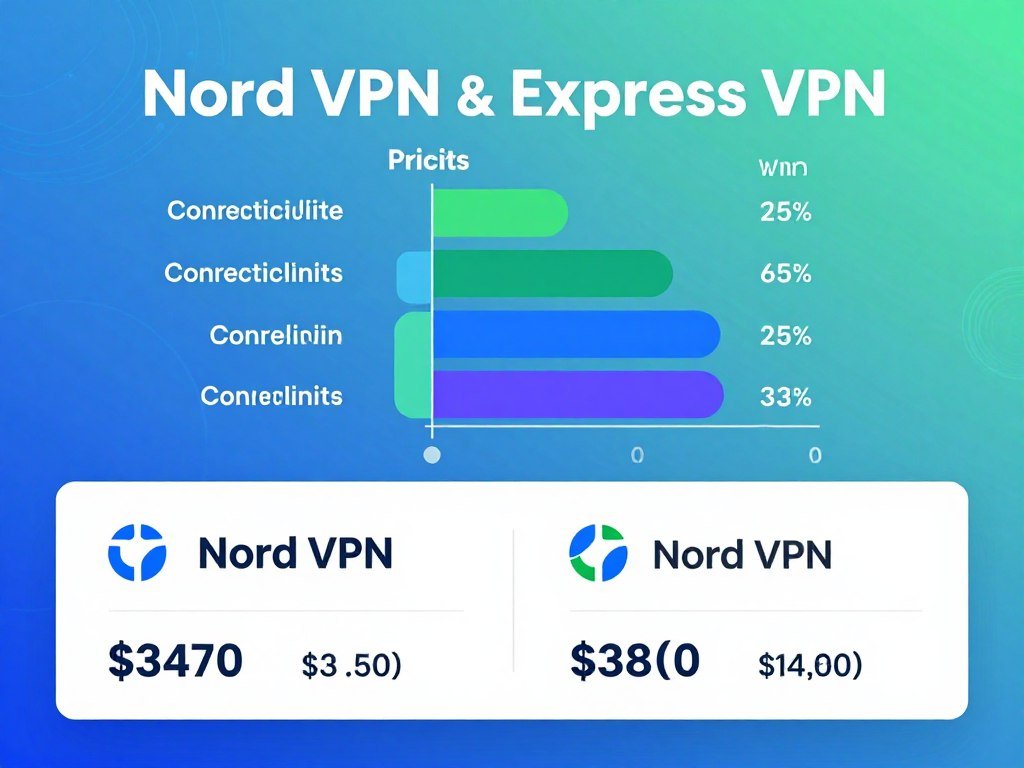
ExpressVPN’s listed two-year Basic upfront charge is lower than NordVPN Basic’s in this comparison. NordVPN Basic costs $94.23 upfront for two years and also allows 10 simultaneous connections.
ExpressVPN Basic plan
ExpressVPN Basic costs $2.79 per month on the two-year plan, billed as $83.72 upfront. Its 10 simultaneous connections cover several devices, such as a phone, laptop, and TV setup.
The monthly equivalent helps compare terms, but it does not mean you pay that amount each month. ExpressVPN’s official subscription tier details list its connection limits and plan features.
What Advanced and Pro add
Advanced allows 12 simultaneous connections, while Pro allows 14. Both include identity-protection features, and Pro adds a dedicated IP.
For ExpressVPN, the one-month rates are $13.99 for Advanced and $19.99 for Pro. Their two-year monthly equivalents are $3.59 and $5.99, with the one-year equivalents listed above.
Consider how many devices need coverage and whether the added identity tools or dedicated IP matter to you. Before choosing a two-year term, compare the amount charged upfront with the monthly equivalent shown for the plan.
Which VPN Is Faster for Streaming?
NordVPN was faster in more of the September 2026 country tests, including the US, although ExpressVPN won in three countries. Across the tests, NordVPN had the stronger result, but your own speeds can differ.
NordVPN and ExpressVPN use different protocols, which are the rules their apps use to create a VPN connection. The test setup, distance, device, and chosen protocol can all affect speed.
| Comparison | NordVPN | ExpressVPN |
|---|---|---|
| Countries won in September 2026 tests | 7 of 10 | 3 of 10 |
| Protocol | NordLynx | Lightway |
| Protocol basis | WireGuard-based | Proprietary |
Results across the tested countries
The September head-to-head result favored NordVPN overall. It was faster in seven of ten countries, including the US, while ExpressVPN won in the other three.
CNET named ExpressVPN its fastest service tested in 2026. That result and the September comparison can differ because testing methods, device choices, and server routes are not always the same.
How the protocols differ
NordLynx is built around WireGuard, while Lightway is ExpressVPN’s proprietary protocol. A protocol can affect how quickly a VPN connects and how well it performs on your network.
Your speed also depends on the server’s distance and your device’s connection. A nearby server may perform differently from a faraway one, even with the same VPN app.
Keep the device, network, and location as steady as possible when comparing speeds. For a fair personal check, test both services on the same device, day, and nearby server location.
How Do Their Server Networks Compare?
ExpressVPN lists more than 3,000 servers in 105 countries, while NordVPN’s network reaches more countries. Country coverage may matter more than a raw server count when you need a particular region.
ExpressVPN gives a specific count for its VPN servers and countries. NordVPN has servers in more countries than ExpressVPN, which may give you more country choices for a regional library.
A larger network does not guarantee a specific catalog or faster service from every location. Each server’s performance can differ based on distance, network conditions, and the service you are trying to reach.
Use this checklist when selecting a server location for streaming:
- Check for the country that holds the library you want.
- When several eligible servers exist, favor a location near you.
- Confirm that the app offers the particular location you need.
A server count tells you about network size, not whether a platform will accept a connection from every address. The app’s location list is the practical check for a country you need.
If a region matters for a show, check the country label in the app before signing up. Confirm the exact country location you need in the app before choosing a plan.
Which VPN Offers Stronger Security and Privacy?
NordVPN offers more specialized security tools, while both providers use privacy-focused infrastructure and encryption. Security features can reduce some risks, but no single tool proves a service is completely private.
NordVPN and ExpressVPN also differ in how they describe their server systems and privacy practices. Those safeguards, their policies, and their home jurisdictions are separate parts of the picture.
Security tools that add layers
NordVPN’s Threat Protection blocks malware, trackers, and intrusive ads. ExpressVPN plans do not include that feature.
NordVPN also offers Double VPN, which routes traffic through two VPN servers. That extra route adds another layer, but it may slow your connection.
ExpressVPN uses AES-256 encryption and offers OpenVPN and Lightway. Both services offer tools beyond streaming, but their features are not identical.
Infrastructure, audits, and jurisdiction
ExpressVPN’s TrustedServer system runs on RAM-only servers, so data does not survive a server reboot. NordVPN also uses RAM-only servers that are wiped when rebooted or shut down.
NordVPN’s no-logs policy passed its fifth Deloitte audit after an infrastructure assessment at the end of 2024, with no evidence of logging. The Deloitte audit assessment included employee interviews, server-infrastructure inspection, and a review of privacy systems.
A no-logs policy is a provider’s claim about data handling, while an audit checks defined areas at a point in time. Neither should be treated as proof that every privacy risk disappears.
NordVPN is based in Panama, and ExpressVPN is based in the British Virgin Islands. Jurisdiction is distinct from technical safeguards, so weigh it alongside the company’s practices and tools.
Use Double VPN only when its extra routing layer is worth the possibility of a slower connection.
Which ExpressVPN Apps Work on Streaming Devices?
ExpressVPN has native apps for Apple TV and Android TV, as well as desktop and mobile apps. A TV app lets you set up the VPN on the screen where you watch, rather than relying only on another device.
ExpressVPN also offers browser extensions and apps for common computers and phones. Its platform options include:
- Windows and macOS.
- iOS and Android.
- Apple TV and Android TV.
- Chrome, Safari, Edge, and Firefox extensions.
Native apps for streaming devices
Apple TV and Android TV have native ExpressVPN apps. That can make setup more direct than configuring a router or using a different device to share its connection.
Desktop apps can also help when you watch in a browser or through a computer. Extensions work with four listed browsers, while mobile apps cover iOS and Android devices.
Removing ExpressVPN on Windows or Mac
ExpressVPN’s support instructions, updated October 9, 2026, list four ways to uninstall the Windows app: through the app, Start menu, Settings, or Control Panel.
On a Mac, ExpressVPN recommends its in-app uninstaller. Deleting the app through Finder may leave background services, helper tools, settings, and other app data behind.
ExpressVPN’s removal instructions explain the Windows routes and Mac steps. If removal seems incomplete, use the app’s recommended uninstaller instead of only deleting its visible icon.
On a Mac, use the in-app uninstaller before assuming that dragging the app to the Trash removed every component.
Can ExpressVPN Still Give You an Indian IP Address?
ExpressVPN can still provide an Indian IP address through a virtual server location, even though it withdrew its physical servers from India. Virtual locations can give you an address tied to a country without placing the physical server there.
ExpressVPN withdrew its physical servers from India after India’s 2022 CERT-In rules required VPN providers to retain user data. Users can still obtain Indian IP addresses through virtual server locations.
An Indian IP address does not mean the physical server is in India. The virtual location gives you an address associated with India while the hardware sits elsewhere.
This distinction matters if you want to reach a region-specific stream or service. A location label and an IP address describe the connection’s apparent region, not the server’s physical site.
The change is about location and data rules, not a claim that an Indian IP cannot be used. Check the location label in the app before relying on an Indian IP for a region-specific stream.
Which VPN Fits Your Streaming Setup Best?
Choose NordVPN if your main priority is performance, and choose ExpressVPN if the way you watch makes its app support or simpler setup more important. Your setup can matter more than a general ranking.
Both services offer a kill switch and split tunneling. Those features alone do not separate them, so focus on your streaming service, region, and main device.
Choose NordVPN for speed-led viewing
NordVPN suits viewers who prioritize the stronger September head-to-head speed result and first-server access. It also offers extra security tools for people who want those features alongside streaming.
For most performance-led viewers in this comparison, NordVPN is the stronger fit. Your own connection and device still shape the experience.
Choose ExpressVPN for simpler device use
ExpressVPN may suit viewers who value CNET’s streaming recognition, its TV apps, or a straightforward setup. Its native apps can be helpful when your main screen is an Apple TV or Android TV.
Use this four-part check before choosing:
- Your favorite streaming service.
- The region you need.
- The device you use most.
- Whether extra security tools matter.
Start by checking your most-used streaming service on the device you watch it on most often.
The best VPN for this matchup depends on what you value: NordVPN for test performance, or ExpressVPN for its app and streaming-device experience. A feature list matters most when it solves a real problem in your setup.
What Is the Privacy Concern Around ExpressVPN’s Ownership?
ExpressVPN’s parent company, Kape Technologies, also owns CyberGhost and Private Internet Access. The concern some privacy-focused users raise is about corporate ownership, not a documented technical failure.
Ownership can shape how a person feels about trusting a company with private information. It does not, by itself, show that an app has a security flaw or that user data has been misused.
Separate corporate structure from product safeguards when judging privacy. Encryption, server design, audits, and privacy policies address different questions from who owns the provider.
Some users may decide that Kape’s ownership makes them less comfortable with ExpressVPN. Others may focus on the service’s stated safeguards and their own needs.
That distinction helps you assess the concern without treating ownership as proof of a technical problem. If ownership affects your decision, review the corporate structure separately from the service’s technical safeguards.
Conclusion
Pick the service that performs well for the streaming library and device you use most. NordVPN is the better fit for viewers led by performance, while ExpressVPN may suit people whose device setup and usability priorities point that way.
Your main screen and the region you need should guide the final choice. A service that works well on a laptop may not suit a TV without a compatible app.
Check the desired library on your main viewing device before subscribing. Verify that combination before paying for a long-term subscription.
FAQ
Which VPN has the best speeds?
NordVPN led the September 2026 country comparison, winning seven of ten country tests, including the US. ExpressVPN was faster in the other three. Your speeds can shift with the protocol, server distance, device, and test setup, so the test result is a useful starting point rather than a promise about your home connection. Try both on the same network for a direct check.
Is NordVPN actually a good VPN?
Yes, NordVPN is a strong option for streaming viewers who prioritize speed, first-server access, and added security tools. It worked with every tested streaming service on the first selected server in September 2026 tests. It also offers features such as Threat Protection and Double VPN. The right fit still depends on the regions and devices you use most.
Is ExpressVPN good?
Yes, ExpressVPN is a good choice for viewers who value its streaming recognition, TV apps, and straightforward setup. CNET named it its best VPN for streaming in 2026, and it offers native apps for Apple TV and Android TV. It also accessed several named Netflix libraries, BBC iPlayer, and Disney+ in the September 2026 tests.
What is the #1 best VPN?
For this streaming comparison, NordVPN is the stronger pick for performance-led viewing, while ExpressVPN suits viewers whose device and usability needs favor it. NordVPN had the better overall result in the September 2026 country comparison. ExpressVPN earned CNET’s streaming recognition and offers TV apps. Your favorite service and main viewing device can change which one feels best.
What is the controversy surrounding ExpressVPN?
Some privacy-focused users question ExpressVPN’s ownership by Kape Technologies, which also owns CyberGhost and Private Internet Access. That is an ownership concern, not evidence of a documented technical failure. You can consider ownership separately from safeguards such as encryption, server design, audits, and privacy policies. Each speaks to a different part of a privacy review.
Why can’t I get rid of ExpressVPN?
On Windows, you can remove ExpressVPN through the app, Start menu, Settings, or Control Panel. On Mac, use the in-app uninstaller because deleting the visible app through Finder may leave background services, helper tools, settings, and other data. If the app still seems present after removal, follow the platform’s recommended steps rather than deleting only its icon.
Which VPN is better than ExpressVPN?
NordVPN is the stronger alternative for viewers who prioritize the cited head-to-head performance results. It won seven of ten country tests in September 2026 and reached every tested service on the first selected server. ExpressVPN remains a good fit for viewers who prefer its streaming recognition, TV apps, or setup. Compare both on your main streaming device before choosing.


