
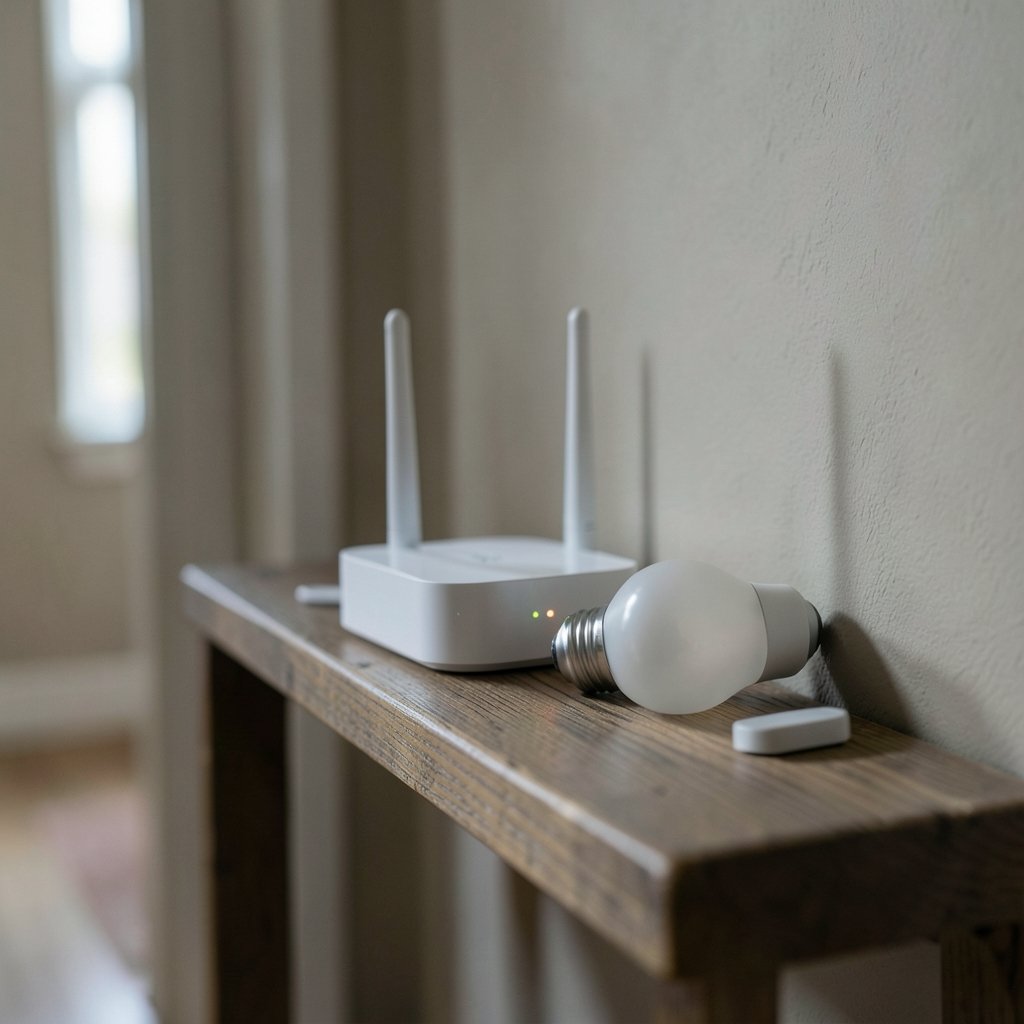
Your smart lights worked fine five minutes ago. Then you rebooted the router, and now half your Matter devices show as offline. What gives?
You are not imagining it, and you have not broken anything. A router restart is one of the most common triggers for Matter connectivity trouble, and the reasons are more interesting than most people expect. The good news: in the vast majority of cases, the fix is simple, and the wait is shorter than you think. This guide walks through why it happens, what to check first, and how to stop it from happening again.
Why a Router Restart Knocks Matter Devices Offline
Matter was designed to be local-first. Devices talk directly over your home network instead of routing every command through a cloud server. That is great for speed and privacy, but it also means Matter leans hard on a few network services that routers handle quietly in the background. (Matter (standard)))
When the router goes down and comes back up, those services restart too. Devices that were connected before the reboot have to rediscover each other, re-establish addresses, and re-register with the controller. Most of the time this happens automatically within a few minutes. Sometimes it stalls.
Three mechanisms matter most:
IPv6 addressing. Matter over Wi-Fi and Ethernet requires IPv6. If your router hands out new IPv6 prefixes after a reboot, or briefly disables IPv6 during startup, devices can end up with addresses the controller no longer recognizes.
mDNS and multicast discovery. Matter devices announce themselves using multicast DNS. Routers with aggressive multicast filtering, IGMP snooping quirks, or client isolation settings can block those announcements after a restart, leaving devices invisible even though they are online.
The Thread Border Router. If your Matter device runs over Thread rather than Wi-Fi, it depends on a Thread Border Router (TBR). That role is often played by a smart speaker, TV box, or the router itself. Restart the router, and the Thread network can drop until the border router rejoins it.
Understanding which of these applies to your device is the single most useful diagnostic step, because the fixes diverge sharply from there.
Wi-Fi Matter Devices vs. Thread Matter Devices
People constantly conflate these two, and it leads to wasted troubleshooting time. They fail in different ways.
| Feature | Matter over Wi-Fi | Matter over Thread |
|---|---|---|
| Depends on router reboot | Directly | Indirectly, via border router |
| Typical recovery time | 2 to 10 minutes | 5 to 15 minutes |
| Most common failure point | IPv6 or mDNS discovery | Border router not rejoining |
| First thing to try | Restart the controller app | Power-cycle the border router |
| Router settings that break it | IPv6 off, multicast filtering, client isolation | Same, plus border router VLAN issues |
If your device is a Wi-Fi smart plug, a router reboot hits it directly. If it is a Thread-based sensor or bulb, the router is only half the story, and the border router is the other half.
The First Five Minutes: What to Do Before You Panic
Here is the practical part most guides skip. After a router restart, do almost nothing for a few minutes. Seriously.
Vendors generally recommend waiting five to fifteen minutes before troubleshooting. Border routers and devices reconnect on their own schedules, and poking at settings mid-reconnect often makes things worse by forcing extra re-pairing cycles.
A sensible order of operations:
- Wait five minutes. Do not touch anything.
- Check whether the device responds in its own app, in addition to your smart home controller. A vendor app sometimes sees a device the controller has written off.
- Restart the controller app or hub, not the device. Cached state is a frequent culprit.
- Power-cycle the Thread border router separately from the router if the device is Thread-based.
- Only then start looking at router settings.
That sequence resolves a surprising share of cases without any configuration changes at all. (RFC 2131: Dynamic Host Configuration Protocol)
Check the Controller Before You Blame the Device
One of the most common mistakes is assuming “offline” means unreachable. Often it does not. Matter controllers cache device state, and after a reboot that cache can go stale. The app shows a grey icon while the device is sitting there, happily connected and responding to voice commands.
Test it directly. Ask your voice assistant to turn the light on. If it works, the device is fine and your controller is the problem. Restarting the app, or rebooting the hub that runs the controller, usually clears the stale entry.
This is also why you should never factory-reset a device as a first move. Re-pairing a Matter device is tedious, and doing it unnecessarily is one of the most frequent self-inflicted wounds in smart home troubleshooting. Reset only after you have confirmed the device is genuinely unreachable from every angle.
Router Settings That Break Matter After a Reboot
If the problem repeats every time the router restarts, configuration is likely the cause. Four settings deserve attention.
IPv6 Support
Matter over Wi-Fi and Ethernet needs IPv6. Some routers ship with it enabled but handle prefix delegation poorly, handing out a new prefix on every reboot. Others quietly disable IPv6 after a firmware update. Check that IPv6 is on and that the router is not set to a mode that breaks prefix stability.
Multicast and IGMP Snooping
Matter relies on multicast for discovery. If your router filters multicast traffic or has buggy IGMP snooping, devices can vanish after a reboot even though they are connected. Turning off strict multicast filtering, or disabling IGMP snooping entirely on a small home network, often fixes stubborn discovery problems.
Client or AP Isolation
Many routers enable client isolation by default on guest networks and sometimes on the main network. That setting blocks device-to-device traffic, which is exactly what Matter needs. If devices work before a reboot and not after, check whether a firmware update silently re-enabled isolation.
Separate VLANs and Subnets
If your border router sits on a different VLAN or subnet than your Matter controller, discovery can work initially and then fail after a reboot reshuffles addressing. Keeping Matter devices, controllers, and border routers on the same subnet removes an entire category of problems.
The Thread Border Router Problem
Thread devices add a layer that Wi-Fi devices do not have. The border router is the bridge between the Thread mesh and your IP network, and it is frequently the piece that fails to recover.
If your border router is built into the router itself, a reboot takes down both at once, and the Thread network has to rebuild from scratch. If it is a separate device, a smart speaker or TV box, the router reboot may leave it stranded with stale network credentials.
The fix that works most often: power-cycle the border router after the main router has fully come back online. Give the router two minutes to stabilize, then unplug the border router, wait thirty seconds, and plug it back in. This forces a clean rejoin rather than a half-completed one.
If the router reboot changed your Wi-Fi SSID or password, the border router will need those credentials re-entered. That is a common cause of “it worked before the reboot and never came back.”
When a Firmware Update Is the Real Culprit
Sometimes the reboot is not the problem. The firmware update that caused the reboot is.
Router updates occasionally change default behavior around IPv6, multicast, or isolation, and the reboot simply applies the change. The symptom looks identical to a reboot failure, but it will not resolve on its own.
A useful pattern to recognize: if a device comes back after a manual restart but drops again on the next scheduled reboot, a setting changed. Review what the update altered, or roll back if the router allows it. Checking release notes for mentions of IPv6 or multicast is a quick way to confirm suspicion.
For anyone running a mixed network with lots of connected hardware, it also helps to understand how to find your IP address on any device, because confirming a device actually has a valid address is the fastest way to rule out an addressing failure.
A Realistic Recovery Timeline
Setting expectations matters, because impatience causes most of the damage in these situations.
| Time after reboot | What should be happening |
|---|---|
| 0 to 2 minutes | Router boots, network comes up |
| 2 to 5 minutes | Wi-Fi Matter devices rejoin and re-register |
| 5 to 10 minutes | Thread border router rejoins, Thread mesh rebuilds |
| 10 to 15 minutes | Controllers refresh cached state |
| After 15 minutes | Genuine problem, start troubleshooting |
If everything is back inside fifteen minutes, nothing is wrong. If a device is still missing after twenty, that is when settings and border router checks earn their keep.
Practical Habits That Prevent Repeat Outages
A few habits cut recurrence dramatically.
Keep Matter devices, controllers, and border routers on one subnet. Avoid rebooting the router during evenings when the household depends on smart lighting. Power-cycle border routers separately rather than assuming the router reboot covers them. And resist the urge to factory-reset anything until you have confirmed the device is truly unreachable.
It also pays to understand the broader etiquette of connected devices and shared networks, since a well-behaved network is a resilient one. A quick read on what netiquette is and why it matters is a surprisingly useful framing for how devices, hubs, and users should share a network without stepping on each other.
For households that lean heavily on local connectivity, the same principles apply across device types. If you also game or stream offline, the resilience lessons carry over to picking the best offline mobile games that keep working when the network does not.
Conclusion
A Matter device going offline after a router restart is rarely a sign of broken hardware. It is almost always a timing problem, a discovery problem, or a border router that needs a nudge. Wait five to fifteen minutes, test the device through a second app or voice assistant, restart the controller rather than the device, and power-cycle the border router separately if the device runs on Thread.
Only after those steps should you dig into IPv6, multicast, and isolation settings. Get that order right, and most post-reboot outages resolve themselves before you have finished your coffee.
Frequently Asked Questions
How long should I wait after a router restart before troubleshooting Matter devices?
Plan on five to fifteen minutes. Wi-Fi Matter devices typically rejoin within two to five minutes, while Thread devices depend on the border router rejoining and can take closer to ten or fifteen. If a device is still missing after twenty minutes, move on to settings and border router checks.
Why does my Matter device show offline when it still responds to voice commands?
That is a stale controller cache, not a real outage. Matter controllers remember the last known state of each device, and a reboot can leave that memory out of date. Restart the controller app or hub and the status usually corrects itself without touching the device.
Do Thread devices need a separate restart after the router reboots?
Often, yes. The Thread border router is the bridge between the Thread mesh and your network, and it does not always rejoin cleanly when the main router restarts. Once the router is fully back online, unplug the border router for thirty seconds and plug it back in.
Could a router firmware update cause Matter devices to stay offline?
Yes, and it is easy to mistake for a reboot problem. Updates sometimes change defaults around IPv6, multicast handling, or client isolation, and the reboot simply applies them. If devices drop after every scheduled reboot, check the router’s release notes and settings.
Is it safe to factory-reset a Matter device to fix this?
Not as a first step. Factory-resetting forces a full re-pairing process and rarely fixes a network-side problem. Confirm the device is genuinely unreachable from every app and controller first, and only reset if nothing else works.
Which router settings most commonly break Matter after a reboot?
IPv6 support and prefix handling, multicast filtering and IGMP snooping, client or AP isolation, and putting devices on separate VLANs or subnets from their controller. Checking those four covers the vast majority of recurring post-reboot failures.



