

Which version of Minecraft should you actually build your world, your server, or your content pipeline around? It sounds like a simple question. Then you try to move a modded world between editions, or invite a friend on a phone to a Java server, and the answer stops being simple fast. (Minecraft)
The two editions share a name, a look, and a lot of block behavior, but underneath they are different programs built on different foundations. That difference shapes everything: how you install mods, how you run a server, how you test redstone, and how you publish content. Here is a practical breakdown of the workflow gaps worth understanding as the editions keep evolving.
Why the Two Editions Behave So Differently
The root cause is simple. Java Edition is written in Java and runs on the Java Virtual Machine. Bedrock Edition is written in C++ and runs natively on Windows, mobile devices, and consoles. One codebase targets desktops with a runtime layer; the other targets a wide spread of hardware directly.
That split happened officially in 2017, when the older Pocket Edition line was folded into what became Bedrock. Since then, the editions have grown in parallel rather than merging. Features arrive on different schedules, behave slightly differently, and get tested through different channels.
For anyone planning a project, this matters because your choice of edition is really a choice of toolchain. Picking Java means one set of mod loaders, server software, and distribution sites. Picking Bedrock means add-ons, the in-game Marketplace, and built-in cross-platform play. Neither is “better” in the abstract. They fit different jobs.
Modding: Two Completely Different Ecosystems
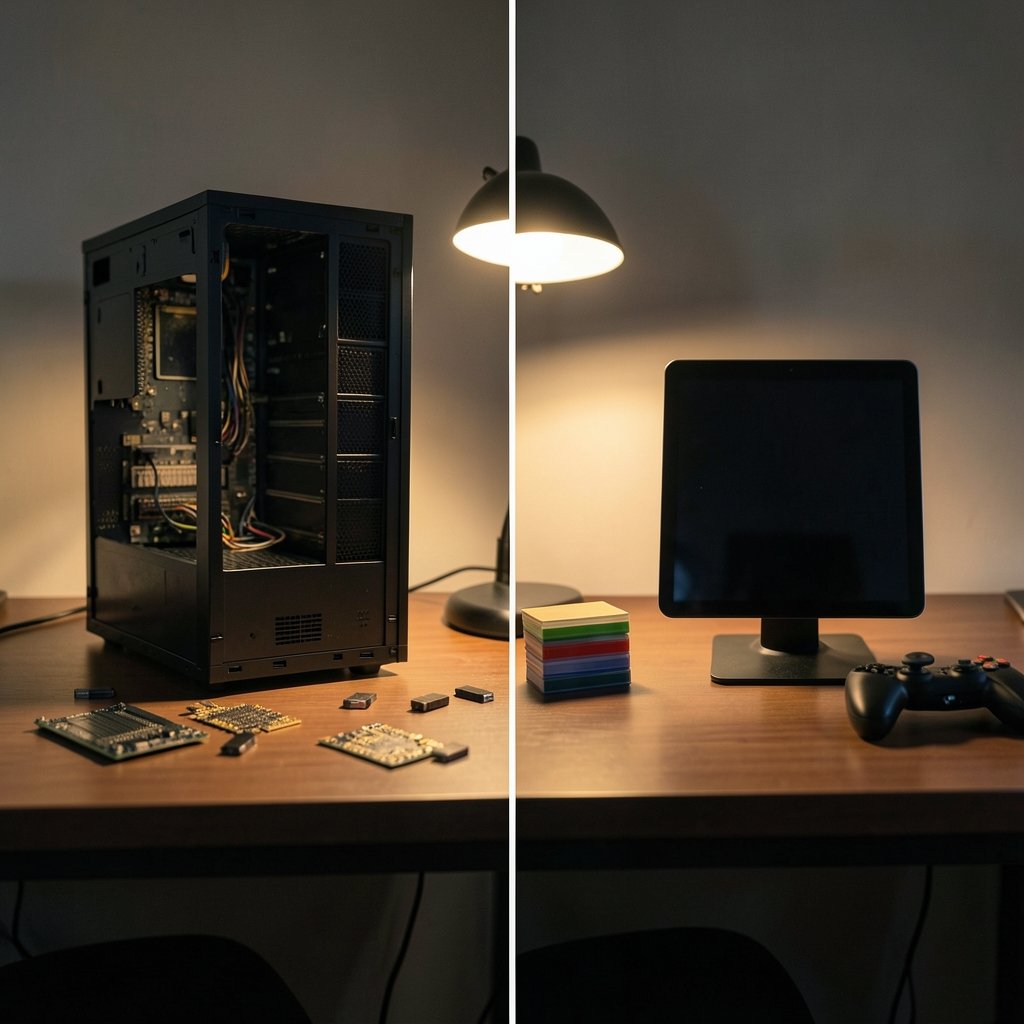
This is where the workflow gap is widest.
Java mods are distributed as `.jar` files and loaded through tools like Forge, NeoForge, or Fabric. These loaders can reach deep into the game’s core code, which is why Java modding can change almost anything: world generation, combat, rendering, entire new systems. Fabric launched in 2018 as a lighter alternative, and NeoForge split from Forge in 2023, so the loader landscape itself keeps shifting. If you want the full picture of how Java mods work and how loaders fit together, the community wiki’s overview of Minecraft mods is a solid starting point.
Bedrock works differently. Content comes as add-ons: behavior packs and resource packs written in JSON, plus scripting APIs. These are sandboxed, meaning they can’t rewrite the core game the way a Java mod can. The trade-off is safety and portability. A Bedrock add-on is far less likely to crash a client or break after a minor update, but it also can’t do everything a Java mod can. The wiki’s explanation of Bedrock add-ons covers the pack structure in detail. (Keyboard foam mod sound differences actually changes)
In practice, this changes your planning:
- Java projects need version pinning. A mod built for one game version often breaks on the next, so you lock versions and test carefully before updating.
- Bedrock projects need platform testing. The same add-on may behave differently across Windows, consoles, and phones, so you check each target.
- Cross-edition projects usually mean maintaining two separate builds. There is no clean conversion path for complex content.
A common mistake is assuming a popular Java mod has a Bedrock equivalent. Sometimes it does, often in a reduced form. Always check before promising a feature to a community.
Server Tooling and Multiplayer Reality
If you plan to run a server, the editions diverge sharply again.
Java has mature third-party server software. Tools like Paper and Spigot (Paper traces back to 2015) support a large range of plugins, and the community has spent years hardening them for high player counts. You get granular permissions, custom game modes, and deep configuration.
Bedrock has an official dedicated server, but third-party plugin support has historically been more limited. The official server is stable and straightforward, which suits many small communities, but it offers fewer hooks for custom behavior.
Then there is cross-play, and this is where expectations often collide with reality. Bedrock supports cross-platform multiplayer across Windows, consoles, and mobile through Microsoft accounts. Java does not natively cross-play with Bedrock. Bridging tools like GeyserMC, active since around 2019, can connect the two, but they add a layer of translation that occasionally produces odd behavior. The wiki’s page on Minecraft multiplayer lays out the connection rules clearly.
Here is the practical comparison:
| Workflow area | Java Edition | Bedrock Edition |
|---|---|---|
| Modding format | `.jar` mods via Forge, NeoForge, Fabric | JSON add-ons (behavior and resource packs) |
| Depth of modification | Can alter core game code | Sandboxed, more limited reach |
| Server software | Mature third-party options (Paper, Spigot) | Official dedicated server, fewer plugins |
| Cross-play | Not native; needs bridging tools | Built in across Windows, console, mobile |
| Content distribution | Third-party sites | Official in-game Marketplace |
| Pre-release testing | Public snapshots | Previews and betas via specific platforms |
Read that table as a map of trade-offs, not a scoreboard. A small family server on mixed devices leans Bedrock. A heavily customized survival server leans Java.
Redstone and Technical Builds
Technical players feel the edition split most in redstone. The two editions have documented differences in redstone timing and mechanics. The best-known example is quasi-connectivity, a Java quirk where components can power blocks diagonally or through certain arrangements in ways Bedrock doesn’t replicate.
The result is that a contraption designed on one edition may simply fail on the other. Farms that rely on precise tick timing often need redesigning. Pistons, observers, and update order can all behave differently.
For a build team, this means:
- Decide the target edition before designing any technical build.
- Test every contraption on that edition, not on a “close enough” copy.
- Document timings and versions, because behavior can shift between game updates.
- Avoid copying redstone tutorials blindly. Check which edition the creator used.
The wiki’s reference on redstone mechanisms is worth bookmarking if you build machines regularly. It flags edition-specific behavior so you can plan around it rather than discovering it mid-build.
Testing, Updates, and Version Cadence
How each edition handles pre-release testing shapes how teams prepare for updates.
Java uses public snapshots for pre-release testing, a system that dates back to 2011. Anyone can opt in, which means bugs surface fast and mod developers get early access to breaking changes. For a server admin, snapshots are a warning system: when a snapshot lands, you know a real update is coming and your plugins will need attention.
Bedrock uses previews and betas, distributed through specific platforms such as the Xbox Insider program. Access is narrower and tied to particular devices, so testing coverage looks different.
The practical habit either way is the same: never update a live world on day one. Back up first, test on a copy, and check whether your mods or add-ons have caught up. If you are comparing note-taking setups for planning builds and tracking versions, a look at how Obsidian and Logseq handle local-first notes by workflow can help you pick a system that keeps your build logs searchable offline.
Content Creation and Distribution
If you make maps, skins, or adventure content, the distribution path differs a lot.
Bedrock has an official in-game Marketplace, launched in 2017, where content is reviewed and sold through a structured pipeline. That gives creators a built-in audience and a revenue path, but it also means review standards and platform rules apply.
Java content spreads through third-party sites and community platforms. There is no single official store, which means more freedom and less gatekeeping, but also more work to get discovered and to keep downloads safe.
For creators, the question becomes: do you want a curated storefront with rules, or an open field where you handle your own distribution? Both are legitimate. Just pick before you build, because packaging differs.
Practical Setup Tips That Save Headache
A few habits prevent most edition-related frustration:
- Back up worlds before any version change. Both editions can corrupt a world if an update goes wrong, and backups are cheap.
- Keep a version log. Note the game version, loader or add-on version, and what changed. Future you will be grateful.
- Match your hardware to the edition. Bedrock runs well on modest devices and consoles. Java rewards a desktop with decent memory, especially with mods.
- Test multiplayer early. Invite a second player before your world grows, so connection issues surface while fixes are easy.
- Read changelogs before updating. Breaking changes are usually documented, and a five-minute read beats an evening of repairs.
If your workflow involves writing documentation, guides, or server rules, a practical Claude writing workflow can speed up drafting without changing your technical setup.
What to Watch Heading Into 2027
Nobody can say exactly what Mojang will ship between now and 2027. Scripting APIs, add-on capabilities, and server tools could all shift. Treat any “2027 workflow” claim, including the projections here, as something to re-check against official changelogs before you commit a big project.
What is unlikely to change quickly is the foundation: two separate codebases, two modding models, two server ecosystems, and asymmetric cross-play. Those are structural, not seasonal. Plan around them and you will spend less time fighting the edition you chose and more time playing.
Conclusion
The Java versus Bedrock question has no universal answer, only a best fit. Java wins for deep modding, mature server tooling, and technical redstone work. Bedrock wins for cross-platform play, simple setup on mixed devices, and creators who want an official storefront. The costly mistake is picking one edition casually and then discovering, months in, that the mods, plugins, or players you need live on the other side. Decide what your project actually requires, test early, log your versions, and keep backups. Do that, and the edition split stops being an obstacle and becomes just another part of your workflow.
FAQ
Is Minecraft Java or Bedrock better for mods?
Java is the stronger choice for deep modding. Its loaders, including Forge, NeoForge, and Fabric, can change core game code, so mods can add entire systems. Bedrock add-ons are sandboxed JSON packs with scripting support, which is safer and more portable but more limited in what it can alter.
Can Java and Bedrock players play together?
Not natively. Bedrock supports cross-play across Windows, consoles, and mobile through Microsoft accounts, but Java does not connect to Bedrock out of the box. Third-party bridging tools such as GeyserMC can link them, though translation layers occasionally cause odd behavior.
Which edition is better for running a server?
It depends on your goals. Java has mature third-party server software with extensive plugin support, which suits large or heavily customized communities. Bedrock’s official dedicated server is stable and simple, which fits smaller groups, especially those on mixed devices.
Why does redstone behave differently between editions?
The editions have documented differences in redstone timing and mechanics. Java includes quirks like quasi-connectivity that Bedrock does not replicate, so contraptions built on one edition may fail on the other. Always design and test technical builds on your target edition.
Do I lose my world if I switch editions?
There is no clean official conversion for complex worlds, especially modded ones. Simple builds may transfer with third-party tools, but expect lost data, broken redstone, and missing content. Back up your world before attempting anything, and treat conversion as a project, not a click.
Which edition should a content creator choose?
Choose Bedrock if you want the official in-game Marketplace and its review pipeline. Choose Java if you prefer open distribution through community platforms and more freedom over packaging. Decide before you build, because the packaging and review steps differ significantly.



