

What actually changes when you swap a set of Cherry-profile keycaps for OEM or SA caps? Most people expect a dramatic difference. What they get is subtler: a different finger reach, a different sound, and sometimes a keyboard that suddenly feels wrong in ways they can’t quite name. (Computer keyboard)
The three profiles come up constantly in buying guides, yet the comparison is usually reduced to “Cherry is low, OEM is medium, SA is tall.” That’s true and almost useless. The workflow differences are what matter: how far your fingers travel, how row kits fit together, whether your wrist rest still works, and how much of your day you’ll spend relearning where your fingers land. (Use claude writing practical workflow that actually works)
This piece breaks down Cherry, OEM, and SA by what they change in daily use, including the practical traps people hit when they switch.
What each profile actually is
Cherry profile is a cylindrical, sculpted, row-specific shape. Each row has its own height and angle, and the tops are gently curved in one direction. It’s the profile long associated with Cherry’s own switches and the German keyboard tradition, and it sits relatively low.
OEM profile is also cylindrical and sculpted, but generally taller than Cherry with a more pronounced row-to-row step. It’s the default on most mass-market mechanical keyboards, which is why so many people’s first custom set feels like a sideways move rather than an upgrade.
SA profile is the outlier. It’s tall, spherical, and heavily sculpted, with large, deeply dished tops. The shape is often tied to vintage terminal keyboards and the custom keyboard scene. SA keycaps look dramatic and feel very different under the fingers.
One important caveat before going further: keycap profile is not governed by any formal standards body. Dimensions come from manufacturers’ mold data, and “OEM” in particular is a loose industry label rather than a single specification. Two OEM sets from different makers can differ meaningfully. Treat every profile description, including this one, as a general characterization rather than a measured fact.
The real difference: finger travel and reach
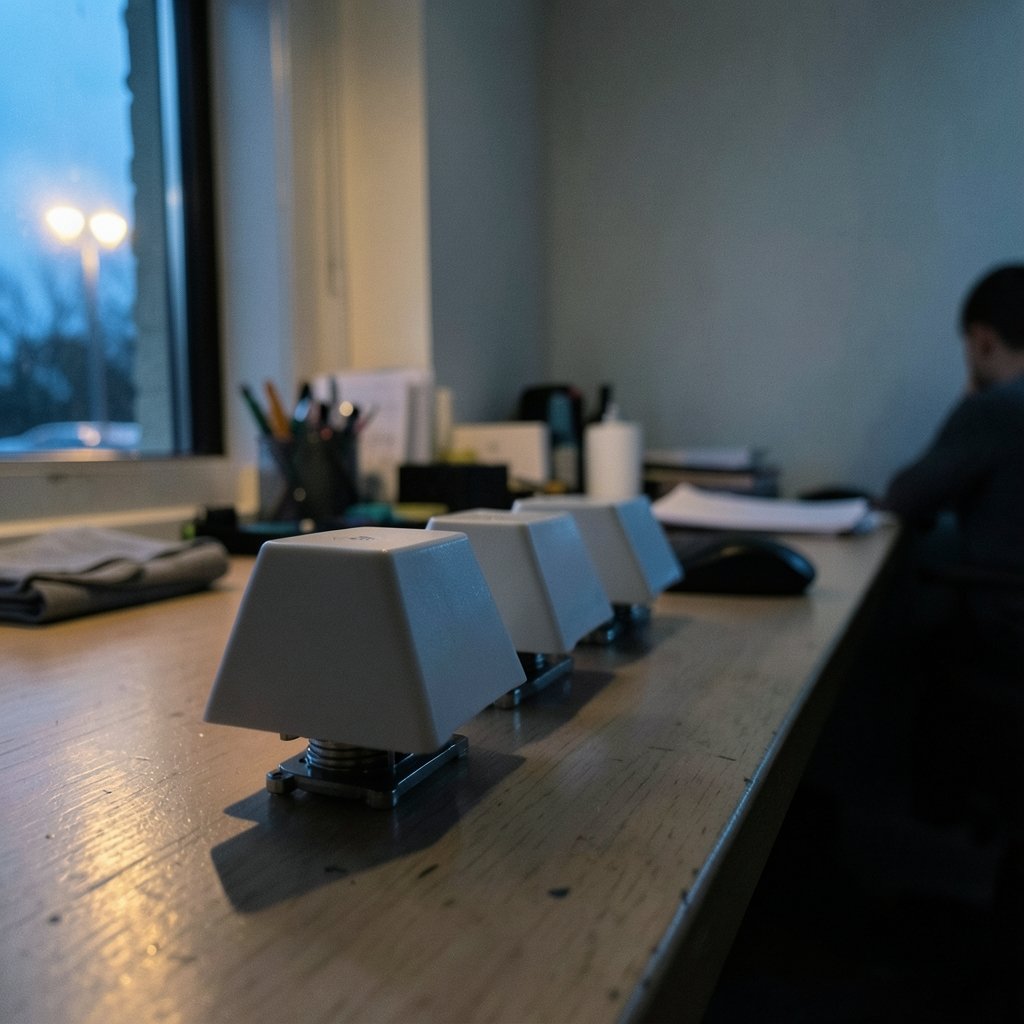
The headline number people quote is keycap height, but height alone doesn’t tell you much. What your hands notice is how far each finger has to reach to hit the next row, and that’s a product of height plus row angle plus top shape.
Cherry keeps that reach short. Fingers stay close to home position, and the low, rounded top gives a small target that rewards accuracy. For touch typists who keep their hands planted, this is comfortable over long sessions.
OEM adds height and a steeper step between rows. Some people find the extra sculpting helps their fingers find rows without looking. Others find it pushes their hands into a slightly more arched position, which matters if they already type with tension.
SA changes the geometry most. The tall caps and deep spherical dishes mean your fingertips sit down inside a bowl rather than on top of a curve. That’s pleasant for some and fatiguing for others, especially at speed. It also raises your hand position noticeably, which brings wrist rests and desk height into the conversation.
A quick comparison
| Trait | Cherry | OEM | SA |
|---|---|---|---|
| Top shape | Cylindrical | Cylindrical | Spherical |
| Relative height | Low | Medium to tall | Tall |
| Row sculpting | Moderate | Pronounced | Strong |
| Typical feel | Precise, compact | Familiar, forgiving | Deep, vintage |
| Common context | Cherry-style boards, custom sets | Mass-market mechanicals | Vintage-inspired and custom builds |
That table is a starting point, not a verdict. The right profile depends on your hands, your layout, and how you actually type.
Why “workflow” is the right lens
A keycap swap is rarely just an aesthetic decision. It touches several parts of your setup at once, and each one has a failure mode.
Layout compatibility. Not every profile is made for every keyboard layout. Split spacebars, odd bottom rows, and non-standard widths can leave you hunting for a kit that doesn’t exist in the profile you want. Cherry and OEM have broader coverage because they’re the mass-market shapes. SA coverage is narrower, and group-buy timing adds another layer of friction.
Row kits. Sculpted profiles are row-specific, meaning the caps for the top row are physically different from the caps for the home row. If you buy the wrong row kit, the set won’t sit correctly. This is the single most common mistake people make with SA, and it happens with Cherry too.
Wrist position. Taller profiles raise your hands. If your desk and chair aren’t set up for that, you’ll feel it in your forearms before you feel it in your fingertips. A wrist rest isn’t cosmetic here; it’s part of making a tall profile workable.
Sound. Profile changes the sound signature as much as it changes feel. Taller, thicker caps often produce a deeper, more resonant note; lower caps tend to sound tighter. If you’ve already tuned a board with foam or case mods, a profile swap can undo some of that work. Anyone who has chased a specific sound knows how much the cap contributes, and the same logic applies when you tweak a keyboard foam mod and hear the sound differences it actually changes.
Muscle memory. This is the one people underestimate. Switching from OEM to SA isn’t a one-day adjustment. Your fingers have spent years learning exactly how far to lift. A new profile resets that calibration, and the relearning period can run from a few days to a couple of weeks.
Practical tips that save time and money
Buy a single-row tester first. Many sellers offer small sample packs with one cap from each row. Typing on a full set for ten minutes tells you more than any comparison chart. It’s the cheapest mistake-prevention step available.
Match the profile to the board, not the other way around. If your keyboard has a standard staggered layout and you like it, Cherry or OEM will drop in with minimal fuss. If you’re building something unusual, check kit availability before you fall in love with a look.
Check your stabilizer clearance. Taller caps can interact differently with stabilizers on wide keys, and a spacebar that rattles after a swap is usually a fit issue rather than a defect.
Don’t change two variables at once. If you’re also switching switches or adding sound dampening, do it in separate steps. Otherwise you won’t know which change produced the result you like or dislike.
Give it a week before judging. First impressions of a new profile are unreliable. The first hour feels alien; the first week tells you whether your hands are adapting or fighting back.
Keep your old set. The resale market for keycaps is real, but the better reason to keep them is that some days you’ll want the familiar feel back. Having a fallback removes the pressure to force an adjustment that isn’t working.
Where this fits in a broader setup
Keycap profile is one variable in a chain that includes switches, case, mounting, and software. People who care enough to compare profiles usually care about the rest of the stack too, and the same principle applies: change one thing, observe, then decide.
If you’re building a local-first notes system to document your builds and track what you’ve tried, the choice between Obsidian and Logseq comes down to how you like to work, and a workflow-focused comparison of Obsidian vs Logseq local-first notes helps you pick before you migrate. If your keyboard work involves writing up results, a practical Claude writing workflow can speed up documentation without turning it into boilerplate. And if you’re juggling build photos, firmware files, and notes across machines, choosing Dropbox alternatives by use case that actually fits your workflow prevents the classic problem of scattered files. None of these choices touch keycaps directly, but they’re the same kind of decision: small, reversible, and worth getting right the first time.
Common mistakes and how to avoid them
The most expensive error is buying a full sculpted set before confirming row compatibility with your specific keyboard. The second is assuming a taller profile will feel more premium. Height is not quality; it’s a trade-off between reach, comfort, and aesthetics.
The third mistake is ignoring hand size. People with larger hands often find taller profiles more comfortable because their fingers have room to move. People with smaller hands frequently prefer lower profiles for the same reason in reverse. Neither preference is wrong, and neither can be predicted from a chart.
Finally, don’t treat profile as a permanent decision. Keycaps are among the most reversible upgrades in a keyboard build. Experimentation is cheap if you plan it, and expensive if you don’t.
Conclusion
Cherry, OEM, and SA aren’t ranked from worst to best. They’re three different answers to the same question: how should a finger meet a key? Cherry keeps things compact and precise. OEM offers a familiar middle ground with more pronounced sculpting. SA delivers a tall, dished, vintage feel that rewards some hands and frustrates others.
The workflow differences are what deserve your attention: row kit compatibility, wrist position, sound changes, and the muscle memory reset that comes with any switch. Buy a tester, change one variable at a time, and give your hands a week to respond. That approach beats any comparison table, including this one.
FAQ
Is Cherry profile better than OEM for typing?
Neither is objectively better. Cherry is lower and more compact, which many touch typists prefer for long sessions. OEM is taller with more pronounced row sculpting, which some people find easier for locating rows by feel. The right choice depends on hand size, typing style, and how much adjustment you’re willing to make.
Is SA profile hard to get used to?
Most people need an adjustment period, often a few days to a couple of weeks. SA caps are taller with deep spherical dishes, so your fingertips sit differently and your hands rest higher. Some typists adapt quickly and love the feel; others find the height fatiguing at speed. Trying a sample cap before buying a full set is the safest way to find out which group you’re in.
Do keycap profiles follow any official standard?
No formal standards body governs keycap profiles. Dimensions come from manufacturers’ molds, and labels like OEM are loose industry terms rather than specifications. That’s why two sets with the same profile name can differ in height and angle, and why sample packs are worth the small cost.
Can I mix keycap profiles on one keyboard?
You can physically, but it usually feels inconsistent because each row sits at a different height and angle. Mixing is sometimes done deliberately for accent keys or unusual layouts, but as a general approach it works against the sculpting that makes a profile comfortable. If you mix, keep the change to non-typing keys where possible.
Why do row kits matter so much with sculpted profiles?
Sculpted profiles are row-specific: the cap for the top row is shaped differently from the cap for the home row. If you install the wrong row in the wrong place, the set won’t sit or feel correct. Checking row compatibility before buying is the single most effective way to avoid a costly return.
Does changing keycaps really change the sound that much?
Yes. Cap height, thickness, and material all affect resonance, so a taller, thicker set often produces a deeper note while lower caps sound tighter. If you’ve already tuned a board with foam or case modifications, a profile swap can shift the result, so treat sound tuning and keycap changes as separate steps rather than doing both at once.



