

What actually changes about your working day when you pick Roblox Studio, Unity, or Godot? Not the marketing pages, not the feature checklists. The daily rhythm: how fast you test a change, how you handle a bug, how you ship to players, and how much backend plumbing you build yourself.
That rhythm is what separates these three tools far more than their graphics features. This article walks through the practical workflow differences, including the traps that catch people in their first month and the habits that separate smooth projects from painful ones.
The Three Tools Are Not the Same Kind of Thing
The first mistake people make is treating this as a three-way tie between equivalent engines. It is not.
Roblox Studio is a closed, cloud-first platform. Projects live in Roblox’s cloud, publishing goes to the Roblox platform, and the client runs on Roblox’s own servers and infrastructure. There is no export to a standalone build. You are not making a game that runs anywhere; you are making a game that runs on Roblox.
Unity is a general-purpose engine using C# with the .NET/Mono runtime and a component-based scene system built on GameObjects and Components. You build for whatever platform you target, and you own the whole pipeline.
Godot is free and open source under the MIT license, with a node-and-scene architecture and GDScript as its native language, plus C# and GDExtension bindings.
That distinction drives everything below. One tool is a platform, two are engines. If you pick based on features alone, you will feel the difference later, usually at the worst possible time.
The Iteration Loop: Where Your Hours Actually Go
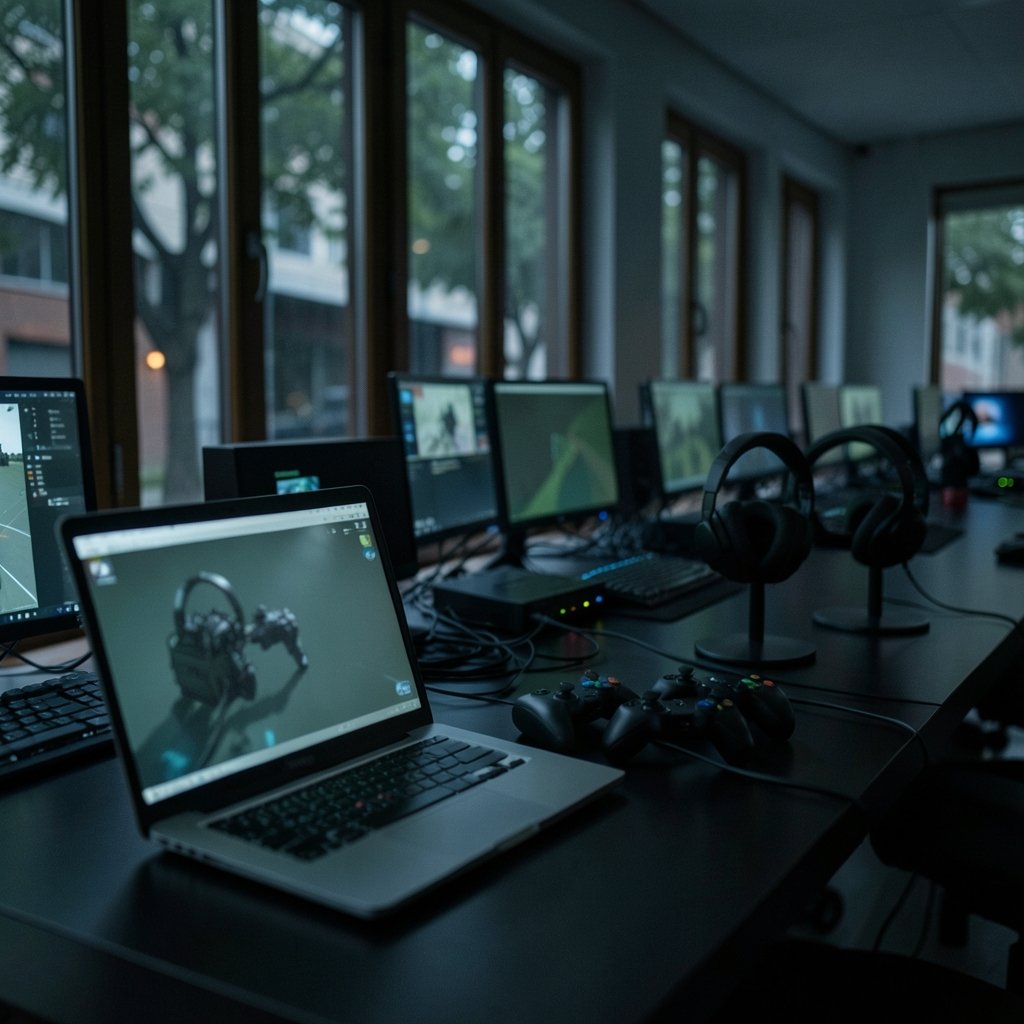
Iteration speed is the single biggest workflow difference, and it is the one people underestimate most.
Roblox Studio offers near-instant play-testing in a hosted environment with built-in multiplayer. You press play, and you are in a live session with real networking. For a multiplayer game, that is transformative. Testing four-player co-op in Unity means spinning up multiple builds and a local host, or pushing to a test server. In Roblox, it is a button.
Unity’s Play Mode and Godot’s play-scene are local. They are fast, but they test one player unless you build the harness yourself. Unity offers optional packages for networking, and Godot 4 ships high-level multiplayer nodes, but the default loop is single-player. (Introduction to Godot)
What this means in practice: if your game is fundamentally multiplayer, Roblox removes weeks of infrastructure work. If your game is single-player or needs custom netcode, that advantage evaporates and you pay for it in platform lock-in.
A Common Mistake in the First Month
Teams coming from Unity often try to build a “proper” architecture in Roblox before testing anything. They create module hierarchies, abstract their services, and write frameworks. Then they discover the platform’s services already handle most of what they built.
The opposite mistake happens too. Godot newcomers treat nodes as pure data containers and fight the scene tree instead of using it. Godot’s node-and-scene model rewards composition; if you are fighting it, you are probably designing against the grain.
Scripting Languages and What They Cost You
| Tool | Primary Language | Typing | Learning Curve for Experienced Devs |
|---|---|---|---|
| Roblox Studio | Luau (typed superset of Lua 5.1) | Gradual | Low if you know Lua; moderate otherwise |
| Unity | C# | Static | Low for C# developers |
| Godot | GDScript, C#, GDExtension | Run-time typing (GDScript) / static typing (C#) | Low; GDScript reads like Python |
Roblox uses Luau, a gradually typed superset of Lua 5.1 with type checking and performance work by Roblox. It was open-sourced in 2021, and its type checking matured through 2022–2024. If your team knows Lua or Python, Luau feels familiar within days. If your team is C#-native, the transition is real but not brutal.
Unity’s C# is the most transferable skill of the three. C# knowledge applies far beyond games, and .NET provides mature tooling, debuggers, and libraries. That matters for hiring and for long-term career flexibility.
Godot’s GDScript has the most approachable syntax of the three for beginners. It uses run-time typing by default, which speeds up prototyping and slows down large-codebase maintenance if you are not disciplined.
Practical tip: whichever you choose, spend the first week writing throwaway scripts in the native language before committing to architecture. The cost of switching languages mid-project is far higher than the cost of a week of practice.
If you want a deeper comparison of how these tools fit different team shapes and production styles, there is a useful breakdown of Unity vs Unreal vs Godot 2026 licensing, team fit, and production considerations that covers the organizational side rather than the technical one.
Built-In Services vs Build It Yourself
This is where Roblox wins decisively for certain genres and loses for others.
Roblox’s built-in services include DataStore for persistence, matchmaking, and avatar and monetization APIs. That reduces backend work dramatically. You do not build a login system, a save system, or a payment pipeline. You call a service.
Unity gives you nothing by default. You integrate a backend, or you build one. That is freedom, and it is also work. Godot is similar: high-level multiplayer nodes help, but persistence, accounts, and monetization are your problem.
The trade is straightforward:
- Roblox: less backend work, total platform dependency, revenue share, and content rules you do not control.
- Unity: maximum control, maximum setup cost.
- Godot: maximum control with a lighter footprint, but you still build the backend.
A team of two shipping a multiplayer social game will likely move faster on Roblox than anywhere else. A team building a single-player narrative game gets almost nothing from Roblox’s services and loses distribution flexibility. (Game engine)
Asset Pipelines and the Moderation Surprise
Asset import is where small friction compounds into real time loss.
Unity imports FBX and glTF and uses its own material and shader systems through URP and HDRP. Godot imports glTF natively and uses its own shader language. Roblox uses its own mesh and asset upload process with moderation review.
That moderation step is the surprise. New teams upload an asset, expect it to appear, and instead wait for review. Sometimes it comes back rejected for reasons that are not obvious. Build that delay into your schedule. Do not plan a content-heavy milestone assuming same-day asset turnaround.
Practical habit: upload placeholder assets early, even ugly ones, so you learn the review rhythm before you are under deadline pressure.
Version Control and Team Collaboration
Unity and Godot work naturally with Git plus large-file handling through Git LFS. Unity also offers its own version control package. This is standard software practice, and it works.
Roblox Studio’s collaboration is cloud-based through Team Create, which is excellent for real-time co-editing and awkward for branching. Rojo enables file-based workflows so you can use Git properly, and it is the standard answer for teams that want real version control in Roblox.
If your team already lives in Git, plan for Rojo from day one in Roblox. Retrofitting it later means untangling a project that grew up in the cloud editor.
For teams comparing how tooling choices ripple into daily work, a look at how note-taking workflows differ between local-first tools offers a useful parallel: the tool shapes the habit, not the other way around. The same logic applies to Obsidian vs Logseq local-first notes compared by workflow, and it is worth reading if you are choosing tools for a team rather than yourself.
Licensing: The Trap That Catches Careful People
Unity’s licensing history is a minefield of stale information. The Runtime Fee announced in September 2023 was cancelled in September 2024, and Unity 6 shipped in October 2024. Plenty of articles still describe the fee as active.
Rule for 2027 planning: verify license terms against dated primary sources, not blog posts. Terms can change, and the change can be retroactive in ways that affect shipped projects.
Godot’s MIT license is the simplest of the three. No revenue thresholds, no seat counting, no surprises. That simplicity is a genuine workflow benefit: fewer meetings, fewer legal reviews.
Roblox’s monetization terms and asset rules change often. Do not assume 2025 specifics hold in 2027.
Choosing by Workflow, Not by Feature List
Here is how the decision usually shakes out when you weight workflow over features:
| Your Situation | Likely Best Fit | Why |
|---|---|---|
| Multiplayer-first, small team, want distribution | Roblox Studio | Built-in networking, services, and audience |
| Broad platform targets, C# team, long-term hiring | Unity | Transferable skills, mature tooling, control |
| Open-source values, solo or small team, fast prototyping | Godot | MIT license, light footprint, readable language |
| Need standalone builds and full ownership | Unity or Godot | Roblox cannot export standalone builds |
| Learning game development for the first time | Godot or Roblox | Gentlest on-ramps |
One more consideration: the engine you learn shapes what you can build next. If you might want to make a non-game interactive app, or ship to consoles, or hand the project to another studio, that future shapes the choice more than any current feature.
If you are weighing engines across a broader set of options, including how licensing and team fit play out in production, the breakdown of Roblox Studio vs Unity vs Godot 2026 is a good companion read for the platform comparison side.
What Actually Works in Practice
A few habits hold across all three tools:
- Prototype the loop before the content. Build one playable minute before building the menu system.
- Learn the native language first. Do not write C# in Godot or Luau in Unity. Fight the grain and you lose.
- Test on target hardware weekly. Editor performance lies.
- Automate your build early. Manual builds break under deadline pressure.
- Read the current docs, not tutorials. Tutorials age fast; official documentation tracks releases.
The most common failure pattern is not picking the “wrong” engine. It is picking an engine and then working against its model: building custom networking in Roblox, fighting the scene tree in Godot, or ignoring Unity’s package system. Every one of those fights costs weeks.
Conclusion
The workflow differences between Roblox Studio, Unity, and Godot come down to three questions. Does the platform already solve your hardest problem, like multiplayer or persistence? Do you need to own the build and ship anywhere? And does your team already speak the language?
Roblox Studio trades freedom for speed and built-in services. Unity trades setup cost for control and transferable skills. Godot trades the number of third-party tools and assets for openness and simplicity. None of these is the “best” engine. Each is the best fit for a particular team making a particular kind of thing.
Pick the workflow you can sustain for two years, not the one with the longest feature list. Then verify the licensing and platform rules against current sources, because those are the details most likely to change before 2027 arrives.
FAQ
Is Roblox Studio a real game engine?
It is a game creation platform, not a general-purpose engine. Projects live in Roblox’s cloud, publishing goes to the Roblox platform, and there is no export to a standalone build. That makes it excellent for reaching Roblox’s audience and unsuitable if you need to ship elsewhere.
Can I use Git with Roblox Studio?
Yes, through Rojo, which enables file-based workflows so you can use standard version control. Roblox’s native collaboration is cloud-based through Team Create, which is great for real-time co-editing but awkward for branching. Plan for Rojo early rather than retrofitting it.
Is Godot really free for commercial games?
Yes. Godot is released under the MIT license, which places no revenue thresholds or seat limits on commercial use. That simplicity is a real workflow advantage: fewer legal reviews and no licensing surprises mid-project.
Which engine is easiest to learn first?
Godot’s GDScript is the most approachable syntax for beginners, and Roblox Studio’s instant play-testing makes early experimentation very rewarding. Unity’s C# has the steepest initial curve but the most transferable skill value if you might work outside games.
Do I need to know C# to use Unity?
Practically, yes. Unity’s scripting is built on C# with the .NET/Mono runtime, and its component model assumes you can write and debug C#. Other languages exist through third-party tooling, but the documentation, tutorials, and hiring pool all assume C#.
How often do these engines change?
All three ship frequently. Godot 4.x releases continued through 2024 and 2025, Unity 6 shipped in October 2024, and Roblox’s platform rules change regularly. Check dated primary sources before making decisions, and never rely on a tutorial more than a year old for licensing or API details.



