A good image tool should make it easier to get from an idea to a usable visual, not just produce an impressive first draft. The right choice depends on what you need to make, your budget, and how much editing you expect. A creator planning social media posts may care more about readable text than lifelike faces. Someone making product content may need fine control over light, shape, and color.
This comparison separates tools for photorealism, design work, text in images, editing, free access, and local control. It also looks at how quickly you can improve a result and what the workflow costs, not just how polished one sample looks. That distinction matters when you need to make several images, meet a deadline, or keep a visual style consistent. Start by deciding what the image needs to do and how much refinement you expect to make.
Key Takeaways
- ChatGPT is a strong general starting point for image creation.
- Midjourney suits art-directed images, while Ideogram suits text-led graphics.
- Adobe Firefly connects image generation with Photoshop workflows.
- Free access can help you test a tool, but limits may interrupt repeat work.
- Try the same prompt in two tools before paying for a plan.
- Check model and platform terms before using an image commercially.
What Makes an AI Image Tool a Good Fit?
A useful image tool needs to match both the requested visual and the way you plan to refine it. Prompt adherence means how closely a generated image follows the details and instructions in its prompt. It matters when your brief calls for exact objects, colors, placement, or wording.
Judge the full workflow, not one striking sample. An AI model creates the output, while a platform provides access and may add controls, editing, or several models. Diffusion models start with noise and refine it through steps. Autoregressive models build image chunks in sequence. Research on discrete diffusion methods explores one approach to image generation, not a ranking of consumer platforms.
Prompting and output quality
Compare how well image generators follow prompts, render text, and hold a visual style. A tool may produce beautiful images but miss a requested camera angle or add stray letters. Test the details your work needs, such as a product label or a person holding an object.
A common mistake is judging a tool from one simple prompt. A plain landscape says little about how it handles a busy poster, precise layout, or several requested subjects. A side-by-side image generator comparison can help you form a shortlist before testing your own work.
Editing, controls, and workflow
Check whether the platform supports selective editing, useful output controls, and exports that fit your other apps. Speed matters too: a tool that lets you revise one detail can save time over repeated full generations. Access and cost structure affect how practical that workflow feels.
- Prompt adherence to the details in your brief
- Text rendering for words and labels
- Visual style that fits the intended use
- Selective editing for changing one area
- Export or integration needs for your other tools
- Generation allowance for the amount of work
Test the task you need to finish, not the easiest prompt a tool can handle.
Test a representative prompt, including any exact text or layout the finished image must contain.
What Is the Best AI Image Generator for Each Use Case?
For most people who want a capable, straightforward starting point, ChatGPT is the first tool to try. In October 2026, GPT Image 2.5 models held the top two places on the Artificial Analysis Image Arena, which uses blind human-preference votes. That makes ChatGPT a strong general pick, not an automatic winner for every brief.
Google users may prefer Gemini with Nano Banana, while Midjourney suits art-directed results. Adobe Firefly fits photo integration, Recraft suits graphic design, and Muse Image offers access across Meta apps. In October 2026, Google’s Nano Banana 2.1 ranked fourth on the Arena with an Elo score of 1176. An Arena rank is a useful signal, but it cannot predict every image generation task.
| Tool | Best fit | Access route | Main tradeoff |
|---|---|---|---|
| ChatGPT | General image tasks | ChatGPT app | Less art-directed than Midjourney |
| Gemini/Nano Banana | Google users | Gemini app | Free limits depend on account use |
| Midjourney | Artistic images | Midjourney platform | More to learn |
| Firefly | Photo integration | Adobe apps | Workflow favors Adobe users |
These tools make different tradeoffs in control, style, and convenience. The best image generator for a fast social post may not be the best for a polished campaign or a detailed product shot. Choose by the work you need to finish, since an Arena rank cannot measure every workflow.
How Do the Leading Models Compare on Test Scores?
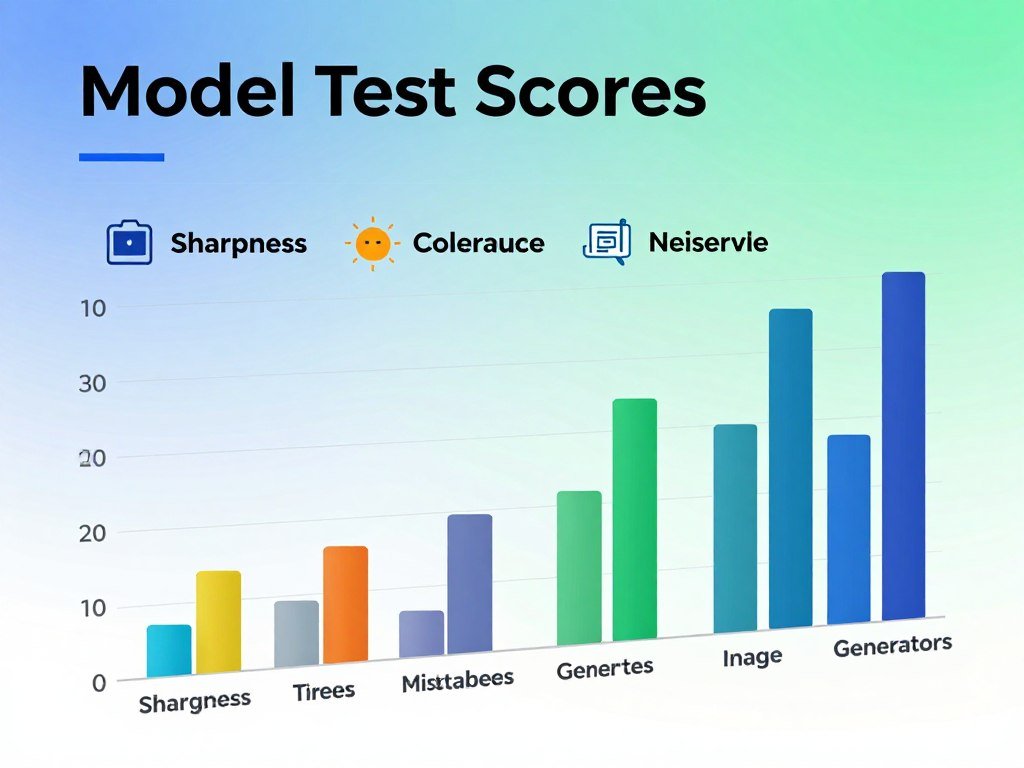
The top overall score and the top prompt-adherence score belong to different models in this comparison. Nano Banana 2 scored highest overall, while ChatGPT 2.0 led on prompt adherence. A composite score can hide the strength that matters most to your project.
| Model | Overall | Prompt adherence | Visual fidelity | Style and realism |
|---|---|---|---|---|
| Nano Banana 2 | 8.82/10 | 9.00 | 8.80 | 8.66 |
| Flux 2 | 8.78/10 | 9.65 | 8.51 | 8.17 |
| ChatGPT 2.0 | 8.55/10 | 9.89 | 8.07 | 7.71 |
| Midjourney v8.1 | 8.63/10 | 9.72 | 8.41 | 7.75 |
Curious Refuge’s 2026 comparison scored these four models across overall quality, prompt following, visual fidelity, and style and realism. The numbers show why no single model leads every measure. Flux 2 and Midjourney v8.1 scored higher than Nano Banana 2 on prompt adherence, while Nano Banana 2 had the highest overall result.
A model with a lower composite result might still suit a brief that demands exact instructions. Another may fit a project that values a particular look. Test the models on the same prompt and compare the parts you would actually use. Use the dimension closest to your actual brief, not the overall score alone.
What Do Image Leaderboards Actually Measure?
A leaderboard summarizes how models fare in a particular comparison, not whether one will suit every image task. Elo is a relative ranking measure within a comparison; it is not a direct percentage of image quality. Blind preference votes measure what people choose, not whether an image meets your exact brief.
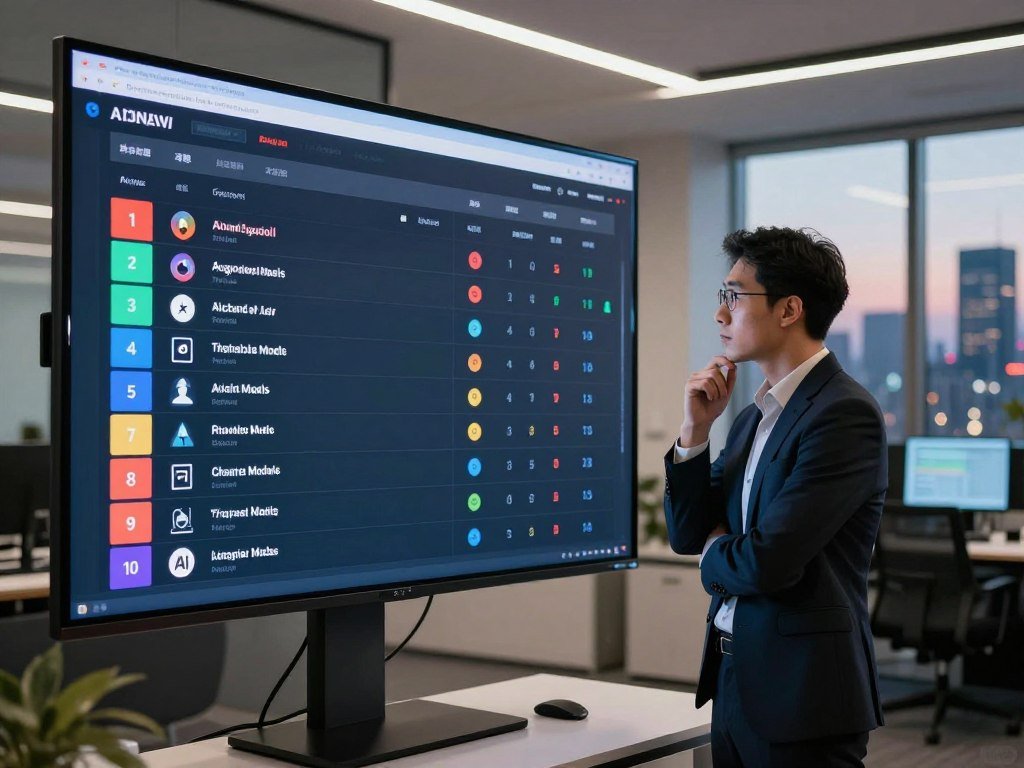
In October 2026, FLUX 3 ranked 13th on the Artificial Analysis Image Arena with an Elo score of 1117. Ideogram 4.5 High had an Elo score of 1015. Those figures belong to the same type of ranking, but they should not be treated as a direct measure of how much better one image looks.
Arena votes can capture human preference across many comparisons. They do not guarantee strong typography, reliable editing, or realism for a specific product scene. A model may rank well while missing the small words on your label or changing a detail you asked it to keep.
Use rankings to narrow your options, then judge your own outputs at full size. A shortlist saves time, but the prompt and finished use still matter. Treat rankings as a shortlist, then test the model against your own prompt.
Which Generator Is Best for Realistic Photos?
For realistic product or lifestyle visuals, start with a model that handles detail and prompt constraints well, then inspect the result closely. FLUX 2 Pro is positioned for high-fidelity photorealistic work. Try FLUX models for controlled realism and product visuals.
Photorealistic scenes and product visuals
ChatGPT or Gemini may feel easier when you want to refine an image through natural-language instructions. Ask for a small change, such as a softer shadow or a different background, and check whether the rest stays intact. A practical workflow can matter as much as the model’s first output.
Image quality can shift across faces, hands, textures, reflections, lighting, and small technical details. Inspect the eyes, fingers, package edges, and shadows before using an image in a product listing. Small flaws can stand out more when a shopper zooms in.
When realism is not the priority
Midjourney may be a better choice when composition and atmosphere matter more than literal photographic accuracy. Its art-directed style can make a scene feel polished and intentional. That same polish can also make an image read as synthetic, even when the composition works.
Keep the purpose in view. A mood board can tolerate a visual flourish that would distract in a product catalog. For a realistic scene, compare the result with the prompt and the real object, not just with an attractive thumbnail.
Check whether key visual details stay consistent across revisions, especially when a series needs matching product views. One strong frame does not guarantee that the next generation will preserve the same shape or lighting. Zoom in on hands, reflections, and fine details before treating a generated photo as finished.
Which Tools Work Best for Graphic Design and Text?
If a poster or social graphic depends on readable wording, test its text rendering before building the full design around it. Ideogram 3.0 suits text-led posters and social media designs. Proofread every word, then check layout, spacing, and contrast.
Posters and social graphics with readable words
Ideogram can help you explore headline placement, color, and visual style in one image. Still, do not treat generated wording as final copy. Long or complex text may need to be added or corrected in a design editor, where you can control each letter.
Ideogram’s free access uses credits, and images are public by default unless private generation is available and selected. That setting matters when you are testing a campaign before launch. A polished graphic can still be unsuitable if the text or visibility setting is wrong.
Brand assets and scalable exports
Recraft fits structured brand assets, icon-style work, and scalable exports. Its SVG export is useful when a logo-like graphic must work at several sizes. Scalable Vector Graphics can grow or shrink without becoming pixelated, as the MDN SVG guide explains.
A clean export can save time when you move an asset into a layout, website, or print file. Check that shapes remain clear at small sizes and that the colors match the rest of your brand. Complex copy may still be easier to set by hand.
Before generating confidential campaign assets, confirm who can see the outputs in the platform you chose. Check Ideogram’s public-by-default setting before generating a confidential campaign asset.
What Is the Best AI for Image Editing?
For a targeted revision, choose an editor that can preserve the parts of the image you want to keep. ChatGPT supports conversational refinements, Gemini can use uploaded reference images, and Adobe Firefly connects image generation and editing with Photoshop workflows. Use one clear change per edit when preserving details matters.
Conversational edits and targeted changes
ChatGPT lets you describe a follow-up change in plain language. Gemini can take a reference image and use further instructions to guide a new output. These options work well when you want to revise a scene without learning a full design program.
The common mistake is asking for several unrelated changes at once. A request to change the wall, add a person, alter the lighting, and move a product may affect details you wanted to keep. A smaller instruction makes it easier to see what changed.
Editing inside a design workspace
Firefly fits a workflow that already uses Photoshop. A design editor gives you more direct control over placement and finishing, while a conversational tool may be quicker for broad changes. Pick the route that matches how precise the job must be.
Use this short workflow to keep revisions under control:
- Duplicate the original image.
- Identify one change at a time.
- Compare the revision against the brief.
- Export only after checking untouched areas.
Review edges around edited areas, since changes can leave odd seams or alter nearby objects. The untouched parts deserve the same care as the new detail. Keep an untouched copy so a promising edit can be reversed without rebuilding the original.
What Is the Best Free AI Image Generator?
For occasional images, Gemini and Magic Hour are straightforward free places to start, while Ideogram and Leonardo offer different credit or token systems. Gemini’s free image limits depend on account and usage, so a fixed daily allowance is not reliable. Free access helps you test a workflow, but it may not support steady production.
Free access for occasional projects
Magic Hour offers 10 free images per day without requiring an account. ChatGPT and Adobe Firefly also provide limited free image access. These options can help you see whether the interface and output suit your work before spending money.
Use free access for a real sample, not only a casual test. A square social post and a wide website banner can reveal different limits. If you need to edit an image or repeat a style, test those steps too.
Free allowances and their limits
Free plans use different measures, so the raw number alone can mislead. Ideogram counts credits each week. Leonardo uses tokens, and the cost changes by action and model. Magic Hour sets a daily image count instead.
| Tool | Free access | Allowance type | Practical caveat |
|---|---|---|---|
| Gemini | Free image generation | Account and usage limits | No fixed daily amount |
| Ideogram | 30 credits per week | Weekly credits | Credits limit repeat work |
| Leonardo AI | 150 tokens per day | Daily tokens | Costs vary by action and model |
| Magic Hour | 10 images per day | Daily images | No account required |
A free plan is handy for checking access, image quality, and export steps. Limits can interrupt repeat production, especially when you need several rounds of changes. A more detailed free image generator comparison can help you weigh those limits against your routine.
Try the exact size and file type your project needs, since a good preview may not fit the final channel. Generate a sample in the format you actually need before relying on a free allowance for regular work.
How Should You Compare Paid Plans and Credits?
Compare a paid plan’s usable generation allowance with your expected monthly workload, not just its headline price. In October 2026, ChatGPT Go started at $8 per month and ChatGPT Plus at $20 per month. Image creation on ChatGPT’s free plan was limited. Estimate your real use before paying for a larger tier.
Subscriptions, credits, and metered use
A subscription bundles access for a recurring fee. A credit or token balance deducts units as you generate or edit. Usage-based billing charges for the service you use, which can suit irregular projects but makes tracking spend important.
Check what each plan counts as a generation. Some tasks may use more credits than others, and editing can draw from the same balance. A low monthly price may not help if a few complex jobs use most of the allowance.
Match the plan to your real workload
Estimate how many images you need in a typical month and how often you edit them. Then consider whether you need bundled tools beyond generation, such as a design app or storage. A plan with a generous allowance can still be poor value when its model or workflow does not fit your work.
Think about quiet months as well as busy ones. A recurring subscription can cost more than occasional usage for a seasonal project. On the other hand, frequent edits may make a steady plan easier to budget.
Set a clear limit for trial runs before you start generating. Set a spending limit before testing paid generations so experimentation does not quietly become production spend.
Is the Midjourney AI Image Generator Worth Paying For?
Midjourney is worth paying for when its art-directed look and creative controls matter more than the simplest workflow. Its visual style can suit exploration, but its learning curve may slow a production task. A typical prompt used about one minute of Fast GPU time, though actual use varies by generation and settings.
What each plan includes
In October 2026, Midjourney offered four monthly plans. The listed Fast GPU time is a planning guide, not a guaranteed image count. A prompt may take more or less time depending on settings and the generation.
| Plan | Monthly price | Fast GPU time per month | Relax mode |
|---|---|---|---|
| Basic | $10 | 3.3 hours | Not included |
| Standard | $30 | 15 hours | Unlimited |
| Pro | $60 | 30 hours | Unlimited |
| Mega | $120 | 60 hours | Unlimited |
Annual plans were 20% cheaper than monthly billing when paid upfront. Extra Fast GPU time cost $4 per hour on every plan. Standard, Pro, and Mega included unlimited Relax mode, which uses a queue and may take longer.
Privacy, usage, and extra time
Pro and Mega included Stealth Mode, but creations made in public Discord channels remained visible. That detail matters if your work contains a private concept or an unreleased product. Keep sensitive work out of public channels, even when your plan offers privacy controls.
Midjourney can be a good fit when you want a distinctive visual direction and enjoy shaping the result through its controls. It may feel less direct when you need a quick, literal image for a routine task. Choose a plan based on how often you generate, and keep sensitive work out of public Discord channels.
What Is the Best AI Image Generator for Interior Design?
For a room refresh based on a photo, start with a photo-redesign workflow; a floor-plan conversion is a different credit-intensive task. MeltFlex offers 15 free credits, enough for one photo redesign, while its floor-plan-to-3D conversion costs 100 credits. Check the credit cost before choosing the type of concept.
Redesigning a room from a photo
A photo redesign starts from a view of the existing room and changes its look. MeltFlex Standard costs $20.99 per month, or $12.99 per month with yearly billing, and includes 490 credits each month. Spacely AI offers 40 trial credits without a watermark.
Spacely AI’s Personal plan costs $20 per month with yearly billing. These trial and plan details give you a way to compare room concepts before choosing a regular workflow. A 2024 interior design study examined user-guided visualizations across more than 15,000 images and 25 styles in research on interior design models.
Turning a floor plan into a 3D concept
A floor plan conversion uses a drawn layout to create a three-dimensional concept. It serves a different purpose from restyling a room photo, and its credit cost can be much higher. Keep that distinction in mind when estimating a project.
Write prompts that explain what the image must preserve:
- Keep the room dimensions unchanged.
- Name fixed features such as windows and doors.
- Specify materials and colors.
- State which furniture or decor may change.
An attractive redesign is a visual concept, not a measured construction plan. Verify dimensions and fixed features manually before using an AI concept to guide purchases or construction.
What Is the Best AI Image Generator With No Restrictions?
Venice is the closest fit among these named hosted options for users seeking adjustable safety settings, but it is not unrestricted. In July 2026, its free tier offered 15 image prompts per day, and its $18 monthly Pro plan offered 1,000 images per day. Legal-content bans and model capabilities still set firm limits.
Flexible safety settings and content limits
Venice allowed NSFW image generation within model capabilities and offered adjustable safety settings. It still kept hard bans on illegal content. That makes its controls flexible in some areas, not a way around laws or platform rules.
xAI’s policy prohibited real-person sexual content in Grok Imagine. The contrast shows why you should read the rules for the exact platform and model you plan to use. No named hosted generator should be described as completely unrestricted.
Free access is not the same as unrestricted use
A free allowance describes how much access you receive, not which content the tool accepts. Safety settings can also change over time. Review the rules that apply before creating sensitive material, and do not assume that an earlier setting still applies.
Think about the people shown in a prompt and whether they have agreed to that use. A flexible control does not remove the risk of harm or unlawful use. Never use a flexible setting as permission to create unlawful or non-consensual sexual imagery.
What Is the Best AI Image Generator for PC?
For a PC user who wants local control, ComfyUI is a practical starting interface, provided the computer can run the chosen model. It is a free, local, node-based interface for Stable Diffusion and related models. Local image generation still uses your hardware and electricity.
Use a local interface for control
ComfyUI gives you a visual way to connect parts of an image workflow. Local use can offer more control over models and settings, but setup takes more effort than opening a hosted app. Your computer must handle the work each generation requires.
FLUX.2 [klein] 4B has open weights under the Apache 2.0 license. Black Forest Labs lists roughly 13 GB of VRAM for its reference setup, though the requirement depends on how you run the model.
Check hardware and model requirements
Use this setup checklist before installing a large model collection:
- Confirm your GPU and available VRAM.
- Choose a model that fits your hardware.
- Select an interface such as ComfyUI.
- Test a small workflow before downloading more models.
A model that fits one setup may run differently with another configuration. Check the specific model, interface, and settings you plan to use. The free interface does not make local use cost-free, since your computer draws power and may need suitable hardware.
Start with one model and one simple test, then add parts only when you need them. Check the exact model’s requirements against your GPU before spending time on installation.
Can You Use AI-Generated Images Commercially?
Commercial use depends on the exact model and platform terms that apply to the image you generated. Adobe says its own Firefly models use licensed and public-domain training content and permit commercial use of their outputs. That statement does not apply to every partner model available inside Firefly.
Check the model and platform terms
Access to a model through a platform does not mean every model has the same usage terms. Microsoft Designer’s consumer license is for personal, non-commercial use. A client project or sales campaign may need a different tool or account type.
Read the terms for the model you used, not only the platform name on your screen. Plans can also affect permissions, so check whether your account changes the rules. Keep a record of the terms that applied when you created the asset.
Separate usage permission from copyright
Permission to use an image and copyright protection are separate questions. A platform may allow commercial use without guaranteeing that the output qualifies for copyright protection. Consider that difference before building an exclusive brand asset around a generated image.
Use this rights checklist before placing an image in paid work:
- Identify the exact model used.
- Read the usage terms that apply.
- Check whether your plan changes permissions.
- Review people, logos, or protected material in the output.
Save the model name and the terms with your project file. That gives your team a clear record when the asset appears in later work. Save the applicable terms and model name with the asset so the team can verify its permitted use later.
How Do You Choose a Tool for Your Workflow?
Choose the tool that produces a usable version of your actual deliverable with the fewest frustrating revisions. Alternatives to ChatGPT include Gemini/Nano Banana for Google users, Midjourney for artistic results, Adobe Firefly for photo integration, Recraft for design assets, and Muse Image across Meta apps. Compare each tool with the same prompt and intended output.
Use this three-step method to make a practical choice:
- Name the deliverable, such as a product photo or social graphic.
- Generate the same test prompt in two tools.
- Judge the usable result and the effort needed to refine it.
A standalone generator may be enough for one image. A platform with editing or export controls can save handoffs when the image must move into a larger workflow. That convenience can matter even when its underlying model is not the top-ranked option.
Count the cleanup steps, not just the first result. If one tool follows the layout but needs a text fix, while another needs a full redraw, that difference affects your real workload.
Keep the test fair: use the same prompt, output size, and intended use in both tools.
A saved prompt and settings can make future results easier to compare. Keep the winning test prompt and settings so the next project starts from a repeatable baseline.
Conclusion
The best starting point is the tool that gets your specific job closest to finished with the least cleanup. The right choice depends on the asset, the amount of editing you need, and the workflow around it. A high-quality first image is useful, but revisions and final exports matter too.
Before paying, test the same representative prompt in two tools. Compare the details you would keep, the fixes you would need, and how well each output fits its intended use. A short test can reveal more than a general ranking when your project has a clear goal.
Write one realistic test prompt today and compare the usable results before choosing a paid plan.
FAQ
Are there better image generators than ChatGPT?
Yes, some image generators fit particular tasks better than ChatGPT. Midjourney can suit art-directed visuals, Recraft can help with graphic design, and Gemini may fit Google-centered workflows. Compare the final image and the editing steps you need, rather than judging only the first generation. A tool that suits one project may feel awkward for another.
What AI has no restrictions and is free?
No hosted image generator is completely unrestricted. Venice offers 15 free image prompts per day, but it still enforces hard bans on illegal content. Free access also describes an allowance, not permission to create any kind of image. Check the platform’s current rules and consider the people or protected material shown in your prompt.
What is the #1 AI right now?
For image preference rankings in October 2026, GPT Image 2.5 models held the top two Artificial Analysis Image Arena positions. The Arena uses blind human-preference voting, so its ranking reflects those comparisons. It does not guarantee the best result for every task. A model that ranks highly may still miss exact text, a specific style, or an editing need.
Is ChatGPT still the best AI?
ChatGPT remains a strong general choice for image generation, but another tool may fit your job better. Midjourney can suit artistic results, Recraft can suit graphic design, and Firefly connects with Photoshop workflows. Gemini offers another route for users who work in Google apps. Compare the result and the effort needed to finish it.
Which AI is more powerful now?
No single image model leads every task. Compare how well each one follows prompts, handles realism, renders text, and supports editing. Then consider whether its platform fits your workflow and budget. A model that creates a strong portrait may not be the best option for a poster, product label, or controlled local setup.
What are some alternatives to ChatGPT?
Gemini with Nano Banana can suit Google users, while Midjourney is known for artistic results. Adobe Firefly fits photo integration, and Recraft supports design assets. Muse Image offers availability across Meta apps. Try two options with the same prompt and intended output. The clearer result is the one you can finish with less cleanup.



