
You can create a useful conversational tool with a no-code builder or a small custom program, depending on how much control you need. An AI chatbot can answer customer support questions, collect leads, or help visitors find information on your website. You do not need coding experience to start, and you do not need to train a model from scratch.
This beginner friendly guide covers planning, building, deploying, and improving a bot. Retrieval-augmented generation (RAG) is a method that retrieves relevant information from a knowledge base and supplies it to a language model to inform its response. You can start small, learn from real conversations, and add features only when they help users.
Key Takeaways
- Pick one task and one group of users.
- Choose a no-code builder or custom chatbot based on your needs.
- Use current business information as the knowledge base.
- Test unclear questions and connected tools before launch.
- Review conversations and fix repeated problems.
Start by choosing one problem you want the bot to solve, rather than trying to make it handle every conversation.
What Should Your Chatbot Do?
A strong first project handles one recurring task for a specific group of users. Choose a single main job for the first version, such as answering customer service questions or helping staff find a policy.
Common chatbot jobs include customer support, content generation, and lead collection. Pick an audience, a channel, and one success measure, such as completed lead forms or fewer repeated support requests. The global chatbot market was valued at $9,560.7 million in 2025 and is projected to reach $41,244.2 million by 2033, according to Grand View Research’s market forecast.

- Answer frequent customer questions.
- Qualify leads by collecting details from potential customers.
- Help employees find information in company policies.
Give the chatbot one main task and one clear measure of success.
A chatbot can also become a service you sell to businesses. A working demo is only a start: clients need a clear scope, a way to request changes, and ongoing support.
For example, a small service could answer a dental office’s common appointment questions on its website. Define what it can answer, when it hands off to staff, and who updates its information.
Write a one-sentence goal that names the user, the task, and the channel before you choose a tool.
Should You Use a No-Code Builder or Write Code?
A no-code builder is usually the simplest first choice for a standard website support bot, while custom code is the better fit when a workflow needs control beyond a platform’s settings. Start with the simplest option that can handle the task reliably.
Choose based on the workflow, not on how advanced the tools sound. A no-code builder suits fast support or lead-capture projects. Custom development fits unusual workflows, deeper integrations, or special infrastructure needs.

| Approach | Coding needed | Control | Good fit |
|---|---|---|---|
| No-code builder | None | Platform settings | Standard support bot |
| Low-code tools | Some scripting | More workflow choices | Connected business tasks |
| Custom code | Programming skills | High | Unusual systems or workflows |
No-code and low-code options
A no-code builder uses visual settings to shape the bot’s interface, messages, and flow. You can often add business content without writing the logic by hand.
Low-code tools add scripts or connectors when standard settings fall short. They can bridge a visual platform and a custom chatbot, but someone still needs to maintain those parts.
When custom development makes sense
Python, JavaScript, and C# are common choices for custom chatbot development. Code gives you more flexibility and control, but you need programming skill and time to build and maintain it.
Rule-based bots follow predefined responses. They can be easier to implement, though their conversations are more limited. Developers can also use Microsoft Bot Framework and Azure Bot Service for custom solutions.
How to create an AI chatbot and sell it
To create an AI chatbot and sell it, choose a niche and define a specific deliverable. For example, offer a support bot that answers approved product questions and sends complex cases to a person.
Set expectations for setup, content updates, integration changes, and ongoing support. Include maintenance time in your business plan, since a client’s services and policies can change.
Validate a sellable service with one narrow use case before committing to a broad product build.
What Are the Main Steps to Build a Chatbot?
A beginner can organize the build into four stages: plan, build, test and integrate, then deploy. Keep the same task in view through each stage so extra features do not take over.
Before launch, test both the bot’s answers and its connected tools. A chatbot can sound helpful while failing to send a lead form or reach a support system.

- Plan the task, audience, limits, and fallback.
- Build the interface, backend, and knowledge base or rules.
- Test answers, unexpected inputs, and integrations.
- Deploy on the channel your users already use.
Plan the bot’s role and conversation
Decide what the bot can answer and what it must hand off. Set a fallback response for questions outside its role, such as asking the user to rephrase or contact a staff member.
Sketch a few common conversations, including how each one starts and ends. Note any details the bot must collect before it can complete a task.
Build its interface and connect knowledge
The backend handles functionality, such as model requests and integrations. The interface is what users interact with, including the chat window, message box, and response area.
Add a knowledge base when the bot needs business-specific information. For a simple rule-based bot, set clear conditions and approved replies instead.
Test, integrate, and deploy
Try expected questions and inputs that are unclear, incomplete, or outside the bot’s role. Check that connected tools complete their jobs, not just that the chat looks right.
Deploy on the intended channel, such as a website or internal workspace. Confirm the complete path from a user’s first message to a useful answer before making the bot available.
How Can You Create a Chatbot Without Code?
A no-code builder lets you configure a basic bot through a visual interface instead of writing its conversation logic by hand. Many beginners can make a chatbot prototype by adding FAQs, documents, and simple instructions.
A free tier or trial may support an initial prototype, but usage and publishing limits depend on the platform. Some builders let you change the bot’s appearance and add website content or documents as its knowledge base.
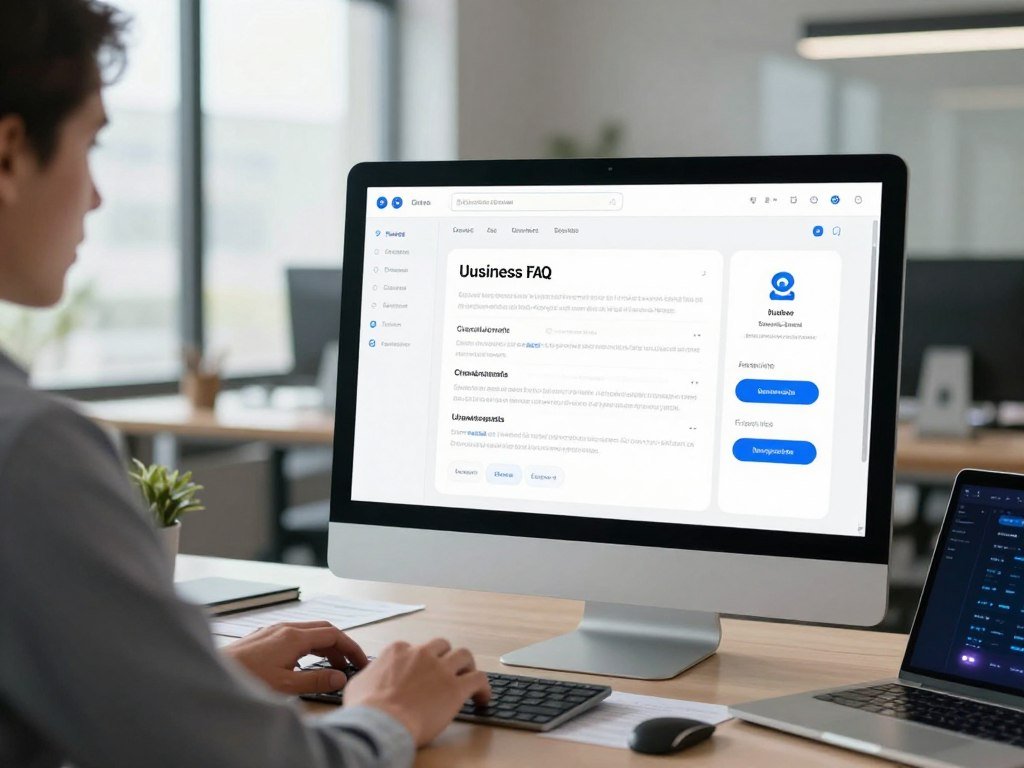
Follow a simple setup path: choose a builder, set the bot’s role and tone, add FAQs or documents, configure its widget, test, and publish. Some platforms provide embed code for a website widget.
Creating your own chatbot for free can work for a small test, but a free prototype is not the same as ongoing service. Usage caps, publishing access, and available features differ between platforms.
Before you add business information, check that the builder can use the content you have and that its answers reflect your instructions. A short test with real customer questions can reveal gaps early.
For other free AI tools and their limits, compare what each plan lets you do before building around it.
Check whether the free option includes the integrations and publishing channel your first version needs.
How Do You Make a Chatbot in Python?
A first Python request can send a short prompt to the Responses API after you install the OpenAI SDK and set its key in the environment. Keep the first request small while you learn how the program handles replies.
Store the API key in an environment variable named OPENAI_API_KEY, not in your application code. The SDK reads the key from the environment when it starts.
Set up Python and protect the API key
Install the SDK in your project with `pip install openai`. Then set `OPENAI_API_KEY` in your system environment before running the program.
Keep the key private. If you put it directly in a script, anyone who can read or copy that file may be able to use your account.
Send a first request with the Responses API
Create a client and send a request using the Responses API. This example follows the requested model and input pattern:
`from openai import OpenAI`
`client = OpenAI()`
`response = client.responses.create(model=”gpt-6-astra”, input=”What are your support hours?”)`
`print(response.output_text)`
The `input` value can be a short question, such as “What are your support hours?” A real bot can pass a user’s message there after receiving it.
Keep context and control response length
A single request does not automatically keep all earlier turns in your application. Store conversation history as a growing message list with system instructions and user messages.
After each reply, append both the user’s message and the assistant’s response to that list. Send the needed history with the next request so the model can follow the conversation.
Set a maximum output-token limit to control response length. Temperature values of 0-0.3 tend to produce more consistent responses; 0.7-1.0 can be more creative and less predictable.
Keep the key outside the code and trim old conversation turns when the history grows beyond the context your application can manage.
How Do You Put a Chatbot on a Website?
A website bot can be added with a platform’s embed code or built as a custom interface connected to your own backend. Use the route that fits your setup and confirm the chat reaches the service behind it.
An API-powered website bot must send model requests through a backend server. The browser sends a message to your backend, the backend calls the model, and the server returns the response.
A no-code platform may give you embed code for a widget. Add it to the intended pages and follow the platform’s setup instructions for any integrations.
For a custom chatbot, your frontend shows the chat interface and sends messages to your backend. The backend controls the prompt, conversation flow, model request, and connected tools.
- Confirm the widget loads on the intended pages.
- Test the chat on a mobile phone.
- Verify the chat can reach its backend.
Check how the interface behaves when the backend is slow or unavailable. A clear error message gives users a better next step than a chat window that appears frozen.
Keep the model request on the server so visitors cannot inspect and copy your API key.
How Does a Chatbot Use Your Documents and Conversation History?
A chatbot can answer questions about a business by retrieving relevant passages from its knowledge base, rather than relying only on general model knowledge. Business content supplies the details that a general language model may not know.
Retrieval-augmented generation retrieves relevant information from a knowledge base and supplies it to a language model to inform its response. Adding a document does not mean the model has been permanently trained on it.
A no-code platform may accept website content or documents. Use current FAQs, policies, and product documentation, then check that the chatbot answers from the intended content.
The model brings general language ability, while the knowledge base supplies your business-specific information. If the content is unclear or missing, the bot may give a weak answer or rely on general knowledge.
Conversation history is the sequence of messages retained during a conversation. An API-based bot can keep context by appending user messages and assistant replies to a message list.
Remove outdated documents whenever policies, product details, or support instructions change.
Which Chatbots and AI Agents Fit Different Tasks?
Choose a general chat tool for broad questions, a research assistant for cited answers, and an agent when the task requires tool use. Match the tool to the job, rather than expecting one assistant to handle every workflow.
A chatbot answers through conversation, while an AI agent can use tools to complete multistep tasks. The best fit also depends on which integrations your users already use.
| Option | Best fit | Distinguishing capability |
|---|---|---|
| ChatGPT | General use | Broad conversational help |
| Perplexity | Research | Answers with citations |
| Copilot | Microsoft 365 | Microsoft app integration |
| Gemini | Google Workspace | Google app integration |
| Tidio or Intercom | Customer support | Support chat features |
General chat and research tools
ChatGPT fits broad conversational use, while Perplexity can help with research and citations. Copilot connects with Microsoft 365, and Gemini connects with Google Workspace.
For a wider comparison of AI chatbots in 2026, weigh each tool’s strengths against your daily work. Another task-based chatbot comparison covers options for work, study, and support.
You can also compare ChatGPT, Claude, and Gemini by task, such as writing, coding, or research.
Agents that can take actions
ChatGPT agent mode was introduced in July 2025. It can use a browser, code interpreter, and connected apps for multistep tasks.
It can scroll, click, and type on websites, as well as work with uploaded spreadsheets and documents. ChatGPT agent is available with Plus, Pro, Edu, Business, and Enterprise subscriptions.
To create a Copilot-based chatbot, configure an agent around a task, its knowledge, and supported integrations, then test it before publishing. Copilot Studio offers capacity packs and pay-as-you-go billing, with costs covered later.
Agent tool access can affect risk and oversight; the NIST report on agent tool use discusses permissions, autonomy, and monitoring.
Choose by the job and the integrations your users already rely on, not by a claim that one assistant is best at everything.
How Much Does It Cost to Run an AI Chatbot?
A chatbot’s running cost depends chiefly on its model, input and output token use, and any additional tools it calls. Model choice changes the bill, and tool calls can add separate fees.
API prices below follow the standard pricing unit shown by the provider: per 1 million tokens. Input and output costs differ for each model.
| Model | Input cost | Output cost |
|---|---|---|
| gpt-6.1-terra | $1.00 per 1 million input tokens | $5.00 per 1 million output tokens |
| gpt-6.1-sol | $2.00 per 1 million input tokens | $10.00 per 1 million output tokens |
| gpt-6-luna | $0.10 per 1 million input tokens | $0.50 per 1 million output tokens |
| gpt-6-astra | $10.00 per 1 million input tokens | $50.00 per 1 million output tokens |
Token volume, model choice, prompt caching, and Batch processing affect API charges. Web search costs $10.00 per 1,000 calls, with search-content tokens billed at model rates.
File search costs $0.10 per GB per day after the first 1 GB, plus $2.50 per 1,000 tool calls. Eligible regional-processing endpoints for models released on or after March 5, 2026, have a 10% uplift, as do FedRAMP endpoints.
Copilot Studio capacity packs cost $200 per month and include 25,000 Copilot Credits per pack. Completed agent actions and responses use varying credit amounts.
Copilot Studio pay-as-you-go bills consumed credits at the end of the monthly billing period without an upfront license commitment. Estimate a typical day of conversations before selecting a model or committing to a capacity plan.
How Can You Keep a Chatbot Safe and Within Limits?
Protect a public chatbot by validating input, limiting requests, and setting a spending cap before you invite users. Start with basic controls that reduce abuse and prevent avoidable costs.
The first applicable rate limit can restrict a request. Limits may cover requests, tokens, images, or audio over a minute or a day.
Protect the request and control spending
Validate and sanitize user input before sending it to a model or tool. Apply rate limits to reduce repeated requests, and set a spending limit for your project or organization.
A spend alert sends a notification while API traffic continues. A hard organization or project spending limit makes affected requests return a 429 error.
Understand rate limits and handle errors
Limits apply at organization and project levels, vary by model, and may be shared within a model limit group. The first limit reached can restrict requests.
| Tier | Total credit purchases required | Monthly usage limit | Standard model limits |
|---|---|---|---|
| Build | $5 | $500 | Astra, Sol, Terra: 5,000 requests per minute and 1,000,000 tokens per minute; Luna: 5,000 requests per minute and 2,000,000 tokens per minute |
| Launch | $100 | $5,000 | Astra, Sol, Terra: 10,000 requests per minute and 4,000,000 tokens per minute; Luna: 10,000 requests per minute and 10,000,000 tokens per minute |
| Grow | $500 | $200,000 | Astra, Sol, Terra: 15,000 requests per minute and 40,000,000 tokens per minute; Luna: 30,000 requests per minute and 180,000,000 tokens per minute |
When a request fails due to a limit, follow the `Retry-After` header if one appears. Otherwise, increase the delay between retries and add a small random delay.
Treat a 429 response as a signal to check which usage or rate limit was reached before retrying.
How Should You Test and Improve Your Chatbot?
A chatbot is ready for a limited launch only after it handles common questions, unclear wording, and a request it cannot answer. Test with real people, including someone who did not build it.
Repeated failures point to a gap in the bot’s instructions, knowledge base, or integrations. Track response time, error rate, task completion, and human handoffs.
- Test common questions from your audience.
- Try unclear or unexpected wording.
- Verify integrations and human handoff.
- Review transcripts and metrics after launch.
Read real conversations after launch and note where users get stuck. Update instructions or source content when the same gap appears more than once.
Review a small batch of conversations regularly and fix the most repeated failure first.
Conclusion
A useful first chatbot starts with a clear job and a small, testable scope. Choose the simplest approach that can deliver the task safely, whether that means a no-code builder or a custom chatbot.
You do not need to solve every customer question on day one. Start with one group of users and one source of information, then learn from the conversations the bot can handle.
Gather current FAQs, product details, or policies before you build. Write down the task, intended user, and first source of knowledge, then build a prototype you can test.
FAQ
Can I make my own AI chat bot?
Yes, you can make your own AI chatbot with a no-code builder or a small program that calls a language-model API. You do not need to train a model from scratch. A builder can help you test a simple task, while code gives you more control over how the bot handles messages and connects to other software.
Can I build my own AI for free?
You can prototype with a free tool or trial when one is available, but ongoing use may cost money. API calls, hosting, and higher platform limits can add charges as more people use the bot. Check what the free option permits before you rely on it for a public service or a business workflow.
Is creating an AI chatbot hard?
A basic no-code bot is approachable for beginners, especially when it answers a small set of common questions. Custom code takes programming skills and backend setup. A production website bot also needs testing and security controls, so a working demo should not be treated as ready for every user.
Is ChatGPT a chatbot or an AI agent?
ChatGPT is a conversational assistant, and its agent mode can also use tools to carry out multistep tasks. Those tools include a browser, code interpreter, and connected apps. The difference is the work the system can do: a chatbot mainly responds in conversation, while an agent can take actions through tools.
What shouldn’t you tell ChatGPT?
Do not enter passwords, API keys, or sensitive personal or confidential information unless the service and your organization’s rules explicitly allow it. Treat private business records with care, too. If you need to test a bot with real cases, remove identifying details first and use only information approved for that service.
What are the top 3 AI chatbots?
For common tasks, ChatGPT fits general use, Perplexity fits research with citations, and Copilot fits Microsoft 365 integration. These are task-based picks, not a universal ranking. Your best choice depends on the work you do and the tools your users already rely on each day.
Is there a better AI than ChatGPT?
For some tasks, Perplexity may fit research with citations, Gemini may fit Google Workspace, and Tidio or Intercom may fit customer support. ChatGPT remains a useful general assistant. Compare the tools against your regular work, needed integrations, and the way you want users to get help.



