
You can make a more informed call about a suspicious picture by checking its details, tracing its online context and weighing any detector result. A viral post can travel far before anyone checks where its image came from. Provenance is the recorded origin and editing history of a digital file.
When a picture could mislead people or affect someone’s reputation, a quick pause can help. You can use a few simple checks without special skills, then decide whether the image’s story holds up. No single clue can settle every case.
This guide offers a practical way to assess images before sharing them. Combine a close visual check, clues about the file’s history, a reverse image search and a detector result. Give each clue the weight it deserves, and look for agreement between them.
Treat an uncertain result as a reason to verify the image’s context, not as proof of its origin.
Key Takeaways
- Visual errors are clues, not proof.
- Missing file history does not prove an image is synthetic.
- Reverse image search can reveal an earlier post or a different context.
- A detector’s confidence score is an estimate, not a fact.
- Use more care when an image could affect a decision or someone’s reputation.
- Pause before sharing if important details remain uncertain.
What visual clues can raise suspicion?
A close look at hands, text and textures can reveal details that deserve a second look. Small mismatches can justify more checking, but no one flaw proves an image was made with AI.
Check the whole scene rather than judging it by one strange feature. Visual clues are reasons to investigate, not a verdict about how an image was made.
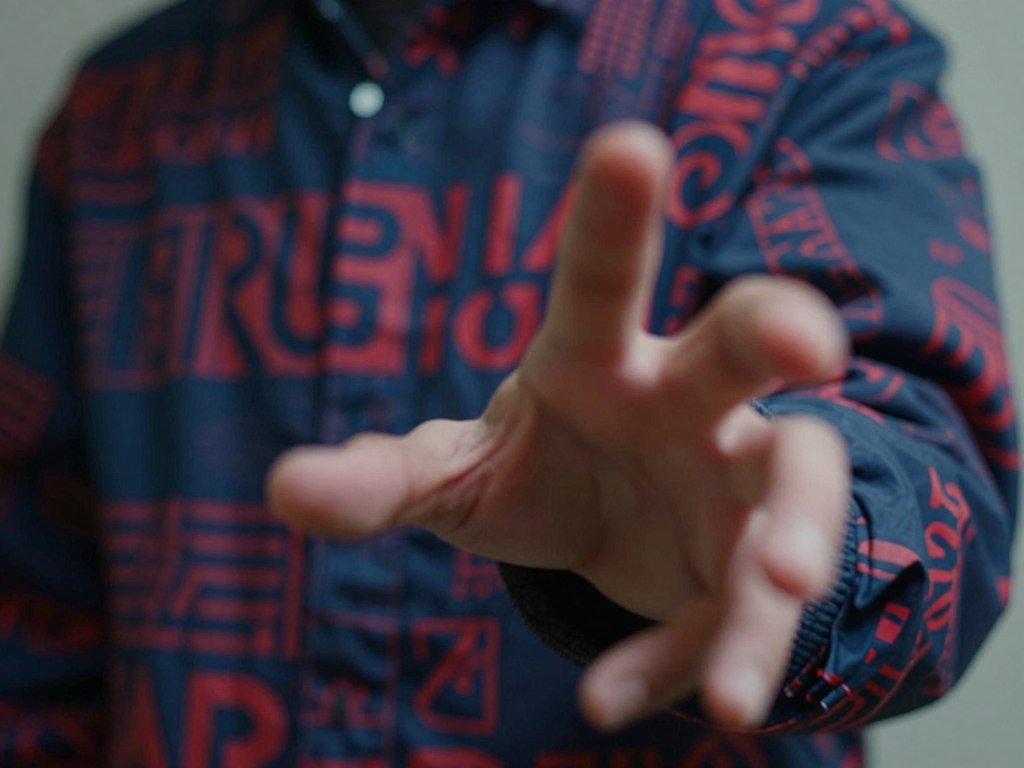
Check hands, faces and small details
Hands and fingers can look oddly shaped, fused, or poorly joined to an arm. Those errors may stand out, yet real photos can also blur or distort fingers through motion, cropping, or poor image quality.
Look at accessories and fine details too. A person might have one earring on each side in one view, but mismatched jewelry in another. Repeating patterns, blurred objects, or details that change shape can also deserve a closer look.
An image of Ryan Reynolds has been used to illustrate an unnaturally shaped hand and gibberish text on a jacket. An Ariana Grande image has shown overly smooth facial texture. These examples show possible clues, not proof about any picture’s origin.
Inspect text, lighting and the background
Read signs, labels, logos, and clothing text. AI-generated text may appear as scrambled letters or marks that resemble words. A clear logo can also be wrong in small ways, so compare it with other views when available.
Check whether shadows point in directions that make sense for the scene. A face can look realistic while an object casts a shadow in a different direction. Look at reflections and the background for repeated shapes or blurred edges.
Use this checklist to guide a second look:
- Count visible fingers and check how they join the hand.
- Compare jewelry, glasses, and other accessories on both sides.
- Read signs, labels, and logos for clear, consistent text.
- Compare shadows across people and nearby objects.
- Look for repeated patterns or details that fade into blur.
- Check whether reflections fit the objects around them.
No single visual clue proves that an image was AI-generated. Look for a pattern of details that deserve checking.
A plausible-looking face can still sit in a scene whose lighting or small details do not make sense.
What can metadata and Content Credentials tell you?
File history can add context, but a blank or altered record does not settle whether an image is genuine. Provenance gives you clues about a file’s origin and editing history.
EXIF is metadata that can record details such as a camera model, date, or settings. Content Credentials are an embedded record of a file’s origin and edits. Neither record proves that the scene or claim shown in an image is true.
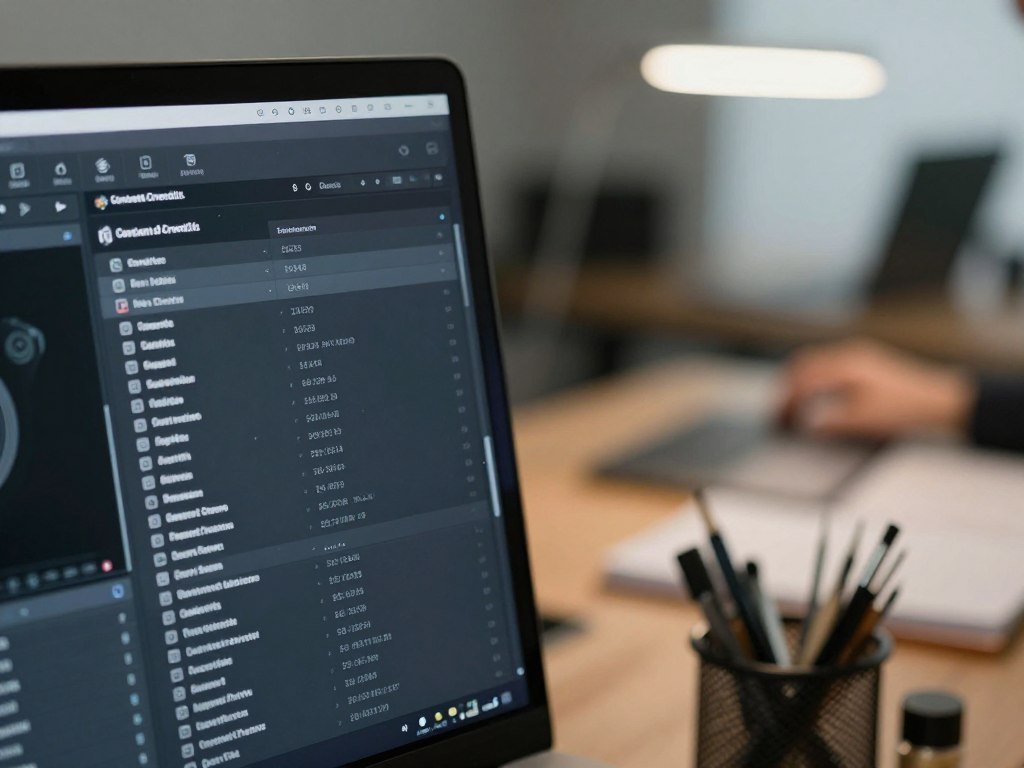
Check what the file history can show
The C2PA standards group describes Content Credentials as a “nutrition label” for inspecting digital content’s history. When present, they can show recorded steps and tools in an image’s editing history. That helps you understand what happened to the file.
Detection tools can use different methods. TinyPNG Now checks metadata along with pixel patterns, including color distribution, noise traits, and compression artifacts. Sightengine analyzes visual pixel content and does not use image metadata, so changing EXIF data does not affect its score.
For a wider look at ways to check AI-generated content, consider how context and several clues fit together. A detector can still inspect pixels when metadata is absent, though each tool has its own method.
Know what missing metadata cannot tell you
Many ordinary sharing and editing steps can remove metadata or Content Credentials. A missing record does not establish that an image is synthetic. It may simply mean the file passed through a service that did not keep that information.
Image detection can also become less conclusive when a file is heavily compressed, cropped, or edited. Those changes may affect the pixels a tool analyzes or remove parts of the available history. A result from an altered copy may not match a result from the original.
If you can, compare the file’s history with other context about its origin. Treat a provenance record as useful evidence about history, not a guarantee that every part of an image is authentic.
How can reverse image search establish context?
A reverse image search can turn a familiar-looking viral picture into a question about where and when it first appeared. Earlier appearances may reveal a different caption, event, or source.
Search results show where a photo or picture has appeared online. Few results are a reason to investigate, not proof that an image is AI-generated. A new image, a private post, or a changed crop may not have many matches.

Compare the earliest or clearest copies you find. Check the captions, hashtags, source identity, and time of each post. Trusted reporting may provide details that a viral caption leaves out.
A false image of Katy Perry at the 2024 Met Gala received over 16 million views on X. The carpet shown in the picture came from the 2018 Met Gala. A search could help reveal the older scene and question the claimed event.
Look beyond the image match itself. An earlier post may have a different date, while a later post may crop out useful context. Check whether the account has a clear connection to the event or person it names.
Search results can be incomplete, and reposts can appear before a reliable account of the image. Treat a match as a lead, not a final answer. Compare the image’s claimed setting with credible information about the event before treating the caption as fact.
How to Detect AI Generated Images With a Free Online Tool
A free online detector is easiest to use when you have the original image file or a public image link ready. Most checks ask you to choose a file or enter a URL, then wait for an analysis.
You can use an AI image detector online to get a classification or likelihood estimate. A detector result is a probability or label, not a direct record of how someone made the image.

Choose an image file or public URL
Start with a saved image file when you have one. Some tools also accept a public URL, which is a link to an image that the service can access. URL support differs, and private or sign-in-only links may not work.
Free access and file requirements vary by tool. One service may take only certain image formats, while another may set an upload limit. Read the form before you select a file, especially if you have a large or edited copy.
For an AI image detector, the basic process is simple:
- Open the detector and choose a local image or supported public URL.
- Start the analysis and wait for the tool to finish.
- Read the label, confidence score, or likelihood result.
- Compare the output with the image’s other clues and context.
Run the check and read the result
A detector examines visual patterns to estimate whether a generated image may be AI-made or edited. The service may show a percentage, a label such as “likely AI,” or both. The wording and layout depend on the tool.
Read any note beside the output. It may describe the score as a probability, confidence estimate, or classification. A higher number does not mean the tool has seen the file’s creation history.
The result is also tied to the specific image copy you submit. A crop or screen capture can differ from the original file, so the tool may give a different output. Use the copy that best represents the image you want to assess.
Keep the result in context
Do not treat a percentage as certainty. A tool can misread an authentic photo or fail to flag an altered image. The result is more useful when it agrees with independent clues about the image.
Write down the tool’s exact label if you need to discuss the result with someone else. A short note about which file you checked can prevent confusion if you later compare another version.
Free tools can be useful for a first check, but their terms and results differ. Save the result as one clue in your assessment rather than a stand-alone verdict.
What does an AI detector score actually mean?
A high AI probability is the detector’s estimate, while a generator-specific score is a separate indication about a supported model family. The two outputs answer different questions.
An overall probability estimates whether a picture may be AI-generated. A separate confidence score may show whether the image resembles output from a named generator. A supported model list does not guarantee accurate identification in every case.
Sightengine returns a global AI probability and separate confidence scores for supported image generators. Its listed support includes these versions and families:
| Generator family | Listed supported versions |
|---|---|
| Midjourney | v5, v6, v7 |
| Stable Diffusion | 1.5, 2.1, SDXL, SD3 |
| Firefly | 2, 3 |
| Nano Banana | 2, Nano Banana Pro |
Generator families change over time, and tools may not support every release. A picture can also pass through edits after generation, which may affect the patterns a detector sees.
Read the probability and confidence separately
The global score concerns the chance that an image is AI-generated. A model-specific score concerns a possible match to one supported family. A high overall probability does not by itself name the generator.
Scores from two tools may not be directly comparable. One may return a broad probability, while another may show a label or model-level confidence. To learn more about how image generators differ, keep in mind that their model families and workflows vary.
Check which generator families are covered
Use model-specific output only when the tool lists that family as supported. A tool that does not list a generator may not be able to identify it, even if its general AI probability is high.
Check what the tool’s score represents before comparing it with another detector’s result.
Are AI image detectors accurate?
A detector can avoid false alarms on one set of authentic photos and still miss many altered images in another test. Performance varies across image types and tools.
NewsGuard tested Hive, AI or Not, ZeroGPT, Sightengine, and ScamAI on 15 authentic photos in late April and early May 2026. The same test included 15 significantly AI-altered images. These results describe that test set, not every image a tool may receive.
False positives on authentic photos
A false positive happens when a tool labels an authentic image as AI-generated. In NewsGuard’s test, ScamAI flagged six of 15 authentic photos, a 40 percent false-positive rate. ZeroGPT flagged three, or 20 percent.
AI or Not flagged one authentic photo, a 6.67 percent rate. Hive and Sightengine each identified all 15 authentic photos as real. The table also shows how many significantly altered images each tool identified.
| Detector | Authentic photos flagged as AI | Significantly AI-altered images identified |
|---|---|---|
| Hive | 0 of 15 | 9 of 15 |
| AI or Not | 1 of 15 | 15 of 15 |
| ZeroGPT | 3 of 15 | 14 of 15 |
| Sightengine | 0 of 15 | 5 of 15 |
| ScamAI | 6 of 15 | 12 of 15 |
Detection of altered and lightly enhanced images
On the 15 significantly AI-altered images, Sightengine identified five, a 33 percent detection rate. Hive identified nine as fake, a reported 73.33 percent rate. ScamAI identified 12, an 80 percent rate, while ZeroGPT identified 14, or 93.33 percent.
AI or Not identified all 15 significantly altered images. Lightly enhanced images produced a different pattern: ScamAI classified 93 percent as AI-generated, AI or Not 87 percent, and ZeroGPT 80 percent. Hive and Sightengine each classified 27 percent that way.
At least one of the five tools disagreed with the others on 35 of the 45 images tested. These results are not a universal ranking and cannot predict a result for a new picture. Other image types, edits, and generator models may produce different outcomes.
A detector score can still help you decide whether more checking is needed. Treat a detector score as one piece of evidence, especially when an image will affect someone’s reputation or a consequential decision.
Which detector plan fits your image volume?
For occasional checks, TruthScan’s free allowance is 25 results per month, while regular use calls for comparing included volume and overage rates. Monthly volume is the main point to match against a plan.
TruthScan charges for results, while Sightengine lists monthly operations. Compare both the included amount and the extra-use price before choosing a paid tier.
Free checks and occasional use
TruthScan Free includes 25 image and PDF-page results per month in 2026. That can suit a few checks, but it offers less room for regular work. A result is the counted unit for its listed plans.
If you only need occasional image detection, a free plan may be enough. Keep in mind that a monthly allowance can be used up faster when you check several copies or documents.
Paid plans for regular or high-volume checks
TruthScan Starter costs $24 per month for 1,000 results, with extra results at $0.03 each. Professional costs $83 per month for 5,000 results, with extra results at $0.02 each.
TruthScan Business costs $333 per month for 40,000 results, with extra results at $0.01 each. Sightengine Starter costs $29 monthly for 10,000 operations, with extra operations at $0.002 each. Sightengine Pro costs $99 monthly for 40,000 operations, also at $0.002 each.
| Product and plan | Monthly price | Included monthly usage | Extra usage price |
|---|---|---|---|
| TruthScan Starter | $24 | 1,000 results | $0.03 per result |
| TruthScan Professional | $83 | 5,000 results | $0.02 per result |
| TruthScan Business | $333 | 40,000 results | $0.01 per result |
| Sightengine Starter | $29 | 10,000 operations | $0.002 per operation |
| Sightengine Pro | $99 | 40,000 operations | $0.002 per operation |
The “best” option depends on your expected monthly volume and whether you need results or operations. Those units are not the same, so compare the plan’s own usage terms rather than assuming one check always counts alike.
For a small workload, a lower monthly price may matter more than a large allowance. High-volume work may make the included amount and overage rate more important.
Estimate a typical month of checks before choosing a paid allowance.
Which file types and upload limits should you check?
Check the accepted file types and upload limit before trying to analyze an image. File fit matters because a valid picture can still fail to upload.
Decopy accepts JPG, PNG, and WebP files up to 10 MB per upload. TinyPNG Now accepts the same three formats and runs its analysis in your browser without uploading the image to a server.
Sightengine allows image files up to 12 MB on its Free, Starter, and Pro plans. Its Enterprise image-size limit is custom. Check both the file type and the size limit for the plan you use.
A tool may reject a format even when the file is small enough. A file extension can also fail to show the true format if someone renamed it. Save or export a supported copy when needed.
TinyPNG Now’s browser-based analysis avoids sending the image to a server. Other tools may handle uploads in different ways. Check each service’s own privacy terms before you send an image that contains private or sensitive material.
The type of image can shape your choice. If you only need a quick check on a public picture, a browser-based tool may fit. If you need a service with other features, read how that service handles its files and results.
File quality can also change when you resize or convert an image. Keep a clear copy when possible, since an altered version may not show the same details as the original.
Do not upload a sensitive picture until you understand how that particular service handles it.
When should you pause before sharing or acting on an image?
The more an image could influence someone’s choices or reputation, the more important it is to verify its surrounding context. Higher stakes call for more care than a picture shared for fun.
An AI image check may matter for news photos, social media posts, profile pictures, marketplace listings, and visual evidence. An AI label alone does not establish fraud or intent.
Pause for a closer review when an image supports a claim or may affect what someone does next. These situations deserve special care:
- A news or event image that could shape public understanding.
- A profile image tied to a trust or safety concern.
- A marketplace photo involved in a purchase or dispute.
- A receipt, identity document, or image used to support a consequential claim.
A suspicious image and a dishonest person are not the same thing. A false label can spread by mistake, and an AI-made picture can be shared without a plan to deceive. Separate what you know about the image from what you assume about the person who posted it.
Consider what decision depends on the picture. A product photo may affect whether you buy an item, while a document image may be used to support a serious claim. If the image is the only evidence, seek other details before you rely on it.
When the stakes are high, uncertainty is a reason to pause, not a reason to accuse someone. Do not let one detector label decide what you believe.
Keep any note about an image focused on what you checked and what remains unclear. That makes it easier to avoid turning a tentative finding into a claim about someone’s motives.
If the stakes are high and the evidence remains uncertain, pause before sharing the image or making a decision based on it.
Conclusion
A careful image check works best when several clues point in the same direction. No single visual detail, file record, search result, or score settles authenticity on its own.
Give more weight to the image’s original context than to a caption that travels with a repost. A detector can help you decide whether more checking is needed, but it cannot tell the full story of a picture.
Before sharing a questionable picture, trace its context and pause if the evidence still does not add up.
FAQ
Can a reverse image search prove that a picture is AI-generated?
No, a reverse image search cannot prove that a picture is AI-generated. Few search results may give you a reason to investigate, but they do not show how the image was made. New pictures, private posts, or altered crops may not appear in search results. Treat matches as context clues and look for reliable information about the image’s claimed setting.
Does missing EXIF data mean a picture is AI-generated?
No, missing EXIF data does not mean a picture is AI-generated. Social media apps and image editors may strip metadata during ordinary sharing or saving. Some detectors analyze pixel patterns without using file metadata, so they can still assess an image with no EXIF record. A blank record tells you little about the image’s origin by itself.
Can cropping or compression affect an AI detector result?
Yes, heavy cropping, compression, or editing can make an AI detector result less conclusive. Those changes can remove details or alter pixel patterns that a tool uses in its analysis. A screenshot may also differ from the original file. When you can, use the clearest original copy and note which version you checked.
What does a 90% AI score mean?
A 90% AI score is a detector’s probability or confidence estimate, not a guarantee that AI made the image. The number describes the tool’s output, not a recorded account of the image’s creation. Different services may calculate or label scores in different ways. Check what the score measures before treating it as evidence about a person or event.
Are Content Credentials the same as an AI detector?
No, Content Credentials are not the same as an AI detector. They provide provenance information about a file’s recorded origin and edits. A detector analyzes an image to estimate whether it may be AI-generated or edited. Credentials can help explain a file’s history, but they do not prove that everything shown in the image is true.
Can an AI detector identify which image generator made a picture?
Some AI detectors return separate confidence scores for supported image generator families. That output may suggest a match, but support is model-specific and does not guarantee accurate identification. A tool may not list the generator or version that made the image. Treat a model-level result as an estimate, not a confirmed label.
Should I use a screenshot instead of the original image?
Prefer the original image file when possible. A screenshot can remove useful detail, change the image’s size, or add compression that affects analysis. It may also leave out the full scene or file history. If you only have a screenshot, assess that copy carefully and avoid treating its detector result as the final word.



