

What if the tool you picked for “research” was quietly making your work worse? It happens more than people admit. A confident-sounding answer with a made-up citation looks like progress until you try to verify it. That is why comparing AI research tools comes down to a short list of features that separate real research support from a very fluent chatbot.
This guide walks through those features one by one. It explains what each one does, why it matters, and how to test it in about ten minutes before you pay for anything. If you want a shortcut first, you can compare ai research tools before you subscribe and come back for the detail.
Start With the Retrieval Layer, Not the Chat Window
Almost every modern research tool is built on retrieval-augmented generation, or RAG. A retriever pulls passages from a document store, and a language model writes an answer based only on those passages. The approach was introduced in a 2020 paper by Lewis and colleagues, and it is now the standard architecture behind “chat with your PDFs” products.
Why should a buyer care about plumbing? Because the retrieval layer decides whether the tool can say “I don’t know.” A tool with weak retrieval will still produce a confident paragraph. A tool with strong retrieval will point you to the exact paragraph it used.
Three practical checks:
- Upload a PDF with a table in it and ask a question whose answer is only in that table.
- Ask something the document does not cover, and see whether the tool admits the gap.
- Ask for the page number or section of every claim it makes.
If the tool fails all three, it is a writing assistant wearing a lab coat.
Citation Accuracy Is the Feature That Matters Most
Fabricated references are not a rare glitch. Studies published in 2023 and 2024 found that general-purpose chatbots invented references at nontrivial rates, sometimes with plausible author names and journal titles attached. That is the single biggest risk in AI-assisted research, because a wrong citation can survive all the way into a submitted manuscript.
When you compare tools, test citation behavior directly:
- Give the tool a real paper title and ask for its DOI.
- Give it a fake title and see whether it invents a match.
- Ask it to list three papers that cite a specific study, then spot-check one.
Open infrastructure is useful here. Crossref registers DOIs and exposes reference metadata through a public API, which is the usual way to check whether a tool resolves citations correctly. OpenAlex, launched in 2022 as a successor to Microsoft Academic Graph, offers a free and open catalog of works, authors, and citation links. Semantic Scholar exposes citation graphs and abstracts through its own API. A tool that leans on open graphs tends to be easier to audit than one that hides its sources behind a proprietary index.
Coverage: Which Literature Does the Tool Actually Search?
Coverage claims are where marketing gets loudest. “Millions of papers” tells you nothing without knowing which index sits underneath. Ask what happens with a niche topic, a non-English paper, a preprint, or a conference paper that never got a journal slot.
| Field | Reference point to compare against | What to test |
|---|---|---|
| Biomedical | PubMed E-utilities, the official programmatic interface to MEDLINE/PubMed | MeSH term search, date filters, field tags |
| Cross-disciplinary | OpenAlex and Crossref metadata | Whether older and non-English works appear |
| Citation graph | Semantic Scholar API | Whether “cited by” lists are complete and current |
| Preprints | Open repositories in your field | Whether preprints are labeled as such |
A quick real-world test beats any feature list. Pick a paper you know well, search its title, and check whether the tool finds it, summarizes it correctly, and links to the right authors. Then search a paper from 1998 in the same field. Many tools quietly favor recent, open-access material, which is fine for a fast overview and useless for a historical review.
Document Handling and the “Chat With Your PDFs” Test
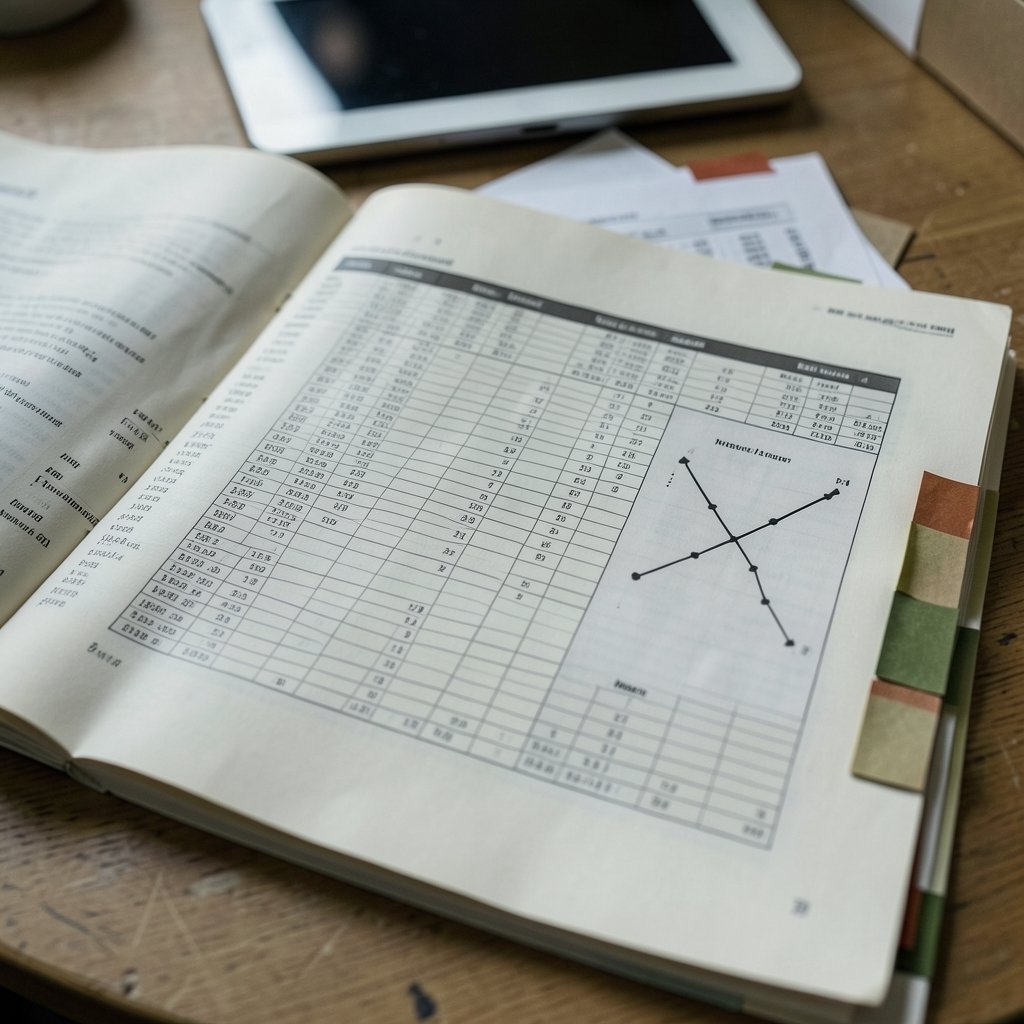
Document handling sounds boring until you hit a 300-page report with footnotes, figures, and scanned pages. Compare tools on these specifics:
- File types: PDF, DOCX, EPUB, HTML, scanned images with OCR.
- Document limits: how many files per project, and how large each one can be.
- Table and figure extraction: does it read a results table, or only prose?
- Page-level citations: can you jump to the exact page for each claim?
- Multi-document synthesis: can it compare five papers and flag disagreements?
The last one is the real test. Ask the tool to compare the methods sections of three papers and list where they conflict. Tools that only summarize one document at a time will produce a bland blend of all three. Tools built for synthesis will separate them.
Export, Reference Management, and Lock-In
A research tool that traps your work is a liability. The concrete check is export format. Zotero is the open reference-manager baseline, and its data model supports BibTeX, RIS, and CSL-JSON exports. If a tool cannot produce at least one of those, your notes and citations stay locked inside a subscription.
Before committing, confirm that the tool can:
- Export references in BibTeX, RIS, or CSL-JSON.
- Export your notes as plain text or Markdown.
- Import an existing library so you are not rebuilding from scratch.
- Sync with a reference manager rather than replacing it.
Teams often skip this step and regret it six months later when a subscription ends. Budget holders change, and so do tools. Portable data is the insurance policy.
Systematic Review Features and PRISMA
If anyone on your team runs literature reviews, compare tools against PRISMA 2020, the reporting standard for systematic reviews that covers search strategy and screening steps. A tool that claims to “support systematic reviews” should help with:
- Reproducible search strings and dates.
- Deduplication of records.
- Title and abstract screening with a clear audit trail.
- A flow diagram that matches PRISMA’s reporting items.
Most general-purpose AI tools do not do this well, and that is fine. The mistake is assuming they do. A screening log that cannot be exported is not a screening log; it is a memory of one.
Speed, Transparency, and the Reasoning Trail
Two tools can give the same answer and feel completely different. One shows its sources inline, labels uncertainty, and lets you click through. The other produces a clean paragraph with no trail. For research work, the second is slower in practice, because you spend the saved time verifying.
Look for:
- Inline citations next to each sentence, not a list at the bottom.
- Confidence signals or explicit “insufficient evidence” language.
- A visible search history you can revisit.
- The option to switch off generative answers and just get search results.
That last option is underrated. Sometimes you want a ranked list of papers, not a synthesized paragraph.
Pricing Models and the Real Cost Per Useful Output
Subscription pricing hides the real question: how many useful outputs do you get per dollar? A generous free tier that caps document uploads may cost you more in wasted time than a paid plan that works.
| Pricing pattern | Typical shape | Watch out for |
|---|---|---|
| Free tier | Limited queries or documents per month | Caps that hit mid-project |
| Flat monthly | Unlimited searches, capped uploads | Fair-use limits in the fine print |
| Seat-based team | Per-user pricing | Guests who need occasional access |
| Credit-based | Pay per query or per report | Costs that scale with heavy use |
Run a one-week trial with real work, not demo questions. Count how many outputs you actually used. That number, divided into the monthly price, is the only benchmark that matters. If you are also weighing writing or presentation add-ons, it helps to compare ai writing tools before you subscribe separately, because bundled “research suites” often charge for features you already have elsewhere.
Data Privacy and Source Handling
Research often involves unpublished data, patient information, or client material. Compare tools on where your uploads go and how long they stay. Ask directly:
- Are uploads used to train models?
- Can you delete documents permanently?
- Is there an enterprise tier with a no-training guarantee?
- Where is data stored, and which regulations apply?
Vendors answer these questions in writing if you ask. If the answer is vague, treat it as a no. This is one feature where a slightly worse tool with clear policies beats a better tool with murky ones.
A Ten-Minute Comparison Routine That Works
Here is a routine that fits into a coffee break and surfaces most problems:
- Search for a paper you know well and check the metadata.
- Ask for a paper that does not exist and watch for invention.
- Upload a PDF with a data table and query the table.
- Ask for three citing papers and verify one.
- Export a citation to BibTeX or RIS.
- Check the pricing page for upload and query caps.
Score each tool out of six. Most buyers find the ranking surprising, because the flashiest demo rarely wins. Beginners weighing simpler options may also want to look at how Trello alternatives beginners compare board tools choose one approach the same problem of picking one tool and sticking with it, since the discipline transfers.
Where Beginners Usually Go Wrong
A few mistakes show up again and again.
Trusting the summary without opening the paper. A summary is a map, not the territory. Read at least the abstract and results section of anything you cite.
Comparing feature lists instead of workflows. A tool with twenty features you never touch loses to one with three you use daily.
Ignoring the learning curve. Some tools reward a week of setup with saved searches and saved prompts. Others are useful in five minutes and stay shallow. Match the tool to your actual project length.
Skipping the export test. This one causes the most regret, and it takes two minutes to check.
Assuming newer means better coverage. Older literature is often where the foundational work lives, and many tools index it poorly.
If you are still narrowing the field, a structured starting point helps: which ai research tools best beginners practical starting covers the first-tool decision without the noise. And once the research is done, teams often need to present it, so it pays to compare ai presentation tools before you subscribe rather than bolting on whatever the research tool bundles.
Conclusion
The features that matter in AI research tools are not the ones that demo well. They are retrieval quality, citation accuracy, honest coverage, document handling, clean export, and clear data policies. Everything else is convenience. Test those six things with real work before you pay, and the choice becomes obvious. A tool that admits uncertainty and shows its sources will save you more time than one that always has an answer.
Frequently Asked Questions
What is the most important feature to compare in AI research tools?
Citation accuracy. If a tool invents or misattributes references, every other feature becomes a risk. Test it by asking for a paper that does not exist and seeing whether the tool admits it cannot find one.
How can I check whether an AI research tool covers my field?
Search for a paper you know well, then search an older paper from the same field. Check whether preprints and non-English works appear. Biomedical researchers should confirm support for MeSH terms and field tags, which are the standard search syntax in PubMed.
Do AI research tools really hallucinate citations?
Yes. Studies in 2023 and 2024 found that general-purpose chatbots fabricated references at meaningful rates. Purpose-built research tools reduce the risk by grounding answers in retrieved documents, but none eliminates it. Spot-check anything you plan to cite.
Can AI research tools replace a reference manager like Zotero?
Rarely, and usually you should not want them to. The better setup is a research tool for discovery and synthesis plus a reference manager for storage and formatting. Confirm the research tool exports BibTeX, RIS, or CSL-JSON before you rely on it.
Are free tiers good enough for serious research work?
For occasional lookups, often yes. For sustained projects, free tiers usually cap uploads, documents, or queries at exactly the wrong moment. Run a one-week trial with real work and count how many outputs you actually used before deciding.
How do I evaluate a tool that claims to support systematic reviews?
Compare it against PRISMA 2020, the reporting standard for systematic reviews. It should support reproducible search strings, deduplication, screening with an audit trail, and an exportable flow diagram. If it cannot export the screening log, it does not support the workflow.



