You can play everything from a one-puzzle break to a shared game night on a Chromebook without a gaming laptop. Your screen and device can handle browser games, Android games, and streamed games. Some Android titles may not work well on every Chromebook.
Cloud gaming means playing a game streamed over the internet from a remote computer instead of running it locally. That gives you another way to play when your device cannot run a game on its own.
This set of ten picks covers quick puzzles, casual action, group play, and longer adventures. The right choice depends on your available time and whether you want to play solo, meet friends, or settle into a deeper game.
A quick browser game can fit between other tasks, while an installed or streamed game may suit a longer session. Think about how you like to play before picking a title. Then check that it works well with your device.
Start by choosing whether you want to play in a browser, install a game, or stream one.
Key Takeaways
- Use 2048 or Wordle for a quick puzzle break.
- Pick Skribbl.io or Gartic Phone for group play.
- Try Stardew Valley for a calm, longer game.
- Choose Minecraft for building and survival.
- Check school rules and game compatibility first.
- Use GeForce NOW to stream supported PC games.
Best games for Chromebook for quick browser play
For a quick, no-install session, start with 2048 or Wordle; choose Slither.io or Agar.io for active play. Browser games work well when you want simple gameplay without installing an app.
2048 keeps working offline after its first load, which makes it a useful choice among the best offline Chromebook games. Wordle offers one free puzzle each day, while GeoGuessr adds a bit of travel and map-based discovery.
| Game | Access or cost | Account or connection detail | Best fit |
|---|---|---|---|
| 2048 | Free puzzle play | Works offline after first load | Number puzzle breaks |
| Wordle | One free puzzle daily | Play in a browser | Daily word challenge |
| Slither.io | Free, ad-supported | No account or download | Quick arcade action |
| Agar.io | Free; optional cosmetics | No account needed | Casual competition |
| GeoGuessr | Free daily challenges and limited rounds; Pro offers unlimited rounds | Play in a browser | Map-based exploration |
Slither.io and Agar.io suit players who want movement and competition instead of a quiet puzzle. You can start without an account, and neither needs a download.
GeoGuessr turns street scenes and landmarks into a guessing game. Its free tier has daily challenges and limited rounds, while an optional Pro subscription unlocks unlimited rounds.
Free browser games can still include ads, limited play, or optional purchases.
That mix of quick access and simple controls makes these some of the best chromebook games for spare minutes. Check what a free version includes before planning a longer session.
Load 2048 once while you have internet if you want it available for an offline break.
Which free Chromebook games can you play with friends?
Choose Skribbl.io for a no-account drawing game, Gartic Phone for a larger party, or Chess.com for puzzles and live matches. Friends can join browser games without installing a separate app.
Skribbl.io and Gartic Phone both support private rooms without player accounts. Chess.com is the flexible pick when one person wants to practice alone before playing live.
| Game | Group play | Account or free-tier details | Best fit |
|---|---|---|---|
| Skribbl.io | Private drawing-and-guessing rooms | Free; no player accounts | Small casual groups |
| Gartic Phone | Rooms for 4-30 players | Free; no account to host or join | Larger parties |
| Chess.com | Live multiplayer matches | Free tier includes puzzles and computer opponents | Practice or head-to-head play |
Skribbl.io asks players to draw a prompt while the rest guess. It is an easy multiplayer game to start when your group wants a laugh more than a serious contest.
Gartic Phone works with 4-30 players, so it can suit a small group or a full party. Players take turns drawing and writing, and the results often change in funny ways.
Chess.com works for solo practice as well as matches with other players. Its free tier includes puzzles and computer opponents at multiple difficulty levels, so you can practice before a live game.
Players should avoid sharing identifying information in public or private game rooms, especially when children are playing. A screen name does not need to include a real name, school, or location.
If your group also enjoys shared worlds and couch play, browse these multiplayer Switch games for ideas beyond browser games.
Choose a private room when you want to keep a casual game to invited friends.
Which games are worth installing on a Chromebook?
For a relaxed, ongoing game, choose Stardew Valley; for open-ended building and survival, choose Minecraft. Minecraft is the stronger adventure fit, while Stardew Valley is the calmer life-sim option.
Android games are not equally optimized for every Chromebook, so check controls and compatibility before installing. A game that works well on one screen or input setup may feel awkward on another.
Chromebook hardware varies, so demanding local games may not run well on every model. If you are comparing device options, this laptop buying guide explains why operating system, memory, and workload matter.
Stardew Valley for a cozy, longer-running game
Stardew Valley runs natively on Chromebooks and does not need many resources. Its farming gives you a steady routine, with crops to plant and a farm to improve over time.
You can build relationships with characters, upgrade tools, and set your own long-term goals. That steady pace suits a relaxed play session, though there is always another task waiting when you return.
Tool upgrades and farm plans add light strategy without turning every day into a race. The game rewards patience, so you can make progress at your own pace.
Minecraft for building and survival
Minecraft for Chromebooks arrived in Google Play in June 2023. The game lets you build, explore, gather resources, and try to survive in a changing world.
Its open-ended play can focus on creative building or the challenge of finding supplies and staying safe. Minecraft also supports cross-device play, which can help when friends use different devices.
Before a long session, check that the game’s controls suit your Chromebook’s screen and input method. Readers comparing demanding game hardware can also see this guide to gaming PCs under $1,000.
Check that the controls suit your Chromebook’s screen and input method before committing to a long session.
What should you check before playing at school?
At school, the first check is whether the Chromebook’s rules and filters allow the game, not whether the game is popular. School access can differ by site, app, and device policy.
Browser games such as 2048 or Wordle may be convenient, but school filters and device policies decide what you can open. Krunker.io is a free browser-based first-person shooter with several modes and custom maps, but some schools may block it.
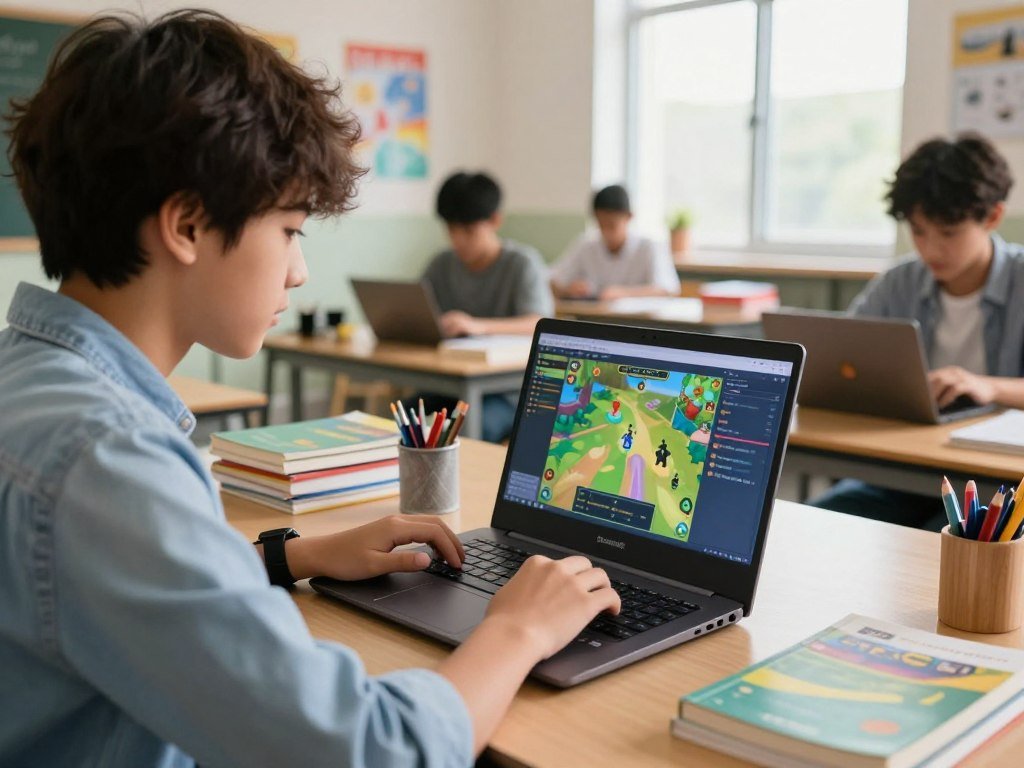
Games to play on a Chromebook at school include browser picks only when the school allows them. The Steam for Chromebook Beta ended on its scheduled date, January 1, 2026, so games installed through the Beta no longer play on Chromebooks.
Check these four points before starting:
- Check school rules for games and personal use.
- Check whether the site or app is blocked.
- Review the ESRB rating and content descriptors.
- Confirm the game works with the Chromebook’s controls.
The ESRB rating has three parts: Rating Categories, Content Descriptors, and Interactive Elements. Rating Categories suggest age appropriateness, while descriptors explain content details.
In 2024, 65% of ESRB ratings assigned to physical and console downloadable games were E or E10+. Those categories are guidance, not a promise that every game suits every child.
A Steam for Chromebook Beta end date matters if you still have a game installed through that program. For game choices, also check whether your device can run the app, not just whether a download appears.
A study of classic U.S. games released from 1960 to 2009 found that 87% were critically endangered and 13% appeared in the current marketplace. The game preservation study used a 1,500-game sample, with a ±2.5% margin of error at 95% confidence.
“Critically endangered” does not mean 87% of games are confirmed lost; it means preservation is at risk. Only 13% of the study’s games were represented in the marketplace.
Treat ESRB categories as suggested age guidance and review the content descriptors for details.
Can cloud gaming bring bigger games to a Chromebook?
GeForce NOW is the clearest route to streamed PC games on a Chromebook, especially when its own hardware cannot run a title locally. Cloud gaming shifts the work to a remote computer and sends the video to your screen.
GeForce NOW supports most Chromebooks with at least 4GB of RAM. It offers Free, Performance, and Ultimate memberships, with different playtime terms.
GeForce NOW memberships and playtime
The free membership does not require a payment method on file. Performance and Ultimate include 100 hours of monthly playtime, and up to 15 unused hours roll over to the next month.
Premium members can use Install-to-Play for eligible Steam games from publishers that opted into Steam Cloud Gaming. Since April 30, 2026, this access has been available without buying additional playtime.
Install-to-Play covers only Steam games whose publishers opted into Steam Cloud Gaming.
GeForce NOW supports more than 4,500 games across Ready-to-Play and premium-member Install-to-Play titles. Ready-to-Play games are offered for streaming, while Install-to-Play adds eligible Steam games.
Cloud gaming can help when a Chromebook has limited graphics hardware. For more on how device specs affect demanding tasks, see this guide to laptops for engineering students.
Connection and game compatibility
NVIDIA recommends 5GHz Wi-Fi or Ethernet for GeForce NOW on a Chromebook. The recommended connection speed is at least 15Mbps.
Check these four points before streaming:
- Check that the Chromebook has at least 4GB of RAM.
- Use 5GHz Wi-Fi or an Ethernet connection.
- Test for a connection speed of at least 15Mbps.
- Confirm that the game is supported.
A fast connection cannot make an unsupported game appear in the catalog. Check the game’s status before setting aside time to play.
Test the connection before settling in, since a stable wired connection or 5GHz Wi-Fi is NVIDIA’s recommendation.
Conclusion
The easiest first pick is the one that fits the time and connection you have today. A browser game suits a quick session, while an installed game or cloud streaming can suit a longer or more ambitious experience.
Choose a pick based on whether you want solo play, friends, or a deeper game, then test it on your Chromebook. That first try will show whether the controls and pace suit you.
Open a browser game for a quick session, or check compatibility and connection before trying an installed or streamed title.
FAQ
What are some fun games I can play on Chrome?
Fun games you can play on Chrome include Wordle, 2048, Agar.io, Skribbl.io, Gartic Phone, and GeoGuessr. Wordle gives you one free daily puzzle, while Gartic Phone supports group rooms for 4-30 players. For a quiet break, try a puzzle; for a group, pick a private room and invite friends.
Are 87% of games lost?
No, 87% of the classic U.S. games in the study were classified as critically endangered, not confirmed lost. The study covered 1,500 games released from 1960 to 2009. It found that 13% were represented in the current marketplace. “Critically endangered” refers to preservation and availability risks, not proof that a game no longer exists.
Can a 12 year old play 12+ games?
ESRB is the U.S. game rating system, and it does not use a “12+” category. It uses age guidance categories such as E10+, along with content descriptors and interactive elements. A parent or caregiver should review the full rating details, since the age category alone may not explain what appears in a game.
Is a Chromebook ok for gaming?
Yes, a Chromebook can handle browser games, Android titles that work with the device, and cloud gaming. High-end games that run locally depend on the Chromebook’s hardware and compatibility. Check the controls, screen, and memory needs for each title. Streaming can offer another route when the device cannot run a demanding game on its own.
What games can I play on my Chromebook at school?
Browser games such as 2048 or Wordle may work at school, but filters and device rules decide what you can access. A school can block a game site or restrict personal use on managed Chromebooks. Check the rules and test whether the site opens before planning to play during a break.
Can Chromebook games work offline?
Yes, 2048 works offline after it has initially loaded. Many browser games need internet access to load or play, and cloud games need a connection to stream. If you want an offline puzzle, open 2048 while online first. An installed game may also depend on its own account, update, or connection needs.
How much internet speed does GeForce NOW need on a Chromebook?
NVIDIA recommends at least 15Mbps for GeForce NOW on a Chromebook. It also recommends 5GHz Wi-Fi or Ethernet for a stable connection. Speed is only one part of streaming quality, so test the connection before starting a long session. A supported game and a compatible Chromebook are still needed.
Can I use GeForce NOW without paying?
Yes, GeForce NOW has a free membership, and it does not require a payment method on file. Performance and Ultimate memberships include 100 hours of monthly playtime, with up to 15 unused hours rolling over. The free option is a way to try streaming, while premium memberships offer their own playtime terms.



