
Google’s newest image-generation update puts a lower API image-output price at the center of the launch. Creators planning visual design work still need to compare image costs across sizes and settings. An image output token is a billable unit used to calculate charges for generated image data.
Nano Banana 2.1 gives developers another option for image generation, but a lower starting price does not settle every budget question. A 1K draft, a polished 4K image, and a request with many references can carry different costs. The useful comparison is the cost of a finished image, not just the headline rate.
For creators, the change matters most when a team makes many images or tests several versions. Developers can also weigh the model against an existing workflow before switching. The useful comparison is not just the headline discount, but what each image costs at the size and settings a creator actually needs.
Key Takeaways
- Nano Banana 2.1 became generally available through its API on October 6, 2026.
- Its standard image-output price is lower than Nano Banana 2 at 1K and 2K.
- The 4K price cut is smaller because the current token count is higher.
- API input, thinking, and search grounding can add charges beyond image output.
- Gemini app users on the Free plan get Nano Banana 2, not Nano Banana 2.1.
- Test prompts and inspect images before moving a production workflow.
What Did Google Release on October 6?
Google made Nano Banana 2.1 generally available through its API on October 6, 2026. The release is built on Gemini 3.6 Flash, placing the image model in Google’s Flash family. Its launch reached the Gemini app, AI Mode in Search, AI Studio, Gemini API, Flow, Stitch, Google Ads, and Gemini Enterprise Agent Platform.
The model specification lists 131,072 input tokens and 32,768 output tokens. Those limits describe the text and other data a request can carry, not the size of the finished image. They give developers a sense of how much context the API can accept and return.
Choose a model by its API identifier, not by a familiar product name alone.

The rollout puts the same model within both developer tools and consumer-facing products. That matters for teams that prototype in AI Studio before building a Gemini API workflow. Access and controls can still differ across those surfaces, so a feature in one does not promise the same setup in another.
The specification helps developers plan request size, but it does not set a recommended prompt length. Projects with long instructions or many reference files should track actual usage in their API calls. The model’s Flash base also signals its place in Google’s lineup, rather than proving that every image request will be faster.
Its API identifier is gemini-nano-banana-2.1, the string developers need to recognize when selecting the model.
Which Image Features Changed in Nano Banana 2.1?
A campaign image that must preserve several people and products is a natural use case for the model’s reference-image support. The model accepts up to 14 reference images, with documented resemblance for up to four characters and fidelity for up to ten objects. That support helps when a design must combine people, products, or visual details from separate images.
Reference images can guide a combined composition, but they do not guarantee perfect subject consistency. A creator might supply portraits, a product photo, and a background reference. The model can then draw on those inputs while generating or editing an image, though likeness and small details still need review.
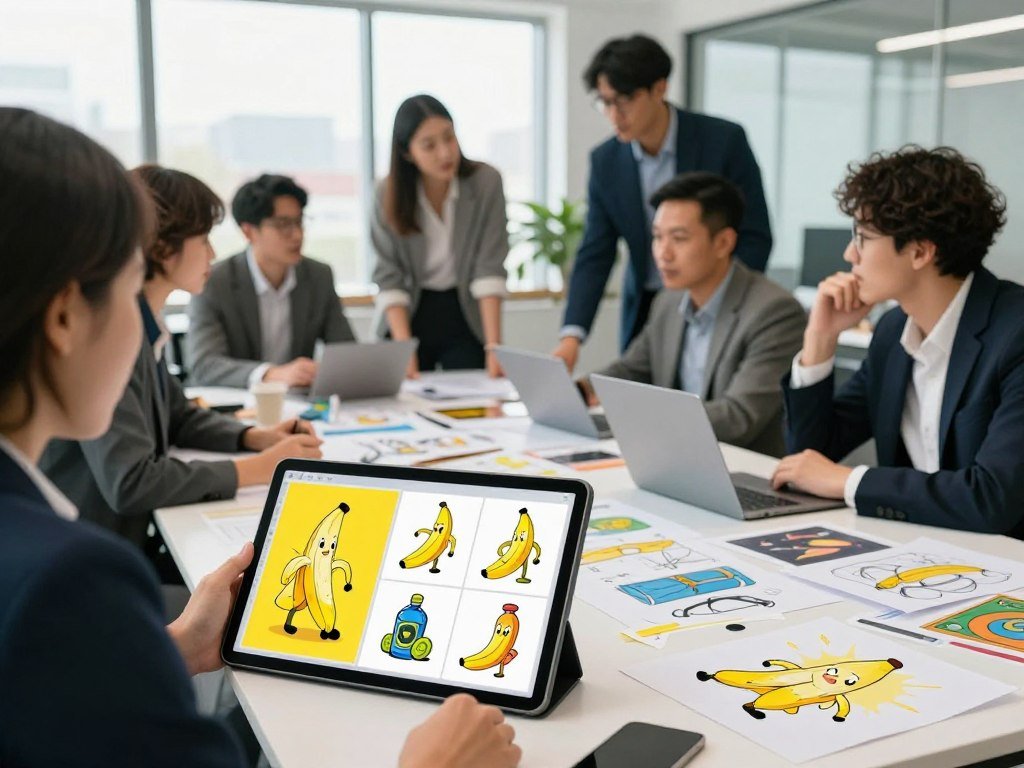
For more ways to compare reference-image editing and other image models, see this practical guide to AI image generators. It can help teams decide which visual tasks deserve a closer model test.
Reference images and subject consistency
Multiple references are useful when a single prompt must retain recognizable characters or objects across a composition. They can also help an editor preserve a product’s shape while changing its setting. The documented limits give a planning guide, not a promise that each face or object will match exactly.
Text rendering and localized editing are also supported. A model may place words more clearly or change one area without rebuilding the whole scene. Still, lettering can be misspelled, and an edit can affect nearby details, so the output needs a close look.
Resolution, aspect ratios, and thinking controls
Nano Banana 2.1 supports 1K, 2K, and 4K image output, with 1K as the default. Google Cloud documents 15 aspect ratios, including wide 21:9 and tall 9:21 formats. The range also includes unusual shapes such as 1:8 and 8:1, which can suit long banners or narrow layouts.
Tiling artifacts on 1:4, 4:1, 1:8, and 8:1 formats are addressed at 2K and 4K. That can matter for panoramic designs where visible seams would be hard to hide. At 1K, teams should check those shapes carefully before using them in finished work.
The model offers minimal, medium, and high thinking levels, with medium as the default. These settings control how much reasoning the model applies, and the chosen level can affect both output and cost. For a first run, keep medium thinking as the baseline and change one setting at a time.
Nano Banana 2 1 Launches Halves Image Price 2026: Where the Savings Land
A standard 1K image costs $0.0336 on Nano Banana 2.1, compared with $0.067 on Nano Banana 2. The standard API prices also differ by resolution, so a small-image discount should not stand in for every job. Compare the per-image output price at the size you expect to publish.
The standard rate for Nano Banana 2.1 is $30 per million image tokens. The rates below show the resulting price per image at each listed size.
| Model | 1K image | 2K image | 4K image |
|---|---|---|---|
| Nano Banana 2.1 | $0.0336 | $0.0504 | $0.113 |
| Nano Banana 2 | $0.067 | $0.101 | $0.151 |
| Nano Banana Pro | $0.134 | $0.134 | $0.24 |
At 1K and 2K, Nano Banana 2.1 costs about half as much as Nano Banana 2. At 4K, the reduction is smaller. Nano Banana Pro costs more than either version at each listed resolution, with the same price for its 1K and 2K images.
Standard API prices by resolution
The per-image output price covers generated image data, while other request charges can apply. Google’s standard image-output prices list Nano Banana 2.1 at $0.0336 for 1K, $0.0504 for 2K, and $0.113 for 4K. A project that creates many images can use these rates to estimate the output portion of its bill.
Resolution choices change the comparison. A team making social graphics may publish mostly 1K images, while print or large-screen work may need 4K. The relevant saving depends on the actual image size, not the lowest listed price.
Batch pricing for queued work
Batch pricing suits queued work that does not need an immediate result. Nano Banana 2.1 batch output costs $0.0168 at 1K, $0.0252 at 2K, and $0.0567 at 4K. This option can fit large runs of drafts, catalog images, or other jobs that can wait.
The reduction from Nano Banana 2 differs by resolution. At 1K and 2K, the standard price is about half the predecessor’s rate; at 4K, the reduction is less. Compare the price at the resolution you will actually publish, rather than treating one tier as representative of every image.
Why 4K Does Not Get the Same Price Cut
At 4K, the number of billable output tokens changes the savings calculation. Image-output billing uses tokens, so more billable image data can raise the output charge. The 4K count matters because Nano Banana 2.1 now uses more tokens for that size than its launch-day figure.
Use the revised 3,780-token count when estimating a 4K image. The model’s current output counts are:
- 1K image: 1,120 output tokens.
- 2K image: 1,680 output tokens.
- 4K image: 3,780 output tokens, revised from 2,520 at launch.
Nano Banana 2 used 2,520 output tokens for a 4K image. Nano Banana 2.1’s revised 4K count is higher, so the larger size does not follow the same price-cut pattern as 1K and 2K. The initial 2,520-token figure was replaced by the current count.
Developers can inspect token use through Gemini API usage details. Google’s token guide explains how images and other request content use tokens, and how to count them. That can help teams compare a prompt’s expected usage with the API’s reported usage.
A 4K estimate should account for its current output count rather than borrowing a smaller image’s rate. Build a 4K estimate from the current 3,780-token count, not the earlier launch-day figure.
What API Inputs and Search Grounding Add to the Bill?
The image-output charge is only part of an API request’s bill when it includes substantial input or search grounding. Nano Banana 2.1 input tokens cost $1.50 per million tokens, while text and thinking output tokens cost $7.50 per million. Those charges can add up when a request carries lengthy instructions or several reference images.
Nano Banana 2.1 has no free Gemini Developer API tier. Its predecessor’s input rate was $0.50 per million tokens, and its text output rate was $3 per million. The newer model’s input rate is three times the predecessor’s, while its text output rate is two and a half times higher.
Input and thinking-token charges
Input charges apply to the prompt and supplied content. A request with several reference images can make input costs more noticeable, especially when a team repeats the same detailed instructions across many generations. Text and thinking output tokens also count separately from image output.
Batch processing changes when queued work runs, not the fact that request inputs can use tokens. A prompt with brief directions and one reference image has a different input profile from a long brief with many supplied images. Developers can track both prompt and output use when estimating a workflow.
Grounding and the API free-tier boundary
Google Search grounding has a shared allowance of 5,000 requests each month across Gemini 3.x models. Requests beyond that allowance cost $14 per 1,000. Grounding can add current web information to a task, but it is a separate source of charges from image generation.
The monthly grounding allowance does not create a free Gemini API tier for Nano Banana 2.1. It applies to qualifying Google Search grounding requests, while the API model still has billable usage. Teams using both should count grounding requests and model tokens as separate parts of a budget.
A workflow that needs web facts, detailed prompts, and multiple references can carry costs outside image output. Estimate a real workflow from its prompt, reference-image, and grounding usage rather than multiplying the output price alone.
Where Can You Use Nano Banana 2.1 Without the API?
A Gemini app user on the Free plan gets Nano Banana 2 rather than Nano Banana 2.1. The newer model in the Gemini app requires a Google AI plan, so free image creation and 2.1 access are not the same offer. The daily image limits are not published as fixed counts.
Google says the app’s Nano Banana 2.1 can create 2K images, combine multiple photos, make precise edits, and produce clearer text. Those features let creators work through a familiar interface without setting up API requests. App plans also offer “Redo with Pro” for eligible images.
Google AI Pro, Plus, and Ultra users can regenerate eligible images with Nano Banana Pro through that option. The available choice depends on the image and plan, rather than giving every app user access to Pro for every result.
- Use the free Nano Banana 2 option for Gemini app image generation.
- Use an eligible Google AI plan to access Nano Banana 2.1.
- Regenerate eligible images with Nano Banana Pro where “Redo with Pro” appears.
- Check the app’s current usage limits before planning a large batch.
App use favors convenience and built-in editing. The API gives developers programmatic controls and per-request cost tracking. Choose the app route for convenience, and the API route when you need programmatic controls and per-request cost accounting.
How Did Nano Banana 2.1 Perform in a Controlled Image Test?
Nano Banana 2.1 passed four predefined checks on 31 of 32 images in this comparison. That equals a 96.9% pass rate on the specific test set, not a guarantee for every kind of image. The test used 1K output, medium thinking, and disabled web search.
The comparison covered 516 images across 12 hosted configurations. Nano Banana 2.1 used 16 prompts, with two generations for each prompt. The checks gave the testers a fixed way to judge whether each image met their stated requirements.
What the comparison measured
The test held several settings steady: 1K output, medium thinking, and no web search. Each prompt produced two images, creating 32 images for the model’s generation check. This setup makes the score easier to read, while limiting it to those prompts and settings.
It also tested simple edits separately. Nano Banana 2.1 and every tested editing configuration passed all four checks on 12 of 12 simple edits. A clean score on straightforward edits does not tell teams how complex changes will perform.
How to read the pass rates and costs
The other image models in the comparison produced different results. GPT Image 2.5 Flare passed all four checks on 31 of 32 images, full FLUX 3 Image passed on 28, and FLUX 3 Klein distilled passed on 24.
| Model/configuration | Images passing all four checks out of 32 | Simple edits passing all four checks out of 12 |
|---|---|---|
| Nano Banana 2.1 | 31 of 32 | 12 of 12 |
| GPT Image 2.5 Flare | 31 of 32 | Not stated |
| Full FLUX 3 Image | 28 of 32 | Not stated |
| FLUX 3 Klein distilled | 24 of 32 | Not stated |
Kingy’s 516-image comparison reports that Nano Banana 2.1’s batch of 32 generations and 12 edits cost US$2.0409 in reconciled Fal API credits. The cost excludes evaluation, while the same-size GPT Image 2.5 Flare batch cost $9.3854.
The cost and pass rate describe different parts of the test. A lower batch bill does not mean every output fits a creator’s needs, and a pass only reflects the stated checks. Treat a pass rate as a result on that test set, not a promise that every prompt will behave the same way.
Where Does It Rank Against Other Image Models?
Arena placed Nano Banana 2.1 sixth in text-to-image on its October 7, 2026 snapshot. That crowd-voted rank puts GPT Image 2 higher, while placing the new model above the two other Nano Banana versions listed. Votes and scores provide context, but they do not measure every workflow.
GPT Image 2 ranked third with a score of 1383 ± 4. Nano Banana 2.1 scored 1328 ± 9 from 5,310 votes. The other models had far more votes, which is one reason to read the ranking alongside its score and position.
| Model | Text-to-image rank | Score | Votes |
|---|---|---|---|
| Nano Banana 2.1 | 6 | 1328 ± 9 | 5,310 |
| GPT Image 2 | 3 | 1383 ± 4 | 93,334 |
| Nano Banana 2 | 11 | 1262 ± 4 | 60,515 |
| Nano Banana Pro in 2K | 16 | 1248 ± 3 | 175,734 |
The leaderboard reflects votes on text-to-image results, not every form of editing or design work. A buyer who cares most about exact lettering may judge models differently from someone making product scenes. The AI image generator comparison offers another way to think through fit by use case.
Nano Banana 2.1 ranked above Nano Banana 2 and Nano Banana Pro in 2K in this snapshot. Yet crowd-voted rank is not a universal measure of image quality, and it cannot predict every prompt. Use the ranking as one comparison point, then judge the model with prompts and outputs that match your own work.
What Should Developers Change Before Migrating?
Start a migration by finding every request that still selects gemini-3.1-flash-image. That identifier belongs to Nano Banana 2, which is deprecated, though Google has announced no shutdown date. The new model uses gemini-nano-banana-2.1.
Update the model string, then test the settings that shape your requests. The change is not just a name swap for teams that rely on a 0.5K output tier or a specific inference mode. Batch processing is supported, while Flex and Priority inference are not.
Replace the old model ID
Search code, configuration files, and scheduled jobs for gemini-3.1-flash-image. Replace each model selection with gemini-nano-banana-2.1, then check that the API call still sends the intended prompt and output settings. A missed call can leave part of a workflow on the old model.
The old endpoint’s deprecation calls for planned migration, not an urgent shutdown response. No shutdown date has been announced. Teams can use the time to compare outputs and make changes in a test environment before updating a live service.
Retest resolution and inference settings
Nano Banana 2.1 does not support the 0.5K output tier. Jobs that request 0.5K need a new size choice, which may change output detail and image costs. Batch remains available for queued processing, but Flex and Priority inference are unsupported.
Use a short checklist to keep the change focused:
- Find every request using the old model ID.
- Update the model string to gemini-nano-banana-2.1.
- Revise any workflow assumptions that require 0.5K output.
- Run representative prompts through the updated workflow.
Include a mix of common prompts and the edge cases that matter to the project. Check the resulting image size and request behavior before moving the change into regular production. Keep the old endpoint’s deprecation on the migration schedule, but do not treat it as a dated shutdown notice.
What Should Creators Check Before Publishing?
A clean simple edit is encouraging, but it does not remove the need to inspect the final image. Nano Banana 2.1 and every tested editing configuration passed all four checks on 12 of 12 simple edits. More demanding production work can still expose errors in likeness, text, or masked areas.
Keep a human review step when exact details matter. The model card notes that small text can blur at 1K, character consistency is not always perfect, and masked edits may only partly follow instructions.
Simple edits are a useful check of basic instruction following, but they do not cover every layered design or product scene. A small change can shift a nearby object, soften lettering, or alter a face. A final review should focus on the details a viewer would notice first.
A practical quality check can catch common issues before a design goes live:
- Proofread every visible word, including small labels.
- Compare character likeness with the supplied references.
- Verify product shape, color, and other object details.
- Check left-right placement and every masked region.
Image generation can save time, but a finished design still needs a person to judge whether it meets the brief. The closer the work must match a real person, product, or line of text, the more carefully it deserves review. Keep a human review step for any image whose text, product details, or likeness must be exact.
Conclusion
Nano Banana 2.1 is most compelling when its output savings match the way a team actually creates and reviews images. Its lower-output-cost option may suit high-volume work, but resolution and input-heavy requests shape the full bill. The finished image matters as much as the generation price.
Creators should weigh review time alongside image costs, especially when a design depends on exact text, likeness, or product details. Developers can test the model with a small batch before changing an established workflow. That shows whether its output fits both the project and the team’s quality checks.
Run a small set of representative prompts, inspect every result, and compare the resulting usage bill with the workflow it might replace.
FAQ
How much does one Nano Banana Pro image cost?
One Nano Banana Pro image costs $0.134 at 1K or 2K and $0.24 at 4K through Gemini API standard pricing. These are per-image output prices, not a full request estimate. Input tokens, text output, and other request features can add charges, so repeated prompts or reference-heavy tasks may cost more than the image rate alone.
How many images can you generate with Nano Banana for free?
The Gemini app offers free image generation with Nano Banana 2, but Google does not publish a fixed daily image count. The number available can depend on current app limits and account access. The Gemini API has no free tier for Nano Banana 2.1, so free app access should not be treated as free API usage.
How much does Nano Banana cost to run?
Nano Banana 2.1 standard API output costs $0.0336 at 1K, $0.0504 at 2K, and $0.113 at 4K per image. Those figures cover image output. Input tokens and text or thinking output can add charges, and search grounding may add a separate fee after its monthly shared allowance is used.
Is Nano Banana 2 a good image generator?
Nano Banana 2 ranked 11th on Arena’s October 7 text-to-image snapshot, with a score of 1262 ± 4 from 60,515 votes. That result offers one concrete comparison point, not a universal quality verdict. A model’s fit can change with the prompt, desired style, editing needs, and how much human correction the final image requires.
Is Google Nano Banana 2 free?
Yes, Nano Banana 2 image generation is available free in the Gemini app. That app access is separate from API use, which has its own model rates and billing rules. Nano Banana 2.1 also requires a Google AI plan in the app, while its Gemini API use does not include a free developer tier.
Is ChatGPT image better than Nano Banana?
GPT Image 2 ranked third, ahead of Nano Banana 2.1 at sixth, in Arena’s October 7 text-to-image snapshot. That leaderboard reflects crowd votes on a particular task, not every use of image generation. Compare both models with prompts that match your own work, especially if editing, exact text, or subject consistency matters.
What is the best AI for images?
For a buyer focused on API image-output price, Nano Banana 2.1 is a concrete option. For Arena’s October 7 text-to-image snapshot, GPT Image 2 ranked higher. Those answers use different criteria: price does not measure image quality, and a leaderboard rank does not settle which model best fits a particular design or editing job.
Is anything better than Nano Bananas?
GPT Image 2 ranked ahead of Nano Banana 2.1 in Arena’s October 7 text-to-image snapshot. That result does not make it better for every image task or workflow. A crowd-voted ranking is one comparison tool; your own prompts, preferred image style, editing needs, and review time can point to a different choice.



