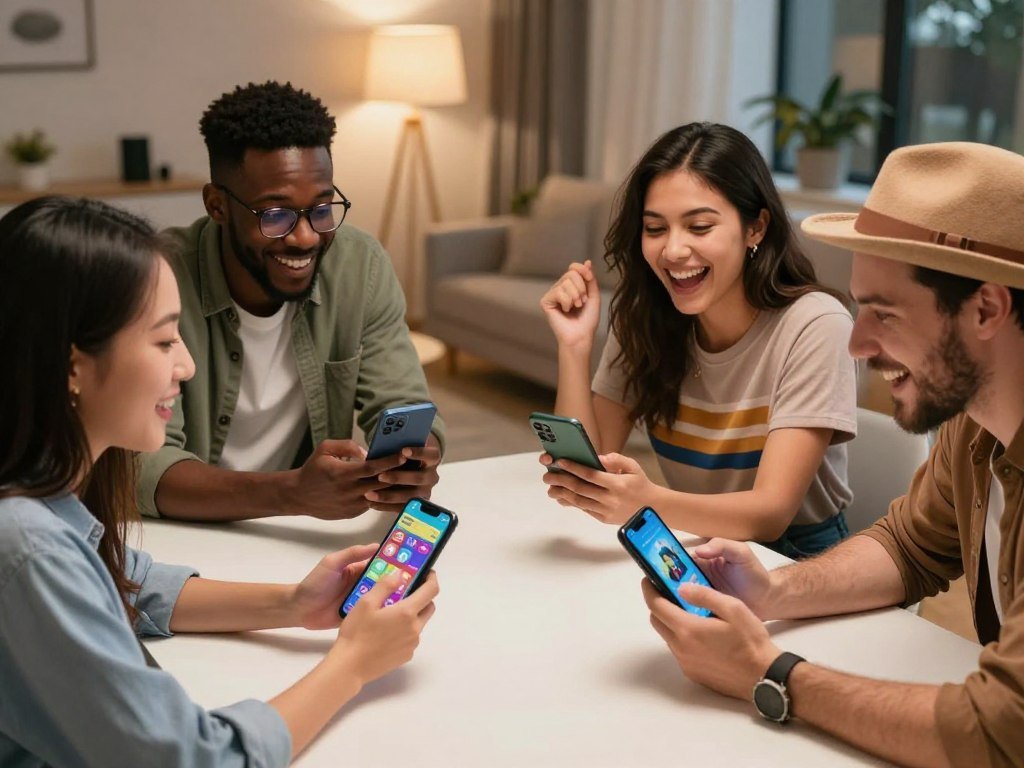
The right phone game can turn a quick check-in with friends into a lively match, even when everyone has a different schedule or device. The best games to play with friends on phone fit the group’s size, free time, and patience for setup. Asynchronous multiplayer is a game mode where players take turns at different times rather than playing simultaneously. This list includes different ways to play together, from party rounds to creative worlds.
You’ll find ten digital picks for party, action, strategy, browser, and sandbox play. There are also two spoken games for groups that want to skip downloads and put their phones down. Some picks work best in the same room, while others help friends connect from far away. A good first choice is the one your whole group can start without a long setup.
Key Takeaways
- Choose for group size, schedule, and setup time.
- Try Mini Party for casual group variety.
- Use a shared-device game when two people have one phone.
- Pick asynchronous multiplayer when friends cannot meet online.
- Spoken games need no app or game equipment.
How to Choose the Best Games to Play With Friends on Phone
For most groups, start with a quick party or shared-device game, then choose a deeper multiplayer game if everyone wants a longer commitment. The one best starting pick depends on how many friends are joining and how much time they have. Games to play with friends should fit the group before they fit a genre.
Choose by group size, connection, and session pace, not genre alone. A large party can feel awkward in a game built for pairs. A close friend may prefer a focused match over a crowded lobby. The right choice makes the first invite feel easy.
Choose a game your group can start with its current number of players, devices, and available time.
Pick for the group, not just the genre
For mixed groups seeking quick social play, shortlist Mini Party. Friends can join by link, which helps when some people dislike setup. Two people sharing one phone can try 2 Player games: the Challenge instead. Arena of Valor offers team battles and smaller head-to-head formats.
Friends who want different kinds of play may need a little more discussion. One person might enjoy a competitive match, while another wants a relaxed social game. Ask whether the group wants to cooperate, compete, or simply laugh together. That answer narrows the choices quickly.
Co-op games pit a team against game-controlled foes, while competitive games set players against one another. If you want more ideas for a larger screen, this guide to PS5 games by play style also separates those kinds of matches.
Match the game to your connection and schedule
Live multiplayer works best when everyone can join at the same time. A steady connection matters more than a huge download speed for responsive play. For tips on checking ping, jitter, and home network needs, see this guide to internet for gaming.
The Battle of Polytopia suits friends who keep different schedules because mobile and desktop players can take turns asynchronously. A quick party pick suits a group that has ten minutes together. Think about how the group will connect before choosing a game. Ask the group how many people are joining before sending an invite.
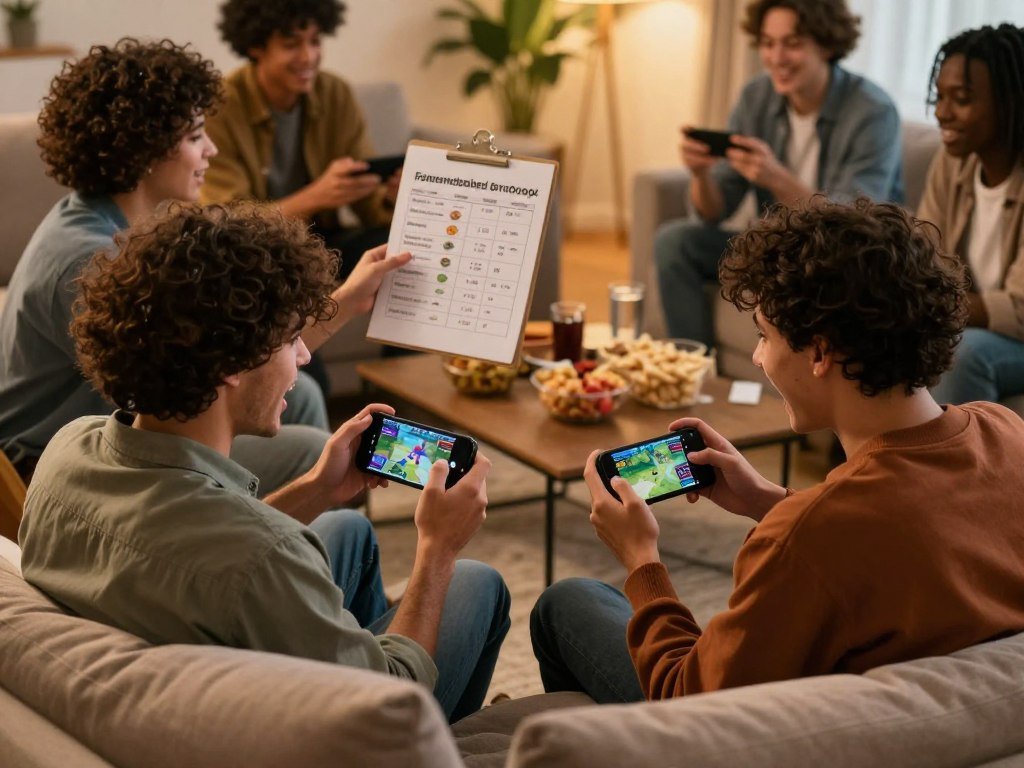
Which quick party games work on one phone?
If the group is sitting together and wants to start immediately, 2 Player games: the Challenge turns one phone into a shared play surface. One phone can be enough for two players, and the app also lets one person play offline against AI. Scores carry across minigames, so a few quick contests can become a cup.
Pick the shared-device option for two people in one room, and Mini Party for friends joining remotely. The Challenge includes a wide range of quick games, while Mini Party lowers the barrier for a group that does not want another app installed.

Here are six Challenge minigames to choose from:
- Ping pong
- Air hockey
- Pool
- Tic-tac-toe
- Penalty kicks
- Chess
The app keeps scores between matches, letting friends build a cup across different games. That gives each round a small stake without making the group learn one complicated game. The Google Play listing was updated on October 7, 2026.
Mini Party takes a different route. Friends can join with a link without installing the app, which helps when someone wants to join but avoid a download. Its collection includes 3D party games, drawing, cards, pool, and basketball-style hoop games.
New games are added every month, giving regular players fresh choices. Friends can talk while playing, and notifications can alert them when friends are online. That makes it easier to find a moment when the group is ready for a round.
One-phone games are especially handy while waiting for food or sharing a couch. Link-based play works better when friends are spread across separate places. The difference is not just the game; it is how the group gets started. Let the group pick one minigame before starting a cup so the first round stays simple.
Which mobile action games suit competitive friends?
For friends who want to compete rather than chat through a party round, Arena of Valor offers a mobile battle format with several team sizes. Team play suits friends who want to coordinate roles, while Fortnite combines battle royale action with building mechanics. These picks suit groups ready to focus on opponents and skills.
Choose Arena of Valor for a direct battle, or Fortnite for a survival match with building. Arena of Valor offers 5v5, 3v3, and 1v1 formats. That range can serve a full team or two friends who want a smaller face-off.

Friends should agree on the type of competition before they queue. A coordinated team match asks players to work toward a shared goal. A battle royale match puts survival at the center, with building as part of Fortnite’s play.
Neither format is the best multiplayer choice for every group. The team setting can suit players who like calling out plans and supporting one another. Fortnite can fit friends who want to gather supplies, build, and stay in the match as the action shifts.
Think about the group’s appetite for learning, too. Competitive games can reward practice, but friends do not need matching skill levels to enjoy a session. A group may decide to focus on learning the controls instead of judging each match by its result.
If friends play on different systems, check whether their chosen version supports the group’s setup. A match can lose its appeal if one person cannot join. The same goes for the group’s mood: some nights call for teamwork, while others call for a broad survival challenge.
Planning a game night on a console as well? A guide to multiplayer Switch games can help compare local and online play. Choose Fortnite when the group wants building alongside its battle royale action.
Can a card game make a good phone match?
Gwent is the strongest pick here for a friend who would rather outthink an opponent than test reaction speed. Planning matters in this Witcher-universe card game, which leans on strategic choices instead of relying only on luck. It suits players who enjoy weighing a move before they make it.
Choose Gwent for a thoughtful card match, not a fast action round. Its pace differs from Arena of Valor and Fortnite, where opponents move through active battles. No style is better for every group; the choice depends on what makes the match enjoyable.
Gwent can appeal to fans of The Witcher, though players do not need to know the series to enjoy a card game. The key draw is deciding how to use a deck and responding to the other player’s choices. Each match gives friends room to watch, think, and adjust.
Picture two friends who like discussing a move before committing to it. They can talk through why a play seems strong, then see how the opponent responds. The conversation becomes part of the match, rather than a pause between bursts of action.
That makes Gwent a good option for players who enjoy strategy but want a head-to-head game. It also offers a different kind of phone match from party games, where quick turns and variety keep the mood light. Friends who prefer action may want a faster pick instead.
When choosing games like Gwent, consider whether your group enjoys thinking aloud or prefers to make decisions quietly. A slower card match leaves more space for discussion. Players who enjoy a close contest can still keep the focus on smart choices.
A phone game can be competitive without demanding fast hands. Friends who enjoy discussing tactics may find that slower choices give them more to talk about. Choose a card match when the conversation around each decision is part of the fun.
What if friends want a slower turn-based match?
If your friends rarely have the same free hour, The Battle of Polytopia lets the match move forward one turn at a time. Asynchronous multiplayer lets players take turns at different times, rather than meeting for a live session. A turn takes about ninety seconds, and a notification arrives when it is ready.
Turn-based phone games suit friends who want progress without coordinating a live session. Polytopia supports asynchronous matches between mobile and desktop players. Each person can make a move when their schedule allows, so the game does not depend on everyone being online together.
A turn-based match works well for friends with changing routines. Someone might play during a break, while another waits until later. The game advances through those separate moments, keeping the group connected without a fixed call time.
Asynchronous play changes the feel of multiplayer. You get time to consider a turn, but you may need to wait for someone else before the match moves on. The approach suits players who enjoy steady progress more than a single long sitting.
Game designer Soren Johnson discusses these trade-offs in his analysis of asynchronous game design. The format can work well when turns still feel meaningful and players do not mind waiting. Polytopia’s notifications give friends a prompt when the next move is available.
That alert can keep a match from slipping out of mind. Players can decide how often they want to check in, without setting a shared hour. Friends who want immediate back-and-forth may prefer a live game instead.
Take a moment to agree on the kind of pace everyone expects. A slow match feels less fun when one person expects instant replies. Turn notifications on if a missed turn would leave the group waiting.
Which browser games work for long-distance friends?
For long-distance friends who want to start in a browser, GameBuddies combines the game and video chat in one tab. Less setup means no account or installation is required. Friends can join from a phone or laptop, so online phone games can include someone using a computer.
GameBuddies puts video chat and the game in the same browser tab. That can make a remote session easier to begin, especially when the group does not want everyone to install an app. Friends who prefer not to use video can coordinate over chat instead.
Play together in the same browser tab
For phone games to play with friends long-distance, a browser option can bridge different devices. One person can join on a phone while another uses a laptop. The group can see the game and talk in one place, rather than switching between separate apps.
Video is optional for friends who would rather keep the call simple. A text chat can help the group share a link, plan a start time, and react to the game. The important part is giving everyone a clear way to join.
Choose a game built for your group size
GameBuddies lists Bluffalo, Canvas Chaos, and Decoded for long-distance friend groups. Each name gives the group a starting point for choosing an online game. Consider whether your friends want to bluff, create, or solve clues together.
A browser game can help a mixed phone-to-laptop group feel included. It does not require matching phone models, and it avoids asking every friend to make an account. Check that the planned call time works for people in different time zones.
The group can also agree on a backup plan, such as using text chat if video causes trouble. That keeps one connection problem from ending the evening. Send the game link before the planned call so everyone can check their connection in advance.
Which sandbox games reward building together?
Minecraft suits friends who want to make the world they play in, while Roblox gives them player-created experiences to choose from. Creative freedom is the draw in both, but each offers a different path. Minecraft centers on shaping a shared world; Roblox lets players browse worlds and games made by users.
Pick Minecraft to build or explore together, and Roblox to sample different player-made experiences. Minecraft supports building, exploration, and survival play. Friends can work on one shared space or set their own goals within it.
That open-ended style can suit a group that likes making its own plans. Friends might focus on a home base, explore new areas, or try to stay safe in survival play. The fun often comes from seeing what the group creates over time.
Roblox gives players access to multiplayer experiences created by users. Instead of building one world from scratch, friends can choose from many different kinds of play. One session might feel unlike the next because each experience has its own idea.
That difference can help a group decide. Minecraft suits players who want a shared place to shape and revisit. Roblox suits friends who enjoy trying new settings and activities made by other players.
Both picks can support a longer-running group hobby, but the group should agree on what it wants to do. Some friends prefer a common project, while others want to browse and switch experiences. A console group may also want to compare local and online Switch play before choosing where to build.
A shared world can become a place friends return to between calls. A user-made experience can be easier to sample when the group wants variety. Agree on whether the group wants to build together or sample different experiences before joining.
What can you play without installing a game?
When nobody wants to install an app, 21 Questions and 3-6-9 can get a group going with nothing but conversation and attention. No-equipment play works at a table, in a living room, or while waiting for food. Both games need players to listen and take turns.
For four players without equipment, 3-6-9 is an easy choice. Players can sit or stand in a circle, count in order, and clap for numbers with 3, 6, or 9. 21 Questions works for pairs or groups who want conversation prompts.
In 21 Questions, two people can take turns asking questions. In a group, everyone answers before the next player chooses a prompt. Friends can keep the mood light with questions about favorite foods, a dream weekend, or a place they would like to visit.
Agree that anyone may skip an uncomfortable question. That rule keeps the game friendly and gives each person control over what they share. Prompts can be personal without asking anyone to reveal more than they want.
Try 3-6-9 with these steps:
- Sit or stand in a circle.
- Count in order, with players taking turns.
- Clap instead of saying any number containing 3, 6, or 9, including every number in the 30s, 60s, and 90s.
- Keep going toward 100 without stopping.
For example, players clap for 13, 29, and 36. Every number in the 30s, 60s, and 90s also gets a clap, even when it contains another digit. The group goal is to reach 100 without stopping.
This game makes a good choice when four friends want something quick and have no materials. 21 Questions can work better when players want to talk rather than keep a count. Agree before starting that anyone may pass on a 21 Questions prompt.
Which games work best for exactly two players?
For a remote one-on-one session, ThinkAlike, ClueScale, and Letter Rush are built for exactly two players. A focused pair can enjoy a game shaped around two people instead of adapting a large-party format. Each of these GameBuddies picks works in a browser with video chat.
These three titles need no account or installation. Friends can join from their browsers and use the same tab for the game and video chat. That keeps the setup clear for a pair planning a remote session.
| Game | Designed group | Browser play | Setup |
|---|---|---|---|
| ThinkAlike | Exactly two players | Browser with video chat | No account or installation |
| ClueScale | Exactly two players | Browser with video chat | No account or installation |
| Letter Rush | Exactly two players | Browser with video chat | No account or installation |
A game designed for two people can feel more direct than a large-group party game adapted for a pair. Both players know the match is built for their number, so neither has to wait for a crowd to join. That can make it easier to plan a short call.
The best fit depends on what both players enjoy doing together. Some friends want a game that sparks quick reactions, while others like comparing answers or solving a challenge. Discuss the mood before sending an invite.
Remote play also gives friends room to keep up a routine. A pair can pick a regular night or start a round when both have a gap. The browser setup leaves fewer steps between deciding to play and joining.
These games can suit friends who live far apart or simply want a quieter session. A two-person format makes the match feel personal without requiring a long list of players. Pick the title whose format both players will want to return to, rather than choosing by name alone.
Which social game matches your group’s mood?
Choose Mini Party for playful variety, or Among Us if the group enjoys trying to identify a hidden saboteur. The group’s mood can point toward light party play or social deduction. Both options center on friends sharing reactions, though they create different kinds of conversation.
Mini Party is free to download with in-app purchases, while Among Us centers on crew-versus-saboteur play. Free to download or free-to-play does not mean every feature is necessarily free. Check the game’s current purchase details before anyone assumes every feature is included at no charge.
Choose a party feel with Mini Party
Mini Party suits friends looking for a casual session with different kinds of activities. It supports mobile and desktop play, so a group can choose the device that works for them. The variety can help friends who do not want every round to feel the same.
Its free download gives the group a way to try the app, while in-app purchases are part of its model. A free start can be useful for friends deciding whether a game fits their regular meetups. Still, players should not assume every option comes at no cost.
Choose deduction and debate with Among Us
Among Us is a social-deduction game about crewmates repairing a spaceship while hidden saboteurs try to kill them. Players discuss what they noticed and try to work out who is lying. The fun comes from suspicion, clues, and the group’s debate.
This format works best when friends enjoy talking through their guesses. It can turn a small detail into a lively argument, especially when the group has different theories. Mini Party fits a lighter mood when nobody wants to focus on a mystery.
To choose, ask whether your friends would rather try different activities or examine each other’s claims. A social game can bring out playful competition even when players are not chasing a score. Check the app’s current purchase details before anyone assumes every feature is included at no charge.
- Choose Mini Party for casual variety.
- Choose Among Us for suspicion and discussion.
- Check purchase details before the group starts.
Can friends on different devices play together?
Friends can use different devices, but they should match the game’s platform support and edition rules before planning a shared match. Compatibility first can prevent a frustrating invite that one person cannot accept. Phone availability varies by game and does not mean every phone system supports every title.
Minecraft players must use the same edition, either Java or Bedrock. Fortnite is listed for Android, while Minecraft is listed for mobile and several consoles and computers. Roblox supports iOS and Android, along with other platforms.
| Game | Phone availability | Other listed devices or route | Compatibility check |
|---|---|---|---|
| Fortnite | Android | Google Play, Epic Games’ launcher, or Samsung Galaxy Store on Samsung devices | Confirm the route available on the player’s Android device |
| Minecraft | Mobile | PC, PlayStation, Xbox, or Nintendo Switch | Everyone must use Java or everyone must use Bedrock |
| Roblox | iOS and Android | PC, Xbox One, PS4, or PS5 | Select a shared multiplayer experience |
Check the phone platform and installation route
Fortnite is available on Android through Google Play, Epic Games’ launcher, and the Samsung Galaxy Store for Samsung devices. The route depends on the Android phone. Friends should make sure the option they plan to use works on their device.
iPhone owners should check iOS support for a specific title instead of assuming every Android game is available on iOS. A phone’s operating system shapes which games it can run. If you are comparing phones, this guide to choosing between iOS and Android covers that decision.
Match editions before joining a shared world
Minecraft is listed for mobile, PC, PlayStation, Xbox, and Nintendo Switch. Its Java and Bedrock editions do not mix for shared play, so everyone needs the same one. Roblox is listed for iOS, Android, PC, Xbox One, PS4, and PS5.
Roblox also asks friends to choose a shared multiplayer experience within the platform. A shared device list alone does not tell you which experience the group will play. Have everyone confirm the same Minecraft edition before setting up a shared world.
How long should a round or match take?
A round of ThinkAlike or ClueScale can fit into a 15-20 minute window, while a Polytopia match can unfold across a week. Choose for your real schedule, not the amount of time you hope everyone might have. A short browser round and a long strategy match ask for different kinds of attention.
Match the game to the time your friends can give it, rather than expecting everyone to stay online together. A planned short round can fit between other plans. A live game night gives friends more time to settle into a match.
Pick a session style that fits the group:
- A short planned round with a clear start and finish.
- A longer live game night with time for several matches.
- An asynchronous match that continues between check-ins.
ThinkAlike and ClueScale can work for a brief remote session, since a round can take 15-20 minutes. That gives two friends a clear window to play without setting aside an entire evening. The group can plan a single round and stop when time is up.
A longer live session suits friends who want to stay together through several games. They can set a start time and decide how long they want to keep playing. This works better when everyone knows the plan before joining.
The Battle of Polytopia has a slower rhythm, with matches that can stretch across a week. Friends can make progress during separate check-ins instead of holding a shared game night. That pace fits people who enjoy a continuing match.
Set the session length before the first move, especially when friends have different schedules.
Time limits can help a group avoid pressure to stay longer than planned. A shared stop time also makes it easier to choose a game that fits everyone’s day. Set a stopping point before a long match so everyone knows what kind of commitment they are joining.
Conclusion
The easiest pick is the one that fits your group’s size, schedule, and appetite for setup. Choose by who can join, then match the game’s pace to the time your friends can give it. A short round, a live game night, and a match that moves between check-ins each call for different plans.
One clear choice is easier to answer than a long list of options. Send a title or link to the group chat and ask who can make it. Send one choice to the group chat and set a time to play.
FAQ
What is the best game you can play on your phone?
Mini Party is a strong pick for casual group variety, while 2 Player games: the Challenge suits two people sharing one device. Competitive friends may prefer Arena of Valor or Fortnite. The best fit depends on whether your group wants a party, a shared phone, or an action match. Start with the option that asks the least from everyone joining.
What is the 3 6 9 game?
3-6-9 is a counting game where players clap instead of saying numbers containing 3, 6, or 9. Players take turns counting in order, and every number in the 30s, 60s, and 90s gets a clap. The group tries to reach 100 without stopping. You need no cards, dice, or app, just a circle of players who can keep track.
What games can I play with 4 players without any equipment?
3-6-9 works for four players in a circle and needs no materials. Everyone counts in turn, clapping for numbers containing 3, 6, or 9. 21 Questions is another option and needs only spoken prompts. Friends can answer in turn, or let everyone answer before the next person asks. Agree that players may pass on any prompt.
What are 21 juicy questions?
They are personal conversation prompts, but they do not need to be intrusive. Ask about someone’s favorite childhood meal, a place they hope to visit, or a small goal they feel proud of. Players can keep answers light or share more if they choose. Agree that anyone may skip a question without explaining why, so the game stays comfortable.
Can two people play a game on one phone?
Yes, 2 Player games: the Challenge supports two people on one device, including offline play against AI. Friends can take turns or compete across its minigames, such as pool, chess, and air hockey. The shared screen makes it a simple option when two people are together without separate phones. You can also play a match without an internet connection against the game’s AI.
Which phone games work for friends on different devices?
Minecraft and Roblox are options for friends using different devices, but check each game’s rules. Minecraft players need to use the same edition, Java or Bedrock, to play together. Roblox is listed for mobile, PC, and several consoles, with player-created multiplayer experiences. The exact game experience in Roblox still needs to support the group’s chosen devices.
Are there free games to play with friends on a phone?
Mini Party is free to download with in-app purchases, and Gwent is free-to-play on Android. Free access does not mean every feature is necessarily included at no cost. Check the game’s current purchase details before your group begins. Friends can also choose spoken games such as 21 Questions or 3-6-9, which need no app.



