
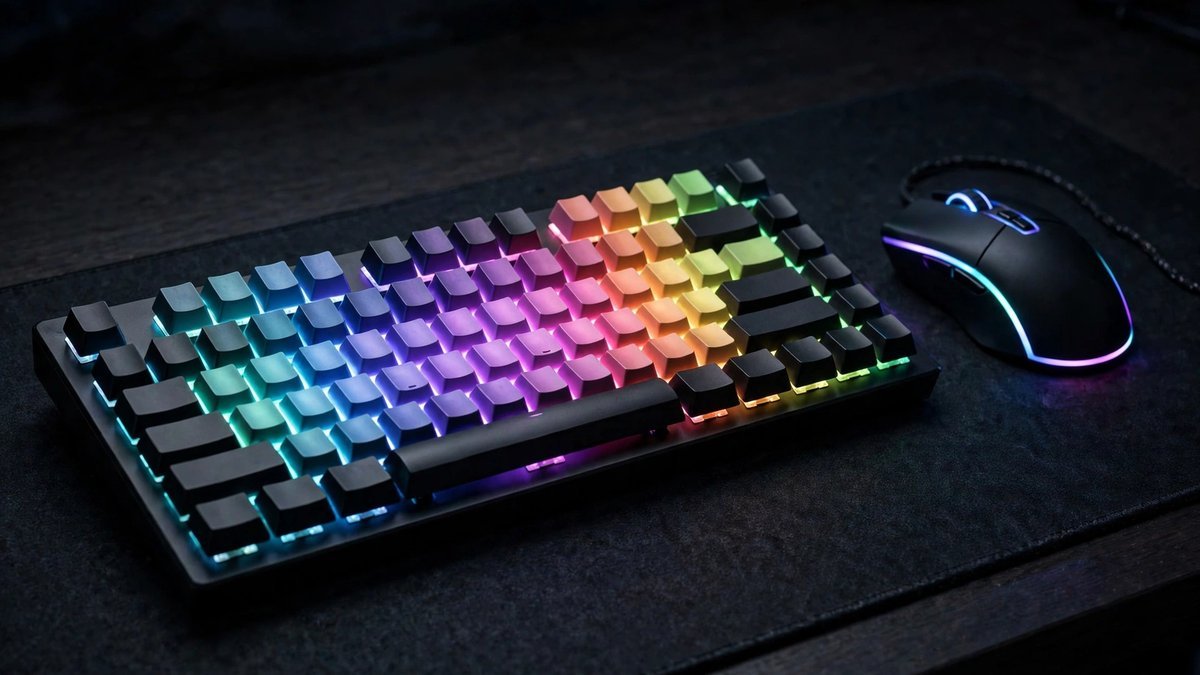
A mechanical keyboard is the single biggest upgrade you can make to a gaming setup. It is faster, more consistent and more satisfying to type on than a membrane keyboard, and the difference is obvious within minutes: keys register the same way every time, with a clean, predictable feel. The best mechanical keyboards for gaming in 2027 also last longer, with switches rated for tens of millions of presses.
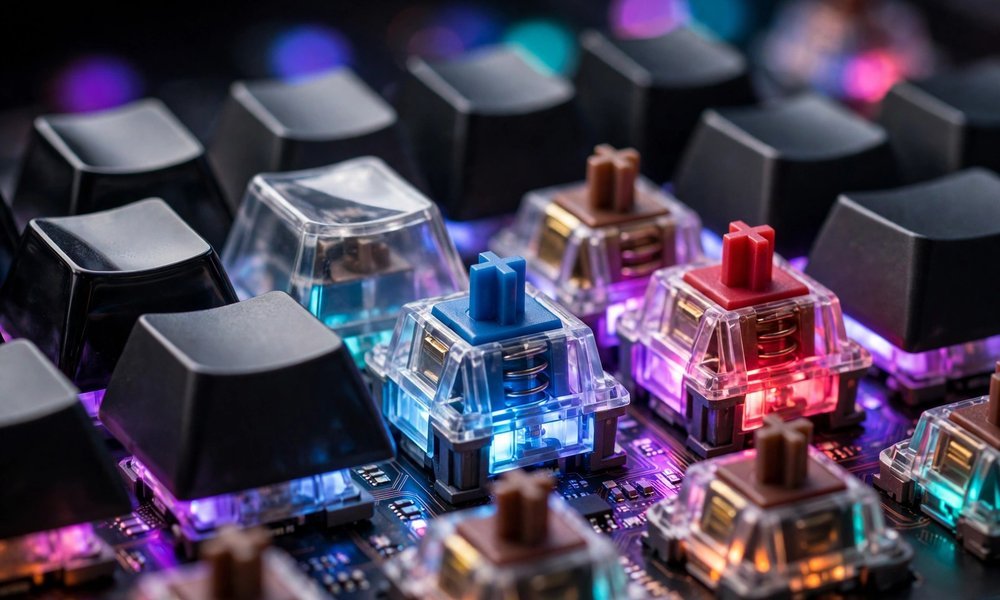
This guide compares the gaming keyboards worth buying in 2027 on the same things: switch type, key feel, build quality, layout and price. Switches matter most. Linear switches are smooth and fast, tactile switches give a small bump when the key registers, and clicky switches are loud and sharp. There is no best switch, only the one that fits how you play. Prices change, so treat the prices here as approximate starting prices and check the current price before buying. No keyboard in this list is linked to its own website. All links in this article go to other occcy.com guides.
The short answer is simple. For most gamers, the SteelSeries Apex Pro TKL is the best place to start. For competitive play, the Logitech G Pro X TKL is hard to beat. For a full-size board with every feature, the Razer BlackWidow V4 Pro is the pick. The rest of this guide explains why, and when to choose something else.
Key takeaways
- Best overall gaming keyboard: SteelSeries Apex Pro TKL, from about $180, with adjustable switches you can tune per key.
- Best for competitive play: Logitech G Pro X TKL, from about $150, light, fast and built for tournaments.
- Best full-size keyboard: Razer BlackWidow V4 Pro, from about $230, with a wrist rest, macro keys and a command dial.
- Hot-swappable switches let you change the feel of a keyboard without soldering, and they are worth paying for.
- Tenkeyless (TKL) layouts give your mouse more room and are the standard choice for competitive gaming.
At a glance: the shortlist
| Keyboard | Best for | Starting price | Standout limit |
|---|---|---|---|
| SteelSeries Apex Pro TKL | Most gamers | From about $180 | Software takes time to learn |
| Logitech G Pro X TKL | Competitive play | From about $150 | No number pad, no wrist rest included |
| Razer BlackWidow V4 Pro | Full-size features | From about $230 | Expensive, heavy |
| Corsair K70 RGB Pro | Everyday gaming | From about $160 | Software can be heavy |
| Keychron K8 Pro | Customisation | From about $100 | Less gaming software than rivals |
| HyperX Alloy Origins 65 | Compact desks | From about $100 | 65% layout takes getting used to |
| ASUS ROG Strix Scope II 96 | Space saving with numpad | From about $170 | Keycaps wear faster than PBT rivals |
SteelSeries Apex Pro TKL — Best overall
The SteelSeries Apex Pro TKL is the best gaming keyboard for most people because of one feature no other board in this list matches: adjustable actuation. Each key can be set to register with a feather-light press or a deep one, and you can set different depths for different keys. That means movement keys can be hair-trigger fast while ability keys need a deliberate press, which is a real advantage in fast games.
The board itself is well built, with an aluminium frame, double-shot PBT keycaps that resist shine, and a small OLED screen that shows game information or media controls. It is tenkeyless, so there is no number pad, which gives your mouse more room. If you are building a full setup, pair it with a good mouse from our guide to the best wireless mice for gaming and a fast display from our best gaming monitors guide.
Pros: Adjustable actuation per key, solid aluminium build, great PBT keycaps, OLED screen.
Cons: Software takes time to learn, premium price.
Logitech G Pro X TKL — Best for competitive play
The Logitech G Pro X TKL is the keyboard you see on tournament desks, and there is a reason for that. It is light, fast and free of distractions: no number pad, no macro keys, no wrist rest, just a solid tenkeyless board with Logitech’s GX switches. The GX Blue, Brown and Red switches cover clicky, tactile and linear preferences, and they are hot-swappable, so you can change switches without a soldering iron.
It is built to travel. The detachable USB-C cable, the compact size and the sturdy frame make it easy to throw in a bag for a LAN event. The lighting is bright and even, and Logitech’s G Hub software is straightforward for setting up per-game profiles. It is not the most feature-packed board here, but for competitive play that is the point: nothing gets in the way.
Pros: Hot-swappable switches, light and portable, clean competitive design, reliable software.
Cons: No number pad, no wrist rest included.
Razer BlackWidow V4 Pro — Best full-size keyboard
The Razer BlackWidow V4 Pro is the everything keyboard. It is full-size, with a number pad, a row of macro keys, a command dial, dedicated media controls and a plush magnetic wrist rest. The switches are Razer’s own Green (clicky) or Yellow (linear), both fast and consistent, and the board is hot-swappable on some models.
It is also the most expensive board in this list, starting at around $230, and it is heavy. But if you want one keyboard for gaming, work and everything else, the BlackWidow V4 Pro is the most complete package. The per-key RGB lighting is the brightest and most customisable here, and Razer’s Synapse software, while heavy, offers the deepest macro and lighting controls. If you mostly play at a desk and want the full-size layout, this is the pick.
Pros: Full-size layout with macro keys and dial, comfortable wrist rest, excellent RGB, fast switches.
Cons: Expensive, heavy, software is heavy too.
Corsair K70 RGB Pro — Best for everyday gaming
The Corsair K70 RGB Pro is the safe, solid choice. It is a full-size board with an aluminium frame, Cherry MX switches, per-key RGB and a detachable wrist rest, and it does everything well without any single standout feature. The Cherry MX Red and Speed switches are smooth and fast, and the board feels dense and well made.
It also has a tournament switch that locks the keyboard into a standard mode, which is useful if you play in competitions that restrict lighting and macros. The iCUE software is powerful but can be heavy on system resources, so it is worth updating it and closing it when you are not changing settings. For a daily driver that games well and types well, the K70 RGB Pro is hard to fault.
Pros: Solid aluminium build, reliable Cherry switches, tournament mode, good typing feel.
Cons: iCUE software can be heavy, design is conservative.
Keychron K8 Pro — Best for customisation
The Keychron K8 Pro is the keyboard for people who like to tinker. It is hot-swappable, supports both Windows and Mac layouts out of the box, and works wired or wireless over Bluetooth. It comes with Keychron’s own switches, but you can drop in almost any MX-style switch, and the QMK firmware lets you remap every key and build layers of shortcuts.
It is not a pure gaming keyboard. The polling rate is lower than the esports boards here, and there is no dedicated gaming software. But for most players, the difference is invisible, and the K8 Pro is the best-sounding and best-feeling board in this list for the price, starting at around $100. If you want a keyboard that is yours in every sense, this is the one. Our guide to the best mechanical keyboards covers more general-purpose options if gaming is only part of what you do.
Pros: Fully hot-swappable, QMK firmware, wireless and wired, great value, Mac and Windows support.
Cons: Less gaming software than rivals, lower polling rate.
HyperX Alloy Origins 65 — Best for compact desks
The HyperX Alloy Origins 65 is a 65% keyboard: it drops the number pad, the function row and the navigation cluster, keeping only the keys you actually press. The result is a small, dense aluminium board that leaves maximum room for your mouse, which is exactly what you want on a small desk or in a low-sensitivity FPS setup where the mouse travels a long way.
It uses HyperX’s own linear Red switches, which are smooth and fast, and the board is solid for the price, starting at around $100. The 65% layout takes a few days to get used to — arrow keys and function keys live on a second layer — but once your fingers learn it, the compact size is hard to give up.
Pros: Compact 65% layout, solid aluminium build, smooth linear switches, good value.
Cons: 65% layout takes getting used to, no dedicated arrow keys.
ASUS ROG Strix Scope II 96 — Best space saving with numpad
The ASUS ROG Strix Scope II 96 solves a problem most keyboards ignore: how to keep a number pad without taking up a full-size footprint. Its 96% layout squeezes the numpad into a compact frame, so you get the keys you need for work and the space you need for your mouse. It uses ROG’s NX Snow linear switches, which are pre-lubed and feel smooth out of the box, and the PBT keycaps resist shine.
It also has a multi-function button and a scroll wheel that can control volume, brightness or media, plus hot-swappable switches if you want to change the feel later. At around $170 it sits in the middle of this list on price, and it is the best choice if you play games and also type numbers for work or study.
Pros: Compact layout with a number pad, smooth pre-lubed switches, hot-swappable, useful scroll wheel.
Cons: Keycaps wear faster than PBT rivals, software is average.
How to choose
Start with the switch. If you play fast competitive games, linear switches (smooth, no bump) are the standard choice. If you type a lot as well as game, tactile switches (a small bump) are more satisfying. Clicky switches are fun but loud, and your microphone and anyone sharing the room will hear them.
Then pick a layout. Tenkeyless is the standard for gaming because it gives your mouse room. Go full-size only if you genuinely use the number pad every day. Go 65% or 75% only if you want the smallest possible board and are willing to learn a second layer for arrow keys.
Finally, check whether the board is hot-swappable. It is the single most useful feature on a modern gaming keyboard, because it lets you change switches later without buying a new board. And check the keycaps: double-shot PBT keycaps last longer and stay matte, while ABS keycaps get shiny and smooth within months.
Checklist: before you pay
- Choose your switch type first: linear for speed, tactile for typing, clicky only if you like noise.
- Pick a layout that fits your desk and your mouse space — TKL is the safe default.
- Check that the board is hot-swappable if you might change switches later.
- Look for double-shot PBT keycaps, which resist shine and last longer than ABS.
- Confirm the connection: wired is fastest, but 2.4GHz wireless is now just as fast for most players.
- Check the return policy. Keyboards are personal, and you may not know if you like a switch until you have typed on it for a week.
Frequently asked questions
What switch is best for gaming?
Linear switches are the most popular choice for gaming because they are smooth and fast, with no bump to slow the press down. Tactile switches are better if you also type a lot. There is no single best switch — it depends on your hands and your games.
Is a mechanical keyboard really faster than a membrane keyboard?
Yes, slightly. Mechanical switches register more consistently and can be set to actuate earlier, which matters in fast games. The bigger difference is feel and durability: mechanical keyboards last far longer and feel the same on every key press.
What does hot-swappable mean?
Hot-swappable means you can pull switches out of the keyboard and push new ones in without soldering. It lets you change the feel of your keyboard, replace a broken switch, or try different switch types cheaply.
Should I buy TKL or full-size?
Buy TKL unless you use the number pad every day. TKL gives your mouse more room, which matters more in games than a number pad does, and it is the standard layout for competitive play.
Do I need a wireless gaming keyboard?
No. Wired is still the simplest and cheapest option, and it never needs charging. Modern 2.4GHz wireless is just as fast, so buy wireless only if you value a clean desk or you move the keyboard around.
How long do mechanical keyboards last?
Switches are typically rated for 50 to 100 million key presses, which is many years of heavy use. Keycaps wear out first, usually after a year or two of daily use, and they are easy to replace on most boards.
The bottom line
For most gamers, the SteelSeries Apex Pro TKL is the best mechanical keyboard in 2027. Its adjustable switches are a genuine advantage, and the build quality justifies the price. If you play competitively, the Logitech G Pro X TKL is lighter, simpler and built for tournaments. If you want every feature in one board, the Razer BlackWidow V4 Pro is the full-size pick.
Whatever you buy, choose your switch type first, pick a layout that fits your desk, and get hot-swappable switches if you can. A good keyboard lasts for years, and it is the part of your setup your hands touch every second you play.
Note: Prices and plans change. Check the product’s current plan details before buying — no link is provided here by design, all links in this article go to other occcy.com guides.



