
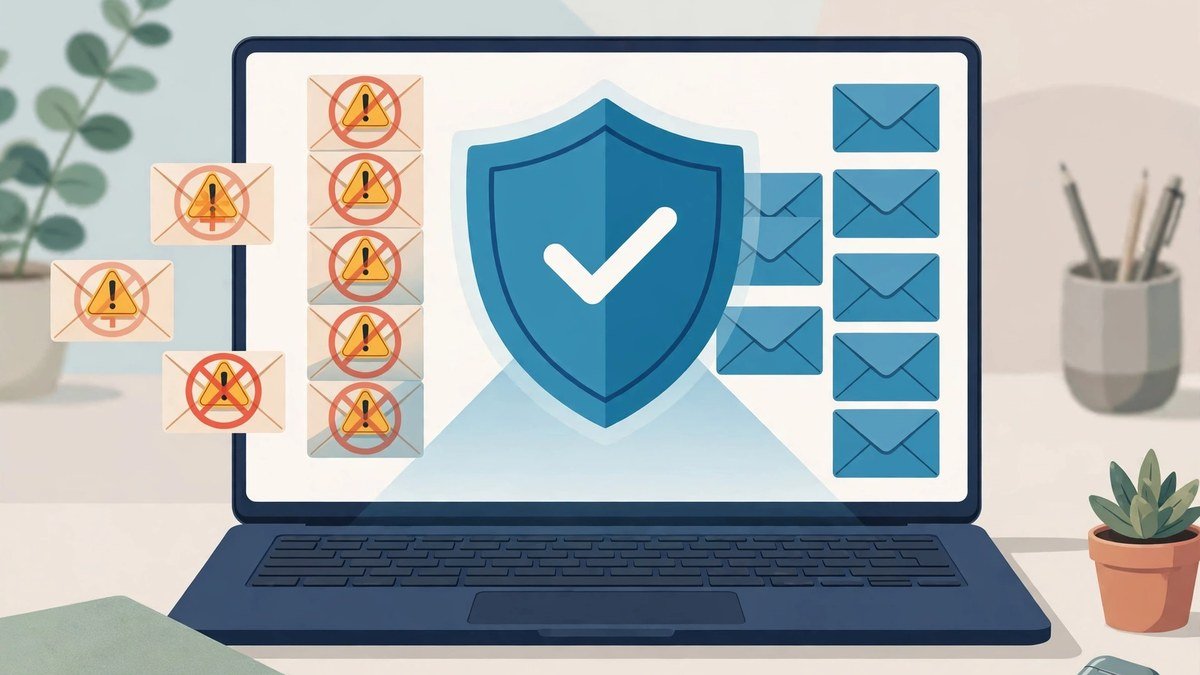
Email is still the most attacked channel in business. Phishing pages, business email compromise, malicious attachments, and invoice fraud all arrive through the inbox, and a single click can cost a company its data, its money, or its reputation. Built-in filters from Google and Microsoft catch much of the obvious spam, but the targeted attacks — the ones written for a specific employee, referencing a real supplier — slip through. Dedicated email security software exists to catch those.
Modern email security does more than filter spam. It inspects links at click time, detonates attachments in a sandbox, checks sender identity against spoofing, and uses machine learning to spot the subtle signs of a targeted attack. The best tools also train employees with simulated phishing and give security teams a clear view of who was targeted and who clicked.
We compared the leading email security platforms on phishing detection, business email compromise defence, ease of deployment, Microsoft 365 and Google Workspace integration, and pricing. The shortlist covers cloud gateways, API-based tools, and all-in-one platforms. Prices are approximate starting prices and change often, so check current pricing before buying.
Key takeaways
- Abnormal Security is the best overall email security platform, with the strongest AI detection of targeted attacks.
- Proofpoint is the best for large enterprises, with the deepest feature set and compliance tools.
- Microsoft Defender for Office 365 is the best value for Microsoft 365 shops.
- Prioritise click-time link protection over static filtering — attackers change the destination after delivery.
- Avoid tools that only filter spam; the expensive attacks are the targeted ones that look legitimate.
At a glance: the shortlist
| Product | Best for | Starting price | Standout limit |
|---|---|---|---|
| Abnormal Security | Best overall | Custom pricing | Sales-led pricing |
| Proofpoint | Large enterprises | Custom pricing | Complex deployment |
| Microsoft Defender for Office 365 | Microsoft 365 shops | About $2 per user, per month | Weakest outside Microsoft 365 |
| Mimecast | All-in-one email security | About $3 per user, per month | Interface feels dated |
| IRONSCALES | Automated response | About $3 per user, per month | Smaller enterprise feature set |
| Barracuda Email Protection | Mid-sized business | About $2 per user, per month | Detection trails AI-first rivals |
| Check Point Harmony Email | Threat prevention depth | About $3 per user, per month | Best with Check Point stack |
Abnormal Security — Best overall
Abnormal Security takes a different approach from traditional email gateways: instead of relying on rules and reputation lists, it builds a behavioural baseline for every employee, vendor, and partner, then flags messages that deviate from normal patterns. A wire transfer request that does not match how your finance team normally writes, or a login link from a supplier that never sends links, gets stopped even if nothing in the message matches a known threat signature.

Because Abnormal connects through an API rather than rerouting mail flow, deployment takes hours instead of days, and there is no risk of mail delays from a gateway outage. It also handles the full attack chain — inbound, internal, and outbound — which catches compromised accounts sending phishing to colleagues. The pricing is custom and sales-led, which is the main drawback, but for targeted attack defence it is the current leader. Email is one layer of the wider security stack, so pair it with the best cybersecurity tools for small businesses when planning your defences.
Pros: Best AI detection of targeted attacks; fast API deployment; covers internal and outbound mail; no mail flow changes.
Cons: Custom pricing; no traditional gateway option.
Proofpoint — Best for large enterprises
Proofpoint is the most complete email security platform available. Its email protection combines gateway filtering, targeted attack protection, sandboxing, and data loss prevention, with add-ons for security awareness training, cloud app security, and information protection. Large enterprises use it to cover email, cloud apps, and insider risk from a single vendor.
The detection engine is battle-tested at enormous scale, and the compliance tools — archiving, e-discovery, and encryption — are the strongest on this list. The trade-off is complexity: deployment is a project, the console has many modules, and pricing is custom. For global companies with regulatory duties, Proofpoint is often the default choice anyway.
Pros: Deepest feature set; strongest compliance tools; huge threat intelligence network; excellent training add-ons.
Cons: Complex deployment; custom pricing; overkill for small teams.
Microsoft Defender for Office 365 — Best for Microsoft 365 shops
If your company runs on Microsoft 365, Defender for Office 365 is the obvious starting point. It adds safe links, safe attachments, anti-phishing policies, and impersonation protection on top of the built-in Exchange filters, all managed from the same Microsoft 365 security centre. There is nothing new to deploy and no mail flow to reroute.
Plan 1, at about $2 per user per month, covers the essentials; Plan 2 adds automated investigation and response, threat hunting, and attack simulation training. Detection is good rather than best-in-class — AI-first tools catch more targeted attacks — but the price and integration make it the best value for Microsoft shops. It pairs naturally with endpoint protection on the same platform.
Pros: Very low cost; no deployment needed; tight Microsoft 365 integration; safe links and attachments.
Cons: Detection trails AI-first rivals; weakest outside Microsoft 365.
Mimecast — Best all-in-one email security
Mimecast has been protecting business email for longer than most rivals, and its platform covers the full lifecycle: gateway filtering, targeted threat protection, archiving, continuity, and security awareness training. The continuity feature is a genuine differentiator — if Microsoft 365 or Google Workspace goes down, employees can keep sending and receiving mail through Mimecast.
Detection is solid across phishing, malware, and impersonation, and the awareness training is well regarded. The interface is showing its age and the platform can feel sprawling, but for companies that want email security, archiving, and continuity from one vendor, Mimecast remains a strong choice. Email attacks often lead to data loss, so make sure recovery is in place too — our guide to the best cloud backup services covers the other half of the problem.
Pros: Email continuity included; strong archiving; good awareness training; mature platform.
Cons: Dated interface; platform can feel sprawling.
IRONSCALES — Best for automated response
IRONSCALES focuses on what happens after a phishing email arrives. Its platform combines AI detection with automated incident response: when an employee reports a suspicious message, the system checks it, removes matching messages from every inbox, and blocks the sender automatically. That speed matters, because a phishing campaign that reaches a hundred inboxes needs to be cleaned up in minutes, not hours.
Deployment is API-based, like Abnormal, so there is no mail flow change and setup is quick. The platform also includes simulation training and a one-click report button for Outlook and Gmail. The enterprise feature set is smaller than Proofpoint’s, but for teams that want fast, automated response without a heavy platform, IRONSCALES is a strong fit.
Pros: Excellent automated incident response; fast API deployment; good simulation training; one-click reporting.
Cons: Smaller feature set than enterprise suites; less compliance depth.
Barracuda Email Protection — Best for mid-sized business
Barracuda Email Protection is the pragmatic pick for mid-sized companies. It combines gateway filtering, AI-based impersonation protection, and incident response in one console, with pricing that undercuts the enterprise suites. The platform also includes data protection and backup add-ons, so email security and email archiving can come from the same vendor.
Detection quality is good for common attacks, though AI-first tools catch more of the highly targeted ones. For companies moving beyond built-in filters for the first time, Barracuda is an easy step up: familiar concepts, clear pricing, and solid support. When a phishing attack does succeed, the damage is often data loss, which is why the best data recovery software is worth having on the shelf alongside email protection.
Pros: Good value; clear pricing; incident response included; backup add-ons available.
Cons: Detection trails AI-first rivals; fewer advanced features.
Check Point Harmony Email — Best threat prevention depth
Check Point Harmony Email brings the company’s threat prevention engines to the inbox, with sandboxing, URL rewriting, and impersonation protection. It integrates with the wider Check Point stack, so an attack blocked in email can trigger protection at the endpoint and the firewall automatically.
Deployment is API-based for Microsoft 365 and Google Workspace, with no mail flow changes. Standalone value is solid, but the platform shines inside a Check Point environment, where shared threat intelligence makes each layer stronger. Companies already running Check Point firewalls should shortlist it first.
Pros: Strong sandboxing and prevention; API deployment; syncs with Check Point stack.
Cons: Best value inside the Check Point ecosystem; smaller standalone community.
How to choose
Start with your mail platform. Microsoft 365 shops should price Defender for Office 365 first and compare rivals against it. Next, decide whether you need a gateway or an API tool: gateways give more control but add mail flow complexity, while API tools deploy faster and cannot delay mail. Then test detection with real phishing samples, including business email compromise attempts written for your own company — generic test emails do not prove much. Finally, check the response story: when a bad message lands, how fast can it be pulled from every inbox?
Checklist: before you pay
- Confirm the tool integrates with your mail platform without changing mail flow, or plan the change.
- Test detection with targeted phishing samples, not just generic spam.
- Check that links are protected at click time, not only at delivery.
- Ask how fast a malicious message can be removed from all inboxes.
- Read the renewal price, not just the first-year discount.
- Confirm security awareness training is included or priced separately.
Frequently asked questions
Is built-in Microsoft or Google filtering not enough?
Built-in filters catch most spam and known malware, but targeted attacks — business email compromise, supplier impersonation, and lookalike domains — slip through regularly. Dedicated tools use behavioural analysis to catch those.
What is business email compromise?
It is fraud where an attacker impersonates a trusted person, such as a CEO or supplier, and tricks an employee into sending money or data. It rarely contains malware, which is why traditional filters miss it.
What is click-time link protection?
The link in an email is checked again when the user clicks it, not only when the message arrives. Attackers often change a safe link to a malicious one after delivery, so click-time checks catch what delivery-time checks miss.
Do we need a gateway or an API-based tool?
Gateways sit in the mail flow and can block before delivery; API tools connect after delivery and remove threats from inboxes. API tools deploy faster and cannot delay mail, while gateways offer more pre-delivery control.
How does email security training help?
Simulated phishing teaches employees to spot attacks, and reporting buttons turn them into sensors. Companies that train regularly see click rates fall sharply within months.
Can email security stop all phishing?
No tool stops every attack. The goal is to block almost all of them, catch the rest quickly, and train employees so the few that arrive do no damage.
The bottom line
For most companies, Abnormal Security is the best email security platform: the strongest AI detection of targeted attacks and the fastest deployment. Proofpoint is the pick for large enterprises that need the deepest feature set, and Microsoft Defender for Office 365 is the best value for Microsoft shops. Whichever you choose, combine it with training and fast incident response — technology alone never stops every phish.
Re-test detection yearly with fresh phishing samples, and track your click rates. The threat changes constantly, and last year’s filter will not catch this year’s attack.
Note: Prices and plans change. Check the product’s current plan details before buying — no link is provided here by design, all links in this article go to other occcy.com guides.



