The short answer is yes at the model-foundation level, but that does not mean Siri is simply the Gemini app under an Apple name. For U.S. Apple users, the difference matters: Apple Intelligence can use Google technology while keeping Apple’s own assistant experience.
Private Cloud Compute is Apple’s cloud-processing system for handling some Apple Intelligence requests while extending privacy protections from its devices. The 2026 timeline also matters, since announcements about testing and planned releases do not mean every feature is ready for every user.
This guide separates confirmed arrangements, privacy claims, features, and availability. It also explains what the Gemini name does, and does not, tell you about the assistant on your device.
Key Takeaways
- Google Gemini technology will help form the basis for future Apple Foundation Models.
- Apple presents Siri AI as its own assistant experience, not the Gemini app.
- Apple says Apple Intelligence uses on-device processing and Private Cloud Compute.
- ChatGPT remains a separate integration for some complex queries.
- Announced beta plans do not guarantee that a feature is available on your device.
The distinction that matters is who supplies the model technology and who builds the assistant experience.
Does Siri Use Google Gemini 2026?
Yes: Apple’s next-generation models use Google Gemini technology to help power future Apple Intelligence features, including a more personalized Siri. The key point is technology: Apple described Gemini-based models as part of the foundation, not as a replacement for its assistant.
Apple announced that Gemini-based models would help power future Apple Intelligence features, with a more personalized assistant planned for 2026. Apple introduced the updated assistant as Siri AI in its June 2026 announcement. That name describes Apple’s product experience, while Google Gemini names technology involved in the model foundation.
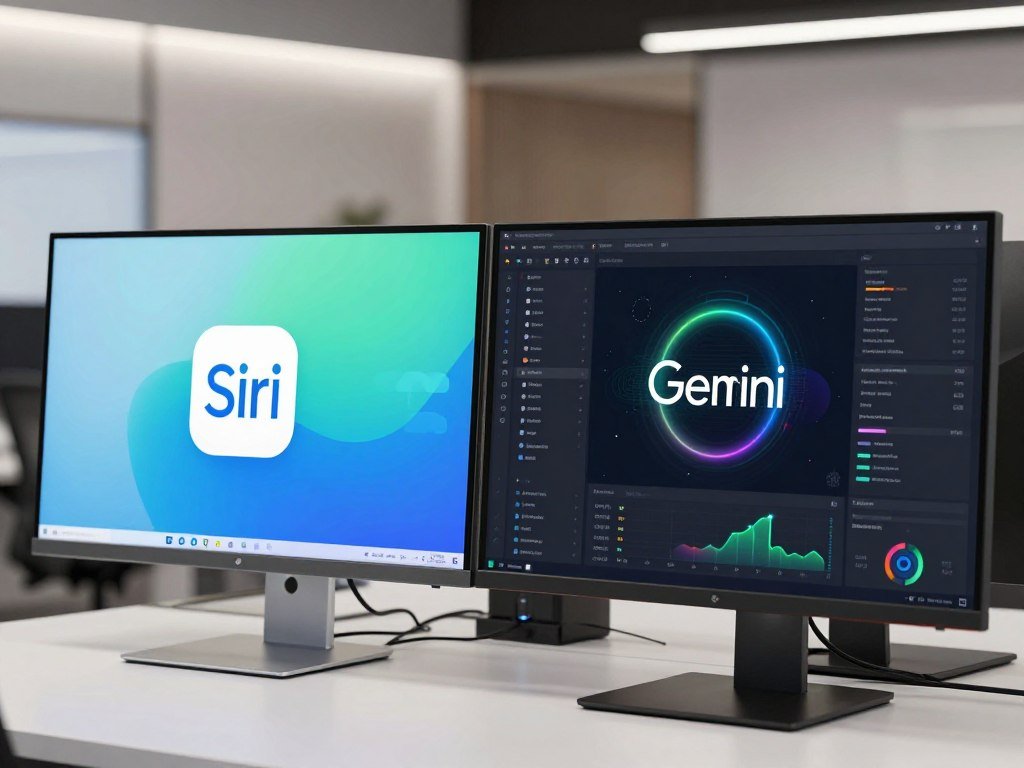
So, will Siri be powered by Gemini? In part, yes: Google Gemini technology is intended to support future Apple Foundation Models. That does not mean the consumer Gemini app opens whenever you speak to Apple’s assistant.
Gemini technology helps shape Apple’s models, but Apple still presents the assistant as Siri AI.
The distinction affects what you see and use. You interact with Apple’s assistant, Apple’s apps, and Apple’s system settings. The arrangement does not turn the Apple interface into Google’s consumer product, nor does the Gemini name explain how every request is handled.
Apple’s announcement ties the model technology to future Apple Intelligence features. It does not say that every feature uses one model, or that each voice request follows the same technical path. The exact role can depend on the feature and the task.
For readers, the useful shorthand is Gemini-derived technology inside an Apple assistant.
What Did Apple and Google Actually Agree To?
The agreement is a multi-year collaboration focused on the next generation of Apple Foundation Models. Its scope includes Google Gemini models and cloud technology as part of the technical basis for Apple’s future model family.
Apple said Google’s AI technology offered the most capable foundation for Apple Foundation Models. The company described a business collaboration between Apple and Google, not a plan to replace Siri with Google’s consumer app.
The three terms describe different parts of the arrangement. Gemini models provide model technology used as a basis. Google cloud technology is also included in the collaboration’s technical basis. Apple Foundation Models name Apple’s own model family.
| Component | Role in the collaboration | How the user encounters it |
|---|---|---|
| Google Gemini models | Model technology used as a basis | Behind future Apple Intelligence features |
| Google cloud technology | Part of the technical basis | Supports the collaboration’s model work |
| Apple Foundation Models | Apple’s model family | Connected to future Apple Intelligence features |
The word “years” matters because Apple called this a multi-year collaboration. It does not give users a fixed end date or mean the consumer Gemini app will become part of Apple’s interface.
Apple described the arrangement at the company level. It is more accurate to talk about Apple and Google’s collaboration than to assign a personal statement or deal term to one executive.
The key distinction is that Apple’s announcement names Gemini as a foundation, while Apple Foundation Models remain the model family in the product description.
What Does “Based on Gemini” Mean for Apple’s Models?
Think of the deal as a model-building collaboration, not a change of Siri’s name to Gemini. The phrase based on describes a technology foundation, while Apple’s model family is built for its platforms.
Apple called the next-generation Apple Foundation Models custom-built in collaboration with Google and its Gemini models. In June 2026, Apple also introduced a new architecture that integrates Apple Foundation Models into its platforms.
“Custom-built in collaboration” is Apple’s description of the work. It does not reveal an exact technical recipe, such as which model parts are shared or how each model is trained.
These three ideas help keep the terms straight:
- Model foundation: Gemini models contribute technology used as a basis.
- Apple model family: Apple Foundation Models are integrated into Apple platforms.
- User-facing assistant: Siri AI is the assistant experience Apple presents to users.
A model’s foundation and a product’s name answer different questions. One describes technology used to build models. The other tells you what appears in Apple’s software and how you interact with it.
That difference also matters when you read about AI architecture. A partnership can shape model development without making two companies’ apps, settings, and user experiences the same.
A technology foundation does not, by itself, establish that every Siri request uses the same model or route.
Where Do Siri’s AI Models Run?
Apple says its Apple Intelligence architecture uses both on-device processing and Private Cloud Compute. The two settings give Apple different ways to handle a request, with some work taking place on Apple’s servers.
Private Cloud Compute is Apple’s cloud-processing system for handling some requests while extending privacy protections from its devices. Apple says it extends the privacy and security of iPhone into the cloud.
On-device processing runs on Apple hardware. It lets supported Apple Intelligence requests be handled on a device rather than sent to cloud compute. Private Cloud Compute is a separate processing layer on Apple-operated servers.
| Processing element | Where it runs | Stated role |
|---|---|---|
| On-device processing | Apple devices | Handles Apple Intelligence requests on device |
| Private Cloud Compute | Apple-operated servers | Extends device privacy protections to cloud processing |
| Request data | Private Cloud Compute | Not stored and used only to fulfill requests |
That distinction helps explain why the word “cloud” does not always mean a consumer-facing cloud service. Apple describes a cloud compute system that supports Apple Intelligence while extending protections from its devices.
Apple says Apple Intelligence continues to run on devices and Private Cloud Compute while maintaining its privacy standards. That statement describes Apple’s approach, but it does not mean every task runs in the same place.
Private Cloud Compute means Apple describes a cloud-processing layer, not a promise that every operation stays physically on an iPhone.
Can Google See Your Siri Data?
Apple says Private Cloud Compute data is not stored and is used only to fulfill the request. That is Apple’s stated safeguard, not proof of the exact technical path for every request.
Apple says data handled by Private Cloud Compute is not accessible to Apple or anyone else, and outside experts can verify that privacy promise. The company’s claim applies to data handled by that system.
The Google partnership alone does not establish that Google can see personal Siri data. It also does not support a claim that every request follows an identical route. Apple’s stated protection concerns Private Cloud Compute, while the exact handling can depend on the feature.
For a privacy-conscious check before using an AI assistant, consider:
- What personal data does the request contain?
- Does the feature need cloud processing?
- What does Apple’s privacy explanation say about that feature?
- Is this task appropriate for an AI assistant?
A request to find a note may include personal details that a general question does not. Think about what the assistant needs to complete the task, and avoid adding unrelated information.
Apple’s privacy claims do not answer every question about every service or app. Read the explanation for the particular feature you plan to use, especially when the request includes private details.
Avoid putting sensitive details into a request unless you understand how that particular feature handles it.
What Can Siri AI Do?
Siri AI is meant to handle more than short voice commands: it can work with context, answer open questions, and help take actions. Its everyday role can include finding personal information and continuing a conversation.
Apple says the assistant can use personal context, answer open-ended questions, and take actions in apps. Those abilities can make a request feel less like a rigid command and more like a back-and-forth exchange.
Use personal context to find information
You can ask the assistant to find a photo, email, or note using details you remember. For example, you might describe a photo from a weekend trip instead of searching through every image yourself.
Personal context can also help when you recall part of a message but not its exact title. The request still depends on what information the feature can access and how you describe it.
Ask open-ended questions and continue a conversation
Siri AI can handle brainstorming and open-ended questions, rather than only one-shot commands. You might ask for ideas for a family dinner, then add a food preference or ask for simpler options.
That kind of follow-up can save you from repeating the full request each time. You can refine the answer as the conversation develops, though the result still needs your judgment.
Get online information and take actions in apps
Apple says the assistant can answer questions with online information, including facts, recipes, and travel recommendations. You can also ask it to take actions in apps, depending on the task and app support.
An app action is not always automatic, and not every app supports every task. Review a result before it sends a message, changes a plan, or affects something important.
For travel, an answer about a destination can help you compare ideas, but it is not the same as confirming a reservation. App controls add convenience, while the final choice remains yours.
Before relying on a result, check any detail that affects a booking, message, or other consequential action.
Which Apple Devices and Services Can Siri Control?
Siri can control Apple devices and services such as iPhone, Apple Watch, HomePod, Mac, CarPlay, and HomeKit. Its practical value is connecting a spoken request to tools already in your Apple ecosystem.
Siri can also work with Messages, Reminders, Maps, Music, and Shortcuts. That mix makes the assistant useful for everyday controls, not just questions about information.
Examples of where those controls fit include:
- iPhone and Apple Watch: ask for a quick action while using either device.
- HomePod and HomeKit: use voice control for a connected home setup.
- Mac and CarPlay: make a request at your desk or in the car.
- Messages and Reminders: work with conversations and personal tasks.
- Maps and Music: find a route or choose something to play.
- Shortcuts: run a saved sequence of supported actions.
For example, a reminder request can be more direct than opening an app and filling in each field. A HomePod request can also fit naturally when your hands are busy in the kitchen.
Apple’s ecosystem is a reason to use Siri even when another assistant offers different tools. A person who uses an iPhone, Mac, and Apple Watch may value controls that fit those devices.
The exact action depends on the relevant app or device. Siri’s ability to control a product does not mean every command works in every version of every app.
For a task that depends on Apple’s own controls, start by checking whether the relevant app or device supports the action.
What Was Siri’s Gemini Rollout Timeline?
The public timeline moved from a later-2026 promise to developer testing on June 8, 2026. The announced dates mark planned stages, not proof that every user already has each feature.
Apple planned user availability for fall 2026 with iOS 27 and other operating-system updates. A public beta was planned for the month after developer testing began.
The announcements came in three steps:
- April 22, 2026: Google Cloud chief Thomas Kurian said Gemini-based models would power future Apple Intelligence features, including a more personalized assistant later in 2026.
- June 8, 2026: Apple opened developer testing for the updated experience.
- The following month and fall 2026: Apple planned a public beta, then user availability with iOS 27 and other operating-system updates.
These dates answer the question of when Gemini comes to Siri only at a broad level. Apple tied the planned experience to its next software releases, rather than naming one public launch day.
Testing access and general user access are different stages. A developer beta can help app makers test software, while a public beta gives other users a chance to try a version before its planned release.
Earlier reporting also covered Apple’s 2026 timing for personalized Siri features. Tim Cook’s 2025 update described progress toward that planned year.
Treat a beta announcement as a testing window, not confirmation that every feature is available to every user.
Which Devices Support Apple Intelligence and Siri AI?
The compatibility list includes iPhone 15 Pro models and newer supported generations, but it is not limited to iPhone. Apple lists specific hardware requirements, including chip conditions for some iPad and Mac models.
Supported devices include iPhone 16 models or later, plus iPhone 15 Pro and iPhone 15 Pro Max. Feature availability may vary by language and region.
Check the category that matches your hardware:
- iPhone: iPhone 16 models or later; iPhone 15 Pro and iPhone 15 Pro Max.
- iPad: iPad mini with A17 Pro; iPad models with M1 or later.
- Mac: MacBook Neo with A18 Pro; Mac models with M1 or later.
- Vision Pro: Apple Vision Pro.
- Apple Watch: Series 9 or later; Ultra 2 or later; SE 3 paired with an Apple Intelligence-enabled iPhone.
The pairing rule matters for Apple Watch SE 3. Its support depends on being paired with an Apple Intelligence-enabled iPhone, not the watch alone.
Eligibility also does not mean every feature appears in every language or region. Software version and local availability can affect what you see after an update.
Apple’s guide says Siri AI beta requires iOS 27 or later and a supported iPhone, including iPhone 15 Pro, iPhone 15 Pro Max, or iPhone 16 models or later. Apple’s Siri AI guide also notes language and regional limits.
Check the exact model and pairing condition before installing a beta or expecting a feature to appear.
How Is Gemini Inside Siri Different From the Gemini App?
Gemini inside Apple’s model collaboration and the Gemini app are different user experiences. One names technology that helps form Apple’s future models; the other is Google’s consumer-facing assistant product.
Siri AI is Apple’s assistant experience, while the Gemini app is Google’s consumer assistant. Sharing underlying technology does not make the two interfaces interchangeable.
When you use Siri AI, you use Apple’s assistant across Apple’s software and devices. When you open the Gemini app, you use Google’s consumer product, with its own interface and features.
The difference matters if you expect the same settings, app controls, or services in both places. A model foundation does not make Apple’s assistant a window into the Gemini app.
Gemini can also appeal to people whose work already uses Google services. A task-based comparison of AI chatbots can help you weigh tools by their roles and workflows.
Likewise, an AI app choice may depend on which services you use most often. A person who works in Google’s tools may prefer Google’s app for those tasks, while an Apple user may value built-in controls.
The shared name can be confusing, so focus on what you want to do. Apple’s model partnership describes technology; Google’s app is a product you can open and use directly.
Choose the app or assistant by the task and device you actually want to use, not by the shared Gemini name.
Can Siri Use Gemini Instead of ChatGPT?
The Gemini collaboration did not automatically replace ChatGPT in Apple’s stated Siri setup. Apple has described separate roles for its own models and ChatGPT.
In January 2026, Apple said it had not changed its agreement with OpenAI. Apple described ChatGPT as an integration for complicated queries that can use the model’s world knowledge.
Gemini-based technology contributes to the next generation of Apple Foundation Models. ChatGPT is a separate integration that can help with some complex requests. The two arrangements do not mean you can select any model for any question.
Nor does the description say that every query is sent to one service. The feature and request shape the experience, so the presence of both integrations does not imply a single fixed route.
Apple lets users turn the ChatGPT extension on or off, choose whether to sign in, and set whether Siri asks before sending requests. Apple’s ChatGPT settings explain those controls.
That setting is useful if you want to decide how the extension works on your iPhone. It is separate from the Gemini model collaboration and does not make the two systems one product.
Think of the two arrangements as separate parts of Apple’s AI integration unless a specific feature indicates otherwise.
What Does the Dedicated Siri App Add?
The dedicated app gives Siri conversations a place to continue and return to, rather than limiting the experience to a single voice exchange. Its main addition is a lasting space for conversation history.
Apple says the app lets you continue conversations across iPhone and iPad and pin them for later access. That gives a longer task a home beyond the moment you first ask.
For example, you could use a conversation to gather ideas for a trip, then pin it while you compare dates. Returning to that thread can help you keep the details together rather than starting from scratch.
Apple describes Siri AI as including integrated writing and Visual Intelligence tools across platforms. The dedicated app sits alongside those tools, rather than replacing every way to interact with the assistant.
Conversation continuity can be useful when you move between devices. You might start a question on your iPhone and return to the same discussion on your iPad.
Pinned threads also help separate work you want to revisit from quick, one-time requests. That can make the app more useful for research or planning than a voice exchange that disappears from view.
Pin a conversation when you expect to need its context again.
What Does Google’s Gemini Privacy Notice Mean for Apple Users?
Google’s Gemini Apps privacy guidance is relevant when you use Gemini Apps, but it should not be treated as a description of every Apple Siri request. The service matters when you judge which privacy terms apply.
Google’s notice says trained reviewers may review some data collected through Gemini Apps. It advises users not to enter confidential information they would not want a reviewer to see or Google to use to improve its services.
This guidance concerns Google’s consumer Gemini Apps. It does not, by itself, describe Apple’s Siri arrangement or establish that the same data path and policy apply to Apple requests.
For a separate privacy question about connected Google services, read how Google handles connected Gmail and Photos data. Those practices should not be treated as rules for every assistant.
Keep these points in mind when deciding what to share:
- Trained reviewers may access some data from Gemini Apps.
- Avoid entering confidential information you would not want reviewed.
- Check the privacy policy for the specific service you are using.
Privacy terms can differ between products, even when the same company name appears. Check the app and feature you are using before sharing private documents, work details, or personal messages.
Before sharing sensitive material, check the privacy terms for the specific app handling it.
Which Other Apple Intelligence Features Use the New Model Generation?
Apple’s June 2026 announcement described a broader Apple Intelligence update, not only a Siri redesign. The wider set of features includes tools in Photos, Safari, Passwords, and Image Playground.
Apple announced photo editing, browser tools, password updates, and image creation. These are Apple Intelligence capabilities, but that does not mean each feature directly calls Gemini.
Photo editing and image creation
Photos adds Spatial Reframing, Extend, and an upgraded Clean Up tool. Spatial Reframing adjusts a photo’s composition after capture, while Extend expands an image beyond its original frame.
Image Playground can create photorealistic images with a model running on Private Cloud Compute. That example shows how Apple Intelligence can include cloud-based features outside the assistant.
| Feature | Apple app | What it does |
|---|---|---|
| Spatial Reframing | Photos | Adjusts a photo’s composition after capture |
| Notify Me | Safari | Alerts users to changes on a webpage |
| Automatic password updates | Passwords | Upgrades eligible accounts to strong passwords |
| Photorealistic image creation | Image Playground | Creates images using a model on Private Cloud Compute |
Safari browsing and Passwords
Safari can organize tabs by topic, use Notify Me for changes on a webpage, and describe an extension. Those features help you manage browsing and understand tools you may add to the browser.
Passwords can automatically update eligible accounts to strong passwords. Eligibility matters: the feature applies to supported accounts, not every login you have.
Communication, scheduling, and accessibility
Apple also described communication, scheduling, and accessibility examples in its broader update. They extend Apple Intelligence beyond a single assistant screen and into day-to-day software tasks.
Treat the feature list as Apple Intelligence capabilities, not proof of the model used for every individual task.
Is Siri or Gemini Better for Your Needs?
Siri is the better fit for Apple-centered control, while Gemini is the better fit when cross-platform access matters most. The right choice depends on the devices and services you use day to day.
Siri is available only on Apple devices, while Gemini works on Android, iOS, and the web. That gives Gemini broader platform reach, while Siri fits Apple’s native assistant experience.
Use this quick comparison to match an assistant to your setup:
| User priority | Better fit | Reason |
|---|---|---|
| Using Apple devices and services together | Siri | Apple ecosystem control |
| Using an assistant across Android, iOS, and the web | Gemini | Broader platform reach |
| Using Apple’s native assistant interface | Siri | Apple presents the experience as Siri AI |
If your daily tools are an iPhone, Mac, and Apple Watch, Siri may fit naturally into the way you already work. Gemini makes more sense if you switch between Android, iOS, and a web browser.
The consumer Gemini app can also suit people whose work relies on Google services. This guide to AI apps can help compare app choices by task and integration.
For a deeper task-based comparison, consider how Gemini compares with other AI assistants. The best fit can change when your regular work moves between services or devices.
Choose the assistant that fits your devices and routine, not a model name alone.
Choose based on where you want the assistant to work, not only on which model name appears in a headline.
Conclusion
Siri’s next chapter uses Google Gemini technology, but the assistant experience remains Apple’s. Apple Foundation Models connect that technology to Apple Intelligence, while Apple describes its own processing approach.
The practical step is to check your hardware and software before expecting access. A planned beta or release does not guarantee that every feature appears on your device or in your region.
Check your device’s Apple Intelligence compatibility before deciding whether to try a Siri AI beta.
FAQ
Will Siri start using Gemini?
Yes, Google Gemini models are the foundation for next-generation Apple Foundation Models that help power future Siri features. Apple presents the assistant as Siri AI, not as the Gemini app. The collaboration concerns the technology behind future Apple Intelligence features, so it does not mean every request will use the same model or cloud route.
What are the new features of the iPhone 17 with Apple Intelligence?
Apple Intelligence features depend on supported devices and operating systems, not only on the iPhone 17 name. Apple lists iPhone 16 and later as supported, along with iPhone 15 Pro and iPhone 15 Pro Max. The features you can use may also depend on software, language, and region, so a newer phone does not guarantee every feature in every location.
Can I talk to Siri on Google?
No, Siri is available only on Apple devices. Google offers the Gemini app on Android, iOS, and the web, but that app is not Siri. You can use Google’s assistant on an iPhone by opening Gemini, while Siri remains Apple’s native assistant for Apple devices and services.
Which is better, Siri or Gemini?
Siri is the better fit for controlling Apple devices and services, while Gemini is the better fit for access across Android, iOS, and the web. If you mainly use an iPhone, Mac, and Apple Watch, Siri’s system controls may suit you. If you move between platforms, Gemini’s wider reach may matter more.
Can I use Gemini on an iPhone without replacing Siri?
Yes, you can use the Gemini app on an iPhone without replacing Siri. The two are separate products: Siri is Apple’s native assistant, and Gemini is Google’s consumer-facing assistant. You can choose which one to open for a task, while Apple’s system controls and Siri experience remain part of iOS.