
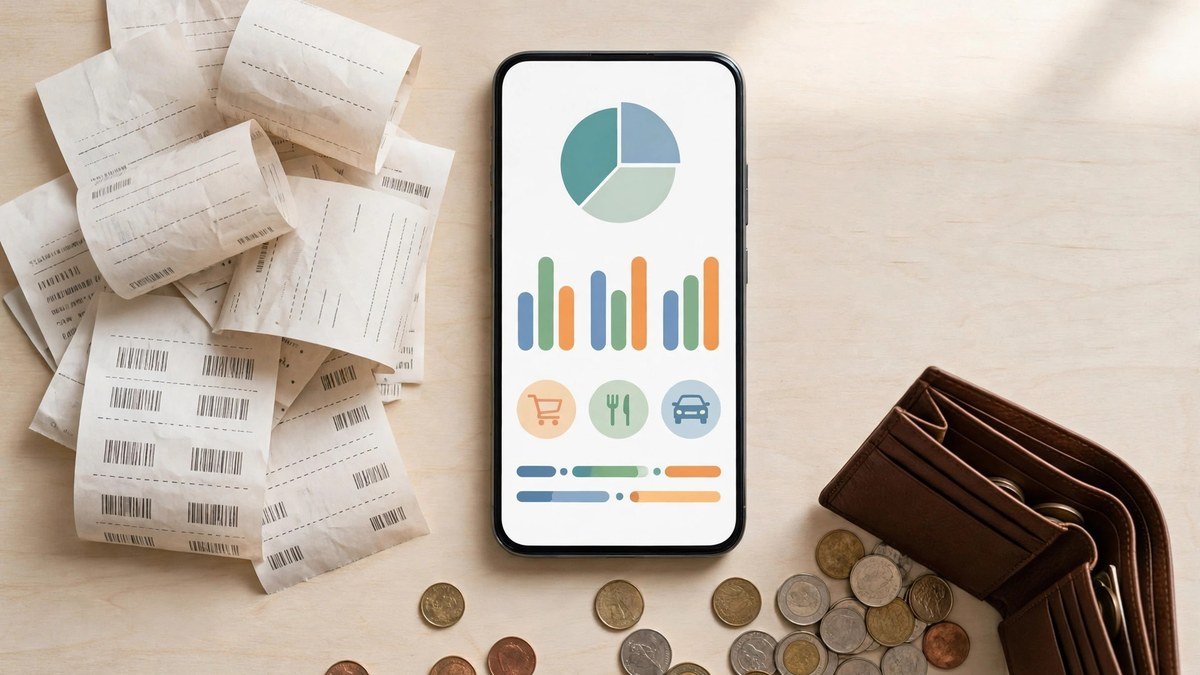
Expenses leak money quietly. A receipt in a jacket pocket, a subscription nobody cancelled, a mileage claim filed three months late: each one is small, and together they add up. Expense tracking software turns that mess into a clear record, with receipts scanned, spending categorised, and reports ready for tax time.
The best tool depends on who is spending. A freelancer needs quick receipt capture and simple categories. A growing company needs approval flows, spending limits, and cards that enforce policy before money leaves the account. The tools on this list cover both ends.
We compared seven tools on receipt capture, approvals, cards, reporting, and price. Expensify leads for receipt handling, Ramp for companies that want spending control built in, and Zoho Expense for small teams that want a strong free start.
Key takeaways
- Expensify is the best overall pick for receipt capture and simple expense reports.
- Ramp is the best choice for companies that want cards, limits, and approvals in one system.
- Zoho Expense is the best free starting point for small teams.
- Receipt scanning with automatic data extraction saves more time than any other feature.
- Avoid tools that charge per user if your whole team submits expenses, because costs climb fast.
At a glance: the shortlist
| Product | Best for | Starting price | Standout limit |
|---|---|---|---|
| Expensify | Small and mid-sized businesses that process many receipts | From about $5 per user a month | Per-user pricing |
| Ramp | Companies that want to control spending, not just track it | Free core plan | Company-focused, not solo |
| Zoho Expense | Small teams that want a free, capable expense tool | Free plan available | User limits on the free plan |
| Brex | Startups and fast-growing companies | Free core plan | Not suited to solo freelancers |
| FreshBooks | Freelancers who want expenses and invoicing together | From about $19 a month | No corporate expense controls |
| QuickBooks Online | Businesses already using QuickBooks for accounting | From about $30 a month | Basic approval features |
| Shoeboxed | Businesses with a backlog of paper receipts | From about $18 a month | Receipt storage only |
Expensify — Best overall
Expensify is the best-known name in expense tracking, and its receipt scanning is still the benchmark. Photograph a receipt and the app reads the amount, date, and vendor, then builds the expense for you. Reports are easy to approve, and reimbursements can be paid directly from the app.

Corporate cards are available, and integrations with accounting tools are broad. Pricing is per user, which adds up for large teams, but for small and mid-sized businesses the time saved on receipt handling is worth it. It pairs well with the picks in our guide to the best accounting software for small businesses.
Pros: Best-in-class receipt scanning, easy approvals, direct reimbursements
Cons: Per-user pricing adds up for large teams
Ramp — Best for spending control
Ramp combines expense tracking with corporate cards and approvals, so spending is controlled before it happens. Managers set limits by category or vendor, and out-of-policy spending is flagged automatically. Receipts are matched to card transactions, which cuts manual matching to almost nothing.
Ramp is free for its core features, which is striking given the depth. The catch is that it is built for companies, not freelancers, and it works best when the whole team uses its cards. For a business that wants to stop overspending rather than just record it, Ramp is the strongest pick here.
Pros: Free core plan, cards with built-in limits, automatic policy checks
Cons: Built for companies, less useful for solo freelancers
Zoho Expense — Best free start
Zoho Expense has a genuinely useful free plan for small teams, with receipt scanning, mileage tracking, and approval workflows included. The interface is clean, and it connects with other Zoho apps and common accounting tools. Paid plans add corporate cards and deeper automation.
Receipt scanning is good but not quite at Expensify’s level, and the free plan has limits on the number of users. For a small team that wants a proper expense system without a monthly bill, it is the best starting point on this list.
Pros: Free plan for small teams, mileage tracking, approval workflows
Cons: Free plan has user limits, receipt scanning slightly behind Expensify
Brex — Best for startups
Brex is built for startups and fast-growing companies. Corporate cards come with smart limits, expenses are categorised automatically, and finance teams get real-time visibility into spending. Rewards on card spending are generous, and there is no monthly fee for the core product.
Brex is overkill for a freelancer or a tiny team, and some features assume a company structure with managers and budgets. For a startup that is scaling quickly and wants spending under control from day one, it is an excellent fit.
Pros: Free core product, smart card limits, real-time spending visibility
Cons: Overkill for solo users, assumes a company structure
FreshBooks — Best for freelancers
FreshBooks includes expense tracking alongside invoicing, which suits freelancers who want one tool for money in and money out. Receipts can be photographed and attached to expenses, and everything feeds into simple profit and loss reports. It is the simplest option here for a one-person business.
It is not a full corporate expense system: there are no approval workflows or corporate cards. But for a freelancer who mainly needs to record expenses for tax, FreshBooks is fast and friendly, and it avoids paying for a second tool.
Pros: Expenses plus invoicing in one tool, simple receipt capture
Cons: No approval workflows or corporate cards
QuickBooks Online — Best for accounting integration
QuickBooks Online tracks expenses as part of full accounting, so every receipt feeds straight into the books and tax reports. Receipt capture is built in, mileage can be tracked, and expenses can be assigned to clients or projects for accurate billing.
As a pure expense tool it is heavier than Expensify, and approvals are basic. But if the business already runs on QuickBooks, adding separate expense software is often unnecessary. Our guide to the best payroll software for small businesses covers another area where QuickBooks pulls its weight.
Pros: Expenses feed straight into accounting, mileage tracking, client billing
Cons: Approval workflows are basic, heavier than a dedicated expense tool
Shoeboxed — Best for receipt storage
Shoeboxed is the simplest tool here: it digitises receipts and stores them securely. You can photograph receipts or mail in a physical envelope of paper, and the service scans and categorises them. It is ideal for businesses drowning in paper receipts.
It is not a full expense system, with no approvals, cards, or reimbursements. But as a receipt digitising service it is reliable and affordable, and it pairs well with any accounting tool. For a business whose main problem is a shoebox of receipts, it is the direct answer.
Pros: Reliable receipt digitising, including a mail-in option, affordable
Cons: No approvals, cards, or reimbursements
How to choose
Decide who submits expenses before choosing a tool. A freelancer needs speed and simplicity, while a company needs approvals and limits. Buying a company-grade tool for one person wastes money, and buying a freelancer tool for a team creates chaos at month end.
Check the receipt scanning quality with a free trial, because that is where most tools differ. A scanner that misreads totals creates more work than it saves, and the best tools here are noticeably better than the rest.
Look at how the tool connects to your accounting software. Clean integration means expenses flow into the books without retyping, which is where the real time saving happens at tax time.
Checklist: before you pay
- Can I scan receipts with my phone?
- Does it support approval workflows?
- Are corporate cards included?
- How much does it cost per user?
- Does it connect to my accounting software?
- Can I track mileage as well as receipts?
Common mistakes to avoid
The first mistake is saving receipts until the end of the month. By then, half the receipts are lost and the rest have faded. Photograph every receipt the moment it is issued, and let the software do the filing.
The second is mixing personal and business spending on the same card. It makes every expense report a sorting exercise and creates problems at tax time. Use a dedicated business card or account, even for small purchases.
The third is ignoring small expenses. A coffee here and a parking fee there look trivial, but across a year they add up to real deductions. Record everything, because the software makes small entries cheap and the tax saving is real.
Frequently asked questions
What is the best expense tracking software?
Expensify is the best all-round pick for receipt handling and approvals. Ramp is best for companies that want spending control, and Zoho Expense is the best free start for small teams.
How does receipt scanning work?
You photograph a receipt with the app, and it reads the amount, date, and vendor automatically, then creates the expense. The best tools get this right most of the time, and you can correct mistakes in seconds.
Is expense tracking software worth it for a freelancer?
Yes, if you claim expenses at tax time. Recording receipts as they happen takes seconds, while reconstructing a year of spending from a pile of paper takes days, and missed deductions cost real money.
Do I need corporate cards?
Not for a small team, but for a growing company they are useful. Cards with limits stop overspending before it happens, and receipts match to card transactions automatically.
Can expense software replace my accountant?
No, but it makes your accountant’s job faster and cheaper. Clean, categorised expenses mean fewer questions at tax time and a lower bill for bookkeeping.
What happens to my data if I cancel?
Most tools let you export expenses and receipts as files or spreadsheets before you leave. Check the export options before signing up, and keep a local backup of receipts for tax records, just as you would with the tools in our guide to the best accounting software for small businesses.
The bottom line
For most businesses, Expensify is the pick: the receipt scanning is the best available, and approvals are simple. If you want to control spending rather than just record it, Ramp is free and stronger on limits, and if you are a freelancer, FreshBooks covers expenses and invoicing in one place.
Whatever you choose, start scanning receipts the day you sign up. Expense tracking only works when the habit is daily, and a week of missed receipts is where the system usually breaks down.
Note: Prices and plans change. Check the product’s current plan details before buying — no link is provided here by design, all links in this article go to other occcy.com guides.



