Music production is a screen-heavy job. A digital audio workstation spreads dozens of tracks, plugin windows and a mixer across the screen, and a small monitor forces you to scroll and collapse windows instead of listening. The right monitor shows the whole arrangement at once, so you mix with your ears instead of your mouse.
Width matters more than height here. A 34-inch ultrawide shows a full arrangement plus the mixer, while a 32-inch 4K panel shows more tracks vertically. Either way, the panel needs to be flicker-free and easy on the eyes, because mixing sessions run for hours in dim rooms.
We compared the monitors below for screen space, eye comfort, and how well they fit a studio desk with speakers. Prices are starting prices from late 2026, and every pick is a 2027-ready model with a height-adjustable stand.
Key takeaways
- LG UltraWide 34WN80C is the best overall music production monitor for most producers.
- Dell UltraSharp 34 U3425WE is the best ultrawide if your studio runs through a laptop.
- A 34-inch ultrawide shows the arrangement and mixer side by side without scrolling.
- Look for flicker-free backlighting and a matte coating for long sessions in dim rooms.
- Budget picks start around $449; a serious studio ultrawide lands between $550 and $900.
At a glance: the shortlist
| Monitor | Best for | Starting price | Standout limit |
|---|---|---|---|
| LG UltraWide 34WN80C | Best overall | From $549 | 60 Hz only |
| Dell UltraSharp 34 U3425WE | Best laptop hub | From $749 | No KVM switch |
| Samsung ViewFinity S7 32″ | Best 4K value | From $449 | Basic stand |
| BenQ PD3205U | Best colour accuracy | From $699 | 60 Hz only |
| ASUS ProArt PA32UCDM | Best premium panel | From $1,299 | Pricey for the size |
| Gigabyte M32U | Best for gaming too | From $699 | No USB-C hub |
| Dell UltraSharp 27 U2723QE | Best compact 4K | From $649 | Less width than ultrawides |
LG UltraWide 34WN80C — Best overall
LG’s 34-inch ultrawide is the studio default because it gives you a 3440 by 1440 canvas for about $550, with an IPS panel, a matte coating, and a clean design that sits neatly between two studio speakers. The arrangement and the mixer fit side by side with room to spare.
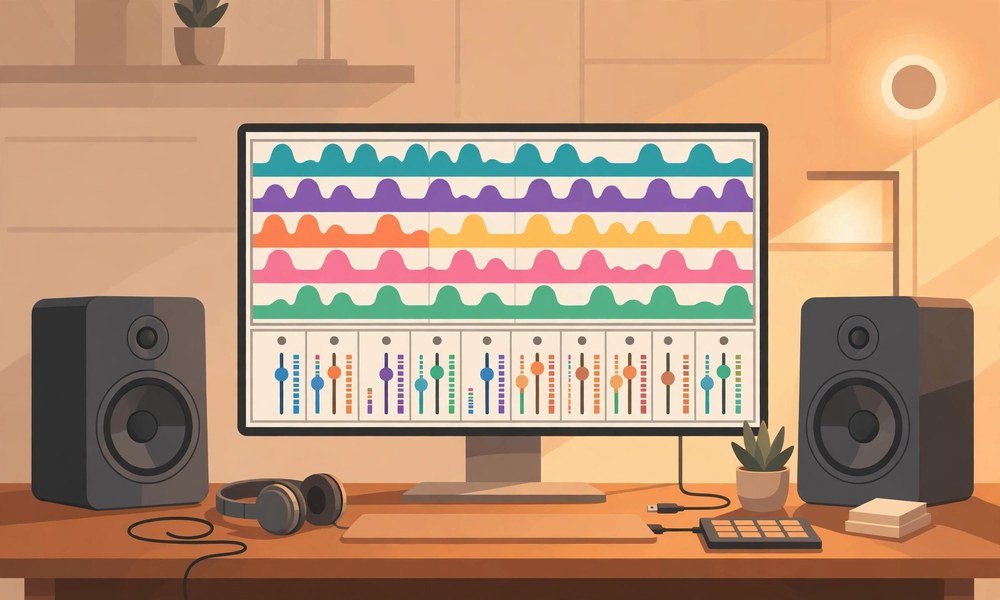
It has a USB-C port, a height-adjustable stand, and a flicker-free backlight that stays comfortable through long evening sessions. It is only 60 Hz, but a DAW does not need more, and the money saved goes toward better speakers. For a wider look at desk displays, see our guide to best monitors for multitasking.
Pros: Wide 21:9 canvas, matte IPS panel, USB-C, great value. Cons: 60 Hz only, no KVM, no built-in speakers.
Dell UltraSharp 34 U3425WE — Best laptop hub
Dell’s curved 34-inch ultrawide is the tidy choice for a laptop-based studio. A single USB-C cable carries the picture, charges the laptop at 90 W, and connects an audio interface, a MIDI keyboard and an external drive through the built-in hub.
The 3440 by 1440 IPS panel runs at 120 Hz, which makes scrolling through long arrangements feel smooth, and the curve keeps the edges of the timeline at a comfortable viewing distance. It costs more than the LG, but the hub replaces a dock.
Pros: 90 W USB-C hub, 120 Hz, curved IPS, excellent stand. Cons: No KVM switch, premium price, no speakers worth using.
Samsung ViewFinity S7 32-inch — Best 4K value
Samsung’s 32-inch 4K ViewFinity is the cheapest way to get a big, sharp panel for a studio: 3840 by 2160 resolution, a matte IPS screen, and a slim design that fits between speakers without crowding them. More tracks fit vertically than on any ultrawide here.
It is a straightforward monitor with no USB-C hub and a basic stand, so budget for a monitor arm if you want to angle it. For producers who want maximum pixels per dollar, it is hard to beat.
Pros: 4K sharpness, low price, matte IPS panel. Cons: Basic stand, no USB-C hub, no KVM.
BenQ PD3205U — Best colour accuracy
BenQ’s 32-inch 4K designer monitor is overkill on colour for audio work, and that is fine: the same factory calibration that makes it great for video also means the interface looks consistent in any light. The real win is the eye-care package, with low blue light and a flicker-free backlight.
It has a hotkey puck for switching between a bright day mode and a dim night mode, which suits studios that run late. The 60 Hz refresh rate is no drawback for a DAW.
Pros: Factory-calibrated colour, excellent eye care, hotkey puck. Cons: 60 Hz only, premium price, no USB-C charging.
ASUS ProArt PA32UCDM — Best premium panel
ASUS’s 32-inch 4K QD-OLED ProArt is the luxury pick: perfect blacks, infinite contrast, and colour accuracy that embarrasses every other panel here. Plugin interfaces and dark-mode DAWs look superb on it, and the 240 Hz refresh rate is a bonus.
It is expensive, and OLED needs care: static DAW interfaces can cause burn-in if the same windows sit in the same place for months. Use the pixel-shift and screen-saver features, and it will last, but it is a panel for producers who know what they are buying.
Pros: Superb OLED contrast, accurate colour, 240 Hz. Cons: Expensive, burn-in risk with static interfaces, needs a strong GPU.
Gigabyte M32U — Best for gaming too
The Gigabyte M32U is a 32-inch 4K monitor at 144 Hz that does double duty: a sharp, roomy DAW screen by day and a fast gaming panel by night. It has HDMI 2.1, a KVM switch, and a clean design that suits a studio desk.
It has no USB-C hub, so laptop users need a separate dock, and the stand is basic. But if your studio computer is also your gaming PC, this is the one panel that does both jobs well.
Pros: 4K at 144 Hz, HDMI 2.1, built-in KVM. Cons: No USB-C hub, basic stand, no speakers.
Dell UltraSharp 27 U2723QE — Best compact 4K
Dell’s 27-inch 4K UltraSharp is the compact pick for a small studio or a bedroom setup. It is sharp, colour-accurate, and comes with a 90 W USB-C hub that charges a laptop and connects an audio interface in one cable.
It shows fewer tracks than a 34-inch ultrawide, so you will scroll more, but it fits between speakers on a narrow desk and costs less than the big panels. For producers short on space, it is the sensible choice.
Pros: Sharp 4K, 90 W USB-C hub, great stand, compact. Cons: Less width than ultrawides, premium price for 27 inches.
How to choose
Start with width. A 34-inch ultrawide is the right call for most producers because it shows the arrangement and the mixer side by side. Go 32-inch 4K only if you prefer more tracks stacked vertically, or if your desk is too narrow for an ultrawide.
Then check eye comfort. Studios run in dim rooms for hours, so a flicker-free backlight and a matte coating matter more than a fast refresh rate. A 60 Hz panel is fine for a DAW; spend the difference on acoustic treatment or better monitors for your ears.
Finally, think about the stand and the ports. A height-adjustable stand is non-negotiable for a screen you stare at all day, and a USB-C hub saves a tangle of cables if your studio runs through a laptop. Check the port list before you buy: one DisplayPort and one HDMI is the minimum for a two-screen setup.
If you also use a laptop as your main machine, our roundup of best monitors for eye strain pairs well with the monitors above.
Checklist: before you pay
- Measure the gap between your studio speakers: an ultrawide needs about 32 inches.
- Confirm the panel is flicker-free with a low-blue-light mode for long sessions.
- Check USB-C power delivery if your studio runs through a laptop.
- Make sure the stand adjusts in height, or budget for a monitor arm.
- Keep the screen at arm’s length and slightly below eye level to avoid neck strain.
- Test the monitor with your own DAW project before the return window closes.
Frequently asked questions
Do I need an ultrawide monitor for music production?
Not strictly, but it helps a lot. An ultrawide shows the arrangement and mixer side by side without scrolling, which keeps you listening instead of clicking. A 32-inch 4K panel is the main alternative.
Does refresh rate matter for music production?
No. A DAW updates slowly, so a 60 Hz panel is fine. Spend the money on screen space, eye comfort and a good stand instead.
Should my monitor have built-in speakers?
No. Built-in monitor speakers are poor, and a studio needs proper nearfield monitors. Buy the screen for the screen, and spend the speaker budget on speakers. You can also compare desk setups in our guide to best monitors for home office.
Is a curved monitor good for music production?
Yes, for a single ultrawide. The curve keeps the edges of a long timeline at a comfortable distance. For a two-monitor setup, flat panels line up better.
What size monitor is best for a home studio?
A 34-inch ultrawide suits most home studios, if the desk is wide enough for it between the speakers. A 27-inch 4K panel is the fallback for narrow desks.
Can I use a TV as a music production monitor?
You can, but a monitor is better: sharper text at close range, lower input lag, and a stand that adjusts. A TV works as a second screen for a mixer, not as the main display.
The bottom line
For most producers, the LG UltraWide 34WN80C is the right buy: a wide canvas, a matte IPS panel, and a price that leaves money for the rest of the studio. If your setup runs through a laptop, the Dell UltraSharp 34 U3425WE is worth the extra money for its hub. If your desk is narrow, the Dell UltraSharp 27 U2723QE is the compact answer.
Whatever you choose, measure the gap between your speakers first and buy from a seller with a decent return window. A monitor is a five-year purchase in a studio, so the extra $100 for a better stand and a flicker-free panel is money well spent.
If you are still deciding, buy the LG first and add a second screen later. Most producers end up with two screens eventually, and an ultrawide plus a cheap 27-inch for the mixer is a setup that lasts for years.
Note: Prices and plans change. Check the product’s current plan details before buying — no link is provided here by design, all links in this article go to other occcy.com guides.