

Best tutoring management software in 2027 helps a tutoring business run like a business, not like a diary full of crossed-out times and unpaid invoices. The best tutoring management software brings scheduling, student records, tutor payroll, lesson notes, payments and parent communication into one place, so a solo tutor spends less time on admin and a tutoring company can grow without hiring an office manager for every ten tutors. If you still book lessons by text message and chase payments by email, the right platform will change how your week feels within a month.
What matters most is not the longest feature list. It is whether the software fits how you actually teach. A solo online tutor needs simple booking, automatic reminders and easy invoicing. A tutoring centre with twenty tutors needs tutor availability, room booking, payroll and parent portals. A company that sells lesson packages needs credit balances, renewals and clear reporting on which subjects and tutors earn the most. The tools below were chosen because they cover those different shapes of tutoring business, and because each one is built for tutoring rather than adapted from a generic calendar or invoicing app.
Key takeaways
- TutorCruncher is the best overall choice for growing tutoring companies that need scheduling, billing, payroll and reporting in one system.
- TutorBird is the best budget option for solo tutors and small teams that want the core tools without a large monthly bill.
- Teachworks is the best fit for tutoring centres that need detailed tutor payroll, lesson history and family accounts.
- LearnCube is the best choice when online lessons matter most, because its virtual classroom is built into the platform.
- Do not pay for a platform until you have tested its calendar, its invoicing and its parent communication with real lesson data.
At a glance: the shortlist
| Product | Best for | Starting price | Standout limit |
|---|---|---|---|
| TutorCruncher | Growing tutoring companies | Check current pricing | Can feel large for a solo tutor |
| Teachworks | Tutoring centres and payroll | From around $69 per month | No built-in virtual classroom |
| TutorBird | Solo tutors and small teams | Check current pricing | Fewer advanced reports |
| LearnCube | Online lessons | Check current pricing | Less billing depth than TutorCruncher |
| SuperSaaS | Flexible scheduling | Free plan, paid plans from around $9 per month | Not a full tutoring platform |
| Omnify | Class-based tutoring centres | Check current pricing | Best for group classes, less for one-to-one |
| Bookwhen | Group classes and courses | Free plan, paid plans from around $49 per month | Weak tutor payroll |
| Calendly | Simple booking for solo tutors | Free plan, paid plans from around $10 per user per month | No lesson tracking or invoicing |
TutorCruncher — Best overall
TutorCruncher is a dedicated tutoring management platform built for companies that match students with tutors, schedule lessons, invoice families and pay tutors. It covers the full journey: a new enquiry comes in, a student profile is created, a tutor is matched, lessons are scheduled, attendance is recorded, an invoice is raised and the tutor is paid. That end-to-end flow is what separates a real tutoring platform from a calendar with a payment link attached.
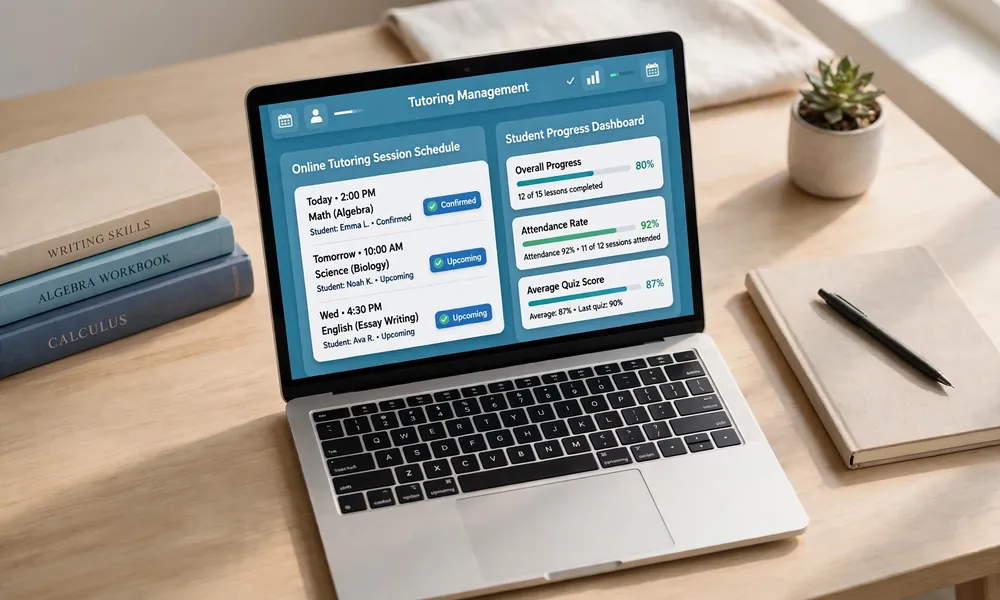
Billing is where TutorCruncher earns its place at the top of this list. It supports lesson packages, hourly billing, credits and subscriptions, and it can generate invoices automatically from completed lessons. Tutor payroll is calculated from the same lesson data, so you are not retyping hours into a spreadsheet at the end of the month. Reports show revenue by tutor, by subject and by student, which helps an owner see which parts of the business are working. There are trade-offs: setup takes time, because you need to enter tutors, subjects, rates and payment details before the automation pays off, and pricing is quoted by the company, so check current pricing and ask for a demonstration with your own numbers. For a helpful comparison of scheduling-focused tools, read our guide to the best scheduling software for small business, which covers the booking side of the problem in more detail.
Pros: complete tutoring workflow from enquiry to payroll; strong invoicing and package billing; useful revenue and tutor reports; parent and tutor portals.
Cons: more than a solo tutor needs; setup takes time; pricing is not published as a simple flat rate, so check current pricing.
Teachworks — Best for tutoring centres and payroll
Teachworks is a tutoring and class management platform designed for tutoring centres, language schools and companies with employed or contracted tutors. It handles scheduling, student and family records, lesson history, invoicing and tutor payroll in one system, and it is particularly strong on the administrative side of running a centre. If your main pain is keeping track of who taught what, who has paid and who is owed, Teachworks is built for exactly that problem.
The calendar is the heart of the product. Lessons can be scheduled for individual students or groups, repeating lessons are easy to set up, and the calendar shows tutor availability and room use. When a lesson is completed, the tutor can add notes, record attendance and set homework. Families get a clear record of what happened, and administrators get a reliable source for billing. Teachworks also supports family accounts, so siblings can share a billing account while keeping separate lesson records, which is a common need that generic scheduling tools handle badly.
Pros: strong tutor payroll and lesson history; family accounts and group lessons; reliable automatic invoicing; clear reporting for centres.
Cons: no built-in virtual classroom; plain design; less suited to a solo tutor who only needs booking.
TutorBird — Best for budget
TutorBird is a tutoring management platform aimed at solo tutors and small tutoring businesses that want the core tools at a fair price. It covers scheduling, student management, invoicing, online payments and lesson notes, and it is designed to be set up quickly. If you are moving from spreadsheets and messages to your first proper system, TutorBird is a sensible place to start, because it gives you the structure of a larger platform without the larger bill.
The booking side is straightforward. Students and parents can book through an online page, tutors can manage their own availability, and automatic reminders cut down on missed lessons. Lesson notes and resources can be attached to a student record, so a tutor can see what was covered last time before the next lesson starts. Invoicing is built in, with online payment options that let families pay by card rather than by bank transfer or cash. That alone saves hours of chasing, and it makes the business look more professional to new families.
Pros: affordable for solo tutors and small teams; quick to set up; student portal and online payments included; simple and easy to learn.
Cons: fewer advanced reports; lighter payroll tools; may not suit a large tutoring agency.
LearnCube — Best for online lessons
LearnCube is an online teaching platform that combines a virtual classroom with scheduling and student management. It is the best choice in this guide when the lesson itself matters most, because the classroom is not an add-on. It includes an interactive whiteboard, shared documents, screen sharing and lesson materials in one browser window, so neither the tutor nor the student needs to install extra software. For tutors who teach entirely online, that smooth lesson experience is worth more than a slightly better invoice template.
LearnCube also covers the management side, with scheduling, student records and class management, but it is lighter on billing and payroll than TutorCruncher or Teachworks. Many tutors use LearnCube for the classroom and pair it with a separate invoicing tool. That combination works well, but it is worth being honest about it: if you want one system for everything, LearnCube is not the most complete option here. If you want the best online lesson experience, it is. Pricing depends on how many tutors and lessons you run, so check current pricing and try the free trial with a real lesson, not just a test call.
Pros: purpose-built virtual classroom with whiteboard and materials; no software install for students; lesson history and reusable materials; good for online-first tutors.
Cons: lighter billing and payroll than dedicated management platforms; best used with a separate invoicing tool for complex billing.
SuperSaaS — Best for flexible scheduling
SuperSaaS is a flexible online scheduling system that many tutors use to let students book lessons without back-and-forth messages. It is not a full tutoring platform, and it does not try to be one. It does one job well: it shows your availability, lets students book a slot, sends confirmations and reminders, and takes payment for the booking. For a tutor who already has a way to teach and invoice, but loses time to scheduling, SuperSaaS can be the simplest fix.
The trade-off is clear. SuperSaaS does not track student progress, does not manage tutor payroll and does not keep detailed lesson notes. You will still need another tool for those jobs. For a solo tutor who teaches online and invoices simply, that may be fine. For a tutoring company, it is not enough on its own, and it should be seen as a scheduling layer rather than a management system. Pricing is a strength, with a free plan for basic use and paid plans from around $9 per month, but check current pricing for the features you need, because limits on users and bookings vary by plan.
Pros: very flexible scheduling for different lesson types; free plan available; affordable paid plans; easy for students to book.
Cons: not a full tutoring platform; no student progress tracking; no tutor payroll.
Omnify — Best for class-based tutoring centres
Omnify is a booking and class management platform that suits tutoring centres running group classes, courses and workshops. It is built around the idea of selling places in a class rather than booking a single tutor for a single student, which makes it a good fit for centres that run exam preparation courses, holiday programmes and regular group lessons. If most of your income comes from classes with several students, Omnify deserves a place on your shortlist.
Omnify is less suited to one-to-one tutoring than the dedicated platforms in this guide. Its strength is classes, and a business built mainly on individual lessons will find its tools less natural. The reporting is useful for class-based businesses, covering revenue, attendance and enrolment, but tutor payroll is lighter than in Teachworks or TutorCruncher. Pricing depends on your plan and volume, so check current pricing and ask how the platform handles your mix of group and individual lessons.
Pros: strong for group classes, courses and memberships; clear enrolment and attendance views; online booking and payments; good for centres with a timetable.
Cons: less natural for one-to-one tutoring; lighter tutor payroll; pricing depends on plan and volume, so check current pricing.
Bookwhen — Best for group classes and courses
Bookwhen is a booking system for classes, courses and events, and it works well for tutors and tutoring centres that run group sessions. It lets you publish a timetable, take bookings and payments online, and manage attendance, without the complexity of a full management platform. It is a practical choice for a tutor who runs regular group classes alongside individual lessons, or for a centre that needs a reliable public booking page.
Like SuperSaaS, Bookwhen is a booking tool rather than a complete tutoring platform. It does not manage tutor payroll in depth, and it does not track individual student progress across a term. You will need another tool for lesson notes and detailed student records if those matter to you. For many group-class businesses, that is an acceptable trade-off, because the booking experience is the part that families notice most. Pricing includes a free plan for small use and paid plans from around $49 per month, but check current pricing for the booking volume and features you need.
Pros: clean public booking page; waiting lists and class passes; easy to set up; good for regular group classes.
Cons: weak tutor payroll; no detailed student progress tracking; best for group classes, not one-to-one.
Calendly — Best simple booking add-on
Calendly is a scheduling tool that many solo tutors use to let students book a lesson without exchanging messages about times. It is not tutoring software, and it does not pretend to be. It connects to your calendar, shows your free times, lets a student pick one, and sends a confirmation with a video link. That simplicity is its appeal, and for a tutor who already teaches well and invoices simply, it may be all the scheduling help they need.
The limits are also clear. Calendly does not keep student records, does not track progress, does not manage tutor payroll and does not generate invoices for packages. A tutor who uses Calendly will still need a way to record what was taught, track payments and follow up with families. For a solo tutor with a small student list, a simple spreadsheet and an invoicing app may be enough alongside Calendly. For a growing team, it is not a management system, and it should not be bought as one. Pricing includes a free plan and paid plans from around $10 per user per month, but check current pricing for the features you need, such as group bookings and payment collection.
Pros: very easy to set up and use; automatic time zone handling; prevents double booking; clean booking experience for students.
Cons: no lesson tracking, invoicing or payroll; not a tutoring management system; costs add up with more users.
How to choose
Start with how you teach, not with a feature list. Count your tutors, your students and your lessons per week, and write down how many of those lessons are one-to-one and how many are group classes. A solo tutor with ten students needs different software from a centre with fifteen tutors and three hundred students, and buying the larger system too early wastes money and time. If you teach online, the quality of the virtual classroom matters as much as the billing. If you teach in person, room booking and attendance matter more.
Next, look closely at billing. This is where tutoring businesses lose money quietly. Check whether the platform supports the way you charge: hourly, packages, subscriptions or class passes. Check whether it handles credits when a lesson is cancelled, whether it can invoice automatically from completed lessons, and whether it calculates tutor pay from the same data. A platform that gets billing right will pay for itself. One that gets it wrong will create extra work every month. For a related comparison of booking tools, see our guide to the best booking software for small business, which explains how booking and payment tools differ.
Checklist: before you pay
- Run a free trial with real students, real lessons and real invoices, not with test data alone.
- Confirm the starting price, the renewal price and what happens when you add another tutor or student.
- Check that the platform supports your billing model, whether that is hourly, packages, subscriptions or class passes.
- Test the parent and student experience: booking, reminders, invoices and the portal should all be clear without help from you.
- Confirm you can export your students, lessons and invoices, and check how you would cancel if the platform does not work out.
- Ask support a real question during the trial and note how quickly and how clearly they reply.
Frequently asked questions
What is tutoring management software?
Tutoring management software is a system that runs the administrative side of a tutoring business. It usually covers scheduling, student records, tutor availability, lesson notes, invoicing, payments and tutor payroll in one place. The aim is to replace spreadsheets, messages and manual invoicing with a single source of truth for who is teaching whom, when, and for how much.
How much does tutoring management software cost?
Prices vary widely. Simple scheduling tools start from free or around $9 to $10 per month, while dedicated tutoring platforms often start from around $69 per month and rise with the number of tutors and students. Larger platforms may quote a price based on your size, so check current pricing for the plan that matches your team. Always check the renewal price, not just the first month, and check what extra tutors cost.
Do I need tutoring software if I am a solo tutor?
Not always. A solo tutor with a handful of students can manage with a booking tool such as Calendly, a simple invoicing app and a notes system. Tutoring software becomes worth paying for when scheduling, reminders, invoicing and lesson notes take several hours a week, or when you start working with other tutors. At that point, a platform such as TutorBird can save more time than it costs.
Can tutoring management software handle online lessons?
Some platforms include a virtual classroom, and LearnCube is the strongest example in this guide. Others, such as Teachworks and TutorCruncher, focus on management and pair with a separate video tool. Either setup can work. If you teach online, test the classroom with a real lesson and a real student before you commit, and check how materials, whiteboards and recordings work on your usual connection.
How do I track student progress in tutoring software?
Most dedicated platforms let tutors add lesson notes, record attendance and attach resources to a student record, and some let parents view that progress through a portal. The key is consistency: if tutors do not record notes after each lesson, no system will show progress. When you track time spent on lessons and sessions, it also helps to compare tools built for that job, such as the options in our guide to the best time tracking software for education, which covers recording and reporting lesson time in detail.
Can I switch tutoring software later?
Yes, but it takes work, so check export options before you buy. You should be able to export student names and contact details, lesson history and invoices. Plan the move for a quiet period, such as between terms, and keep the old system available until the new one has run for at least two weeks. The cost of switching is a good reason to choose carefully now, rather than choosing the cheapest option and moving again in six months.
The bottom line
For most growing tutoring businesses, TutorCruncher is the best overall choice, because it covers scheduling, billing, payroll and reporting in one system. Teachworks is the best choice for tutoring centres that need strong payroll and lesson history, TutorBird is the best budget choice for solo tutors and small teams, and LearnCube is the best choice when online lessons are the heart of your business. SuperSaaS, Bookwhen and Calendly are useful when booking is your main problem, and Omnify is the right fit when group classes drive your income.
Choose the platform that fits how you teach today and how you plan to grow in the next two years. Test it with real students and real invoices, check the price for your tutor count, and make sure families find it easy to use. The best tutoring management software is not the one with the longest feature list. It is the one your tutors actually use, your families actually understand, and your business can rely on every week.



