The best AI tools for accountants in 2027 do more than speed up data entry. They read invoices, categorise transactions, flag anomalies, draft client messages, and close the books faster, while leaving the judgement calls to the accountant. For firms and in-house teams, that shift matters: the work that used to eat whole afternoons now takes minutes, and the hours saved go into advisory work that clients actually pay more for.
Choosing the right tool is not about buying the most automation. It is about matching the AI to the work your firm does most. A solo practitioner drowning in receipts needs something different from a mid-size firm running month-end close across fifty clients. Price, integration with your existing ledger, and how much control you keep over the AI’s suggestions all matter more than a long feature list.
This guide covers eight tools that accountants genuinely use in 2027, from full accounting platforms with built-in AI to specialist tools for payables, close management, and audit analytics. Each one is judged on what its AI actually does, what it costs to start, where it fits, and where it falls short.
Key takeaways
- QuickBooks Online is the best overall pick for most accountants, because its AI assistant works across bookkeeping, invoicing, and cash flow in one place.
- Xero is the strongest choice for small firms that want clean bank feeds and a simple AI experience without a steep learning curve.
- Vic.ai and Dext are the best specialists: Vic.ai for accounts payable automation, Dext for receipt and expense capture.
- Botkeeper suits firms that want AI plus a human bookkeeping team behind it, while Karbon, FloQast, and MindBridge serve larger practices with workflow, close, and audit needs.
- Always run a trial on your own real client data before paying, and check renewal pricing, because list prices and discounts change often.
At a glance: the shortlist
| Product | Best for | Starting price | Standout limit |
|---|---|---|---|
| QuickBooks Online | Most accountants overall | From $35 per month | AI suggestions still need review |
| Xero | Small firms and freelancers | From $15 per month | Payroll and projects cost extra |
| Vic.ai | Accounts payable automation | Custom pricing | Built for AP, not full bookkeeping |
| Botkeeper | Outsourced AI bookkeeping | From $199 per month | Monthly fee adds up for small firms |
| Dext | Receipt and expense capture | From $24 per user, per month | Needs a ledger to send data to |
| Karbon | Practice and workflow management | From $59 per user, per month | Overkill for a solo practice |
| FloQast | Month-end close management | Custom pricing | Designed for larger teams |
| MindBridge | Audit and risk analytics | Custom pricing | Needs training to use well |
QuickBooks Online — Best overall
QuickBooks Online remains the default accounting platform for small businesses in the United States, and its AI assistant, Intuit Assist, is now woven through the whole product. It categorises transactions as they arrive from the bank feed, drafts invoice reminders, summarises cash flow, and flags unusual spending. For an accountant, the practical win is the review workflow: the AI proposes, and you approve, edit, or reject, so nothing posts without a human decision.
The platform also handles the everyday work around the AI. Invoicing, expense tracking, mileage, payroll add-ons, and hundreds of app integrations all sit in one place, which is why most small-business clients already use it. That matters for accountants, because taking on a client who already runs QuickBooks means no migration project before the real work starts. It also pairs well with the best expense management software for small businesses, giving firms a complete picture of where client money goes.
QuickBooks is not perfect. The AI categorisation is good on routine transactions and weaker on unusual ones, so firms with complex clients still spend time correcting it. Pricing rises steeply between plans, and the lower plan limits the number of users and lacks some reporting. Support can be slow at busy times of year, which is painful during tax season.
Pros: AI built into bookkeeping, invoicing, and cash flow; huge client base means easy onboarding; strong app ecosystem. Cons: AI still needs regular correction on unusual transactions; higher plans get expensive; support can be slow in peak season.
Xero — Best for small firms
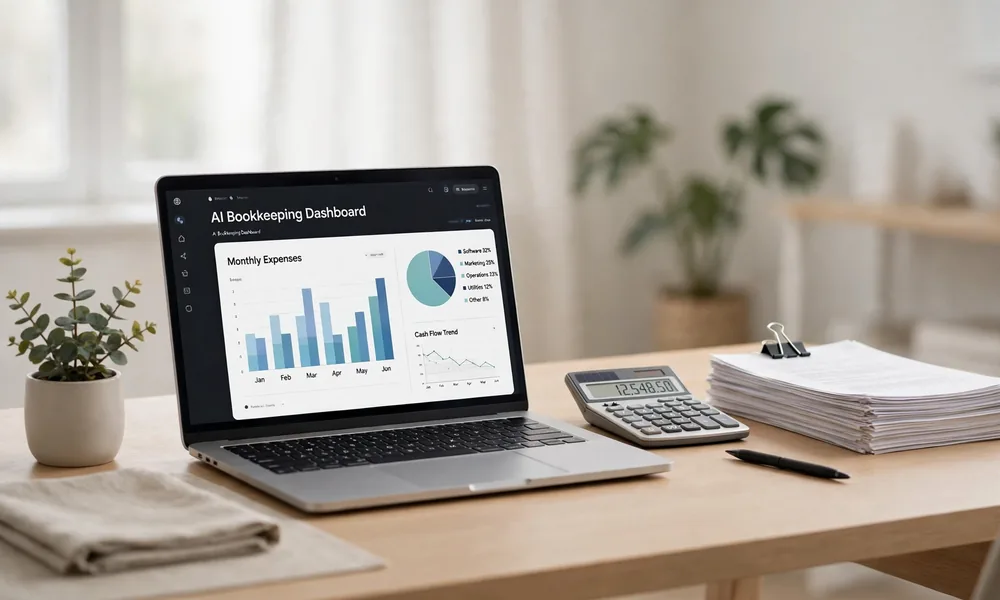
Xero is the cleanest accounting platform for small firms that want AI without complexity. Its AI assistant, JAX, answers questions about the books in plain language, drafts invoice emails, and helps prepare quotes. The bank reconciliation is the core strength: transactions flow in, Xero suggests matches and categories, and the accountant confirms them. For firms with many small clients, that fast, predictable rhythm is worth more than a longer feature list.
Xero’s design is a genuine advantage. The interface is uncluttered, the mobile app is reliable for snapping receipts on the go, and the dashboard shows cash position at a glance. It connects with more than a thousand third-party apps, so firms can bolt on payroll, inventory, or reporting tools as needed. The accountant and bookkeeper partner programme also gives firms a free practice version and discounted client subscriptions, which lowers the cost of standardising on one platform.
The trade-offs are real. Payroll is an add-on in the United States, project tracking costs extra, and the entry plan caps monthly invoices and bills, which pushes growing firms up a tier quickly. Xero’s AI is also narrower than QuickBooks: it is excellent at reconciliation and drafting, but it does less across forecasting and cash flow.
Pros: Fast, accurate bank reconciliation; plain-language AI assistant; strong partner programme for firms. Cons: Payroll and projects cost extra; entry plan has low invoice and bill limits; AI is narrower than larger rivals.
Vic.ai — Best for accounts payable automation
Vic.ai is a specialist. It does one job, accounts payable, and does it with more depth than any general accounting platform. Its AI reads invoices in any format, extracts the line items, matches them against purchase orders, codes them to the right general ledger accounts, and routes them for approval. Accountants who process hundreds of supplier invoices a month will feel the difference immediately: the manual keying disappears, and the approval queue becomes the work instead of the data entry.
The accuracy improves with use, because the system learns from every correction an accountant makes. It also spots duplicate invoices, flags unusual amounts, and keeps a full audit trail of who approved what and when. That audit trail is the feature finance teams mention most, because it answers the awkward questions during month-end and audit season without digging through email threads. Vic.ai connects with the major ERPs and accounting platforms, so it sits on top of the ledger rather than replacing it.
The limitation is scope. Vic.ai is an AP tool, not a bookkeeping platform, so firms need a separate ledger and a separate tool for everything outside payables. Pricing is custom and quoted per volume, which makes it hard to budget without a sales conversation. It also fits mid-size and larger companies best; a small firm with fifty invoices a month will not see enough return.
Pros: Deep AP automation with learning accuracy; duplicate detection and full audit trails; strong ERP integrations. Cons: AP only, not full bookkeeping; custom pricing with no public starting price; best suited to higher invoice volumes.
Botkeeper — Best for outsourced AI bookkeeping
Botkeeper pairs AI with a human bookkeeping team, which is a different model from the other tools on this list. The software automates transaction categorisation, reconciliation, and reporting, and a dedicated team of bookkeepers reviews the work and handles the exceptions. For accounting firms, that combination solves the staffing problem: the firm can take on more bookkeeping clients without hiring, and the AI keeps the per-client cost down.
The service covers the full bookkeeping cycle, from bank feeds and bill pay through to month-end close and financial statements. Firms get a dashboard to track every client, and the Botkeeper team works inside the firm’s own processes rather than imposing a separate workflow. That matters for firms that sell bookkeeping as a service and want a consistent result across clients.
The cost is the main consideration. Pricing starts from around $199 per month, and the bill grows with the number of clients and transaction volume, so firms need to price their own services to cover it. Firms also give up some direct control, since a third-party team touches the books, which means clear agreements about review and sign-off are essential.
Pros: AI plus human review in one service; full bookkeeping cycle covered; helps firms scale without hiring. Cons: Monthly cost adds up across many clients; less direct control than in-house bookkeeping; check current pricing before committing.
Dext — Best for receipt and expense capture
Dext, formerly Receipt Bank, is the tool accountants reach for when receipts and invoices arrive as paper, photos, and email attachments. Its AI extracts the supplier, date, amounts, tax, and line items from almost any document, then pushes the clean data into the accounting platform. For firms with clients who still hand over shoeboxes of receipts, Dext removes the most tedious step in bookkeeping.
The capture options are flexible: a mobile app for snapping receipts, email forwarding, supplier portal connections, and direct fetch from online suppliers. The AI handles the extraction, and the accountant reviews and publishes. Dext also tracks missing paperwork and chases clients for it, which cuts the end-of-month scramble for documents. It connects with QuickBooks, Xero, Sage, and other ledgers, so it fits into whatever stack a firm already runs.
Dext is a capture tool, not a ledger, so it always needs a destination accounting platform. The per-user pricing means costs grow as the team grows, and the extraction is occasionally wrong on faded receipts or unusual formats, so review remains part of the job. It is also less useful for firms whose clients are already fully digital and send clean electronic invoices.
Pros: Best-in-class document extraction; multiple capture methods including supplier fetch; chases missing paperwork automatically. Cons: Needs a separate ledger; per-user pricing adds up; extraction can miss on poor-quality scans.
Karbon — Best for accounting practice management
Karbon is built for accounting firms rather than for individual businesses. It manages the firm’s work: client jobs, deadlines, tasks, emails, and team capacity, with AI that triages the inbox, drafts client replies, and summarises long email threads. For a firm juggling dozens of clients and hundreds of deadlines, that inbox triage alone can save hours a week.
The workflow tools are the heart of Karbon. Jobs move through checklists and stages, time is tracked against work, and managers can see bottlenecks before they become missed deadlines. The AI features focus on communication and organisation rather than on the numbers themselves: it drafts responses, pulls out action items from client emails, and helps the team stay on top of requests.
Karbon is a practice tool, so it does no bookkeeping of its own, and it is priced per user, which makes it a serious commitment for a larger team. Small and solo practices will find it more than they need, and the setup takes time, because the firm has to build its workflows and templates before the benefits show.
Pros: AI email triage and drafting built for firms; clear job and deadline tracking; strong integrations with ledgers. Cons: No bookkeeping features; per-user pricing adds up; setup takes real time before it pays off.
FloQast — Best for month-end close management
FloQast manages the month-end close, the part of accounting where checklists, reconciliations, and sign-offs pile up. Its AI, FloQast AI, reviews reconciliations, flags anomalies, drafts variance explanations, and tracks every task in the close checklist. For accounting teams that close the books every month across multiple entities, it turns a chaotic spreadsheet process into a visible, auditable workflow.
The close checklist is the core: every reconciliation and task has an owner, a due date, and a status, and managers can see exactly what is done and what is stuck. The AI helps with the review work, spotting unusual balances and suggesting explanations that the accountant can accept or edit. FloQast also keeps a complete audit trail, which shortens audit preparation, and it integrates with the major ERPs, including NetSuite, Sage Intacct, and QuickBooks.
FloQast is designed for larger teams. Pricing is custom and quoted per organisation, and the product assumes a formal close process already exists, so small firms with a simple month-end will not get much from it. Implementation takes weeks rather than days, and the team needs training to use the AI review features properly.
Pros: Structured close checklists with owners and deadlines; AI review of reconciliations; complete audit trail for auditors. Cons: Custom pricing with no public starting price; built for larger teams; implementation takes time.
MindBridge — Best for audit and risk analytics
MindBridge uses AI to analyse entire ledgers and find the transactions that deserve a closer look. Instead of sampling a fraction of entries, it scores every transaction for risk, looking at unusual amounts, odd timing, rare account combinations, and patterns that suggest error or fraud. For auditors and accountants who review client books, that full-population analysis changes the job: the review starts with the riskiest items instead of a random sample.
The risk scoring is explainable, which matters in audit work. Each flagged transaction comes with the reasons it was scored, so the accountant can judge whether it is a real problem or a false positive. MindBridge also produces visual summaries that help explain findings to clients and audit partners, and it works with data from the major accounting platforms and ERPs. Firms use it for internal audits, external audit support, and advisory work around financial risk.
MindBridge is a specialist analytics tool, not a bookkeeping platform, so it sits alongside the ledger rather than replacing it. Pricing is custom, and the tool needs training: a team that does not understand risk scoring will either chase too many false positives or miss the real signals. It is also more than most small firms need unless audit and assurance are a core service.
Pros: Full-population risk analysis, not sampling; explainable risk scores with reasons; useful for audit and advisory work. Cons: Analytics only, not bookkeeping; custom pricing; needs training to use well.
How to choose
Start with the work you do most. If your firm serves small businesses, a full platform such as QuickBooks Online or Xero should come first, because it holds the ledger, the invoicing, and the AI in one place. If your pain is a single bottleneck, such as hundreds of supplier invoices or a chaotic month-end, a specialist such as Vic.ai or FloQast will pay back faster than a new platform. And if your firm sells bookkeeping as a service, Botkeeper’s combination of AI and a human team may be the most practical way to grow.
Integration decides whether the AI actually saves time. A tool that does not connect cleanly to your ledger creates a new manual step, which cancels out the automation. Before you buy, check the integration list for the exact platform and version you run, and test the data flow with a real client file during the trial. The trial is also the time to test accuracy on your own data: AI that categorises a retail client’s transactions well may struggle with a construction firm’s job costing, so generic demos tell you very little. If your clients include online sellers, compare the best accounting software for ecommerce alongside these AI tools, since ecommerce brings its own reconciliation problems.
Checklist: before you pay
- Run a free trial on your own real client data, not a demo file, and measure how much review the AI output needs.
- Confirm the integration with your exact ledger and version, and test the data flow end to end before signing.
- Check the renewal price and the per-user or per-client cost at the size you expect to be in a year.
- Ask who reviews AI suggestions, and make sure nothing posts to the ledger without a human decision.
- Confirm data export and cancellation terms, so you can leave with your client data intact.
- Check support hours and response times, especially during tax season and month-end close.
Frequently asked questions
What is the best AI tool for accountants in 2027?
For most accountants, QuickBooks Online is the best overall choice, because its AI works across bookkeeping, invoicing, and cash flow in one platform that most small-business clients already use. Small firms that prefer a simpler interface often choose Xero instead. Firms with a specific bottleneck, such as accounts payable or month-end close, usually get more value from a specialist such as Vic.ai or FloQast alongside their existing ledger.
Can AI replace an accountant?
No. AI handles the repetitive parts of accounting, such as data entry, categorisation, and first-pass review, but it cannot replace professional judgement, client conversations, tax strategy, or the responsibility an accountant takes for the numbers. The firms getting the most from AI use it to clear routine work so accountants spend more time on advisory services, which is where the higher-value work sits. The best AI tools for entrepreneurs show the same pattern from the client side: owners use AI to speed up admin, then still rely on their accountant for decisions.
How accurate is AI transaction categorisation?
Accuracy is high on routine, repeated transactions and lower on unusual ones. Most tools learn from corrections, so accuracy improves over the first few months with a given client. Even so, a human review step remains essential, particularly for new clients, complex transactions, and anything near a tax or audit deadline. No tool on this list should be left to post to the ledger without review.
Are AI accounting tools safe for client data?
Reputable tools encrypt data in transit and at rest, offer two-factor authentication, and publish security and compliance information. Before adopting a tool, check its data handling policy, where data is stored, and whether it uses client data to train its models. Firms should also confirm that the tool meets their obligations under client agreements and any regulations that apply to their practice.
How much do AI tools for accountants cost?
Full platforms start from around $15 to $35 per month for entry plans, while specialists such as Dext start from around $24 per user per month. Outsourced bookkeeping services start from around $199 per month, and enterprise tools such as Vic.ai, FloQast, and MindBridge use custom pricing. Always check current pricing before buying, because list prices, discounts, and plan limits change regularly.
Do I need to change accounting software to use AI?
Usually not. Most AI tools in this guide integrate with QuickBooks, Xero, Sage, and other major ledgers, so they add automation on top of the platform you already run. The exception is when your current ledger is very old or heavily customised, in which case a migration may be needed before the AI tools can connect properly.
The bottom line
For most accountants in 2027, the sensible starting point is QuickBooks Online for the breadth of its AI, with Xero as the cleaner alternative for small firms. Add Dext if receipts are the bottleneck, Vic.ai if payables dominate the workload, and Karbon once the firm itself needs managing. Larger teams with a formal close should look at FloQast, and firms doing audit work should evaluate MindBridge. Botkeeper fits firms that want to sell bookkeeping at scale without hiring.
Whatever you choose, keep the human review step. The tools that win are the ones that show their working, learn from corrections, and leave the final decision to the accountant. Trial them on real client data, check the renewal price, and pick the tool that removes your biggest bottleneck first.