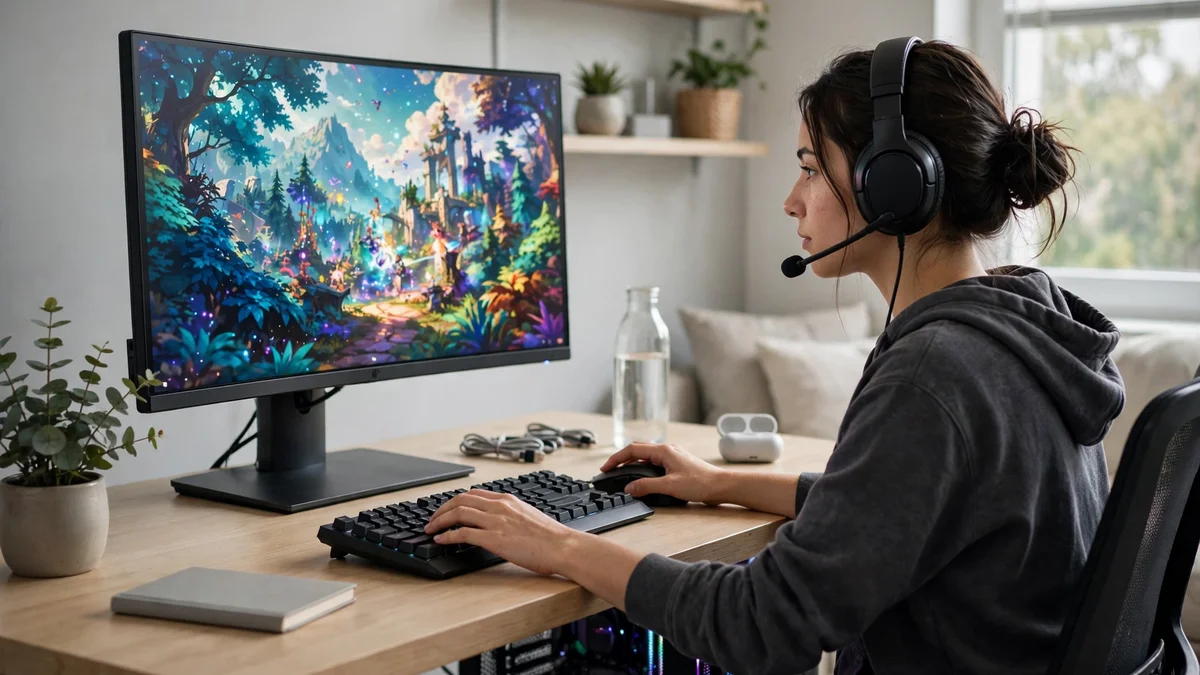
Online gaming is unforgiving about connection quality. A few milliseconds of extra lag can cost a match, a dropped connection can cost a ranking, and a distributed denial-of-service attack can knock a player offline mid-game. The best VPN services for gamers in 2027 protect the connection without adding noticeable lag, and some can even shorten the route your traffic takes to the game server.
A gaming VPN also hides your real IP address from other players, which matters when opponents try to find it, and it can help you reach game servers in other regions, play titles that launch earlier elsewhere, and get around throttling by internet providers that slow down gaming traffic at peak times.
We judged every service on what gamers actually feel: ping and speed on nearby servers, a large server network for finding the fastest route, protection against DDoS attacks, and support for consoles and routers, since a VPN cannot always be installed directly on a PlayStation or Xbox. NordVPN leads overall, ExpressVPN is the fastest, and Surfshark is the best value.
Key takeaways
- Best overall for gamers: NordVPN — fast NordLynx speeds, a huge server network, and built-in DDoS protection.
- Best for low ping: ExpressVPN — Lightway connects fast and keeps latency low on distant servers.
- Best value: Surfshark — one cheap plan covers unlimited devices, including every console and PC in the house.
- Best free option: Proton VPN — a genuinely usable free tier with no data cap, though speeds are limited.
- For consoles, use a VPN on your router or share a connection from your PC, since most consoles have no VPN app.
At a glance: the shortlist
| Product | Best for | Starting price | Standout limit |
|---|---|---|---|
| NordVPN | Best overall | from about $3.39 a month on a two-year plan | 7,400+ servers in 165 locations |
| ExpressVPN | Best for low ping | from about $4.99 a month | Servers in 105 countries, Lightway protocol |
| Surfshark | Best value | from about $1.99 a month on a two-year plan | Unlimited simultaneous connections |
| CyberGhost | Best for game servers | from about $2.19 a month on a two-year plan | Gaming-optimized servers, 45-day refund |
| Private Internet Access | Best for customization | from about $2.19 a month | Open-source apps, unlimited devices |
| IPVanish | Best for console setup | from about $2.19 a month | Unlimited devices, 40,000+ IP addresses |
| Proton VPN | Best free tier | free plan available; paid from about $4.99 a month | Secure Core routing, Swiss jurisdiction |
NordVPN — Best overall
NordVPN is the strongest all-round choice for gaming. Its NordLynx protocol is built on WireGuard, which keeps speeds high and latency low on nearby servers, and the network covers 165 locations, so there is almost always a fast route to the game server. Hiding your real IP address protects you against DDoS attacks from other players, and Threat Protection blocks trackers and malicious sites before they load.

The no-logs policy has been independently audited several times. Our guide to the best VPN services for Windows covers the same providers on the main gaming platform.
Pros: Very fast speeds on the NordLynx protocol; Huge server network with low latency; Audited no-logs policy and DDoS protection.
Cons: Cheapest price requires a two-year commitment; Desktop app can feel busy for first-time users.
ExpressVPN — Best for low ping
ExpressVPN is the premium pick for gamers who care most about ping. Its Lightway protocol was built for speed and quick reconnections, which keeps latency low even on distant servers, and it connects in under a second, so switching server locations between matches is painless. Every server runs on RAM only, so nothing is written to disk, and the service has passed multiple independent no-logs audits.
Router support matters for gaming, because it is the easiest way to protect a console. For competitive players who feel every millisecond, the speed is worth it.
Pros: Excellent speeds and low latency; RAM-only servers, audited no-logs policy; Strong router support for consoles.
Cons: Pricier than most competitors; Fewer advanced toggles for power users.
Surfshark — Best value
Surfshark is the value pick for gamers, and the unlimited-device limit is the reason. One cheap plan covers a gaming PC, a laptop, a phone, a tablet, and a console through the router, so a household full of players needs only one subscription. CleanWeb blocks ads and trackers, which speeds up browsing on shared connections, and MultiHop routes traffic through two servers for extra-sensitive sessions.
The network spans 100 countries with 3,200+ servers, and the apps are straightforward on every major platform.
Pros: Unlimited devices on one cheap plan; CleanWeb blocking and MultiHop routing; Fast WireGuard speeds.
Cons: Best price locked behind a two-year plan; Speeds dip more on distant servers.
CyberGhost — Best for game servers
CyberGhost is built for players who want the VPN to make decisions for them. The apps sort servers by purpose, including gaming, so you pick what you are doing and connect, without guessing which location will give the lowest ping. It runs servers in 100+ countries, includes a kill switch and ad blocking, and backs long plans with a generous 45-day money-back guarantee.
One plan covers 7 devices. Test your usual game servers during the refund window.
Pros: Easiest apps in this list to use; 45-day money-back guarantee; Servers sorted by gaming and other activities.
Cons: 7-device limit is tighter than rivals; Some distant servers slow down at peak hours.
Private Internet Access — Best for customization
Private Internet Access, or PIA, is the tinkerer’s VPN: open-source apps, deep settings, and support for WireGuard and OpenVPN with fine-grained control over encryption levels. It covers an unlimited number of devices on one plan and runs servers in 91 countries, with a built-in MACE blocker for ads, trackers, and malware domains. Port forwarding is available, which helps with peer-to-peer game connections.
The no-logs policy has been tested in court and audited, which is a stronger record than most providers can claim. It suits players who like to tune settings rather than leave everything on default.
Pros: Fully open-source apps, huge customization; Unlimited devices, court-tested no-logs; Port forwarding for peer-to-peer play.
Cons: Interface can overwhelm beginners; US-based jurisdiction gives some pause.
IPVanish — Best for console setup
IPVanish is a long-running US-based VPN that owns and operates much of its own server network rather than renting it. One plan covers unlimited devices, and the network offers 40,000+ shared IP addresses across 2,400+ servers, which helps keep speeds consistent at peak gaming hours. It includes a kill switch, split tunneling, and a SOCKS5 proxy for lighter tasks.
Router setup is well documented, which matters for console players. The service has been independently audited since a change of ownership, and it now runs a strict no-logs policy. Its streaming record is patchier than the top picks, so it suits players who prioritize gaming performance over watching shows.
Pros: Unlimited devices on every plan; Owns much of its server infrastructure; Audited no-logs policy.
Cons: Streaming unblocking is inconsistent; US jurisdiction is a drawback for some.
Proton VPN — Best free tier
Proton VPN comes from the team behind Proton Mail, and it shows in the privacy-first design. Its free plan is genuinely usable, with no data cap, no ads, and no speed throttling tricks, while paid plans add Secure Core routing through hardened servers in Switzerland, Iceland, and Sweden. The company is based in Switzerland and its no-logs policy has been independently audited.
Apps are open source and available on every major platform, including Linux, where Proton VPN is stronger than most rivals. Paid plans allow 10 simultaneous connections and include NetShield ad blocking and port forwarding. The free tier is limited to a smaller set of locations, so it suits casual play rather than competitive ranked matches.
Pros: Best free VPN tier with no data cap; Secure Core and Swiss jurisdiction; Open-source apps, audited no-logs.
Cons: Free plan limited to a few server locations; Paid plan costs more than budget rivals.
How to choose
Start with ping, not just download speed. Connect to a server near your game server, not near you, and test the ping in-game during the money-back window, because the fastest server on paper is not always the fastest in your game. Prices below are approximate starting prices, so check current pricing before you buy, and always check the renewal price as well as the first-term deal.
Next, check console support. A VPN cannot be installed directly on most consoles, so you need router support or a shared connection from a PC. Mac gamers have fewer native options than Windows players, so our guide to the best VPN services for Mac is worth a read if you play on a Mac.
Finally, check DDoS protection and the kill switch. Hiding your real IP address is the main defense against attacks from other players, and a kill switch makes sure your real address never leaks if the VPN connection drops mid-match.
Checklist: before you pay
- Test ping on your usual game servers during the money-back window, not just download speed.
- Check the renewal price after the first term, not just the introductory deal.
- Confirm the VPN works on your console setup — router or shared PC connection — before you pay.
- Make sure it has a kill switch, so your real IP never leaks if the connection drops.
- Confirm the provider has an audited no-logs policy and DDoS protection.
- Count your devices and pick a plan that covers them all.
Frequently asked questions
Will a VPN increase my ping?
A VPN usually adds a few milliseconds, because your traffic travels further. On a nearby server with a fast protocol, the difference is often too small to notice, and a VPN can sometimes lower ping by taking a shorter route to the game server.
Can I use a VPN on my PlayStation or Xbox?
Not directly, because consoles have no VPN app. The usual fix is to install the VPN on your router, which protects every device on your network, or to share a VPN connection from your PC. ExpressVPN and IPVanish have the clearest router setup for this.
Will a VPN protect me from DDoS attacks?
Yes, in most cases. A VPN hides your real IP address, so other players cannot target it directly. Attacks then hit the VPN server instead, and large providers absorb them without dropping your connection. A kill switch matters here, so your real address never leaks.
Can a VPN help me play games released earlier in other regions?
Sometimes. Connecting to a server in another country can let you reach regional game servers or early releases, though many publishers check your account region too. Our roundup of the best VPN services for streaming covers the same region-switching strengths from a different angle.
Is a free VPN safe for gaming?
Most free VPNs are not: they cap data, show ads, or sell usage data, and their slow servers add lag. The exception is Proton VPN’s free tier, which has no data cap and the same no-logs policy as the paid plans, though it is limited to a few server locations.
Can I share one VPN plan with my household?
Yes — Surfshark, PIA, and IPVanish all allow unlimited devices on one plan, so a single subscription can cover every player in the house. NordVPN allows 10 devices, which is enough for most households.
The bottom line
For most gamers, NordVPN is the best pick: it is fast, it protects you against DDoS attacks, and it covers 10 devices. ExpressVPN is the best choice when every millisecond of ping matters, and Surfshark is the best value if you want the cheapest way to protect every device in a gaming household.
Whichever you choose, test ping on your usual game servers in the first week, set up the kill switch before you play ranked matches, and leave the VPN on — it only protects you when it is running.