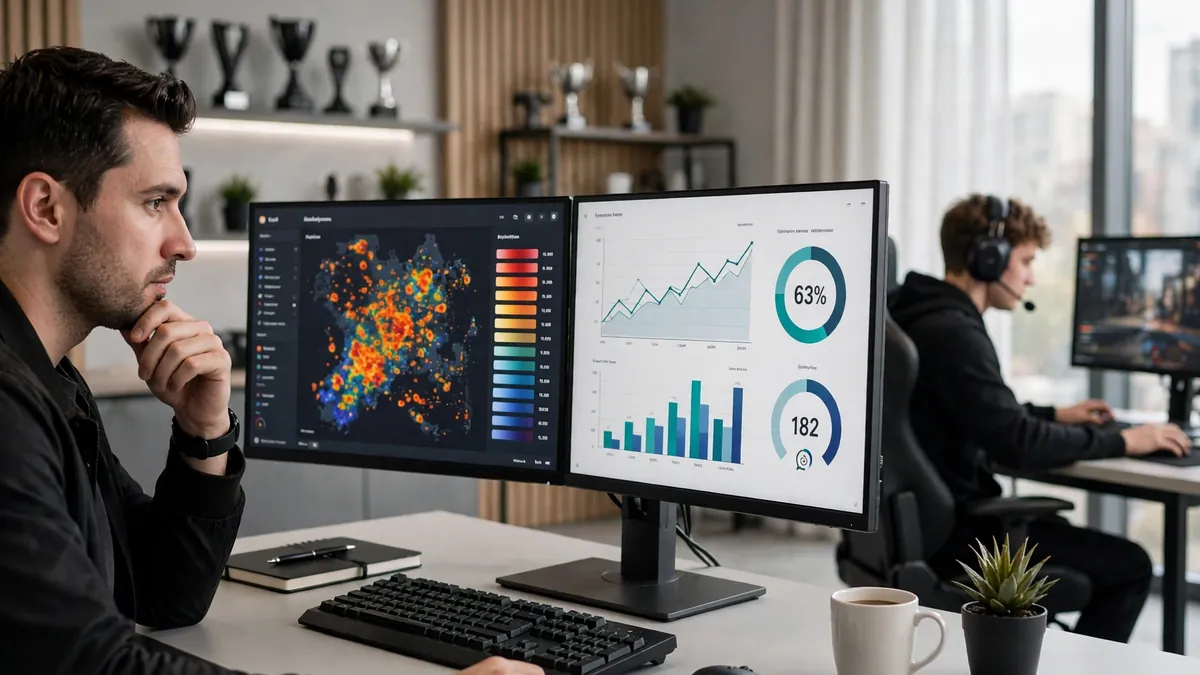
Predictive analytics tools turn past data into forward-looking answers. Instead of asking what happened last quarter, the best AI tools for predictive analytics in 2027 forecast demand, flag customers likely to churn, and spot risks weeks before they become expensive problems.
The market has matured fast. What once required a team of data scientists now ships as guided workflows, automated model building, and plain-language explanations of why a forecast moved. Small teams can run models that used to need a dedicated machine learning department.
This guide compares eight leading tools across accuracy, ease of use, pricing, and governance. DataRobot leads overall, H2O.ai wins on flexibility, and Alteryx is the strongest pick for business analysts who do not code.
Key takeaways
- DataRobot is the best overall predictive analytics platform for teams that want automated modelling with strong governance.
- H2O.ai offers the best flexibility, with open-source libraries and a paid cloud platform for production workloads.
- Alteryx is the best choice for business analysts, pairing visual workflows with built-in machine learning.
- Enterprise pricing is mostly custom and starts in the low thousands per year, so always confirm current pricing before budgeting.
- No tool replaces clean data: forecast quality depends more on your inputs than on the algorithm you pick.
At a glance: the shortlist
| Product | Best for | Starting price | Standout limit |
|---|---|---|---|
| DataRobot | Overall automated modelling | Custom, from about $10,000 per year | Enterprise pricing only |
| H2O.ai | Open-source flexibility | Free open source; paid cloud from about $250 per month | Cloud setup takes effort |
| Alteryx | Business analysts | From about $5,195 per user per year | Premium per-seat cost |
| Altair RapidMiner | Visual workflows | Free tier; paid plans from about $2,500 per year | Smaller model library |
| SAS Viya | Enterprise governance | Custom pricing | Steep learning curve |
| Azure Machine Learning | Microsoft shops | Pay as you go, from about $0.90 per compute hour | Costs scale with usage |
| Google Vertex AI | Google Cloud teams | Pay as you go | Best inside Google Cloud |
| IBM watsonx.ai | Regulated industries | Custom pricing | Heavy enterprise setup |
DataRobot — Best overall
DataRobot is the most complete automated machine learning platform in this roundup. It takes a dataset, tests dozens of models, and ranks them by accuracy, explainability, and stability. For teams that want reliable forecasts without hiring a full data science team, it is the safest default choice.

The platform covers the full lifecycle: data preparation, model building, deployment, and monitoring. Its explainability tools show which factors drive each prediction, which matters when a forecast feeds a budget or a pricing decision. MLOps monitoring alerts you when a model drifts as new data arrives.
DataRobot also handles time-series forecasting well, with built-in handling of seasonality, holidays, and trend changes. That makes it a strong fit for demand planning, sales forecasting, and inventory prediction. If your team already uses the best AI tools for data analysis for reporting, DataRobot adds the forward-looking layer on top.
Pros: Strong AutoML and time-series forecasting; clear model explanations; solid deployment and drift monitoring.
Cons: Enterprise pricing with no public starter plan; can feel heavy for very small teams.
H2O.ai — Best for open-source flexibility
H2O.ai combines respected open-source libraries with a managed cloud platform. Data scientists know H2O-3 and Driverless AI well, and the open-source core means you can prototype for free before committing to a paid plan.
Driverless AI automates feature engineering and model selection, and it produces explanations for every prediction. The H2O AI Cloud adds deployment, monitoring, and collaboration for teams that need production discipline without building their own infrastructure.
The trade-off is effort. Open-source flexibility means more setup decisions, and the cloud platform is less guided than DataRobot. Teams with some technical skill will get the most value here.
Pros: Free open-source starting point; strong AutoML; transparent model explanations.
Cons: More setup than guided rivals; support tiers cost extra.
Alteryx — Best for business analysts
Alteryx is built for analysts who think in workflows, not code. Its drag-and-drop canvas blends, cleans, and prepares data, then feeds it into predictive models through the Alteryx Machine Learning module. An analyst who lives in spreadsheets can build a churn model in an afternoon.
The platform also automates reporting, so a forecast can flow straight into a dashboard or a scheduled email. That end-to-end path from raw data to a decision-maker is where Alteryx earns its price.
Per-seat pricing is the main drawback. At roughly $5,195 per user per year for Designer, costs add up quickly across a team. Check current pricing before budgeting, since bundles and renewals change often.
Pros: Excellent visual workflow builder; strong data preparation; easy reporting automation.
Cons: High per-seat cost; modelling depth trails specialist platforms.
Altair RapidMiner — Best for visual workflows
RapidMiner, now part of Altair, is a long-running visual data science platform. Its drag-and-drop operators cover data preparation, modelling, and evaluation, and the free tier makes it a good place to learn predictive modelling without spending anything.
The platform suits teams that want to see every step of a model pipeline. Operators are transparent, results are easy to inspect, and the visual approach helps non-specialists follow what a model is doing.
RapidMiner is less strong on automated model search than DataRobot or H2O.ai, and its model library is smaller. For straightforward forecasting and classification work, though, it is more than capable.
Pros: Free tier for learning; transparent visual pipelines; good for teaching and small teams.
Cons: Weaker AutoML; smaller ecosystem than the leaders.
SAS Viya — Best for enterprise governance
SAS Viya is the enterprise-grade option for organisations that need strict governance around every model. It covers data preparation, modelling, deployment, and monitoring in one platform, with audit trails that satisfy regulated industries and internal risk teams.
Its forecasting and statistical modelling heritage is deep. Viya handles large datasets reliably, and its visual interface lets analysts build models while data scientists can drop into code when needed.
The learning curve is real, and pricing is custom and enterprise-scale. SAS Viya fits large organisations with formal model-risk processes, not startups looking for a quick forecast.
Pros: Deep statistical and forecasting strength; excellent governance and audit trails; scales to huge datasets.
Cons: Custom enterprise pricing; steep learning curve.
Azure Machine Learning — Best for Microsoft shops
Azure Machine Learning is the natural choice for teams already running on Microsoft 365 and Azure. It offers automated ML, a visual designer, and full code-based workflows, plus tight integration with Power BI for presenting forecasts.
The pay-as-you-go model keeps entry costs low: you pay for the compute you use, starting at roughly $0.90 per compute hour for basic instances. That flexibility suits teams with uneven workloads, though costs can climb if jobs run constantly.
Because it is a platform rather than a single product, Azure ML demands more technical skill than DataRobot or Alteryx. Teams with Azure experience will move fastest.
Pros: Flexible pay-as-you-go pricing; strong AutoML and designer; deep Microsoft integration.
Cons: Usage costs can scale fast; needs technical skill to run well.
Google Vertex AI — Best for Google Cloud teams
Vertex AI brings Google’s machine learning tooling into one managed platform. AutoML handles tabular forecasting, while custom training supports teams that want full control. BigQuery integration means forecasts can run directly where the data already lives.
The platform is strong on experiment tracking, model monitoring, and feature storage, which keeps production models organised. Its generative AI features also help teams summarise forecast results in plain language for stakeholders.
Vertex AI works best inside Google Cloud. Teams on other clouds will find less value, and the breadth of options can overwhelm beginners.
Pros: Strong BigQuery integration; good MLOps tooling; solid AutoML for tabular data.
Cons: Best inside Google Cloud; broad feature set takes time to learn.
IBM watsonx.ai — Best for regulated industries
IBM watsonx.ai targets enterprises that need governed, explainable AI. Its studio supports model building, tuning, and deployment, with governance tooling that tracks data lineage and model risk across the lifecycle.
The platform works well for banks, insurers, and healthcare organisations where a forecast must be defensible. Granite foundation models and open-source model support give teams flexibility in how they build.
Setup is enterprise-heavy, and pricing is custom. Smaller teams will find lighter tools faster to adopt, but regulated organisations will value the governance depth.
Pros: Strong governance and explainability; open-model flexibility; trusted in regulated sectors.
Cons: Custom pricing; heavy setup for small teams.
How to choose
Start with your team’s skill level. If nobody codes, pick a guided platform like DataRobot or Alteryx. If you have data scientists, H2O.ai or a cloud platform gives more control for less money.
Next, match the tool to your data. Time-series forecasting is the core use case for most buyers, so test each shortlisted tool on your own historical data before committing. A one-week trial on real numbers tells you more than any demo.
Finally, check governance needs. Regulated teams should shortlist SAS Viya or watsonx.ai, while teams that already live in a cloud should pick that cloud’s native platform. The best AI tools for business intelligence cover the reporting side, so choose a predictive tool that complements rather than duplicates them.
Checklist: before you pay
- Run a free trial on your own historical data, not the vendor’s demo dataset.
- Confirm the renewal price in writing, since first-year discounts are common.
- Check how the tool handles your data sources and refresh schedules.
- Ask what happens to your models and data if you cancel.
- Test forecast explanations: can a non-technical manager understand why the model predicts what it does?
- Confirm support hours and response times match your team’s working hours.
Frequently asked questions
What is the best AI tool for predictive analytics in 2027?
DataRobot is the best overall choice for most teams because it combines strong automated modelling, time-series forecasting, and model monitoring. H2O.ai is the best flexible alternative, and Alteryx is the best pick for analysts who do not code.
Do I need to know how to code to use predictive analytics tools?
No. DataRobot, Alteryx, and RapidMiner all offer visual, low-code workflows that let analysts build models without programming. Coding helps for custom work, but it is not required for standard forecasting.
How accurate are AI forecasts?
Accuracy depends on data quality, history length, and how stable the underlying pattern is. A good tool will show its error rate on your own data during a trial, which is the only honest way to judge it. Expect useful directional forecasts, not perfect predictions.
Can predictive analytics tools work with spreadsheets?
Yes. Most tools in this guide import CSV and Excel files directly, and Alteryx and RapidMiner are particularly strong at cleaning messy spreadsheet data before modelling.
How much do predictive analytics tools cost?
Prices range from free open-source options to enterprise contracts above $10,000 per year. Cloud platforms charge by compute usage, while desktop tools charge per user. Always check current pricing, since plans change frequently.
What is the difference between predictive analytics and business intelligence?
Business intelligence explains what happened and what is happening now, while predictive analytics forecasts what is likely to happen next. The best data visualization tools for small business handle the reporting side; predictive tools add the forecast.
The bottom line
For most teams, DataRobot is the pick: it automates the hard parts, explains its forecasts, and monitors models once they are live. Teams with technical staff should look at H2O.ai or their cloud provider’s native platform, and analysts who do not code should start with Alteryx.
Whichever tool you choose, run it on your own data before paying. A short trial will show whether the forecasts are accurate enough to trust, and whether your team will actually use the tool week after week.