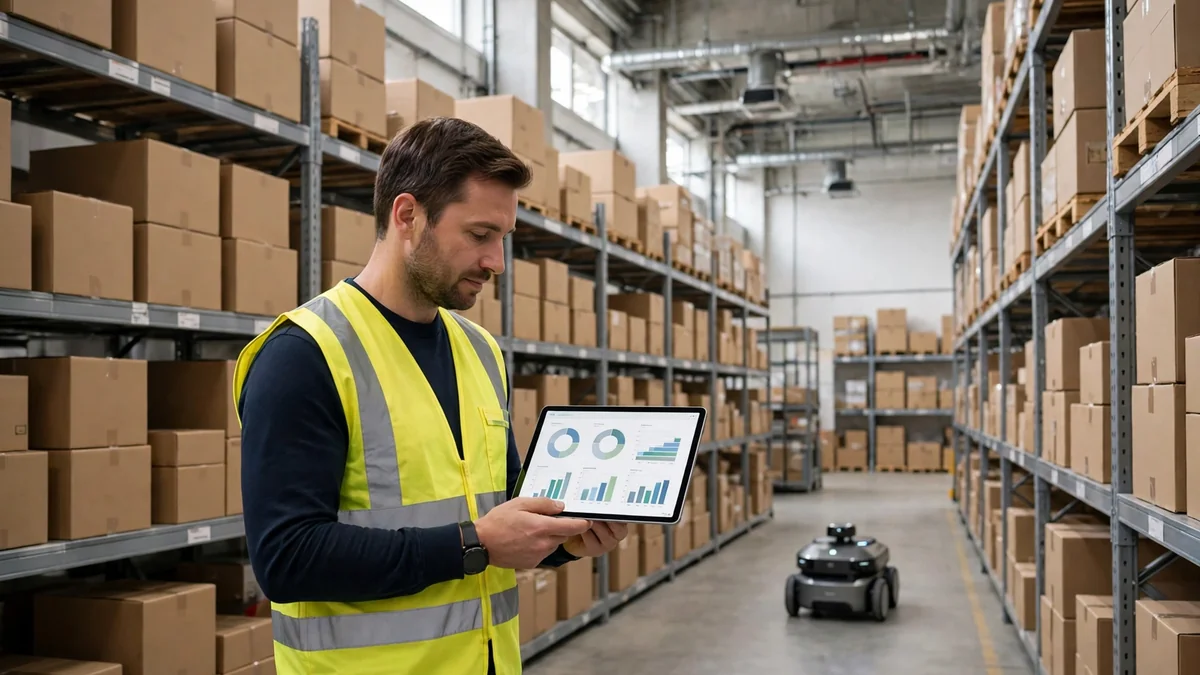
AI tools for manufacturing engineers have moved from pilot projects to daily production work. In 2027, the best of them watch machine health around the clock, catch defects a human eye would miss, and turn messy shop-floor data into schedules and decisions that hold up on a real line. The engineers getting the most from them are not replacing their judgement with software. They are using software to see problems earlier, prove what changed, and spend their time fixing causes instead of chasing symptoms.
What separates a useful tool from an expensive dashboard is how it fits the plant. A strong tool connects to the machines you already run, works with the data you already collect, and earns trust in weeks rather than quarters. It should explain its recommendations in plain terms, respect the way operators actually work, and keep running when the network or a sensor has a bad day. Price matters, but the bigger cost is usually integration time, training, and the disruption of changing a process that already ships product.
This guide covers eight tools that manufacturing engineers rely on in 2027, chosen for proven plant-floor use, clear strengths, and honest limits. Siemens Senseye leads the list for predictive maintenance, Augury is the strongest pure machine-health option, and Instrumental AI sets the pace for visual quality inspection. The rest cover frontline apps, MES intelligence, real-time production data, process optimisation, and video-based assembly analysis.
Key takeaways
- Siemens Senseye is the best overall pick, with mature predictive maintenance that scales from one line to a whole plant.
- Augury is the best choice when machine health monitoring is the whole job, especially for rotating equipment.
- Instrumental AI is the best option for catching assembly defects with cameras and AI vision.
- Most of these tools use custom, quote-based pricing, so budget for integration and training on top of the licence.
- No tool fixes bad data on its own, so start with one line, prove the return, and only then roll out wider.
At a glance: the shortlist
| Product | Best for | Starting price | Standout limit |
|---|---|---|---|
| Siemens Senseye Predictive Maintenance | Predictive maintenance at scale | Custom pricing | Needs good sensor coverage to shine |
| Augury | Machine health monitoring | Custom pricing | Focused on rotating equipment |
| Instrumental AI | Assembly quality inspection | Custom pricing | Built for electronics and complex assembly |
| Tulip Interfaces | Frontline operations apps | Free trial, then custom pricing | Requires app-building effort up front |
| Plex Smart Manufacturing Platform | MES-integrated AI | Custom pricing | Biggest value inside the Plex ecosystem |
| MachineMetrics | Real-time production data | Custom pricing | Depth depends on machine connectivity |
| Braincube | Process optimisation | Custom pricing | Needs clean historical process data |
| Drishti | Video-based assembly analytics | Custom pricing | Works best on manual assembly lines |
Siemens Senseye Predictive Maintenance — Best overall
Siemens Senseye is the most complete predictive maintenance platform a manufacturing engineer can buy in 2027. It collects vibration, temperature, pressure, and other machine signals, learns what normal looks like for each asset, and flags the early signs of bearing wear, misalignment, imbalance, and lubrication problems weeks before they cause a stop. The alerts come with a plain-language explanation of what is degrading and how urgent it is, which is what turns a prediction into a planned repair instead of another alarm nobody trusts.
The platform scales well because it was built for plants with hundreds or thousands of assets rather than a single pilot cell. Engineers can rank every machine by health, track how a fault develops over time, and show maintenance managers the avoided downtime in numbers. It also fits naturally into Siemens-heavy plants, and engineers who work across design and production often pair it with the best AI tools for mechanical engineers when a failure points back to a design or material choice. Setup still takes real work: sensors must be placed well, baselines need time to settle, and the first month produces more learning than savings.
Pros: Mature predictive models, clear explanations with each alert, scales across whole plants, strong reporting for maintenance planning.
Cons: Custom pricing can be steep for small plants, needs good sensor coverage, first results take weeks of baseline data.
Augury — Best for machine health monitoring
Augury focuses on one job and does it better than almost anyone: keeping rotating equipment healthy. Its wireless sensors measure vibration and other signals from pumps, motors, fans, and compressors, and its AI compares each reading against a large library of machine behaviour to spot faults early. When it flags a problem, a human diagnostics team reviews the finding before it reaches the plant, which cuts the false alarms that make engineers ignore monitoring systems.
For a manufacturing engineer, the value is in the routine. Instead of walking rounds with a vibration pen and a spreadsheet, the team gets a prioritised list of machines that need attention and the evidence behind each call. Augury is particularly strong in plants where unplanned downtime is expensive and the maintenance team is small, because it effectively adds a monitoring crew without adding headcount. The trade-off is scope: it is a machine-health tool, not a full production platform, so it will not help with scheduling, quality inspection, or process optimisation. Plants that want one system to do everything will need to pair it with other tools.
Pros: Excellent fault detection on rotating equipment, human-verified diagnostics reduce false alarms, fast to deploy with wireless sensors.
Cons: Narrow focus on machine health, custom pricing, less useful for non-rotating assets.
Instrumental AI — Best for assembly quality inspection
Instrumental AI puts cameras and AI vision on the assembly line to catch defects that sampling and end-of-line checks miss. Its stations photograph each unit as it is built, and the software learns what a good assembly looks like, then flags missing screws, misaligned connectors, damaged components, and other faults in real time. Engineers can search the image record of any unit, trace a field failure back to the exact build step, and see which defects appear most often and where.
This is a powerful tool for electronics and complex assembly, where a single missed component can mean a warranty return or a recall. The data it produces also changes how quality meetings run: instead of arguing about anecdotes, the team looks at defect rates by station, shift, and supplier lot. The catch is that it is built for assembly, so it is a poor fit for bulk processing, machining, or plants without clear unit-level inspection points. It also needs good lighting, camera placement, and a period of training on real production units before its calls are reliable.
Pros: Catches assembly defects in real time, full image traceability per unit, clear defect analytics by station and shift.
Cons: Custom pricing, best suited to electronics and complex assembly, needs careful camera setup and training.
Tulip Interfaces — Best for frontline operations
Tulip is a no-code platform that lets manufacturing engineers build the apps operators actually use: digital work instructions, quality checks, machine monitoring screens, and production tracking. Its AI features help by surfacing patterns in the data those apps collect, flagging unusual cycle times, and suggesting where a process step keeps going wrong. The strength of Tulip is that the people who know the process can change the app in hours, instead of waiting months for an IT project.
That flexibility is also the work involved. Tulip is a platform, not a finished solution, so a plant gets out what its engineers put in. A team that invests in good app design gets clean data, fewer paper forms, and faster onboarding for new operators. A team that rushes it gets a digital version of the same messy process. Tulip connects to machines, sensors, and common factory systems, and it works well alongside specialist tools for maintenance or inspection. For engineers who want operators to capture data correctly at the source, it is the most practical option on this list.
Pros: No-code apps engineers can build and change fast, strong operator-facing tools, good connectivity to machines and systems.
Cons: Requires real app-building effort, value depends on process design, pricing is custom beyond the trial.
Plex Smart Manufacturing Platform — Best for MES-integrated AI
Plex, from Rockwell Automation, is a cloud manufacturing execution system with AI woven through production, quality, and supply chain work. For a manufacturing engineer, its appeal is that the AI works on the same data the plant already runs on: orders, inventory, machine status, and quality records in one system. That makes its insights practical, because a recommendation about a schedule change or a quality hold can be acted on in the same place it appears, without exporting data to another tool.
Plex suits mid-sized manufacturers that want one system of record rather than a patchwork of point tools. Its AI helps with demand planning, production scheduling, and spotting quality trends across plants, and the cloud model removes much of the server maintenance that slows smaller IT teams. The main limitation is ecosystem: the deepest value comes when the plant commits to Plex as its core system, and a plant running a different MES will get less from it. Implementation is also a serious project, not a quick install, and should be planned around a production calendar that allows for training and cutover.
Pros: AI on top of a full MES, single system of record, strong for multi-plant quality and planning.
Cons: Custom pricing, biggest value inside the Plex ecosystem, implementation is a major project.
MachineMetrics — Best for real-time production data
MachineMetrics connects directly to machine controls and sensors to show what every machine is doing right now: running, idle, in setup, or down, and why. Its AI turns that stream into useful numbers, such as overall equipment effectiveness, downtime causes, and the true cost of a slow changeover. For a manufacturing engineer, this is the fastest way to stop arguing about utilisation and start fixing the biggest losses with evidence.
The platform is straightforward to deploy on modern CNC machines and other connected equipment, and its dashboards are built for the shop floor rather than the boardroom. Engineers use it to prove which downtime causes matter, to justify a tooling or fixture change, and to track whether a fix actually worked. Older machines without digital controls need extra hardware to connect, and the depth of the analytics depends on how much of the fleet is connected. It is a data and analytics tool first, so it will not predict bearing failure or inspect parts; it tells you what happened and helps you act on it.
Pros: Fast, accurate real-time machine data, clear downtime and OEE analytics, easy dashboards for the shop floor.
Cons: Custom pricing, older machines need extra connectivity hardware, analytics depth depends on fleet coverage.
Braincube — Best for process optimisation
Braincube is built for engineers who need to understand why a process drifts and how to hold it in its best operating window. It pulls together data from machines, sensors, quality labs, and production records, then uses AI to find the combinations of settings that produce the best yield, the lowest scrap, or the most stable output. Instead of changing one variable at a time and hoping, engineers can see which factors actually move the result and by how much.
This makes Braincube especially useful in process industries such as food, chemicals, paper, and plastics, where small changes in temperature, pressure, or mix have large effects on quality. Its digital twin approach lets engineers test a change in software before trying it on the line, which saves material and avoids risky experiments during production. The requirement is data: Braincube needs clean, consistent historical records to learn from, and a plant with patchy records will spend time fixing data before it sees results. It is also a specialist tool, so it pairs best with a maintenance or quality platform rather than replacing one.
Pros: Strong process optimisation and digital twins, clear view of which variables drive quality, saves material on experiments.
Cons: Custom pricing, needs clean historical data, most valuable in process industries.
Drishti — Best for video-based assembly analytics
Drishti uses cameras and AI to analyse manual assembly work, tracking each step an operator performs and comparing it against the standard process. It can show where cycle times vary, which steps get skipped or done out of order, and where operators struggle, giving engineers a factual basis for retraining, workstation redesign, or a better work instruction. The video record also helps resolve quality escapes, because the team can watch exactly how a defective unit was built.
For plants with a lot of manual assembly, this is insight that time studies and observation rarely capture at the same scale. Engineers like that it measures the work as it happens rather than relying on samples or self-reported data. The obvious concern is privacy: cameras on people doing their jobs need clear communication, consent where required, and a policy that the footage is used to improve the process, not to punish individuals. Drishti is also focused on manual assembly, so it adds little on highly automated lines where machines, not people, do the work.
Pros: Detailed view of manual assembly performance, factual basis for training and workstation fixes, useful video record for quality escapes.
Cons: Custom pricing, needs careful handling of worker privacy, limited value on fully automated lines.
How to choose
Start from the problem, not the product. If unplanned downtime is the biggest cost, begin with predictive maintenance or machine health, which is Senseye or Augury territory. If defects and rework dominate, look at Instrumental AI for automated lines or Drishti for manual assembly. If the plant runs on paper forms and tribal knowledge, Tulip will do more good than any analytics tool, because clean data has to come before clever models. Match the tool to the loss it removes, and the business case writes itself.
Then check the practical fit. Ask how the tool connects to your machines and systems, how long a pilot takes, and what data it needs before it is useful. A tool that needs six months of clean history is a different commitment from one that works with a few weeks of sensor data. Run a pilot on one line with a clear success measure, such as downtime hours avoided or defects caught, and decide on that evidence. If your line leans heavily on robots, the best AI tools for robotics engineers covers the automation side of the same work in more depth, which helps when the choice sits between a maintenance tool and a robotics platform.
Finally, weigh the total cost honestly. Custom pricing means the licence is only part of the spend, so budget for sensors, integration, training, and the engineer time to run the pilot. Ask what happens when a sensor fails, how the vendor supports the plant at two in the morning, and how easily you can export your data if you leave. A tool that locks your history away is a risk, however good its models are.
Checklist: before you pay
- Run a pilot on one line with a clear success measure, such as downtime avoided or defects caught.
- Confirm the tool connects to your machines, MES, and quality systems without a custom project.
- Check the full cost, including sensors, integration, training, and renewal pricing.
- Ask how the AI explains its recommendations and how often it is wrong.
- Make sure you can export your data and history if you switch vendors.
- Agree with operators how the tool will be used, especially where cameras or monitoring are involved.
Frequently asked questions
What is the best AI tool for manufacturing engineers?
Siemens Senseye is the best overall choice for most plants because its predictive maintenance is mature, it scales across many assets, and its alerts explain themselves clearly enough to act on. Plants with a narrower problem should pick the specialist: Augury for machine health, Instrumental AI for assembly inspection, or Tulip for frontline data capture.
How much do AI tools for manufacturing cost?
Most of the tools on this list use custom, quote-based pricing that depends on the number of machines, lines, and plants covered. Expect the licence to be only part of the total, with sensors, integration, and training on top. Ask every vendor for the full first-year cost and the renewal price, and check current pricing before budgeting, since plans change.
Do these tools replace maintenance engineers?
No. They change the work from reacting to breakdowns to planning repairs with evidence. Engineers still decide what to fix, in what order, and how to fix it properly. The tools handle the watching and the early warning, which is the part humans cannot do around the clock across hundreds of machines.
Can small manufacturers use these tools?
Yes, but the starting point matters. A small plant should begin with one focused tool on its most expensive problem, such as MachineMetrics for downtime or Augury for a few critical machines, rather than buying a platform for the whole plant. Pilots with a clear success measure keep the cost and the risk manageable.
How long does it take to see results?
Machine-health and downtime tools usually show useful results within four to eight weeks, once sensors are placed and baselines settle. Process optimisation tools such as Braincube take longer, because they need clean historical data to learn from. Any vendor promising results in days on a plant it has never seen should be asked for a reference customer in a similar industry.
Which AI tools work for aerospace manufacturing?
Aerospace plants need the same maintenance and quality tools, with extra weight on traceability and documentation. Instrumental AI fits well because its per-unit image record supports the audit trail aerospace customers expect. For the compliance-heavy side of the work, the best AI tools for aerospace engineers looks at the same problems through an aerospace lens, including design and certification support.
The bottom line
For most manufacturing engineers in 2027, Siemens Senseye is the safest first investment, because fewer unplanned stops improve everything downstream, from schedules to overtime to customer deliveries. Add Augury when rotating equipment is the weak point, Instrumental AI when assembly defects drive warranty costs, and Tulip when the plant still runs on paper. Each tool on this list earns its place by solving one problem well, not by promising to solve them all.
Whatever you choose, pilot it on one line, measure the result in money or hours rather than dashboards, and expand only when the numbers justify it. The plants that get the most from AI are not the ones that buy the most software. They are the ones that pick the biggest loss, prove the fix, and then move on to the next one.