

Best endpoint protection software for small teams in 2027 protects every laptop and desktop a team uses, not just one computer. A small team has no dedicated security department, so one infected device can spread ransomware across shared folders, steal logins from a shared inbox, or lock the whole team out of its work. Endpoint protection gives a small business a central dashboard where one person can see every device, push updates, and respond to a threat in minutes.
Endpoint protection differs from ordinary home antivirus. It is built for teams: a manager can enrol new devices when someone joins, remove access when someone leaves, set the same security policy for everyone, and receive alerts when a device detects something suspicious. Many products also include device control, web filtering, and ransomware rollback, which restores encrypted files.
This guide compares eight endpoint protection products for small teams, from cloud-managed platforms built for businesses with no IT staff to lightweight options that feel like upgraded antivirus. Prices are approximate starting prices per device, so check current pricing before buying.
Key takeaways
- CrowdStrike Falcon Go is the best overall pick for small teams, with strong detection and a simple cloud console.
- Bitdefender GravityZone Business Security is the best value, with flexible plans and strong ransomware protection.
- Microsoft Defender for Business is the best choice for teams already using Microsoft 365.
- Choose cloud-managed protection, because a small team rarely has time to run an on-premises server.
- Enrol every device, including personal laptops used for work, or the unprotected device becomes the way in.
At a glance: the shortlist
| Product | Best for | Starting price | Standout limit |
|---|---|---|---|
| CrowdStrike Falcon Go | Best overall | About $5 per device per month | Advanced features need higher tiers |
| Bitdefender GravityZone Business Security | Best value | About $3 per device per month | Console takes time to learn |
| Sophos Intercept X | Deep learning defence | About $4 per device per month | Best with Sophos firewall |
| SentinelOne Singularity Core | Automated response | About $5 per device per month | Priced above budget options |
| Microsoft Defender for Business | Microsoft 365 teams | About $3 per user per month | Needs Microsoft 365 setup |
| ESET PROTECT Entry | Light performance | About $3 per device per month | Fewer extras than rivals |
| Malwarebytes for Teams | Simple setup | About $4 per device per month | No full firewall of its own |
| Webroot Business Endpoint Protection | Very small teams | About $3 per device per month | Smaller feature set |
CrowdStrike Falcon Go — Best overall
CrowdStrike Falcon Go brings enterprise-grade protection to small teams without enterprise complexity. The cloud console is clean, enrolment takes minutes, and the agent is light on each device. Falcon Go uses behavioural detection to stop ransomware and fileless attacks that traditional signature scanning misses.
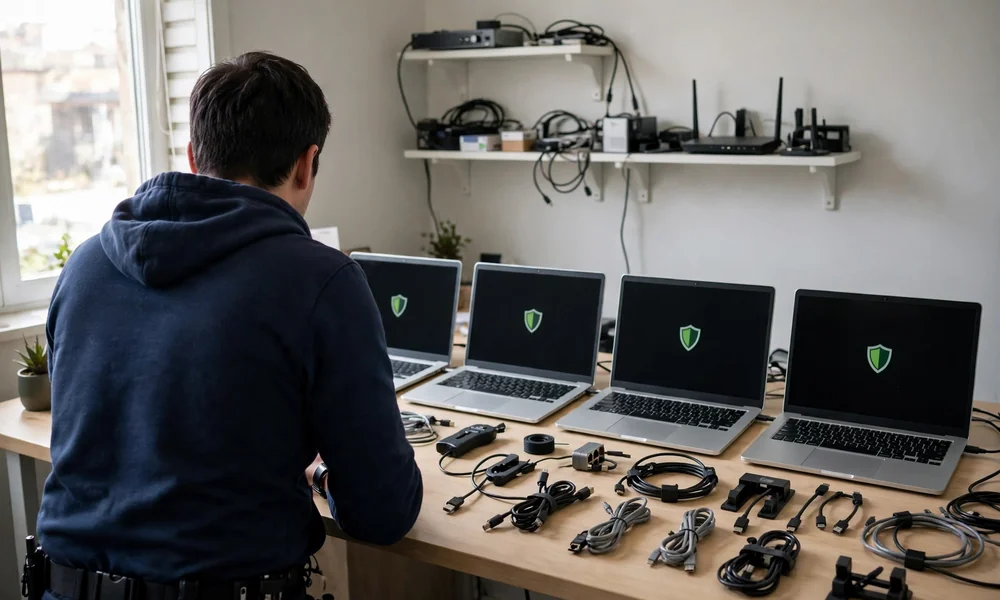
The most advanced features, such as full threat hunting, sit in higher tiers that small teams may not need, but for a team that wants strong protection with minimal daily management, Falcon Go is the best balance in this guide. It also pairs well with the habits remote workers need, and the best antivirus software for remote workers covers the home-office side of the same problem.
Pros: Excellent behavioural detection, light agent, simple cloud console, fast enrolment.
Cons: Advanced features cost more, pricing rises with team size, limited extras on the Go tier.
Bitdefender GravityZone Business Security — Best value
Bitdefender GravityZone Business Security gives small teams a lot of protection for a modest per-device price. The cloud console manages Windows, Mac, and Linux devices from one place, and the plans scale from a handful of devices to dozens. Ransomware protection, anti-phishing, a firewall, and device control are included.
The console has many settings, which is a strength for teams that want control and a learning curve for teams that want simple setup, but once configured, day-to-day management is mostly automatic and policies apply to new devices as they enrol.
Pros: Strong value, good ransomware protection, multi-platform support, flexible plans.
Cons: Console takes time to learn, some features need higher tiers, support response varies by plan.
Sophos Intercept X — Best for deep learning defence
Sophos Intercept X uses deep learning and anti-exploit technology to stop attacks that have never been seen before, which is valuable for a small team that cannot afford a single breach. Its CryptoGuard feature watches for ransomware behaviour and can roll back encrypted files.
The product works best alongside a Sophos firewall, where the two share threat information, but it stands on its own too, with a clear cloud console and policies that are easy to apply across a team.
Pros: Strong deep learning detection, ransomware rollback, clear console, good web protection.
Cons: Best paired with Sophos firewall, mid-range price, some features need the advanced tier.
SentinelOne Singularity Core — Best for automated response
SentinelOne Singularity Core is built around automation. When it detects a threat, it can isolate the affected device, kill the malicious process, and roll back changes without waiting for a human to respond, which is a real advantage over tools that only send an alert.
The console is modern and the agent is light, but Singularity Core is priced above the budget options, and small teams that want the strongest hands-off response, and can afford it, will find it worth the price.
Pros: Excellent automated response, ransomware rollback, light agent, modern console.
Cons: Higher price, learning curve for the console, overkill for very small teams.
Microsoft Defender for Business — Best for Microsoft 365 teams
Microsoft Defender for Business is the natural choice for a team already using Microsoft 365. It is included in Microsoft 365 Business Premium and available as a standalone add-on, and it is managed from the same Microsoft admin centre, so there is less new software to learn.
Protection covers malware, ransomware, phishing, and web threats, with centralised policies and alerts, though getting the most from it requires a proper Microsoft 365 setup.
Pros: Integrates with Microsoft 365, central management, good detection, no extra agent to learn.
Cons: Needs Microsoft 365 setup, less useful outside the Microsoft ecosystem, reporting is basic.
ESET PROTECT Entry — Best for light performance
ESET PROTECT Entry suits teams running older hardware or machines that already carry heavy business software. The agent is famously light, scans are fast, and the cloud console manages policies, updates, and alerts for the whole team.
The feature set is smaller than those of CrowdStrike or Sophos and the console feels more technical than some rivals, but teams that value speed and stability will not mind.
Pros: Very light on resources, fast scans, strong detection, stable performance.
Cons: Fewer extras than rivals, technical console, support varies by region.
Malwarebytes for Teams — Best for simple setup
Malwarebytes for Teams is the simplest product in this guide to set up. A manager can enrol devices from a cloud console in minutes, and the software focuses on what small teams need most: blocking malware, ransomware, and malicious websites.
The trade-off is a smaller feature set than full endpoint platforms, with no built-in firewall and fewer policy controls, so teams that need detailed device control should look at Bitdefender or Sophos instead.
Pros: Very easy setup, light and fast, strong malware blocking, simple console.
Cons: No full firewall, fewer policy controls, smaller feature set.
Webroot Business Endpoint Protection — Best for very small teams
Webroot Business Endpoint Protection is designed for very small teams that want protection without complexity. The agent is tiny, scans take seconds because most analysis happens in the cloud, and the console is straightforward.
The feature set is smaller than the leading platforms, and it lacks the deep behavioural tools of CrowdStrike or SentinelOne, but for a team of three to ten people with basic needs and a tight budget, that trade-off is reasonable.
Pros: Very light agent, fast scans, low price, simple management.
Cons: Smaller feature set, less deep behavioural detection, limited advanced controls.
How to choose
Start by counting devices and platforms. A team with Windows, Mac, and a few personal laptops needs a product that covers all of them from one console, while a team that is entirely on Microsoft 365 can save effort with Defender for Business. If nobody on the team has security experience, choose a product with automated response, such as SentinelOne or CrowdStrike, rather than one that only sends alerts.
Check the per-device price at your actual team size, use a trial to test the console and the agent on a real team laptop, and confirm that enrolment, policy changes, and removing a departing member’s device are all easy. Teams with remote members should also protect the data those members handle, and a cloud backup service for remote workers gives a second safety net if a device is lost or encrypted.
Ransomware rollback, device isolation, and clear alerts matter more than a long feature list, because the product has to act while the team is busy working, so choose the product whose console your team will actually open each week.
Checklist: before you pay
- List every device that accesses company data, including personal laptops used for work.
- Confirm the product covers all your platforms, such as Windows, Mac, and mobile.
- Test the trial on a real team laptop and check the console is easy to use.
- Check the per-device price at your team size, including renewal pricing.
- Confirm ransomware rollback and device isolation are included in your plan tier.
- Plan how to remove a departing member’s device and revoke its access on their last day.
Frequently asked questions
Is endpoint protection different from antivirus?
Yes. Home antivirus protects one computer, while endpoint protection adds central management, policies for a whole team, device control, and automated response across every device.
How many devices do we need to cover?
Cover every device that accesses company email, files, or accounts, including personal laptops and phones used for work, because an attacker only needs the weakest device.
What is the best endpoint protection for a team of five?
For a team of five, Bitdefender GravityZone Business Security offers the best value, while CrowdStrike Falcon Go offers the strongest protection with the simplest console. Teams already on Microsoft 365 should consider Defender for Business, since it adds no new console to learn.
Can endpoint protection stop ransomware?
Good endpoint protection can block most ransomware before it runs and roll back files if an attack succeeds, but no product stops every attack, so keep backups as well and train the team to treat unexpected attachments with suspicion. Working from cafes adds risk too, so a VPN service for cafe WiFi is a sensible extra for team members who work away from the office.
Do we need an IT person to manage it?
No. Cloud-managed products in this guide are designed for teams without IT staff, and enrolment and policy setup take minutes, though someone still needs to check alerts each week.
What happens when a team member leaves?
Remove their device from the console, revoke their access to company accounts, and change any shared passwords they knew, since the device can be unenrolled and wiped remotely.
The bottom line
For most small teams, CrowdStrike Falcon Go is the best endpoint protection in 2027, because it combines strong behavioural detection with a console a non-specialist can manage. Teams on a tighter budget should choose Bitdefender GravityZone Business Security, while Microsoft 365 teams should take the convenient path with Defender for Business.
Whichever product you choose, enrol every device, keep the software updated, and check the console weekly.



