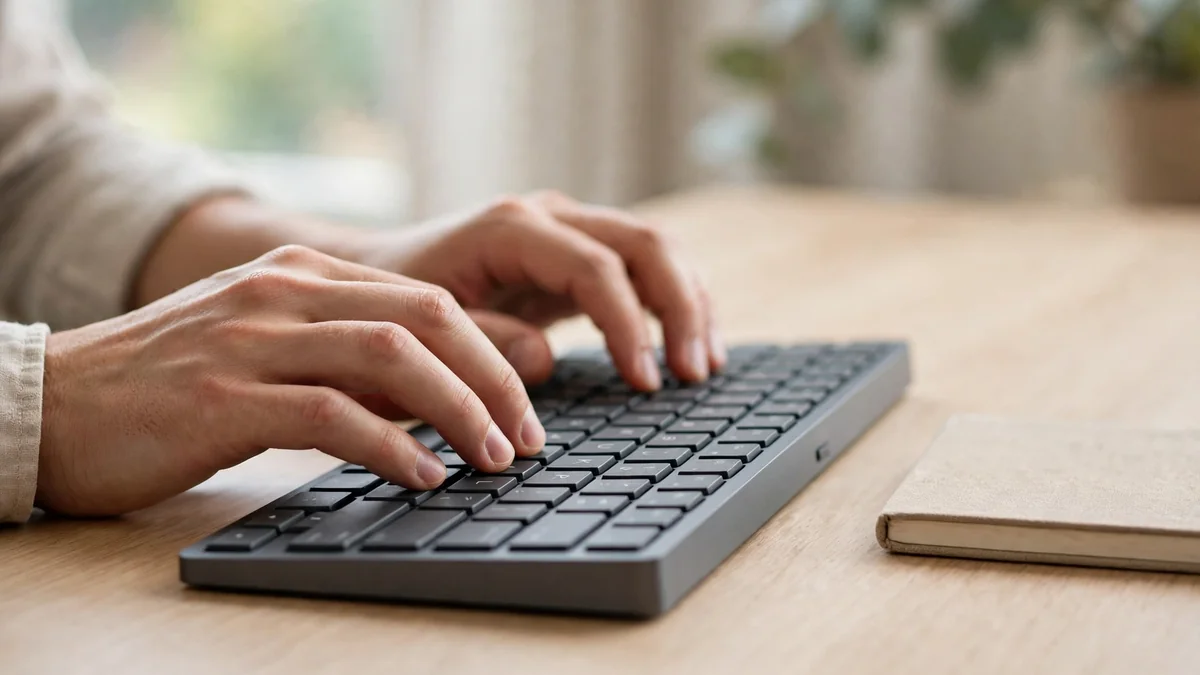
The best keyboards for typing in 2027 balance comfortable key feel, a layout that fits your hands, and quiet, reliable switches, and our top pick is the Logitech MX Keys S for its refined scissor switches, smart backlighting, and multi-device support at around $110. After years of laptop keyboards getting thinner and flatter, the standalone typing keyboard has come back strong, with better stabilisers, softer keycaps, and layouts built for long days of writing rather than short bursts of gaming.
What matters most when you type all day is not raw speed but consistency. A good typing keyboard gives you the same key travel and the same resistance on every press, hour after hour, without rattling, wobble, or finger fatigue.
Our shortlist covers eight keyboards, from the Logitech MX Keys S and the Keychron K8 Pro to quiet ergonomic options from Logitech and a compact travel pick from Nuphy.
Key takeaways
- Best overall for typing: Logitech MX Keys S, around $110, for its quiet scissor switches and excellent backlighting.
- Best mechanical value: Keychron K8 Pro, around $94, with hot-swappable switches and a solid aluminium frame.
- Best ergonomic pick: Logitech K860 Ergo, around $130, with a split, curved layout that keeps wrists neutral.
- Best for Mac users: Apple Magic Keyboard, around $99, for its low profile, Touch ID, and clean macOS integration.
- Do not buy on switch type alone: layout, keycap shape, and stabiliser quality matter just as much for comfort.
At a glance: the shortlist
| Keyboard | Best for | Starting price | Standout limit |
|---|---|---|---|
| Logitech MX Keys S | Overall typing | Around $110 | Scissor switches, not mechanical |
| Keychron K8 Pro | Mechanical value | Around $94 | Needs lubing for the quietest sound |
| Apple Magic Keyboard | Mac users | Around $99 | Very low travel, no backlight on base model |
| Logitech K860 Ergo | Ergonomics | Around $130 | Large footprint, membrane keys |
| Keychron K3 Max | Low-profile mechanical | Around $94 | Smaller keycaps take adjustment |
| Razer Pro Type Ultra | Quiet mechanical | Around $160 | Premium price for a productivity board |
| Nuphy Air75 V2 | Compact and travel | Around $110 | 75 percent layout, no number pad |
| Logitech Wave Keys | Budget ergonomic | Around $60 | Compact layout, no backlight |
Logitech MX Keys S — Best overall
The Logitech MX Keys S is the safest recommendation for most typists in 2027. Its scissor switches have a short, crisp travel of about 1.8 mm, and the spherically dished keycaps guide your fingers to the centre of each key, which cuts down on typos during fast typing.

It connects over Bluetooth or the included Bolt receiver, pairs with up to three devices, and works with Logi Options+ software for app-specific shortcuts. For a deeper look at the mechanical side of the market, our guide to the best mechanical keyboards compares switch types and hot-swap options in detail.
Pros: quiet and consistent key feel, excellent backlighting, multi-device pairing, long battery life.
Cons: scissor switches feel flat to mechanical fans, premium price for a non-mechanical board.
Keychron K8 Pro — Best mechanical value
The Keychron K8 Pro is a tenkeyless mechanical keyboard that has become the default recommendation for writers who want a mechanical feel without spending over $150. It ships with hot-swappable sockets, so you can change switches without soldering, and its aluminium frame and foam dampening give it a deep, muted sound straight out of the box. The QMK and VIA support lets you remap any key and build layers for different apps.
It works wired or wirelessly over Bluetooth, pairs with three devices, and comes with both Windows and Mac keycaps in the box.
Pros: hot-swappable, QMK and VIA support, solid aluminium frame, good stock sound.
Cons: heavier than plastic boards, quietest results need extra tuning.
Apple Magic Keyboard — Best for Mac users
The Apple Magic Keyboard remains the most natural typing keyboard for Mac users, and the 2027 models with Touch ID add fast, secure sign-in and Apple Pay confirmation. The scissor mechanism is stable and quiet, key travel is short but precise, and the low profile keeps your wrists flat without a rest. It pairs instantly with a Mac, charges over USB-C, and lasts about a month per charge.
The trade-off is the same as ever: the base model has no backlighting, there is no Windows layout, and the price is high for what is a deliberately simple board.
Pros: superb Mac integration, Touch ID, quiet and stable keys, month-long battery.
Cons: no backlight on the base model, Mac only, short key travel.
Logitech K860 Ergo — Best ergonomic pick
The Logitech K860 Ergo is the best-known split keyboard for a reason. Its curved, split layout angles each half of the board toward your hands, keeping wrists straight instead of bent inward, and the built-in palm rest with three layers of cushioning supports long sessions. The key feel is soft and quiet, with a gentle membrane action that suits touch typists who do not want a loud mechanical clack.
It is a large board, so it needs a deep desk, and it connects over Bluetooth or the Unifying receiver with a two-year battery life on two AAA batteries.
Pros: genuinely comfortable split design, cushioned palm rest, two-year battery life.
Cons: large footprint, membrane switches lack mechanical crispness.
Keychron K3 Max — Best low-profile mechanical
The Keychron K3 Max is a low-profile mechanical keyboard that bridges the gap between slim laptop keyboards and full-height mechanical boards. Its low-profile Gateron switches cut key travel to about 2.5 mm, so your fingers move less on every press, yet you still get the tactile feedback and hot-swap flexibility of a mechanical board. The 75 percent layout keeps arrow keys and a function row while saving desk space.
It supports QMK and VIA remapping, connects over Bluetooth 5.1 or wired USB-C, and offers up to 2,000 hours of battery life with backlighting off.
Pros: slim and portable, hot-swappable low-profile switches, long battery life.
Cons: smaller keycaps need adjustment, fewer keycap choices.
Razer Pro Type Ultra — Best quiet mechanical
The Razer Pro Type Ultra is aimed squarely at office and home-office typists who want mechanical switches without the noise. Its silent mechanical switches use dampened stems to cut the click and clack, and the plush leatherette wrist rest is one of the best included rests at any price. The white finish and soft-touch coating look at home on a work desk rather than a gaming setup.
It connects over Bluetooth, Razer’s HyperSpeed wireless, or wired USB-C, pairs with up to three devices, and lasts for weeks per charge.
Pros: very quiet mechanical switches, excellent wrist rest, multi-device wireless.
Cons: no hot-swap support, premium price.
Nuphy Air75 V2 — Best compact and travel
The Nuphy Air75 V2 is a 75 percent low-profile mechanical keyboard that has earned a loyal following among writers who travel. It weighs under 600 grams, fits in a laptop sleeve, and still offers hot-swappable switches, PBT keycaps, and a choice of tactile, linear, or clicky switches. The aluminium frame feels far more expensive than its around $110 price suggests.
Battery life is strong, at up to 220 hours with backlighting off, and it connects over Bluetooth, 2.4 GHz wireless, or USB-C.
Pros: light and portable, hot-swappable, premium aluminium build, long battery life.
Cons: no number pad, low-profile keycap options are limited.
Logitech Wave Keys — Best budget ergonomic
The Logitech Wave Keys is the most affordable way to try an ergonomic keyboard, at around $60. Its wave-shaped layout raises the centre of the board slightly and angles the keys toward your hands, a gentler version of the K860’s full split design. The keys are quiet, the cushioned palm rest is comfortable, and the compact layout fits smaller desks that the K860 cannot.
It runs on two AAA batteries for up to three years, connects over Bluetooth or the Bolt receiver, and includes a dedicated emoji key that can be remapped.
Pros: affordable ergonomic design, quiet keys, three-year battery life.
Cons: no backlight, no number pad, membrane switches only.
How to choose
Start with layout, not switches. Decide whether you need a number pad, whether a tenkeyless or 75 percent board would bring your mouse closer, and whether a split or wave design would help your wrists. Then choose a switch type: scissor switches are quiet and low, linear mechanical switches are smooth, tactile switches give a small bump on each press, and clicky switches are loud and best avoided in shared spaces.
Try to test key feel before you buy, even if only at a store display, because switch descriptions on a product page rarely match how a board feels after an hour of typing. Pay attention to stabilisers too: rattling spacebars and enter keys are the most common complaint on cheap mechanical boards, and they are hard to fix after purchase. If wireless matters, check whether the board uses Bluetooth, a 2.4 GHz dongle, or both, and whether it pairs with more than one device. For a portable setup, our guide to the best wireless keyboards covers battery life and multi-device pairing in more depth.
Checklist: before you pay
- Confirm the layout: full-size, tenkeyless, or 75 percent, and whether you need a number pad.
- Check the switch type and whether it is hot-swappable, so you can change switches later.
- Test the key feel in person if possible, or buy from a store with a good return policy.
- Check wireless options, battery life, and how many devices it can pair with.
- Measure your desk: split and ergonomic boards need more depth than standard boards.
- Confirm the warranty and return window, and check current pricing before you buy.
Frequently asked questions
What is the best keyboard for typing all day?
For most people, the Logitech MX Keys S is the best all-day typing keyboard, thanks to its quiet scissor switches, comfortable dished keycaps, and smart backlighting.
Are mechanical keyboards better for typing?
Mechanical keyboards are better for many typists because the switches are consistent, durable, and customisable, with a choice of linear, tactile, or clicky feels.
What keyboard is best for writers?
Writers usually do best with a quiet, low-fatigue board such as the Logitech MX Keys S, the Keychron K8 Pro, or the Apple Magic Keyboard. A compact mechanical board also pairs well with a laptop for writing on the move, and our guide to the best laptops for writers covers the other half of a portable writing setup.
Do ergonomic keyboards really help?
Ergonomic keyboards help many people by keeping wrists straight and reducing the inward bend of a standard layout.
How much should I spend on a typing keyboard?
A good typing keyboard costs between $60 and $160. Below $60, stabilisers and keycaps are often poor, while above $160 you are usually paying for premium materials, hot-swap sockets, or wireless features rather than better typing feel.
Should I choose wired or wireless?
Wireless is the better choice for most typists in 2027, since modern Bluetooth and 2.4 GHz connections are stable and lag-free for typing, and a wireless board keeps your desk tidy.
The bottom line
If you want one keyboard that does everything well, buy the Logitech MX Keys S. It is quiet, comfortable, well built, and easy to live with across a Mac, a Windows PC, and a tablet. Mechanical fans should buy the Keychron K8 Pro instead, and anyone with wrist pain should start with the Logitech K860 Ergo or the cheaper Wave Keys.
Whichever board you choose, give it a full week before judging it. New layouts and switch feels always seem strange on day one, and the keyboard that feels best after a week of real work is the right one, regardless of what the specification sheet promised.