Best AI tools for financial data extraction in 2027 turn paper and PDF documents into structured data that finance systems can actually use. Invoices, receipts, bank statements, contracts, and tax forms arrive in different layouts, languages, and formats, and manual keying is slow, expensive, and error-prone. These tools read the documents, pull out the fields that matter, and send clean data to accounting, procurement, and reporting systems with far less human effort.
The best tools do more than read text. They understand document structure, so they can tell a total from a subtotal, a due date from an issue date, and a line item from a summary.
We chose the eight tools below for extraction accuracy, the range of financial documents they handle, their integrations with accounting and ERP systems, and their value for teams of different sizes. The shortlist covers specialist invoice platforms, general document AI tools, and cloud services that developers can build into a wider finance workflow.
Key takeaways
- Rossum is the best overall financial data extraction tool for finance teams that process high volumes of varied invoices and documents.
- Nanonets is the strongest choice for teams that want to build custom extraction models quickly without a long implementation.
- ABBYY Vantage and Tungsten Automation suit large companies with complex, multi-language document flows.
- Accuracy should be measured on your own documents, because a tool that scores well on standard invoices can struggle with your suppliers.
- Most enterprise tools price on request, so check current pricing and run a trial with real documents before signing.
At a glance: the shortlist
| Product | Best for | Starting price | Standout limit |
|---|---|---|---|
| Rossum | Best overall | Pricing on request | Enterprise onboarding |
| Nanonets | Custom models, fast setup | From about $199 per month | Needs tuning for complex docs |
| Hypatos | Invoice and receipt automation | Pricing on request | Smaller partner network |
| ABBYY Vantage | Complex enterprise documents | Pricing on request | Setup takes time |
| Tungsten Automation | High-volume processing | Pricing on request | Legacy feel in places |
| Affinda | Documents and resumes | Pricing on request | Finance focus is narrower |
| Klippa DocHorizon | Receipts and expenses | Pricing on request | Smaller enterprise footprint |
| Microsoft AI Document Intelligence | Developers and Azure teams | Pay as you go, from about $1.50 per 1,000 pages | Needs development work |
Prices shown are approximate starting prices. Check current pricing before buying, because plans, page limits, and included features change often.
Rossum — Best overall
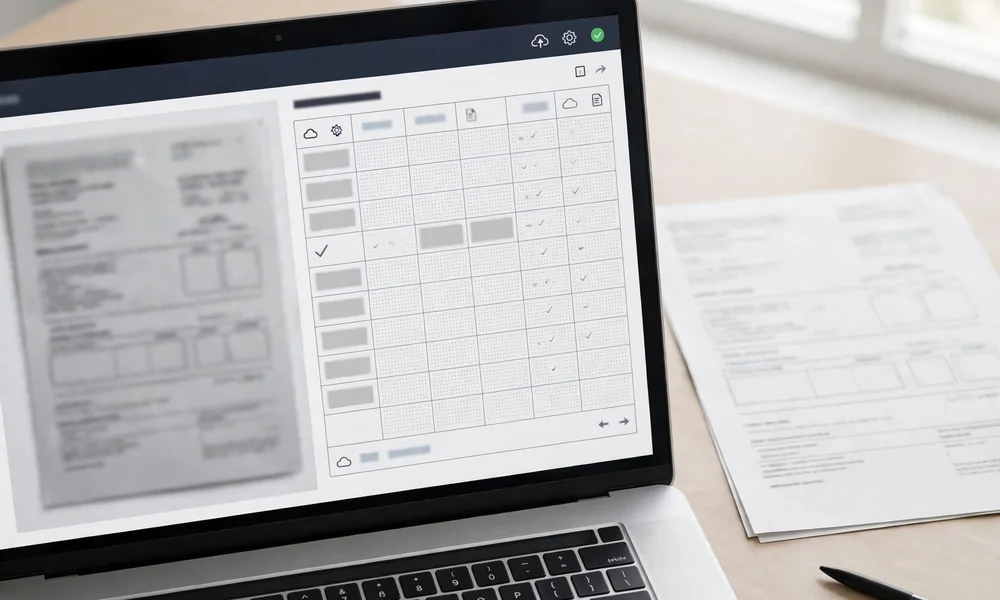
Rossum is a document AI platform built for finance teams that process large volumes of invoices, receipts, purchase orders, and related documents. It reads documents without needing a template for every supplier, extracts the fields a finance team needs, and learns from every correction, so accuracy improves as the team uses it. Low-confidence fields are routed for human review, which keeps errors out of the accounting system while still automating most of the work.
Teams modernising payables should also look at AI tools for accounting teams, because extraction works best as part of a wider accounting workflow.
Pros: Template-free extraction; learns from corrections; strong ERP integrations and validation. Cons: Pricing on request; enterprise onboarding; overkill for very low volumes.
Nanonets — Best for custom models, fast setup
Nanonets lets finance and operations teams build custom document extraction models without writing code. Users upload sample documents, label the fields they need, and train a model that can then process new documents in the same format. It handles invoices, receipts, bank statements, and purchase orders, and it offers pre-trained models for common document types so teams can start quickly and refine from there.
Pricing starts from about $199 per month for the starter plan, which makes it accessible to smaller teams, with higher tiers for larger volumes.
Pros: Fast to build custom models; affordable starting price; good API and integrations. Cons: Complex layouts need tuning; accuracy varies by document type; support limits on lower tiers.
Hypatos — Best for invoice and receipt automation
Hypatos focuses on automating invoice and receipt processing for finance teams, using deep learning to extract line items, totals, tax, and supplier details from documents in many layouts and languages.
The tool integrates with SAP and other ERP systems, and it is designed to handle the long tail of supplier formats that cause most of the manual work in payables.
Pros: Strong invoice and line-item extraction; good ERP integration; handles many layouts and languages. Cons: Pricing on request; narrower document range; smaller partner network.
ABBYY Vantage — Best for complex enterprise documents
ABBYY Vantage is an enterprise document AI platform that combines optical character recognition with AI skills for specific document types, including invoices, contracts, and financial statements. Teams can use ready-made skills or build their own, and the platform processes documents at scale across departments. Its strength is handling complex, multi-page, multi-language documents that simpler tools struggle with.
Pros: Handles complex multi-page documents; ready-made and custom skills; strong automation integrations. Cons: Pricing on request; setup takes time; enterprise learning curve.
Tungsten Automation — Best for high-volume processing
Tungsten Automation, formerly Kofax, is a long-established intelligent document processing platform used by large companies to process very high volumes of financial documents. It captures data from invoices, forms, and statements, validates it against business rules, and delivers it to ERP and content management systems. Its capture technology is mature, and it handles scanned paper as well as digital PDFs.
Pros: Proven at very high volumes; strong capture and validation; full workflow around extraction. Cons: Pricing on request; specialist setup and maintenance; interface feels dated in places.
Affinda — Best for documents and resumes
Affinda is a document AI platform best known for resume parsing, but its extraction engine also handles invoices, receipts, and other structured documents. It offers pre-trained models that can be used through an API, so developers can add extraction to an existing product or workflow without building models from scratch. That API-first approach suits teams that want extraction as a component rather than a standalone application.
Pros: Strong API-first design; quick to embed in other systems; good pre-trained models. Cons: Pricing on request; finance focus is narrower; complex payables rules need extra work.
Klippa DocHorizon — Best for receipts and expenses
Klippa DocHorizon is a document processing platform that handles receipts, invoices, bank statements, and identity documents, with a particular strength in expense-related paperwork. Its AI extracts amounts, dates, VAT, and merchant details from receipts, including photos taken on a phone, which makes it useful for expense management and for companies that still receive a lot of paper receipts.
Pros: Strong receipt and expense extraction; handles phone photos well; good language and currency coverage. Cons: Pricing on request; smaller enterprise footprint; less deep on invoice matching.
Microsoft AI Document Intelligence — Best for developers and Azure teams
Microsoft AI Document Intelligence, part of Azure AI, is a cloud service that extracts text, tables, and key fields from documents using prebuilt models for invoices, receipts, tax forms, and bank statements, plus custom models for other layouts. Developers call it through an API, so it fits naturally into a finance system, workflow, or app that a company is already building on Azure.
Pros: Flexible API; prebuilt finance models; pay-as-you-go pricing that scales. Cons: Needs development work; no ready-made finance application; costs rise with volume and features.
How to choose
Start with the documents you process most. If invoices dominate, choose a finance-focused tool such as Rossum or Hypatos that handles line items, tax, and purchase-order matching. If the work is mostly receipts and expenses, Klippa will be a better fit. If you need to process many different document types across departments, a broader platform such as ABBYY Vantage makes more sense than a narrow one.
Also check how the tool handles low-confidence fields, because a clear review queue is what keeps errors out of your ledger. Confirm the integrations you need, and ask how long it takes to add a new supplier layout.
Teams closing the books each month should also review AI tools for financial close automation, because clean extracted data makes the close faster and less stressful.
Security deserves its own check, because extraction tools handle invoices, bank statements, and tax forms that contain account numbers, supplier bank details, and employee information. Ask where documents are processed and stored, how long copies are retained, and whether your data is used to train shared models. Look for encryption in transit and at rest, role-based access so only the right people see sensitive fields, and audit logs that show who reviewed or changed each extracted value. If you operate in regulated industries or across borders, confirm data residency options and whether the vendor holds recognised security certifications. A tool that is accurate but unclear about data handling is not ready for finance work, no matter how good its demo looks.
Checklist: before you pay
- Run a trial on your own documents, including faint scans and unusual supplier layouts.
- Measure field-level accuracy and check how low-confidence fields are reviewed.
- Confirm integrations with your ERP, accounting system, and approval workflows.
- Check renewal pricing, page limits, and what counts as a processed page.
- Ask how data can be exported, and confirm you keep your trained models and history.
- Confirm data security, retention, and where documents are processed and stored.
Frequently asked questions
What is financial data extraction?
Financial data extraction is the use of AI to read financial documents such as invoices, receipts, and bank statements, and pull out structured fields such as amounts, dates, supplier names, and line items, so the data can be used in accounting and reporting systems.
How accurate is AI data extraction?
Accuracy depends on the tool, the document type, and the quality of the original. Good tools reach high accuracy on standard invoices, but faint scans and unusual layouts lower it. Always test on your own documents and keep a human review step for exceptions.
Do I still need people to check the results?
Yes, for exceptions and low-confidence fields. The goal is not to remove people, but to move them from keying every document to checking only the ones the AI is unsure about, which is usually a small share of the total.
Can these tools handle handwritten documents?
Some can, with varying accuracy. Printed documents are handled well by most tools, while handwriting, stamps, and faint print are harder. Test your worst documents before committing, and ask the vendor about handwriting support specifically.
How do extracted data get into my accounting system?
Is my financial data safe with these tools?
Reputable vendors offer encryption, access controls, and data residency options, and many hold security certifications. Check where documents are processed, how long they are retained, and whether your data is used to train shared models. For audit-sensitive work, many teams pair extraction with AI tools for audit teams to keep a clear trail from document to ledger.
The bottom line
For most finance teams, Rossum is the strongest overall choice, because it combines template-free extraction, learning from corrections, and strong ERP integration in one platform. If you want to build custom models quickly and at a lower starting price, Nanonets is the best place to start. Large companies with complex document flows should look at ABBYY Vantage or Tungsten Automation, while Azure teams with developers should consider Microsoft AI Document Intelligence.