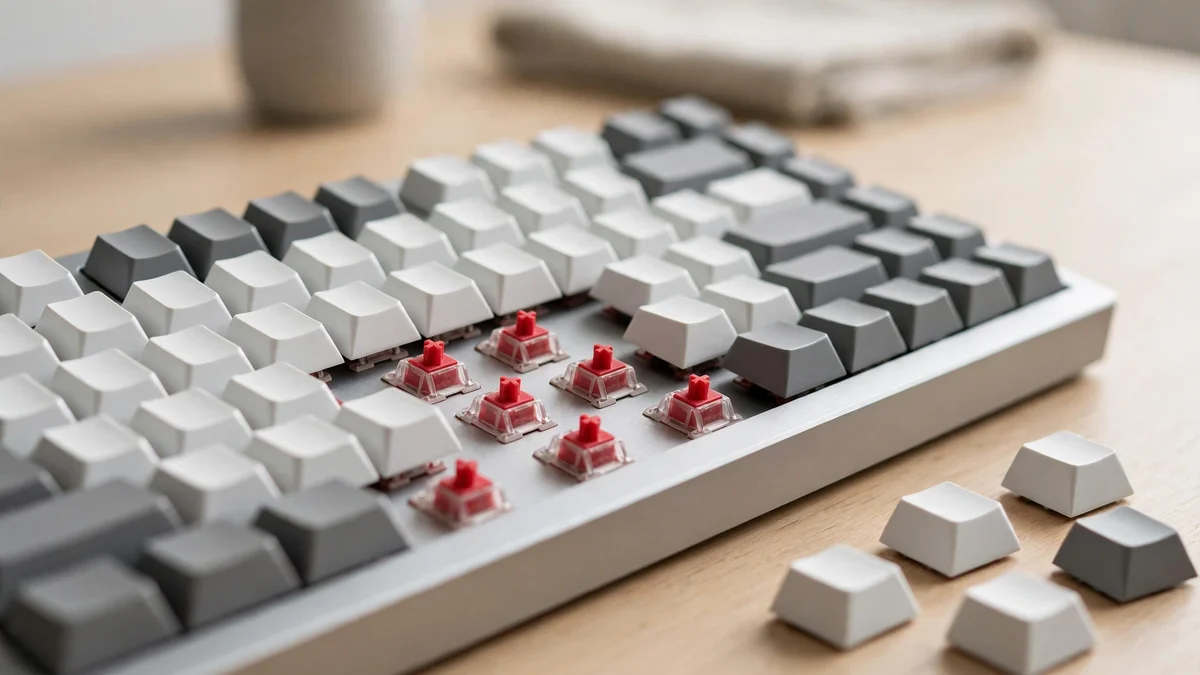
Linear switch mechanical keyboards have become the default choice for people who type all day and want a smooth, predictable keystroke. A linear switch travels straight down with no tactile bump and no click, so every press feels the same from the top of the key to the bottom. That consistency is why linear switches now appear in everything from budget boards under $60 to premium aluminium kits over $200.
The best linear switch mechanical keyboards in 2027 pair that smooth feel with the features that matter: hot-swappable sockets, stable stabilisers, and a layout that fits your desk. A well-built board with a solid case sounds and feels far better than a cheap board with the same switch.
We picked seven keyboards covering the main decisions: a best overall board, a gaming option, a budget pick, a full-size workhorse, and a wireless value choice. Every board below ships with linear switches or a linear option, and every starting price is approximate, so check current pricing before you buy.
Key takeaways
- Keychron K8 Pro is the best linear switch keyboard overall, with hot-swappable Gateron Red switches and a solid aluminium frame.
- Linear switches suit fast typists and gamers because the smooth, bump-free travel makes repeated keystrokes easy.
- Budget buyers get the best value from the Royal Kludge RK84, which offers wireless connectivity and hot-swappable linear switches from around $59.
- Hot-swappable boards are worth the small premium because you can change switches later without soldering.
- Avoid ultra-cheap boards with rattling stabilisers, since wobble on the spacebar ruins the smooth feel linear switches are bought for.
At a glance: the shortlist
| Keyboard | Best for | Starting price | Standout limit |
|---|---|---|---|
| Keychron K8 Pro | Best overall | From $94 | Tenkeyless layout only |
| Logitech G Pro X TKL | Gaming and work | From $129 | No number pad |
| Razer BlackWidow V4 X | RGB and gaming | From $99 | Software needed for full RGB control |
| Keychron K2 | Budget buyers | From $69 | Plastic case feels light |
| Corsair K70 RGB Pro | Full-size boards | From $159 | Large desk footprint |
| Ducky One 3 | Build quality | From $119 | Minimal software features |
| Royal Kludge RK84 | Wireless value | From $59 | Keycaps wear faster than premium sets |
Keychron K8 Pro — Best overall
The Keychron K8 Pro is the strongest all-round linear switch keyboard you can buy in 2027. It ships with Gateron G Pro Red switches, which are smooth, light at around 45 grams of actuation force, and quiet enough for shared rooms. The tenkeyless layout keeps the board compact without losing the function row, and the aluminium frame gives it a reassuring weight that cheaper plastic boards lack.

Typing feel is consistently smooth across the board, and the factory-lubed stabilisers keep the spacebar and Enter key free of rattle. If you want one linear keyboard that does almost everything well, this is the pick, and it pairs naturally with our guide to the best premium mechanical keyboards if you want to compare higher-end builds.
Pros: Smooth Gateron Red switches, hot-swappable sockets, QMK and VIA support, Bluetooth and wired modes.
Cons: Tenkeyless layout only, keycaps are good rather than great, no dedicated media controls.
Logitech G Pro X TKL — Best for gaming and work
The Logitech G Pro X TKL is built for players who want a tournament-ready board that also works at a desk. Its GX Red linear switches actuate at 1.9 mm with a light 50-gram force, which makes fast repeated presses easy in games and comfortable during long typing sessions. The tenkeyless layout leaves room for wide mouse movement, a real advantage on smaller desks.
For mixed use, the G Pro X TKL is hard to fault. The linear switches are quiet enough for calls, and the detachable cable makes the board easy to pack. It costs more than budget boards, but the durability and consistent switch feel justify the price.
Pros: Fast GX Red linear switches, durable doubleshot PBT keycaps, on-board profile storage, solid steel-reinforced frame.
Cons: No number pad, G Hub software required for deep customisation, no wireless option.
Razer BlackWidow V4 X — Best for RGB and gaming
The Razer BlackWidow V4 X brings Razer’s bright per-key RGB lighting to a linear switch board at a mid-range price. Choose the Yellow linear switch option for a smooth, quiet press with a short 1.2 mm actuation point, which suits fast-paced games and rapid typing alike. The board also includes six dedicated macro keys and a multi-function roller for volume and media control.
The BlackWidow V4 X is a good fit if you want a gaming-first keyboard that still types well. The macro keys are genuinely useful for productivity shortcuts too, and the media roller is convenient during calls and music. Full lighting and macro features depend on Synapse running on your computer.
Pros: Bright per-key RGB lighting, fast Yellow linear switches, six macro keys, media roller and dampening foam.
Cons: Synapse software needed for full features, ABS keycaps rather than PBT, larger than tenkeyless boards.
Keychron K2 — Best for budget buyers
The Keychron K2 is the best-value way into linear switches. It ships with Gateron Red switches in a compact 75 percent layout that keeps the function row and arrow keys while saving desk space. Bluetooth and wired modes are both included, and the board works with Windows and macOS, with keycaps for both systems in the box.
The trade-offs are visible in the plastic case and the basic ABS keycaps, which will show shine after months of heavy use. Neither affects how the board types, and the keycaps are standard size, so replacements are cheap. For a first mechanical keyboard with linear switches, the K2 is the sensible starting point.
Pros: Very affordable, Gateron Red linear switches, Bluetooth and wired modes, compact 75 percent layout.
Cons: Light plastic case, ABS keycaps show shine over time, stabilisers are acceptable rather than excellent.
Corsair K70 RGB Pro — Best full-size board
The Corsair K70 RGB Pro is the full-size linear keyboard to buy if you need a number pad and dedicated media keys. It comes with Cherry MX Red switches, the classic linear switch, with a smooth 45-gram press and a 2 mm actuation point. The brushed aluminium frame and the board’s overall weight give it a premium, planted feel.
This is a large board, so measure your desk before buying, but for spreadsheet work, data entry, and gaming on one keyboard, the full-size layout earns its space. The Cherry MX Red switches are smooth, reliable, and rated for tens of millions of presses.
Pros: Classic Cherry MX Red switches, full-size layout with number pad, aluminium frame, dedicated media controls and palm rest.
Cons: Large desk footprint, iCUE software can feel heavy, premium price.
Ducky One 3 — Best build quality
Ducky has built its reputation on keyboards that feel better than their price suggests, and the One 3 continues that run. With Cherry MX Red linear switches, it delivers a smooth, consistent keystroke, and the board’s thick PBT keycaps and lubed stabilisers make every press feel clean. The case is solid, with no flex and no hollow sound.
If you care most about how a keyboard feels under your fingers and want a board that will last for years, the One 3 is the pick. It skips flashy extras in favour of fundamentals done well.
Pros: Excellent build quality, thick PBT keycaps, lubed stabilisers, no software required, multiple layouts.
Cons: Minimal software features, understated design, no wireless option.
Royal Kludge RK84 — Best wireless value
The Royal Kludge RK84 packs a remarkable amount of keyboard into a budget price. It offers Bluetooth, 2.4 GHz wireless, and wired USB-C, plus hot-swappable sockets and RK Red linear switches that feel smooth and light. The 75 percent layout includes a function row and arrow keys, and the RGB backlighting is bright and customisable.
The compromises are modest: the keycaps are thinner than premium sets, and the stabilisers benefit from a little attention. At this price, though, the RK84 is the best-value wireless linear keyboard available, and a good first board for anyone curious about mechanical keyboards.
Pros: Triple-mode wireless and wired connectivity, hot-swappable linear switches, very affordable, compact 75 percent layout.
Cons: Thinner keycaps, stabilisers are average out of the box, software is basic.
How to choose
Start with the switch weight. Most linear switches actuate at 45 to 50 grams, which suits most typists. If you press keys heavily or make frequent typos, a slightly heavier switch around 55 to 60 grams can help, while tired fingers suit the lighter end.
Next, decide on layout. Full-size boards suit number-heavy work, tenkeyless boards suit most desks, and 75 percent boards save space while keeping the function row. Wireless matters if you switch between devices, and hot-swappable sockets matter if you want to experiment with switches later. For a closer look at smaller boards before you decide, see our guide to the best 65% mechanical keyboards, which covers compact layouts in detail.
Finally, check the details that separate good boards from great ones: PBT keycaps last longer than ABS, lubed stabilisers keep large keys quiet, and a heavier case reduces flex and hollow sound. Prices shift often, so treat the starting prices as approximate and check current pricing before you buy.
Checklist: before you pay
- Confirm the board ships with linear switches, not tactile or clicky ones, since listings often mix switch options.
- Check the layout fits your desk and your work, especially whether you need a number pad.
- Look for hot-swappable sockets if you want to change switches without soldering.
- Check connectivity: wired only, Bluetooth, or 2.4 GHz wireless, and whether it supports your devices.
- Read the return policy so you can send the board back if the switch feel does not suit you.
- Confirm the starting price and check current pricing, since keyboard prices change with sales and new models.
Frequently asked questions
Are linear switches good for typing?
Yes. Linear switches are popular with fast typists because the smooth, bump-free travel makes repeated keystrokes easy and reduces finger fatigue. Many long-session typists choose linear switches for their consistency.
Are linear switches quieter than clicky switches?
Yes, much quieter. Linear switches have no click mechanism, so the only sound is the key bottoming out. With dampening foam and lubed stabilisers, a linear board can be quiet enough for shared offices.
What is the difference between linear and tactile switches?
Linear switches travel smoothly with no bump, while tactile switches have a small bump partway down that confirms the keypress. Linear switches suit fast, repeated presses; tactile switches suit typists who want feedback.
Can I change the switches on a linear keyboard?
Only if the board is hot-swappable. Hot-swappable boards let you pull switches out and push new ones in without soldering, while soldered boards need desoldering tools and skill.
Do linear switches wear out faster?
No. Most linear switches are rated for 50 to 100 million keystrokes, which is years of heavy daily use, and keycaps usually show wear long before the switches do.
Which linear switch should a beginner choose?
Cherry MX Red and Gateron Red are the safest starting points. Both are light, smooth, and widely available. Try them first, then explore heavier or smoother options, and compare compact options in our guide to the best compact mechanical keyboards if desk space is tight.
The bottom line
For most buyers, the Keychron K8 Pro is the best linear switch mechanical keyboard in 2027. It combines smooth Gateron Red switches, hot-swappable sockets, and a solid aluminium frame at a fair price, and it works for office work and gaming alike. Budget buyers should pick the Royal Kludge RK84, and full-size fans should choose the Corsair K70 RGB Pro.
Whichever board you choose, prioritise the switch feel, the layout, and the build quality over extra features. A smooth linear switch in a solid case will serve you well for years, and a hot-swappable board keeps your options open. Prices shift regularly, so check current pricing before you buy.