

Best firewall software for Android in 2027 gives you control over which apps can reach the internet, and when. Android apps routinely connect in the background to sync data, serve ads, and send analytics, and most of that traffic is invisible unless you install a tool that watches it.
The best firewall software for Android in 2027 is not a single product. Some tools block connections per app without root access, others give rooted phones deep control, and a few bundle firewall features into a wider security suite. The right choice depends on whether your phone is rooted, how much detail you want, and whether you are willing to pay.
This guide compares seven firewall apps for Android, from free no-root tools to open-source privacy firewalls and full security suites. Every price below is an approximate starting price, so check current pricing before you buy. The shortlist covers everyday users, privacy-focused users, and power users.
Key takeaways
- NetGuard is the best overall firewall for Android: free, no root required, and simple per-app blocking.
- NoRoot Firewall is the best free option for beginners who want one-tap control with no setup.
- AFWall+ is the best choice for rooted phones, with the deepest per-app and per-network rules.
- GlassWire is the best option if you want to see exactly which apps use data, and when.
- No Android firewall can replace safe habits: keep apps updated, avoid sideloading unknown APKs, and review permissions regularly.
At a glance: the shortlist
| Product | Best for | Starting price | Standout limit |
|---|---|---|---|
| NetGuard | Best overall | Free; Pro from about $6 | Pro features need a one-off payment |
| NoRoot Firewall | Beginners | Free | Basic interface, no advanced rules |
| AFWall+ | Rooted phones | Free; donate version available | Requires root access |
| GlassWire | Data monitoring | Free; premium from about $4.99 a month | Full history needs a paid plan |
| RethinkDNS + Firewall | Privacy and open source | Free | Setup takes more time |
| AdGuard for Android | Ad and tracker blocking | Free; premium from about $2.49 a month | Full firewall needs the paid version |
| Bitdefender Mobile Security | All-round security | From about $14.99 a year | Firewall controls are less granular |
NetGuard — Best overall
NetGuard is the best firewall software for Android for most people because it does the core job well without root access. It uses Android’s local VPN slot to filter traffic on the device itself, so no data is sent to an outside server. You can allow or block internet access per app, separately for Wi-Fi and mobile data.
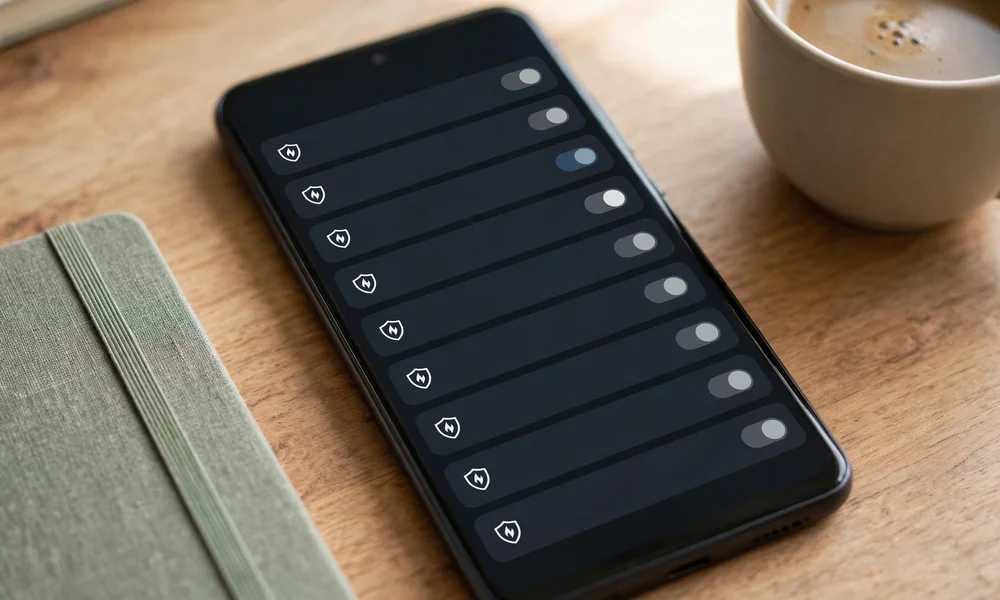
The interface is plain but clear: a list of your apps, each with Wi-Fi and mobile-data switches, plus a log that shows which apps tried to connect and when. The free version covers the essentials, while the Pro version adds logging, network speed graphs, and address blocking. Battery impact is modest, and the app has been maintained for years. If you only install one firewall on Android, this is the sensible default, and it pairs well with the wider protection in our guide to the best antivirus software for Android.
Pros: Free core version, no root needed, per-app Wi-Fi and mobile-data rules, traffic stays on the device.
Cons: Pro features cost extra, interface looks dated, no built-in malware scanning.
NoRoot Firewall — Best for beginners
NoRoot Firewall is the simplest way to start controlling app traffic on Android. Like NetGuard, it works without root by routing traffic through a local VPN, and it presents every connection attempt as a simple allow-or-deny choice. When a new app tries to connect, you get a notification and can decide on the spot.
The app keeps a straightforward log of allowed and blocked connections, with global rules or per-app settings. It lacks the detailed address blocking of paid tools, but that simplicity is the point. For a parent setting up a child’s phone, or for anyone who wants a firewall that takes five minutes to configure, it is hard to beat.
Pros: Completely free, very easy to set up, no root required, clear allow-or-deny prompts.
Cons: Limited advanced rules, dated design, no cloud or cross-device features.
AFWall+ — Best for rooted phones
AFWall+ is the firewall for Android power users with rooted phones. Because it works at the system level through iptables, it can enforce rules that no-root apps cannot, including separate controls for Wi-Fi, mobile data, roaming, and VPN traffic. It also supports profiles, so you can switch between a strict home profile and a looser travel profile in one tap.
The trade-off is clear: you need root access, and the interface assumes you know what you are doing. A wrong rule can block an app you rely on until you fix it. But for rooted users, no other Android firewall offers this level of control, and the app is open source.
Pros: Deepest control on Android, separate rules for Wi-Fi, mobile, roaming and VPN, profiles and scripting support.
Cons: Requires root, steep learning curve, easy to misconfigure.
GlassWire — Best for data monitoring
GlassWire is a firewall with a data monitor built in, and that combination is its main strength. Instead of only blocking apps, it shows you a live graph of which apps are using data right now and how much they have used this month. That visibility makes it easier to spot a misbehaving app or a runaway backup.
You can block apps with one tap, set data alerts before you hit your mobile-data cap, and review network history. The free version covers the basics, while the premium plan unlocks longer history. GlassWire uses more battery than a bare-bones firewall because it is always measuring traffic, but for users on a limited data plan, that trade is usually worth it.
Pros: Excellent live data graphs, per-app blocking, usage alerts, easy to spot unusual traffic.
Cons: Higher battery use, full history needs a paid plan, fewer deep firewall rules than AFWall+.
RethinkDNS + Firewall — Best for privacy and open source
RethinkDNS + Firewall is an open-source tool that combines a firewall with DNS-level blocking, and it is the strongest choice for privacy-focused Android users. You can block apps per connection type, block trackers and known malicious domains at the DNS level, and see a detailed log of every connection your phone makes. Nothing is hidden behind a paywall.
The app can also route DNS queries through encrypted DNS, which stops your internet provider from seeing the domains you visit. Setup takes longer than NetGuard, because there are more options to work through. But if you want a free, open-source firewall that treats your traffic data as yours alone, this is the one to install.
Pros: Free and open source, DNS-level tracker blocking, encrypted DNS support, detailed connection logs.
Cons: More complex setup, busy interface, no dedicated support team.
AdGuard for Android — Best for ad and tracker blocking
AdGuard for Android is best known as an ad blocker, but its paid version also works as a capable firewall. It filters traffic through a local VPN, blocks ads and trackers inside apps and browsers, and lets you manage per-app firewall rules. The result is a phone that loads pages faster and uses less mobile data.
The free version covers basic ad blocking in browsers, while the premium version unlocks app-level filtering and the full firewall. AdGuard is a good fit if your main frustration is ads and tracking rather than raw network control. It is less suited to users who want iptables-level rules, which it does not offer.
Pros: Strong ad and tracker blocking, per-app firewall in the paid version, reduces data use, regular filter updates.
Cons: Full firewall needs a paid plan, not a dedicated firewall tool, some features vary by Android version.
Bitdefender Mobile Security — Best for all-round security
Bitdefender Mobile Security is a full security suite rather than a standalone firewall, and that is exactly why it belongs on this list. Alongside malware scanning, web protection, and a VPN, it monitors network behaviour and warns you about unsafe Wi-Fi networks and malicious links. Its autopilot feature quietly handles most decisions.
The firewall-style controls here are less granular than NetGuard or AFWall+: you cannot write detailed per-address rules. What you get instead is a polished, low-maintenance app with a small battery footprint and a clean interface. For most users, that combination covers the real risks better than a firewall alone.
Pros: Strong malware protection, web and Wi-Fi safety checks, low battery impact, simple autopilot mode.
Cons: Less granular firewall control, needs a yearly subscription, some features need an account.
How to choose
Start with root access. If your phone is not rooted, and most are not, choose from NetGuard, NoRoot Firewall, GlassWire, RethinkDNS, or AdGuard. If your phone is rooted and you want total control, AFWall+ is the clear pick. Then decide what matters more: simple blocking, data visibility, or privacy.
Also consider battery life and the local VPN slot. Most no-root firewalls use Android’s VPN slot, so you cannot run a separate VPN app at the same time unless the firewall itself includes one. Finally, check that the app is still maintained: a firewall that has not been updated for current Android versions is a risk, not a bargain. The same logic applies at home, as our guide to the best firewall software for home networks explains.
Checklist: before you pay
- Confirm the app works without root if your phone is not rooted.
- Check whether it uses the VPN slot, and whether that conflicts with your VPN app.
- Try the free version for a week and watch battery use before paying.
- Read the renewal price, not just the first-year price.
- Check that the app is updated for your Android version.
- Make sure you can export or back up your rules before switching phones.
Frequently asked questions
Do I need a firewall on Android?
Most Android users benefit from one, because apps connect in the background far more than most people realise. A firewall does not replace Android’s built-in protections, but it gives you visibility and control over app traffic that system settings do not offer.
Do Android firewalls need root?
No. Most of the apps in this guide work without root by using Android’s local VPN feature to filter traffic on the device. Only AFWall+ needs root, and it offers deeper control in return.
Will a firewall slow down my phone?
A well-built firewall has a small effect on speed and battery, usually too small to notice. Data-monitoring tools such as GlassWire use slightly more battery because they measure traffic continuously.
Can I use a firewall and a VPN together?
Usually not with separate apps, because both want Android’s single VPN slot. Choose a firewall with a built-in VPN, or a security suite that combines both, if you need both features at once.
Is a free Android firewall safe?
A free firewall from a reputable, maintained developer can be safe, and NetGuard, NoRoot Firewall, and RethinkDNS are all established choices. Avoid unknown firewall apps with few reviews.
Does a firewall block ads?
Some do. AdGuard and RethinkDNS block ads and trackers as part of their filtering, while pure firewalls such as NetGuard and AFWall+ block connections rather than filtering ad content.
Small businesses face the same trade-offs at a larger scale, with more devices and more rules to manage, which is why the best firewall software for small business guide compares tools built for teams rather than single phones.
The bottom line
For most Android users, NetGuard is the best firewall software for Android in 2027: free, no root required, and precise enough to control every app’s Wi-Fi and mobile-data access. Beginners should start with NoRoot Firewall, rooted users should choose AFWall+, and privacy-focused users should try RethinkDNS. If you want data visibility, add GlassWire; if you want ads gone too, choose AdGuard.
Whichever tool you choose, install it, review its log after a week, and tighten the rules for the apps that connect most. Prices and plans change, so check current pricing before you buy.



