The best security software for small business in 2027 protects every device, account, and inbox without needing a full-time IT team to run it. Small businesses are a prime target for attackers because they hold customer data and payment details but often lack enterprise-grade defences. A single ransomware incident can shut a small firm down for weeks, so the right software is basic business insurance.
The tools in this guide cover the whole picture: antivirus and endpoint protection, firewalls, password management, email security, and backup. Each one is built for small teams, with central dashboards that let one person manage every device and pricing that scales as you hire.
Our top pick is Bitdefender GravityZone Business Security, which combines strong malware detection with a simple cloud console at a fair per-device price. Avast Business and Norton Small Business are strong alternatives, and 1Password Business solves the password problem behind most breaches.
Key takeaways
- Bitdefender GravityZone is the best overall, with strong detection and a simple cloud console.
- Avast Business is the best budget option, with solid protection and simple per-device pricing.
- 1Password Business is the best add-on for stopping credential theft, the most common cause of breaches.
- Every product here offers central management, so one person can protect every device in the company.
- Backups and staff training matter as much as software: no single tool stops every attack.
At a glance: the shortlist
Prices below are approximate starting prices and change often, so check current pricing before buying.
| Software | Best for | Starting price | Standout limit |
|---|---|---|---|
| Bitdefender GravityZone | Best overall | From $3.50 per device, per month | Minimum 5 devices |
| Avast Business Antivirus | Best budget | From $2.50 per device, per month | Minimum 5 devices |
| Norton Small Business | Best all-in-one | From $4.99 per device, per month | Minimum 5 devices |
| Microsoft Defender for Business | Best for Microsoft 365 teams | From $3 per user, per month | Requires Microsoft 365 |
| CrowdStrike Falcon Go | Best threat detection | From $4.99 per device, per month | Minimum 5 devices |
| 1Password Business | Best password management | From $7.99 per user, per month | Minimum 1 user |
| Malwarebytes for Business | Best for easy cleanup | From $4.17 per device, per month | Minimum 5 devices |
| Acronis Cyber Protect | Best backup plus security | From $5 per device, per month | Minimum 5 devices |
Bitdefender GravityZone — Best overall
Bitdefender GravityZone Business Security is the strongest all-round pick for a small business. Its malware detection consistently scores at the top of independent tests, and the cloud console lets one person install protection, run scans, and check every device from a single dashboard.
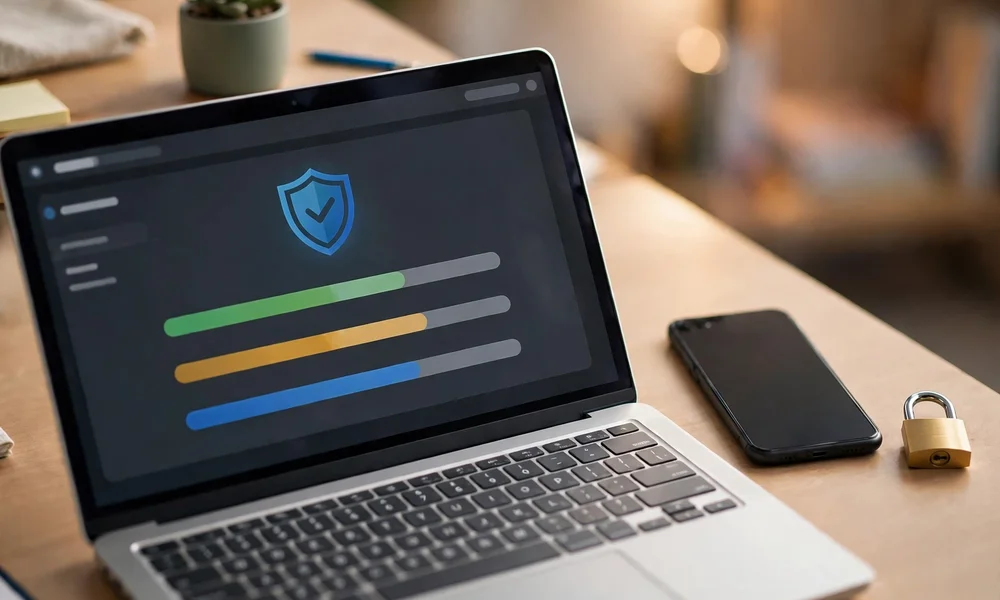
The protection covers ransomware behaviour blocking, web filtering, and device control, so unknown USB drives can be blocked automatically. GravityZone also includes patch management for common apps, which closes the security holes attackers exploit most often. The minimum of five devices fits most small teams. For network-level protection to pair with it, firewall software built for small businesses adds a useful second layer at the office boundary.
Pros: Top-rated malware detection; simple cloud console; ransomware behaviour blocking; patch management included.
Cons: Minimum five devices; reporting tools are basic on the entry plan.
Avast Business Antivirus — Best budget
Avast Business Antivirus is the best choice for a small business watching costs. The entry plan covers the essentials: file and web protection, behaviour-based ransomware blocking, and a cloud console for managing every device.
The console is straightforward enough for a non-technical owner to use, with clear alerts when a device needs attention and simple scheduling for scans and updates. Avast also offers add-ons for patch management and secure web browsing, so you can start cheap and add features only when you need them.
Pros: Lowest starting price; simple cloud console; add-ons available as you grow; clear alerts.
Cons: Detection slightly behind the leaders; advanced features cost extra.
Norton Small Business — Best all-in-one
Norton Small Business bundles more into one subscription than any other product here. Alongside antivirus and ransomware protection, you get a firewall, a password manager, cloud backup, and a VPN for staff working outside the office.
The cloud console covers Windows, macOS, Android, and iOS, and the backup feature protects business files against both hardware failure and ransomware encryption. The per-device price is higher than Avast, but the included extras can work out cheaper than buying them separately.
Pros: Backup, VPN, and password manager included; covers all major platforms; 24-hour support.
Cons: Higher per-device price; console can feel busy with so many features.
Microsoft Defender for Business — Best for Microsoft 365 teams
If your business already runs on Microsoft 365, Defender for Business is the natural choice. It protects the same accounts, email, and documents your team already uses, and it is managed from the same admin centre as your subscription.
Defender for Business includes endpoint detection and response, which spots suspicious behaviour rather than only known malware, plus automated investigation that can isolate an infected device without waiting for a human. The price is low, and it is included free with Microsoft 365 Business Premium. The main drawback is that it works best inside the Microsoft world.
Pros: Low price; included with Business Premium; strong behaviour detection; one admin centre.
Cons: Best inside Microsoft 365; weaker fit for Google Workspace teams.
CrowdStrike Falcon Go — Best threat detection
CrowdStrike Falcon Go brings enterprise-grade threat detection to small businesses at a per-device price. Its cloud-based engine watches for suspicious behaviour and can stop an attack in progress, even when the malware is brand new.
The Go plan is deliberately simplified for small teams: a clean dashboard, fast installation, and minimal settings to manage. You get next-generation antivirus, USB device control, and firewall management in one agent. It does not include backup or a password manager, and the price is higher than budget options, but for detection quality it is hard to beat.
Pros: Excellent behaviour-based detection; lightweight agent; simple dashboard; stops unknown threats.
Cons: No backup or password manager included; higher price than budget rivals.
1Password Business — Best password management
Most small-business breaches start with a stolen or reused password, which is why a business password manager belongs in every security stack. 1Password Business gives every employee a secure vault, generates strong unique passwords, and lets the owner share logins safely.
The business plan adds vault item reports, which flag weak, reused, or breached passwords across the team, plus integration with single sign-on. Staff adoption is the key: the apps are pleasant to use on desktop and mobile, and the browser extension fills logins in one click. Pairing a password manager with endpoint security software covers the two most common attack routes into a small business.
Pros: Easy for staff to adopt; admin controls and reporting; secure sharing; works on all platforms.
Cons: No antivirus included; per-user price adds up for larger teams.
Malwarebytes for Business — Best for easy cleanup
Malwarebytes for Business is known for cleaning up infections that other tools miss, and its business product builds on that strength with always-on protection. The cloud console is one of the simplest here, with devices, threats, and scan results on one screen.
Protection includes ransomware rollback, which can restore files encrypted by an attack, plus web protection that blocks malicious sites before they load. Detection is strong for malware removal, though prevention scores sit slightly below Bitdefender and CrowdStrike.
Pros: Excellent malware cleanup; ransomware rollback; very simple console; vulnerability add-ons available.
Cons: Prevention scores trail the leaders; add-ons raise the cost.
Acronis Cyber Protect — Best backup plus security
Acronis Cyber Protect combines backup with antivirus, anti-ransomware, and patch management in a single agent, which makes it the best pick for a business that worries most about losing data. If ransomware encrypts your files, you can restore them from a clean backup instead of paying a ransom.
The console manages backup schedules, protection status, and patching from one place, and the anti-ransomware engine blocks encryption attempts in real time. The combined approach means fewer tools to manage.
Pros: Backup and security in one agent; fast recovery from ransomware; local and cloud backup; patch management included.
Cons: Console takes time to learn; pricing varies with storage needs.
How to choose
Start by counting your devices and your people. Most products here are priced per device or per user with a five-device minimum, so a team of three may pay for five seats either way. If your team already uses Microsoft 365 Business Premium, Defender for Business is effectively free. If you use Google Workspace or a mix of platforms, Bitdefender or Norton fit better.
Next, cover the gaps that antivirus alone cannot fix. Password reuse is the most common way attackers get in, so budget for a password manager such as 1Password Business alongside your endpoint protection. Phishing is the other big route in: staff training and phishing simulation tools teach employees to spot fake emails before they click.
Test before you commit. Every product in this guide offers a trial, and two weeks is enough to check the console, test installation on a few devices, and see whether your team finds the software easy to live with. Check the renewal price too, since first-year discounts can be steep.
Checklist: before you pay
- Count every device and user, and check the minimum seat count.
- Run the free trial on Windows and Mac devices before buying.
- Check the console is simple enough for the person who will manage it.
- Confirm the renewal price, not just the first-year discount.
- Make sure backups are included or budgeted separately.
- Check that support is available in your working hours.
Frequently asked questions
How much should a small business spend on security software?
Most small teams spend roughly $3 to $8 per device per month on endpoint protection, plus $5 to $8 per user per month for a password manager. A ten-person business can usually cover the essentials for under $150 a month.
Do small businesses really need business security software?
Yes. Attackers target small businesses because they hold valuable customer and payment data but often have weaker defences than large firms. Consumer antivirus lacks central management, so you cannot see whether every device is protected.
Can I just use free antivirus for my business?
Free antivirus is licensed for personal use, not business use, and it lacks central management, reporting, and business support. A paid business plan is the correct and safer choice.
What is the difference between antivirus and endpoint security?
Traditional antivirus mainly blocks known malware using signature lists. Endpoint security adds behaviour monitoring, which spots new and unknown attacks by watching what programs do, plus central management. Most products in this guide are endpoint security tools.
How do I protect remote and hybrid workers?
Choose a cloud-managed product so protection follows the device wherever it works, not just inside the office. Enforce multi-factor authentication on every account, and keep backups running on remote devices too.
What should I do if my business is hit by ransomware?
Disconnect the affected devices from the network, do not pay the ransom, and restore files from a clean backup. Report the incident to your local cybercrime authority and your insurer, then review how the attack got in. Regular tested backups are what make recovery possible.
The bottom line
Bitdefender GravityZone is the best security software for small business in 2027 for most teams, combining top-rated detection with a console that one person can run. Avast Business is the best budget alternative, and Microsoft Defender for Business is the obvious pick for Microsoft 365 teams.
Whatever you choose, pair endpoint protection with a password manager and reliable backups. Strong passwords, phishing awareness, and tested backups are what turn a good product into a genuinely resilient small business.