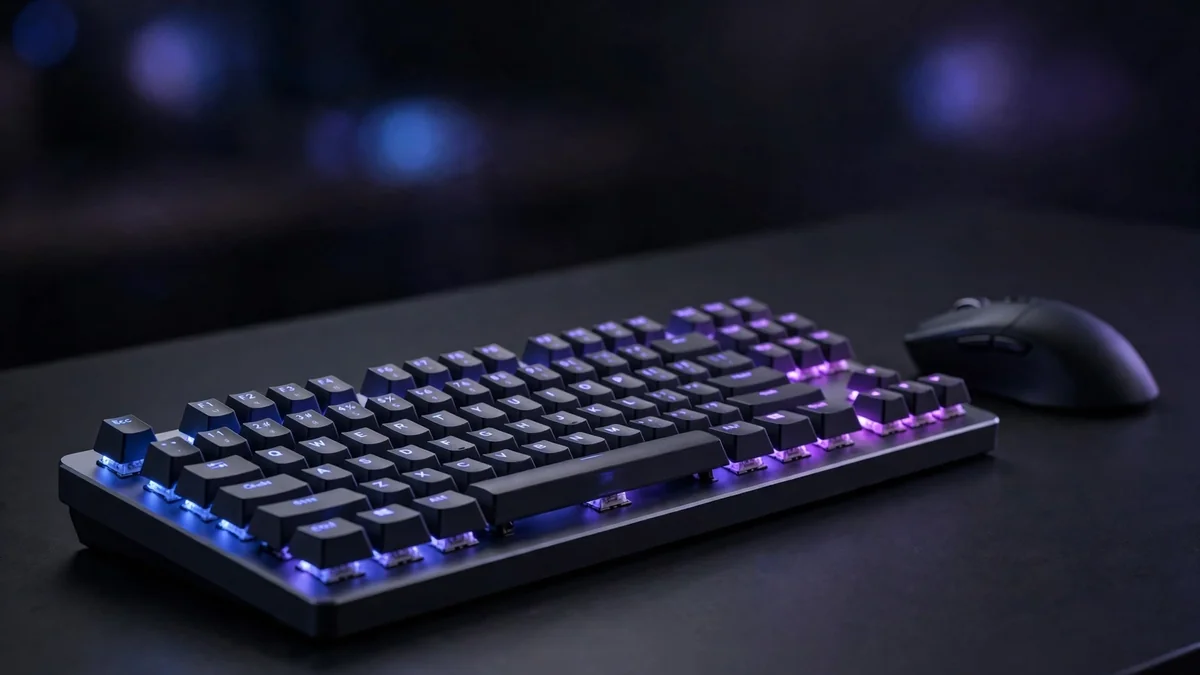
The best gaming keyboards in 2027 are faster, quieter, and more customisable than earlier boards. Hall effect switches now dominate the high end, letting you adjust how far a key travels before it registers, while 8,000 Hz polling makes input feel instant. The result is a keyboard tuned to your play style, with hair-trigger keys for shooters or a deeper press for typing.
What matters most is the feel under your fingers. Switch type, keycap material, and internal damping decide whether a keyboard sounds thocky and muted or loud and clicky, and whether your fingers tire after a long session. A good gaming keyboard should feel great in a ranked match and still be pleasant to type on.
This guide covers seven boards that earned their place in 2027, from rapid-trigger esports keyboards to a hot-swappable custom favourite. The Razer Huntsman V3 Pro TKL leads for competitive play, the Keychron Q3 Max leads for typing feel, and the Logitech G Pro X TKL is the best wireless pick. Prices below are approximate starting prices, so check current pricing before you buy.
Key takeaways
- The Razer Huntsman V3 Pro TKL is the best gaming keyboard overall for competitive play, at around $249.
- The Keychron Q3 Max is the best gaming keyboard for typing feel, at around $214.
- The HyperX Alloy Origins 65 is the best budget gaming keyboard, at around $99.
- Hall effect switches with adjustable actuation define 2027 gaming boards.
- Tenkeyless and 65 percent layouts free desk space for low-sensitivity mouse movement.
At a glance: the shortlist
| Keyboard | Best for | Starting price | Standout limit |
|---|---|---|---|
| Razer Huntsman V3 Pro TKL | Competitive gaming | From $249 | Expensive, software-heavy |
| Logitech G Pro X TKL Lightspeed | Wireless all-rounder | From $199 | No Hall effect switches |
| SteelSeries Apex Pro TKL (Gen 3) | Adjustable actuation | From $189 | Plastic-heavy build |
| Corsair K70 RGB Pro | Full-size gaming | From $169 | Large desk footprint |
| Keychron Q3 Max | Typing feel and customisation | From $214 | Heavier, no rapid trigger |
| ASUS ROG Strix Scope II 96 | Compact full layout | From $179 | Pre-lubed feel divides opinion |
| HyperX Alloy Origins 65 | Budget compact gaming | From $99 | No wireless option |
Razer Huntsman V3 Pro TKL — Best overall
The Huntsman V3 Pro TKL is the competitive standard. Its analogue optical switches adjust actuation from 0.1 to 4.0 mm, so movement keys can trigger with the lightest touch while ability keys need a firmer press. Rapid trigger resets a key the instant you start lifting it, making counter-strafing and repeated presses noticeably faster.

The tenkeyless layout frees desk space, the 8,000 Hz polling keeps latency minimal, and the board is well damped, so it sounds muted. The trade-off is price, at around $249, and the best features need Razer software. For players chasing every millisecond, it is the board to beat, and it pairs well with the gear in our guide to the best mechanical keyboards in 2027.
Pros: adjustable actuation, rapid trigger, 8,000 Hz polling, well-damped sound.
Cons: expensive, software required for tuning, no number pad.
Logitech G Pro X TKL Lightspeed — Best wireless all-rounder
The G Pro X TKL Lightspeed is the board most players should buy for wireless freedom without giving up performance. It connects over Lightspeed wireless, Bluetooth, or USB-C, with up to 50 hours of battery with lighting on. The GX optical switches come in tactile and linear options and are hot-swappable, so you can change switches without soldering.
At 8,000 Hz over USB and 1,000 Hz over wireless, it is fast enough for any level of play, with doubleshot PBT keycaps that resist shine. It lacks Hall effect switches, so actuation is fixed per key, but for most players the trade is invisible.
Pros: three connection modes, hot-swappable switches, good battery life, durable keycaps.
Cons: no adjustable actuation, wireless polling capped at 1,000 Hz, premium price.
SteelSeries Apex Pro TKL (Gen 3) — Best adjustable actuation
The Apex Pro TKL Gen 3 brings SteelSeries’ OmniPoint 3.0 Hall effect switches to a third generation. Actuation adjusts from 0.1 to 3.4 mm per key, rapid trigger is included, and a small OLED display with a control wheel handles volume, profiles, and settings without software. It is the most flexible board for players who want keys to behave differently.
The board is lighter and more plastic-feeling than the aluminium rivals, which keeps the price at around $189. The switches are smooth, though the ABS keycaps will shine with heavy use. For pure adjustability per dollar, it is hard to beat.
Pros: per-key adjustable actuation, rapid trigger, OLED display and control wheel, good value.
Cons: plastic-heavy build, ABS keycaps wear faster, no wireless option.
Corsair K70 RGB Pro — Best full-size gaming keyboard
The K70 RGB Pro is the full-size pick for players who want a number pad and full media controls. It uses Corsair’s OPX optical-mechanical switches with a short 1.0 mm actuation point and 8,000 Hz polling in a solid aluminium frame. The per-key RGB lighting is bright and even, and the media keys and volume roller are the best in this guide.
It is a large board that needs a deep desk, and the software can be slow to load, but for players who use the number pad for binds, macros, or work, it is a strong choice.
Pros: full-size layout, fast optical switches, excellent media controls, sturdy aluminium frame.
Cons: large footprint, heavy, software can be slow.
Keychron Q3 Max — Best typing feel and customisation
The Q3 Max is the board for players who type all day. Its CNC-machined aluminium case, gasket-mounted plate, and sound-dampening foam give it a deep, muted sound that stock gaming boards rarely match. It connects over 2.4 GHz wireless, Bluetooth, or USB-C, and the battery lasts weeks with the lighting off.
It is fully hot-swappable with QMK and VIA support, so every key can be remapped. It has no Hall effect switches or rapid trigger, so it cannot match the esports boards for speed, and at 1.9 kg it is very heavy. For feel and flexibility, nothing else comes close.
Pros: superb typing feel and sound, full QMK and VIA support, three connection modes, premium build.
Cons: no rapid trigger, very heavy, expensive for a non-esports board.
ASUS ROG Strix Scope II 96 — Best compact full layout
The Strix Scope II 96 squeezes a near-full layout, number pad included, into a 96 percent case barely larger than a tenkeyless board. It uses pre-lubed ROG NX Snow linear switches with a smooth, quiet feel, hot-swappable sockets, and sound-dampening foam, so it is quiet out of the box and comfortable for long sessions.
It connects over 2.4 GHz wireless, Bluetooth, or USB-C, with up to 1,500 hours of battery with lighting off. The pre-lubed switches feel smooth but slightly soft, and the 96 percent layout takes a day to learn, but it suits smaller desks that still need a number pad.
Pros: near-full layout in a compact case, quiet pre-lubed switches, huge battery life, three connection modes.
Cons: soft switch feel divides opinion, compact layout needs adjustment, no Hall effect switches.
HyperX Alloy Origins 65 — Best budget gaming keyboard
The Alloy Origins 65 is the cheapest way into a serious gaming keyboard. At around $99 it offers a solid aluminium body, HyperX switches, doubleshot PBT keycaps, and per-key RGB lighting. The 65 percent layout drops the function row and number pad, freeing desk space for mouse movement.
There is no wireless option and no hot-swappable switches, and the compact layout puts some keys on a function layer. For the price, though, the build is exceptional: the board feels dense and stable, and the lighting is bright.
Pros: aluminium body at a budget price, durable PBT keycaps, compact layout, bright RGB.
Cons: wired only, no hot-swappable switches, function-layer learning curve.
How to choose
Start with the layout. Tenkeyless boards suit most gamers because they free desk space, while full-size boards suit players who need a number pad for binds or work. Compact 65 and 75 percent boards go further, but they move some keys to a function layer. If you play at low mouse sensitivity, a smaller board is almost always the right call.
Next, choose your switches. Hall effect switches with adjustable actuation are the competitive standard in 2027, and they are worth it for serious shooter players. Linear switches are smooth and quiet, tactile switches give a small bump on each press, and clicky switches are loud and best avoided in shared spaces. If you are unsure, a hot-swappable board lets you change switches later, and it pairs well with the rest of a setup like the ones in our guide to the best gaming headsets in 2027.
Finally, decide on connection and build. Wireless boards with 2.4 GHz dongles are now fast enough for competitive play, while Bluetooth adds multi-device convenience. An aluminium case and PBT keycaps last longer and sound better than plastic and ABS, so they are worth paying for.
Checklist: before you buy
- Pick a layout that fits your desk and mouse space, not just your key count.
- Choose switch type by feel: linear for smooth, tactile for feedback, Hall effect for adjustability.
- Check the switches are hot-swappable if you may change them later.
- Confirm the connection: wired, 2.4 GHz, Bluetooth, or all three.
- Look for PBT keycaps and an aluminium case if you want the board to last.
- Check the return policy in case the layout or switches do not suit you.
Frequently asked questions
Are Hall effect keyboards worth it for gaming?
Yes, for competitive shooters. Adjustable actuation and rapid trigger make key presses faster and more consistent, and the difference shows in counter-strafing and rapid presses. For casual play and typing, a good mechanical board is just as enjoyable and usually cheaper.
What size gaming keyboard should I buy?
Tenkeyless is the best default for most gamers: it keeps the keys you use and frees desk space. Full-size suits players who need a number pad, while 65 percent boards suit minimal desks and players happy with a function layer.
Do wireless gaming keyboards have input lag?
Modern 2.4 GHz wireless keyboards have latency within a millisecond of wired boards, and professionals use them in competition. Bluetooth has slightly higher latency and suits casual play better than ranked matches.
What is rapid trigger and do I need it?
Rapid trigger resets a key the moment you start lifting it, rather than waiting for a fixed reset point. It makes repeated presses and counter-strafing faster and more precise: a real advantage in competitive shooters, and a nice bonus elsewhere.
How long do gaming keyboard switches last?
Most mechanical and optical switches are rated for 50 to 100 million presses, or many years of heavy use. Hall effect switches last longer still because they have no physical contact. Keycaps wear faster than switches, so PBT keycaps are worth choosing for longevity.
Can I use a gaming keyboard for typing and work?
Yes, and many people do. A board with tactile or quiet linear switches, a comfortable layout, and good damping works well for typing. If your setup includes a monitor upgrade, our guide to the best gaming monitors in 2027 covers high-refresh displays that pair well with a fast keyboard.
The bottom line
For competitive players, the Razer Huntsman V3 Pro TKL is the best gaming keyboard in 2027, with adjustable actuation and rapid trigger that genuinely change how fast you play. The SteelSeries Apex Pro TKL Gen 3 offers most of the same technology for less, and the Keychron Q3 Max is the pick if typing feel matters as much.
Whatever you choose, prioritise layout and switch feel over the spec sheet. A board that fits your desk and feels good under your fingers will serve you better every day than a faster board in a layout you fight, and prices shift often, so check current pricing before you buy.