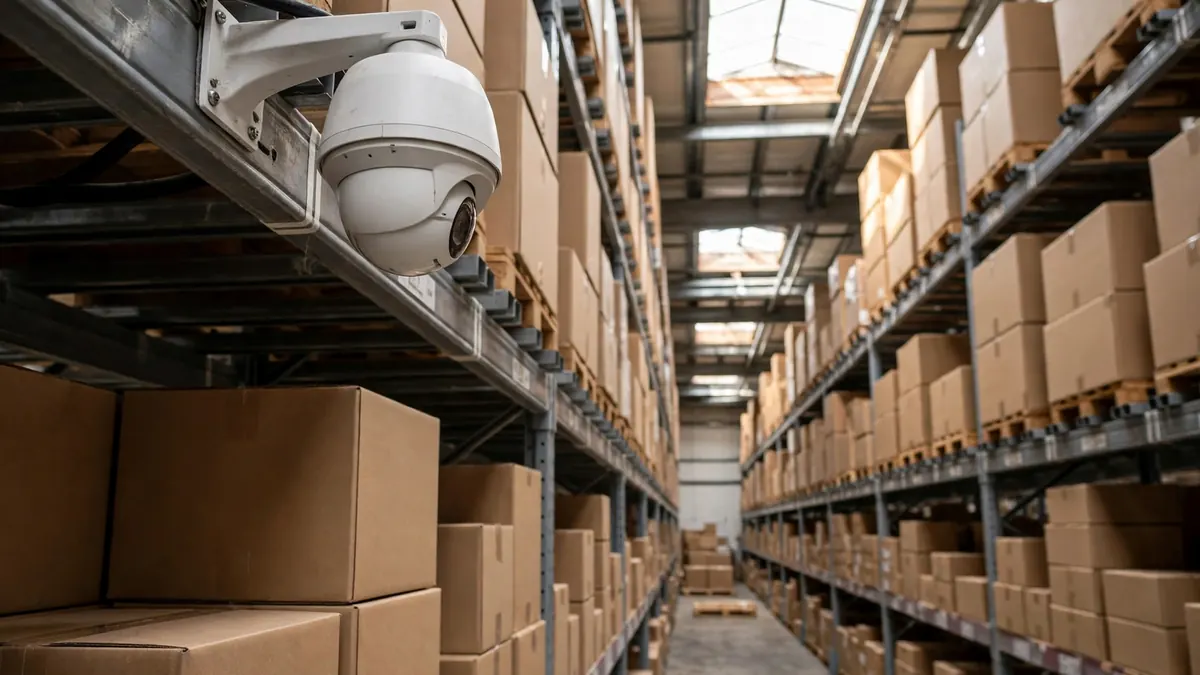
Computer vision is the part of artificial intelligence that lets a machine look at a photograph or video feed and make sense of what is in it. A camera on a warehouse rack can count boxes, a camera over a factory bench can spot a cracked part, and a phone camera can read a receipt. Each one turns light into numbers, searches for patterns it was trained to recognise, and returns an answer a business can act on.
The idea is older than the current wave of AI products. Researchers were teaching computers to recognise shapes in the 1960s, and factories were checking bottles and labels with simple machine vision by the 1980s. What changed is scale: cheap cameras, fast processors, and millions of labelled photographs made systems practical on messy, real-world images.
That shift is why computer vision now shows up in ordinary business decisions. It checks quality, counts stock, reads documents, and helps doctors look at scans. It is also easy to oversell: a system accurate in a demonstration can fail when lighting changes or a new product appears. This guide explains what it is, how it works, where it is useful, and what a small business needs before it starts.
Key takeaways
- Computer vision lets software identify, locate, and measure things in images and video, turning pictures into usable data.
- Its four core jobs are image recognition, object detection, segmentation, and reading text with OCR.
- Modern systems learn from labelled examples rather than hand-written rules, so they depend on good training data.
- The strongest uses are quality control, stock counting, security monitoring, document reading, and inspection in healthcare and farming.
- It does not understand a scene like a person, so lighting, new objects, bias, and privacy need honest testing and human checks.
What computer vision actually is
Computer vision is a field of artificial intelligence that gives machines useful information from visual input: a still image, a video stream, or a three-dimensional scan. The output is a decision, such as this is a damaged box, or there are fourteen people in this queue. Between the two sits a model, software trained on examples, that has learned which patterns in the pixels go with which answer.
It helps to separate computer vision from the terms it is most often confused with. Machine learning is the broader method of learning patterns from data, and computer vision is one application of it. Our explainer on what machine learning is sets out that wider field. Image processing is narrower: it changes an image, by sharpening it, without deciding what the image shows. A photo editor does image processing; a system counting cars in a traffic photo does computer vision.
It also differs from human sight. A person looking at a warehouse aisle understands the scene at once. A computer vision system has only a grid of pixel values, and it applies learned calculations to that grid. When it meets something outside its training, the gap shows quickly, so testing on real images from the actual site matters more than a vendor’s headline accuracy figure.
How computer vision works
Every computer vision system follows the same pipeline. First, an image is captured and cleaned up: brightness is adjusted, noise removed, and the image resized. Second, the model looks for features, such as edges, corners, textures, and shapes. Third, it combines those features into a decision. Fourth, ordinary software acts on it: an alert is sent, a counter is increased, or a part is rejected.

The first core job is image recognition, also called classification. The system is shown a whole image and asked what it contains: a cat, a tractor, a particular model of phone. It answers with a label and a confidence score. Classification is the simplest vision job, used for sorting photo libraries and tagging products, but it says nothing about where the thing is, or how many there are.
The second job, object detection, answers both questions. It draws a box around each thing it finds and labels each box, so one photograph can return five boxes for five boxes on a shelf. Detection is the workhorse of retail shelf checks and warehouse monitoring, because businesses need to know how many of something there are and where they are.
The third job, segmentation, outlines the exact shape of each object, pixel by pixel, instead of drawing a rough box. That precision matters when the shape itself is the point: outlining a tumour on a scan, or separating a crop from the weeds around it. Segmentation is slower and needs carefully labelled training data, because a person must trace each outline rather than just naming the image.
The fourth job is reading text from images, known as optical character recognition, or OCR. A receipt, a number plate, or a label is photographed, the characters are recognised, and the result is returned as ordinary text. Modern OCR handles printed text well and handwriting less reliably. It is often paired with detection, so the system first finds the label and then reads it.
Behind most modern systems sits a convolutional neural network, built for images. It scans the image in small patches and combines local patterns layer by layer, from edges to whole objects. Our guide to what deep learning is explains how those networks learn from thousands of labelled images.
Where businesses actually use computer vision
Manufacturing was one of the first places computer vision paid for itself. Cameras over a production line inspect every part at full speed, checking for scratches, missing screws, and wrong labels. A person gets tired and misses things after hours of the same check; a camera does not, provided the lighting and camera position stay the same. Retail uses the same idea: cameras and shelf sensors count stock, spot empty shelves, and flag products in the wrong spot, so a manager gets a list of shelves needing attention instead of walking every aisle with a clipboard.
Security is the most visible use. Cameras paired with vision software can spot an unattended bag, count people entering a building, or check that workers in a hazardous zone are wearing helmets. They are useful as an alerting tool, but not as a sole judge: a missed alarm in a safety-critical area is serious, so a human still needs to be in the loop. Healthcare uses the same idea as a second pair of eyes, flagging a suspicious area on an X-ray, though a model trained on one hospital’s images may perform worse on another’s.
Agriculture is a quieter success story. Drones and tractor-mounted cameras scan fields, spot weeds, and estimate yields. A sprayer that can tell a weed from a crop can spray only the weed, saving chemicals and money. These systems work well because the setting is controlled: a fixed camera height, known lighting, and similar objects day to day. Logistics firms read labels and sort parcels, insurers photograph car damage, and banks read identity documents.
The caveats that matter
The first caveat is that accuracy is always conditional. A model that scores 98 percent on a vendor’s test set may score far less on a shop floor with different lighting, a different camera angle, or a product it has never seen. Any serious trial should use the buyer’s own images and report errors by type: how often it misses a real defect, and how often it flags a good item as defective. A single accuracy figure hides both.
The second caveat is bias in the training data. A face-recognition system trained mostly on photographs of one group of people will usually perform worse on people outside that group. The fix is training and testing data that covers the people, products, and conditions the system will actually meet, and re-checking performance after deployment rather than once at launch.
The third caveat is privacy, and the fourth is cost. Cameras that recognise faces or track shoppers collect personal data, and the rules vary by country and sector. A business needs a clear answer before switching them on: what is recorded, who can see it, and how long it is kept. On cost, the camera is often the cheapest part; the real costs are labelling data, integration, and testing.
| Detail | What is known |
|---|---|
| What it is | AI that turns images and video into usable data: labels, counts, locations, and measurements. |
| Core jobs | Image recognition, object detection, segmentation, and text reading with OCR. |
| How it learns | Trained on labelled examples, usually with convolutional neural networks, not hand-written rules. |
| Strongest uses | Quality control, stock counting, security monitoring, document reading, and crop inspection. |
| Main limits | Accuracy drops with new lighting, new objects, and unfamiliar conditions. |
| Data needs | Thousands of labelled images from the actual site, covering real variations. |
| Cost to start | Start with a ready-made product; a custom model needs data, expertise, and testing. |
| Privacy | Systems that identify people need consent, retention limits, and legal advice. |
Checklist: starting with computer vision as a small business
Use these checks before buying a system or paying for a custom build.
- Write down one clear visual question first, such as how many items are on this shelf, and judge every product against that question alone.
- Collect real images from your own site and ask the vendor to test on those, not on their demonstration set.
- Ask for both error rates: missed problems, and good items flagged as problems.
- Start with a ready-made product for a common job, such as OCR or shelf counting, before considering a custom-trained model.
- Check the privacy position first: what is recorded, who can see it, and how long it is kept.
- Plan for a human in the loop, with a simple way to correct mistakes, because those corrections make the system better over time.
Frequently asked questions
What is computer vision in simple terms?
It is software that looks at a photograph or video and turns it into useful information, such as what is in the picture, where it is, or whether something is damaged.
Is computer vision the same as artificial intelligence?
No. Artificial intelligence is the broad goal of getting computers to do tasks that normally need human judgement. Computer vision is one branch of it, concerned only with visual information. Language, speech, and forecasting are other branches.
How is computer vision different from natural language processing?
Computer vision works with images and video, while natural language processing works with written and spoken language. One counts boxes on a shelf; the other reads a customer email. Our explainer on what natural language processing is covers the language side, and many products use both.
Do I need to train my own model to use computer vision?
Usually not. Most small businesses can use ready-made products already trained for common jobs such as reading receipts or counting stock. Training a custom model only makes sense when the job is unusual and you have enough labelled images.
How accurate is computer vision?
It depends on the job and the conditions. Reading clear printed text or counting identical boxes in good light is highly reliable; recognising faces in poor light or spotting rare defects is far less so. Always ask for results on your own images.
What equipment does a small business need to start?
Usually a decent camera, stable lighting, and a computer or cloud service to run the software. Many products run on an ordinary phone or a standard security camera. A fixed camera position and consistent lighting matter more than an expensive camera.
The bottom line
Computer vision is at its best when the question is narrow, visual, and repeated: is this part damaged, how many items are on this shelf. In those jobs it is faster and more consistent than a person, and it turns pictures into data a business can count and act on. It is at its weakest when the question is open-ended, conditions keep changing, or a wrong answer is costly, and then a human still needs to decide.
For a small business, the sensible path is to start with one clear problem, test a ready-made product on real images from your own site, and keep a person checking the results. If the trial saves time or catches problems that were being missed, expand from there.