
A small team planning an event can lose a whole afternoon to one invitation. The best AI tools for creating invitations for small teams in 2027 remove that drag by turning a short brief into a finished invitation in minutes, with the wording, the layout, and the matching envelope or digital send included.
What matters most is not how many templates a tool holds. It is how little manual work remains after the AI has done its part. A good tool writes clean wording for the occasion, keeps the team on brand with saved colours and logos, and exports a file that prints well and looks right on a phone screen.
We judged each tool on four things: how complete the finished invitation is, how well it handles print and digital sending, how easy it is for a small team to share, and what it costs when the free plan runs out.
Key takeaways
- Canva is the best overall pick, combining AI writing, a huge template library, and print and digital sending in one workspace.
- Evite is the best choice for digital invitations with RSVP tracking built in.
- Paperless Post is the best pick for formal occasions such as weddings, galas, and corporate dinners.
- Greenvelope is the best option for luxury paper style delivered by email, with tracking and reminders included.
- Check export quality and free plan limits before paying, because print resolution and guest limits decide how much work a tool saves.
At a glance: the shortlist
| Product | Best for | Starting price | Standout limit |
|---|---|---|---|
| Canva | Overall invitation design | Free, Pro from 15 dollars a month | Best AI features need a paid plan |
| Evite | Digital invites with RSVP | Free, Premium from 12 dollars a month | Print options are limited |
| Paperless Post | Formal occasions | Free, coins from 10 dollars a pack | Costs rise with large guest lists |
| Punchbowl | Party invitations for families | Free, Plus from 7 dollars a month | Fewer business templates |
| Greenvelope | Luxury email invitations | Paid plans from 20 dollars a month | No free plan for full use |
| Greetings Island | Free printable invitations | Free, Premium from 4 dollars a month | AI wording help is light |
| Smilebox | Animated invitations | Free, Club from 5 dollars a month | Animation needs a paid plan |
| PosterMyWall | Bold event flyers and invites | Free, Premium from 10 dollars a month | Free downloads carry a watermark |
Canva — Best overall
Canva is the most natural first pick for a small team because it covers the whole invitation job in one place. The AI design tool, called Magic Design, takes a short brief such as a birthday dinner for twelve people and returns a set of finished invitation layouts with matching wording. The team picks one, edits the names and the date, and exports it for print or sends it by email.
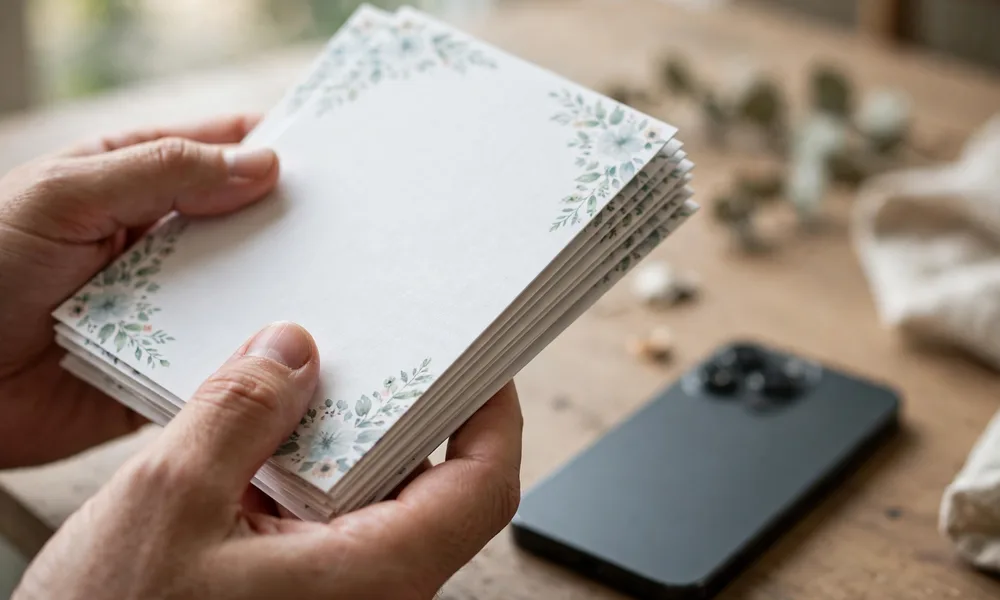
The template library is the widest here, with designs for weddings, office parties, and school events. The same design can be resized for every platform, and our guide to the best AI tools for creating social media posts for small teams shows which tools pair well with Canva for that wider job.
Pros: Widest template range, strong AI layout help, brand kit keeps designs consistent.
Cons: Best AI features sit behind the paid plan.
Evite — Best for digital invitations with RSVP
Evite is built for teams that send invitations by email or text and need to know who is coming. The AI wording helper drafts the invitation text from a few details such as the event name, the date, and the tone, and the design gallery covers birthdays, office parties, baby showers, and holiday gatherings. Once the invitation goes out, guests reply inside the same message, and the team sees a live list of who accepted, who declined, and who has not answered yet. That tracking is the reason to pick Evite over a general design tool, since reminders go only to guests who have not replied. Evite is less useful when the team needs printed invitations, since the designs are made for screens first and print second.
Pros: Built in RSVP tracking, easy reminders, large free design range.
Cons: Print quality is weaker than design first tools, and ads appear on the free plan.
Paperless Post — Best for formal occasions
Paperless Post is the pick for occasions where the invitation itself sets the tone. The designs come from well known designers and stationers, and the AI wording suggestions keep the text formal without sounding stiff. Matching envelopes, liners, and reply cards open with a small animation when the guest clicks through. The pricing works on coins rather than a flat monthly fee, which suits a team that sends formal invitations a few times a year instead of every week.
Pros: Elegant designer led styles, matching envelopes and reply cards, good guest list tools.
Cons: Coin pricing adds up for large lists, and casual designs are thin.
Punchbowl — Best for party invitations for families
Punchbowl is a friendly choice for teams planning parties where children and families are on the guest list. The AI text helper writes warm, simple wording for birthdays, baby showers, school events, and holiday parties, and the design range leans bright and cheerful rather than corporate. The free plan covers a basic party invitation with RSVP tracking, which is enough for many small teams. Punchbowl is a weaker fit for formal business events, where the playful designs feel out of place.
Pros: Warm family friendly designs, useful party extras, simple RSVP tools.
Cons: Few formal business templates, and the best designs need the paid plan.
Greenvelope — Best for luxury email invitations
Greenvelope aims at teams that want the feel of luxury paper without the cost of printing and postage. The designs look like engraved stationery, with rich colours, classic type, and matching envelopes that open on screen. The team can add a custom monogram or logo to keep the invitation on brand. Every invitation includes tracking, so the team sees when guests open the message and when they reply, and automatic reminders go out to guests who have not answered.
Pros: Luxury paper style by email, strong tracking and reminders, custom monograms.
Cons: No free plan, and the formal style suits only some events.
Greetings Island — Best for free printable invitations
Greetings Island is the simplest route to a printed invitation that costs nothing. The team picks a design, types in the event details, and downloads a print ready file or sends the invitation by email. The AI help here is light, offering short wording suggestions for common occasions, but the process takes minutes from start to finish. The free plan covers a wide range of designs for birthdays, baby showers, weddings, and holidays, and the premium plan adds more designs and removes the watermark.
Pros: Free printable invitations, fast and simple, good print resolution.
Cons: AI wording help is light, and brand controls are minimal.
Smilebox — Best for animated invitations
Smilebox stands out because its invitations move. The team picks an animated design, adds photos and music, and sends a short video style invitation that plays when the guest opens it. The AI tools help with wording and photo layout, and the animation gives a birthday, a retirement party, or a product launch a sense of occasion that a static card cannot match.
Pros: Animated designs with music and photos, memorable for parties, easy to share.
Cons: Animation needs the paid plan, and the style suits only casual events.
PosterMyWall — Best for bold event flyers and invites
PosterMyWall is the tool for teams that want an invitation that looks like a poster. The AI design assistant builds bold layouts from a short brief, and the template range covers concerts, fundraisers, club nights, product launches, and community events. The team can add its own photos and export the design as a printable flyer, a social post, or an email invitation. The free plan is usable for a first draft, but free downloads carry a watermark, so most teams will pay for the premium plan before sending anything out.
Pros: Bold poster style designs, AI layout help, easy resizing for print and social.
Cons: Free downloads carry a watermark, and formal designs are thin.
How to choose
Start with how the invitation will reach the guests. If the answer is email or text with RSVP tracking, Evite or Punchbowl will save the most time. If the answer is print, Canva or Greetings Island will give the best files. If the event is formal, Paperless Post or Greenvelope will set the right tone, and the extra cost is small next to the cost of the event itself.
Then check the guest list size and the frequency of events. A team that sends invitations weekly should pay for a monthly plan, while a team that sends four a year should pick a tool that charges per event or offers a strong free plan. Teams planning a larger occasion can also read our guide to the best AI tools for event planning to cover the seating, schedule, and supplier work that sits around the invitation.
Checklist: before you pay
- Send a test invitation to yourself and open it on a phone, since most guests will read it there first.
- Check print resolution on the paid plan, because a design that looks sharp on screen can blur on paper.
- Confirm the guest limit on the free plan, and what a larger list will cost.
- Save brand colours and logos once, then check that templates can use them.
- Test the RSVP flow as a guest, including plus ones and meal choices.
Frequently asked questions
Can AI write the whole invitation wording?
Yes, most tools here draft the wording from the occasion, the date, and the tone. The draft is a starting point, and the team should still check names and dates once.
Which tool is best for a small team on a tight budget?
Canva and Greetings Island offer the strongest free plans for design and print, while Evite offers the strongest free plan for digital invitations with RSVP tracking.
Do these tools handle printed invitations as well as digital ones?
Canva, Greetings Island, and PosterMyWall are strongest for print, with high resolution exports. Evite, Paperless Post, and Greenvelope are built for digital sending first.
How do I collect RSVPs without chasing people?
Pick a tool with built in RSVP tracking, such as Evite, Paperless Post, or Punchbowl. Guests reply inside the invitation, and reminders go only to people who have not answered yet.
Can a team share one account and work together?
Yes, Canva and PosterMyWall support shared workspaces where two or three people can edit the same design.
Which invitation tool suits a wedding or a formal dinner?
Paperless Post and Greenvelope are the best fit for formal occasions, with elegant designs and matching envelopes. Teams planning a wedding can also read our guide to the best AI tools for wedding planning.
The bottom line
For most small teams, Canva is the right first choice because it handles wording, design, print, and digital sending in one place. Teams that live on RSVP tracking should pick Evite instead, and teams planning a formal occasion should pick Paperless Post or Greenvelope for the tone alone.
The tool matters less than the test. Send one real invitation through the free plan, open it on a phone, print one copy, and check the RSVP flow as a guest. The tool that survives that test with the least editing is the one to pay for.
Note: Prices and plans change. Check the product current plan details before buying — no link is provided here by design, all links in this article go to other occcy.com guides.