
Norton 360 is the strongest starting point for readers who want one package of antivirus and extra security tools, while Windows Security can be enough for basic Windows protection. Bitdefender is a strong choice when you want scanning and value, while other users may need fewer extras. Real-time protection means monitoring files, apps, and activity as they are accessed, so threats can be blocked before they run.
Your best fit depends on your operating system, the number of devices at home, and the tools you will use. A VPN, for example, may help with a specific privacy need, while parental controls can help families manage a child’s device. A paid plan makes sense when its extra features solve a real need.
Some users can start with security already built into their computer. Others need a single plan for computers and phones, or want added help with risky links and online accounts. This comparison looks at lab results and feature differences separately, so you can judge each product on the points that matter to your home.
Key Takeaways
- Norton 360 is a strong all-in-one choice for households seeking extra tools.
- Bitdefender pairs cloud-based scanning with a broad set of optional features.
- Windows Security offers a built-in starting point for basic Windows needs.
- Test results reflect specific products, devices, and test conditions.
- Free plans differ in real-time protection and included features.
- Match any paid plan to the devices and features you will actually use.
The Best Antivirus Software for Different Needs in 2026
For most households wanting a full security package, start with Norton 360; for a built-in Windows option, start with Windows Security. Bitdefender fits readers who value protection and a range of tools, while a free plan may work for simpler needs. Choose by household need, not by brand name alone.
| Product | Best fit | Platform focus | Distinguishing feature |
|---|---|---|---|
| Norton 360 | All-in-one protection | Windows, Mac, iOS, Android | VPN and password manager |
| Bitdefender | Protection and value | Windows and multiple platforms | Cloud-based scanning |
| Windows Security | Built-in Windows protection | Windows 10 and 11 | Defender plus firewall |
| TotalAV | Beginner-friendly paid suite | Multiple platforms | Safe-browsing and cleanup tools |
| Avast | Free-plan option | Windows and Android | Real-time protection |
The best antivirus for a home PC may not suit a household with several phones and computers. Windows Security is a sensible place to start for basic Windows use. TotalAV may feel approachable if you want paid tools with browsing and cleanup features, while Avast offers a free-plan route.
Choose a built-in option for basic needs, or pay for a suite when its extras solve a real household problem.
A table can narrow the field, but it cannot show how each product performs in every lab test. Use the table to shortlist two candidates, then compare their test evidence and the features your household needs.
How Can You Compare Antivirus Test Results Fairly?
Compare products only after checking that the test used the same operating system, test period, and scoring method. Tests assess different things, so one score is not a guarantee of the same result on your computer. This comparison methodology evaluates more than 30 antivirus programs. Repeated results across separate tests are more useful than one high score.
- Identify the operating system and test date.
- Check protection, performance, and usability separately.
- Tell independent lab testing apart from in-house malware tests.
- See whether the review scores features, value, compatibility, and support.
Tests that use different malware samples or settings are not directly interchangeable. An independent lab may measure threats under controlled conditions, while an in-house test may use a different sample set. A strong score may not cover every feature or device you own.
The scoring method also changes how much a result matters. Test results count for 49% of the overall score, editor assessment and core features each count for 20%, and value counts for 3%. Compatibility and customer service each make up 3%, while bonus features account for 2%.
A free antivirus comparison can help you spot differences in plan limits and test methods. The AV-Comparatives July-August 2026 real-world test used 200 live malicious URL cases on an updated Windows 11 system. Treat repeated results across independent tests as stronger evidence than one standout score.
What Do the Latest Windows Antivirus Tests Show?
The August 2026 Windows 11 results put five leading products at 18/18, while Microsoft Defender Antivirus finished half a performance point below a perfect total. The test gave each product up to six points for protection, performance, and usability. Scores describe results under those test conditions, not every computer’s experience.

| Product | Protection | Performance | Usability |
|---|---|---|---|
| Microsoft Defender Antivirus | 6/6 | 5.5/6 | 6/6 |
| Avast Free Antivirus | 6/6 | 6/6 | 6/6 |
| AVG Antivirus Free | 6/6 | 6/6 | 6/6 |
| Bitdefender Total Security | 6/6 | 6/6 | 6/6 |
| Norton 360 | 6/6 | 6/6 | 6/6 |
McAfee Total Protection also earned a perfect 18/18 in the August test. AV-TEST calls a product a Top Product when it scores at least 17.5 out of 18. In March and April 2026, 12 of 14 products reached that mark.
In that spring test, Avast, AVG, Bitdefender, ESET, F-Secure, McAfee, Norton, and TotalAV detected 100% of tested malware. Microsoft Defender Antivirus detected 99.9% in the reference set and earned 6/6 in all three categories.
Microsoft Defender, Avast, AVG, Bitdefender, Kaspersky, McAfee, Norton, TotalAV, Malwarebytes, and EnigmaSoft each earned 6/6 performance points after causing only a slight system load. Check the operating-system and test-period labels before treating one product’s score as a direct comparison with another test.
Is Norton 360 the Best All-in-One Antivirus for You?
Norton 360 fits households that want antivirus, a VPN, a password manager, and other security tools managed in one suite. Its strong Windows test results add useful evidence for PC owners, though one package is not right for every home. Check each device’s feature support before buying.
What Norton 360 Deluxe includes
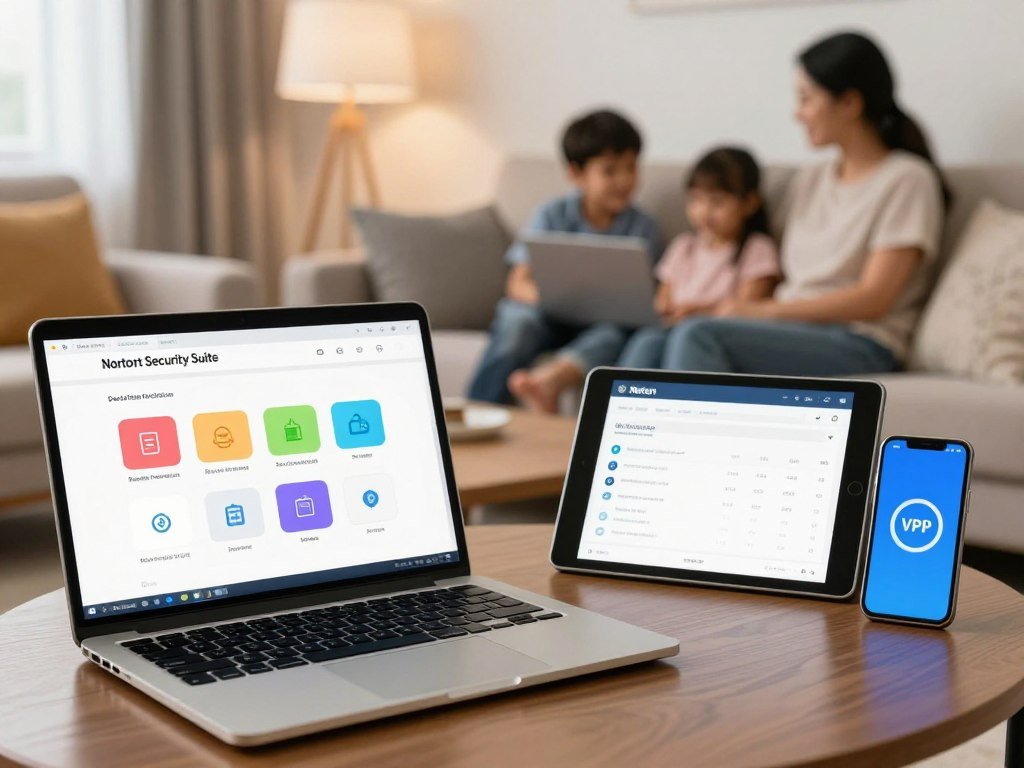
Norton 360 brings together antivirus protection and tools for safer online activity. Its package can include a VPN, password manager, phishing protection, parental controls, and cloud backup. Norton 360 Deluxe includes 50GB of cloud backup, giving you space for copies of important files.
The tools serve different needs. A password manager helps organize account passwords, while parental controls help families manage children’s online activity. Cloud backup can help preserve files if a device fails, but it is not a replacement for keeping another copy of important data.
Where device coverage differs
Norton 360 is available for Windows, Mac, iOS, and Android. A single subscription may cover a mix of computers and phones, but the features can vary across those systems. A cross-platform package may limit a feature on one operating system.
That matters when a family expects the same controls on every device. A tool available on a Windows computer may have fewer options on a Mac or phone. Check the feature list for each device before choosing one Norton plan for the whole household.
Is Bitdefender a Better Fit for Protection and Value?
Bitdefender is a strong candidate for readers who want a scanner-led suite with extra tools for online transactions. Its cloud-based scanning can check suspicious files with help from online threat data. Choose its wider suite only when you will use its added controls.
How its scanning works
Bitdefender uses a cloud-based scanner to help identify malware without relying only on local device resources. Its Safepay secure browser is designed for banking and shopping. It gives users a separate place for transactions that involve payment or account details.
These tools may suit people who want focused malware protection and a safer browser for financial tasks. They do not remove the need to use strong account passwords or keep software current. Safe browsing still depends on your choices.
Which extras matter in Total Security
Bitdefender Total Security covers up to five devices. Its broader package includes parental controls, a firewall, optimization tools, and ransomware protection. Those features can help a household that wants more than basic scanning on several devices.
A firewall helps manage network traffic, while ransomware protection aims to guard files from malicious encryption. Optimization tools may appeal to users who want system utilities in the same package. A feature-rich suite can be more than you need if you only want basic scanning.
Choose Total Security only if its additional coverage and controls justify installing a broader suite.
Is Windows Security Enough, and What Does Microsoft Recommend?
Windows 11 already includes Microsoft Defender Antivirus, so most users can begin with protection that is on by default. It provides real-time, always-on protection. A separate product is most useful when you need tools or device coverage beyond Windows’ built-in protection.
Microsoft SmartScreen warns about potentially harmful websites, apps, and downloads. Windows Firewall blocks unwanted incoming network traffic, adding a separate layer to antivirus protection. These features have different roles, even though they work together in the operating system.
Defender security intelligence updates arrive automatically through Windows Update. Those updates help the antivirus recognize current threats. Keeping automatic updates on helps the built-in security features stay current.
A separate security suite may be useful if you need a bundled VPN or password manager. Windows Security does not automatically provide every feature found in a paid package. Check Windows Security settings and confirm that automatic updates remain enabled.
What Is the Best Free Antivirus for Windows?
Windows Security is the simplest free starting point for a Windows PC, while Bitdefender Antivirus Free is a separate option with real-time protection. Both are Windows choices, but their features and setup differ. Avast is another free antivirus option for Android devices.
Free Windows options with real-time protection
Bitdefender Antivirus Free works with Windows 10 and Windows 11 and has no validity end date. Its free Windows protection includes real-time protection and a basic VPN with up to 200 MB of encrypted traffic per device each day.
Windows Security is built into Windows, while Bitdefender requires installing another app. Bitdefender’s free Windows antivirus focuses on basic protection, while its paid Total Security plan supports Windows, Mac, Android, and iOS. An overview of free antivirus choices can help you compare plan limits across platforms.
When a free plan falls short
A free plan may not include the features you want from a paid security suite. TotalAV’s free version does not include real-time protection, so it is not the same kind of ongoing defense. A scanner alone cannot block threats as they arrive.
For a free antivirus without ads, Windows Security is a built-in choice that avoids installing a separate freemium antivirus app and its upgrade prompts. That does not mean every Windows security notice disappears. Before installing any free plan, confirm that it includes real-time protection rather than scans alone.
How Do Avast One and AVG Differ Beyond Malware Scans?
Avast One gives VPN access in its free version, while AVG Internet Security’s stronger fit depends on the other protections a user needs. Neither brand’s named plans include all three extras shown below. Their test results are separate from the feature comparison here.
| Product | VPN | Parental controls | Password manager |
|---|---|---|---|
| Avast One Essential | Free, 5GB per week | No | No |
| Paid Avast One | No weekly cap | No | No |
| AVG Internet Security | Not included | No | No |
Avast One Essential limits its free VPN to 5GB per week. Paid Avast One versions remove that weekly cap, but neither version includes parental controls or a password manager. That makes its VPN offer distinct from its family and account tools.
AVG Internet Security also lacks an included VPN, password manager, and parental controls. A stronger malware test result does not tell you whether a plan includes those extras. Readers who need these tools should compare another suite rather than assume the brand’s free and paid versions have identical bundles.
Compare the named plan, not just the Avast or AVG brand, before deciding which features are included.
Which Is Better, Norton or McAfee?
Norton is the better fit if you prioritize the stronger offline result and fewer false alarms, while McAfee edged ahead on online detection. Norton led on three of the four measures below. These separate test results do not predict every user’s experience.
| Measure | Norton | McAfee |
|---|---|---|
| Offline detection | 96.3% | 86.1% |
| Online detection | 98.7% | 99.2% |
| False alarms | 9 | 14 |
| Phishing certification | 93% | 92% |
In AV-Comparatives’ March 2026 results, Norton detected more threats offline and recorded fewer false alarms. McAfee’s online detection rate was 0.5 percentage points higher in that comparison. The difference is narrow, but it is still the stronger result for that measure.
The June 2026 phishing certification results were 93% for Norton and 92% for McAfee. Norton also had five fewer false alarms in the March comparison. A March 2026 detection comparison captures those specific test measures, not every device setup or threat type.
Decide which test condition matters most to your use, then compare the plans’ features separately.
Which Antivirus Should Mac Users Consider?
Mac users should prioritize a product with a dedicated macOS app and verify the features available in that version. Intego ONE is designed for macOS, and MacKeeper is built exclusively for macOS. A Windows feature list may not carry over to a Mac app.
Intego ONE gives Mac owners a product focused on Apple computers. MacKeeper is another Mac-specific option. Compare their apps by the tasks you need, rather than assuming every product has the same tools across systems.
Check compatibility with the macOS version on your computer. Look at malware protection, firewall tools, privacy features, and whether family controls work in the Mac version. Names alone do not show which features the app includes.
These checks matter if you use a suite across a mixed household. A Windows computer and a Mac may receive different controls under the same brand. Confirm compatibility with the exact macOS version and Mac devices you plan to protect.
What Is the Best Free Antivirus for Android?
Google Play Protect is the first free Android protection to check because it scans apps during installation and continues scanning the device. Use it as the baseline before adding another security app. An extra app may help if its tools fit a need on your phone.
Start with Android’s built-in protections
Google Play Protect scans apps from Google Play and third-party sources during installation, then checks Android devices regularly. Android also adds protections through system updates. Android 15 introduced Theft Detection Lock and Offline Device Lock, and improved Remote Lock and Factory Reset.
When a third-party security app helps
Third-party Android security apps supplement native protections; they do not replace them. Avast is listed as a free antivirus option for Android. A 2026 Android review weighs malware protection, battery use, functionality, design, and usability, since constant scanning can affect daily use.
Android 16 requires apps to declare local-network access explicitly. It also hides one-time passwords from the lock screen in higher-risk situations, including when a device is off Wi-Fi and has not been unlocked recently. These changes give users more control over apps and sensitive account codes.
The best free antivirus for Android may be Play Protect alone if its safeguards meet your needs. If you add an app, choose it for a clear feature rather than its label. Keep native Android protections enabled even if you install an additional security app.
Which Antivirus Works Best on Windows 10 and Windows 11?
Windows 11 users can start with Windows Security, while Windows 10 users should first address the operating system’s ended support. A paid suite can help with extra tools or more devices, but antivirus cannot replace operating-system security updates.
Windows 11 and current protection
Windows Security is a sensible choice for basic Windows 11 needs. Consider a paid suite if you want extra features or need broader coverage across different devices. Recent Windows 11 test results can help compare protection, speed, and ease of use under set lab conditions.
Windows 10 after support ended
Windows 10 support ended on October 14, 2025. Microsoft no longer provides security updates, software updates, or technical support for the system. That leaves an antivirus doing only part of the job.
Eligible Windows 10 devices can use the consumer Extended Security Updates program until October 12, 2027. PCs running Windows 10 version 22H2 and meeting Windows 11’s minimum hardware needs can upgrade to Windows 11 for free. Check Microsoft’s Windows 10 support options to see which path fits your computer.
Check eligibility for Windows 11 or consumer ESU instead of relying on antivirus alone to cover an unsupported PC.
Which Antivirus Features Are Worth Paying For?
Pay first for reliable core protection, then add a VPN, password manager, or parental controls only when that tool fills a real gap. Core protection matters more than a long feature list. A security suite may combine malware scanning with several optional tools.
Core protection against malware and risky links
Real-time scanning checks files and activity as you use them. Ransomware protection can help guard files from malicious encryption, while a firewall helps control network traffic. Phishing protection warns about dangerous links that may lead to fake sign-in pages.
Viruses, Trojans, ransomware, and spyware are different types of malware. A good plan should address common threats without making ordinary tasks hard. Clear alerts are more useful than a crowded dashboard.
Extras that solve a specific household need
A VPN can help protect traffic on public Wi-Fi, while a password manager can help you use different passwords for each account. Parental controls may suit a family that wants tools to manage a child’s online activity. Privacy monitoring can alert you to certain risks involving personal data.
Use this checklist before paying:
- Real-time protection
- Ransomware protection
- Firewall or network protection
- Phishing protection
- The extra tool your household will actually use
A bundled VPN may have a data cap and may not replace a dedicated VPN service. Cross off any add-on that duplicates a service you already use and trust.
How Much Should You Pay for Antivirus Software?
Compare the first-year amount with the number of devices and the extras included, not just the lowest advertised tier. The plan tier changes both coverage and value. First-year price is not necessarily the renewal price.
| Product | Listed first-year price range | Maximum device coverage | Platform or plan caveat |
|---|---|---|---|
| Norton | $29.99-$59.99 | Unlimited only on LifeLock Ultimate Plus | Windows, macOS, Android, iOS |
| TotalAV | $19.00-$49.00 | Up to 8 devices | Chrome, Edge, and Opera listed |
| Bitdefender | $34.99-$64.99 | Up to 25 devices | Device cap depends on plan |
Device coverage can change which tier makes sense. Norton supports Windows, macOS, Android, and iOS, but unlimited coverage applies only to LifeLock Ultimate Plus. TotalAV lists compatibility with Chrome, Edge, and Opera alongside its operating system support.
Bitdefender lists coverage for up to 25 devices, while TotalAV covers up to eight. A bigger device cap does not make a plan better if you need fewer devices or different features. Check the renewal amount and device cap on the exact plan before paying.
How Should You Choose Antivirus for Your Household?
Start by listing every device and operating system in the household, then decide whether basic protection or extra tools are needed. Windows, macOS, Android, and iOS do not share identical app compatibility. A single household plan is not automatically the best value if it leaves one device uncovered.
- List the household’s operating systems.
- Count computers, phones, and tablets.
- Decide whether free built-in protection meets your needs.
- Name the extra features you must have.
- Compare first-year and renewal prices.
Windows Security, Bitdefender Antivirus Free, and Norton 360 represent different starting points. One relies on built-in Windows protection, another offers a free Windows app, and the third is a paid suite. Your choice depends on what needs protection, not just how many devices you own.
Choose coverage that reaches every device you use, rather than paying for a large plan that misses a key operating system.
A list also helps reveal devices that are easy to forget, such as a shared tablet or an older laptop. Count those before picking a multi-device plan. Simple coverage is easier to manage.
Choose the least complicated plan that covers every device and solves a need you can name.
Conclusion
The best fit is the product that protects every device you use without making you pay for extras you will not use. Norton 360 suits readers who want a broad suite, Bitdefender offers a scanner-led option with extra tools, and Windows Security gives Windows users a straightforward built-in start.
Windows 10 support has ended, so antivirus alone cannot replace current operating-system security updates. Before installing or renewing anything, check the operating-system compatibility and the current plan terms.
FAQ
How does antivirus software work?
Antivirus software checks files and activity for known and behavior-based threat signals, then blocks, quarantines, or removes suspicious items. Real-time protection monitors activity as it happens, while scheduled scans can look for threats already stored on a device. Detection methods and settings differ by product. Keep the operating system and security app updated so they can respond to newer threats.
Which is better, Norton or McAfee?
Norton is the better fit if you prioritize offline detection, fewer false alarms, and phishing certification. McAfee led slightly on online detection in the March 2026 comparison, with 99.2% against Norton’s 98.7%. Norton detected 96.3% offline, compared with McAfee’s 86.1%. The better pick depends on which test condition matters most to your use.
Which antivirus does Microsoft recommend?
Microsoft provides Microsoft Defender Antivirus as part of Windows 11, but that does not amount to an endorsement of a specific third-party security suite. Defender offers real-time protection as a built-in Windows feature. A separate product may suit you if you need tools or coverage beyond Windows. Check the features of each plan before choosing one for multiple systems.
What is the best free antivirus program in 2026?
Windows Security is the simplest built-in choice for Windows users, while Bitdefender Antivirus Free is another Windows option with real-time protection. The best fit depends on your platform and the features you need. Free plans can differ in limits and tools, and some provide scans without ongoing protection. Check that a free app covers the devices you plan to use.
What is the top 3 antivirus?
Norton 360, Bitdefender, and Windows Security are three strong starting points for different needs. Norton suits users seeking an all-in-one package, Bitdefender fits readers who want scanner-led protection with added tools, and Windows Security covers basic Windows needs. They are not interchangeable: check their platform support and plan features against your home devices before deciding.
Do you really need antivirus in 2026?
Most users benefit from active protection, though Windows users already have Microsoft Defender Antivirus available. Antivirus can help block malware and risky activity, but it cannot replace operating-system updates. Use unique passwords and keep apps current, too. People with mixed devices should also check what security features each operating system provides by default.
Do I need antivirus if I have Windows Security?
Not necessarily, if you use Windows and need basic protection. Windows Security includes Microsoft Defender Antivirus, but a separate suite may help if you want specific extras or protection across other operating systems. A VPN, password manager, or parental controls can be reasons to compare paid plans. Choose one only if its tools fill a need you have.
What are the downsides of using antivirus software?
Antivirus software can use system resources during scans, flag safe files by mistake, or show upgrade prompts. Paid suites may include features with data caps or tools that overlap with services you already use. The impact varies by product and computer. Review alerts before removing a file, and compare a plan’s extras with your current apps.



